
8.1 KiB







OneGadget
When solving CTF pwn challenges we usually want a one-gadget RCE: a single address in
libc that, jumped to, calls execve("/bin/sh", NULL, NULL).
This gem finds them for you, so you don't have to dig through objdump or IDA Pro every time 😉
Point it at a libc -- one_gadget /path/to/libc -- and enjoy the magic 😆
Installation
Available on RubyGems.org!
$ gem install one_gadget
Supported Architectures
- i386
- amd64 (x86-64)
- aarch64 (ARMv8)
- arm (ARMv7, A32/Thumb-2)
- riscv64 (RV64GC)
- mips (MIPS32 o32, big- and little-endian)
Implementation
OneGadget symbolically executes the code around each candidate address to work out what has to hold for the gadget to work.
Gadgets are found by walking the control-flow graph backward from each exec/posix_spawn
call, following conditional branches both ways. When a gadget is only reachable if a branch is
(not) taken, that decision shows up as an extra constraint, e.g. x2 == 0x1.
The article introducing how I develop this tool can be found on my blog.
Checked by running them
Constraints are only worth as much as they are complete, so the gadgets this repository
ships are verified by being run. Aletheia loads the libc in a live
process, arranges exactly what a gadget's constraints ask for, poisons every register and
page they don't mention, jumps to the offset, and requires a real /bin/sh to come back
and list the root directory. A gadget whose constraint list is missing something fails
there instead of passing by luck -- which is how several missing constraints were found.
bundle exec rake aletheia:verify                # every libc under spec/data, level 0
bundle exec rake "aletheia:verify[1, aarch64]"  # one output level, one architecture
Aletheia is development tooling: it lives outside lib/ and bin/, so it is not part of
the published gem.
Usage
Command Line Interface
SHELL_OUTPUT_OF(one_gadget)
SHELL_OUTPUT_OF(one_gadget spec/data/libc-2.31-9fdb74e7b217d06c93172a8243f8547f947ee6d1.so)
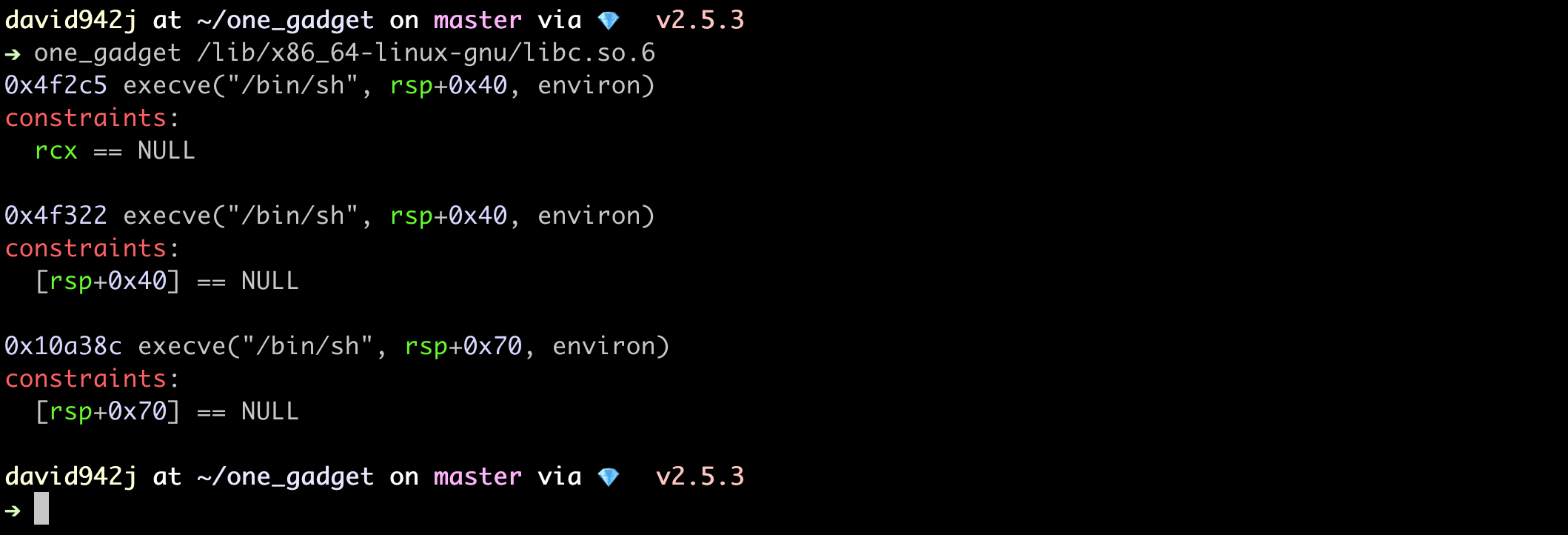
Given BuildID
SHELL_OUTPUT_OF(one_gadget -b b417c0ba7cc5cf06d1d1bed6652cedb9253c60d0)
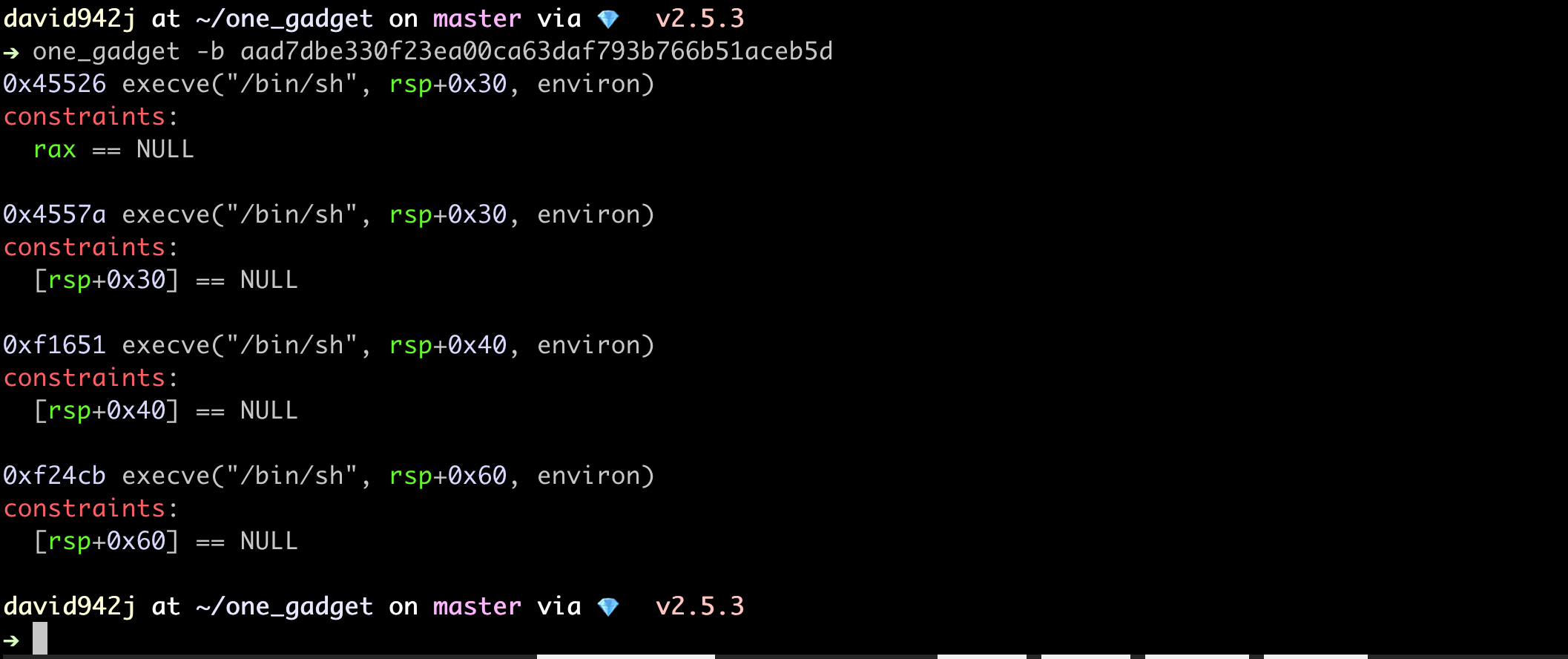
The gem carries the gadgets of the libcs most likely to be asked for -- the glibc of every Ubuntu LTS still in standard support, and every libc the tests cover. Any other BuildID is fetched from this repository, which keeps them all.
Gadgets Near Functions
Why
Consider this situation while exploiting:
- You can write to the GOT (Global Offset Table).
- The base address of libc is unknown.
Here you can overwrite the low two bytes of a GOT entry with the low two bytes of a one-gadget. If the function sits close enough to the gadget, only one nibble is left to guess -- at least a 1 in 16 chance of success.
Usage
Sorts the gadgets by how far they are from the functions you name.
SHELL_OUTPUT_OF(one_gadget spec/data/libc-2.31-9fdb74e7b217d06c93172a8243f8547f947ee6d1.so --near exit,mkdir)
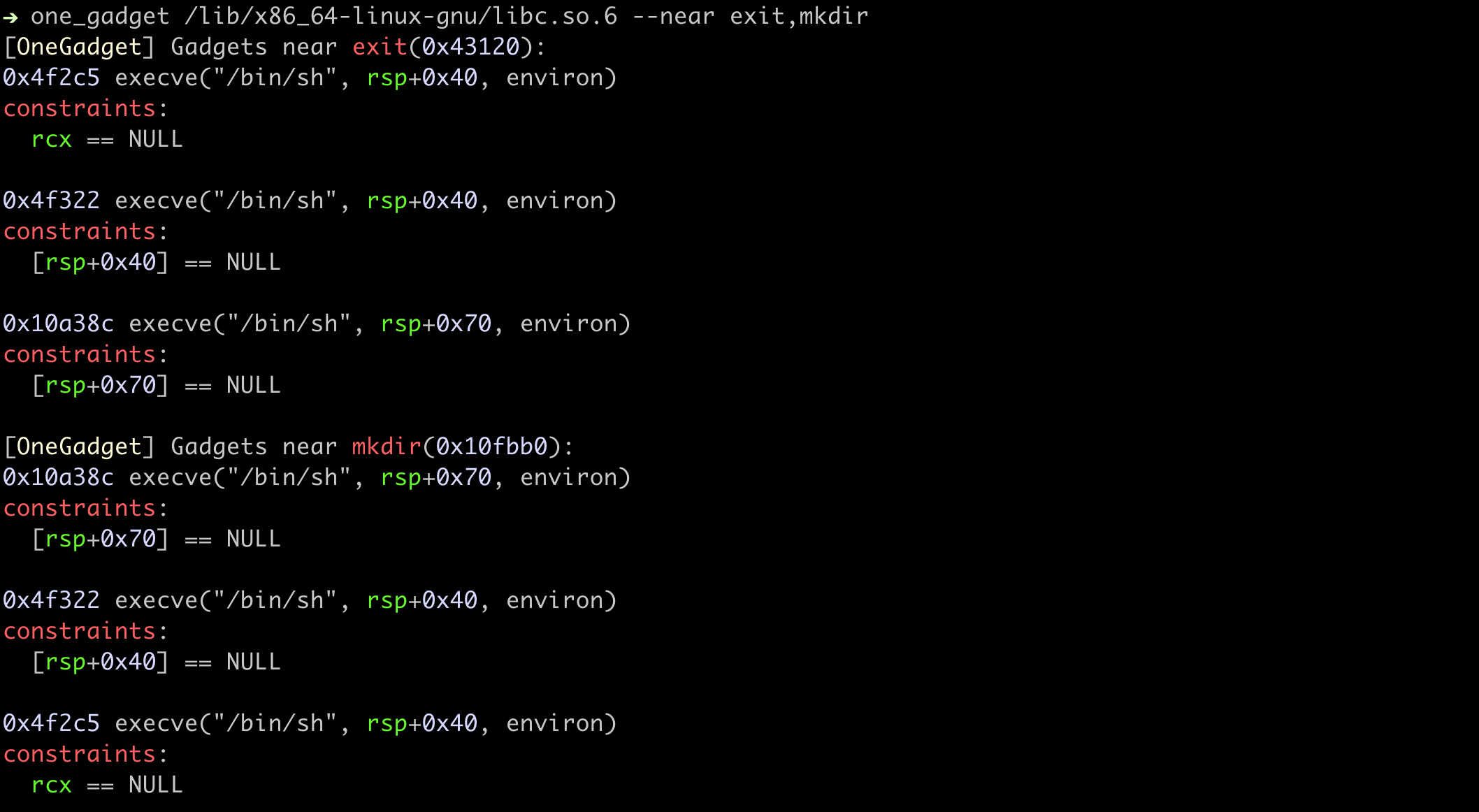
Regular expressions work too.
SHELL_OUTPUT_OF(one_gadget spec/data/libc-2.31-9fdb74e7b217d06c93172a8243f8547f947ee6d1.so --near 'write.*' --raw)
Pass an ELF file instead, and OneGadget uses every function in its GOT.
SHELL_OUTPUT_OF(one_gadget spec/data/libc-2.31-9fdb74e7b217d06c93172a8243f8547f947ee6d1.so --near spec/data/test_near_file.elf --raw)
Show More Gadgets
A libc holds far more gadgets than fit on a screen, and most of them ask more of you
than a handful of others do. --level chooses how much of what was found to show.
| Level | Shows | Use it when |
|---|---|---|
0 (default) |
the few gadgets whose constraints are easiest to arrange | always, first |
1 |
every gadget, one line per address, minus any that asks for everything an easier one asks for and more | none of the level-0 gadgets fit what you control |
2 |
everything found, including an address listed once per set of constraints it can be reached under | you want to see every way in, including the awkward ones |
Level 1 drops a gadget when an easier one already asks for everything it does; level 0 then scores what is left by how hard its constraints look and keeps only the best few; level 2 drops nothing. On the glibc 2.31 below that is 4, 32 and 97 entries -- the last over 96 addresses, since one of them is reachable two ways with different requirements.
Level 2 reads the libc you point at directly, where the levels below it answer from the
pre-built gadget database when it knows the file's BuildID -- the same gadgets either
way. Pass -f to search the file at every level.
SHELL_OUTPUT_OF(one_gadget spec/data/libc-2.31-9fdb74e7b217d06c93172a8243f8547f947ee6d1.so --level 1)
Other Architectures
i386
SHELL_OUTPUT_OF(one_gadget spec/data/libc-2.27-63b3d43ad45e1b0f601848c65b067f9e9b40528b.so)
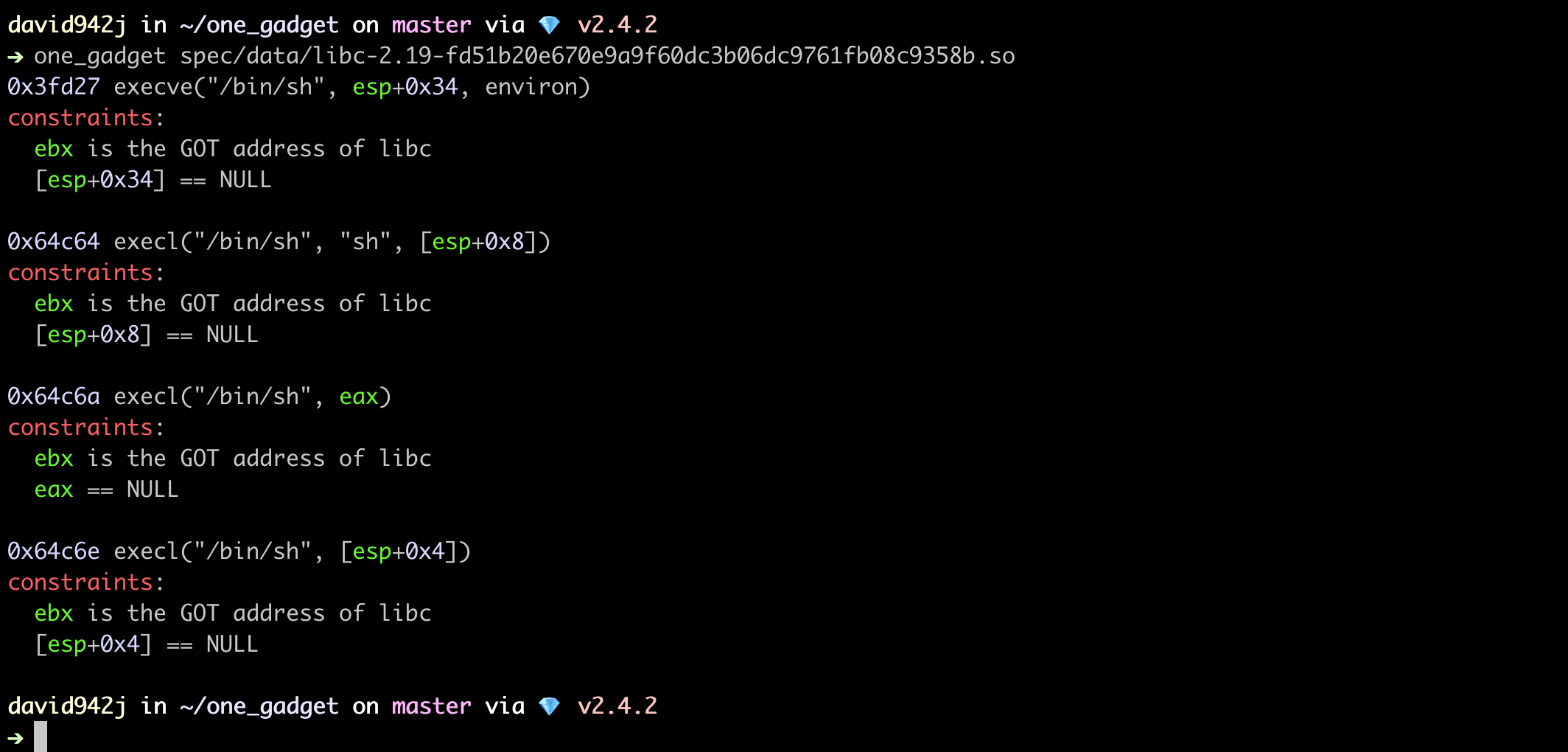
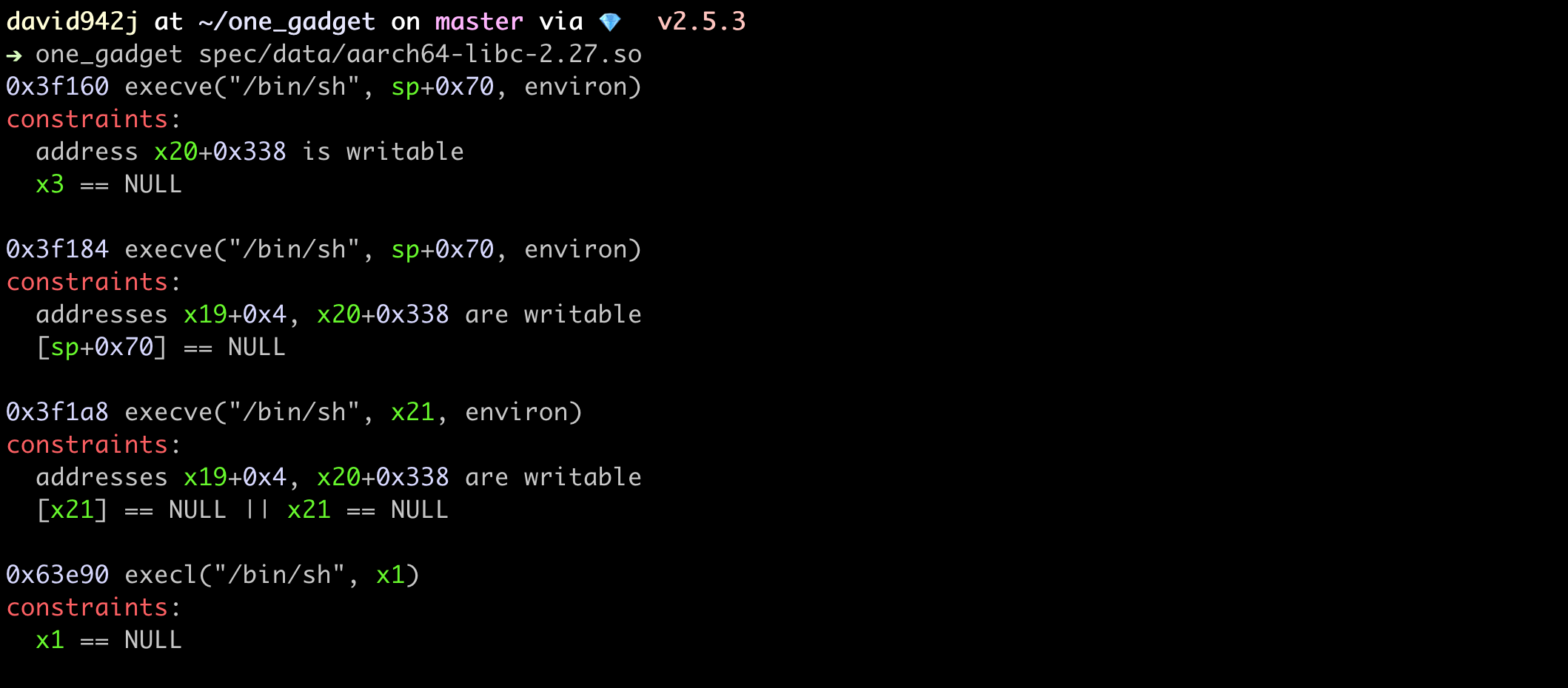
AArch64
SHELL_OUTPUT_OF(one_gadget spec/data/aarch64-libc-2.27.so)
ARM32
SHELL_OUTPUT_OF(one_gadget spec/data/arm-libc-2.39.so)
RISC-V (RV64)
SHELL_OUTPUT_OF(one_gadget spec/data/riscv64-libc-2.39.so)
MIPS
Big-endian is as common as little-endian here, and both are read. This one is OpenWrt's musl for ath79, which ships with no section headers -- the shape a router's libc usually arrives in.
SHELL_OUTPUT_OF(one_gadget spec/data/mips-musl-1.2.4.so)
Combine with Script
Pass your exploit script to one_gadget and it runs the script once per gadget, so you
don't have to work through them by hand.
$ one_gadget spec/data/libc-2.31-9fdb74e7b217d06c93172a8243f8547f947ee6d1.so -s 'echo "offset ->"'

In Ruby Scripts
require 'one_gadget'
RUBY_OUTPUT_OF(OneGadget.gadgets(file: 'spec/data/libc-2.31-9fdb74e7b217d06c93172a8243f8547f947ee6d1.so'))
# or, more briefly
RUBY_OUTPUT_OF(one_gadget('spec/data/libc-2.31-9fdb74e7b217d06c93172a8243f8547f947ee6d1.so', level: 1))
# from build id
RUBY_OUTPUT_OF(one_gadget('b417c0ba7cc5cf06d1d1bed6652cedb9253c60d0'))
To Python Lovers
import subprocess
def one_gadget(filename):
  return [int(i) for i in subprocess.check_output(['one_gadget', '--raw', filename]).decode().split(' ')]

RUBY_OUTPUT_OF(one_gadget('spec/data/libc-2.31-9fdb74e7b217d06c93172a8243f8547f947ee6d1.so'))
Make OneGadget Better
Any suggestion or feature request is welcome, and pull requests even more so!
Please let me know if you come across a libc OneGadget finds nothing in. And if you like this work, I'd be happy to be starred 😬