 github-actions[bot]
dc27a2fc29
github-actions[bot]
dc27a2fc29
> [!CAUTION]
> Merging this PR will automatically publish to **PyPI** and create a
**GitHub release**.

For the full release process, see
[`.github/RELEASING.md`](https://github.com/langchain-ai/deepagents/blob/main/.github/RELEASING.md).

---

_Release notes preview: keep this section in sync with the package
`CHANGELOG.md`. Publish reads the merged CHANGELOG via `release.yml`,
not this PR description — keep them aligned anyway so the PR stays an
accurate historical record for reviewers and anyone returning later._

---


##
[0.1.62](https://github.com/langchain-ai/deepagents/compare/deepagents-code==0.1.61...deepagents-code==0.1.62)
(2026-08-26)

### Features

- Added `/context-doctor` for inspecting and troubleshooting context
issues
([#5830](https://github.com/langchain-ai/deepagents/issues/5830)).
- Added warning when switching models mid-session
([#5829](https://github.com/langchain-ai/deepagents/issues/5829)).
- Added support for `DEEPAGENTS_HOME`
([#5773](https://github.com/langchain-ai/deepagents/issues/5773)).
- (Re-)Enabled secret redaction by default
([#5816](https://github.com/langchain-ai/deepagents/issues/5816)).
- Improved update visibility by showing cached updates in version output
([#5817](https://github.com/langchain-ai/deepagents/issues/5817)).
- Improved prompts and pickers: the stale editable-deps prompt now
defaults to `Refresh environment now`, and the model picker shows an
Escape hint
([#5810](https://github.com/langchain-ai/deepagents/issues/5810),
[#5775](https://github.com/langchain-ai/deepagents/issues/5775)).
- Added CLI config provider support
([#5774](https://github.com/langchain-ai/deepagents/issues/5774)).

### Bug Fixes

- Fixed refreshed local context handling after compaction to reduce
cache busts
([#5828](https://github.com/langchain-ai/deepagents/issues/5828)).
- Preserved goal notice history for prompt caching
([#5823](https://github.com/langchain-ai/deepagents/issues/5823)).
- Improved rubric coverage checks
([#5369](https://github.com/langchain-ai/deepagents/issues/5369)).
- Protected the TUI from native stderr writes
([#5813](https://github.com/langchain-ai/deepagents/issues/5813)).
- Fixed Git origin resolution from worktree common Git directories
([#5818](https://github.com/langchain-ai/deepagents/issues/5818)).
- Fixed prompt clipboard behavior so Tab inserts instead of pages
([#5820](https://github.com/langchain-ai/deepagents/issues/5820)).

### Performance Improvements

- Reduced tracing overhead by omitting middleware trace inputs
([#5815](https://github.com/langchain-ai/deepagents/issues/5815)).

_End release notes preview._

---

> [!NOTE]
> A **community contributors** list and a **Special thanks** section
(crediting the users who filed the issues this release's PRs closed) are
appended to the GitHub release notes automatically at publish time (see
[Release
Pipeline](https://github.com/langchain-ai/deepagents/blob/main/.github/RELEASING.md#release-pipeline),
step 3).

---------

Co-authored-by: github-actions[bot] <41898282+github-actions[bot]@users.noreply.github.com>
Co-authored-by: langchain-oss-automated-triage[bot] <248757908+langchain-oss-automated-triage[bot]@users.noreply.github.com>
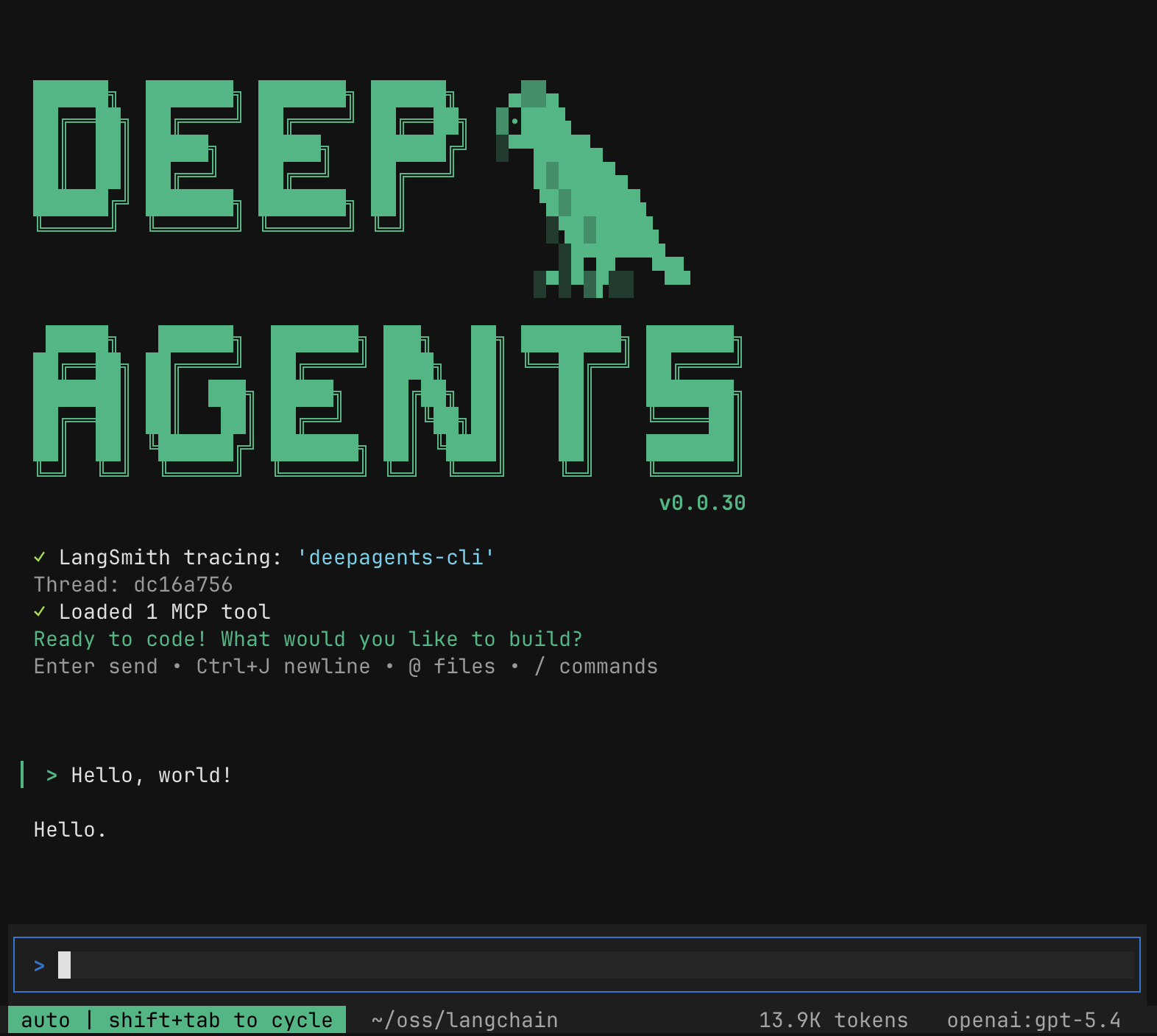
🧠🤖 Deep Agents Code




Quick Install
curl -LsSf https://langch.in/dcode | bash
# With model provider extras
# OpenAI, Anthropic, and Gemini are included by default
DEEPAGENTS_CODE_EXTRAS="nvidia,ollama" curl -LsSf https://langch.in/dcode | bash
Run:
dcode
🤔 What is this?
The fastest way to start using Deep Agents. deepagents-code is a pre-built coding agent in your terminal — similar to Claude Code or Cursor — powered by any LLM that supports tool calling. One install command and you're up and running, no code required.
What deepagents-code adds on top of the SDK:
- Interactive TUI — rich terminal interface with streaming responses
- Conversation resume — pick up where you left off across sessions
- Web search — ground responses in live information
- Remote sandboxes — run code in isolated environments (LangSmith, AgentCore, Daytona, Modal, Runloop, & more)
- Persistent memory — agent remembers context across conversations
- Custom skills — extend the agent with your own slash commands
- Headless mode — run non-interactively for scripting and CI
- Human-in-the-loop — approve or reject tool calls before execution
🔒 Security model
By default, dcode trusts the directory you run it in. Human-in-the-loop approval gates model-requested tool calls, but project artifacts are read before any approval prompt.
Do not run dcode in a directory you do not trust without a sandbox backend. For untrusted repositories, use a remote sandbox so execution is isolated from your machine. Running dcode in a directory lets that directory's files shape execution. See THREAT_MODEL.md for details.
Managed configuration
Administrators can enforce any supported config.toml setting with a read-only
managed_config.toml using the same TOML schema:
- macOS:
/Library/Application Support/dcode/managed_config.toml - Windows: the
ProgramDatadirectory reported by the registry, usuallyC:\ProgramData\dcode\managed_config.toml. The%ProgramData%environment variable is ignored, because any user can change it. - Linux and other supported POSIX systems:
/etc/dcode/managed_config.toml
Managed values override two lower layers: the DEEPAGENTS_CODE_ and
compatibility environment variables, and ~/.deepagents/config.toml.
For an agent launch, managed values also override these CLI flags: the model,
the auto-classifier model, the interpreter toggle, the programmatic tool-calling
list, the recursion limit, the shell allow list, and the startup mode. A managed
[sandboxes].default names the backend of a launch that is already sandboxed;
it does not sandbox a launch that asked for no sandbox. A managed startup mode
only revokes --auto-approve and --yolo; the mode itself reaches the runtime
through the merged configuration, so a headless launch still works. Subcommand
display flags such as dcode threads --relative are not overridden.
Tables merge recursively. Deny lists are unioned. An explicitly managed allow or trust list replaces lower-precedence grants. An empty managed list removes every lower-precedence grant.
A managed value whose type contradicts the manifest is ignored, and the lower-precedence value stays in effect. Two exceptions:
- The enforced keys (
startup.mode,startup.yolo_switcher,shell.allow_list,skills.extra_allowed_dirs,interpreter.enable_interpreter,interpreter.ptc,interpreter.ptc_acknowledge_unsafe,models.allowed,models.auto_classifier,runtime.recursion_limit,sandboxes.default,tracing.langsmith_redact) stop every command exceptconfig,doctor,auth path, and the help screens. If one is ignored, the user's flag or environment variable stays in force. This grants the escalation, or it removes the boundary that the policy declared. Three cases stop the launch and block/reload: a value the manifest rejects, aruntime.recursion_limitoutside its bounds, and a key shadowed by a scalar ancestor (startup = "manual"in place of[startup]andmode). A managed[sandboxes].defaultthat names an unavailable backend stops a sandboxed launch; a launch that asked for no sandbox is unaffected. A scalar at any known configuration section (for example,threads = "bad"instead of[threads]) also stops launch and reload rather than replacing the user's whole section. - Inside structured tables (
[models.providers],[themes],[async_subagents],[sandboxes.providers]) the dedicated typed reader validates instead, so a wrong-typed managed leaf can displace a valid user leaf. The reader then falls back to the built-in default. A managed scalar still replaces a colliding user table there, the same as on the top-level merge.
[shell].allow_list is read from ~/.deepagents/config.toml and from
DEEPAGENTS_CODE_SHELL_ALLOW_LIST, so a managed file can enforce it. A user can
also grant themselves shell auto-approval from their own config file. An empty
managed list removes every lower-precedence grant.
[models].allowed narrows dcode to exact provider:model specifications:
[models]
allowed = ["acme:production", "acme:production-fast"]
The rules:
- A missing key preserves unrestricted model selection.
- An empty list blocks all local model use.
- A list that dcode cannot parse also blocks all local model use. A typo must not silently remove the restriction the user asked for. Fix or remove the key.
- Matching is exact and splits only the first colon, so model identifiers may contain additional colons. Matching is also case-sensitive.
- Entries must be fully qualified. A bare model name that you type at a prompt
is first resolved to
provider:model, the same as at construction, sogpt-5.6-terramatches anopenai:gpt-5.6-terraentry. A bare name whose provider dcode cannot infer never matches. - Write a Bedrock model as
bedrock:<id>. A bare Bedrock ID is rejected, because its version colon would make it a specification that nothing matches. - The list filters model discovery and the selector. Construction-time checks are authoritative for CLI flags, runtime switches, Auto classifiers, rubric graders, and explicit local subagent models.
- A managed list replaces a user list. Managed default, recent, and Auto-classifier models must also appear in it.
[models.providers.<name>].modelsregisters models additively. It does not grant permission, so a custom model may need both registration and an allowlist entry.
dcode never writes the managed file. Users can still save a preference. The
theme, terminal-mapping, UI-toggle, and MCP-server screens, and the
--auto-update flag, report when a managed value keeps a saved preference from
taking effect. The model-default, recent-model, and Auto-classifier writers
refuse a value outside the effective allowlist, and report the policy as the
reason. Other save paths do not check the allowlist.
A missing managed file applies no policy. If one exists but is unreadable, not
UTF-8, or invalid TOML, every command fails closed except the ones needed to
diagnose it: --help, --version, help, config, doctor, and
auth path. A managed file that becomes unusable later also blocks /reload:
the session keeps the policy that was in force, and the reload reports that it
kept it. Use dcode config path and dcode doctor to inspect its
fixed path and parse health; dcode config also warns when the file exists but
could not be parsed, or parses and declares a value that cannot be enforced.
A deny list that cannot be read denies everything rather than nothing. This
covers a managed [mcp].disabled_servers that is neither an array of names nor
a comma-separated string, and a [mcp] section that is not a table. A managed
[mcp].enabled_project_server_approvals that is not an array is treated the
same way: the key is present, so policy means to narrow access, and reading its
presence as absence would leave both the user's approvals and the
DEEPAGENTS_CODE_DANGEROUSLY_ENABLE_PROJECT_MCP_SERVERS bypass in force.
A corrupt ~/.deepagents/config.toml does not disable managed policy: the user
file is ignored and managed values still apply.
Deployment tooling must create and protect this file with administrator or root
permissions. dcode does not validate the file owner or mode. dcode provides
no privileged writer. Deployment and sudo policy are the administrator's
responsibility.
📖 Resources
- Documentation
- Changelog
- Source code
- Deep Agents SDK — underlying agent harness
- LangChain Academy — Comprehensive, free courses on LangChain libraries and products, made by the LangChain team.
- Code of Conduct — community guidelines and standards
📕 Releases & Versioning
See our Releases and Versioning policies.
💁 Contributing
As an open-source project in a rapidly developing field, we are extremely open to contributions, whether it be in the form of a new feature, improved infrastructure, or better documentation.
For detailed information on how to contribute, see the Contributing Guide.
🤝 Acknowledgements
This project was primarily inspired by Claude Code, and initially was largely an attempt to see what made Claude Code general purpose, and make it even more so.