mirror of
https://github.com/langgenius/dify-docs.git
synced 2026-07-25 05:25:40 -04:00
 Alter-xyz
31 lines
1.5 KiB
Plaintext
31 lines
1.5 KiB
Plaintext
---
|
|
title: 接入 Replicate 上的开源模型
|
|
---
|
|
|
|
|
|
Dify 支持接入 Replicate 上的 [Language models](https://replicate.com/collections/language-models) 和 [Embedding models](https://replicate.com/collections/embedding-models)。Language models 对应 Dify 的推理模型,Embedding models 对应 Dify 的 Embedding 模型。
|
|
|
|
具体步骤如下:
|
|
|
|
1. 你需要有 Replicate 的账号([注册地址](https://replicate.com/signin?next=/docs))。
|
|
2. 获取 API Key([获取地址](https://replicate.com/account/api-tokens))。
|
|
3. 挑选模型。在 [Language models](https://replicate.com/collections/language-models) 和 [Embedding models](https://replicate.com/collections/embedding-models) 下挑选模型。
|
|
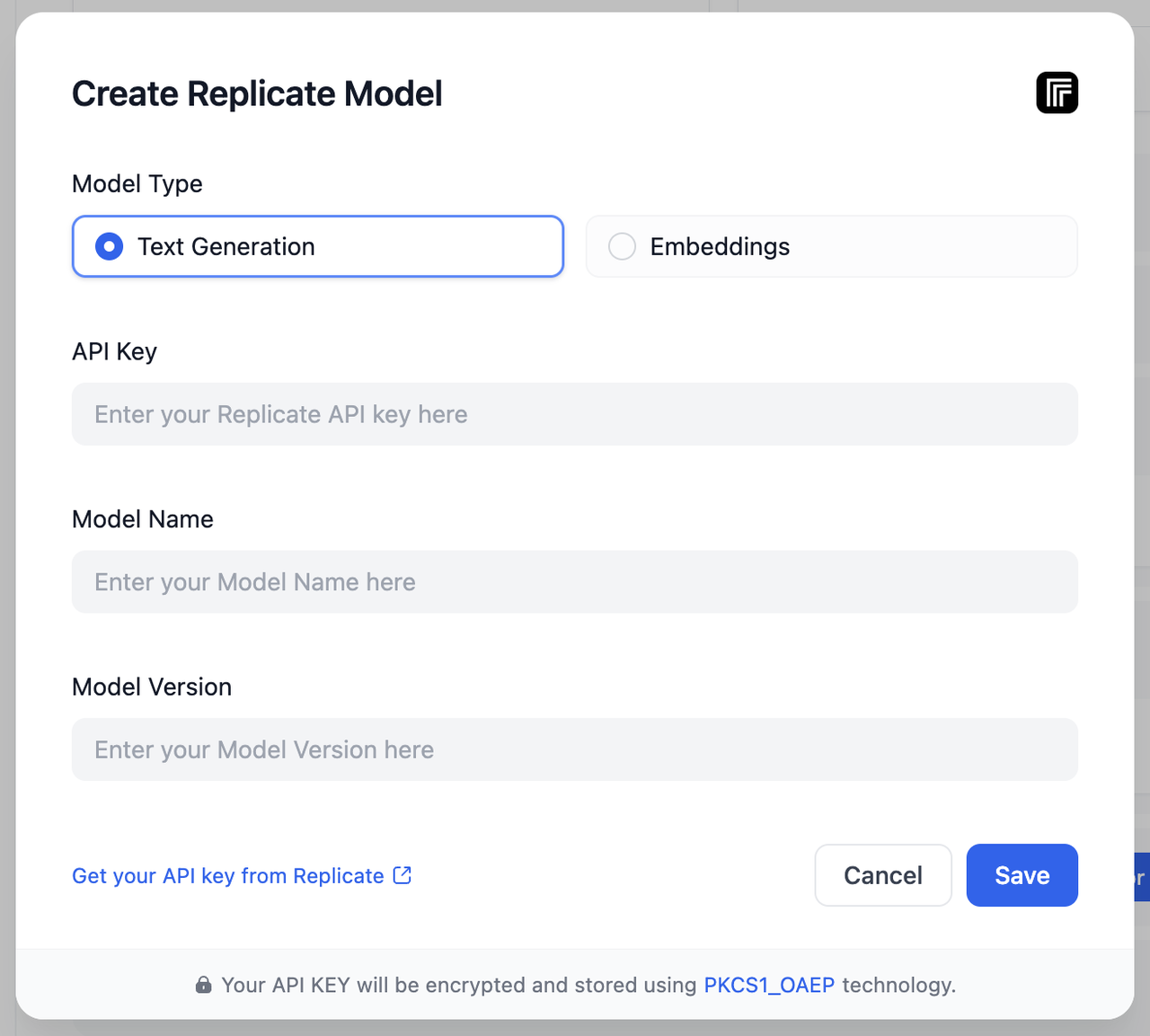
4. 在 Dify 的 `设置 > 模型供应商 > Replicate` 中添加模型。
|
|
|
|
|
|
|
|
API key 为第 2 步中设置的 API Key。Model Name 和 Model Version 可以在模型详情页中找到:
|
|
|
|

|
|
|
|
{/*
|
|
Contributing Section
|
|
DO NOT edit this section!
|
|
It will be automatically generated by the script.
|
|
*/}
|
|
|
|
---
|
|
|
|
[编辑此页面](https://github.com/langgenius/dify-docs/edit/main/zh-hans/development/models-integration/replicate.mdx) | [提交问题](https://github.com/langgenius/dify-docs/issues/new?template=docs.yml)
|
|
|