---
title: 'How to set up Next.js analytics, feature flags, and more'
date: 2025-07-15
author:
- ian-vanagas
showTitle: true
sidebar: Docs
tags:
- configuration
- feature flags
- events
---
Next.js is one of the most popular frameworks for building web apps. Have one and need to know what users are doing in these apps or release a feature safely? PostHog can help.
In this tutorial, we'll create a simple Next.js app and set up PostHog on the client and server side. We'll also capture pageviews and custom events, set up feature flags, and more.
import { CalloutBox } from 'components/Docs/CalloutBox'
If you use Next.js with the **pages** router, check out our other [Next.js pages router analytics tutorial](/tutorials/nextjs-pages-analytics).
## Creating a Next.js app with the app router
First, once [Node is installed](https://nodejs.dev/en/learn/how-to-install-nodejs/), create a Next.js app. Select **No** for TypeScript, **Yes** for `use app router`, and the defaults for every other option.
```bash
npx create-next-app@latest next-app
```
We name our app `next-app` and can go into the newly created folder to run it.
```bash
cd next-app
npm run dev
```
This opens a new page showing we are running Next.js.

Next, we'll add a couple pages to the app. In the app folder, create a new folder named `about` and create a `page.js` file inside with a basic component.
```js
// app/about/page.js
import Link from 'next/link'
export default function About() {
return (
About
Go home
)
}
```
Change our app `page.js` file to a title and a link to the new `about` page.
```js
// app/page.js
import styles from './page.module.css'
import Link from 'next/link'
export default function Home() {
return (
Home
Go to About
)
}
```
You can now move between the home and about pages which will be useful for testing event capture next.
## Setting up PostHog on the client side
First, [sign up for PostHog](https://app.posthog.com/signup) if you haven't already (it's free).
Next, we need a project API key and client API host. You can get both from your [project settings](https://app.posthog.com/settings/project). Add both of these to a `.env.local` file in our base directory.
``` file=.env.local
NEXT_PUBLIC_POSTHOG_KEY=
NEXT_PUBLIC_POSTHOG_HOST=
```
We can now initialize PostHog. Next.js 15.3 added support for `instrumentation-client.js|ts` which we can use to initialize PostHog. Create a `instrumentation-client.js` file in the base directory and add the following code:
```js
// instrumentation-client.js
import posthog from 'posthog-js'
posthog.init(process.env.NEXT_PUBLIC_POSTHOG_KEY, {
api_host: process.env.NEXT_PUBLIC_POSTHOG_HOST,
defaults: '2025-05-24',
});
```
After you set this up and restart your app, PostHog starts autocapturing events and pageviews. If you have enabled session replays in [your project settings](https://us.posthog.com/settings/project-replay), these will also be captured.
We highly recommend setting up a reverse proxy to ensure requests aren't blocked by tracking blockers. You can find instructions for doing this in our [reverse proxy guide](/docs/advanced/proxy).
## Capturing custom events
Initializing PostHog on the client side means you can use it in all your client-side rendered Next.js components (the ones with the `"use client"` directive). To show this, we can create a button that captures a custom event when clicked.
Simply, import PostHog into your `page.js` and call `posthog.capture()` when the button is clicked like this:
```js
// app/page.js
'use client'
import styles from './page.module.css'
import Link from 'next/link'
import posthog from 'posthog-js'
export default function Home() {
const captureButtonClick = () => {
posthog.capture('button_clicked', {
cool: true
})
}
return (
Home
Go to About
)
}
```
## Setting up feature flags
You can use feature flags to control what users see in your app. For example, you can show a new feature to a subset of users and then roll it out to all users over time.
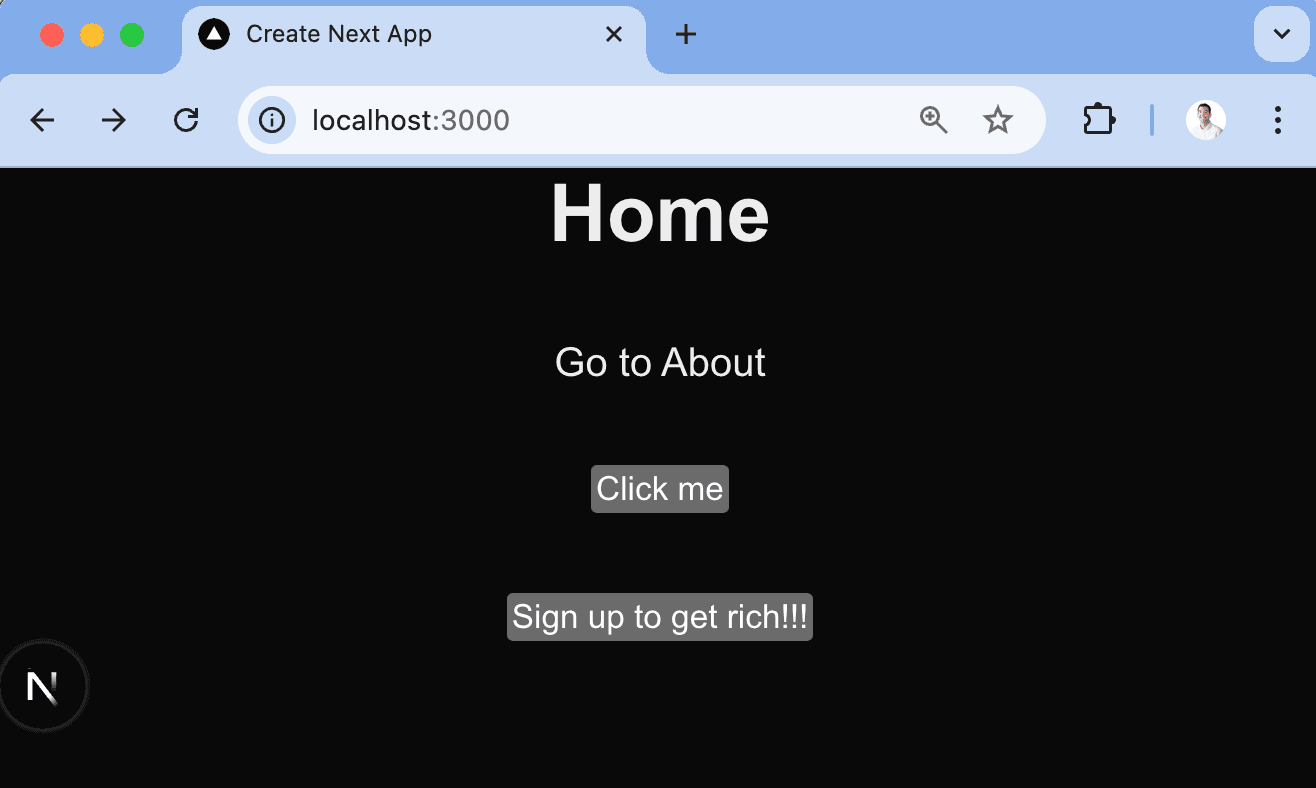
To set one up, go to the [feature flags page](https://us.posthog.com/feature_flags) in PostHog and create a new feature flag. Give it a key (I chose `main-cta`), make sure to roll it out to 100% of users, and click **Save**.
Next, we can add an `isFeatureEnabled` check to our `page.js` file to show a link to PostHog if the feature flag is enabled.
```js
// app/page.js
'use client'
import styles from './page.module.css'
import Link from 'next/link'
import posthog from 'posthog-js'
import { useState, useEffect } from 'react'
export default function Home() {
const [showMainCTA, setShowMainCTA] = useState(false)
const captureButtonClick = () => {
posthog.capture('button_clicked', {
cool: true
})
}
useEffect(() => {
setShowMainCTA(posthog.isFeatureEnabled('main-cta'))
}, [])
return (
Home
Go to About
{showMainCTA && }
)
}
```
When you go to the home page, you should see the new button. You can also test that disabling the feature flag removes the button.
## Setting up PostHog on the server side
A key part of the popularity of Next.js its is combination of client and server options. PostHog supports both, but you need to install and use the PostHog Node SDK for the server side.
To do this, start by installing the PostHog Node SDK.
```bash
npm install posthog-node
```
Next, create a `posthog.js` file in the app folder that returns a PostHog Node client:
```js
// app/posthog.js
import { PostHog } from 'posthog-node'
export default function PostHogClient() {
const posthogClient = new PostHog(process.env.NEXT_PUBLIC_POSTHOG_KEY, {
host: process.env.NEXT_PUBLIC_POSTHOG_HOST,
flushAt: 1,
flushInterval: 0
})
posthogClient.debug(true)
return posthogClient
}
```
This can then be used in API routes and server-rendered components.
## Using PostHog in API routes
To show you how to add PostHog to Next.js API routes do this, we can create a simple API route that captures a custom event.
Start by creating a new `api` folder in the `app` folder, a `hello` folder inside it, and then a `route.js` file inside that. In it, import the `PostHogClient` from the `posthog.js` file, set up some code to get the `distinct_id` from the request cookies, and call `posthog.capture()` like this:
```js
// app/api/hello/route.js
import posthogClient from '../../posthog'
export async function GET(request) {
const cookieName = 'ph_' + process.env.NEXT_PUBLIC_POSTHOG_KEY + '_posthog'
const cookieValue = request.cookies.get(cookieName)?.value
const distinctId = cookieValue ? JSON.parse(cookieValue).distinct_id : 'placeholder'
const posthog = posthogClient()
posthog.capture({
distinctId: distinctId,
event: 'hello_world',
properties: {
message: "Howdy!"
}
})
return Response.json({ message: "Howdy!" });
}
```
Now when you go (or make a request) to `http://localhost:3000/api/hello`, you should see the event captured in PostHog.
> **Note:** The `distinct_id` is a unique identifier for a user. We use the one from the cookie with a placeholder for now, but recommend using one from your database or authentication system.
### Setting up feature flags in API routes
Feature flags are similar for API routes. Just call `posthog.isFeatureEnabled()` with the flag key and a distinct ID like this:
```js
// app/api/hello/route.js
import posthogClient from '../../posthog'
export async function GET(request) {
const cookieName = 'ph_' + process.env.NEXT_PUBLIC_POSTHOG_KEY + '_posthog'
const cookieValue = request.cookies.get(cookieName)?.value
const distinctId = cookieValue ? JSON.parse(cookieValue).distinct_id : 'placeholder'
const posthog = posthogClient()
const isMainCTAEnabled = await posthog.isFeatureEnabled('main-cta', distinctId)
console.log(isMainCTAEnabled)
return Response.json({ message: "Howdy!" });
}
```
With this, you have the basics of PostHog set up on both the client and server side with Next.js and the app router.
## Further reading
- [How to set up Next.js pages router analytics, feature flags, and more](/tutorials/nextjs-pages-analytics)
- [How to set up Next.js A/B tests](/tutorials/nextjs-ab-tests)
- [An introductory guide to identifying users in PostHog](/tutorials/identifying-users-guide)