---
title: How to set up A/B tests in Node.js (Express)
date: 2024-02-02
author:
- lior-neu-ner
tags:
- experimentation
---
import { ProductScreenshot } from 'components/ProductScreenshot'
export const EventsInPostHogLight = "https://res.cloudinary.com/dmukukwp6/image/upload/posthog.com/contents/images/tutorials/node-express-ab-tests/events-light.png"
export const EventsInPostHogDark = "https://res.cloudinary.com/dmukukwp6/image/upload/posthog.com/contents/images/tutorials/node-express-ab-tests/events-dark.png"
export const ResultsLight = "https://res.cloudinary.com/dmukukwp6/image/upload/posthog.com/contents/images/tutorials/node-express-ab-tests/results-light.png"
export const ResultsDark = "https://res.cloudinary.com/dmukukwp6/image/upload/posthog.com/contents/images/tutorials/node-express-ab-tests/results-dark.png"
A/B tests help you improve your Node app by enabling you to compare the impact of changes on key metrics. To show you how to set one up, we create a basic Node app with [Express](https://expressjs.com/), add PostHog, create an A/B test, and implement the code for it.
## 1. Create a basic Express app
First, ensure [Node.js is installed](https://nodejs.dev/en/learn/how-to-install-nodejs/). Then, open your command line, create a new folder for our tutorial, install Express, and create a new file `server.js`:
```bash
mkdir express-ab-test
cd express-ab-test
npm i express
touch server.js
```
Next, add the following code to `server.js`:
```js file=server.js
const express = require('express');
const app = express();
const port = 3000;
app.get('/', (req, res) => {
const paragraphText = 'Placeholder text'
const htmlContent = `
Node A/B testing tutorial
${paragraphText}
`;
res.send(htmlContent);
})
app.listen(port, () => {
console.log(`Example app listening on port ${port}`)
})
```
Run `node server.js` and navigate to `http://localhost:3000` to see your app in action.
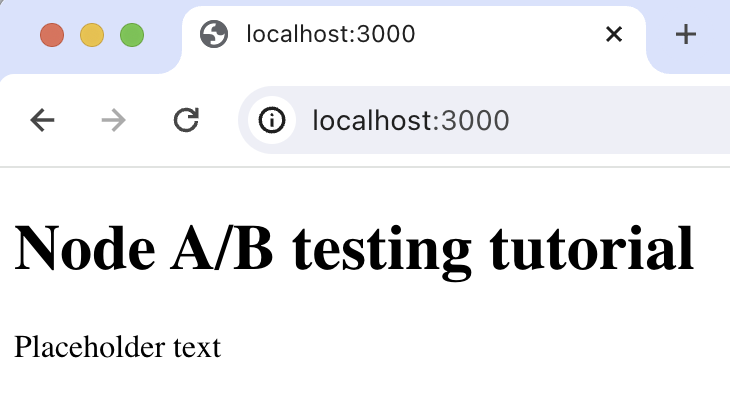
## 2. Add PostHog to your app
With our app set up, it’s time to install and set up PostHog. If you don't have a PostHog instance, you can [sign up for free](https://us.posthog.com/signup).
To start, install [PostHog’s Node library](/docs/libraries/node):
```bash
npm install posthog-node
```
Next, we initialize our PostHog client in `server.js` using our project API key and instance address. You can find these in [your project settings](https://us.posthog.com/settings/project).
```js file=server.js
const express = require('express');
const app = express();
const port = 3000;
const { PostHog } = require('posthog-node');
const posthogClient = new PostHog('', {
host: '',
});
// rest of your code
```
Our PostHog client is now ready to go.
## 3. Capture a custom event
The first part of setting up our A/B test in PostHog is setting up the goal metric. We'll use the number of requests made to our endpoint as our goal (although in a production app you'll likely use something like `number of user sign ups` or `number of conversions` as your goal).
To measure this, we [capture a custom event](/docs/product-analytics/capture-events) called `endpoint_called` whenever we receive a request. To do this, update the `app.get` function in your code:
```js file=server.js
// rest of your code
app.get('/', (req, res) => {
const distinctId = 'placeholder-user-id'
posthogClient.capture({
distinctId,
event: 'endpoint_called',
});
// rest of your code
})
```
With this set up, restart your app and then refresh your browser a few times. You should now see the event captured in PostHog.
## 4. Create an A/B test in PostHog
Next, go to the [A/B testing tab](https://us.posthog.com/experiments) and create an A/B test by clicking the **New experiment** button. Add the following details to your experiment:
1. Name it "My cool experiment".
2. Set "Feature flag key" to `my-cool-experiment`.
3. Use the default values for all other fields.
4. Click **Save as draft**.
Once created, set the primary metric to a trend of `endpoint_called` and then click **Launch**.
## 5. Implement the A/B test code
To implement the A/B test, we:
1. Change our request handler to `async`.
2. Fetch the `my-cool-experiment` flag using [`posthog.getFeatureFlag()`](/docs/libraries/node#feature-flags).
3. Update the paragraph text based on whether the user is in the `control` or `test` variant of the experiment.
```js file=server.js
// rest of your code
app.get('/', async (req, res) => {
const distinctId = 'placeholder-user-id'
const enabledVariant = await posthogClient.getFeatureFlag('my-cool-experiment', distinctId);
let paragraphText = 'Placeholder text';
if (enabledVariant === 'control') {
paragraphText = 'Control variant!';
} else if (enabledVariant === 'test') {
paragraphText = 'Test variant!';
}
posthogClient.capture({
distinctId,
event: 'endpoint_called',
});
const htmlContent = `
Node A/B testing tutorial
${paragraphText}
`;
res.send(htmlContent);
})
// rest of your code
```
When you restart your app and refresh the page, you should see the text updated to either `Control variant!` or `Test variant!`.
> **💡 Setting the correct `distinctId`:**
>
> You may notice that we set `distinctId = 'placeholder-user-id'` in our flag call above. In production apps, to ensure you fetch the correct flag value for your user, `distinctId` should be set to their unique ID.
>
> For logged-in users, you typically use their email or user ID as their `distinctId`. For logged-out users, assuming they made their request from a browser, you can use values from their request cookies. See an example of this in the [server side section of our Remix tutorial](/tutorials/remix-ab-tests#setting-the-correct-distinctid)
## 6. Include the feature flag when capturing your event
To ensure our goal metric is correctly calculated for each experiment variant, we need to include our feature flag information when capturing our `endpoint_called` event.
To do this, we add the [`$feature/my-cool-experiment`](/docs/libraries/node#step-2-include-feature-flag-information-when-capturing-events) key to our event properties:
```js file=server.js
app.get('/', async (req, res) => {
// rest of your code
// update your posthogClient.capture call to include the feature flag information
posthogClient.capture({
distinctId,
event: 'endpoint_called',
properties: {
'$feature/my-cool-experiment': enabledVariant
}
});
// rest of your code
});
```
Now PostHog is able to calculate our goal metric for our experiment results.
## Further reading
- [How to set up Node.js (Express) analytics, feature flags, and more](/tutorials/node-express-analytics)
- [A software engineer's guide to A/B testing](/product-engineers/ab-testing-guide-for-engineers)