---
title: 'How to set up Ruby on Rails analytics, feature flags and more'
date: 2023-02-02
author:
- ian-vanagas
showTitle: true
sidebar: Docs
tags:
- configuration
- feature flags
- persons
- events
---
Ruby on Rails is a popular fullstack web framework used by companies like Shopify, GitHub, Twitch, and more.
In this tutorial, we build a basic [Ruby on Rails](https://rubyonrails.org/) app, add PostHog to it, and then set up some of the key features of PostHog, such as custom event capture, user identification, and feature flags.
> Already know how to build a Ruby on Rails app? Skip to the [PostHog integration step](#2-integrating-the-posthog-snippet-and-ruby-library).
## 1. Creating a basic Ruby on Rails app
First, install Ruby. I used `rbenv` and a `~/.bash_profile` to install version `3.1.3` but there are many ways you can do it. After installing the right version of Ruby, install Rails.
```bash
gem install rails
```
Once done, we can start our blog by running the `rails new` command, go into the blog folder, and starting the server.
```bash
rails new blog
cd blog
bin/rails server
```
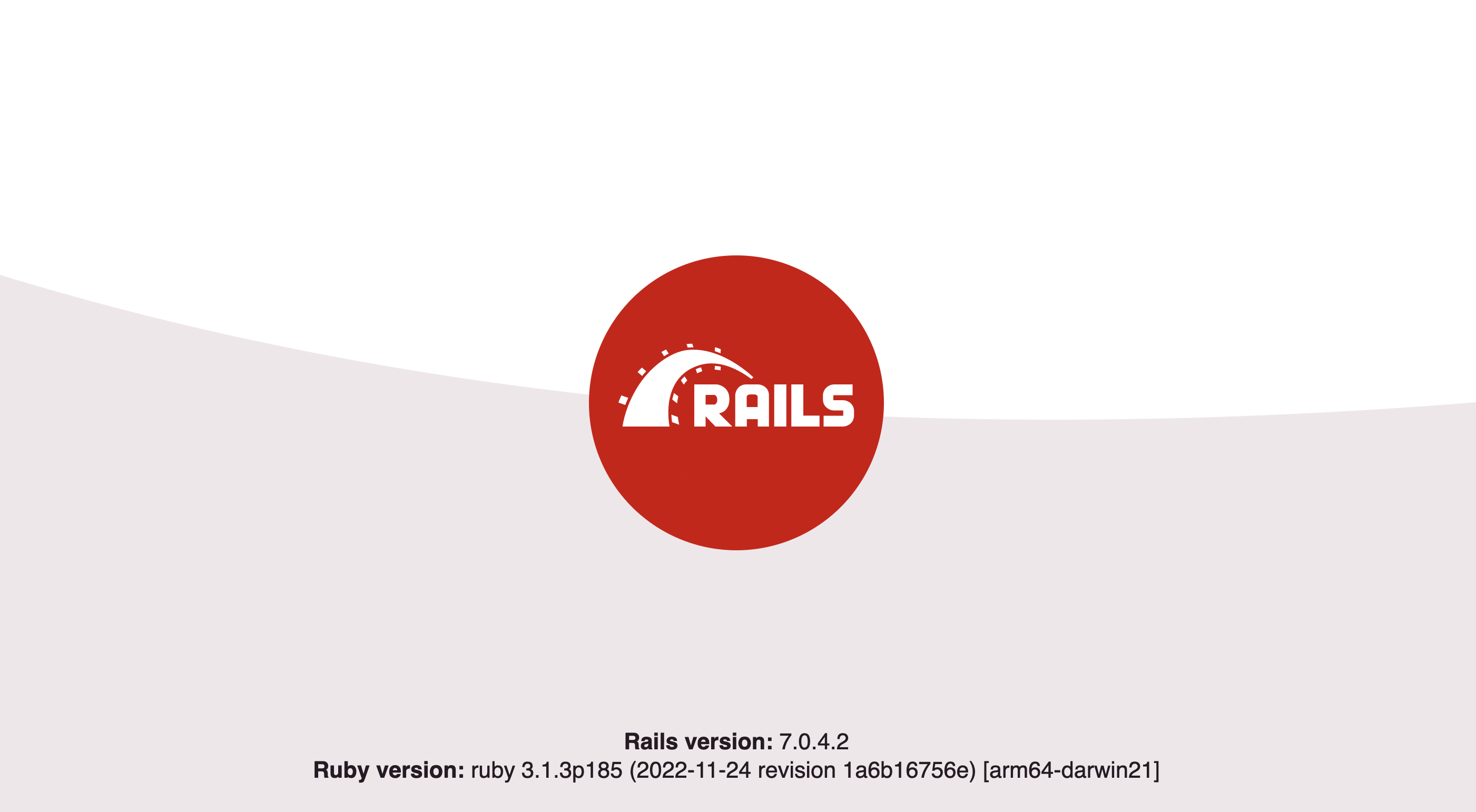
Going to `localhost:3000` pulls up a site that looks like this:
> A more detailed version of this Ruby app building process is in the [Getting Started with Rails](https://guides.rubyonrails.org/getting_started.html) guide.
### Setting up the articles routes
Rails is nice because it has a bunch of commands you can use to generate parts of the app. Use `generate controller` to create the controller for our articles:
```bash
bin/rails generate controller Articles index --skip-routes
```
We skip the routes because we will set those up manually. In `config/routes.rb`, add details to the route. The `resources` method lets us define a bunch of routes we want all at once:
```bash
Rails.application.routes.draw do
root "articles#index"
resources :articles
end
```
### Creating the article model
Like the controller, the models have commands to generate them as well. We want our article to have a title, body, and author so run the command:
```bash
bin/rails generate model Article title:string body:text author:string
```
Then migrate these changes to our database by running:
```bash
bin/rails db:migrate
```
Once done, launch the Rails console by running:
```bash
bin/rails console
```
Then create an article by running these commands in the rails console:
```ruby
article = Article.new(title: "Cool tutorial", body: "PostHog and Rails together!", author: "ian@posthog.com")
article.save
```
### Showing our articles
With the routes, controller, and model all set up, it is time to actually show the articles. In `app/controllers/articles_controller.rb`, set up a function to get all the articles and individual routes for each of them:
```ruby
class ArticlesController < ApplicationController
def index
@articles = Article.all
end
def show
@article = Article.find(params[:id])
end
end
```
Next, add the code to show them all, go to the details about them, and create a new one (which we’ll set up next) in a new file at `app/views/articles/index.html.erb`:
```html
Articles
<% @articles.each do |article| %>
-
<%= link_to article.title, article %>
<% end %>
<%= link_to "New Article", new_article_path %>
```
Also, set up the details page in a new file at `app/views/articles/show.html.erb`:
```html
<%= @article.title %>
<%= @article.body %>
```
### Creating new articles
The last thing to do is add the ability to create a new article. First, in `app/controllers/articles_controller.rb`, add a `new` and `create` function. We want to define the article params in another function to ensure title, body, and author are all included in the request as well:
```ruby focusOnLines=8-26
class ArticlesController < ApplicationController
def index
@articles = Article.all
end
def show
@article = Article.find(params[:id])
end
def new
@article = Article.new
end
def create
@article = Article.new(article_params)
if @article.save
redirect_to @article
else
render :new, status: :unprocessable_entity
end
end
private
def article_params
params.require(:article).permit(:title, :body, :author)
end
end
```
Next, create a **new** form page for article creation in `app/views/articles/new.html.erb`:
```ruby
New Article
<%= form_with model: @article do |form| %>
<%= form.label :title %>
<%= form.text_field :title %>
<%= form.label :body %>
<%= form.text_area :body %>
<%= form.label :author %>
<%= form.text_field :author %>
<%= form.submit %>
<% end %>
```
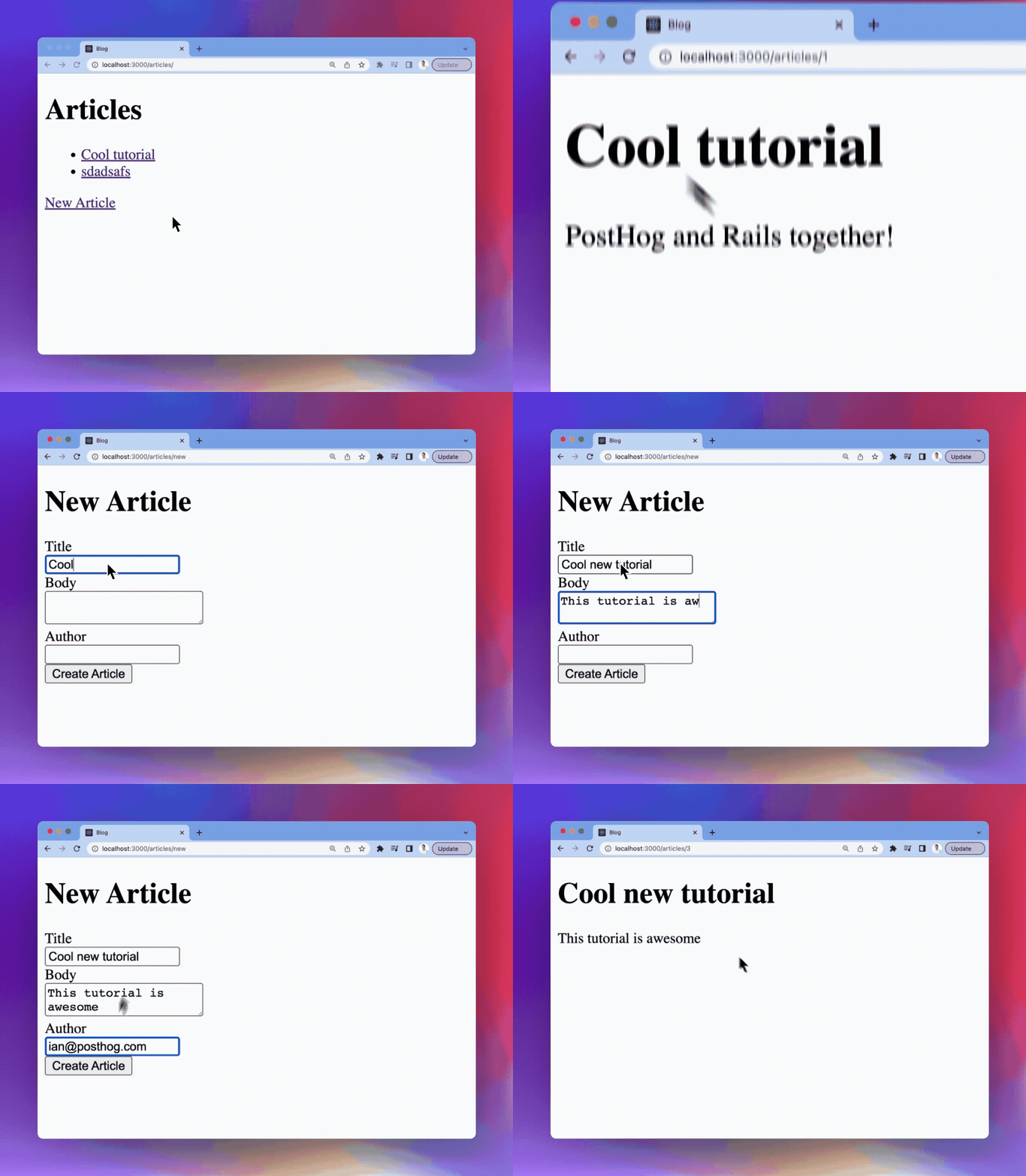
You should now have a nice Ruby on Rails app with a home page, article pages, and the ability to add new articles. Customize it further if you'd like, then when you're ready it's time to add PostHog.
## 2. Integrating the PostHog snippet and Ruby library
Now our Ruby on Rails app is ready to integrate with PostHog. There are two ways to do this; with the snippet, or the library.
- The first method enables you to quickly get started with most PostHog features, such as analytics and session recording.
- If you also want to use advanced tools, such as feature flags and experiments, you need to use the library.
### Adding the JavaScript snippet
This tutorial uses the JavaScript snippet. This provides autocapture of events, pageviews, session recordings, and more.
To set it up, [copy the code snippet from the PostHog docs](/docs/getting-started/install?tab=snippet) and add it to `views/layouts/application.html.erb`. With no other changes, this file looks like this:
```html
Blog
<%= csrf_meta_tags %>
<%= csp_meta_tag %>
<%= stylesheet_link_tag "application", "data-turbo-track": "reload" %>
// +
<%= javascript_importmap_tags %>
<%= yield %>
```
> Make sure to turn on session recordings in your PostHog project settings by scrolling down to [Session replay](https://us.posthog.com/settings/project-replay#replay) and toggling on **Record user sessions**.
Once you've set this up and clicked around on the server, you should see events in your PostHog instance from the source `web`.
### Adding the Ruby library
If you want access to all the features of PostHog, including custom event capture, user identification, and feature flags, you need the Ruby library.
To set this up, first, add PostHog to the `Gemfile`:
```ruby
gem 'posthog-ruby'
```
Next, in `config/initializers`, create a `posthog.rb` file and initialize PostHog as a global variable there like this:
```ruby
require 'posthog'
# Initialize PostHog client
$posthog = PostHog::Client.new({
api_key: '',
host: '',
on_error: Proc.new { |status, msg| Rails.logger.error "PostHog error: #{status} - #{msg}" }
})
```
Now, you can call `$posthog` throughout your Ruby on Rails application to access all the features of PostHog.
## 3. Using PostHog in your Ruby on Rails app
With both the library and snippet set up, we can use both of them to capture events, identify users, and use feature flags.
### Capturing custom events
The client-side JavaScript snippet provides autocaptures of pageviews, clicks, inputs, and some other events. If you want to capture events which are more nuanced or unique to your product, you must set up custom event capture using the Ruby library.
If you want to capture when someone submits a new article, you can call `$posthog.capture()` with the **author string** and an **event name** you choose. In `app/controllers/articles_controller.rb`, this looks like this:
```ruby
# ...
def create
@article = Article.new(article_params)
if @article.save
$posthog.capture( // +
distinct_id: @article.author, // +
event: 'article_created', // +
properties: { // +
title: @article.title // +
} // +
) // +
redirect_to @article
else
render :new, status: :unprocessable_entity
end
end
# ...
```
This creates an `Article created` event with a source from `posthog-ruby`.
### Connecting frontend and backend identities
In your PostHog instance, you see that events are coming from two different people, one with an anonymous ID and another with an email. Even though both these "people" are you, they are treated as two separate people in PostHog, but you can combine them with an `alias` call.
To do this, you need both the distinct ID generated by the client side JavaScript snippet and the new distinct ID (email) from the author string. We can get the distinct ID when we save the article (like we did for custom event capture) and the anonymous ID via the cookies in the request. We also need our project API to get the right cookie.
Altogether, this looks like this:
```ruby
#...
def create
@article = Article.new(article_params)
if @article.save
$posthog.capture(
distinct_id: @article.author,
event: 'article_created',
properties: {
title: @article.title
}
)
@project_api_key = '' // +
@ph_cookie = JSON.parse(cookies["ph_#{@project_api_key}_posthog"]) // +
$posthog.alias({ // +
distinct_id: @ph_cookie['distinct_id'], // +
alias: @article.author // +
}) // +
redirect_to @article
else
render :new, status: :unprocessable_entity
end
end
#...
```
PostHog client SDKs automatically generate an anonymous ID for users. When you call identify on the client, the anonymous ID is merged with a new distinct ID.
When possible, prefer identifying the user on the client-side when they **register** or **login**. Aliasing should be reserved for cases where your user has a server-only distinct ID that is not available on the client.
You should see an `Alias` event in your PostHog instance, and when you check the person, you should see their distinct ID and anonymous IDs connected. All valid aliases will point to the same person in PostHog.
### Using feature flags
The last feature to set up is [feature flags](/docs/feature-flags). We will set up a feature flag to redirect to the homepage instead of the article details.
First, create the flag in PostHog. You can do so in [**Feature Flags**](https://us.posthog.com/feature_flags). Click **New feature flag**, add a key (I chose `home-redirect`):
1. Under **Evaluation runtime**, select **Both client and server**.
2. Under **Served value**, select **Boolean**.
3. Under **Release conditions**, slide to 100% of users.
4. Finally, click **Save**.
Once done, we can check for this flag in our Ruby code and redirect to the home page if it is active. Again, we need the distinct ID to call `is_feature_enabled()`, so use the author string.
```ruby focusOnLines=22-29
# ...
def create
@article = Article.new(article_params)
if @article.save
$posthog.capture(
distinct_id: @article.author,
event: 'article_created',
properties: {
title: @article.title
}
)
@project_api_key = ''
@ph_cookie = JSON.parse(cookies["ph_#{@project_api_key}_posthog"])
$posthog.alias({
distinct_id: @ph_cookie['distinct_id'],
alias: @article.author
})
if $posthog.is_feature_enabled(
'home-redirect',
@article.author
)
redirect_to root_path
else
redirect_to @article
end
end
end
# ...
```
You can then turn off the flag to check that it is redirecting back to the article and modify the conditions how you like. Just remember, if you configure the flag to filter by person properties, you must call `identify()` on users with the properties **before** you can use them in your release conditions.
Once done, you have a basic Ruby on Rails app with many of the key features of PostHog setup. You can customize it to your liking. There are also more PostHog features to explore like group analytics, user and event properties, and experiments. Read more in [our Ruby documentation](/docs/integrate/server/ruby).
## Further reading
- [What to do after installing PostHog in 5 steps](/tutorials/next-steps-after-installing)
- [How to set up A/B tests in Ruby on Rails](/tutorials/ruby-on-rails-ab-tests)
- [Complete guide to event tracking](/tutorials/event-tracking-guide)