---
title: How to use PostHog in a web worker
date: 2024-12-18
author:
- ian-vanagas
tags:
- configuration
---
Web workers enable you to run computationally expensive tasks or scripts in background threads. This prevents the main webpage thread from slowing down or being blocked.
Because the web worker runs on a background thread, it can't access the DOM, browser APIs, or window object methods. Instead, it communicates with the main thread through a messaging system.
This means PostHog requires a different setup for a web worker than a normal web implementation. This tutorial helps you with this different setup by building a basic app with a web worker script and then setting up PostHog to work with it.
## Creating our basic app with a web worker
To start, we'll create our `worker.js` file. This will receive a message from the main thread, do some "heavy" math work, and then return the results back.
```js
// worker.js
onmessage = function(e) {
if (e.data === 'start') {
let result = performWork();
// Send the result back to the main thread
postMessage(result);
}
};
function performWork() {
// Simulate some heavy computation
let result = 0;
for(let i = 0; i < 1000000; i++) {
result += Math.sqrt(i);
}
return result;
}
```
Next, we create an `index.html` file in the same folder to trigger the web worker and display the results:
```html
Web worker tutorial
```
Finally, we need to run a basic server because web workers can only be loaded from proper web servers, not from local files. We use Python's built-in server to do this:
```bash
python3 -m http.server
```
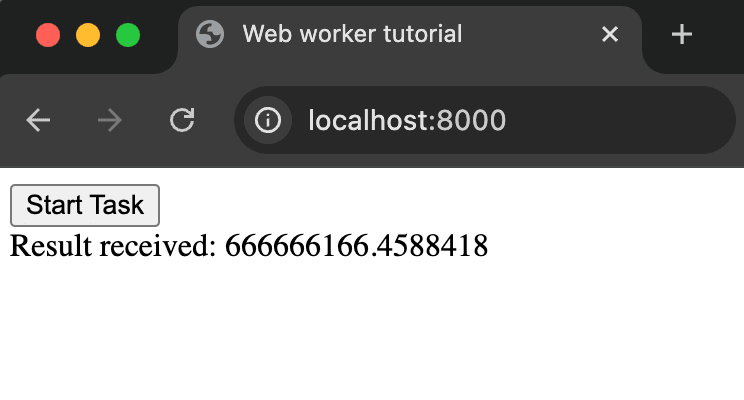
Once you run that script, we can go to `http://localhost:8000` and click **Start Task** to see our web worker in action.
## Adding PostHog to our app
Because of the limitation of web workers, we can't simply add PostHog to the `worker.js` file. Instead, we start by adding the script snippet to the `index.html` file. This requires your project API key and client API host, both of which you can get in [your project settings](https://us.posthog.com/settings/project).
Our updated `index.html` file will look like this:
```html
Web worker tutorial
```
> **Note:** We disable `advanced_disable_flags` as it causes a CORS error on our local server. This isn't the case in production so you shouldn't do this for a production-ready app.
## Making PostHog work with the web worker
To make PostHog work with a web worker, we can set up a new `posthog_event` message in `worker.js` that includes the event name and properties.
```js
// worker.js
onmessage = function(e) {
if (e.data === 'start') {
let result = performWork();
// Send PostHog event back to main thread
postMessage({
type: 'posthog_event',
eventName: 'worker_task_completed',
properties: {
result: result,
duration_ms: 1000
}
});
// Send the result back to the main thread
postMessage(result);
}
};
// ... rest of your existing code
```
We can then handle update the `handleWorkerMessages` function to handle the `posthog_event` message in `index.html` with our web PostHog initialization.
```html