mirror of
https://github.com/BepInEx/BepInEx.GraphicsSettings.git
synced 2026-11-21 07:29:24 -10:00


Unity graphics settings plugin for BepInEx
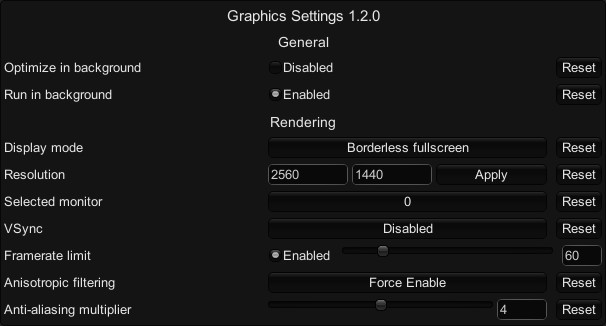
Exposes unity's graphics settings and some other values for editing in ConfigurationManager.
How to use
- Install BepInEx
- Download the latest release
- Put the dll file in the
bepinex/pluginsfolder - Install ConfigurationManager
- Open ConfigurationManager in game and change the settings
Settings
Display mode can be set to either fullscreen, windowed, or borderless window.
Background optimization only disables anti-aliasing at the moment.