mirror of
https://github.com/HeyPuter/puter.git
synced 2026-11-13 20:12:57 -10:00
Compare commits
| Author | SHA1 | Date | |
|---|---|---|---|
 KernelDeimos |
511cbcf054 |
No files matched your search
@@ -1,40 +1,4 @@
|
||||
.dockerignore
|
||||
Dockerfile
|
||||
docker-compose.yml
|
||||
|
||||
# Dev / build artifacts (recreated inside the build stage)
|
||||
node_modules
|
||||
dist
|
||||
src/gui/dist
|
||||
src/puter-js/dist
|
||||
*.tsbuildinfo
|
||||
|
||||
# Local runtime data
|
||||
volatile
|
||||
config.json
|
||||
config.dev.json
|
||||
/puter
|
||||
|
||||
# OS / editor
|
||||
.DS_Store
|
||||
.vscode
|
||||
.idea
|
||||
|
||||
# Git / CI
|
||||
.git
|
||||
.github
|
||||
|
||||
# Logs
|
||||
*.log
|
||||
npm-debug.log*
|
||||
.npm
|
||||
|
||||
# Tests / coverage
|
||||
coverage
|
||||
.nyc_output
|
||||
|
||||
# Secrets
|
||||
.env
|
||||
.env.*
|
||||
creds*
|
||||
*.pem
|
||||
+1
-18
@@ -1,18 +1 @@
|
||||
# Copy this file to `.env`, fill in the secrets, and `docker compose -f
|
||||
# docker-compose.full.yml up -d`. None of the defaults below are safe for
|
||||
# anything beyond a local laptop test.
|
||||
|
||||
# ── Public-facing ports (nginx) ---------------------------------------
|
||||
HTTP_PORT=80
|
||||
# HTTPS_PORT=443 # uncomment after you enable TLS in nginx/nginx.conf
|
||||
|
||||
# ── MariaDB ------------------------------------------------------------
|
||||
MARIADB_ROOT_PASSWORD=replace-with-strong-password
|
||||
MARIADB_DATABASE=puter
|
||||
MARIADB_USER=puter
|
||||
MARIADB_PASSWORD=replace-with-strong-password
|
||||
|
||||
# ── S3 (RustFS) --------------------------------------------------------
|
||||
S3_ACCESS_KEY=puter
|
||||
S3_SECRET_KEY=replace-with-strong-secret
|
||||
S3_BUCKET=puter-local
|
||||
PORT=4000
|
||||
@@ -1 +0,0 @@
|
||||
github: ['HeyPuter']
|
||||
@@ -0,0 +1,25 @@
|
||||
---
|
||||
name: Bug report
|
||||
about: Create a report to help us improve
|
||||
title: ''
|
||||
labels: ''
|
||||
assignees: ''
|
||||
|
||||
---
|
||||
|
||||
**Issue Description**
|
||||
|
||||
**Steps to Reproduce**
|
||||
|
||||
**Expected & Actual Behavior**
|
||||
|
||||
**Addition Information or Screenshots (if applicable)**
|
||||
|
||||
**Deployment**
|
||||
- [ ] Production (puter.com)
|
||||
- [ ] Development (`npm run start`)
|
||||
- [ ] Docker (via `docker run`)
|
||||
- [ ] Docker (via `docker-compose`)
|
||||
|
||||
**Puter version (if accessible)**
|
||||
> Click the profile button on the top-right, then "Settings". The version number will be printed at the bottom
|
||||
@@ -0,0 +1,10 @@
|
||||
---
|
||||
name: Feature request
|
||||
about: Suggest an idea for Puter
|
||||
title: ''
|
||||
labels: idea
|
||||
assignees: ''
|
||||
|
||||
---
|
||||
|
||||
|
||||
@@ -0,0 +1,10 @@
|
||||
---
|
||||
name: Idea for Improvement
|
||||
about: An enhancement for an existing feature on Puter
|
||||
title: ''
|
||||
labels: enhancement
|
||||
assignees: ''
|
||||
|
||||
---
|
||||
|
||||
|
||||
@@ -1,49 +0,0 @@
|
||||
name: AI Provider Integration Tests
|
||||
|
||||
# Hits real provider APIs with cheap models, so this workflow is
|
||||
# manually triggered only. Each provider's test reads its credential
|
||||
# from PUTER_TEST_AI_<PROVIDER>_API_KEY and skips itself silently if
|
||||
# the secret is missing.
|
||||
|
||||
on:
|
||||
workflow_dispatch:
|
||||
|
||||
permissions:
|
||||
contents: read
|
||||
|
||||
jobs:
|
||||
ai-test:
|
||||
runs-on: ubuntu-latest
|
||||
|
||||
steps:
|
||||
- name: Checkout repository
|
||||
uses: actions/checkout@v4
|
||||
|
||||
- name: Set up Node.js
|
||||
uses: actions/setup-node@v4
|
||||
with:
|
||||
node-version: '24'
|
||||
cache: 'npm'
|
||||
|
||||
- name: Install dependencies
|
||||
run: npm ci
|
||||
|
||||
- name: Run AI provider integration tests
|
||||
# Vitest treats positional args as filename substring filters.
|
||||
# The pattern matches every `*.integration.test.ts` file and
|
||||
# nothing else — the regular backend test suite stays out.
|
||||
run: npm run test:backend -- integration.test
|
||||
env:
|
||||
CI: 'true'
|
||||
PUTER_TEST_AI_CLAUDE_API_KEY: ${{ secrets.PUTER_TEST_AI_CLAUDE_API_KEY }}
|
||||
PUTER_TEST_AI_OPENAI_API_KEY: ${{ secrets.PUTER_TEST_AI_OPENAI_API_KEY }}
|
||||
PUTER_TEST_AI_GEMINI_API_KEY: ${{ secrets.PUTER_TEST_AI_GEMINI_API_KEY }}
|
||||
PUTER_TEST_AI_GROQ_API_KEY: ${{ secrets.PUTER_TEST_AI_GROQ_API_KEY }}
|
||||
PUTER_TEST_AI_MISTRAL_API_KEY: ${{ secrets.PUTER_TEST_AI_MISTRAL_API_KEY }}
|
||||
PUTER_TEST_AI_DEEPSEEK_API_KEY: ${{ secrets.PUTER_TEST_AI_DEEPSEEK_API_KEY }}
|
||||
PUTER_TEST_AI_XAI_API_KEY: ${{ secrets.PUTER_TEST_AI_XAI_API_KEY }}
|
||||
PUTER_TEST_AI_OPENROUTER_API_KEY: ${{ secrets.PUTER_TEST_AI_OPENROUTER_API_KEY }}
|
||||
PUTER_TEST_AI_TOGETHER_API_KEY: ${{ secrets.PUTER_TEST_AI_TOGETHER_API_KEY }}
|
||||
PUTER_TEST_AI_MOONSHOT_API_KEY: ${{ secrets.PUTER_TEST_AI_MOONSHOT_API_KEY }}
|
||||
PUTER_TEST_AI_ZAI_API_KEY: ${{ secrets.PUTER_TEST_AI_ZAI_API_KEY }}
|
||||
PUTER_TEST_AI_ELEVENLABS_API_KEY: ${{ secrets.PUTER_TEST_AI_ELEVENLABS_API_KEY }}
|
||||
@@ -1,88 +0,0 @@
|
||||
name: Backend Tests
|
||||
|
||||
# Runs on backend and extension changes. Tests are co-located with the
|
||||
# code (src/backend/**/*.test.ts, extensions/**/*.test.ts), so test-only
|
||||
# changes match the same globs. puter.js SDK changes are covered by
|
||||
# puterjs-tests.yaml instead.
|
||||
on:
|
||||
pull_request:
|
||||
types: [opened, synchronize, reopened]
|
||||
paths:
|
||||
- 'src/backend/**'
|
||||
- 'extensions/**'
|
||||
- 'tools/**'
|
||||
- 'package.json'
|
||||
- 'package-lock.json'
|
||||
- '.github/workflows/backend-tests.yaml'
|
||||
|
||||
permissions:
|
||||
contents: read
|
||||
pull-requests: write
|
||||
|
||||
jobs:
|
||||
test:
|
||||
runs-on: ubuntu-latest
|
||||
strategy:
|
||||
fail-fast: false
|
||||
matrix:
|
||||
include:
|
||||
- ref: ${{ github.base_ref }}
|
||||
artifact: base
|
||||
- ref: ${{ github.head_ref }}
|
||||
artifact: pr
|
||||
|
||||
steps:
|
||||
- name: Checkout ${{ matrix.ref }}
|
||||
uses: actions/checkout@v4
|
||||
with:
|
||||
ref: ${{ matrix.ref }}
|
||||
repository: ${{ github.event.pull_request.head.repo.full_name }}
|
||||
|
||||
- name: Set up Node.js
|
||||
uses: actions/setup-node@v4
|
||||
with:
|
||||
node-version: '24'
|
||||
cache: 'npm'
|
||||
|
||||
- name: Install dependencies
|
||||
run: npm ci
|
||||
|
||||
- name: Run backend tests with coverage
|
||||
run: npm run test:backend -- --coverage
|
||||
env:
|
||||
CI: 'true'
|
||||
|
||||
- name: Upload coverage artifact
|
||||
if: always()
|
||||
uses: actions/upload-artifact@v4
|
||||
with:
|
||||
name: backend-coverage-${{ matrix.artifact }}
|
||||
path: src/backend/coverage/
|
||||
retention-days: 14
|
||||
|
||||
report-coverage:
|
||||
needs: test
|
||||
if: always()
|
||||
runs-on: ubuntu-latest
|
||||
steps:
|
||||
- name: Checkout repository
|
||||
uses: actions/checkout@v4
|
||||
|
||||
- name: Download PR coverage
|
||||
uses: actions/download-artifact@v4
|
||||
with:
|
||||
name: backend-coverage-pr
|
||||
path: src/backend/coverage
|
||||
|
||||
- name: Download base coverage
|
||||
uses: actions/download-artifact@v4
|
||||
with:
|
||||
name: backend-coverage-base
|
||||
path: coverage-base
|
||||
|
||||
- name: Report coverage on PR
|
||||
uses: davelosert/vitest-coverage-report-action@v2
|
||||
with:
|
||||
json-summary-path: src/backend/coverage/coverage-summary.json
|
||||
json-final-path: src/backend/coverage/coverage-final.json
|
||||
json-summary-compare-path: coverage-base/coverage-summary.json
|
||||
@@ -0,0 +1,31 @@
|
||||
# This workflow will do a clean installation of node dependencies, cache/restore them, build the source code and run tests across different versions of node
|
||||
# For more information see: https://docs.github.com/en/actions/automating-builds-and-tests/building-and-testing-nodejs
|
||||
|
||||
name: Node.js CI
|
||||
|
||||
on:
|
||||
push:
|
||||
branches: [ "main" ]
|
||||
pull_request:
|
||||
branches: [ "main" ]
|
||||
|
||||
jobs:
|
||||
build:
|
||||
|
||||
runs-on: ubuntu-latest
|
||||
|
||||
strategy:
|
||||
matrix:
|
||||
node-version: [20.x, 21.x, 22.x]
|
||||
# See supported Node.js release schedule at https://nodejs.org/en/about/releases/
|
||||
|
||||
steps:
|
||||
- uses: actions/checkout@v4
|
||||
- name: Use Node.js ${{ matrix.node-version }}
|
||||
uses: actions/setup-node@v4
|
||||
with:
|
||||
node-version: ${{ matrix.node-version }}
|
||||
cache: 'npm'
|
||||
- run: npm ci
|
||||
- run: npm run build --if-present
|
||||
- run: npm test
|
||||
@@ -1,101 +1,84 @@
|
||||
#
|
||||
name: Docker Image CI
|
||||
|
||||
# Two ways in:
|
||||
# - push of a calver tag (YY.MM or YY.MM.p) → publishes <version>, latest, main
|
||||
# - workflow_dispatch → publishes latest + main from whichever ref the user
|
||||
# picks in the Actions UI. Used to fast-forward :latest/:main when the
|
||||
# branch has moved ahead of the most recent release tag.
|
||||
# Configures this workflow to run every time a change is pushed to the
|
||||
# branch called `main`.
|
||||
on:
|
||||
push:
|
||||
tags:
|
||||
- '[0-9][0-9].[0-9][0-9]'
|
||||
- '[0-9][0-9].[0-9][0-9].[0-9]*'
|
||||
workflow_dispatch:
|
||||
inputs:
|
||||
push_latest:
|
||||
description: 'Push :latest tag'
|
||||
type: boolean
|
||||
default: true
|
||||
push_main:
|
||||
description: 'Push :main tag'
|
||||
type: boolean
|
||||
default: true
|
||||
push:
|
||||
tags:
|
||||
- '*.*.*'
|
||||
branches:
|
||||
- 'main'
|
||||
|
||||
# Defines two custom environment variables for the workflow. These are used
|
||||
# for the Container registry domain, and a name for the Docker image that
|
||||
# this workflow builds.
|
||||
env:
|
||||
REGISTRY: ghcr.io
|
||||
IMAGE_NAME: ${{ github.repository }}
|
||||
REGISTRY: ghcr.io
|
||||
IMAGE_NAME: ${{ github.repository }}
|
||||
|
||||
# There is a single job in this workflow. It's configured to run on the
|
||||
# latest available version of Ubuntu.
|
||||
jobs:
|
||||
build-and-push-image:
|
||||
runs-on: ubuntu-latest
|
||||
build-and-push-image:
|
||||
runs-on: ubuntu-latest
|
||||
|
||||
permissions:
|
||||
contents: read
|
||||
packages: write
|
||||
# Sets the permissions granted to the `GITHUB_TOKEN` for the actions
|
||||
# in this job.
|
||||
permissions:
|
||||
contents: read
|
||||
packages: write
|
||||
|
||||
steps:
|
||||
- name: Validate calver tag
|
||||
if: github.event_name == 'push'
|
||||
env:
|
||||
REF_NAME: ${{ github.ref_name }}
|
||||
run: |
|
||||
if ! [[ "$REF_NAME" =~ ^[0-9]{2}\.[0-9]{2}(\.[0-9]+)?$ ]]; then
|
||||
echo "Tag '$REF_NAME' does not match YY.MM or YY.MM.p calver format."
|
||||
exit 1
|
||||
fi
|
||||
steps:
|
||||
- name: Checkout repository
|
||||
uses: actions/checkout@v4
|
||||
|
||||
- name: Checkout repository
|
||||
uses: actions/checkout@v4
|
||||
# Uses the `docker/login-action` action to log in to the Container
|
||||
# registry using the account and password that will publish the packages.
|
||||
# Once published, the packages are scoped to the account defined here.
|
||||
- name: Log in to GitHub Package Container registry
|
||||
uses: docker/login-action@v3
|
||||
with:
|
||||
registry: ${{ env.REGISTRY }}
|
||||
username: ${{ github.actor }}
|
||||
password: ${{ secrets.GITHUB_TOKEN }}
|
||||
|
||||
- name: Log in to GitHub Package Container registry
|
||||
uses: docker/login-action@v3
|
||||
with:
|
||||
registry: ${{ env.REGISTRY }}
|
||||
username: ${{ github.actor }}
|
||||
password: ${{ secrets.GITHUB_TOKEN }}
|
||||
- name: Set up QEMU
|
||||
uses: docker/setup-qemu-action@v3
|
||||
|
||||
- name: Log in to Docker Hub
|
||||
uses: docker/login-action@v3
|
||||
with:
|
||||
username: ${{ secrets.DOCKERHUB_USERNAME }}
|
||||
password: ${{ secrets.DOCKERHUB_TOKEN }}
|
||||
- name: Set up Docker Buildx
|
||||
uses: docker/setup-buildx-action@v3
|
||||
|
||||
- name: Set up QEMU
|
||||
uses: docker/setup-qemu-action@v3
|
||||
# This step uses [docker/metadata-action](https://github.com/docker/metadata-action#about)
|
||||
# to extract tags and labels that will be applied to the specified image.
|
||||
# The `id` "meta" allows the output of this step to be referenced in
|
||||
# a subsequent step. The `images` value provides the base name for the
|
||||
# tags and labels.
|
||||
- name: Extract metadata (tags, labels) for Docker
|
||||
id: meta
|
||||
uses: docker/metadata-action@v5
|
||||
with:
|
||||
images: "${{ env.REGISTRY }}/${{ env.IMAGE_NAME }}"
|
||||
tags: |
|
||||
type=semver,pattern={{version}}
|
||||
type=ref,event=branch
|
||||
|
||||
- name: Set up Docker Buildx
|
||||
uses: docker/setup-buildx-action@v3
|
||||
|
||||
- name: Extract metadata (tags, labels) for Docker
|
||||
id: meta
|
||||
uses: docker/metadata-action@v5
|
||||
with:
|
||||
images: |
|
||||
${{ env.REGISTRY }}/${{ env.IMAGE_NAME }}
|
||||
heyputer/puter
|
||||
# type=ref,event=tag only emits on tag pushes, so manual runs skip
|
||||
# the calver tag and just publish whichever of latest / main the
|
||||
# dispatch inputs asked for. On a tag push, both default to true.
|
||||
tags: |
|
||||
type=ref,event=tag
|
||||
type=raw,value=latest,enable=${{ github.event_name == 'push' || inputs.push_latest }}
|
||||
type=raw,value=main,enable=${{ github.event_name == 'push' || inputs.push_main }}
|
||||
|
||||
- name: Build and push Docker image
|
||||
uses: docker/build-push-action@v5
|
||||
with:
|
||||
platforms: linux/amd64,linux/arm64
|
||||
context: .
|
||||
push: true
|
||||
tags: ${{ steps.meta.outputs.tags }}
|
||||
labels: ${{ steps.meta.outputs.labels }}
|
||||
cache-from: type=gha
|
||||
cache-to: type=gha,mode=max
|
||||
|
||||
- name: Sync README to Docker Hub
|
||||
uses: peter-evans/dockerhub-description@v4
|
||||
with:
|
||||
username: ${{ secrets.DOCKERHUB_USERNAME }}
|
||||
password: ${{ secrets.DOCKERHUB_TOKEN }}
|
||||
repository: heyputer/puter
|
||||
readme-filepath: ./README.md
|
||||
# This step uses the `docker/build-push-action` action to build the
|
||||
# image, based on your repository's `Dockerfile`. If the build succeeds,
|
||||
# it pushes the image to GitHub Packages.
|
||||
# It uses the `context` parameter to define the build's context as the
|
||||
# set of files located in the specified path. For more information, see
|
||||
# "[Usage](https://github.com/docker/build-push-action#usage)" in the
|
||||
# README of the `docker/build-push-action` repository.
|
||||
# It uses the `tags` and `labels` parameters to tag and label the image
|
||||
# with the output from the "meta" step.
|
||||
- name: Build and push Docker image
|
||||
uses: docker/build-push-action@v5
|
||||
with:
|
||||
platforms: linux/amd64,linux/arm64
|
||||
context: .
|
||||
push: ${{ github.event_name != 'pull_request' }}
|
||||
tags: ${{ steps.meta.outputs.tags }}
|
||||
labels: ${{ steps.meta.outputs.labels }}
|
||||
cache-from: type=gha
|
||||
cache-to: type=gha,mode=max
|
||||
@@ -1,27 +0,0 @@
|
||||
name: Docs Build
|
||||
|
||||
on:
|
||||
pull_request:
|
||||
paths:
|
||||
- 'src/docs/**'
|
||||
|
||||
jobs:
|
||||
build-docs:
|
||||
runs-on: ubuntu-latest
|
||||
|
||||
steps:
|
||||
- name: Checkout repository
|
||||
uses: actions/checkout@v4
|
||||
|
||||
- name: Set up Node.js
|
||||
uses: actions/setup-node@v4
|
||||
with:
|
||||
node-version: '24'
|
||||
cache: 'npm'
|
||||
|
||||
- name: Install dependencies
|
||||
run: npm ci
|
||||
|
||||
- name: Build docs
|
||||
run: npm run build
|
||||
working-directory: src/docs
|
||||
@@ -1,18 +0,0 @@
|
||||
name: Notify HeyPuter
|
||||
|
||||
on:
|
||||
push:
|
||||
branches:
|
||||
- main
|
||||
|
||||
jobs:
|
||||
notify:
|
||||
runs-on: ubuntu-latest
|
||||
steps:
|
||||
- name: Trigger heyputer build
|
||||
run: |
|
||||
curl -X POST \
|
||||
-H "Authorization: token ${{ secrets.HEYPUTER_DISPATCH_TOKEN }}" \
|
||||
-H "Accept: application/vnd.github.v3+json" \
|
||||
https://api.github.com/repos/HeyPuter/heyputer/dispatches \
|
||||
-d '{"event_type":"puter-main-updated","client_payload":{"puter_ref":"main"}}'
|
||||
@@ -1,145 +0,0 @@
|
||||
name: Puter.js API Tests
|
||||
|
||||
# Runs on puter.js SDK changes — the suites live in src/puter-js/tests,
|
||||
# so test changes are covered by the same glob — plus the pieces the
|
||||
# runners depend on: the worker preamble, the in-memory test env in
|
||||
# testUtil, and the backend vitest config the API-tests config extends.
|
||||
# Backend and extension changes run backend-tests.yaml instead.
|
||||
on:
|
||||
pull_request:
|
||||
types: [opened, synchronize, reopened]
|
||||
paths:
|
||||
- 'src/puter-js/**'
|
||||
- 'src/worker/**'
|
||||
- 'src/backend/testUtil.ts'
|
||||
- 'src/backend/vitest.config.ts'
|
||||
- 'tools/**'
|
||||
- 'package.json'
|
||||
- 'package-lock.json'
|
||||
- '.github/workflows/puterjs-tests.yaml'
|
||||
|
||||
permissions:
|
||||
contents: read
|
||||
pull-requests: write
|
||||
|
||||
jobs:
|
||||
test:
|
||||
runs-on: ubuntu-latest
|
||||
|
||||
steps:
|
||||
- name: Checkout
|
||||
uses: actions/checkout@v4
|
||||
|
||||
- name: Set up Node.js
|
||||
uses: actions/setup-node@v4
|
||||
with:
|
||||
node-version: '24'
|
||||
cache: 'npm'
|
||||
|
||||
- name: Install dependencies
|
||||
run: npm ci
|
||||
|
||||
# The runners exercise the built artifacts: the SDK bundle
|
||||
# (src/puter-js/dist) for node + browser, and the worker preamble
|
||||
# (src/worker/dist) for workerd.
|
||||
- name: Build puter.js SDK and worker preamble
|
||||
run: npm run build:workerLib
|
||||
|
||||
- name: Install Playwright chromium
|
||||
run: npx playwright install --with-deps chromium
|
||||
|
||||
- name: Run puter.js API tests (node, browser, workerd)
|
||||
run: npm run test:puterjs
|
||||
env:
|
||||
CI: 'true'
|
||||
|
||||
# SDK coverage on both refs, reported as a PR comment — same shape as
|
||||
# backend-tests.yaml. This run uses the istanbul-instrumented bundle
|
||||
# (the `test` job above keeps exercising the production build).
|
||||
coverage:
|
||||
runs-on: ubuntu-latest
|
||||
strategy:
|
||||
fail-fast: false
|
||||
matrix:
|
||||
include:
|
||||
- ref: ${{ github.base_ref }}
|
||||
artifact: base
|
||||
- ref: ${{ github.head_ref }}
|
||||
artifact: pr
|
||||
|
||||
steps:
|
||||
- name: Checkout ${{ matrix.ref }}
|
||||
uses: actions/checkout@v4
|
||||
with:
|
||||
ref: ${{ matrix.ref }}
|
||||
repository: ${{ github.event.pull_request.head.repo.full_name }}
|
||||
|
||||
- name: Set up Node.js
|
||||
uses: actions/setup-node@v4
|
||||
with:
|
||||
node-version: '24'
|
||||
cache: 'npm'
|
||||
|
||||
- name: Install dependencies
|
||||
run: npm ci
|
||||
|
||||
- name: Install Playwright chromium
|
||||
run: npx playwright install --with-deps chromium
|
||||
|
||||
# The base leg is best-effort — it only enriches the PR comment with
|
||||
# a comparison, and the base ref may predate the coverage script.
|
||||
- name: Run puter.js API tests with coverage
|
||||
continue-on-error: ${{ matrix.artifact == 'base' }}
|
||||
run: npm run test:puterjs:coverage
|
||||
env:
|
||||
CI: 'true'
|
||||
|
||||
- name: Upload coverage artifact
|
||||
if: always()
|
||||
uses: actions/upload-artifact@v4
|
||||
with:
|
||||
name: puterjs-coverage-${{ matrix.artifact }}
|
||||
path: src/puter-js/coverage/coverage-*.json
|
||||
retention-days: 14
|
||||
if-no-files-found: ignore
|
||||
|
||||
report-coverage:
|
||||
needs: coverage
|
||||
if: always()
|
||||
runs-on: ubuntu-latest
|
||||
steps:
|
||||
- name: Checkout repository
|
||||
uses: actions/checkout@v4
|
||||
|
||||
- name: Download PR coverage
|
||||
uses: actions/download-artifact@v4
|
||||
with:
|
||||
name: puterjs-coverage-pr
|
||||
path: src/puter-js/coverage
|
||||
|
||||
# May not exist (base ref without the coverage script, or a failed
|
||||
# base run) — then report without the comparison column.
|
||||
- name: Download base coverage
|
||||
id: base-coverage
|
||||
continue-on-error: true
|
||||
uses: actions/download-artifact@v4
|
||||
with:
|
||||
name: puterjs-coverage-base
|
||||
path: coverage-base
|
||||
|
||||
- name: Report coverage on PR
|
||||
if: steps.base-coverage.outcome == 'success'
|
||||
uses: davelosert/vitest-coverage-report-action@v2
|
||||
with:
|
||||
name: puter.js SDK
|
||||
json-summary-path: src/puter-js/coverage/coverage-summary.json
|
||||
json-final-path: src/puter-js/coverage/coverage-final.json
|
||||
json-summary-compare-path: coverage-base/coverage-summary.json
|
||||
|
||||
- name: Report coverage on PR (no base comparison)
|
||||
if: steps.base-coverage.outcome != 'success'
|
||||
uses: davelosert/vitest-coverage-report-action@v2
|
||||
with:
|
||||
name: puter.js SDK
|
||||
json-summary-path: src/puter-js/coverage/coverage-summary.json
|
||||
json-final-path: src/puter-js/coverage/coverage-final.json
|
||||
@@ -1,72 +0,0 @@
|
||||
name: Tag Alias
|
||||
|
||||
# Retags an existing image in GHCR under a custom name, without rebuilding.
|
||||
# Uses `docker buildx imagetools create` so the multi-arch manifest is preserved.
|
||||
# Re-running with the same name updates the alias to point at a different source tag.
|
||||
on:
|
||||
workflow_dispatch:
|
||||
inputs:
|
||||
name:
|
||||
description: "Alias name (e.g., potato)"
|
||||
required: true
|
||||
source_tag:
|
||||
description: "Source tag to alias from"
|
||||
required: false
|
||||
default: "latest"
|
||||
|
||||
env:
|
||||
REGISTRY: ghcr.io
|
||||
IMAGE_NAME: ${{ github.repository }}
|
||||
|
||||
jobs:
|
||||
alias:
|
||||
runs-on: ubuntu-latest
|
||||
|
||||
permissions:
|
||||
contents: read
|
||||
packages: write
|
||||
|
||||
steps:
|
||||
- name: Validate alias name
|
||||
env:
|
||||
NAME: ${{ inputs.name }}
|
||||
run: |
|
||||
if ! [[ "$NAME" =~ ^[A-Za-z0-9_][A-Za-z0-9_.-]{0,127}$ ]]; then
|
||||
echo "Invalid alias name '$NAME' (allowed: [A-Za-z0-9_.-], must start with [A-Za-z0-9_], max 128 chars)."
|
||||
exit 1
|
||||
fi
|
||||
if [[ "$NAME" == "latest" || "$NAME" == "main" ]]; then
|
||||
echo "Alias name '$NAME' is reserved by the build workflow."
|
||||
exit 1
|
||||
fi
|
||||
if [[ "$NAME" =~ ^[0-9]{2}\.[0-9]{2}(\.[0-9]+)?$ ]]; then
|
||||
echo "Alias name '$NAME' looks like a calver tag — pick a non-version name."
|
||||
exit 1
|
||||
fi
|
||||
|
||||
- name: Log in to GitHub Package Container registry
|
||||
uses: docker/login-action@v3
|
||||
with:
|
||||
registry: ${{ env.REGISTRY }}
|
||||
username: ${{ github.actor }}
|
||||
password: ${{ secrets.GITHUB_TOKEN }}
|
||||
|
||||
- name: Set up Docker Buildx
|
||||
uses: docker/setup-buildx-action@v3
|
||||
|
||||
- name: Create alias tag
|
||||
env:
|
||||
IMAGE: ${{ env.REGISTRY }}/${{ env.IMAGE_NAME }}
|
||||
NAME: ${{ inputs.name }}
|
||||
SOURCE_TAG: ${{ inputs.source_tag }}
|
||||
run: |
|
||||
SRC="${IMAGE}:${SOURCE_TAG}"
|
||||
DST="${IMAGE}:${NAME}"
|
||||
echo "Aliasing $DST -> $SRC"
|
||||
docker buildx imagetools create -t "$DST" "$SRC"
|
||||
{
|
||||
echo "### 🏷️ Tag Alias"
|
||||
echo ""
|
||||
echo "- Source: \`$SRC\`"
|
||||
echo "- Alias: \`$DST\`"
|
||||
} >> "$GITHUB_STEP_SUMMARY"
|
||||
+1
-47
@@ -16,59 +16,13 @@ dist/
|
||||
.vscode/**/*
|
||||
!.vscode/extensions.json
|
||||
!.vscode/launch.json
|
||||
!.vscode/settings.json
|
||||
!.vscode/tasks.json
|
||||
|
||||
# Local env files
|
||||
.env
|
||||
!.env.example
|
||||
|
||||
# Per-developer / deployment config override. `config.default.json` ships in
|
||||
# the repo and is the authoritative source; `config.json` (if present) wins
|
||||
# at runtime for the local machine only.
|
||||
config.json
|
||||
|
||||
# this is for jetbrain IDEs
|
||||
.idea/
|
||||
/puter
|
||||
|
||||
# Local Netlify folder
|
||||
.netlify
|
||||
src/emulator/release/
|
||||
|
||||
# ======================================================================
|
||||
# vscode
|
||||
# ======================================================================
|
||||
# vscode configuration
|
||||
.vscode/
|
||||
|
||||
# JS language server, ref: https://code.visualstudio.com/docs/languages/jsconfig
|
||||
jsconfig.json
|
||||
|
||||
# ======================================================================
|
||||
# playwright test (currently only test the file-system)
|
||||
# ======================================================================
|
||||
tests/client-config.yaml
|
||||
|
||||
# ======================================================================
|
||||
# python
|
||||
# ======================================================================
|
||||
__pycache__/
|
||||
|
||||
# ======================================================================
|
||||
# other
|
||||
# ======================================================================
|
||||
# AI STUFF
|
||||
AGENTS.md
|
||||
.roo
|
||||
|
||||
# source maps
|
||||
*.map
|
||||
|
||||
|
||||
coverage/
|
||||
*.log
|
||||
undefined
|
||||
servers.json
|
||||
config.*.json
|
||||
|
||||
volatile/
|
||||
@@ -1,15 +0,0 @@
|
||||
#!/usr/bin/env sh
|
||||
|
||||
files=$(git diff --cached --name-only --diff-filter=ACMR | \
|
||||
grep -E '^(src/backend|extensions)/.*\.(js|mjs|cjs|ts)$' || true)
|
||||
|
||||
if [ -z "$files" ]; then
|
||||
exit 0
|
||||
fi
|
||||
|
||||
echo "$files" | xargs npx eslint --fix --no-warn-ignored
|
||||
status=$?
|
||||
|
||||
echo "$files" | xargs git add
|
||||
|
||||
exit $status
|
||||
File renamed without changes.
@@ -1,4 +0,0 @@
|
||||
node_modules
|
||||
dist
|
||||
build
|
||||
**/*.dbmig.js
|
||||
@@ -1,5 +0,0 @@
|
||||
{
|
||||
"tabWidth": 4,
|
||||
"singleQuote": true,
|
||||
"plugins": ["prettier-plugin-jsdoc"]
|
||||
}
|
||||
@@ -1,152 +0,0 @@
|
||||
# AGENTS.md
|
||||
|
||||
Guidance for AI coding agents working in this repository. Read this before making changes. FOLLOW GUIDANCE AS CLOSELY AS POSSIBLE. If you think the guidance is wrong, raise an issue or flag a maintainer — don't just do what you think is right. This is the source of truth for how we write code, tests, and docs in this repo.
|
||||
|
||||
## Documentation Index
|
||||
|
||||
Use these as the source of truth before exploring further:
|
||||
|
||||
- [README.md](README.md) — project overview and quickstart.
|
||||
- [doc/architecture.md](doc/architecture.md) — backend layered stack (controllers → drivers → services → stores → clients), `PuterServer` wiring, `Context` (ALS), and extensions.
|
||||
- [doc/contributing-apis.md](doc/contributing-apis.md) — adding and maintaining public APIs end to end (backend surface → puter.js → types → docs → tests). Follow it for any API work.
|
||||
- [doc/pagination.md](doc/pagination.md) — the one pagination convention for list APIs (limit/cursor/offset/includeTotal, envelope shape, cursor semantics).
|
||||
- [doc/self-hosting.md](doc/self-hosting.md) — running Puter outside hosted infra.
|
||||
- [CONTRIBUTING.md](CONTRIBUTING.md) — testing, security, AI-assisted code, PR conventions, Boy Scout Rule.
|
||||
- [SECURITY.md](SECURITY.md) — how to report vulnerabilities (do not file them publicly).
|
||||
- [BUG-BOUNTY.md](BUG-BOUNTY.md) — bounty program scope.
|
||||
- [TRADEMARK.md](TRADEMARK.md) — trademark usage.
|
||||
|
||||
---
|
||||
|
||||
## Repo-wide conventions
|
||||
|
||||
These apply everywhere — backend, puter.js, and GUI.
|
||||
|
||||
### Language & files
|
||||
|
||||
- Write ES modules, not CommonJS — we transpile and build as needed.
|
||||
- TypeScript preferred for new files in the backend and extensions; convert existing JS there opportunistically when you're already touching a file. The GUI and puter.js are plain JavaScript — don't introduce TypeScript files in them. In puter.js, type with JSDoc instead (see the puter.js section for what must be typed).
|
||||
- **Reuse before adding.** Search for an existing type, helper, or implementation and extend it; only add a new one when nothing suitable exists.
|
||||
- Make new types findable: descriptive `PascalCase` names, exported from the obvious entry point. A type used from many places belongs in the owning module's `types.ts` (e.g. [src/backend/controllers/types.ts](src/backend/controllers/types.ts)) rather than bloating a logic file; a type with a single consumer can stay next to it.
|
||||
- Naming: `camelCase` for variables/functions, `PascalCase` for classes and files containing a class (`AuthService.ts`). **Prefer `camelCase` for all new code** — new local variables, parameters, functions, and internal object properties. `snake_case` is reserved for identifiers that are part of an external contract: wire/JSON keys sent to or received from the backend, stable API error codes, public option names that already ship as `snake_case`, and established `puter_*` namespaced fields. Don't rename those (it's a breaking change), but don't introduce new `snake_case` alongside them either — a camelCase local can carry a value into a `snake_case` wire key (`{ operation_id: operationId }`).
|
||||
|
||||
### Comments
|
||||
|
||||
Keep comments light; prefer self-documenting code. Comment only when the _why_ is non-obvious or a usage detail would trip the next reader. Use `//` for single lines and `/** ... */` JSDoc when it genuinely needs more — if a comment runs long, it's probably too long. Don't restate the code and don't reference the current task, PR, or version — those rot. **No ticket references** (`PUT-1234`, `// fix for FOO-99`) in code, comments, or test names; describe the why in domain terms, not project-management terms. Use plain ASCII `-` in comment section dividers (`// -- Section --`), never box-drawing characters.
|
||||
|
||||
### Security & privacy
|
||||
|
||||
Before opening a PR, scan the diff for:
|
||||
|
||||
- Logs, error messages, or responses leaking internal paths, secrets, tokens, env vars, or other users' data.
|
||||
- Debug routes, test credentials, commented-out auth checks.
|
||||
- Endpoints returning more than the caller actually needs.
|
||||
|
||||
When in doubt, return less. Auth-, permission-, or data-export-related changes deserve an explicit callout in the PR description.
|
||||
|
||||
### Working rules of thumb
|
||||
|
||||
- **Run it, don't just compile it.** "It type-checks" is not "it works." Exercise the code path end-to-end at least once.
|
||||
- **Read the neighbors before writing.** Match the shape of similar things already in the tree. If you think the existing pattern is wrong, raise it — don't quietly diverge.
|
||||
- **Test new behavior.** Every new function, endpoint, driver method, or logic branch gets a test; every bug fix gets a regression test that fails before the fix. If something is genuinely hard to test, skip it but say so in the PR.
|
||||
- **Boy Scout Rule, proportional to the change.** Fix the obvious typo or dead import in files you're already touching; don't ride a refactor along with a bug fix.
|
||||
- **Understand what you commit.** AI assistance is fine; shipping code you couldn't defend in review is not.
|
||||
|
||||
---
|
||||
|
||||
## Backend
|
||||
|
||||
A layered stack with explicit dependency injection: each layer depends only on the layers beneath it, receives them through its constructor, and `PuterServer` ([src/backend/server.ts](src/backend/server.ts)) wires the whole thing together. [doc/architecture.md](doc/architecture.md) is the full reference.
|
||||
|
||||
| Layer (top → bottom) | Lives in | Responsibility |
|
||||
| -------------------- | ---------------------------------------------------- | ------------------------------------------------------------------------------------------------------------------------------------------------------ |
|
||||
| **Controllers** | [src/backend/controllers/](src/backend/controllers/) | Route handlers: parse/validate input, per-route gates via `RouteOptions` (auth, subdomain, rate limit, body parsers), call services, format responses. |
|
||||
| **Drivers** | [src/backend/drivers/](src/backend/drivers/) | Optional RPC-style handlers on `/drivers/*`; thin shells that validate inputs and call services/stores. |
|
||||
| **Services** | [src/backend/services/](src/backend/services/) | Business logic. Assume the caller is already authenticated/authorized. |
|
||||
| **Stores** | [src/backend/stores/](src/backend/stores/) | Persistence; wraps clients in the domain shapes services consume. |
|
||||
| **Clients** | [src/backend/clients/](src/backend/clients/) | Adapters for external/internal services (sql, redis, s3, email, event bus). Protocols, not domain concepts. |
|
||||
| **Config** | `config.*.json` → `IConfig` | Flat, typed config object every layer receives at construction. |
|
||||
|
||||
A public API can be exposed through either a controller or a driver — both are supported; prefer a controller when you need fine-grained control over routes and gates. [doc/contributing-apis.md](doc/contributing-apis.md) has the decision guide with links to the decorators and middleware for each.
|
||||
|
||||
Cross-layer rules:
|
||||
|
||||
- **Don't reach across layers.** Controllers don't poke clients; services don't register routes. If you want to, the abstraction is wrong — fix the abstraction.
|
||||
- **Don't call sideways within a layer for code reuse.** Two services needing the same logic means a util/helper, not a service-to-service dependency.
|
||||
- **Prefer explicit arguments over `Context` (ALS).** Reach for [Context](src/backend/core/context.ts) only for genuinely request-scoped values that would otherwise thread through many layers — today mostly `actor` and `req`.
|
||||
|
||||
### Extensions
|
||||
|
||||
[extensions/](extensions/) parallels the layered stack and is for **non-crucial parts of the system** — Puter still works with the extension removed. If core needs to call it, it belongs in core, not an extension (see [whoami](extensions/whoami.ts) as the cautionary example). The `extension` global ([src/backend/extensions.ts](src/backend/extensions.ts)) exposes:
|
||||
|
||||
- `extension.registerClient/Store/Service/Driver/Controller(name, Class)` for first-class additions.
|
||||
- `extension.on(event, handler)` and `extension.get/post/put/delete/patch/use(path, opts?, handler)` for the lightweight common case. `opts` is the same `RouteOptions` controllers use.
|
||||
- `extension.import('client' | 'store' | 'service' | 'controller' | 'driver')` — lazy proxy to instantiated core objects. `extension.config` exposes live config.
|
||||
|
||||
Follow the same layered structure inside an extension — unless it only needs a few route handlers, in which case the lightweight helpers are enough on their own.
|
||||
|
||||
### Backend tests
|
||||
|
||||
- Vitest; test files sit next to the code they test (`*.test.ts` / `*.test.js`). Run with `npm run test:backend`.
|
||||
- **Mock data, not methods.** Stub inputs (fixtures, fake rows, payloads), not the function under test or the layer beneath it — over-mocking produces tests that pass while production breaks. If you must mock, mock at a real boundary (a client/external service).
|
||||
- **Prefer the test server over mocking deps.** `setupPuterTestEnv()` in [src/backend/testUtil.ts](src/backend/testUtil.ts) boots a fully in-memory backend; hit a real database/client shape where reasonable — integration shapes catch what mocked unit tests miss.
|
||||
|
||||
---
|
||||
|
||||
## puter.js (the SDK)
|
||||
|
||||
[src/puter-js/](src/puter-js/) is the public SDK. It ships live from `https://js.puter.com/v2/` with no version pinning — every existing app picks up changes immediately. Treat every observable behavior (signatures, response fields, error codes) as something a production app depends on.
|
||||
|
||||
Layout: SDK modules in [src/puter-js/src/modules/](src/puter-js/src/modules/) (one file or directory per area — `FileSystem/`, `KV.js`, `ai/`, …), shared plumbing in [src/puter-js/src/lib/](src/puter-js/src/lib/), hand-maintained type declarations in [src/puter-js/types/](src/puter-js/types/), API tests in [src/puter-js/tests/api/](src/puter-js/tests/api/), UI e2e tests in [src/puter-js/tests/e2e/](src/puter-js/tests/e2e/), developer docs in [src/docs/](src/docs/).
|
||||
|
||||
Language & typing: puter.js source is plain JavaScript — never TypeScript files — typed via JSDoc. Reference the hand-maintained declarations in [src/puter-js/types/](src/puter-js/types/) with `import(...)` types rather than re-declaring shapes:
|
||||
|
||||
```js
|
||||
/** @typedef {import('../../types/modules/ai').ChatOptions} ChatOptions */
|
||||
|
||||
/** @type {ChatOptions} */
|
||||
const options = { model: 'gpt-5-nano' };
|
||||
```
|
||||
|
||||
When a shape only exists locally, declare it as an inline object literal — not the `@typedef {Object}` + `@property` list form — and use `unknown` over `*`:
|
||||
|
||||
```js
|
||||
/** @typedef {{ key: string, value: unknown }} KVEntry */
|
||||
```
|
||||
|
||||
Public (exposed) methods must carry JSDoc types — parameters and return value, matching the `.d.ts` declarations exactly. Unexposed/private helpers are typed at the contributor's discretion: annotate where it helps the next reader, and either way keep them clean.
|
||||
|
||||
Typing in JS files is encouraged: annotate with JSDoc `@type`/`@param`/`@returns` using the TypeScript type system, and define shared shapes with `@typedef`. API types must not be `unknown` or untyped `...args` — spell out the real parameter and return shapes; the only exception is values passed through transparently to an upstream layer that owns their type. For example:
|
||||
|
||||
```js
|
||||
/**
|
||||
* @typedef {{key:string, value: unknown}} KVEntry
|
||||
*/
|
||||
|
||||
/** @type {KVEntry[]} */
|
||||
let entries = [];
|
||||
```
|
||||
|
||||
Every SDK change carries all five of the following — a puter.js PR missing one is incomplete:
|
||||
|
||||
1. **Backward compatibility.** Mandatory unless a maintainer explicitly signs off on a break. Existing call signatures keep working (including both positional and options-object forms where a method supports them); new parameters are optional with defaults that preserve old behavior; never rename or repurpose existing params, response fields, or error codes. New parameter names are `camelCase` (existing `snake_case` stays for compatibility). Say in the PR how existing callers are unaffected.
|
||||
2. **Tests.** Add or extend a suite in [tests/api/suites/](src/puter-js/tests/api/suites/) (`<area>.suite.ts`; register new suites in `suites/index.ts` — no globbing). One suite runs unchanged on node, browser, and workerd via `npm run test:puterjs`; never write a per-platform test. The runners execute the **built** bundle — run `npm run build:workerLib` after SDK changes or the suite silently tests stale code. For `puter.ui.*` methods rendered by the desktop, use the Playwright e2e harness instead — see [src/puter-js/TESTING.md](src/puter-js/TESTING.md).
|
||||
3. **Docs.** New or changed APIs update [src/docs/src/](src/docs/src/): the method page (`<Area>/<method>.md`, with frontmatter and a runnable example) and the area overview when the surface changes. Docs are the contract users code against — signatures, defaults, and return shapes must match the implementation exactly.
|
||||
4. **Types.** Update [src/puter-js/types/modules/](src/puter-js/types/modules/)`<module>.d.ts` and re-export new types through `index.d.ts` / `types/puter.d.ts`. Declarations must match runtime behavior exactly — a wrong type is worse than a missing one.
|
||||
5. **Error handling.** Reject/throw `{ message, code }` objects with stable `snake_case` codes, matching the existing modules (see `KV.js`). Validate cheap preconditions client-side before making the network call; pass backend errors through unchanged rather than swallowing or re-wrapping them. Error codes are API surface — changing one is a breaking change.
|
||||
|
||||
[doc/contributing-apis.md](doc/contributing-apis.md) walks the full lifecycle of adding an API across backend + SDK.
|
||||
|
||||
---
|
||||
|
||||
## GUI
|
||||
|
||||
[src/gui/](src/gui/) is the Puter desktop: deliberately plain JavaScript + jQuery with HTML-string templates. Don't introduce a UI framework or a new rendering pattern.
|
||||
|
||||
The guiding rule here is **conformity over novelty** — match the existing design and code structure even where you'd personally choose differently. A visually or structurally divergent addition is a defect even when it works.
|
||||
|
||||
- **Reuse existing UI primitives before writing new ones.** Windows and dialogs are `UIWindow*` functions in [src/gui/src/UI/](src/gui/src/UI/); generic pieces already exist (`UIAlert`, `UIPrompt`, `UIContextMenu`, `UINotification`, `UIPopover`, widgets in [UI/Components/](src/gui/src/UI/Components/)). A new window should read like its neighbors: an async function taking an options object, composing an HTML string, wiring behavior with jQuery, delegating to `UIWindow(...)`.
|
||||
- **Match the visual language.** Use existing CSS classes (`button`, `button-primary`, window chrome, form styles) and copy the layout patterns of neighboring windows; new styles go in [src/gui/src/css/](src/gui/src/css/) following existing conventions. Verify anything positional (menus, overlays, z-index) on both desktop and mobile viewports.
|
||||
- **i18n every user-facing string.** No hardcoded UI text — use `i18n('key')` and add the key to [src/gui/src/i18n/translations/en.js](src/gui/src/i18n/translations/en.js). Run `npm run check-translations` before opening the PR.
|
||||
- **Shared logic goes in helpers/services.** Reusable non-UI logic belongs in [src/gui/src/helpers/](src/gui/src/helpers/) or [src/gui/src/services/](src/gui/src/services/), not copy-pasted between windows.
|
||||
- **Tests.** Vitest is wired for the GUI (`src/**/*.test.js`; see [appOrder.test.js](src/gui/src/UI/Dashboard/appOrder.test.js) for the shape). Extract pure logic into functions and test those. Desktop behavior driven through puter.js (`puter.ui.*`) is covered by the Playwright harness in [src/puter-js/tests/e2e/](src/puter-js/tests/e2e/) — add a spec there when you change how the desktop renders SDK-driven UI.
|
||||
@@ -1,99 +0,0 @@
|
||||
# Puter Bug Bounty Program
|
||||
|
||||
We at **Puter** are committed to maintaining a secure experience for our users and community. We greatly value the contributions of security researchers and welcome responsible disclosure of security issues.
|
||||
|
||||
## Scope
|
||||
|
||||
The following are in scope for this program:
|
||||
|
||||
* **The Puter open-source project** (available at [github.com/HeyPuter/puter](https://github.com/HeyPuter/puter))
|
||||
* **`puter.com`**
|
||||
* **`api.puter.com`**
|
||||
|
||||
Out-of-scope:
|
||||
|
||||
* Third-party services, applications, or libraries not maintained by Puter.
|
||||
* Social engineering attacks (e.g., phishing against staff).
|
||||
* Denial of Service (DoS), spam, or volumetric attacks.
|
||||
* Physical security issues.
|
||||
|
||||
## Known Non-Issues (Please Check Before Submitting)
|
||||
|
||||
The following have already been reviewed and determined **not to be vulnerabilities**. Reports that only re-describe one of these are **not eligible for a reward** and will be closed as non-issues — even if they include new code references. Please review this list before submitting:
|
||||
|
||||
* **XSS / CORS / token issues scoped to `api.puter.com`.** The primary user session cookie lives on `puter.com`, not on the API origin, so reflected/stored XSS, CORS, or token handling on `api.puter.com` is generally out of scope. Two exceptions we *do* evaluate on their merits — please report these: (a) attacker-controlled content served **inline** (e.g. an HTML `Content-Type`) from API file/response endpoints, and (b) anything that abuses the app-scoped `puter_token_v2` companion cookie set on the API host.
|
||||
* **SSRF via `secureFetch`.** Production routes outbound requests through an isolated proxy that has no access to internal/SSRF-sensitive resources.
|
||||
* **Attacks that depend on guessing an `appInstanceID` or app UID.** These are random 128-bit secret values and are not considered guessable.
|
||||
* **Apps invoking drivers, creating workers, or using KV.** Applications are intended to do this; worker permissions are scoped to the owning app. This is by design.
|
||||
* **App metadata or app user-count "leaks".** This information is currently public by design.
|
||||
* **General "token in a URL" / token-lifetime designs** — signed directory URLs exposing children, a write signature implying read, or app tokens outliving a web session. These are current intended behaviors.
|
||||
* **Missing PKCE, unverified `id_token` signatures, or other OIDC hardening.** Provider tokens are obtained through a server-to-server authorization-code exchange with the provider's token endpoint over TLS, so the resulting `id_token` / userinfo claims are trusted from that channel rather than from local JWKS signature verification — the callback never accepts a caller-supplied `id_token`. Adding local signature / `aud` / `iss` / `exp` checks is welcome defense-in-depth (please open a GitHub issue/PR), but their absence is not an account-takeover vector on its own.
|
||||
* **JWT "algorithm confusion" / unpinned `algorithms` in `jwt.verify`.** Puter's session tokens are HMAC-signed (HS256) with a server-side secret, and there is no asymmetric public key anywhere in the verification path, so `alg`-substitution attacks do not apply. Explicitly pinning `algorithms` is a fine hardening PR, but it is not a vulnerability.
|
||||
* **Static-source "SQL injection" in internal pagination.** Findings such as `LIMIT ${limit}` in list/notification queries: the limit is numerically coerced and clamped before it reaches the query, so it is not reachable with attacker-controlled string input. Hardening PRs to the internal stores are welcome, but these are not exploitable as reported.
|
||||
* **Deprecated `saveTo*` GUI app messages.** The legacy `saveToDesktop` / `saveToDocuments` / etc. app-IPC handlers can create — never overwrite — new files in standard user folders. The behavior is non-destructive, path-traversal-safe, and deprecated (slated for removal); it is not treated as a sandbox escape.
|
||||
* **Best-practice suggestions** such as login/registration username enumeration (kept intentionally for UX) or unauthenticated unsubscribe links (industry norm).
|
||||
* **Rate-limiting suggestions for TURN credential issuance** (intentional; not billed per tunnel).
|
||||
|
||||
If you believe you have a **genuinely new** exploit chain that defeats one of these rationales (for example, demonstrating a sensitive credential that really is reachable on `api.puter.com`), say so explicitly and show why the reasoning above does not apply.
|
||||
|
||||
## Rules of Engagement
|
||||
|
||||
To participate, you must:
|
||||
|
||||
1. **Report responsibly**: Provide detailed steps to reproduce the issue, including proof-of-concept code, screenshots, or a screen recording (see *Proof of Reproduction* below).
|
||||
2. **Do no harm**: Do not exfiltrate, modify, or delete data. Only access your own account or test data.
|
||||
3. **Respect availability**: Do not perform denial-of-service attacks or automated scans that degrade service.
|
||||
4. **Follow disclosure policy**: Do not publicly disclose vulnerabilities until we have confirmed and patched the issue.
|
||||
5. **Act in good faith**: Make every effort to avoid privacy violations, destruction of data, and interruption or degradation of services.
|
||||
6. **Check the Known Non-Issues list**: Reports matching an item in the "Known Non-Issues" section above are not eligible and will be closed.
|
||||
|
||||
Reports that do not meet these guidelines may not be eligible for a reward.
|
||||
|
||||
## Proof of Reproduction
|
||||
|
||||
Reports must demonstrate a **working, reproducible exploit with real impact** — not a theoretical or static-source-review finding. Please include:
|
||||
|
||||
* Exact steps to reproduce, the relevant request/response or code path, and the commit or version you tested.
|
||||
* The **observed** result versus the **expected** result.
|
||||
* For client-side, UI, or authentication-flow bugs: a short screen recording (≤ 2 minutes) showing the exploit working end-to-end on a real Puter instance.
|
||||
* For server-side bugs: a runnable proof-of-concept.
|
||||
|
||||
Reports based solely on reading the source ("source review only, not tested") or unverified AI/LLM-generated reports are the **lowest triage priority and are generally not eligible**. If you used an AI tool to help find an issue, you must personally verify that it actually reproduces before submitting.
|
||||
|
||||
Please submit **one issue per report**. Bundled "audit packs" of many speculative findings will be declined; send each confirmed issue separately.
|
||||
|
||||
## Reporting Process
|
||||
|
||||
To report a vulnerability, email us at: **[[email protected]](mailto:[email protected])**.
|
||||
Include:
|
||||
|
||||
* A description of the vulnerability
|
||||
* Steps to reproduce
|
||||
* Potential impact
|
||||
* Suggested remediation (if available)
|
||||
|
||||
We aim to acknowledge receipt within **72 hours** and provide a resolution timeline.
|
||||
|
||||
## Reward Structure
|
||||
|
||||
We offer monetary rewards based on the severity of the vulnerability, as determined by our internal assessment (using CVSS as a guide).
|
||||
|
||||
* **Critical: \$1,000 – \$2,000**
|
||||
* **High: \$500 – \$1,000**
|
||||
* **Medium: \$200 – \$500**
|
||||
* **Low: \$50 – \$100**
|
||||
|
||||
Non-security issues, suggestions, and best practices feedback are always welcome, but may not qualify for a reward.
|
||||
If multiple researchers report the same issue, the bounty will be awarded to the first eligible report we receive.
|
||||
|
||||
## Payments Disclaimer
|
||||
|
||||
All reward amounts are **guidelines only**. Final decisions about eligibility, severity classification, and payout amount are made at the sole discretion of the Puter security team. We reserve the right to determine whether a report qualifies for a bounty, and whether any payment will be issued at all. Submitting a report does not guarantee compensation.
|
||||
|
||||
### Payment Method Requirement
|
||||
|
||||
At this time, **payments will only be made via PayPal**. To be eligible to receive a bounty, researchers must have a valid PayPal account capable of receiving payments. We are unable to process payments through other services or methods at this time.
|
||||
|
||||
## Legal Safe Harbor
|
||||
|
||||
If you make a good-faith effort to comply with this policy, we will consider your research to be authorized. If you inadvertently access data outside your own account, stop immediately and include details in your report so we can investigate and remediate.
|
||||
+245
@@ -0,0 +1,245 @@
|
||||
# Changelog
|
||||
|
||||
## v2.4.1 (2024-07-11)
|
||||
|
||||
### Puter
|
||||
|
||||
|
||||
#### Features
|
||||
|
||||
- update BR translation ([42a6b39](https://github.com/HeyPuter/puter/commit/42a6b3938a588b8b4d1bd976c37e9c6e58408c75))
|
||||
- JSON support for kv driver ([3ed7916](https://github.com/HeyPuter/puter/commit/3ed7916856f03eafbe0891f2ab39c34d20d2bd24))
|
||||
|
||||
#### Translations
|
||||
|
||||
- Update bn.js file formatting ([cff488f](https://github.com/HeyPuter/puter/commit/cff488f4f4378ca6c7568a585a665f2a3b87b89c))
|
||||
- Issue#530 - Update bengali translations ([92abc99](https://github.com/HeyPuter/puter/commit/92abc9947f811f94f17a5ee5a4b73ee2b210900a))
|
||||
- Added missing Romanian translations. ([8440f56](https://github.com/HeyPuter/puter/commit/8440f566b91c9eb4f01addcb850061e3fbe3afc7))
|
||||
- Add 2FA Romanian translations ([473b651](https://github.com/HeyPuter/puter/commit/473b6512c697854e3f3badae1eb7b87742954da5))
|
||||
- Add Japanese Translation ([47ec74f](https://github.com/HeyPuter/puter/commit/47ec74f0aa6adb3952e6460909029a4acb0c3039))
|
||||
- Completing Italian translation based on English file ([f5a8ee1](https://github.com/HeyPuter/puter/commit/f5a8ee1c6ab950d62c90b6257791f026a508b4e4))
|
||||
- Completing Italian translation based on English file. ([a96abb5](https://github.com/HeyPuter/puter/commit/a96abb5793528d0dc56d75f95d771e1dcf5960d1))
|
||||
- Completing Arabic translation based on English file ([78a0ace](https://github.com/HeyPuter/puter/commit/78a0acea6980b6d491da4874edbd98e17c0d9577))
|
||||
- Update Arabic translations in src/gui/src/i18n/translations/ar.js to match English version in src/gui/src/i18n/translations/en.js ([fe5be7f](https://github.com/HeyPuter/puter/commit/fe5be7f3cf7f336730137293ba86a637e8d8591d))
|
||||
- Update Arabic translations in src/gui/src/i18n/translations/ar.js to match English version in src/gui/src/i18n/translations/en.js ([bffa192](https://github.com/HeyPuter/puter/commit/bffa192805216fc17045cd8d629f34784dca7f3f))
|
||||
- Ukrainian updated ([e61039f](https://github.com/HeyPuter/puter/commit/e61039faf409b0ad85c7513b0123f3f2e92ebe32))
|
||||
- Update ru.js issue #547 ([17145d0](https://github.com/HeyPuter/puter/commit/17145d0be6a9a1445947cc0c4bec8f16a475144c))
|
||||
- Russian translation fixed ([8836011](https://github.com/HeyPuter/puter/commit/883601142873f10d69c84874499065a7d29af054))
|
||||
|
||||
#### Bug Fixes
|
||||
|
||||
- remove flag that breaks puter-js webpack ([7aadae5](https://github.com/HeyPuter/puter/commit/7aadae58ce1a51f925bf64c3d65ac1fa6971b164))
|
||||
- Improve `getMimeType` to remove trailing dot in the extension if preset ([535475b](https://github.com/HeyPuter/puter/commit/535475b3c36a37e3319ed067a24fb671790dcda3))
|
||||
|
||||
|
||||
## 2.4.0 (2024-07-08)
|
||||
|
||||
|
||||
### Features
|
||||
|
||||
* add (pt-br) translation for system settings. ([77211c4](https://github.com/HeyPuter/puter/commit/77211c4f71b0285fb3060f7e5c8d493b4d7c4f0c))
|
||||
* add /group/list endpoint ([d55f38c](https://github.com/HeyPuter/puter/commit/d55f38ca68899c3574cfe328d2b206b1143ff0d4))
|
||||
* add /share/file-by-username endpoint ([5d214c7](https://github.com/HeyPuter/puter/commit/5d214c7b52887b594af6be497f1892baf7d77679))
|
||||
* add /sharelink/request endpoint ([742f625](https://github.com/HeyPuter/puter/commit/742f625309f9f4cfa70cf7d2fe5b03fd164913ea))
|
||||
* add /show urls ([079e25a](https://github.com/HeyPuter/puter/commit/079e25a9fe8e179f26d72378856058eb656e2314))
|
||||
* add app metadata ([f7216b9](https://github.com/HeyPuter/puter/commit/f7216b95672b38802b288ef5b022e947017ff311))
|
||||
* add appdata permission (if applicable) on app share ([9751fd9](https://github.com/HeyPuter/puter/commit/9751fd92a50e75385cffed0ca847d5076ba98c92))
|
||||
* add cookie for site token ([a813fbb](https://github.com/HeyPuter/puter/commit/a813fbbb88bcfb8b9a61976e2a4fc4aab943fc88))
|
||||
* add cross-server event broadcasting ([1207a15](https://github.com/HeyPuter/puter/commit/1207a158bdc88a90b14d31d03387ce353c176a9c))
|
||||
* add debug mod ([16b1649](https://github.com/HeyPuter/puter/commit/16b1649ff62fd87a4dda5d2e1c68941c864c5da4))
|
||||
* add endpoints for share tokens ([301ffaf](https://github.com/HeyPuter/puter/commit/301ffaf61dbb4fca1a855650ab80707ae6d9f602))
|
||||
* Add exit status code to apps ([7674da4](https://github.com/HeyPuter/puter/commit/7674da4cd225bcad34079251c5600fc32e32248b))
|
||||
* add external mod loading ([eb05fbd](https://github.com/HeyPuter/puter/commit/eb05fbd2dc4877553b5118a069a9afdc32bea137))
|
||||
* add group management endpoints ([4216346](https://github.com/HeyPuter/puter/commit/4216346384d90dcba429dbcb175e6f86482d19f4))
|
||||
* add group permission endpoints ([c374b0c](https://github.com/HeyPuter/puter/commit/c374b0cbca761e7c8a47d56a09551f2e9378066a))
|
||||
* add mark-read endpoint ([0101f42](https://github.com/HeyPuter/puter/commit/0101f425d480705c20df4919a76f66e987f5790f))
|
||||
* add permission rewriter for app by name ([16c4907](https://github.com/HeyPuter/puter/commit/16c4907be592dae31ed3c1aa3fac3b9655255d6f))
|
||||
* add protected apps ([f2f3d6f](https://github.com/HeyPuter/puter/commit/f2f3d6ff460932698fb8da7309fbce3e96132950))
|
||||
* add protected subdomains ([86fca17](https://github.com/HeyPuter/puter/commit/86fca17fb17c0c24397c29b49b133deadea1de8b))
|
||||
* add querystring-informed errors ([e7c0b83](https://github.com/HeyPuter/puter/commit/e7c0b8320a6829315d9154d6d513bab4491c47ea))
|
||||
* add readdir delegate for shares in a user directory ([8424d44](https://github.com/HeyPuter/puter/commit/8424d446099ac30ccf829c57d43eef1f235618e4))
|
||||
* add readdir delegate for sharing user homedirs ([19a5eb0](https://github.com/HeyPuter/puter/commit/19a5eb00763f3ac31df8483fb59cb7a96c448745))
|
||||
* add service for notifications ([a1e6887](https://github.com/HeyPuter/puter/commit/a1e6887bf93da21b9482040b3e30ee083fb23477))
|
||||
* add service to test file share logic ([332371f](https://github.com/HeyPuter/puter/commit/332371fccb198462948a440419adc7a26d671a23))
|
||||
* add share list to stat ([8c49ba2](https://github.com/HeyPuter/puter/commit/8c49ba2553ce6bee20eb5b6f2721bc80f639e98a))
|
||||
* add share service and share-by-email to /share ([db5990a](https://github.com/HeyPuter/puter/commit/db5990a98935817c0e16d30e921bb99c57a98fc8))
|
||||
* add subdomain permission (if applicable) on app share ([13e2f72](https://github.com/HeyPuter/puter/commit/13e2f72c9f33f485570f13f45341246b1a05879f))
|
||||
* add user-group permission check ([0014940](https://github.com/HeyPuter/puter/commit/00149402e041443aa3ac571fbe97a9a85f95564b))
|
||||
* **backend:** add script service ([30550fc](https://github.com/HeyPuter/puter/commit/30550fcddda18469735499546de502d29b85e2ad))
|
||||
* **backend:** Add tab completion to server console command arguments ([fa81dca](https://github.com/HeyPuter/puter/commit/fa81dca9507b7fa0f82099b75f2ab89c865626ac))
|
||||
* **backend:** Add tab-completion to server console command names ([e1e76c6](https://github.com/HeyPuter/puter/commit/e1e76c6be71fdeb3b6246307b626734d8dc26f86))
|
||||
* **backend:** add tip of day ([2d8e624](https://github.com/HeyPuter/puter/commit/2d8e6240c61dc6301f49cbdcd1c3b04736f9ca93))
|
||||
* **backend:** allow services to provide user properties ([522664d](https://github.com/HeyPuter/puter/commit/522664d415c33342500defec309c2ff15bc94804))
|
||||
* **backend:** allow services to provide whoami values ([fccabf1](https://github.com/HeyPuter/puter/commit/fccabf1bc0c4418f3599222616dd63bf98c14fe1))
|
||||
* **backend:** improve logger and reduce logs ([4bdad75](https://github.com/HeyPuter/puter/commit/4bdad75766d0617a164024b39b79bf5373c495a6))
|
||||
* Display app icon and description in embeds ([ef298ce](https://github.com/HeyPuter/puter/commit/ef298ce3aa3ce90224e883fb0ba33f9cd3a3da44))
|
||||
* get first test working on share-test service ([88d6bee](https://github.com/HeyPuter/puter/commit/88d6bee9546f36d689c53ec7fe95f01f772f5211))
|
||||
* **git:** Add --color and --no-color options ([d6dd1a5](https://github.com/HeyPuter/puter/commit/d6dd1a5bb0a2b2bba2cfe86d2e51ff2a6e42841c))
|
||||
* **git:** Add a --debug option, which sets the DEBUG global ([fa3df72](https://github.com/HeyPuter/puter/commit/fa3df72f6ed2d45a440ebc2aacbbae67bf042478))
|
||||
* **git:** Add authentication to clone, fetch, and pull. ([364d580](https://github.com/HeyPuter/puter/commit/364d580ff896691ee70d3735f495c720651a9f41))
|
||||
* **git:** Add diff display to `show` and `log` subcommands ([3cad1ec](https://github.com/HeyPuter/puter/commit/3cad1ec436f99a78f782ab9576325d4341284964))
|
||||
* **git:** Add start-revision and file arguments to `git log` ([49c2f16](https://github.com/HeyPuter/puter/commit/49c2f163515d2130c17a6f6a6a16bc27ea69336a))
|
||||
* **git:** Allow checking out a commit instead of a branch ([057b3ac](https://github.com/HeyPuter/puter/commit/057b3acf00af49c005b9bf7069c5d22983a32e1e))
|
||||
* **git:** Color output for `git status` files ([bab5204](https://github.com/HeyPuter/puter/commit/bab5204209aa2efc0c053643677a78db6ede0929))
|
||||
* **git:** Display file contents as a string for `git show FILE_OID` ([a680371](https://github.com/HeyPuter/puter/commit/a68037111a04580cfa2688694a68ef6ac7a495fa))
|
||||
* **git:** Display ref names in `git log` and `git show` ([45cdfcb](https://github.com/HeyPuter/puter/commit/45cdfcb5bfa66937b33054a127e0b17001f3faa4))
|
||||
* **git:** Format output closer to canonical git ([60976b1](https://github.com/HeyPuter/puter/commit/60976b1ed61984d9d290f3a0ae99dd97632e9909))
|
||||
* **git:** Handle detached HEAD in `git status` and `git branch --list` ([2c9b1a3](https://github.com/HeyPuter/puter/commit/2c9b1a3ffc3d5e282ffe5b83a86314e99445bbc6))
|
||||
* **git:** Implement `git branch` ([ad4f132](https://github.com/HeyPuter/puter/commit/ad4f13255d52f8226f22800c16b388cf0e6384d7))
|
||||
* **git:** Implement `git checkout` ([35e4453](https://github.com/HeyPuter/puter/commit/35e4453930bc4e151887f83c97efec19cc15da70))
|
||||
* **git:** Implement `git cherry-pick` ([2e4259d](https://github.com/HeyPuter/puter/commit/2e4259d267b3cfafd5cefc57a02643c6432fec4d))
|
||||
* **git:** Implement `git clone` ([95c8235](https://github.com/HeyPuter/puter/commit/95c8235a4a1fea39a46c40df04cb1004a2fe7b23))
|
||||
* **git:** Implement `git diff` ([622b6a9](https://github.com/HeyPuter/puter/commit/622b6a9b921c3c03efc0b519c9a26c6701d80e50))
|
||||
* **git:** Implement `git fetch` ([98a4b9e](https://github.com/HeyPuter/puter/commit/98a4b9ede39b94c0c6b6b8345d7551359961186a))
|
||||
* **git:** Implement `git pull` ([eb2b6a0](https://github.com/HeyPuter/puter/commit/eb2b6a08b03cee0612885412cd4b03c9564044e3))
|
||||
* **git:** Implement `git push` ([8c70229](https://github.com/HeyPuter/puter/commit/8c70229a188b743220db076a740a992fd7971301))
|
||||
* **git:** Implement `git remote` ([43ce0d5](https://github.com/HeyPuter/puter/commit/43ce0d5b45d4eb4f296afcaaa1ecadc125c53e89))
|
||||
* **git:** Implement `git restore` ([4ba8a32](https://github.com/HeyPuter/puter/commit/4ba8a32b45d395f28433572db5644d630776789e))
|
||||
* **git:** Make `git add` work for deleted files ([9551544](https://github.com/HeyPuter/puter/commit/955154468f48e45028dad2e916708d6a763affad))
|
||||
* **git:** Make shorten_hash() guaranteed to produce a unique hash ([dd10a37](https://github.com/HeyPuter/puter/commit/dd10a377493c0d8f10a1ac8779dc27f3f3bf6c37))
|
||||
* **git:** Resolve more forms of commit reference ([b6906bb](https://github.com/HeyPuter/puter/commit/b6906bbcaaa50fc8a8c60beb6d2d38bcb7dda758))
|
||||
* **git:** Understand references like `HEAD^` and `main~3` ([711dbc0](https://github.com/HeyPuter/puter/commit/711dbc0d2fde9c2ddc6c86f64fb4caa7837c9dcb))
|
||||
* implicit access from apps to shared appdata dirs ([31d4eb0](https://github.com/HeyPuter/puter/commit/31d4eb090efb340fdfb7cb6b751145e859624eeb))
|
||||
* introduce notification selection via driver ([c5334b0](https://github.com/HeyPuter/puter/commit/c5334b0e19cf9762f536ec482c3ff872e9c12399))
|
||||
* multi-recipient multi-file share endpoint ([846fdc2](https://github.com/HeyPuter/puter/commit/846fdc20d4a887a1f8a4f3bda4fafe41efab2733))
|
||||
* **parsely:** Add a fail() parser ([5656d9d](https://github.com/HeyPuter/puter/commit/5656d9d42f76202a534ad640d3a4e287e0e40418))
|
||||
* **parsely:** Add stringUntil() parser ([d46b043](https://github.com/HeyPuter/puter/commit/d46b043c5d16f1205d61de3f3ba43ed8ad7bff93))
|
||||
* **phoenix:** Add --dump and --file options to sed ([f250f86](https://github.com/HeyPuter/puter/commit/f250f86446a506f24fa2ad396328e3a2212a68d0))
|
||||
* **phoenix:** Add more commands to sed, including labels and branching ([306014a](https://github.com/HeyPuter/puter/commit/306014adc77a7ca155feb95d1146cb46ee075b52))
|
||||
* **phoenix:** Expose parsed arg tokens to apps that request them ([4067c82](https://github.com/HeyPuter/puter/commit/4067c82486c99cad20f41927ad39ebea438b717f))
|
||||
* **phoenix:** Implement an `exit` builtin ([3184d34](https://github.com/HeyPuter/puter/commit/3184d3482c7b95c0fd1fc0745555ff82fc9a8c99))
|
||||
* **phoenix:** Implement parsing of sed scripts ([0d4f907](https://github.com/HeyPuter/puter/commit/0d4f907b6675b15bd50a55f50aa28f0803b18b7b))
|
||||
* **phoenix:** Make `clear` clear scrollback unless `-x` is given ([75a989a](https://github.com/HeyPuter/puter/commit/75a989a7b69bfdfdf69e5f0365027c5b27d8bfc6))
|
||||
* **Phoenix:** Pass command line arguments and ENV when launching apps ([8f1c4fc](https://github.com/HeyPuter/puter/commit/8f1c4fcda98e72a7b970e8c6fc2fe39a5e012264))
|
||||
* **phoenix:** Respond to exit status codes ([5de3052](https://github.com/HeyPuter/puter/commit/5de305202656a172b187dac87543d6c1c69a2958))
|
||||
* **phoenix:** Show actual host name in prompt and neofetch ([4539408](https://github.com/HeyPuter/puter/commit/4539408a218a50244dc615cf7de56c29dcac53e6))
|
||||
* rate-limit for excessive groups ([4af279a](https://github.com/HeyPuter/puter/commit/4af279a72fc9de89ddc3ba51806ca3760a36265d))
|
||||
* re-send unreads on login ([02fc4d8](https://github.com/HeyPuter/puter/commit/02fc4d86b7166fb4803be5d28e2a593d6b7d9785))
|
||||
* register dev center to apps ([10f4d7d](https://github.com/HeyPuter/puter/commit/10f4d7d50ce9314f9c3888c74cb17c8ebbecee98))
|
||||
* send notification when file gets shared ([2f6c428](https://github.com/HeyPuter/puter/commit/2f6c428a403a006f7878861d2f0356c3294519be))
|
||||
* start directory index frame ([fb1e2f2](https://github.com/HeyPuter/puter/commit/fb1e2f21fb67aefe0602f6c978199c7cd019bbf7))
|
||||
* support canonical puter.js url in dev ([fd41ae2](https://github.com/HeyPuter/puter/commit/fd41ae217c7a9f7229326f62a829471580a744bd))
|
||||
* **ui:** add new components ([577bd59](https://github.com/HeyPuter/puter/commit/577bd59b6cc94810e851ad544f8234e25a4e6e27))
|
||||
* **ui:** add new components ([38ba425](https://github.com/HeyPuter/puter/commit/38ba42575ce9f3506f8ce219b9580202b3ed9993))
|
||||
* **ui:** allow component-based settings tabs ([1245960](https://github.com/HeyPuter/puter/commit/124596058a286241b51dd87ce2fc1a68478cb5b8))
|
||||
* update share endpoint to support more things ([dd5fde5](https://github.com/HeyPuter/puter/commit/dd5fde5130c1840ab598e6622766ae835142e58a))
|
||||
|
||||
|
||||
### Bug Fixes
|
||||
|
||||
* add app_uid param to kv interface ([f7a0549](https://github.com/HeyPuter/puter/commit/f7a054956b8739a3bc305a49faee929ea0da1e15))
|
||||
* add missing columns for public directory update ([b10302a](https://github.com/HeyPuter/puter/commit/b10302ad744fd9c58f9735743e075815183c772c))
|
||||
* Add missing file extension to 0009_app-prefix-fix.sql in DB init ([a8160a8](https://github.com/HeyPuter/puter/commit/a8160a8cdcdd6aff98728a6f1643d93386e6bb5a))
|
||||
* add permission implicator for file modes ([e63ab3a](https://github.com/HeyPuter/puter/commit/e63ab3a67f6555eb13d6af477a8da9f1b54d6608))
|
||||
* add stream limit ([ceba309](https://github.com/HeyPuter/puter/commit/ceba309dbd4df89f310d1a530f939a5b7991f4c7))
|
||||
* **backend:** remove a bad thing that really doesn't work ([8d22276](https://github.com/HeyPuter/puter/commit/8d22276f13106f7642d11da30b1500817a20ad43))
|
||||
* bug introduced when refactoring /share to Sequence ([ecb9978](https://github.com/HeyPuter/puter/commit/ecb997885c1efb766827c84d2ffb8dc6ddabe992))
|
||||
* check subdomain earlier for /apps ([4e3a24e](https://github.com/HeyPuter/puter/commit/4e3a24e6093e279e210765e07e436f4e63b74072))
|
||||
* column nullability blunder ([1429d6f](https://github.com/HeyPuter/puter/commit/1429d6f57c67dff51fc41ca0c2868f8d000845f1))
|
||||
* Correct APIError imports ([062e23b](https://github.com/HeyPuter/puter/commit/062e23b5c9673db1f8b0ff0469289d52dd1e3f99))
|
||||
* correct shown flag behavior ([632c536](https://github.com/HeyPuter/puter/commit/632c5366161ff8fbbd4d60c61dfbe52dad488a2c))
|
||||
* database migration ([9b39309](https://github.com/HeyPuter/puter/commit/9b39309e18a2927d25fe794d91da4e4d068c4bca))
|
||||
* do not delegate to select on read like ever that is really dumb ([a2a10b9](https://github.com/HeyPuter/puter/commit/a2a10b94be59403e03fb08bec5d7c056ce5b554f))
|
||||
* docker runtime fail because stdout columns ([94c0449](https://github.com/HeyPuter/puter/commit/94c0449437ce4cb26d00a15a3f277bc7b09367b4))
|
||||
* fix issues with apps in /share endpoint ([0cf90ee](https://github.com/HeyPuter/puter/commit/0cf90ee39af6548d271dec45ed8ee9e6df1cd14d))
|
||||
* fix owner ids for default apps ([283f409](https://github.com/HeyPuter/puter/commit/283f409a662d126e7f3ce811f1467ac6fab9a522))
|
||||
* fix permission cascade properly this time ([de58866](https://github.com/HeyPuter/puter/commit/de5886698e1eae2b250baac174b57029f3244e96))
|
||||
* Fix phoenix app prefix and TokenService test ([afb9d86](https://github.com/HeyPuter/puter/commit/afb9d866b5091058711db931cde904947e661c15))
|
||||
* fix that fix ([b126b67](https://github.com/HeyPuter/puter/commit/b126b670940a0e20cfe7bd0eba3db891bab5c142))
|
||||
* fix typo ([ce328b7](https://github.com/HeyPuter/puter/commit/ce328b7245ad741b64c5885f64f806fc98a55d84))
|
||||
* **git:** Make git commit display detached HEAD correctly ([73d0f5a](https://github.com/HeyPuter/puter/commit/73d0f5a90cb5dcbadfc6d0fd22f14e8bc0e61f86))
|
||||
* group permission audit table ([7d2f6d2](https://github.com/HeyPuter/puter/commit/7d2f6d256f56e30d752e9999c6e8bde68f9d9637))
|
||||
* handle subpaths under another user ([d128cee](https://github.com/HeyPuter/puter/commit/d128ceed6f4928fa0793815feb2e2715cd273ff8))
|
||||
* handling of batch requests with zero files ([c0063a8](https://github.com/HeyPuter/puter/commit/c0063a871fd891a1774f1bee00e86170fed249fa))
|
||||
* i forgot to test reloading ([7eabb43](https://github.com/HeyPuter/puter/commit/7eabb43bd4257b4129d67eaeda2aa27e8268dc78))
|
||||
* improve console experience on mac ([15465bf](https://github.com/HeyPuter/puter/commit/15465bfc5035a64762f7c86a3d38af8be6be5b59))
|
||||
* incorrect error from suggested_apps ([b648817](https://github.com/HeyPuter/puter/commit/b648817f2743c2b6214ebe4177d921c9b9027594))
|
||||
* Make polyfilled import.meta.filename getter a valid function ([85c6798](https://github.com/HeyPuter/puter/commit/85c679844869b6b05fcbda231d8dc7026a66da97))
|
||||
* null email in request to /share ([bf63144](https://github.com/HeyPuter/puter/commit/bf63144f7a79c48bd650ae851ddd0c8a10d748c3))
|
||||
* Only run Component initialization functions once ([5b43358](https://github.com/HeyPuter/puter/commit/5b43358219402bee3eadf4a0f184a4b924d3293b))
|
||||
* oops ([a136ee5](https://github.com/HeyPuter/puter/commit/a136ee5edd3149798a0d82f494f423f503b65f00))
|
||||
* **parsely:** Make Repeat parser work when no separator is given ([9b4d16f](https://github.com/HeyPuter/puter/commit/9b4d16fbe9d5698c57f9da725a22b528a7d7cac2))
|
||||
* peers array assumption ([10cbf08](https://github.com/HeyPuter/puter/commit/10cbf08233620440aa39f5302deaac4f59f02247))
|
||||
* **phoenix:** Add missing newlines to sed command output ([e047b0b](https://github.com/HeyPuter/puter/commit/e047b0bf302284da61e677432e4cc25b531b24f2))
|
||||
* **phoenix:** Gracefully handle completing a non-existent path ([d76e713](https://github.com/HeyPuter/puter/commit/d76e7130cba9f0ca05940abafe4fd1a41464aa83))
|
||||
* property validation on some permission endpoints ([0855f2b](https://github.com/HeyPuter/puter/commit/0855f2b36eca3bbdaa8429cbde3aa1242e8e96ee))
|
||||
* readdir on file ([a72ec97](https://github.com/HeyPuter/puter/commit/a72ec9799ac3bd76ceafa22cce149e373a13f3b9))
|
||||
* remove last component when share URL is file ([1166e69](https://github.com/HeyPuter/puter/commit/1166e69c76688d1811701c56cd4df9d38e286793))
|
||||
* remove legacy permission check in stat ([f2c6e01](https://github.com/HeyPuter/puter/commit/f2c6e01296e4214336e63bc2d69bcbf17f59890f))
|
||||
* Remove null or duplicate app entries from suggest_app_for_fsentry() ([6900233](https://github.com/HeyPuter/puter/commit/6900233c5aaa2d1a49f495e9f9a060796757a91e))
|
||||
* **security:** Move token for socket.io to request body ([49b257e](https://github.com/HeyPuter/puter/commit/49b257ecffbb1e12090b86a67528a5ad09da69db))
|
||||
* switch share notif username to sender ([cd65217](https://github.com/HeyPuter/puter/commit/cd65217f5cda1c986ee231e2eeeef5abefa36ecb))
|
||||
* **Terminal:** Accept input from Chrome on Android ([4ef3e53](https://github.com/HeyPuter/puter/commit/4ef3e53de34f0097950a7e707ca2483863beafb5))
|
||||
* Throw an error when readdir is called on a non-directory ([46eb4ed](https://github.com/HeyPuter/puter/commit/46eb4ed2b96c235e10e15645a30d2f192a1af0de))
|
||||
* type error in puter-site ([d96f924](https://github.com/HeyPuter/puter/commit/d96f924cad7a13ea6e9084bb0ebb79ecc5fcb8a3))
|
||||
* ui color input attributes ([d9c4fbb](https://github.com/HeyPuter/puter/commit/d9c4fbbd1dcce12ee05ee33652a5fa518196463d))
|
||||
* **ui:** improve Component base class ([f8780d0](https://github.com/HeyPuter/puter/commit/f8780d032b10138851c22af53b8610c578139acc))
|
||||
* update email share object ([9033f6f](https://github.com/HeyPuter/puter/commit/9033f6f8c74ef8739294d640ac1c7eba95519bbd))
|
||||
* update PD alert custom details ([2f16322](https://github.com/HeyPuter/puter/commit/2f163221bdde09425cae11ef7f8e4eb0b10c7103))
|
||||
* update test kernel ([55c609b](https://github.com/HeyPuter/puter/commit/55c609b3fec4ef018febc6e88c44a6277960d728))
|
||||
* validate size metadata ([2008db0](https://github.com/HeyPuter/puter/commit/2008db08524259264a0c8186a34fc75d7a133f5f))
|
||||
|
||||
## 2.3.0 (2024-05-22)
|
||||
|
||||
|
||||
### Features
|
||||
|
||||
* add /healthcheck endpoint ([c166560](https://github.com/HeyPuter/puter/commit/c166560ff4ab5a453d3ec4f97326c995deb7f522))
|
||||
* Add command names to phoenix tab-completion ([cf0eee1](https://github.com/HeyPuter/puter/commit/cf0eee1fa35328e05aefc8a425b5977efe5f4ec9))
|
||||
* add option to change desktop background to default ([03f05f3](https://github.com/HeyPuter/puter/commit/03f05f316f11e8afe5fcee40b2b80a0de5e6826f))
|
||||
* allow apps to add a menubar via puter.js ([331d9e7](https://github.com/HeyPuter/puter/commit/331d9e75428ec7609394f59b1755374c7340f83e))
|
||||
* Allow querying puter-apps driver by partial app names ([dc5b010](https://github.com/HeyPuter/puter/commit/dc5b010d0913d2151b4851f8da5df72d2c8f42e7))
|
||||
* Display upload errors in UIWindowProgress dialog ([edebbee](https://github.com/HeyPuter/puter/commit/edebbee9e7e9efbb33bf709b637c103be40d15a8))
|
||||
* Implement 'Like' predicate in entity storage ([a854a0d](https://github.com/HeyPuter/puter/commit/a854a0dc0aa79a31695db833184c5ca3698632a9))
|
||||
* improve password recovery experience ([04432df](https://github.com/HeyPuter/puter/commit/04432df5540811710ce1cc47ce6c136e5453bccb))
|
||||
* **security:** add ip rate limiting ([ccf1afc](https://github.com/HeyPuter/puter/commit/ccf1afc93c24ee7f9a126216209a185d6b4d9fe4))
|
||||
* Show "Deleting /foo" in progress window when deleting files ([f07c13a](https://github.com/HeyPuter/puter/commit/f07c13a50cee790eec44bce2f6e56fbcbf73f9b0))
|
||||
|
||||
|
||||
### Bug Fixes
|
||||
|
||||
* Add missing file extension to 0009_app-prefix-fix.sql in DB init ([a8160a8](https://github.com/HeyPuter/puter/commit/a8160a8cdcdd6aff98728a6f1643d93386e6bb5a))
|
||||
* Add missing TextEncoder to PTT ([8d4a1e0](https://github.com/HeyPuter/puter/commit/8d4a1e0ed3872e2c82b9e4be9b6d8b359e9cea09))
|
||||
* Correct APIError imports ([062e23b](https://github.com/HeyPuter/puter/commit/062e23b5c9673db1f8b0ff0469289d52dd1e3f99))
|
||||
* Correct grep output when asking for line numbers ([c8a20ca](https://github.com/HeyPuter/puter/commit/c8a20cadbfd539d185d32f4558916825fcf265ba))
|
||||
* Correct inverted instanceof check in SignalReader.read() ([d4c2b49](https://github.com/HeyPuter/puter/commit/d4c2b492ef4864804776d3cb7d24797fdc536886))
|
||||
* Correct variables used in errors in sign.js ([fa7c6be](https://github.com/HeyPuter/puter/commit/fa7c6bee9699527028be0ae9759155bc67c52324))
|
||||
* Eliminates duplicate translation keys ([5800350](https://github.com/HeyPuter/puter/commit/5800350b253994dea410afff64e3df2a171e7775))
|
||||
* fix error handling for outdated node versions ([4c1d5a4](https://github.com/HeyPuter/puter/commit/4c1d5a4b6d009ce075897d499d3517219bd745a4))
|
||||
* Fix phoenix app prefix and TokenService test ([afb9d86](https://github.com/HeyPuter/puter/commit/afb9d866b5091058711db931cde904947e661c15))
|
||||
* increase QR code size ([d2de46e](https://github.com/HeyPuter/puter/commit/d2de46edfbc05d132d5c929f6935b82515fbbda0))
|
||||
* Make PathCommandProvider reject queries with path separators ([d733119](https://github.com/HeyPuter/puter/commit/d73311945610417a1ebc7bb0723ced0a599594b4))
|
||||
* Make url variable accessible to all users of it ([2f30ae7](https://github.com/HeyPuter/puter/commit/2f30ae7a825adcd8da95888c38fe39c34acee0ff))
|
||||
* Only run Component initialization functions once ([5b43358](https://github.com/HeyPuter/puter/commit/5b43358219402bee3eadf4a0f184a4b924d3293b))
|
||||
* Parse octal echo escapes ([6ad8f5e](https://github.com/HeyPuter/puter/commit/6ad8f5e06abd050d319271f818d72debf5bc8e44))
|
||||
* reduce token lengths ([5a76bad](https://github.com/HeyPuter/puter/commit/5a76bad28dfd8ec89a309941e410a54927fae22d))
|
||||
* reliability issue :bug: ([1d546d9](https://github.com/HeyPuter/puter/commit/1d546d9ef70ef9066ad5838e9782ae330d289f29))
|
||||
* Remove null or duplicate app entries from suggest_app_for_fsentry() ([6900233](https://github.com/HeyPuter/puter/commit/6900233c5aaa2d1a49f495e9f9a060796757a91e))
|
||||
* **security:** always use application/octet-stream ([74e213a](https://github.com/HeyPuter/puter/commit/74e213a534dbf2844c8cebeee7eb59ec70de306e))
|
||||
* **security:** Fix session revocation ([eb166a6](https://github.com/HeyPuter/puter/commit/eb166a67a9f0caf4fd77f9e27dc8209c2fc51f4c))
|
||||
* **security:** Move token for socket.io to request body ([49b257e](https://github.com/HeyPuter/puter/commit/49b257ecffbb1e12090b86a67528a5ad09da69db))
|
||||
* **security:** Prevent email enumeration ([ed70314](https://github.com/HeyPuter/puter/commit/ed703146863f896df76c98fad7127c6748c0ef9b))
|
||||
* **security:** skip cache when checking old passwd ([7800ef6](https://github.com/HeyPuter/puter/commit/7800ef61029c8d1ba47491b4028a0cb972298725))
|
||||
* **Terminal:** Accept input from Chrome on Android ([4ef3e53](https://github.com/HeyPuter/puter/commit/4ef3e53de34f0097950a7e707ca2483863beafb5))
|
||||
* test release-please action [#3](https://github.com/HeyPuter/puter/issues/3) ([8fb0a66](https://github.com/HeyPuter/puter/commit/8fb0a66ef21921990e564e5f61c0e80e7f929dc7))
|
||||
* test release-please action [#4](https://github.com/HeyPuter/puter/issues/4) ([f392de7](https://github.com/HeyPuter/puter/commit/f392de722a5232b622ed91b656a31cdc443c2e84))
|
||||
* typographical error :bug: ([2949f71](https://github.com/HeyPuter/puter/commit/2949f71691eb0a258888c5d2a5bb496d2fe64a23))
|
||||
* typographical errors :bug: ([4d30740](https://github.com/HeyPuter/puter/commit/4d30740198402cd1cc61b9ea4c45e006b69ec87e))
|
||||
* Use correct variable for version number ([52d5299](https://github.com/HeyPuter/puter/commit/52d52993744dffa9f7f59a232da5df9077560731))
|
||||
* use primary read in signup ([30f17ad](https://github.com/HeyPuter/puter/commit/30f17ade3a893d2283316e581836607e2029f9b9))
|
||||
|
||||
## [2.2.0](https://github.com/HeyPuter/puter/compare/v2.1.1...v2.2.0) (2024-04-23)
|
||||
|
||||
|
||||
### Features
|
||||
|
||||
* add /healthcheck endpoint ([c166560](https://github.com/HeyPuter/puter/commit/c166560ff4ab5a453d3ec4f97326c995deb7f522))
|
||||
* allow apps to add a menubar via puter.js ([331d9e7](https://github.com/HeyPuter/puter/commit/331d9e75428ec7609394f59b1755374c7340f83e))
|
||||
|
||||
## [2.1.1](https://github.com/HeyPuter/puter/compare/v2.1.0...v2.1.1) (2024-04-22)
|
||||
|
||||
|
||||
### Bug Fixes
|
||||
|
||||
* test release-please action [#3](https://github.com/HeyPuter/puter/issues/3) ([8fb0a66](https://github.com/HeyPuter/puter/commit/8fb0a66ef21921990e564e5f61c0e80e7f929dc7))
|
||||
* test release-please action [#4](https://github.com/HeyPuter/puter/issues/4) ([f392de7](https://github.com/HeyPuter/puter/commit/f392de722a5232b622ed91b656a31cdc443c2e84))
|
||||
+77
-28
@@ -1,52 +1,101 @@
|
||||
# Contributing to Puter Backend
|
||||
# Contributing to Puter
|
||||
|
||||
Thanks for contributing. These rules aren't strictly enforced — but following them makes every PR easier. If anything's unclear, ping a core maintainer or open the PR and ask.
|
||||
Welcome to Puter, the open-source distributed internet operating system. We're excited to have you contribute to our project, whether you're reporting bugs, suggesting new features, or contributing code. This guide will help you get started with contributing to Puter in different ways.
|
||||
|
||||
New to the backend? Start with [doc/architecture.md](doc/architecture.md).
|
||||
<br>
|
||||
|
||||
---
|
||||
# Report bugs
|
||||
|
||||
## 1. Test it. Run it.
|
||||
Before reporting a bug, please check our [the issues on our GitHub repository](https://github.com/HeyPuter/puter/issues) to see if the bug has already been reported. If it has, you can add a comment to the existing issue with any additional information you have.
|
||||
|
||||
Run the affected code path end-to-end before opening a PR. "It builds" is not "it works."
|
||||
If you find a new bug in Puter, please [open an issue on our GitHub repository](https://github.com/HeyPuter/puter/issues/new). We'll do our best to address the issue as soon as possible. When reporting a bug, please include as much information as possible, including:
|
||||
|
||||
Add tests for new behavior, endpoints, or bug fixes. If something's genuinely hard to test, say so in the PR.
|
||||
- A clear and descriptive title
|
||||
- A description of the issue
|
||||
- Steps to reproduce the bug
|
||||
- Expected behavior
|
||||
- Actual behavior
|
||||
- Screenshots, if applicable
|
||||
- Your host operating system and browser
|
||||
- Your Puter version, location, ...
|
||||
|
||||
## 2. Follow existing patterns
|
||||
Please open a separate issue for each bug you find.
|
||||
|
||||
Match the shape of similar code already in the repo. [doc/architecture.md](doc/architecture.md) is the source of truth for layers, wiring, and naming. If you think a pattern is wrong, raise it — don't quietly diverge.
|
||||
Maintainers will apply the appropriate labels to your issue.
|
||||
|
||||
In plain-JS files, typing is encouraged via JSDoc `@type` annotations using the TypeScript type system, with `@typedef` for shared shapes. Don't type API surfaces as `unknown` or untyped `...args` unless the values are passed through transparently to an upstream layer that owns their type.
|
||||
<br>
|
||||
|
||||
## 3. Don't expose system or user information
|
||||
# Suggest new features
|
||||
|
||||
Scan your diff for stray logs, debug routes, internal paths, secrets, tokens, or user data in errors/responses. When in doubt, return less. Flag any auth, permission, or data-export changes in the PR description.
|
||||
If you have an idea for a new feature in Puter, please open a new discussion thread on our [GitHub repository](https://github.com/HeyPuter/puter/discussions) to discuss your idea with the community. We'll do our best to respond to your suggestion as soon as possible.
|
||||
|
||||
For private security reports, see [SECURITY.md](SECURITY.md).
|
||||
When suggesting a new feature, please include as much information as possible, including:
|
||||
|
||||
## 4. AI-assisted code is fine — understood code is required
|
||||
- A clear and descriptive title
|
||||
- A description of the feature
|
||||
- The problem the feature will solve
|
||||
- Any relevant screenshots or mockups
|
||||
- Any relevant links or resources
|
||||
|
||||
Don't commit code you couldn't have written, debugged, or defended yourself. Read the diff, run it, and be ready to explain it in review.
|
||||
<br>
|
||||
|
||||
## 5. Adding or changing APIs
|
||||
# Contribute code
|
||||
|
||||
If you add or change a public API (an endpoint, driver method, or puter-js method), follow [doc/contributing-apis.md](doc/contributing-apis.md) — backward compatibility, [developer docs](src/docs/), types, and tests all move in the same PR.
|
||||
If you'd like to contribute code to Puter, you need to fork the project and submit a pull request. If this is your first time contributing to an open-source project, we recommend reading this short guide by GitHub on [how to contribute to a project](https://docs.github.com/en/get-started/exploring-projects-on-github/contributing-to-a-project).
|
||||
|
||||
## 6. Boy Scout Rule — leave it 1% better
|
||||
We'll review your pull request and work with you to get your changes merged into the project.
|
||||
|
||||
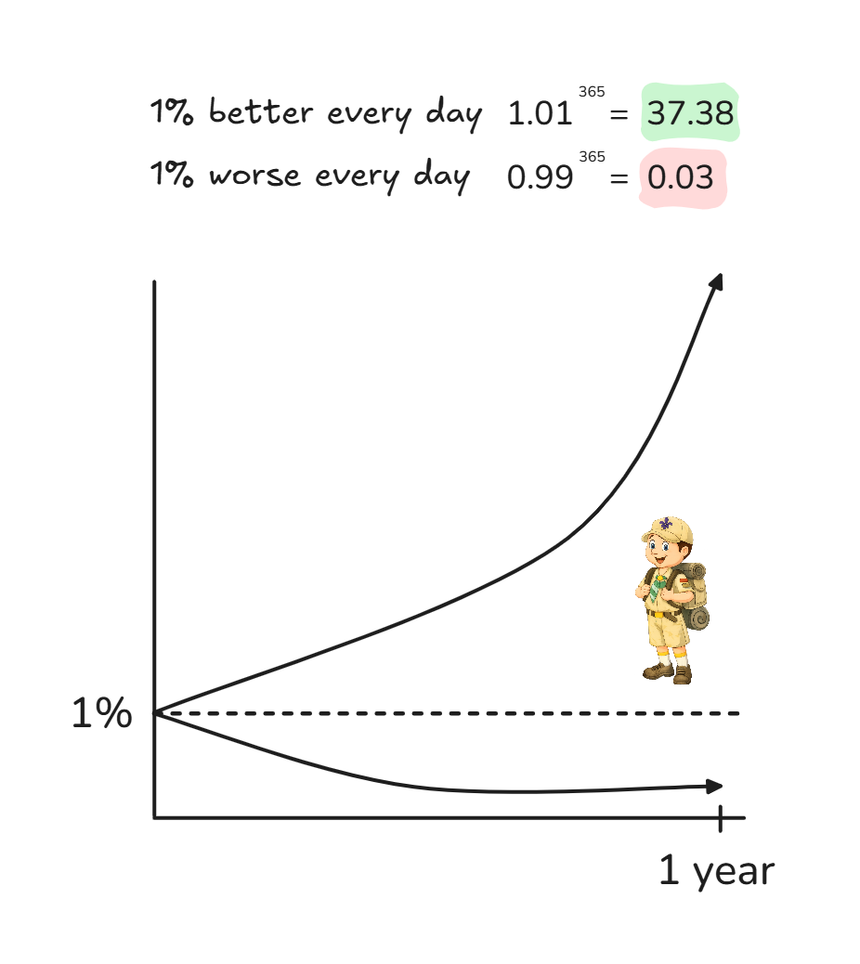
|
||||
## Your first code contribution
|
||||
|
||||
Fix the typo, the dead import, the missing test, the bit you had to read twice. Keep cleanup proportional to the change — no refactors riding along on bug fixes.
|
||||
We maintain a list of issues that are good for first-time contributors. You can find these issues by searching for the [`good first issue`](https://github.com/HeyPuter/puter/issues?q=is%3Aissue+is%3Aopen+label%3A%22good+first+issue%22) label in our [GitHub repository](https://github.com/HeyPuter/puter). These issues are designed to be relatively easy to fix, and we're happy to help you get started. Pick an issue that interests you, and leave a comment on the issue to let us know you're working on it.
|
||||
|
||||
---
|
||||
<br>
|
||||
|
||||
## Opening a PR
|
||||
## Documentation for Contributors
|
||||
|
||||
- One thing per PR where possible.
|
||||
- Describe **what** and **why**; the diff shows how.
|
||||
- Mention how you tested user-visible changes.
|
||||
- Drafts welcome.
|
||||
See [doc/contributors/index.md](./doc/contributors/index.md) for more information.
|
||||
|
||||
---
|
||||
<br>
|
||||
|
||||
Questions? Message a core maintainer. Welcome aboard.
|
||||
## Commit Messages
|
||||
|
||||
Use the imperative, as is the convention in the Linux kernel:
|
||||
|
||||
- correct: `Improve performance of readdir`
|
||||
- incorrect: `Improved readdir`
|
||||
- incorrect: `Improving readdir`
|
||||
|
||||
We have the following exceptions to this rule:
|
||||
- If the commit message is in _past tense_, it's a shorthand for the following:
|
||||
- `Apply changes that would be applied after one had <past tense message>`
|
||||
- If the commit message is in _present tense_, it's shorthand for the following:
|
||||
- `Apply changes that would be applied after <present-tense message>`
|
||||
|
||||
For example, the following are correct:
|
||||
- `Improved readdir`
|
||||
- interpret this as: `Apply changes that would be applied after one had improved readdir`
|
||||
- `Improving readdir`
|
||||
- interpret this as: `Apply changes that would be applied after improving readdir`
|
||||
|
||||
<br>
|
||||
|
||||
## Code Review
|
||||
|
||||
Once you've submitted your pull request, the project maintainers will review your changes. We may suggest some changes or improvements. This is a normal part of the process, and your contributions are greatly appreciated!
|
||||
|
||||
<br>
|
||||
|
||||
## Contribution License Agreement (CLA)
|
||||
|
||||
Like many open source projects, we require contributors to sign a Contribution License Agreement (CLA) before we can accept your code. When you open a pull request for the first time, a bot will automatically add a comment with a link to the CLA. You can sign the CLA electronically by following the link and filling out the form.
|
||||
|
||||
<br>
|
||||
|
||||
# Getting Help
|
||||
|
||||
If you have any questions about Puter, please feel free to reach out to us through the following channels:
|
||||
|
||||
- [Discord](https://discord.com/invite/PQcx7Teh8u)
|
||||
- [Reddit](https://www.reddit.com/r/Puter/)
|
||||
- [Twitter](https://twitter.com/HeyPuter)
|
||||
- [Email](mailto:[email protected])
|
||||
+52
-69
@@ -1,88 +1,71 @@
|
||||
# syntax=docker/dockerfile:1.7
|
||||
#
|
||||
# OSS Puter image — multi-arch (linux/amd64, linux/arm64).
|
||||
#
|
||||
# Build & push:
|
||||
# docker buildx build --platform linux/amd64,linux/arm64 \
|
||||
# -t ghcr.io/heyputer/puter:latest --push .
|
||||
#
|
||||
# Local single-arch build:
|
||||
# docker build -t puter .
|
||||
#
|
||||
# Self-hosters inject configuration by mounting a config.json at
|
||||
# /etc/puter/config.json. It is deep-merged over the bundled
|
||||
# config.default.json, so partial overrides work. Absent file = defaults.
|
||||
# /!\ NOTICE /!\
|
||||
|
||||
# ---- Build stage ----
|
||||
FROM node:24-slim AS build
|
||||
# Many of the developers DO NOT USE the Dockerfile or image.
|
||||
# While we do test new changes to Docker configuration, it's
|
||||
# possible that future changes to the repo might break it.
|
||||
# When changing this file, please try to make it as resiliant
|
||||
# to such changes as possible; developers shouldn't need to
|
||||
# worry about Docker unless the build/run process changes.
|
||||
|
||||
WORKDIR /opt/puter
|
||||
# Build stage
|
||||
FROM node:21-alpine AS build
|
||||
|
||||
# Build toolchain needed for native deps (bcrypt, sharp, better-sqlite3, …).
|
||||
RUN apt-get update && \
|
||||
apt-get install -y --no-install-recommends python3 make g++ git && \
|
||||
rm -rf /var/lib/apt/lists/*
|
||||
# Install build dependencies
|
||||
RUN apk add --no-cache git python3 make g++ \
|
||||
&& ln -sf /usr/bin/python3 /usr/bin/python
|
||||
|
||||
ENV HUSKY=0
|
||||
ENV npm_config_fund=false
|
||||
ENV npm_config_audit=false
|
||||
# Set up working directory
|
||||
WORKDIR /app
|
||||
|
||||
# ---- Dependency layer ---------------------------------------------------
|
||||
# Copy ONLY package manifests + lockfile first so the npm-install layer
|
||||
# stays cached when only source files change.
|
||||
COPY package.json package-lock.json ./
|
||||
COPY src/backend/package.json src/backend/
|
||||
COPY src/gui/package.json src/gui/
|
||||
COPY src/puter-js/package.json src/puter-js/package-lock.json src/puter-js/
|
||||
COPY src/worker/package.json src/worker/
|
||||
COPY src/docs/package.json src/docs/
|
||||
# Copy package.json and package-lock.json
|
||||
COPY package*.json ./
|
||||
|
||||
# extensionSetup.mjs runs as the postinstall hook during npm ci. (No-ops
|
||||
# unless any packages/puter/extensions/* gain a package.json.)
|
||||
COPY tools/extensionSetup.mjs tools/extensionSetup.mjs
|
||||
|
||||
RUN --mount=type=cache,target=/root/.npm \
|
||||
npm ci
|
||||
|
||||
# ---- Source layer -------------------------------------------------------
|
||||
# Copy the source files
|
||||
COPY . .
|
||||
|
||||
# Compile backend TS, then build GUI + puter-js webpack bundles in
|
||||
# parallel. The GUI/puter-js bundles are how /dist/bundle.min.{js,css}
|
||||
# and /sdk/puter.js fall back to local assets when the kernel-config
|
||||
# CDN keys are unset.
|
||||
RUN npm run build:ts
|
||||
RUN set -e; \
|
||||
(cd src/gui && node ./build.js) & gui_pid=$!; \
|
||||
(cd src/puter-js && npm run build) & pjs_pid=$!; \
|
||||
wait $gui_pid; \
|
||||
wait $pjs_pid
|
||||
# Install node modules
|
||||
RUN npm cache clean --force && \
|
||||
for i in 1 2 3; do \
|
||||
npm ci && break || \
|
||||
if [ $i -lt 3 ]; then \
|
||||
sleep 15; \
|
||||
else \
|
||||
exit 1; \
|
||||
fi; \
|
||||
done
|
||||
|
||||
# ---- Runtime stage (slim — no build tools) ----
|
||||
FROM node:24-slim
|
||||
# Run the build command if necessary
|
||||
RUN cd src/gui && npm run build && cd -
|
||||
|
||||
WORKDIR /opt/puter
|
||||
# Production stage
|
||||
FROM node:21-alpine
|
||||
|
||||
# git: runtime version probe. wget: HEALTHCHECK.
|
||||
RUN apt-get update && \
|
||||
apt-get install -y --no-install-recommends git wget && \
|
||||
rm -rf /var/lib/apt/lists/*
|
||||
# Set labels
|
||||
LABEL repo="https://github.com/HeyPuter/puter"
|
||||
LABEL license="AGPL-3.0,https://github.com/HeyPuter/puter/blob/master/LICENSE.txt"
|
||||
LABEL version="1.2.46-beta-1"
|
||||
|
||||
COPY --from=build --chown=node:node /opt/puter .
|
||||
# Install git (required by Puter to check version)
|
||||
RUN apk add --no-cache git
|
||||
|
||||
RUN mkdir -p /etc/puter /var/puter && \
|
||||
chown -R node:node /etc/puter /var/puter
|
||||
# Set up working directory
|
||||
RUN mkdir -p /opt/puter/app
|
||||
WORKDIR /opt/puter/app
|
||||
|
||||
# Self-hosters mount their override at this exact path. The v2 loader
|
||||
# deep-merges it over config.default.json (see backend/index.ts).
|
||||
ENV PUTER_CONFIG_PATH=/etc/puter/config.json
|
||||
ENV NODE_OPTIONS=--enable-source-maps
|
||||
# Copy built artifacts and necessary files from the build stage
|
||||
COPY --from=build /app/src/gui/dist ./dist
|
||||
COPY --from=build /app/node_modules ./node_modules
|
||||
COPY . .
|
||||
|
||||
# Set permissions
|
||||
RUN chown -R node:node /opt/puter/app
|
||||
USER node
|
||||
|
||||
EXPOSE 4100
|
||||
|
||||
USER node
|
||||
|
||||
HEALTHCHECK --interval=30s --timeout=3s --start-period=30s --retries=3 \
|
||||
HEALTHCHECK --interval=30s --timeout=3s \
|
||||
CMD wget --no-verbose --tries=1 --spider http://puter.localhost:4100/test || exit 1
|
||||
|
||||
CMD ["node", "-r", "./dist/src/backend/telemetry.js", "./dist/src/backend/index.js"]
|
||||
ENV NO_VAR_RUNTUME=1
|
||||
|
||||
CMD ["npm", "start"]
|
||||
@@ -1,39 +1,37 @@
|
||||
<h3 align="center"><img width="80" alt="Puter.com, The Personal Cloud Computer: All your files, apps, and games in one place accessible from anywhere at any time." src="https://assets.puter.site/puter-logo.png"></h3>
|
||||
|
||||
<h3 align="center">The Open-Source Internet Computer!</h3>
|
||||
<h3 align="center">The Internet OS! Free, Open-Source, and Self-Hostable.</h3>
|
||||
|
||||
<p align="center">
|
||||
<a href="https://puter.com/?ref=github.com"><strong>« LIVE DEMO »</strong></a>
|
||||
<a href="https://puter.com/"><strong>« LIVE DEMO »</strong></a>
|
||||
<br />
|
||||
<br />
|
||||
<a href="https://puter.com/?ref=github.com">Puter.com</a>
|
||||
<a href="https://puter.com">Puter.com</a>
|
||||
·
|
||||
<a href="https://apps.puter.com/">App Store</a>
|
||||
·
|
||||
<a href="https://developer.puter.com" target="_blank">Developers</a>
|
||||
<a href="https://docs.puter.com" target="_blank">SDK</a>
|
||||
·
|
||||
<a href="https://discord.com/invite/PQcx7Teh8u">Discord</a>
|
||||
·
|
||||
<a href="https://reddit.com/r/puter">Reddit</a>
|
||||
·
|
||||
<a href="https://twitter.com/HeyPuter">X</a>
|
||||
<a href="https://twitter.com/HeyPuter">X (Twitter)</a>
|
||||
·
|
||||
<a href="https://hackerone.com/puter_h1b">Bug Bounty</a>
|
||||
</p>
|
||||
|
||||
<h3 align="center"><img width="800" style="border-radius:5px;" alt="screenshot" src="https://assets.puter.site/puter.com-screenshot.webp"></h3>
|
||||
<h3 align="center"><img width="700" style="border-radius:5px;" alt="screenshot" src="https://assets.puter.site/puter.com-screenshot-3.webp"></h3>
|
||||
|
||||
<br/>
|
||||
|
||||
## Puter
|
||||
|
||||
Puter is an advanced, open-source, self-hostable internet computer designed to be feature-rich, fast, and highly extensible.
|
||||
Puter is an advanced, open-source internet operating system designed to be feature-rich, exceptionally fast, and highly extensible. Puter can be used as:
|
||||
|
||||
### For Users
|
||||
Puter's goal is to provide you with every app and feature you need to work, create, and play under one roof. From a simple [Notepad](https://online-notepad.com) and [Voice Recorder](https://voice-recorder.com) to [Spreadsheet](https://apps.puter.com/app/spreadsheet) and [Camera](https://online-camera.com), Puter wants to be the all-in-one solution for your digital life.
|
||||
|
||||
|
||||
### For Developers
|
||||
|
||||
Puter provides everything you need to build and publish web apps and games. From [AI](https://developer.puter.com/ai/) to [Cloud Storage](https://developer.puter.com/object-storage/) and [Database](https://developer.puter.com/key-value-database/) to [Serverless Workers](https://developer.puter.com/serverless-workers/), Puter has you covered. Puter also helps you get users! Once you build your app, you can publish it on our [App Store](https://apps.puter.com/) to reach and monetize users.
|
||||
- A privacy-first personal cloud to keep all your files, apps, and games in one secure place, accessible from anywhere at any time.
|
||||
- A platform for building and publishing websites, web apps, and games.
|
||||
- An alternative to Dropbox, Google Drive, OneDrive, etc. with a fresh interface and powerful features.
|
||||
- A remote desktop environment for servers and workstations.
|
||||
- A friendly, open-source project and community to learn about web development, cloud computing, distributed systems, and much more!
|
||||
|
||||
<br/>
|
||||
|
||||
@@ -48,27 +46,30 @@ cd puter
|
||||
npm install
|
||||
npm start
|
||||
```
|
||||
**→** This should launch Puter at http://puter.localhost:4100
|
||||
|
||||
This will launch Puter at http://localhost:4000 (or the next available port).
|
||||
|
||||
<br/>
|
||||
|
||||
### 🚀 Self-Hosting
|
||||
### 🐳 Docker
|
||||
|
||||
#### Linux/macOS
|
||||
|
||||
```bash
|
||||
curl -fsSL https://puter.com/selfhost | sh
|
||||
mkdir puter && cd puter && mkdir -p puter/config puter/data && sudo chown -R 1000:1000 puter && docker run --rm -p 4100:4100 -v `pwd`/puter/config:/etc/puter -v `pwd`/puter/data:/var/puter ghcr.io/heyputer/puter
|
||||
```
|
||||
|
||||
#### Windows
|
||||
<br/>
|
||||
|
||||
```powershell
|
||||
irm https://puter.com/selfhost?os=windows | iex
|
||||
|
||||
### 🐙 Docker Compose
|
||||
|
||||
|
||||
```bash
|
||||
mkdir -p puter/config puter/data
|
||||
sudo chown -R 1000:1000 puter
|
||||
wget https://raw.githubusercontent.com/HeyPuter/puter/main/docker-compose.yml
|
||||
docker compose up
|
||||
```
|
||||
|
||||
**→** For more details, see [Self-Hosting Puter](./doc/self-hosting.md).
|
||||
|
||||
<br/>
|
||||
|
||||
### ☁️ Puter.com
|
||||
@@ -82,55 +83,18 @@ Puter is available as a hosted service at [**puter.com**](https://puter.com).
|
||||
Connect with the maintainers and community through these channels:
|
||||
|
||||
- Bug report or feature request? Please [open an issue](https://github.com/HeyPuter/puter/issues/new/choose).
|
||||
- Discord: [discord.com/invite/PQcx7Teh8u](https://discord.com/invite/PQcx7Teh8u)
|
||||
- X (Twitter): [x.com/HeyPuter](https://x.com/HeyPuter)
|
||||
- Reddit: [reddit.com/r/puter/](https://www.reddit.com/r/puter/)
|
||||
- Mastodon: [mastodon.social/@puter](https://mastodon.social/@puter)
|
||||
- Security issues or abuse reports? [[email protected]](mailto:[email protected])
|
||||
- Discord: [https://discord.com/invite/PQcx7Teh8u](https://discord.com/invite/PQcx7Teh8u)
|
||||
- X (Twitter): [https://x.com/HeyPuter](https://x.com/HeyPuter)
|
||||
- Reddit: [https://www.reddit.com/r/puter/](https://www.reddit.com/r/puter/)
|
||||
- Email maintainers at [[email protected]](mailto:[email protected])
|
||||
|
||||
We are always happy to help you with any questions you may have. Don't hesitate to ask!
|
||||
|
||||
<br/>
|
||||
|
||||
## License
|
||||
|
||||
## License
|
||||
|
||||
This repository, including all its contents, sub-projects, modules, and components, is licensed under [AGPL-3.0](https://github.com/HeyPuter/puter/blob/main/LICENSE.txt) unless explicitly stated otherwise. Third-party libraries included in this repository may be subject to their own licenses.
|
||||
|
||||
<br/>
|
||||
|
||||
## Translations
|
||||
|
||||
- [Arabic / العربية](https://github.com/HeyPuter/puter/blob/main/doc/i18n/README.ar.md)
|
||||
- [Armenian / Հայերեն](https://github.com/HeyPuter/puter/blob/main/doc/i18n/README.hy.md)
|
||||
- [Bengali / বাংলা](https://github.com/HeyPuter/puter/blob/main/doc/i18n/README.bn.md)
|
||||
- [Chinese / 中文](https://github.com/HeyPuter/puter/blob/main/doc/i18n/README.zh.md)
|
||||
- [Danish / Dansk](https://github.com/HeyPuter/puter/blob/main/doc/i18n/README.da.md)
|
||||
- [English](https://github.com/HeyPuter/puter/blob/main/README.md)
|
||||
- [Farsi / فارسی](https://github.com/HeyPuter/puter/blob/main/doc/i18n/README.fa.md)
|
||||
- [Finnish / Suomi](https://github.com/HeyPuter/puter/blob/main/doc/i18n/README.fi.md)
|
||||
- [French / Français](https://github.com/HeyPuter/puter/blob/main/doc/i18n/README.fr.md)
|
||||
- [German / Deutsch](https://github.com/HeyPuter/puter/blob/main/doc/i18n/README.de.md)
|
||||
- [Hebrew/ עברית](https://github.com/HeyPuter/puter/blob/main/doc/i18n/README.he.md)
|
||||
- [Hindi / हिंदी](https://github.com/HeyPuter/puter/blob/main/doc/i18n/README.hi.md)
|
||||
- [Hungarian / Magyar](https://github.com/HeyPuter/puter/blob/main/doc/i18n/README.hu.md)
|
||||
- [Indonesian / Bahasa Indonesia](https://github.com/HeyPuter/puter/blob/main/doc/i18n/README.id.md)
|
||||
- [Italian / Italiano](https://github.com/HeyPuter/puter/blob/main/doc/i18n/README.it.md)
|
||||
- [Japanese / 日本語](https://github.com/HeyPuter/puter/blob/main/doc/i18n/README.jp.md)
|
||||
- [Korean / 한국어](https://github.com/HeyPuter/puter/blob/main/doc/i18n/README.ko.md)
|
||||
- [Malay / Bahasa Malaysia](https://github.com/HeyPuter/puter/blob/main/doc/i18n/README.my.md)
|
||||
- [Malayalam / മലയാളം](https://github.com/HeyPuter/puter/blob/main/doc/i18n/README.ml.md)
|
||||
- [Polish / Polski](https://github.com/HeyPuter/puter/blob/main/doc/i18n/README.pl.md)
|
||||
- [Portuguese / Português](https://github.com/HeyPuter/puter/blob/main/doc/i18n/README.pt.md)
|
||||
- [Punjabi / ਪੰਜਾਬੀ](https://github.com/HeyPuter/puter/blob/main/doc/i18n/README.pa.md)
|
||||
- [Romanian / Română](https://github.com/HeyPuter/puter/blob/main/doc/i18n/README.ro.md)
|
||||
- [Russian / Русский](https://github.com/HeyPuter/puter/blob/main/doc/i18n/README.ru.md)
|
||||
- [Spanish / Español](https://github.com/HeyPuter/puter/blob/main/doc/i18n/README.es.md)
|
||||
- [Swedish / Svenska](https://github.com/HeyPuter/puter/blob/main/doc/i18n/README.sv.md)
|
||||
- [Tamil / தமிழ்](https://github.com/HeyPuter/puter/blob/main/doc/i18n/README.ta.md)
|
||||
- [Telugu / తెలుగు](https://github.com/HeyPuter/puter/blob/main/doc/i18n/README.te.md)
|
||||
- [Thai / ไทย](https://github.com/HeyPuter/puter/blob/main/doc/i18n/README.th.md)
|
||||
- [Turkish / Türkçe](https://github.com/HeyPuter/puter/blob/main/doc/i18n/README.tr.md)
|
||||
- [Ukrainian / Українська](https://github.com/HeyPuter/puter/blob/main/doc/i18n/README.ua.md)
|
||||
- [Urdu / اردو](https://github.com/HeyPuter/puter/blob/main/doc/i18n/README.ur.md)
|
||||
- [Vietnamese / Tiếng Việt](https://github.com/HeyPuter/puter/blob/main/doc/i18n/README.vi.md)
|
||||
@@ -3,7 +3,5 @@ We would like to thank the following security researchers for their responsible
|
||||
|
||||
# 2024
|
||||
|
||||
- Ritesh Sahu [GitHub](https://github.com/riteshs4hu/) | [X](https://x.com/riteshs4hu) | [Website](https://medium.com/@riteshs4hu)
|
||||
- Tim Suess: [GitHub](https://github.com/blackfortresslabs) | [Email]([email protected]) | [Website](https://www.blackfortresslabs.com)
|
||||
- Tim Suess: [GitHub](https://github.com/blackfortresslabs) | [Email]([email protected]) | [Website](blackfortresslabs.com)
|
||||
- xyzeva: [Github](https://github.com/xyzeva) | [Email](mailto:[email protected]) | [Website](https://kibty.town/)
|
||||
- Yusuf Kelany: [GitHub](https://github.com/YusufYaser) | [X](https://x.com/RealYusufYaser) | [Website](https://yusufyaser.xyz)
|
||||
+2
-2
@@ -14,8 +14,7 @@ If you believe you've found a security issue in software that is maintained in t
|
||||
|
||||
To submit a vulnerability report, please contact us at security@puter.com. Your submission will be reviewed and validated by a member of our team.
|
||||
|
||||
> [!WARNING]
|
||||
> Please do not report security vulnerabilities through public GitHub issues, discussions, or pull requests.
|
||||
**⚠ Please do not report security vulnerabilities through public GitHub issues, discussions, or pull requests. ⚠**
|
||||
|
||||
<br>
|
||||
|
||||
@@ -38,3 +37,4 @@ Please submit a report to us before engaging in conduct that may be inconsistent
|
||||
* Please provide detailed reports with reproducible steps and a clearly defined impact.
|
||||
* Include the version number of the vulnerable package in your report
|
||||
* Social engineering (e.g. phishing, vishing, smishing) is prohibited.
|
||||
|
||||
-214
@@ -1,214 +0,0 @@
|
||||
# Trademark Guidelines
|
||||
|
||||
Version 1.0 dated January 1, 2025
|
||||
|
||||
<img src="https://puter.com/images/logo.png" alt="Puter Technologies Inc. Logo" width="150"/>
|
||||
|
||||
<br>
|
||||
|
||||
|
||||
This trademark policy was prepared to help you understand how to use the Puter trademarks, service marks and logos with Puter Technologies Inc.'s Puter software.
|
||||
|
||||
While some of our software is available under a free and open source software license, that copyright license does not include a license to use our trademark, and this Policy is intended to explain how to use our marks consistent with background law and community expectation.
|
||||
|
||||
This Policy covers:
|
||||
|
||||
1. Our **word** trademarks and service marks: Puter Technologies Inc., Puter, Puter.com
|
||||
2. Our **logos**: The Puter Technologies Inc. logo at the top of this policy
|
||||
|
||||
This policy encompasses all trademarks and service marks, whether they are registered or not.
|
||||
|
||||
<br>
|
||||
<br>
|
||||
|
||||
## 1. GENERAL GUIDELINES
|
||||
|
||||
Whenever you use one of our marks, you must always do so in a way that does not mislead anyone about what they are getting and from whom. For example, you cannot say you are providing the Puter software when you're providing a modified version of it, because recipients may not understand the differences between your modified versions and our own.
|
||||
|
||||
You also cannot use our logo on your website in a way that suggests that your website is an official website or that we endorse your website.
|
||||
|
||||
You can, though, say you like the Puter software, that you participate in the Puter community, that you are providing an unmodified version of the Puter software.
|
||||
|
||||
You may not use or register our marks, or variations of them as part of your own trademark, service mark, domain name, company name, trade name, product name or service name.
|
||||
|
||||
Trademark law does not allow your use of names or trademarks that are too similar to ours. You therefore may not use an obvious variation of any of our marks or any phonetic equivalent, foreign language equivalent, takeoff, or abbreviation for a similar or compatible product or service. We would consider the following too similar to one of our Marks:
|
||||
|
||||
- MyPuter
|
||||
- PuterFooBar
|
||||
|
||||
<br>
|
||||
<br>
|
||||
|
||||
## 2. ACCEPTABLE USES
|
||||
|
||||
<br>
|
||||
|
||||
### Distribution of Unmodified Software
|
||||
|
||||
When you redistribute an unmodified copy of Puter software, you must retain all trademarks, logos, and notices we have placed on the software to identify its origin. This includes:
|
||||
|
||||
* Binary distributions exactly as we provide them
|
||||
* Source code distributions exactly as we provide them
|
||||
* Documentation and other materials directly from our official repositories
|
||||
|
||||
<br>
|
||||
|
||||
### Distribution of Modified Software
|
||||
|
||||
If you distribute a modified version of Puter software, you:
|
||||
|
||||
* Must remove all Puter logos from the modified software
|
||||
* May use our word marks (but not logos) to accurately describe the software's origin
|
||||
* Must clearly indicate that the software has been modified
|
||||
* Must include a notice stating: "This software is a modified version of Puter software and is not endorsed by Puter Technologies Inc."
|
||||
|
||||
Example of acceptable description: "This software is derived from Puter software and includes modifications for [describe your changes]."
|
||||
|
||||
<br>
|
||||
|
||||
### Compatibility Statements
|
||||
|
||||
You may use our word marks (but not logos) to accurately describe your software's compatibility with Puter software under these conditions:
|
||||
|
||||
* Your statements about compatibility must be accurate and not misleading
|
||||
* You must include the following notice: "Puter is a trademark of Puter Technologies Inc. This [product/service] is not affiliated with or endorsed by Puter Technologies Inc."
|
||||
* You may not suggest that Puter Technologies Inc. has certified or approved your software
|
||||
|
||||
|
||||
<br>
|
||||
|
||||
### Products Built for Puter
|
||||
|
||||
You may describe your product as working with or being built for Puter if:
|
||||
|
||||
* Your product is fully compatible with the documented Puter APIs
|
||||
* Your product name follows this format: "[Your Product Name] for Puter"
|
||||
* You include this notice in all materials: "Puter is a trademark of Puter Technologies Inc. [Your Product Name] is not affiliated with or endorsed by Puter Technologies Inc."
|
||||
* Your branding and marketing materials do not create confusion about the source of your product
|
||||
|
||||
<br>
|
||||
|
||||
### Open Source Projects
|
||||
|
||||
For open source projects that interact with or extend Puter software:
|
||||
|
||||
* You may use "puter" as part of your project name only if:
|
||||
* The name is in the format "[descriptor]-puter" (e.g., "auth-puter", "backup-puter")
|
||||
* The project's README clearly states it's not officially associated with Puter
|
||||
* The project maintains compatibility with current Puter APIs
|
||||
* You must not use our logos without explicit permission
|
||||
* You must include appropriate trademark attribution notices
|
||||
|
||||
<br>
|
||||
|
||||
### Community Activities
|
||||
|
||||
You may use our word marks (but not logos) for non-commercial community activities:
|
||||
|
||||
* User groups and meetups focused on Puter software
|
||||
* Educational content about Puter software
|
||||
* Blog posts, videos, articles, or tutorials about Puter software
|
||||
|
||||
Conditions for community use:
|
||||
|
||||
* Activities must be non-commercial
|
||||
* Any fees charged must only cover actual costs
|
||||
* You must include appropriate trademark attribution
|
||||
* You must not suggest official endorsement without explicit permission
|
||||
|
||||
<br>
|
||||
|
||||
### Merchandise and Promotional Items
|
||||
|
||||
You may not create merchandise or promotional items bearing our marks without explicit written permission from Puter Technologies Inc.
|
||||
|
||||
<br>
|
||||
|
||||
### Academic and Research Use
|
||||
|
||||
You may use our word marks (but not logos) in:
|
||||
|
||||
* Academic papers
|
||||
* Research publications
|
||||
* Technical documentation
|
||||
* Educational materials
|
||||
|
||||
Include appropriate citations and trademark attributions in such uses.
|
||||
|
||||
<br>
|
||||
|
||||
### Online Content and Social Media
|
||||
|
||||
When using our marks in online content:
|
||||
|
||||
* You may use our word marks in hashtags, handles, or usernames if:
|
||||
* The content is clearly about Puter software
|
||||
* You don't imply official status
|
||||
* You include appropriate trademark attribution
|
||||
* You must not register social media accounts that could be confused with official Puter accounts
|
||||
|
||||
<br>
|
||||
|
||||
### APIs and Development
|
||||
|
||||
When developing with Puter APIs:
|
||||
|
||||
* You may use our word marks to accurately describe your integration
|
||||
* You must not use our marks in a way that suggests your API or service is endorse by
|
||||
Puter or provided by Puter
|
||||
* You must include appropriate trademark attribution
|
||||
|
||||
All uses described above must also comply with the General Guidelines section of this policy and maintain the integrity of our marks as described in the How to Display Our Marks section.
|
||||
|
||||
<br>
|
||||
|
||||
### No Domain Names
|
||||
|
||||
You must not register any domain that includes our word marks or any variant or combination of them.
|
||||
|
||||
<br>
|
||||
<br>
|
||||
|
||||
## 3. HOW TO DISPLAY OUR MARKS
|
||||
|
||||
When you have the right to use our mark, here is how to display it.
|
||||
|
||||
<br>
|
||||
|
||||
### Trademark marking and legends
|
||||
|
||||
The first or most prominent mention of a mark on a webpage, document, or documentation should be accompanied by a symbol indicating whether the mark is a registered trademark ("®") or an unregistered trademark ("™"). If you don't know which applies, contact us.
|
||||
|
||||
Place the following notice at the foot of the page where you have used the mark: "Puter is trademark of Puter Technologies Inc."
|
||||
|
||||
<br>
|
||||
|
||||
### Use of trademarks in text
|
||||
|
||||
**Always use trademarks in their exact form with the correct spelling, neither abbreviated, hyphenated, or combined with any other word or words.**
|
||||
|
||||
Unacceptable: Puter-DB
|
||||
|
||||
**Don't pluralize a trademark.**
|
||||
|
||||
Unacceptable: I have seventeen Puters running in my lab.
|
||||
|
||||
**Always use a trademark as an adjective modifying a noun.**
|
||||
|
||||
Unacceptable: This is a Puter.
|
||||
Acceptable: This is a Puter software application.
|
||||
|
||||
<br>
|
||||
|
||||
### Use of Logos
|
||||
|
||||
You may not change any logo except to scale it. This means you may not add decorative elements, change the colors, change the proportions, distort it, add elements, or combine it with other logos.
|
||||
|
||||
However, when the context requires the use of black-and-white graphics and the logo is color, you may reproduce the logo in a manner that produces a black-and-white image.
|
||||
|
||||
<br>
|
||||
<br>
|
||||
|
||||
## This Document
|
||||
|
||||
These guidelines are based on the Model Trademark Guidelines, available at http://www.modeltrademarkguidelines.org., used under a Creative Commons Attribution 3.0 Unported license: https://creativecommons.org/licenses/by/3.0/deed.en_US.
|
||||
@@ -0,0 +1 @@
|
||||
header: doc/license_header.txt
|
||||
@@ -0,0 +1,14 @@
|
||||
# #DoesItRunPuter
|
||||
|
||||
- [Minecraft](https://twitter.com/HeyPuter/status/1771957571496092036) | [video](https://www.youtube.com/watch?v=GIowZUXkg5g)
|
||||
- [Samsung Watch](https://twitter.com/CharmunkDev/status/1781501714543030554)
|
||||
- [PlayStation 4](https://twitter.com/HeyPuter/status/1767978053014270059)
|
||||
- [Skyworth TV](https://twitter.com/ericalexdube/status/1767983049277411564)
|
||||
- [A Fridge!](https://twitter.com/HeyPuter/status/1778890003797745842)
|
||||
- [Oculus Quest 2](https://twitter.com/HeyPuter/status/1768664081756754012)
|
||||
- [Tesla Model 3](https://twitter.com/EricLighthall/status/1781479732997214501)
|
||||
- [Tesla Model S](https://twitter.com/HeyPuter/status/1767971178864587057)
|
||||
- [Tesla Model Y](https://twitter.com/HeyPuter/status/1772858333751636310)
|
||||
- [Nintendo Switch](https://twitter.com/HeyPuter/status/1780645795240538518)
|
||||
- [Steam Deck](https://twitter.com/everythingSung/status/1782162352403828793)
|
||||
- [Ladybird Browser](https://x.com/HeyPuter/status/1810783504503800035)
|
||||
@@ -1,46 +0,0 @@
|
||||
{
|
||||
"config_name": "oss-default",
|
||||
"env": "dev",
|
||||
"port": 4100,
|
||||
"protocol": "http",
|
||||
"domain": "puter.localhost",
|
||||
"cookie_name": "puter_auth_token",
|
||||
"jwt_secret": "dev-jwt-secret-change-me",
|
||||
"jwt_secret_v2": "dev-jwt-secret-v2-change-me",
|
||||
"allow_v1_tokens": true,
|
||||
"url_signature_secret": "dev-url-signature-secret-change-me",
|
||||
"allow_all_host_values": true,
|
||||
"allow_no_host_header": true,
|
||||
"no_devwatch": false,
|
||||
"enable_public_folders": true,
|
||||
"is_storage_limited": false,
|
||||
"min_pass_length": 6,
|
||||
"static_hosting_domain": "site.puter.localhost",
|
||||
"static_hosting_domain_alt": "host.puter.localhost",
|
||||
"private_app_hosting_domain": "app.puter.localhost",
|
||||
"private_app_hosting_domain_alt": "dev.puter.localhost",
|
||||
"captcha": { "enabled": false },
|
||||
"default_user_group": "78b1b1dd-c959-44d2-b02c-8735671f9997",
|
||||
"default_temp_group": "b7220104-7905-4985-b996-649fdcdb3c8f",
|
||||
"storage_capacity": 104857600,
|
||||
"disable_user_signup": false,
|
||||
"strict_email_verification_required": false,
|
||||
"gui_assets_root": "./src/gui",
|
||||
"puterjs_root": "./src/puter-js/dist",
|
||||
"builtin_apps": {
|
||||
"dev-center": "./src/dev-center"
|
||||
},
|
||||
"extensions": [
|
||||
"./extensions"
|
||||
],
|
||||
"database": {
|
||||
"engine": "sqlite",
|
||||
"path": "volatile/runtime/puter-database.sqlite"
|
||||
},
|
||||
"s3": {
|
||||
"localConfig": {
|
||||
"dataDir": "volatile/runtime/fauxqs-data",
|
||||
"s3StorageDir": "volatile/runtime/fauxqs-s3-data"
|
||||
}
|
||||
}
|
||||
}
|
||||
@@ -1,392 +0,0 @@
|
||||
{
|
||||
// Comprehensive template — every key the OSS backend or shipped (non-prod)
|
||||
// extensions read. Copy to `config.json` and trim what you don't need;
|
||||
// unset keys fall back to documented defaults. See
|
||||
// `src/backend/types.ts` for the per-field source of truth.
|
||||
//
|
||||
// Each setting lives at exactly one canonical key — there are no fallback
|
||||
// aliases. Values shown are illustrative, not production secrets.
|
||||
//
|
||||
// Keys consumed only by closed-source / hosted-prod extensions (clickhouse,
|
||||
// cacheUpdateHandler, pages, prodMeteringAndBilling, …) are intentionally
|
||||
// omitted.
|
||||
|
||||
// ── Environment / identity ──────────────────────────────────────────
|
||||
"config_name": "template",
|
||||
// `dev` opens a browser on boot, skips blocked-email checks, and runs the
|
||||
// dev-time webpack watcher; `prod` serves pre-built bundles.
|
||||
"env": "dev",
|
||||
// Console output format. `json` replaces the global console so every call
|
||||
// emits one structured JSON line (level, timestamp, msg, and the active
|
||||
// request's trace id) — one event per call, so a line-oriented log
|
||||
// collector can't split stack traces across events and level filtering
|
||||
// works. Unset (the default) leaves console output human-readable.
|
||||
"log_format": "text",
|
||||
"version": "0.0.0",
|
||||
// Stable identity for this server node — used by pager alerts and
|
||||
// graceful-shutdown coordination.
|
||||
"serverId": "node-1",
|
||||
|
||||
// ── Networking / URLs ───────────────────────────────────────────────
|
||||
// Port Puter listens on internally.
|
||||
"port": 4100,
|
||||
// Externally-visible port (set this when behind a reverse proxy on 80/443).
|
||||
"pub_port": 4100,
|
||||
"protocol": "http",
|
||||
"domain": "puter.localhost",
|
||||
// Fully-qualified externally-visible URL. Computed from protocol/domain/
|
||||
// pub_port if unset.
|
||||
"origin": "http://puter.localhost:4100",
|
||||
// Public base URL for the API subdomain (used to build signed URLs and
|
||||
// surfaced to the client by the `installedApps` and `whoami` extensions).
|
||||
"api_base_url": "http://api.puter.localhost:4100",
|
||||
// Subdomains Puter routes on. Wildcard DNS (`*.<domain>`) must point at
|
||||
// this server for site/app hosting to work.
|
||||
"static_hosting_domain": "site.puter.localhost",
|
||||
"static_hosting_domain_alt": "host.puter.localhost",
|
||||
"private_app_hosting_domain": "app.puter.localhost",
|
||||
"private_app_hosting_domain_alt": "dev.puter.localhost",
|
||||
// Host-header / domain handling. Defaults below are the dev-friendly
|
||||
// settings; tighten for any public install.
|
||||
"allow_all_host_values": true,
|
||||
"allow_no_host_header": true,
|
||||
"allow_nipio_domains": false,
|
||||
"custom_domains_enabled": false,
|
||||
"enable_ip_validation": false,
|
||||
// Express `trust proxy` setting — set to the number of reverse-proxy
|
||||
// hops in front of the server (1 = nginx/Cloudflare, 2 = CF→ALB→app),
|
||||
// or to a CIDR / IP / list. `false` (safe default) makes `req.ip` the
|
||||
// direct socket peer. NEVER set to `true` in prod — it trusts every hop
|
||||
// and makes X-Forwarded-For forgeable.
|
||||
"trust_proxy": false,
|
||||
"no_browser_launch": false,
|
||||
|
||||
// ── Dev watcher (devWatcher extension) ──────────────────────────────
|
||||
// Rebuilds GUI + puter.js on file changes when running from source.
|
||||
// Ignored when `env: "prod"` unless `devwatch.enabled: true`.
|
||||
"no_devwatch": false,
|
||||
"devwatch": {
|
||||
// Delay after watcher startup before boot continues. Lets webpack
|
||||
// emit its first build so the homepage doesn't 404 on bundle.min.js.
|
||||
"ready_delay_ms": 5000
|
||||
},
|
||||
|
||||
// ── Auth / session ──────────────────────────────────────────────────
|
||||
// ALWAYS replace these for any public install — `openssl rand -hex 64`.
|
||||
// `jwt_secret` is legacy verify-only; new tokens sign with `jwt_secret_v2`.
|
||||
"jwt_secret": "change-me",
|
||||
"jwt_secret_v2": "change-me",
|
||||
// Set false to retire v1 tokens entirely (ROLLOUT-1).
|
||||
"allow_v1_tokens": true,
|
||||
"url_signature_secret": "change-me",
|
||||
"cookie_name": "puter_auth_token",
|
||||
"min_pass_length": 6,
|
||||
// When true, anonymous users must log in instead of creating temp or
|
||||
// permanent accounts.
|
||||
"disable_user_signup": false,
|
||||
"allow_system_login": false,
|
||||
"strict_email_verification_required": false,
|
||||
"captcha": {
|
||||
"enabled": false,
|
||||
"difficulty": "medium"
|
||||
},
|
||||
"oidc": {
|
||||
"providers": {
|
||||
// Google uses OIDC discovery — only ids are required.
|
||||
"google": {
|
||||
"client_id": "",
|
||||
"client_secret": "",
|
||||
"scopes": "openid email profile"
|
||||
},
|
||||
// Custom OIDC providers must also supply the three endpoints.
|
||||
"custom-oidc": {
|
||||
"client_id": "",
|
||||
"client_secret": "",
|
||||
"authorization_endpoint": "",
|
||||
"token_endpoint": "",
|
||||
"userinfo_endpoint": "",
|
||||
"scopes": "openid email profile"
|
||||
}
|
||||
}
|
||||
},
|
||||
|
||||
// ── Groups / provisioning ───────────────────────────────────────────
|
||||
// UIDs of the persistent groups new users are auto-enrolled in.
|
||||
"default_user_group": "78b1b1dd-c959-44d2-b02c-8735671f9997",
|
||||
"default_temp_group": "b7220104-7905-4985-b996-649fdcdb3c8f",
|
||||
// When true, ACL grants read/list on `/<user>/Public` to any actor.
|
||||
"enable_public_folders": true,
|
||||
|
||||
// ── Storage / S3 ────────────────────────────────────────────────────
|
||||
"s3": {
|
||||
// Local fauxqs (in-process S3-compatible) — used in dev and the
|
||||
// bundled-defaults Docker mode. Files land under `dataDir`.
|
||||
"localConfig": {
|
||||
"inMemory": false,
|
||||
"host": "127.0.0.1",
|
||||
"port": 4566,
|
||||
"dataDir": "volatile/runtime/fauxqs-data",
|
||||
"s3StorageDir": "volatile/runtime/fauxqs-s3-data"
|
||||
},
|
||||
// For real / external S3, replace `localConfig` above with `s3Config`.
|
||||
"_remote_example": {
|
||||
"s3Config": {
|
||||
"useCredentialChain": false,
|
||||
"endpoint": "https://s3.example.com",
|
||||
// Endpoint used in presigned URLs handed to the browser. Set
|
||||
// this when the server-side endpoint isn't reachable from the
|
||||
// browser (e.g. docker-internal `http://s3:9000`).
|
||||
"publicEndpoint": "",
|
||||
"accessKeyId": "",
|
||||
"secretAccessKey": "",
|
||||
"region": "us-west-2",
|
||||
// Set true for RustFS / MinIO / fauxqs (path-style URLs).
|
||||
// Real AWS S3 wants virtual-hosted — leave unset / false.
|
||||
"forcePathStyle": false
|
||||
}
|
||||
}
|
||||
},
|
||||
"s3_bucket": "puter-local",
|
||||
"s3_region": "us-west-2",
|
||||
"region": "us-west-2",
|
||||
// Default per-user storage cap (bytes). 100 MB.
|
||||
"storage_capacity": 104857600,
|
||||
"is_storage_limited": false,
|
||||
"available_device_storage": 0,
|
||||
// ── Thumbnails (thumbnails extension) ───────────────────────────────
|
||||
// Optional dedicated S3-compatible bucket for generated thumbnails.
|
||||
// When unset (or `endpoint` empty), the extension falls back to the
|
||||
// main S3 client / bucket above.
|
||||
"thumbnailStore": {
|
||||
"name": "puter-local",
|
||||
"endpoint": "",
|
||||
"credentials": {
|
||||
"accessKeyId": "",
|
||||
"secretAccessKey": ""
|
||||
}
|
||||
},
|
||||
|
||||
// ── Database ────────────────────────────────────────────────────────
|
||||
"database": {
|
||||
// `sqlite` for single-node/dev, `mysql` for MariaDB/MySQL,
|
||||
// or `postgres` for PostgreSQL.
|
||||
//
|
||||
// NOTE: `postgres` support is a community contribution and is not
|
||||
// exercised by Puter.com production. It boots, passes its own
|
||||
// integration tests against pgmock, and runs the common user/app/
|
||||
// fsentry/session/permission/OIDC flows — but less-traveled code
|
||||
// paths may surface MySQL/SQLite-isms that haven't been ported yet.
|
||||
// Expect rough edges and please file issues if you hit one. For
|
||||
// production self-hosting today, `mysql` (MariaDB) and `sqlite` are
|
||||
// the supported defaults.
|
||||
"engine": "sqlite",
|
||||
// sqlite — file path on disk
|
||||
"path": "volatile/runtime/puter-database.sqlite",
|
||||
"targetVersion": 0,
|
||||
// mysql/postgres — connection details. PostgreSQL defaults to port
|
||||
// 5432 when `engine` is `postgres`; MySQL/MariaDB normally use 3306.
|
||||
"host": "",
|
||||
"port": 3306,
|
||||
"user": "",
|
||||
"password": "",
|
||||
"database": "",
|
||||
// postgres may also use a URL instead of host/user/password fields:
|
||||
// "connectionString": "postgres://puter:secret@localhost:5432/puter",
|
||||
// Optional read-replica pool. Reads route here when populated.
|
||||
"replica": {
|
||||
"host": "",
|
||||
"port": 3306,
|
||||
"user": "",
|
||||
"password": "",
|
||||
"database": ""
|
||||
}
|
||||
// mysql/postgres self-host bootstrap: set `migrationPaths` to apply the
|
||||
// bundled schema on first boot. Idempotent — safe to leave on.
|
||||
// "migrationPaths": ["./src/backend/clients/database/migrations/mysql"]
|
||||
// "migrationPaths": ["./src/backend/clients/database/migrations/postgres"]
|
||||
},
|
||||
|
||||
// ── DynamoDB (KV store) ─────────────────────────────────────────────
|
||||
"dynamo": {
|
||||
// Local emulator (dynamodb-local) endpoint. Drop this field for real
|
||||
// AWS DynamoDB.
|
||||
"endpoint": "http://localhost:8000",
|
||||
// Set true when pointing at a local emulator so Puter creates the KV
|
||||
// table on boot. NEVER set against real AWS — provision via IaC.
|
||||
// "bootstrapTables": true,
|
||||
"path": "",
|
||||
// Credentials. NOTE: snake_case here, unlike `s3.s3Config` below.
|
||||
// For dynamodb-local, any non-empty values work.
|
||||
"aws": {
|
||||
"access_key": "",
|
||||
"secret_key": "",
|
||||
"region": "us-west-2"
|
||||
}
|
||||
},
|
||||
|
||||
// ── Redis / Valkey (cache + cross-node rate limit) ──────────────────
|
||||
"redis": {
|
||||
// True → in-process redis-mock (dev / single-node).
|
||||
"useMock": true,
|
||||
// Cluster nodes for ioredis. For a single Valkey/Redis container,
|
||||
// run it in cluster mode (one node, all slots).
|
||||
"startupNodes": [
|
||||
{
|
||||
"host": "127.0.0.1",
|
||||
"port": 7000
|
||||
}
|
||||
]
|
||||
// Defaults to true (matches prod ElastiCache). Set false for plain-TCP
|
||||
// self-host Valkey/Redis.
|
||||
// "tls": false
|
||||
},
|
||||
|
||||
// ── Email (transactional) ───────────────────────────────────────────
|
||||
// Nodemailer transport — used for password resets, email confirmation, etc.
|
||||
"email": {
|
||||
"from": "\"Puter\" <[email protected]>",
|
||||
"host": "smtp.example.com",
|
||||
"port": 587,
|
||||
"secure": false,
|
||||
"service": "",
|
||||
"auth": {
|
||||
"user": "",
|
||||
"pass": ""
|
||||
}
|
||||
},
|
||||
|
||||
// ── Rate limiting ───────────────────────────────────────────────────
|
||||
// `memory` for single-node, `redis` for multi-node (default), `kv` for
|
||||
// dynamo-backed counters.
|
||||
"rate_limit": {
|
||||
"backend": "redis"
|
||||
},
|
||||
|
||||
// ── AI / integration providers ──────────────────────────────────────
|
||||
// All AI drivers (chat, image, video, TTS, OCR, STT) read from here.
|
||||
// Provider id == driver-side identifier. Leave empty / omit to disable.
|
||||
"providers": {
|
||||
// ─ Chat / completion ─
|
||||
"claude": { "apiKey": "" },
|
||||
"openai-completion": { "apiKey": "" },
|
||||
"azure-openai": {
|
||||
"apiKey": "",
|
||||
"apiURL": ""
|
||||
},
|
||||
"gemini": { "apiKey": "" },
|
||||
"groq": { "apiKey": "" },
|
||||
"deepseek": { "apiKey": "" },
|
||||
"mistral": { "apiKey": "" },
|
||||
"xai": { "apiKey": "" },
|
||||
"moonshot": { "apiKey": "" },
|
||||
"minimax": {
|
||||
"apiKey": "",
|
||||
"apiBaseUrl": "https://api.minimax.io/v1"
|
||||
},
|
||||
"openrouter": {
|
||||
"apiKey": "",
|
||||
"apiBaseUrl": "https://openrouter.ai/api/v1"
|
||||
},
|
||||
"infron": {
|
||||
"apiKey": "",
|
||||
"apiBaseUrl": "https://llm.onerouter.pro/v1"
|
||||
},
|
||||
"together-ai": { "apiKey": "" },
|
||||
// Local Ollama. `enabled: false` skips the auto-probe at startup
|
||||
// (otherwise Puter logs ECONNREFUSED on every boot when no Ollama
|
||||
// is running).
|
||||
"ollama": {
|
||||
"enabled": false,
|
||||
"apiBaseUrl": "http://localhost:11434"
|
||||
},
|
||||
|
||||
// ─ Image generation ─
|
||||
"openai-image-generation": { "apiKey": "" },
|
||||
"gemini-image-generation": { "apiKey": "" },
|
||||
"together-image-generation": { "apiKey": "" },
|
||||
"cloudflare-image-generation": {
|
||||
"apiToken": "",
|
||||
"accountId": "",
|
||||
"apiBaseUrl": "https://api.cloudflare.com/client/v4"
|
||||
},
|
||||
"xai-image-generation": { "apiKey": "" },
|
||||
|
||||
// ─ Video generation ─
|
||||
"openai-video-generation": { "apiKey": "" },
|
||||
"together-video-generation": { "apiKey": "" },
|
||||
"gemini-video-generation": { "apiKey": "" },
|
||||
|
||||
// ─ Speech / OCR ─
|
||||
"openai": { "apiKey": "" },
|
||||
"elevenlabs": {
|
||||
"apiKey": "",
|
||||
"apiBaseUrl": "https://api.elevenlabs.io",
|
||||
"defaultVoiceId": "",
|
||||
"speechToSpeechModelId": ""
|
||||
},
|
||||
"aws-polly": {
|
||||
"access_key": "",
|
||||
"secret_key": "",
|
||||
"region": "us-west-2"
|
||||
},
|
||||
"speechify": { "apiKey": "" },
|
||||
"aws-textract": {
|
||||
"access_key": "",
|
||||
"secret_key": "",
|
||||
"region": "us-west-2"
|
||||
},
|
||||
"mistral-ocr": { "apiKey": "" }
|
||||
},
|
||||
|
||||
// ── GUI / static mounts ─────────────────────────────────────────────
|
||||
"gui_assets_root": "./src/gui",
|
||||
"gui_profile": "development",
|
||||
"builtin_apps": {
|
||||
"dev-center": "./src/dev-center"
|
||||
},
|
||||
// Force the bundled GUI even in dev — set true when running from a
|
||||
// pre-built tree without webpack-dev-server.
|
||||
"use_bundled_gui": false,
|
||||
"gui_bundle": "/dist/bundle.min.js",
|
||||
"gui_css": "/dist/bundle.min.css",
|
||||
"gui_puterjs_bundle": "https://js.puter.com/v2/",
|
||||
"gui_params": {
|
||||
"title": "Puter",
|
||||
"short_description": "Your personal cloud computer",
|
||||
"social_media_image": ""
|
||||
},
|
||||
// Optional roots for native app bundles and custom puter.js builds.
|
||||
"native_apps_root": "",
|
||||
"client_libs_root": "",
|
||||
"puterjs_root": "./src/puter-js/dist",
|
||||
|
||||
// ── Feature flags (whoami extension) ────────────────────────────────
|
||||
// Flat `{ flag_name: boolean }` bag. Server-only by default — flags are
|
||||
// only surfaced to the client if their key is on the allowlist in
|
||||
// `extensions/whoami.ts` (CLIENT_VISIBLE_FEATURE_FLAGS).
|
||||
"feature_flags": {
|
||||
"example_flag": false
|
||||
},
|
||||
|
||||
// ── Misc / safety ───────────────────────────────────────────────────
|
||||
// TLDs / domains rejected at signup (prod only).
|
||||
"blockedEmailDomains": [],
|
||||
"support_email": "[email protected]",
|
||||
// Worker / subdomain names users can't claim.
|
||||
"reserved_words": [],
|
||||
"max_subdomains_per_user": 10,
|
||||
"server_health": {
|
||||
"db_liveness_latency_fail_ms": 1500,
|
||||
"stale_health_loop_fail_ms": 0
|
||||
},
|
||||
|
||||
// ── Extensions ──────────────────────────────────────────────────────
|
||||
// Directories scanned for extension entrypoints (`*.ts` / subdirs).
|
||||
"extensions": [
|
||||
"./extensions"
|
||||
],
|
||||
|
||||
// ── Metering ────────────────────────────────────────────────────────
|
||||
// When true, all metering checks pass — no per-actor limits enforced.
|
||||
"unlimitedMetering": false
|
||||
}
|
||||
@@ -0,0 +1,5 @@
|
||||
# API Documentation
|
||||
|
||||
Note that this documentation is different from the [puter.js docs](https://docs.puter.com).
|
||||
The scope of the documentation in this directory includes both stable API endpoints that
|
||||
are used by **puter.js**, as well as API endpoints that may be subject to future changes.
|
||||
@@ -0,0 +1,9 @@
|
||||
# Share Links
|
||||
|
||||
A **share link** is a link to Puter's origin which contains a token
|
||||
in the query string (the key is `share_token`; ex:
|
||||
`http://puter.localhost:4100?share_token=...`).
|
||||
|
||||
This token can be used to apply permissions to the user of the
|
||||
current session **if and only if** this user's email is confirmed
|
||||
and matches the share link's associated email.
|
||||
@@ -0,0 +1,219 @@
|
||||
# Group Endpoints
|
||||
|
||||
## POST `/group/create` (auth required)
|
||||
|
||||
### Description
|
||||
|
||||
Creates a group and returns a UID (UUID formatted).
|
||||
Groups do not have names, or any other descriptive attributes.
|
||||
Instead they are always identified with a UUID, and they have
|
||||
a `metadata` property.
|
||||
|
||||
The `metadata` property will always be given back to the client
|
||||
in the same way it was provided. The `extra` property, also an
|
||||
object, may be changed by the backend. The behavior of setting
|
||||
any property on `extra` is currently undefined as all properties
|
||||
are reserved for future use.
|
||||
|
||||
### Parameters
|
||||
|
||||
- **metadata:** _- optional_
|
||||
- **accepts:** `object`
|
||||
- **description:** arbitrary metadata to describe the group
|
||||
- **extra:** _- optional_
|
||||
- **accepts:** `object`
|
||||
- **description:** extra parameters (server may change these)
|
||||
|
||||
### Request Example
|
||||
|
||||
```javascript
|
||||
await fetch(`${window.api_origin}/group/create`, {
|
||||
"headers": {
|
||||
"Content-Type": "application/json",
|
||||
"Authorization": `Bearer ${puter.authToken}`,
|
||||
},
|
||||
"body": JSON.stringify({
|
||||
metadata: { title: 'Some Title' }
|
||||
}),
|
||||
"method": "POST",
|
||||
});
|
||||
|
||||
// { uid: '9c644a1c-3e43-4df4-ab67-de5b68b235b6' }
|
||||
```
|
||||
|
||||
### Response Example
|
||||
|
||||
```json
|
||||
{
|
||||
"uid": "9c644a1c-3e43-4df4-ab67-de5b68b235b6"
|
||||
}
|
||||
```
|
||||
|
||||
## POST `/group/add-users`
|
||||
|
||||
### Description
|
||||
|
||||
Adds one or more users to a group
|
||||
|
||||
### Parameters
|
||||
|
||||
- **uid:** _- required_
|
||||
- **accepts:** `string`
|
||||
UUID of an existing group
|
||||
- **users:** `Array<string>`
|
||||
usernames of users to add to the group
|
||||
|
||||
### Request Example
|
||||
|
||||
```javascript
|
||||
await fetch(`${window.api_origin}/group/add-users`, {
|
||||
"headers": {
|
||||
"Content-Type": "application/json",
|
||||
"Authorization": `Bearer ${puter.authToken}`,
|
||||
},
|
||||
"body": JSON.stringify({
|
||||
uid: '9c644a1c-3e43-4df4-ab67-de5b68b235b6',
|
||||
users: ['first_user', 'second_user'],
|
||||
}),
|
||||
"method": "POST",
|
||||
});
|
||||
```
|
||||
|
||||
## POST `/group/remove-users`
|
||||
|
||||
### Description
|
||||
|
||||
Remove one or more users from a group
|
||||
|
||||
### Parameters
|
||||
|
||||
- **uid:** _- required_
|
||||
- **accepts:** `string`
|
||||
UUID of an existing group
|
||||
- **users:** `Array<string>`
|
||||
usernames of users to remove from the group
|
||||
|
||||
### Request Example
|
||||
|
||||
```javascript
|
||||
await fetch(`${window.api_origin}/group/add-users`, {
|
||||
"headers": {
|
||||
"Content-Type": "application/json",
|
||||
"Authorization": `Bearer ${puter.authToken}`,
|
||||
},
|
||||
"body": JSON.stringify({
|
||||
uid: '9c644a1c-3e43-4df4-ab67-de5b68b235b6',
|
||||
users: ['first_user', 'second_user'],
|
||||
}),
|
||||
"method": "POST",
|
||||
});
|
||||
```
|
||||
|
||||
## GET `/group/list`
|
||||
|
||||
### Description
|
||||
|
||||
List groups associated with the current user
|
||||
|
||||
### Parameters
|
||||
|
||||
_none_
|
||||
|
||||
### Response Example
|
||||
|
||||
```json
|
||||
{
|
||||
"owned_groups": [
|
||||
{
|
||||
"uid": "c3bd4047-fc65-4da8-9363-e52195890de4",
|
||||
"metadata": {},
|
||||
"members": [
|
||||
"default_user"
|
||||
]
|
||||
}
|
||||
],
|
||||
"in_groups": [
|
||||
{
|
||||
"uid": "c3bd4047-fc65-4da8-9363-e52195890de4",
|
||||
"metadata": {},
|
||||
"members": [
|
||||
"default_user"
|
||||
]
|
||||
}
|
||||
]
|
||||
}
|
||||
```
|
||||
|
||||
# Group Permission Endpoints
|
||||
|
||||
## POST `/grant-user-group`
|
||||
|
||||
Grant permission from the current user to a group.
|
||||
This creates an association between the user and the
|
||||
group for this permission; the group will only have
|
||||
the permission effectively while the user who granted
|
||||
permission has the permission.
|
||||
|
||||
### Parameters
|
||||
|
||||
- **group_uid:** _- required_
|
||||
- **accepts:** `string`
|
||||
UUID of an existing group
|
||||
- **permission:** _- required_
|
||||
- **accepts:** `string`
|
||||
A permission string
|
||||
|
||||
### Request Example
|
||||
|
||||
```javascript
|
||||
await fetch("http://puter.localhost:4100/auth/grant-user-group", {
|
||||
"headers": {
|
||||
"Content-Type": "application/json",
|
||||
"Authorization": `Bearer ${puter.authToken}`,
|
||||
},
|
||||
"body": JSON.stringify({
|
||||
group_uid: '9c644a1c-3e43-4df4-ab67-de5b68b235b6',
|
||||
permission: 'fs:/someuser/somedir/somefile:read'
|
||||
}),
|
||||
"method": "POST",
|
||||
});
|
||||
```
|
||||
|
||||
## POST `/revoke-user-group`
|
||||
|
||||
Revoke permission granted from the current user
|
||||
to a group.
|
||||
|
||||
### Parameters
|
||||
|
||||
- **group_uid:** _- required_
|
||||
- **accepts:** `string`
|
||||
UUID of an existing group
|
||||
- **permission:** _- required_
|
||||
- **accepts:** `string`
|
||||
A permission string
|
||||
|
||||
### Request Example
|
||||
|
||||
```javascript
|
||||
await fetch("http://puter.localhost:4100/auth/grant-user-group", {
|
||||
"headers": {
|
||||
"Content-Type": "application/json",
|
||||
"Authorization": `Bearer ${puter.authToken}`,
|
||||
},
|
||||
"body": JSON.stringify({
|
||||
group_uid: '9c644a1c-3e43-4df4-ab67-de5b68b235b6',
|
||||
permission: 'fs:/someuser/somedir/somefile:read'
|
||||
}),
|
||||
"method": "POST",
|
||||
});
|
||||
```
|
||||
|
||||
- > **TODO** figure out how to manage documentation that could
|
||||
reasonably show up in two files. For example: this is a group
|
||||
endpoint as well as a permission system endpoint.
|
||||
(architecturally it's a permission system endpoint, and
|
||||
the permissions feature depends on the groups feature;
|
||||
at least until a time when PermissionService is refactored
|
||||
so a service like GroupService can mutate the permission
|
||||
check sequences)
|
||||
@@ -0,0 +1,112 @@
|
||||
# Notification Endpoints
|
||||
|
||||
Endpoints for managing notifications.
|
||||
|
||||
## POST `/notif/mark-ack` (auth required)
|
||||
|
||||
### Description
|
||||
|
||||
The `/notif/mark-ack` endpoint marks the specified notification
|
||||
as "acknowledged". This indicates that the user has chosen to either
|
||||
dismiss or act on this notification.
|
||||
|
||||
### Parameters
|
||||
|
||||
| Name | Description | Default Value |
|
||||
| ---- | ----------- | -------- |
|
||||
| uid | UUID associated with the notification | **required** |
|
||||
|
||||
### Response
|
||||
|
||||
This endpoint responds with an empty object (`{}`).
|
||||
|
||||
|
||||
## POST `/notif/mark-read` (auth required)
|
||||
|
||||
### Description
|
||||
|
||||
The `/notif/mark-read` endpoint marks that the specified notification
|
||||
has been shown to the user. It will not "pop up" as a new notification
|
||||
if they load the gui again.
|
||||
|
||||
### Parameters
|
||||
|
||||
| Name | Description | Default Value |
|
||||
| ---- | ----------- | -------- |
|
||||
| uid | UUID associated with the notification | **required** |
|
||||
|
||||
### Response
|
||||
|
||||
This endpoint responds with an empty object (`{}`).
|
||||
|
||||
### Request Example
|
||||
|
||||
```javascript
|
||||
await fetch("https://api.puter.local/notif/mark-read", {
|
||||
headers: {
|
||||
"Content-Type": "application/json",
|
||||
"Authorization": `Bearer ${puter.authToken}`,
|
||||
},
|
||||
body: JSON.stringify({
|
||||
uid: 'a14ea3d5-828b-42f9-9613-35f43b0a3cb8',
|
||||
}),
|
||||
method: "POST",
|
||||
});
|
||||
```
|
||||
## ENTITY STORAGE `puter-notifications`
|
||||
|
||||
The `puter-notifications` driver is an Entity Storage driver.
|
||||
It is read-only.
|
||||
|
||||
### Request Examples
|
||||
|
||||
#### Select Unread Notifications
|
||||
|
||||
```javascript
|
||||
await fetch("http://api.puter.localhost:4100/drivers/call", {
|
||||
"headers": {
|
||||
"Content-Type": "application/json",
|
||||
"Authorization": `Bearer ${puter.authToken}`,
|
||||
},
|
||||
"body": JSON.stringify({
|
||||
interface: 'puter-notifications',
|
||||
method: 'select',
|
||||
args: { predicate: ['unread'] }
|
||||
}),
|
||||
"method": "POST",
|
||||
});
|
||||
```
|
||||
|
||||
#### Select First 200 Notifications
|
||||
|
||||
```javascript
|
||||
await fetch("http://api.puter.localhost:4100/drivers/call", {
|
||||
"headers": {
|
||||
"Content-Type": "application/json",
|
||||
"Authorization": `Bearer ${puter.authToken}`,
|
||||
},
|
||||
"body": JSON.stringify({
|
||||
interface: 'puter-notifications',
|
||||
method: 'select',
|
||||
args: {}
|
||||
}),
|
||||
"method": "POST",
|
||||
});
|
||||
```
|
||||
|
||||
#### Select Next 200 Notifications
|
||||
|
||||
```javascript
|
||||
await fetch("http://api.puter.localhost:4100/drivers/call", {
|
||||
"headers": {
|
||||
"Content-Type": "application/json",
|
||||
"Authorization": `Bearer ${puter.authToken}`,
|
||||
},
|
||||
"body": JSON.stringify({
|
||||
interface: 'puter-notifications',
|
||||
method: 'select',
|
||||
args: { offset: 200 }
|
||||
}),
|
||||
"method": "POST",
|
||||
});
|
||||
```
|
||||
@@ -0,0 +1,367 @@
|
||||
# Share Endpoints
|
||||
|
||||
Share endpoints allow sharing files with other users.
|
||||
|
||||
## POST `/share` (auth required)
|
||||
|
||||
### Description
|
||||
|
||||
The `/share` endpoint shares 1 or more filesystem items
|
||||
with one or more recipients. The recipients will receive
|
||||
some notification about the shared item, making this
|
||||
different from calling `/grant-user-user` with a permission.
|
||||
|
||||
When users are **specified by email** they will receive
|
||||
a [share link](./concepts/share-link.md).
|
||||
|
||||
Each item specified in the `shares` property is a tag-typed
|
||||
object of type `fs-share` or `app-share`.
|
||||
|
||||
#### File Shares (`fs-share`)
|
||||
|
||||
File shares grant permission to a file or directory. By default
|
||||
this is read permission. If `access` is specified as `"write"`,
|
||||
then write permission will be granted.
|
||||
|
||||
#### App Shares (`app-share`)
|
||||
|
||||
App shares grant permission to read a protected app.
|
||||
|
||||
##### subdomain permission
|
||||
If there is a subdomain associated with the app, and the owner
|
||||
of the subdomain is the same as the owner of the app, then
|
||||
permission to access the subdomain will be granted.
|
||||
Note that the subdomain is only associated if the subdomain
|
||||
entry has `associated_app_id` set according to the app's id,
|
||||
and will not be considered "associated" if only the index_url
|
||||
happens to match the subdomain url.
|
||||
|
||||
##### appdata permission
|
||||
If the app has `shared_appdata` set to `true` in its metadata
|
||||
object, the recipient of the share will also get write permission
|
||||
to the app owner's corresponding appdata directory. The appdata
|
||||
directory must exist for this to work as expected
|
||||
(otherwise the permission rewrite rule fails since the uuid
|
||||
can't be determined).
|
||||
|
||||
### Example
|
||||
|
||||
```json
|
||||
{
|
||||
"recipients": [
|
||||
"user_that_gets_shared_to",
|
||||
"[email protected]"
|
||||
],
|
||||
"shares": [
|
||||
{
|
||||
"$": "app-share",
|
||||
"name": "some-app-name"
|
||||
},
|
||||
{
|
||||
"$": "app-share",
|
||||
"uid": "app-SOME-APP-UID"
|
||||
},
|
||||
{
|
||||
"$": "fs-share",
|
||||
"path": "/some/file/or/directory"
|
||||
},
|
||||
{
|
||||
"$": "fs-share",
|
||||
"path": "SOME-FILE-UUID"
|
||||
}
|
||||
]
|
||||
}
|
||||
```
|
||||
|
||||
### Parameters
|
||||
|
||||
- **recipients** _- required_
|
||||
- **accepts:** `string | Array<string>`
|
||||
- **description:**
|
||||
recipients for the filesystem entries being shared.
|
||||
- **notes:**
|
||||
- validation on `string`: email or username
|
||||
- requirement of at least one value
|
||||
- **shares:** _- required_
|
||||
- **accepts:** `object | Array<object>`
|
||||
- object is [type-tagged](./type-tagged.md)
|
||||
- type is either [file-share](./types/file-share.md)
|
||||
or [app-share](./types/app-share.md)
|
||||
- **notes:**
|
||||
- requirement that file/directory or app exists
|
||||
- requirement of at least one entry
|
||||
- **dry_run:** _- optional_
|
||||
- **accepts:** `bool`
|
||||
- **description:**
|
||||
when true, only validation will occur
|
||||
|
||||
### Response
|
||||
|
||||
- **$:** `api:share`
|
||||
- **$version:** `v0.0.0`
|
||||
- **status:** one of: `"success"`, `"mixed"`, `"aborted"`
|
||||
- **recipients:** array of: `api:status-report` or
|
||||
`heyputer:api/APIError`
|
||||
- **paths:** array of: `api:status-report` or
|
||||
`heyputer:api/APIError`
|
||||
- **dry_run:** `true` if present
|
||||
|
||||
### Request Example
|
||||
|
||||
```javascript
|
||||
await fetch("http://puter.localhost:4100/share", {
|
||||
headers: {
|
||||
"Content-Type": "application/json",
|
||||
"Authorization": `Bearer ${puter.authToken}`,
|
||||
},
|
||||
body: JSON.stringify({
|
||||
recipients: [
|
||||
"user_that_gets_shared_to",
|
||||
"[email protected]"
|
||||
],
|
||||
shares: [
|
||||
{
|
||||
$: "app-share",
|
||||
name: "some-app-name"
|
||||
},
|
||||
{
|
||||
$: "app-share",
|
||||
uid: "app-SOME-APP-UID"
|
||||
},
|
||||
{
|
||||
$: "fs-share",
|
||||
path: "/some/file/or/directory"
|
||||
},
|
||||
{
|
||||
$: "fs-share",
|
||||
path: "SOME-FILE-UUID"
|
||||
}
|
||||
]
|
||||
}),
|
||||
method: "POST",
|
||||
});
|
||||
```
|
||||
|
||||
### Success Response
|
||||
|
||||
```json
|
||||
{
|
||||
"$": "api:share",
|
||||
"$version": "v0.0.0",
|
||||
"status": "success",
|
||||
"recipients": [
|
||||
{
|
||||
"$": "api:status-report",
|
||||
"status": "success"
|
||||
}
|
||||
],
|
||||
"paths": [
|
||||
{
|
||||
"$": "api:status-report",
|
||||
"status": "success"
|
||||
}
|
||||
],
|
||||
"dry_run": true
|
||||
}
|
||||
```
|
||||
|
||||
### Error response (missing file)
|
||||
|
||||
```json
|
||||
{
|
||||
"$": "api:share",
|
||||
"$version": "v0.0.0",
|
||||
"status": "mixed",
|
||||
"recipients": [
|
||||
{
|
||||
"$": "api:status-report",
|
||||
"status": "success"
|
||||
}
|
||||
],
|
||||
"paths": [
|
||||
{
|
||||
"$": "heyputer:api/APIError",
|
||||
"code": "subject_does_not_exist",
|
||||
"message": "File or directory not found.",
|
||||
"status": 404
|
||||
}
|
||||
],
|
||||
"dry_run": true
|
||||
}
|
||||
```
|
||||
|
||||
### Error response (missing user)
|
||||
|
||||
```json
|
||||
{
|
||||
"$": "api:share",
|
||||
"$version": "v0.0.0",
|
||||
"status": "mixed",
|
||||
"recipients": [
|
||||
{
|
||||
"$": "heyputer:api/APIError",
|
||||
"code": "user_does_not_exist",
|
||||
"message": "The user `non_existing_user` does not exist.",
|
||||
"username": "non_existing_user",
|
||||
"status": 422
|
||||
}
|
||||
],
|
||||
"paths": [
|
||||
{
|
||||
"$": "api:status-report",
|
||||
"status": "success"
|
||||
}
|
||||
],
|
||||
"dry_run": true
|
||||
}
|
||||
```
|
||||
|
||||
## POST `/sharelink/check` (no auth)
|
||||
|
||||
### Description
|
||||
|
||||
The `/sharelink/check` endpoint verifies that a token provided
|
||||
by a share link is valid.
|
||||
|
||||
### Example
|
||||
|
||||
```javascript
|
||||
await fetch(`${config.api_origin}/sharelink/check`, {
|
||||
"headers": {
|
||||
"Content-Type": "application/json",
|
||||
"Authorization": `Bearer ${puter.authToken}`,
|
||||
},
|
||||
"body": JSON.stringify({
|
||||
token: '...',
|
||||
}),
|
||||
"method": "POST",
|
||||
});
|
||||
```
|
||||
|
||||
### Parameters
|
||||
|
||||
- **token:** _- required_
|
||||
- **accepts:** `string`
|
||||
The token from the querystring parameter
|
||||
|
||||
### Response
|
||||
|
||||
A type-tagged object, either of type `api:share` or `api:error`
|
||||
|
||||
### Success Response
|
||||
|
||||
```json
|
||||
{
|
||||
"$": "api:share",
|
||||
"uid": "836671d4-ac5d-4bd3-bc0a-ec357e0d8f02",
|
||||
"email": "[email protected]"
|
||||
}
|
||||
```
|
||||
|
||||
### Error Response
|
||||
|
||||
```json
|
||||
{
|
||||
"$": "api:error",
|
||||
"message":"Field `token` is required.",
|
||||
"key":"token",
|
||||
"code":"field_missing"
|
||||
}
|
||||
```
|
||||
|
||||
## POST `/sharelink/apply` (no auth)
|
||||
|
||||
### Description
|
||||
|
||||
The `/sharelink/apply` endpoint applies a share to the current
|
||||
user **if and only if** that user's email is confirmed and matches
|
||||
the email associated with the share.
|
||||
|
||||
### Example
|
||||
|
||||
```javascript
|
||||
await fetch(`${config.api_origin}/sharelink/apply`, {
|
||||
"headers": {
|
||||
"Content-Type": "application/json",
|
||||
"Authorization": `Bearer ${puter.authToken}`,
|
||||
},
|
||||
"body": JSON.stringify({
|
||||
uid: '836671d4-ac5d-4bd3-bc0a-ec357e0d8f02',
|
||||
}),
|
||||
"method": "POST",
|
||||
});
|
||||
```
|
||||
|
||||
### Parameters
|
||||
|
||||
- **uid:** _- required_
|
||||
- **accepts:** `string`
|
||||
The uid of an existing share, received using `/sharelink/check`
|
||||
|
||||
### Response
|
||||
|
||||
A type-tagged object, either of type `api:status-report` or `api:error`
|
||||
|
||||
### Success Response
|
||||
|
||||
```json
|
||||
{"$":"api:status-report","status":"success"}
|
||||
```
|
||||
|
||||
### Error Response
|
||||
|
||||
```json
|
||||
{
|
||||
"message": "This share can not be applied to this user.",
|
||||
"code": "can_not_apply_to_this_user"
|
||||
}
|
||||
```
|
||||
|
||||
## POST `/sharelink/request` (no auth)
|
||||
|
||||
### Description
|
||||
|
||||
The `/sharelink/request` endpoint requests the permissions associated
|
||||
with a share link to the issuer of the share (user that sent the share).
|
||||
This can be used when a user is logged in, but that user's email does
|
||||
not match the email associated with the share.
|
||||
|
||||
### Example
|
||||
|
||||
```javascript
|
||||
await fetch(`${config.api_origin}/sharelink/request`, {
|
||||
"headers": {
|
||||
"Content-Type": "application/json",
|
||||
"Authorization": `Bearer ${puter.authToken}`,
|
||||
},
|
||||
"body": JSON.stringify({
|
||||
uid: '836671d4-ac5d-4bd3-bc0a-ec357e0d8f02',
|
||||
}),
|
||||
"method": "POST",
|
||||
});
|
||||
```
|
||||
|
||||
### Parameters
|
||||
|
||||
- **uid:** _- required_
|
||||
- **accepts:** `string`
|
||||
The uid of an existing share, received using `/sharelink/check`
|
||||
|
||||
### Response
|
||||
|
||||
A type-tagged object, either of type `api:status-report` or `api:error`
|
||||
|
||||
### Success Response
|
||||
|
||||
```json
|
||||
{"$":"api:status-report","status":"success"}
|
||||
```
|
||||
|
||||
### Error Response
|
||||
|
||||
```json
|
||||
{
|
||||
"message": "This share is already valid for this user; POST to /apply for access",
|
||||
"code": "no_need_to_request"
|
||||
}
|
||||
```
|
||||
@@ -0,0 +1,79 @@
|
||||
# Type-Tagged Objects
|
||||
|
||||
```js
|
||||
{
|
||||
"$": "some-type",
|
||||
"$version": "0.0.0",
|
||||
|
||||
"some_property": "some value",
|
||||
}
|
||||
```
|
||||
|
||||
## What's a Type-Tagged Object?
|
||||
|
||||
Type-Tagged objects are a convention understood by Puter's backend
|
||||
to communicate meta information along with a JSON object.
|
||||
The key feature of Type-Tagged Objects is the type key: `"$"`.
|
||||
|
||||
## Why Type-Tagged Objects?
|
||||
|
||||
The primary reason: to have a consistent convention we can use
|
||||
anywhere.
|
||||
|
||||
- Since other services rarely use `$` in their property names,
|
||||
we can safely use this without introducing reserved words and
|
||||
re-mapping property names.
|
||||
- Some places we use this convention might not need it, but
|
||||
staying consistent means API end-users can
|
||||
[do more with less code](https://en.wikipedia.org/wiki/Don%27t_repeat_yourself).
|
||||
|
||||
## Specification
|
||||
|
||||
- The `"$"` key indicates a type (or class) of object
|
||||
- Any other key beginning with `$` is a **meta-key**
|
||||
- Other keys are not allowed to contain `$`
|
||||
- `"$version"` must follow [semver](https://semver.org/)
|
||||
- Keys with multiple `"$"` symbols are reserved for future use
|
||||
|
||||
## Alternative Representations
|
||||
|
||||
Puter's API will always send results in the format described
|
||||
above, which is called the "Standard Representation"
|
||||
|
||||
Any endpoint which accepts a Type-Tagged Object will also
|
||||
accept these alternative representations:
|
||||
|
||||
### Structured Representation
|
||||
|
||||
Depending on the architecture of your client, this format
|
||||
may be more convenient to work with:
|
||||
```json
|
||||
{
|
||||
"$": "$meta-body",
|
||||
"type": "some-type",
|
||||
"meta": { "version": "0.0.0" },
|
||||
"body": { "some_property": "some value" }
|
||||
}
|
||||
```
|
||||
|
||||
### Array Representation
|
||||
|
||||
In the array representation, meta values go at the end.
|
||||
```json
|
||||
["some-type",
|
||||
{ "some_property": "some value" },
|
||||
{ "version": "0.0.0" }
|
||||
]
|
||||
```
|
||||
|
||||
If the second element of the list is not an object, it
|
||||
will implicitly be placed in a property called value.
|
||||
The following are equivalent:
|
||||
|
||||
```json
|
||||
["some-type", "hello"]
|
||||
```
|
||||
|
||||
```json
|
||||
["some-type", { "value": "hello" }]
|
||||
```
|
||||
@@ -0,0 +1,26 @@
|
||||
# `{"$": "app-share"}` - File Share
|
||||
|
||||
## Structure
|
||||
- **name:** name of the app
|
||||
- **uid:** name of the app
|
||||
|
||||
## Notes
|
||||
- One of `name` or `uid` **must** be specified
|
||||
|
||||
## Examples
|
||||
|
||||
Share app by name
|
||||
```json
|
||||
{
|
||||
"$": "app-share",
|
||||
"name": "some-app-name"
|
||||
}
|
||||
```
|
||||
|
||||
Share app by uid
|
||||
```json
|
||||
{
|
||||
"$": "app-share",
|
||||
"uid": "app-0a7337f7-0f8a-49ca-b71a-38d39304fe04"
|
||||
}
|
||||
```
|
||||
@@ -0,0 +1,32 @@
|
||||
# `{"$": "file-share"}` - File Share
|
||||
|
||||
## Structure
|
||||
- **path:** file or directory's path or uuid
|
||||
- **access:** one of: `"read"`, `"write"` (default: `"read"`)
|
||||
|
||||
## Examples
|
||||
|
||||
Share with read access
|
||||
```json
|
||||
{
|
||||
"$": "file-share",
|
||||
"path": "/some/path"
|
||||
}
|
||||
```
|
||||
|
||||
Share with write access
|
||||
```json
|
||||
{
|
||||
"$": "file-share",
|
||||
"path": "/some/path",
|
||||
"access": "write"
|
||||
}
|
||||
```
|
||||
|
||||
Using a UUID
|
||||
```json
|
||||
{
|
||||
"$": "file-share",
|
||||
"path": "b912c381-0c0b-466c-95a6-f9a4fc680a7d"
|
||||
}
|
||||
```
|
||||
@@ -1,104 +0,0 @@
|
||||
# Backend Architecture
|
||||
|
||||
Loosely inspired by the Controller–Service–Repository pattern with dependency injection. The backend is organized as a stack of layers where each layer only depends on the layers beneath it, and `PuterServer` ([src/backend/server.ts](../src/backend/server.ts)) instantiates each layer in order and hands the instances down to the next.
|
||||
|
||||
## Layers
|
||||
|
||||
```mermaid
|
||||
block-beta
|
||||
columns 1
|
||||
REQ["HTTP request"]
|
||||
CTRL["Controllers — route handlers, gates, I/O shaping"]
|
||||
DRV["Drivers (optional) — RPC handlers on /drivers/*"]
|
||||
SVC["Services — business logic, no auth"]
|
||||
STR["Stores — persistence / domain shapes"]
|
||||
CLI["Clients — sql, redis, s3, dynamo, email, …"]
|
||||
CFG["Config — IConfig"]
|
||||
|
||||
REQ --> CTRL
|
||||
CTRL --> DRV
|
||||
DRV --> SVC
|
||||
SVC --> STR
|
||||
STR --> CLI
|
||||
CLI --> CFG
|
||||
|
||||
style REQ fill:#0ea5e9,stroke:#0369a1,color:#fff
|
||||
style CTRL fill:#1d4ed8,stroke:#1e3a8a,color:#fff
|
||||
style DRV fill:#2563eb,stroke:#1e40af,color:#fff
|
||||
style SVC fill:#4f46e5,stroke:#3730a3,color:#fff
|
||||
style STR fill:#7c3aed,stroke:#5b21b6,color:#fff
|
||||
style CLI fill:#9333ea,stroke:#6b21a8,color:#fff
|
||||
style CFG fill:#334155,stroke:#1e293b,color:#fff
|
||||
```
|
||||
|
||||
Each layer only depends on the layers beneath it, and every dependency is injected through the constructor by `PuterServer`. Extensions sit alongside this stack and can register into any layer — see [Extensions](#extensions) below.
|
||||
|
||||
| Layer | Lives in | Responsibility |
|
||||
| --- | --- | --- |
|
||||
| **Controllers** | [src/backend/controllers/](../src/backend/controllers/) | Route handlers. Parse + validate input, apply per-route gates (auth, subdomain, rate limit, body parsers — see `RouteOptions`), call into services, format responses. |
|
||||
| **Drivers** | [src/backend/drivers/](../src/backend/drivers/) | Optional. RPC-style handlers exposed over the `/drivers/*` surface (`puter-kvstore`, `puter-chat-completion`, …). A driver is a thin shell that validates RPC inputs and calls into services/stores; controllers can hold a typed reference to drivers when they need the same logic over HTTP. |
|
||||
| **Services** | [src/backend/services/](../src/backend/services/) | Business logic. Assume the caller is already authenticated/authorized — services do not run auth gates themselves. |
|
||||
| **Stores** | [src/backend/stores/](../src/backend/stores/) | Persistence and storage logic. Wraps clients with the domain shape services consume (rows, entities, KV namespaces). |
|
||||
| **Clients** | [src/backend/clients/](../src/backend/clients/) | Adapters for external/internal services (sql, redis, s3, dynamodb, email, event bus, …). Knows protocols, not domain concepts. |
|
||||
| **Config** | `config.*.json` → `IConfig` | The flat, typed config object every layer receives at construction. |
|
||||
|
||||
Each layer receives the layers beneath it through its constructor, so dependencies are explicit and traceable from `PuterServer`. A controller does not reach into a client directly; if it needs one, the right move is usually a service.
|
||||
|
||||
## Entry point: `PuterServer`
|
||||
|
||||
`PuterServer` is the bootstrap. It:
|
||||
|
||||
1. Loads any configured extension directories (`config.extensions`) so extensions can register before instantiation begins.
|
||||
2. Instantiates each layer in order — clients → stores → services → drivers → controllers — merging in anything extensions have registered for that layer.
|
||||
3. Wires global middleware, mounts controller routes through `PuterRouter` (which translates `RouteOptions` into the gate/parser middleware chain), and mounts extension routes through the same materializer.
|
||||
4. Fires `onServerStart` hooks across every layer once HTTP is listening, and `onServerPrepareShutdown` / `onServerShutdown` on the way down.
|
||||
|
||||
## Context (ALS)
|
||||
|
||||
We use [`Context`](../src/backend/core/context.ts) — backed by `AsyncLocalStorage` — to carry per-request state without threading it through every function signature. It is used **sparingly**, mostly for `actor` and `req`. The request-context middleware opens a scope per request after the auth probe runs; anything inside a request handler can call `Context.get('actor')` / `Context.get('req')` instead of plumbing it as an argument.
|
||||
|
||||
Prefer explicit arguments. Reach for `Context` only when the value is truly request-scoped and would otherwise need to thread through many layers.
|
||||
|
||||
## Extensions
|
||||
|
||||
Extensions live alongside core ([packages/puter/extensions/](../extensions/)) and parallel the layered stack. They are meant for **non-crucial parts of the system** — things Puter still works without if removed.
|
||||
|
||||
- **Good extensions**: [thumbnails](../extensions/thumbnails.ts), [serverInfo](../extensions/serverInfo.ts), [devWatcher](../extensions/devWatcher.ts) — opt-in features cleanly bolted on.
|
||||
- **Should probably be core**: [metering](../extensions/metering.ts), [appTelemetry](../extensions/appTelemetry.ts) — clients now expect these to be present, so the "extension" framing is misleading.
|
||||
- **Shouldn't have been an extension**: [whoami](../extensions/whoami.ts) — it's load-bearing for every authenticated client. Keep this one in mind as a cautionary example when deciding whether something belongs in an extension.
|
||||
|
||||
### Extension API
|
||||
|
||||
The `extension` global ([src/backend/extensions.ts](../src/backend/extensions.ts)) exposes:
|
||||
|
||||
- **Layer registration** for first-class additions:
|
||||
- `extension.registerClient(name, ClientClass)`
|
||||
- `extension.registerStore(name, StoreClass)`
|
||||
- `extension.registerService(name, ServiceClass)`
|
||||
- `extension.registerDriver(name, DriverClass)`
|
||||
- `extension.registerController(name, ControllerClass)`
|
||||
- **Lightweight wrappers** for the common case where a full class isn't worth it:
|
||||
- `extension.on(event, handler)` — subscribe to event-bus events.
|
||||
- `extension.get(path, opts?, handler)` / `.post` / `.put` / `.delete` / `.patch` / `.head` / `.options` / `.all` / `.use` — register routes. The `opts` shape is the same `RouteOptions` controllers use, so `subdomain`, `requireAuth`, `adminOnly`, body parsers, etc. all work identically.
|
||||
- **Cross-layer access**: `extension.import('client' | 'store' | 'service' | 'controller' | 'driver')` returns a lazy proxy to instantiated objects, and `extension.config` exposes the live config.
|
||||
|
||||
```ts
|
||||
import { extension } from '@heyputer/backend/src/extensions';
|
||||
|
||||
const services = extension.import('service');
|
||||
|
||||
extension.get('/healthcheck/deep', { subdomain: 'api', adminOnly: true }, async (_req, res) => {
|
||||
res.json({ ok: await services.health.runDeepCheck() });
|
||||
});
|
||||
|
||||
extension.on('user.signup', (_key, data) => {
|
||||
console.log('new user', data.user.username);
|
||||
});
|
||||
```
|
||||
|
||||
## Conventions
|
||||
|
||||
- **TypeScript preferred** in new code where feasible. Existing JS is fine; convert opportunistically when you're already touching a file.
|
||||
- **`camelCase`** for variable/function names; **`PascalCase`** for classes and for files that contain a class (`AuthService.ts`, `KVStoreDriver.ts`).
|
||||
- **Deduplicate**. If two services need the same logic, lift it into a util/helper rather than calling sideways across the same layer — services should not depend on other services for code reuse.
|
||||
- **Don't reach across layers.** Controllers do not poke clients directly; services do not register routes. If you find yourself wanting to, that's usually a signal the abstraction is wrong.
|
||||
@@ -1,108 +0,0 @@
|
||||
# Contributing APIs
|
||||
|
||||
How to add a new public API to Puter, and how to maintain one that already exists. "Public API" means anything applications can call: HTTP endpoints, `/drivers/*` methods, and the puter.js methods that wrap them. This guide is written for human contributors and AI agents alike — [AGENTS.md](../AGENTS.md) defers to it for API work.
|
||||
|
||||
Companion docs: [architecture.md](architecture.md) (backend layering), [pagination.md](pagination.md) (list APIs), [src/puter-js/tests/api/README.md](../src/puter-js/tests/api/README.md) (SDK test environment).
|
||||
|
||||
## Rule zero: don't break callers
|
||||
|
||||
puter.js is served live from `https://js.puter.com/v2/` with no version pinning — every app in existence picks up your change the moment it deploys, and the backend endpoints underneath have the same property. Assume every observable behavior (parameter handling, response fields, error codes, ordering) has someone depending on it.
|
||||
|
||||
Every change is backward compatible unless a maintainer has explicitly agreed to a break beforehand.
|
||||
|
||||
## Core or extension?
|
||||
|
||||
The first decision is where the API lives.
|
||||
|
||||
If the API is **not crucial to core functionality — nothing in core will call it — prefer an extension** over wiring it into core. Extensions live in [extensions/](../extensions/), parallel the core layered stack, and reach core through `extension.import(...)`:
|
||||
|
||||
```js
|
||||
const services = extension.import('service');
|
||||
const stores = extension.import('store');
|
||||
|
||||
extension.registerDriver('myFeature', MyFeatureDriver); // first-class driver
|
||||
extension.post('/my-feature/frobnicate', opts, handler); // or plain routes
|
||||
```
|
||||
|
||||
Follow the same layered structure inside the extension (driver/controller → service → store) unless it genuinely only needs a couple of route handlers — then the lightweight `extension.get/post/...` helpers are enough on their own.
|
||||
|
||||
The test is the direction of dependency: Puter must still work with the extension removed. The moment core needs to call your API, it belongs in core — see [whoami](../extensions/whoami.ts) for the cautionary example of a load-bearing "extension".
|
||||
|
||||
## Adding a new API
|
||||
|
||||
Work through all seven steps; the PR is complete when every one is.
|
||||
|
||||
### 1. Design the surface first
|
||||
|
||||
- Sketch the signature, options, return shape, and error cases before writing code. Find the two or three most similar existing APIs and match their conventions.
|
||||
- New parameter and field names are `camelCase`. (Existing `snake_case` names stay where they already exist.)
|
||||
- Anything returning a list follows the [pagination convention](pagination.md): `limit`/`cursor` in, `{ items, cursor, total }` envelope out.
|
||||
- Prefer an options object over a growing list of positional parameters, but keep the common case callable with a single argument where siblings do.
|
||||
|
||||
### 2. Backend
|
||||
|
||||
Follow the layered stack ([architecture.md](architecture.md)): a controller or driver at the edge, business logic in a service, persistence in a store. The edge parses and validates input and applies gates; services assume the caller is already authorized. Return exactly what the caller needs and no more — every response field you ship is permanent — and use stable `snake_case` error codes.
|
||||
|
||||
#### Controller or driver?
|
||||
|
||||
Both are supported ways to define an API. **Prefer a controller when you need fine-grained control** — URL shape, HTTP verbs, per-route gates, response and streaming formats. A **driver** fits when the API is a set of RPC methods implementing one of the named interfaces on `/drivers/*` (`puter-kvstore`, `puter-chat-completion`, …) and the generic driver plumbing — one call envelope, interchangeable implementations, per-method policies — covers what you need.
|
||||
|
||||
- **Controller:** extend `PuterController` ([src/backend/controllers/types.ts](../src/backend/controllers/types.ts)) and declare routes with the `@Controller(prefix)` class decorator plus `@Get`/`@Post`/… method decorators ([src/backend/core/http/decorators.ts](../src/backend/core/http/decorators.ts)), each taking `(path, routeOptions)` — or override `registerRoutes(router)` imperatively. Core controllers register in [src/backend/controllers/index.ts](../src/backend/controllers/index.ts); extensions use `extension.registerController(...)` or the plain route helpers.
|
||||
- **Driver:** extend `PuterDriver` ([src/backend/drivers/types.ts](../src/backend/drivers/types.ts)) and mark it with the `@Driver(interfaceName, opts)` decorator ([src/backend/drivers/decorators.ts](../src/backend/drivers/decorators.ts)), which also declares its policies. Core drivers register in [src/backend/drivers/index.ts](../src/backend/drivers/index.ts); extensions use `extension.registerDriver(...)`.
|
||||
|
||||
#### Middleware and gates
|
||||
|
||||
- **Controller routes** (and extension routes — same options) take [`RouteOptions`](../src/backend/core/http/types.ts): auth gates (`requireAuth`, `requireUserActor`, `noUserSession`, `adminOnly`, `allowedAppIds`, and the access-token controls), `subdomain` routing, per-route `rateLimit`, body parsers, and arbitrary extra `middleware`. The auth flavors are subtle and default-deny — read the JSDoc on each field before picking.
|
||||
- **Driver methods** get their policies from the `@Driver` options: per-method `rateLimit` (limit/window/backend), `concurrent` in-flight caps (optionally `bySubscription`), and `noUserSession`. The `/drivers/call` surface enforces them.
|
||||
|
||||
### 3. puter.js
|
||||
|
||||
- Add the method to the matching module in [src/puter-js/src/modules/](../src/puter-js/src/modules/), matching the calling conventions of its siblings (promise-returning; positional shortcut plus options form where that's the local pattern).
|
||||
- Validate cheap preconditions client-side and throw `{ message, code }` objects; pass backend errors through unchanged rather than swallowing or re-wrapping them.
|
||||
|
||||
### 4. Types
|
||||
|
||||
- Add or extend the declaration in [src/puter-js/types/modules/](../src/puter-js/types/modules/)`<module>.d.ts` and re-export new types through `index.d.ts`. Declarations must match the runtime exactly — optionality, defaults, and return types included.
|
||||
|
||||
### 5. Docs
|
||||
|
||||
- Add the method page at [src/docs/src/](../src/docs/src/)`<Area>/<method>.md` — frontmatter (`title`, `description`, `platforms`), syntax, parameters, return value, and at least one runnable example — and update the area overview (`<Area>.md`). Copy the structure of an existing page.
|
||||
|
||||
### 6. Tests
|
||||
|
||||
- **Backend:** colocated Vitest tests; prefer the in-memory test server (`setupPuterTestEnv` in [src/backend/testUtil.ts](../src/backend/testUtil.ts)) over mocking.
|
||||
- **SDK:** add cases to [src/puter-js/tests/api/suites/](../src/puter-js/tests/api/suites/)`<area>.suite.ts` (register new suites in `suites/index.ts`). One suite runs on node, browser, and workerd via `npm run test:puterjs` — never write per-platform tests, and rebuild first with `npm run build:workerLib` since the runners execute the built bundle.
|
||||
- **Desktop-rendered UI** (`puter.ui.*`): add a Playwright spec per [src/puter-js/TESTING.md](../src/puter-js/TESTING.md).
|
||||
|
||||
### 7. Security pass
|
||||
|
||||
Scan the diff before opening the PR: no internals leaked in errors or logs, no over-broad responses, auth gates present. Flag anything auth-, permission-, or data-export-related in the PR description.
|
||||
|
||||
## Maintaining an existing API
|
||||
|
||||
Changes are **additive by default**:
|
||||
|
||||
- New parameters are optional, with defaults that reproduce the old behavior exactly.
|
||||
- Never rename, repurpose, or remove existing parameters, response fields, or error codes. Don't change types, ordering guarantees, or which fields are present when.
|
||||
- New behavior that could surprise existing callers goes behind an opt-in flag.
|
||||
- Docs, types, and tests move in the same PR as the behavior. A signature change with stale docs is a bug — the docs are the contract users code against.
|
||||
- Bug fixes come with a regression test that fails before the fix. Be suspicious of fixes that change observable behavior: someone may depend on the bug. When in doubt, ask a maintainer.
|
||||
|
||||
### Breaking changes
|
||||
|
||||
Rare and deliberate. In order: explicit maintainer sign-off, a documented migration path, and a rollout plan — typically new surface added first, old surface deprecated, old surface removed much later, if ever. Never break as a side effect of a refactor.
|
||||
|
||||
### Deprecating
|
||||
|
||||
The old surface keeps working. Mark it `@deprecated` in the type declarations, note the replacement on its docs page, and stop using it in examples. Removal is a separate, maintainer-approved decision.
|
||||
|
||||
## Definition of done
|
||||
|
||||
- [ ] Backward compatible (or the break was explicitly approved)
|
||||
- [ ] Right home: extension if core never calls it; layered structure either way
|
||||
- [ ] puter.js method matches sibling conventions; errors are `{ message, code }` with stable codes
|
||||
- [ ] Types updated and matching runtime behavior
|
||||
- [ ] Docs page + area overview updated, with a runnable example
|
||||
- [ ] Tests: backend + three-platform SDK suite (+ e2e for desktop-rendered UI)
|
||||
- [ ] Security pass on the diff
|
||||
- [ ] You ran it end to end
|
||||
@@ -0,0 +1,30 @@
|
||||
# Comment Prefixes
|
||||
|
||||
Comments have prefixes using
|
||||
[Conventional: Comments](https://conventionalcomments.org/)
|
||||
as a **loose** guideline, and using this markdown file as a
|
||||
the actual guideline.
|
||||
|
||||
This document will be updated on an _as-needed_ basis.
|
||||
|
||||
## The rules
|
||||
|
||||
- A comment line always looks like this:
|
||||
- A whitespace character
|
||||
- Optional prefix matching `/[a-z-]+\([a-z-]a+\):/`
|
||||
- A whitespace character
|
||||
- The comment
|
||||
- Formalized prefixes must follow the rules below
|
||||
- Any other prefix can be used. After some uses it
|
||||
might be good to formalize it, but that's not a hard rule.
|
||||
|
||||
## Formalized prefixes
|
||||
|
||||
- `todo:` is interchangable with the famous `TODO:`, **except:**
|
||||
when lowercase (`todo:`) it can include a scope: `todo(security):`.
|
||||
- `track:` is used to track common patterns.
|
||||
- Anything written after `track:` must be registered in
|
||||
[track-comments.md](../devmeta/track-comments.md)
|
||||
- `wet:` is usesd to track anything that doesn't adhere
|
||||
to the DRY principle; the following message should describe
|
||||
where similar code is
|
||||
@@ -0,0 +1,2 @@
|
||||
### `vscode`
|
||||
- `es6-string-html`
|
||||
@@ -0,0 +1,25 @@
|
||||
# Contributing to Puter
|
||||
|
||||
## Essential / General Knowledge
|
||||
|
||||
### Repository Dichotomy
|
||||
|
||||
- Puter's GUI is at the root; `/src` is the GUI
|
||||
- Puter's backend is a workspace npm package;
|
||||
it resides in `packages/backend(/src)`
|
||||
|
||||
The above may seem counter-intuitive; backend and frontend are siblings, right?
|
||||
Consider this: by a different intuition, the backend is at a "deeper" level
|
||||
of function; this directory structure better adheres to soon-to-be contributors
|
||||
sifting around through the files to discover "what's what".
|
||||
|
||||
The directory `volatile` exists _for your convenience_ to simplify running
|
||||
Puter for development. When Puter is run
|
||||
run with the backend with this repository as its working directory, it
|
||||
will use `volatile/config` and `volatile/runtime` instead of
|
||||
`/etc/puter` and `/var/puter`.
|
||||
|
||||
## See Next
|
||||
|
||||
- [Backend Documentation](../../packages/backend/doc/contributors/index.md)
|
||||
<!-- - [Frontend Documentation](./frontend.md) -->
|
||||
@@ -0,0 +1,59 @@
|
||||
# Track Comments
|
||||
|
||||
Comments beginning with `// track:`. See
|
||||
[comment_prefixes.md](../contributors/comment_prefixes.md)
|
||||
|
||||
## Track Comment Registry
|
||||
|
||||
- `track: type check`:
|
||||
A condition that's used to check the type of an imput.
|
||||
- `track: adapt`
|
||||
A value can by adapted from another type at this line.
|
||||
- `track: bounds check`:
|
||||
A condition that's used to check the bounds of an array
|
||||
or other list-like entity.
|
||||
- `track: ruleset`
|
||||
A series of conditions that early-return or `continue`
|
||||
- `track: object description in comment`
|
||||
A comment above the creation of some object which
|
||||
could potentially have a `description` property.
|
||||
This is especially relevant if the object is stored
|
||||
in some kind of registry where multiple objects
|
||||
could be listed in the console.
|
||||
- `track: slice a prefix`
|
||||
A common pattern where a prefix string is "sliced off"
|
||||
of another string to obtain a significant value, such
|
||||
as an indentifier.
|
||||
- `track: actor type`
|
||||
The sub-type of an Actor object is checked.
|
||||
- `track: scoping iife`
|
||||
An immediately-invoked function expression specifically
|
||||
used to reduce scope clutter.
|
||||
- `track: good candidate for sequence`
|
||||
Some code involves a series of similar steps,
|
||||
or there's a common behavior that should happen
|
||||
in between. The Sequence class is good for this so
|
||||
it might be a worthy migration.
|
||||
- `track: opposite condition of sibling`
|
||||
A sibling class, function, method, or other construct of
|
||||
source code has a boolean expression which always evaluates
|
||||
to the opposite of the one below this track comment.
|
||||
- `track: null check before processing`
|
||||
An object could be undefined or null, additional processing
|
||||
occurs after a null check, and the unprocessed object is not
|
||||
relevant to the rest of the code. If the code for obtaining
|
||||
the object and processing it is moved to a function outside,
|
||||
then the null check should result in a early return of null;
|
||||
this code with the track comment may have additional logic
|
||||
for the null/undefined case.
|
||||
- `track: manual safe object`
|
||||
This code manually creates a new "client-safe" version of
|
||||
some object that's in scope. This could be either to pass
|
||||
onto the browser or to pass to something like the
|
||||
notification service.
|
||||
- `track: common operations on multiple items`
|
||||
A patterm which emerges when multiple variables have
|
||||
common operations done upon them in sequence.
|
||||
It may be applicable to write an iterator in the
|
||||
future, or something will come up that require
|
||||
these to be handled with a modular approach instead.
|
||||
@@ -0,0 +1,12 @@
|
||||
# Meta Documentation
|
||||
|
||||
## Notes
|
||||
|
||||
- > This document is a work-in-progress
|
||||
|
||||
## Rules
|
||||
|
||||
### "is" and "is not"
|
||||
|
||||
- When "A is B", always bold "is": "A **is** B" (`A **is** B`)
|
||||
- When "A is not B", always bold "not": "A is **not** B" (`A is **not** B`)
|
||||
@@ -1,129 +0,0 @@
|
||||
<h3 align="center"><img width="80" alt="Puter.com، الحاسوب السحابي الشخصي: جميع ملفاتك وتطبيقاتك وألعابك في مكان واحد يمكن الوصول إليه من أي مكان في أي وقت." src="https://assets.puter.site/puter-logo.png"></h3>
|
||||
|
||||
<h3 align="center">نظام تشغيل الإنترنت! مجاني ومفتوح المصدر وقابل للاستضافة الذاتية.</h3>
|
||||
|
||||
<p align="center">
|
||||
<img alt="GitHub repo size" src="https://img.shields.io/github/repo-size/HeyPuter/puter"> <img alt="GitHub Release" src="https://img.shields.io/github/v/release/HeyPuter/puter?label=latest%20version"> <img alt="GitHub License" src="https://img.shields.io/github/license/HeyPuter/puter">
|
||||
</p>
|
||||
<p align="center">
|
||||
<a href="https://puter.com/"><strong>« عرض توضيحي مباشر »</strong></a>
|
||||
<br />
|
||||
<br />
|
||||
<a href="https://puter.com">Puter.com</a>
|
||||
·
|
||||
<a href="https://docs.puter.com" target="_blank">مجموعة أدوات التطوير</a>
|
||||
·
|
||||
<a href="https://discord.com/invite/PQcx7Teh8u">ديسكورد</a>
|
||||
·
|
||||
<a href="https://reddit.com/r/puter">ريديت</a>
|
||||
·
|
||||
<a href="https://twitter.com/HeyPuter">إكس (تويتر)</a>
|
||||
</p>
|
||||
|
||||
<h3 align="center"><img width="800" style="border-radius:5px;" alt="لقطة شاشة" src="https://assets.puter.site/puter.com-screenshot-3.webp"></h3>
|
||||
|
||||
<br/>
|
||||
|
||||
## بيوتر
|
||||
|
||||
<div dir="rtl">
|
||||
<p>بيوتر هو نظام تشغيل إنترنت متقدم ومفتوح المصدر، مصمم ليكون غنيًا بالميزات وسريعًا بشكل استثنائي وقابلًا للتوسع بدرجة كبيرة. يمكن استخدام بيوتر كـ:</p>
|
||||
|
||||
<ul>
|
||||
<li>سحابة شخصية تعطي الأولوية للخصوصية لحفظ جميع ملفاتك وتطبيقاتك وألعابك في مكان آمن واحد، يمكن الوصول إليه من أي مكان وفي أي وقت.</li>
|
||||
<li>منصة لبناء ونشر المواقع الإلكترونية وتطبيقات الويب والألعاب</li>
|
||||
<li>بديل لـ Dropbox وGoogle Drive وOneDrive وغيرها، مع واجهة جديدة وميزات قوية.</li>
|
||||
<li>بيئة سطح مكتب عن بُعد للخوادم ومحطات العمل.</li>
|
||||
<li>مشروع ومجتمع ودود ومفتوح المصدر للتعلم عن تطوير الويب والحوسبة السحابية والأنظمة الموزعة والكثير غير ذلك!</li>
|
||||
</ul>
|
||||
</div>
|
||||
|
||||
<br/>
|
||||
|
||||
## البدء
|
||||
|
||||
### 💻 التطوير المحلي
|
||||
|
||||
```bash
|
||||
git clone https://github.com/HeyPuter/puter
|
||||
cd puter
|
||||
npm install
|
||||
npm start
|
||||
```
|
||||
|
||||
سيؤدي هذا إلى تشغيل Puter على http://puter.localhost:4100 (أو المنفذ التالي المتاح).
|
||||
|
||||
<br/>
|
||||
|
||||
### 🐳 دوكر
|
||||
|
||||
```bash
|
||||
mkdir puter && cd puter && mkdir -p puter/config puter/data && sudo chown -R 1000:1000 puter && docker run --rm -p 4100:4100 -v `pwd`/puter/config:/etc/puter -v `pwd`/puter/data:/var/puter ghcr.io/heyputer/puter
|
||||
```
|
||||
|
||||
<br/>
|
||||
|
||||
### 🐙 دوكر كومبوز
|
||||
|
||||
#### لينكس/ماك
|
||||
|
||||
```bash
|
||||
mkdir -p puter/config puter/data
|
||||
sudo chown -R 1000:1000 puter
|
||||
wget https://raw.githubusercontent.com/HeyPuter/puter/main/docker-compose.yml
|
||||
docker compose up
|
||||
```
|
||||
|
||||
<br/>
|
||||
|
||||
#### ويندوز
|
||||
|
||||
```powershell
|
||||
mkdir -p puter
|
||||
cd puter
|
||||
New-Item -Path "puter\config" -ItemType Directory -Force
|
||||
New-Item -Path "puter\data" -ItemType Directory -Force
|
||||
Invoke-WebRequest -Uri "https://raw.githubusercontent.com/HeyPuter/puter/main/docker-compose.yml" -OutFile "docker-compose.yml"
|
||||
docker compose up
|
||||
```
|
||||
|
||||
<br/>
|
||||
|
||||
### ☁️ موقع Puter.com
|
||||
|
||||
متاح Puter كخدمة مستضافة على[**puter.com**](https://puter.com)الموقع
|
||||
|
||||
<br/>
|
||||
|
||||
## متطلبات النظام
|
||||
|
||||
- **Operating Systems:** لينكس، ماك، ويندوز
|
||||
- **RAM** ٢ جيجابايت كحد أدنى (يوصى بـ ٤ جيجابايت)
|
||||
- **Disk Space:** ١ جيجابايت مساحة حرة
|
||||
- **Node.js:** الإصدار ١٦+ (يوصى بالإصدار ٢٢+)
|
||||
- **npm:** أحدث إصدار مستقر
|
||||
|
||||
<br/>
|
||||
|
||||
## الدعم
|
||||
|
||||
تواصل مع المشرفين والمجتمع من خلال هذه القنوات:
|
||||
|
||||
- تقرير عن خطأ أو طلب ميزة؟ الرجاء [فتح مشكلة](https://github.com/HeyPuter/puter/issues/new/choose)
|
||||
|
||||
- دسكورد: [discord.com/invite/PQcx7Teh8u](https://discord.com/invite/PQcx7Teh8u)
|
||||
- إكس (تويتر): [x.com/HeyPuter](https://x.com/HeyPuter)
|
||||
- ريديت: [/reddit.com/r/puter](https://www.reddit.com/r/puter/)
|
||||
- ماستودون: [mastodon.social/@puter](https://mastodon.social/@puter)
|
||||
- مشاكل أمنية؟ [[email protected]](mailto:[email protected])
|
||||
- البريد الإلكتروني للمشرفين [[email protected]](mailto:[email protected])
|
||||
|
||||
نحن دائمًا سعداء لمساعدتك في أي أسئلة قد تكون لديك. لا تتردد في السؤال!
|
||||
|
||||
<br/>
|
||||
|
||||
## الترخيص
|
||||
|
||||
هذا المستودع، بما في ذلك جميع محتوياته ومشاريعه الفرعية ووحداته ومكوناته، مرخص تحت [AGPL-3.0](https://github.com/HeyPuter/puter/blob/main/LICENSE.txt) ما لم ينص على خلاف ذلك صراحةً. قد تخضع المكتبات الخارجية المدرجة في هذا المستودع لتراخيصها الخاصة.
|
||||
|
||||
<br/>
|
||||
@@ -1,124 +0,0 @@
|
||||
<h3 align="center"><img width="80" alt="Puter.com, ব্যক্তিগত ক্লাউড কম্পিউটার: আপনার সমস্ত ফাইল, অ্যাপস, এবং গেম এক জায়গায়, যেকোনো সময়, যেকোনো স্থান থেকে অ্যাক্সেসযোগ্য।" src="https://assets.puter.site/puter-logo.png"></h3>
|
||||
|
||||
<h3 align="center">ইন্টারনেট ওএস! ফ্রি, ওপেন-সোর্স, এবং সেল্ফ-হোস্টেবল।</h3>
|
||||
|
||||
<p align="center">
|
||||
<img alt="GitHub রেপোর আকার " src="https://img.shields.io/github/repo-size/HeyPuter/puter"> <img alt="GitHub রিলিজ" src="https://img.shields.io/github/v/release/HeyPuter/puter?label=latest%20version"> <img alt="GitHub লাইসেন্স" src="https://img.shields.io/github/license/HeyPuter/puter">
|
||||
</p>
|
||||
|
||||
<p align="center">
|
||||
<a href="https://puter.com/"><strong>« লাইভ ডেমো »</strong></a>
|
||||
<br />
|
||||
<br />
|
||||
<a href="https://puter.com">Puter.com</a>
|
||||
·
|
||||
<a href="https://docs.puter.com" target="_blank">এসডিকে</a>
|
||||
·
|
||||
<a href="https://discord.com/invite/PQcx7Teh8u">ডিসকর্ড</a>
|
||||
·
|
||||
<a href="https://reddit.com/r/puter">রেডিট</a>
|
||||
·
|
||||
<a href="https://twitter.com/HeyPuter">X (টুইটার)</a>
|
||||
</p>
|
||||
|
||||
<h3 align="center"><img width="800" style="border-radius:5px;" alt="স্ক্রিনশট" src="https://assets.puter.site/puter.com-screenshot-3.webp"></h3>
|
||||
|
||||
<br/>
|
||||
|
||||
## Puter
|
||||
|
||||
Puter একটি উন্নত, ওপেন-সোর্স ইন্টারনেট অপারেটিং সিস্টেম যা বৈশিষ্ট্যপূর্ণ, অত্যন্ত দ্রুত এবং উচ্চ মাত্রায় সম্প্রসারণযোগ্য। Puter ব্যবহার করা যেতে পারে:
|
||||
|
||||
- একটি প্রাইভেসি-প্রথম পার্সোনাল ক্লাউড হিসাবে যা আপনার সমস্ত ফাইল, অ্যাপস এবং গেমসকে এক জায়গায় নিরাপদে রাখে, যেকোনো সময় যেকোনো স্থান থেকে অ্যাক্সেসযোগ্য।
|
||||
- ওয়েবসাইট, ওয়েব অ্যাপ এবং গেম তৈরি ও প্রকাশ করার একটি প্ল্যাটফর্ম হিসাবে।
|
||||
- ড্রপবক্স, গুগল ড্রাইভ, ওয়ানড্রাইভ ইত্যাদির বিকল্প হিসাবে একটি নতুন ইন্টারফেস এবং শক্তিশালী বৈশিষ্ট্য সহ।
|
||||
- সার্ভার এবং ওয়ার্কস্টেশনের জন্য একটি রিমোট ডেস্কটপ এনভায়রনমেন্ট হিসাবে।
|
||||
- ওয়েব ডেভেলপমেন্ট, ক্লাউড কম্পিউটিং, ডিস্ট্রিবিউটেড সিস্টেম এবং আরও অনেক কিছু শিখতে একটি বন্ধুত্বপূর্ণ, ওপেন-সোর্স প্রকল্প এবং কমিউনিটি হিসাবে!
|
||||
|
||||
<br/>
|
||||
|
||||
## শুরু করার জন্য
|
||||
|
||||
## 💻 লোকাল ডেভেলপমেন্ট
|
||||
|
||||
```bash
|
||||
Copy code
|
||||
git clone https://github.com/HeyPuter/puter
|
||||
cd puter
|
||||
npm install
|
||||
npm start
|
||||
```
|
||||
এটি Puter কে http://puter.localhost:4100 (অথবা পরবর্তী উপলব্ধ পোর্টে) চালু করবে।
|
||||
|
||||
<br/>
|
||||
|
||||
## 🐳 ডকার
|
||||
|
||||
```bash
|
||||
Copy code
|
||||
mkdir puter && cd puter && mkdir -p puter/config puter/data && sudo chown -R 1000:1000 puter && docker run --rm -p 4100:4100 -v `pwd`/puter/config:/etc/puter -v `pwd`/puter/data:/var/puter ghcr.io/heyputer/puter
|
||||
```
|
||||
<br/>
|
||||
|
||||
## 🐙 ডকার কম্পোজ
|
||||
|
||||
## লিনাক্স/ম্যাকওএস
|
||||
|
||||
```bash
|
||||
Copy code
|
||||
mkdir -p puter/config puter/data
|
||||
sudo chown -R 1000:1000 puter
|
||||
wget https://raw.githubusercontent.com/HeyPuter/puter/main/docker-compose.yml
|
||||
docker compose up
|
||||
```
|
||||
<br/>
|
||||
|
||||
## উইন্ডোজ
|
||||
|
||||
```powershell
|
||||
Copy code
|
||||
mkdir -p puter
|
||||
cd puter
|
||||
New-Item -Path "puter\config" -ItemType Directory -Force
|
||||
New-Item -Path "puter\data" -ItemType Directory -Force
|
||||
Invoke-WebRequest -Uri "https://raw.githubusercontent.com/HeyPuter/puter/main/docker-compose.yml" -OutFile "docker-compose.yml"
|
||||
docker compose up
|
||||
```
|
||||
<br/>
|
||||
|
||||
## ☁️ Puter.com
|
||||
Puter [**puter.com**](https://puter.com) এ হোস্টেড সার্ভিস হিসেবে উপলব্ধ।
|
||||
|
||||
<br/>
|
||||
|
||||
## সিস্টেম রিকোয়ারমেন্টস
|
||||
|
||||
- **অপারেটিং সিস্টেম:** লিনাক্স, ম্যাকওএস, উইন্ডোজ
|
||||
- **র্যাম:** ২জিবি ন্যূনতম (৪জিবি প্রস্তাবিত)
|
||||
- **ডিস্ক স্পেস:** ১জিবি ফ্রি স্পেস
|
||||
- **Node.js:** সংস্করণ ১৬+ (সংস্করণ ২২+ প্রস্তাবিত)
|
||||
- **npm:** সর্বশেষ স্থিতিশীল সংস্করণ
|
||||
|
||||
<br/>
|
||||
|
||||
## সাপোর্ট
|
||||
|
||||
মেইনটেইনার এবং কমিউনিটির সাথে এই চ্যানেলগুলির মাধ্যমে সংযোগ করুন:
|
||||
|
||||
- বাগ রিপোর্ট বা ফিচার রিকোয়েস্ট? অনুগ্রহ করে একটি ইস্যু খুলুন।
|
||||
- ডিসকর্ড: discord.com/invite/PQcx7Teh8u
|
||||
- X (টুইটার): x.com/HeyPuter
|
||||
- রেডিট: reddit.com/r/puter/
|
||||
- মাস্টডন: mastodon.social/@puter
|
||||
- সিকিউরিটি ইস্যু? security@puter.com
|
||||
- মেইনটেইনারদের ইমেইল করুন hi@puter.com এ
|
||||
|
||||
আপনার যেকোনো প্রশ্নের জন্য আমরা সবসময় সাহায্য করতে প্রস্তুত। জিজ্ঞাসা করতে দ্বিধা করবেন না!
|
||||
|
||||
<br/>
|
||||
|
||||
## লাইসেন্স
|
||||
|
||||
এই রিপোজিটরি, এর সমস্ত বিষয়বস্তু, সাব-প্রকল্প, মডিউল, এবং কম্পোনেন্ট সহ [AGPL-3.0](https://github.com/HeyPuter/puter/blob/main/LICENSE.txt) লাইসেন্সের অধীনে লাইসেন্সকৃত, যদি অন্যথায় স্পষ্টভাবে উল্লেখ না করা হয়। এই রিপোজিটরিতে অন্তর্ভুক্ত তৃতীয় পক্ষের লাইব্রেরিগুলি তাদের নিজস্ব লাইসেন্সের অধীনে হতে পারে।
|
||||
|
||||
<br/>
|
||||
@@ -1,127 +0,0 @@
|
||||
<h3 align="center"><img width="80" alt="Puter.com, Den Personlige Cloudcomputer: Alle dine filer, apps og spil på ét sted tilgængelige fra hvor som helst til enhver tid." src="https://assets.puter.site/puter-logo.png"></h3>
|
||||
|
||||
<h3 align="center">Internet OS'et! Gratis, Open-Source og kan selvhostes.</h3>
|
||||
|
||||
<p align="center">
|
||||
<img alt="GitHub repo størrelse" src="https://img.shields.io/github/repo-size/HeyPuter/puter"> <img alt="GitHub Udgivelse" src="https://img.shields.io/github/v/release/HeyPuter/puter?label=latest%20version"> <img alt="GitHub Licens" src="https://img.shields.io/github/license/HeyPuter/puter">
|
||||
</p>
|
||||
<p align="center">
|
||||
<a href="https://puter.com/"><strong>« LIVE DEMO »</strong></a>
|
||||
<br />
|
||||
<br />
|
||||
<a href="https://puter.com">Puter.com</a>
|
||||
·
|
||||
<a href="https://docs.puter.com" target="_blank">SDK</a>
|
||||
·
|
||||
<a href="https://discord.com/invite/PQcx7Teh8u">Discord</a>
|
||||
·
|
||||
<a href="https://reddit.com/r/puter">Reddit</a>
|
||||
·
|
||||
<a href="https://twitter.com/HeyPuter">X (Twitter)</a>
|
||||
</p>
|
||||
|
||||
<h3 align="center"><img width="800" style="border-radius:5px;" alt="skærmbillede" src="https://assets.puter.site/puter.com-screenshot-3.webp"></h3>
|
||||
|
||||
<br/>
|
||||
|
||||
## Puter
|
||||
|
||||
Puter er et avanceret, open-source internetoperativsystem designet til at være funktionsrigt, exceptionelt hurtigt og meget udvideligt. Puter kan bruges som:
|
||||
|
||||
- En privatlivsfokuseret personlig sky til at opbevare alle dine filer, apps og spil på ét sikkert sted, tilgængeligt hvor som helst og når som helst.
|
||||
- En platform til at bygge og publicere hjemmesider, webapplikationer og spil.
|
||||
- Et alternativ til Dropbox, Google Drive, OneDrive osv. med et friskt interface og kraftfulde funktioner.
|
||||
- Et fjernskrivebordsmiljø for servere og arbejdsstationer.
|
||||
- Et venligt, open-source projekt og fællesskab til at lære om webudvikling, cloud computing, distribuerede systemer og meget mere!
|
||||
|
||||
<br/>
|
||||
|
||||
## Kom godt i gang
|
||||
|
||||
|
||||
### 💻 Lokal Udvikling
|
||||
|
||||
```bash
|
||||
git clone https://github.com/HeyPuter/puter
|
||||
cd puter
|
||||
npm install
|
||||
npm start
|
||||
```
|
||||
|
||||
Dette vil starte Puter på http://puter.localhost:4100 (eller den næste tilgængelige port).
|
||||
|
||||
<br/>
|
||||
|
||||
### 🐳 Docker
|
||||
|
||||
|
||||
```bash
|
||||
mkdir puter && cd puter && mkdir -p puter/config puter/data && sudo chown -R 1000:1000 puter && docker run --rm -p 4100:4100 -v `pwd`/puter/config:/etc/puter -v `pwd`/puter/data:/var/puter ghcr.io/heyputer/puter
|
||||
```
|
||||
|
||||
<br/>
|
||||
|
||||
|
||||
### 🐙 Docker Compose
|
||||
|
||||
|
||||
#### Linux/macOS
|
||||
```bash
|
||||
mkdir -p puter/config puter/data
|
||||
sudo chown -R 1000:1000 puter
|
||||
wget https://raw.githubusercontent.com/HeyPuter/puter/main/docker-compose.yml
|
||||
docker compose up
|
||||
```
|
||||
<br/>
|
||||
|
||||
#### Windows
|
||||
|
||||
|
||||
```powershell
|
||||
mkdir -p puter
|
||||
cd puter
|
||||
New-Item -Path "puter\config" -ItemType Directory -Force
|
||||
New-Item -Path "puter\data" -ItemType Directory -Force
|
||||
Invoke-WebRequest -Uri "https://raw.githubusercontent.com/HeyPuter/puter/main/docker-compose.yml" -OutFile "docker-compose.yml"
|
||||
docker compose up
|
||||
```
|
||||
<br/>
|
||||
|
||||
### ☁️ Puter.com
|
||||
|
||||
Puter er tilgængelig som en hosted tjeneste på [**puter.com**](https://puter.com).
|
||||
|
||||
<br/>
|
||||
|
||||
## Systemkrav
|
||||
|
||||
- **Operativsystemer:** Linux, macOS, Windows
|
||||
- **RAM:** 2GB minimum (4GB anbefales)
|
||||
- **Diskplads:** 1GB fri plads
|
||||
- **Node.js:** Version 16+ (Version 22+ anbefales)
|
||||
- **npm:** Seneste stabile version
|
||||
|
||||
<br/>
|
||||
|
||||
## Support
|
||||
|
||||
Kom i kontakt med vedligeholderne og fællesskabet gennem disse kanaler:
|
||||
|
||||
- Bugrapport eller funktionønske? Åbn [venligst en sag](https://github.com/HeyPuter/puter/issues/new/choose).
|
||||
- Discord: [discord.com/invite/PQcx7Teh8u](https://discord.com/invite/PQcx7Teh8u)
|
||||
- X (Twitter): [x.com/HeyPuter](https://x.com/HeyPuter)
|
||||
- Reddit: [reddit.com/r/puter/](https://www.reddit.com/r/puter/)
|
||||
- Mastodon: [mastodon.social/@puter](https://mastodon.social/@puter)
|
||||
- Sikkerhedsspørgsmål? [[email protected]](mailto:[email protected])
|
||||
- Send email til vedligeholdere på [[email protected]](mailto:[email protected])
|
||||
|
||||
Vi er altid glade for at hjælpe dig med eventuelle spørgsmål, du måtte have. Tøv ikke med at spørge!
|
||||
|
||||
<br/>
|
||||
|
||||
|
||||
## Licens
|
||||
|
||||
Dette repository, inklusive alt dets indhold, underprojekter, moduler og komponenter, er licenseret under [AGPL-3.0](https://github.com/HeyPuter/puter/blob/main/LICENSE.txt), medmindre andet er udtrykkeligt angivet. Tredjepartsbiblioteker inkluderet i dette repository kan være underlagt deres egne licenser.
|
||||
|
||||
<br/>
|
||||
@@ -1,127 +0,0 @@
|
||||
<h3 align="center"><img width="80" alt="Puter.com, Der persönliche Cloud-Computer: Alle Ihre Dateien, Apps und Spiele an einem Ort, jederzeit und überall zugänglich." src="https://assets.puter.site/puter-logo.png"></h3>
|
||||
|
||||
<h3 align="center">Das Internet-Betriebssystem! Kostenlos, Open-Source und selbst hostbar.</h3>
|
||||
|
||||
<p align="center">
|
||||
<img alt="GitHub Repo-Größe" src="https://img.shields.io/github/repo-size/HeyPuter/puter"> <img alt="GitHub Veröffentlichung" src="https://img.shields.io/github/v/release/HeyPuter/puter?label=neueste%20Version"> <img alt="GitHub Lizenz" src="https://img.shields.io/github/license/HeyPuter/puter">
|
||||
</p>
|
||||
<p align="center">
|
||||
<a href="https://puter.com/"><strong>« LIVE DEMO »</strong></a>
|
||||
<br />
|
||||
<br />
|
||||
<a href="https://puter.com">Puter.com</a>
|
||||
·
|
||||
<a href="https://docs.puter.com" target="_blank">SDK</a>
|
||||
·
|
||||
<a href="https://discord.com/invite/PQcx7Teh8u">Discord</a>
|
||||
·
|
||||
<a href="https://reddit.com/r/puter">Reddit</a>
|
||||
·
|
||||
<a href="https://twitter.com/HeyPuter">X (Twitter)</a>
|
||||
</p>
|
||||
|
||||
<h3 align="center"><img width="800" style="border-radius:5px;" alt="Bildschirmfoto" src="https://assets.puter.site/puter.com-screenshot-3.webp"></h3>
|
||||
|
||||
<br/>
|
||||
|
||||
## Puter
|
||||
|
||||
Puter ist ein fortschrittliches, Open-Source-Internet-Betriebssystem, das funktionsreich, außergewöhnlich schnell und hochgradig erweiterbar konzipiert wurde. Puter kann verwendet werden als:
|
||||
|
||||
- Eine datenschutzfreundliche persönliche Cloud, um alle Ihre Dateien, Apps und Spiele an einem sicheren Ort aufzubewahren, jederzeit und überall zugänglich.
|
||||
- Eine Plattform zum Erstellen und Veröffentlichen von Websites, Webanwendungen und Spielen.
|
||||
- Eine Alternative zu Dropbox, Google Drive, OneDrive usw. mit einer frischen Benutzeroberfläche und leistungsstarken Funktionen.
|
||||
- Eine Remote-Desktop-Umgebung für Server und Workstations.
|
||||
- Ein freundliches, Open-Source-Projekt und eine Community, um mehr über Webentwicklung, Cloud Computing, verteilte Systeme und vieles mehr zu lernen!
|
||||
|
||||
<br/>
|
||||
|
||||
## Erste Schritte
|
||||
|
||||
|
||||
### 💻 Lokale Entwicklung
|
||||
|
||||
```bash
|
||||
git clone https://github.com/HeyPuter/puter
|
||||
cd puter
|
||||
npm install
|
||||
npm start
|
||||
```
|
||||
|
||||
Dies startet Puter unter http://puter.localhost:4100 (oder dem nächsten verfügbaren Port).
|
||||
|
||||
<br/>
|
||||
|
||||
### 🐳 Docker
|
||||
|
||||
|
||||
```bash
|
||||
mkdir puter && cd puter && mkdir -p puter/config puter/data && sudo chown -R 1000:1000 puter && docker run --rm -p 4100:4100 -v `pwd`/puter/config:/etc/puter -v `pwd`/puter/data:/var/puter ghcr.io/heyputer/puter
|
||||
```
|
||||
|
||||
<br/>
|
||||
|
||||
|
||||
### 🐙 Docker Compose
|
||||
|
||||
|
||||
#### Linux/macOS
|
||||
```bash
|
||||
mkdir -p puter/config puter/data
|
||||
sudo chown -R 1000:1000 puter
|
||||
wget https://raw.githubusercontent.com/HeyPuter/puter/main/docker-compose.yml
|
||||
docker compose up
|
||||
```
|
||||
<br/>
|
||||
|
||||
#### Windows
|
||||
|
||||
|
||||
```powershell
|
||||
mkdir -p puter
|
||||
cd puter
|
||||
New-Item -Path "puter\config" -ItemType Directory -Force
|
||||
New-Item -Path "puter\data" -ItemType Directory -Force
|
||||
Invoke-WebRequest -Uri "https://raw.githubusercontent.com/HeyPuter/puter/main/docker-compose.yml" -OutFile "docker-compose.yml"
|
||||
docker compose up
|
||||
```
|
||||
<br/>
|
||||
|
||||
### ☁️ Puter.com
|
||||
|
||||
Puter ist als gehosteter Dienst unter [**puter.com**](https://puter.com) verfügbar.
|
||||
|
||||
<br/>
|
||||
|
||||
## Systemanforderungen
|
||||
|
||||
- **Betriebssysteme:** Linux, macOS, Windows
|
||||
- **RAM:** Mindestens 2GB (4GB empfohlen)
|
||||
- **Festplattenspeicher:** 1GB freier Speicherplatz
|
||||
- **Node.js:** Version 16+ (Version 22+ empfohlen)
|
||||
- **npm:** Neueste stabile Version
|
||||
|
||||
<br/>
|
||||
|
||||
## Unterstützung
|
||||
|
||||
Verbinden Sie sich mit den Maintainern und der Community über diese Kanäle:
|
||||
|
||||
- Fehlerbericht oder Funktionsanfrage? Bitte [öffnen Sie ein Issue](https://github.com/HeyPuter/puter/issues/new/choose).
|
||||
- Discord: [discord.com/invite/PQcx7Teh8u](https://discord.com/invite/PQcx7Teh8u)
|
||||
- X (Twitter): [x.com/HeyPuter](https://x.com/HeyPuter)
|
||||
- Reddit: [reddit.com/r/puter/](https://www.reddit.com/r/puter/)
|
||||
- Mastodon: [mastodon.social/@puter](https://mastodon.social/@puter)
|
||||
- Sicherheitsprobleme? [[email protected]](mailto:[email protected])
|
||||
- E-Mail an die Maintainer: [[email protected]](mailto:[email protected])
|
||||
|
||||
Wir helfen Ihnen gerne bei allen Fragen, die Sie haben könnten. Zögern Sie nicht zu fragen!
|
||||
|
||||
<br/>
|
||||
|
||||
|
||||
## Lizenz
|
||||
|
||||
Dieses Repository, einschließlich aller Inhalte, Unterprojekte, Module und Komponenten, ist unter [AGPL-3.0](https://github.com/HeyPuter/puter/blob/main/LICENSE.txt) lizenziert, sofern nicht ausdrücklich anders angegeben. In diesem Repository enthaltene Bibliotheken von Drittanbietern können ihren eigenen Lizenzen unterliegen.
|
||||
|
||||
<br/>
|
||||
@@ -1,127 +0,0 @@
|
||||
<h3 align="center"><img width="80" alt="Puter.com, The Personal Cloud Computer: All your files, apps, and games in one place accessible from anywhere at any time." src="https://assets.puter.site/puter-logo.png"></h3>
|
||||
|
||||
<h3 align="center">The Internet OS! Free, Open-Source, and Self-Hostable.</h3>
|
||||
|
||||
<p align="center">
|
||||
<img alt="GitHub repo size" src="https://img.shields.io/github/repo-size/HeyPuter/puter"> <img alt="GitHub Release" src="https://img.shields.io/github/v/release/HeyPuter/puter?label=latest%20version"> <img alt="GitHub License" src="https://img.shields.io/github/license/HeyPuter/puter">
|
||||
</p>
|
||||
<p align="center">
|
||||
<a href="https://puter.com/"><strong>« LIVE DEMO »</strong></a>
|
||||
<br />
|
||||
<br />
|
||||
<a href="https://puter.com">Puter.com</a>
|
||||
·
|
||||
<a href="https://docs.puter.com" target="_blank">SDK</a>
|
||||
·
|
||||
<a href="https://discord.com/invite/PQcx7Teh8u">Discord</a>
|
||||
·
|
||||
<a href="https://reddit.com/r/puter">Reddit</a>
|
||||
·
|
||||
<a href="https://twitter.com/HeyPuter">X (Twitter)</a>
|
||||
</p>
|
||||
|
||||
<h3 align="center"><img width="800" style="border-radius:5px;" alt="screenshot" src="https://assets.puter.site/puter.com-screenshot-3.webp"></h3>
|
||||
|
||||
<br/>
|
||||
|
||||
## Puter
|
||||
|
||||
Puter is an advanced, open-source internet operating system designed to be feature-rich, exceptionally fast, and highly extensible. Puter can be used as:
|
||||
|
||||
- A privacy-first personal cloud to keep all your files, apps, and games in one secure place, accessible from anywhere at any time.
|
||||
- A platform for building and publishing websites, web apps, and games.
|
||||
- An alternative to Dropbox, Google Drive, OneDrive, etc. with a fresh interface and powerful features.
|
||||
- A remote desktop environment for servers and workstations.
|
||||
- A friendly, open-source project and community to learn about web development, cloud computing, distributed systems, and much more!
|
||||
|
||||
<br/>
|
||||
|
||||
## Getting Started
|
||||
|
||||
|
||||
### 💻 Local Development
|
||||
|
||||
```bash
|
||||
git clone https://github.com/HeyPuter/puter
|
||||
cd puter
|
||||
npm install
|
||||
npm start
|
||||
```
|
||||
|
||||
This will launch Puter at http://puter.localhost:4100 (or the next available port).
|
||||
|
||||
<br/>
|
||||
|
||||
### 🐳 Docker
|
||||
|
||||
|
||||
```bash
|
||||
mkdir puter && cd puter && mkdir -p puter/config puter/data && sudo chown -R 1000:1000 puter && docker run --rm -p 4100:4100 -v `pwd`/puter/config:/etc/puter -v `pwd`/puter/data:/var/puter ghcr.io/heyputer/puter
|
||||
```
|
||||
|
||||
<br/>
|
||||
|
||||
|
||||
### 🐙 Docker Compose
|
||||
|
||||
|
||||
#### Linux/macOS
|
||||
```bash
|
||||
mkdir -p puter/config puter/data
|
||||
sudo chown -R 1000:1000 puter
|
||||
wget https://raw.githubusercontent.com/HeyPuter/puter/main/docker-compose.yml
|
||||
docker compose up
|
||||
```
|
||||
<br/>
|
||||
|
||||
#### Windows
|
||||
|
||||
|
||||
```powershell
|
||||
mkdir -p puter
|
||||
cd puter
|
||||
New-Item -Path "puter\config" -ItemType Directory -Force
|
||||
New-Item -Path "puter\data" -ItemType Directory -Force
|
||||
Invoke-WebRequest -Uri "https://raw.githubusercontent.com/HeyPuter/puter/main/docker-compose.yml" -OutFile "docker-compose.yml"
|
||||
docker compose up
|
||||
```
|
||||
<br/>
|
||||
|
||||
### ☁️ Puter.com
|
||||
|
||||
Puter is available as a hosted service at [**puter.com**](https://puter.com).
|
||||
|
||||
<br/>
|
||||
|
||||
## System Requirements
|
||||
|
||||
- **Operating Systems:** Linux, macOS, Windows
|
||||
- **RAM:** 2GB minimum (4GB recommended)
|
||||
- **Disk Space:** 1GB free space
|
||||
- **Node.js:** Version 16+ (Version 22+ recommended)
|
||||
- **npm:** Latest stable version
|
||||
|
||||
<br/>
|
||||
|
||||
## Support
|
||||
|
||||
Connect with the maintainers and community through these channels:
|
||||
|
||||
- Bug report or feature request? Please [open an issue](https://github.com/HeyPuter/puter/issues/new/choose).
|
||||
- Discord: [discord.com/invite/PQcx7Teh8u](https://discord.com/invite/PQcx7Teh8u)
|
||||
- X (Twitter): [x.com/HeyPuter](https://x.com/HeyPuter)
|
||||
- Reddit: [reddit.com/r/puter/](https://www.reddit.com/r/puter/)
|
||||
- Mastodon: [mastodon.social/@puter](https://mastodon.social/@puter)
|
||||
- Security issues? [[email protected]](mailto:[email protected])
|
||||
- Email maintainers at [[email protected]](mailto:[email protected])
|
||||
|
||||
We are always happy to help you with any questions you may have. Don't hesitate to ask!
|
||||
|
||||
<br/>
|
||||
|
||||
|
||||
## License
|
||||
|
||||
This repository, including all its contents, sub-projects, modules, and components, is licensed under [AGPL-3.0](https://github.com/HeyPuter/puter/blob/main/LICENSE.txt) unless explicitly stated otherwise. Third-party libraries included in this repository may be subject to their own licenses.
|
||||
|
||||
<br/>
|
||||
@@ -1,171 +0,0 @@
|
||||
<h3 align="center"><img width="80" alt="Puter.com, El Computador Personal en Nube: Todos tus archivos, apps y juegos en un solo lugar accesible desde cualquier lugar en cualquier momento" src="https://assets.puter.site/puter-logo.png"></h3>
|
||||
|
||||
<h3 align="center">El Sistema Operativo de Internet! Gratis, de Código abierto, y Autohospedable.</h3>
|
||||
|
||||
<p align="center">
|
||||
<a href="https://puter.com/"><strong>« DEMO EN VIVO »</strong></a>
|
||||
<br />
|
||||
<br />
|
||||
<a href="https://puter.com">Puter.com</a>
|
||||
·
|
||||
<a href="https://apps.puter.com/">App Store</a>
|
||||
·
|
||||
<a href="https://developer.puter.com" target="_blank">Developers</a>
|
||||
·
|
||||
<a href="https://github.com/heyputer/puter-cli" target="_blank">CLI</a>
|
||||
·
|
||||
<a href="https://discord.com/invite/PQcx7Teh8u">Discord</a>
|
||||
·
|
||||
<a href="https://reddit.com/r/puter">Reddit</a>
|
||||
·
|
||||
<a href="https://x.com/HeyPuter">X (Twitter)</a>
|
||||
</p>
|
||||
|
||||
<h3 align="center"><img width="800" style="border-radius:5px;" alt="screenshot" src="https://assets.puter.site/puter.com-screenshot-3.webp"></h3>
|
||||
|
||||
<br/>
|
||||
|
||||
## Puter
|
||||
|
||||
Puter es un sistema operativo en internet avanzado y de código abierto, diseñado para ser rico en funcionalidades, excepcionalmente rápido y altamente extensible. Puter puede ser usado como:
|
||||
|
||||
- Una nube personal privada para almacenar todos tus archivos, aplicaciones y juegos en un lugar seguro, accesible y desde cualquier lugar en cualquier momento.
|
||||
- Una plataforma para construir y publicar páginas web, aplicativos sobre la web y juegos.
|
||||
- Una alternativa a Dropbox, Google Drive, OneDrive, etc. con una interfaz fresca y llena de funcionalidades.
|
||||
- Un entorno de escritorio remoto para servidores y estaciones de trabajo.
|
||||
- Un proyecto y comunidad abiertas y amigables para aprender sobre desarrollo web, computación en la nube, sistemas distribuidos y mucho más!
|
||||
|
||||
<br/>
|
||||
|
||||
## Primeros Pasos
|
||||
|
||||
|
||||
### 💻 Desarrollo Local
|
||||
|
||||
```bash
|
||||
git clone https://github.com/HeyPuter/puter
|
||||
cd puter
|
||||
npm install
|
||||
npm start
|
||||
```
|
||||
|
||||
✨ Esto ejecutará Puter en http://puter.localhost:4100 (o el siguiente puerto disponible).
|
||||
|
||||
Si esto no funciona, consulta [First Run Issues](./doc/self-hosters/first-run-issues.md) para obtener pasos de solución de problemas.
|
||||
<br/>
|
||||
|
||||
### 🐳 Docker
|
||||
|
||||
|
||||
```bash
|
||||
mkdir puter && cd puter && mkdir -p puter/config puter/data && sudo chown -R 1000:1000 puter && docker run --rm -p 4100:4100 -v `pwd`/puter/config:/etc/puter -v `pwd`/puter/data:/var/puter ghcr.io/heyputer/puter
|
||||
```
|
||||
✨ Esto ejecutará Puter en http://puter.localhost:4100 (o el siguiente puerto disponible).
|
||||
|
||||
<br/>
|
||||
|
||||
|
||||
### 🐙 Docker Compose
|
||||
|
||||
|
||||
#### Linux/macOS
|
||||
```bash
|
||||
mkdir -p puter/config puter/data
|
||||
sudo chown -R 1000:1000 puter
|
||||
wget https://raw.githubusercontent.com/HeyPuter/puter/main/docker-compose.yml
|
||||
docker compose up
|
||||
```
|
||||
✨ Esto ejecutará Puter en http://puter.localhost:4100 (o el siguiente puerto disponible).
|
||||
<br/>
|
||||
|
||||
#### Windows
|
||||
|
||||
|
||||
```powershell
|
||||
mkdir -p puter
|
||||
cd puter
|
||||
New-Item -Path "puter\config" -ItemType Directory -Force
|
||||
New-Item -Path "puter\data" -ItemType Directory -Force
|
||||
Invoke-WebRequest -Uri "https://raw.githubusercontent.com/HeyPuter/puter/main/docker-compose.yml" -OutFile "docker-compose.yml"
|
||||
docker compose up
|
||||
```
|
||||
✨ Esto ejecutará Puter en http://puter.localhost:4100 (o el siguiente puerto disponible).
|
||||
|
||||
<br/>
|
||||
|
||||
### 🚀 Auto-Hospedaje
|
||||
|
||||
Para guías detalladas sobre cómo auto-hospedar Puter, incluyendo opciones de configuración y mejores prácticas, consulta nuestra [Documentación de Auto-Hospedaje](https://github.com/HeyPuter/puter/blob/main/doc/self-hosters/instructions.md).
|
||||
|
||||
### ☁️ Puter.com
|
||||
|
||||
Puter está disponible como servicio alojado en [**puter.com**](https://puter.com).
|
||||
|
||||
<br/>
|
||||
|
||||
## Requerimientos del sistema
|
||||
|
||||
- **Sistemas operativos:** Linux, macOS, Windows
|
||||
- **RAM:** 2GB mínimo (4GB recomendados)
|
||||
- **Almacenamiento:** 1GB de espacio libre
|
||||
- **Node.js:** Versión 16+ (Versión 23+ recomendada)
|
||||
- **npm:** Última version estable
|
||||
|
||||
<br/>
|
||||
|
||||
## Soporte
|
||||
|
||||
Conéctate con los mantenedores y la comunidad a través de estos canales:
|
||||
|
||||
- Reporte de bug o solicitud de funcionalidad? Por favor [abrir un issue](https://github.com/HeyPuter/puter/issues/new/choose).
|
||||
- Discord: [discord.com/invite/PQcx7Teh8u](https://discord.com/invite/PQcx7Teh8u)
|
||||
- X (Twitter): [x.com/HeyPuter](https://x.com/HeyPuter)
|
||||
- Reddit: [reddit.com/r/puter/](https://www.reddit.com/r/puter/)
|
||||
- Mastodon: [mastodon.social/@puter](https://mastodon.social/@puter)
|
||||
- Problemas de seguridad? [[email protected]](mailto:[email protected])
|
||||
- Envia un email a los mantenedores en [[email protected]](mailto:[email protected])
|
||||
|
||||
Estamos siempre felices de ayudar con cualquier pregunta que puedas tener. No dudes en preguntar!
|
||||
|
||||
<br/>
|
||||
|
||||
|
||||
## Licencia
|
||||
|
||||
Este repositorio, incluyendo todo su contenido, sub-proyectos, modulos y componentes, esta licenciado bajo [AGPL-3.0](https://github.com/HeyPuter/puter/blob/main/LICENSE.txt) a menos que se indique explícitamente lo contrario. Librerías de terceros incluidos en este repositorio pueden estar sujetas a sus propias licencias.
|
||||
|
||||
<br/>
|
||||
|
||||
## Traducciones
|
||||
|
||||
- [Arabic / العربية](https://github.com/HeyPuter/puter/blob/main/doc/i18n/README.ar.md)
|
||||
- [Armenian / Հայերեն](https://github.com/HeyPuter/puter/blob/main/doc/i18n/README.hy.md)
|
||||
- [Bengali / বাংলা](https://github.com/HeyPuter/puter/blob/main/doc/i18n/README.bn.md)
|
||||
- [Chinese / 中文](https://github.com/HeyPuter/puter/blob/main/doc/i18n/README.zh.md)
|
||||
- [Danish / Dansk](https://github.com/HeyPuter/puter/blob/main/doc/i18n/README.da.md)
|
||||
- [English](https://github.com/HeyPuter/puter/blob/main/README.md)
|
||||
- [Farsi / فارسی](https://github.com/HeyPuter/puter/blob/main/doc/i18n/README.fa.md)
|
||||
- [Finnish / Suomi](https://github.com/HeyPuter/puter/blob/main/doc/i18n/README.fi.md)
|
||||
- [French / Français](https://github.com/HeyPuter/puter/blob/main/doc/i18n/README.fr.md)
|
||||
- [German/ Deutsch](https://github.com/HeyPuter/puter/blob/main/doc/i18n/README.de.md)
|
||||
- [Hebrew/ עברית](https://github.com/HeyPuter/puter/blob/main/doc/i18n/README.he.md)
|
||||
- [Hindi / हिंदी](https://github.com/HeyPuter/puter/blob/main/doc/i18n/README.hi.md)
|
||||
- [Hungarian / Magyar](https://github.com/HeyPuter/puter/blob/main/doc/i18n/README.hu.md)
|
||||
- [Indonesian / Bahasa Indonesia](https://github.com/HeyPuter/puter/blob/main/doc/i18n/README.id.md)
|
||||
- [Italian / Italiano](https://github.com/HeyPuter/puter/blob/main/doc/i18n/README.it.md)
|
||||
- [Japanese / 日本語](https://github.com/HeyPuter/puter/blob/main/doc/i18n/README.jp.md)
|
||||
- [Korean / 한국어](https://github.com/HeyPuter/puter/blob/main/doc/i18n/README.ko.md)
|
||||
- [Malayalam / മലയാളം](https://github.com/HeyPuter/puter/blob/main/doc/i18n/README.ml.md)
|
||||
- [Polish / Polski](https://github.com/HeyPuter/puter/blob/main/doc/i18n/README.pl.md)
|
||||
- [Portuguese / Português](https://github.com/HeyPuter/puter/blob/main/doc/i18n/README.pt.md)
|
||||
- [Romanian / Română](https://github.com/HeyPuter/puter/blob/main/doc/i18n/README.ro.md)
|
||||
- [Russian / Русский](https://github.com/HeyPuter/puter/blob/main/doc/i18n/README.ru.md)
|
||||
- [Spanish / Español](https://github.com/HeyPuter/puter/blob/main/doc/i18n/README.es.md)
|
||||
- [Swedish / Svenska](https://github.com/HeyPuter/puter/blob/main/doc/i18n/README.sv.md)
|
||||
- [Tamil / தமிழ்](https://github.com/HeyPuter/puter/blob/main/doc/i18n/README.ta.md)
|
||||
- [Telugu / తెలుగు](https://github.com/HeyPuter/puter/blob/main/doc/i18n/README.te.md)
|
||||
- [Thai / ไทย](https://github.com/HeyPuter/puter/blob/main/doc/i18n/README.th.md)
|
||||
- [Turkish / Türkçe](https://github.com/HeyPuter/puter/blob/main/doc/i18n/README.tr.md)
|
||||
- [Ukrainian / Українська](https://github.com/HeyPuter/puter/blob/main/doc/i18n/README.ua.md)
|
||||
- [Urdu / اردو](https://github.com/HeyPuter/puter/blob/main/doc/i18n/README.ur.md)
|
||||
- [Vietnamese / Tiếng Việt](https://github.com/HeyPuter/puter/blob/main/doc/i18n/README.vi.md)
|
||||
@@ -1,133 +0,0 @@
|
||||
<h3 align="center"><img width="80" alt="Puter.com، رایانش ابری شخصی: همه فایلها، برنامهها و بازیهای شما در یک مکان قابل دسترسی از هر جا و در هر زمان." src="https://assets.puter.site/puter-logo.png"></h3>
|
||||
|
||||
<h3 align="center">سیستمعامل اینترنت! رایگان، متنباز، و قابل میزبانی شخصی.</h3>
|
||||
|
||||
<p align="center">
|
||||
<img alt="GitHub repo size" src="https://img.shields.io/github/repo-size/HeyPuter/puter"> <img alt="GitHub Release" src="https://img.shields.io/github/v/release/HeyPuter/puter?label=latest%20version"> <img alt="GitHub License" src="https://img.shields.io/github/license/HeyPuter/puter">
|
||||
</p>
|
||||
<p align="center">
|
||||
<a href="https://puter.com/"><strong>« نسخه نمایشی زنده »</strong></a>
|
||||
<br />
|
||||
<br />
|
||||
<a href="https://puter.com">Puter.com</a>
|
||||
·
|
||||
<a href="https://docs.puter.com" target="_blank">مستندات توسعهدهندگان</a>
|
||||
·
|
||||
<a href="https://discord.com/invite/PQcx7Teh8u">دیسکورد</a>
|
||||
·
|
||||
<a href="https://reddit.com/r/puter">ردیت</a>
|
||||
·
|
||||
<a href="https://twitter.com/HeyPuter">ایکس (توییتر)</a>
|
||||
</p>
|
||||
|
||||
<h3 align="center"><img width="800" style="border-radius:5px;" alt="عکس صفحه" src="https://assets.puter.site/puter.com-screenshot-3.webp"></h3>
|
||||
|
||||
<br/>
|
||||
|
||||
## پیوتر
|
||||
|
||||
<div dir="rtl">
|
||||
<p>پیوتر یک سیستم عامل تحت وب پیشرفتهی متنباز است که به منظور ایجاد ویژگیهای متنوع، سرعت بسیار بالا، و مقیاسپذیری طراحی شده است. از پیوتر میتوان بهعنوان:</p>
|
||||
|
||||
<ul>
|
||||
<li>یک فضای ابری شخصی که بر حریم خصوصی تمرکز دارد و تمام فایلها، برنامهها، و بازیهای شما را در یک مکان امن ذخیره میکند، قابل دسترسی از هر جا و در هر زمان.</li>
|
||||
<li>پلتفرمی برای ساخت و انتشار وبسایتها، اپلیکیشنهای وب، و بازیها.</li>
|
||||
<li>جایگزینی برای Dropbox، Google Drive، OneDrive، و سایر موارد، با یک رابط کاربری مدرن و قابلیتهای قدرتمند.</li>
|
||||
<li>یک محیط دسکتاپ از راه دور برای سرورها و ایستگاههای کاری.</li>
|
||||
<li> یک پروژه و جامعهی متنباز دوستانه برای یادگیری توسعه وب، رایانش ابری، سیستمهای توزیعشده، و موارد دیگر نام برد!</li>
|
||||
</ul>
|
||||
</div>
|
||||
|
||||
<br/>
|
||||
|
||||
## نحوهی استفاده
|
||||
|
||||
### 💻 توسعهی محلی
|
||||
|
||||
```bash
|
||||
git clone https://github.com/HeyPuter/puter
|
||||
cd puter
|
||||
npm install
|
||||
npm start
|
||||
```
|
||||
|
||||
این کار پیوتر را در http://puter.localhost:4100 (یا پورت در دسترس بعدی) اجرا میکند.
|
||||
|
||||
<br/>
|
||||
|
||||
### 🐳 داکر
|
||||
|
||||
|
||||
```bash
|
||||
mkdir puter && cd puter && mkdir -p puter/config puter/data && sudo chown -R 1000:1000 puter && docker run --rm -p 4100:4100 -v `pwd`/puter/config:/etc/puter -v `pwd`/puter/data:/var/puter ghcr.io/heyputer/puter
|
||||
```
|
||||
|
||||
<br/>
|
||||
|
||||
|
||||
### 🐙 داکر کامپوز
|
||||
|
||||
|
||||
#### لینوکس/مک
|
||||
```bash
|
||||
mkdir -p puter/config puter/data
|
||||
sudo chown -R 1000:1000 puter
|
||||
wget https://raw.githubusercontent.com/HeyPuter/puter/main/docker-compose.yml
|
||||
docker compose up
|
||||
```
|
||||
<br/>
|
||||
|
||||
#### ویندوز
|
||||
|
||||
|
||||
```powershell
|
||||
mkdir -p puter
|
||||
cd puter
|
||||
New-Item -Path "puter\config" -ItemType Directory -Force
|
||||
New-Item -Path "puter\data" -ItemType Directory -Force
|
||||
Invoke-WebRequest -Uri "https://raw.githubusercontent.com/HeyPuter/puter/main/docker-compose.yml" -OutFile "docker-compose.yml"
|
||||
docker compose up
|
||||
```
|
||||
<br/>
|
||||
|
||||
### ☁️ وبگاه Puter.com
|
||||
|
||||
پیوتر بهعنوان یک سرویس میزبانیشده در وبگاه [**puter.com**](https://puter.com) موجود است.
|
||||
|
||||
|
||||
## پیشنیازهای سیستم
|
||||
|
||||
- **سیستمعاملها:** لینوکس، مک، ویندوز
|
||||
- **RAM** حداقل ۲ گیگابایت (پیشنهاد: ۴ گیگابایت)
|
||||
- **فضای دیسک:** ۱ گیگابایت فضای خالی
|
||||
- **Node.js:** نسخه ۱۶+ (پیشنهاد: نسخه ۲۲+)
|
||||
- **npm:** آخرین نسخه پایدار
|
||||
|
||||
<br/>
|
||||
|
||||
## پشتیبانی
|
||||
|
||||
با مدیران و انجمن از طریق این کانالها در تماس باشید:
|
||||
|
||||
- گزارش اشکال یا درخواست ویژگی؟ لطفاً [Isuue باز کنید](https://github.com/HeyPuter/puter/issues/new/choose)
|
||||
|
||||
- دیسکورد: [discord.com/invite/PQcx7Teh8u](https://discord.com/invite/PQcx7Teh8u)
|
||||
|
||||
- ایکس (توییتر): [x.com/HeyPuter](https://x.com/HeyPuter)
|
||||
|
||||
- ردیت: [/reddit.com/r/puter](https://www.reddit.com/r/puter/)
|
||||
|
||||
- ماستودون: [mastodon.social/@puter](https://mastodon.social/@puter)
|
||||
|
||||
- مشکلات امنیتی؟ [[email protected]](mailto:[email protected])
|
||||
|
||||
- ایمیل مدیران: [[email protected]](mailto:[email protected])
|
||||
|
||||
|
||||
ما همیشه از پاسخگویی به سوالات شما خرسند هستیم. در سوال پرسیدن درنگ نکنید!
|
||||
|
||||
## گواهی
|
||||
|
||||
این مخزن، شامل تمام محتویات، پروژههای فرعی، ماژولها و اجزای آن، تحت مجوز [AGPL-3.0](https://github.com/HeyPuter/puter/blob/main/LICENSE.txt) است مگر آنکه خلاف آن بهطور صریح ذکر شده باشد. کتابخانههای خارجی ممکن است گواهیهای جداگانه داشته باشند.
|
||||
|
||||
<br/>
|
||||
@@ -1,126 +0,0 @@
|
||||
<h3 align="center"><img width="80" alt="Puter.com, The Personal Cloud Computer: All your files, apps, and games in one place accessible from anywhere at any time." src="https://assets.puter.site/puter-logo.png"></h3>
|
||||
<h3 align="center">Internetin käyttöjärjestelmä! Ilmainen, avoimen lähdekoodin ja itse isännöitävä.</h3>
|
||||
|
||||
<p align="center">
|
||||
<img alt="GitHub repo size" src="https://img.shields.io/github/repo-size/HeyPuter/puter"> <img alt="GitHub Release" src="https://img.shields.io/github/v/release/HeyPuter/puter?label=viimeisin%20versio"> <img alt="GitHub License" src="https://img.shields.io/github/license/HeyPuter/puter">
|
||||
</p>
|
||||
<p align="center">
|
||||
<a href="https://puter.com/"><strong>« LIVE DEMO »</strong></a>
|
||||
<br />
|
||||
<br />
|
||||
<a href="https://puter.com">Puter.com</a>
|
||||
·
|
||||
<a href="https://docs.puter.com" target="_blank">SDK</a>
|
||||
·
|
||||
<a href="https://discord.com/invite/PQcx7Teh8u">Discord</a>
|
||||
·
|
||||
<a href="https://reddit.com/r/puter">Reddit</a>
|
||||
·
|
||||
<a href="https://twitter.com/HeyPuter">X (Twitter)</a>
|
||||
</p>
|
||||
|
||||
<h3 align="center"><img width="800" style="border-radius:5px;" alt="näyttökuva" src="https://assets.puter.site/puter.com-screenshot-3.webp"></h3>
|
||||
|
||||
<br/>
|
||||
|
||||
## Puter
|
||||
|
||||
Puter on kehittynyt, avoimen lähdekoodin internetin käyttöjärjestelmä, joka on suunniteltu olemaan ominaisuuksiltaan rikas, poikkeuksellisen nopea ja erittäin laajennettava. Puteria voidaan käyttää:
|
||||
|
||||
- Yksityisyyttä kunnioittavana henkilökohtaisena pilvenä, johon voit tallentaa kaikki tiedostosi, sovelluksesi ja pelisi turvallisesti yhdessä paikassa, josta ne ovat saatavilla missä tahansa ja milloin tahansa.
|
||||
- Alustana verkkosivustojen, web-sovellusten ja pelien rakentamiseen ja julkaisemiseen.
|
||||
- Vaihtoehtona Dropboxille, Google Drivelle, OneDrivelle jne. tuoreella käyttöliittymällä ja tehokkailla ominaisuuksilla.
|
||||
- Etätyöpöytäympäristönä palvelimille ja työasemille.
|
||||
- Ystävällisenä, avoimen lähdekoodin projektina ja yhteisönä, jossa voit oppia verkkokehityksestä, pilvipalveluista, hajautetuista järjestelmistä ja paljon muusta!
|
||||
|
||||
<br/>
|
||||
|
||||
## Aloittaminen
|
||||
|
||||
|
||||
### 💻 Paikallinen kehitys
|
||||
|
||||
```bash
|
||||
git clone https://github.com/HeyPuter/puter
|
||||
cd puter
|
||||
npm install
|
||||
npm start
|
||||
```
|
||||
|
||||
Tämä käynnistää Puterin osoitteessa http://puter.localhost:4100 (tai seuraavassa vapaassa portissa).
|
||||
|
||||
<br/>
|
||||
|
||||
### 🐳 Docker
|
||||
|
||||
|
||||
```bash
|
||||
mkdir puter && cd puter && mkdir -p puter/config puter/data && sudo chown -R 1000:1000 puter && docker run --rm -p 4100:4100 -v `pwd`/puter/config:/etc/puter -v `pwd`/puter/data:/var/puter ghcr.io/heyputer/puter
|
||||
```
|
||||
|
||||
<br/>
|
||||
|
||||
|
||||
### 🐙 Docker Compose
|
||||
|
||||
|
||||
#### Linux/macOS
|
||||
```bash
|
||||
mkdir -p puter/config puter/data
|
||||
sudo chown -R 1000:1000 puter
|
||||
wget https://raw.githubusercontent.com/HeyPuter/puter/main/docker-compose.yml
|
||||
docker compose up
|
||||
```
|
||||
<br/>
|
||||
|
||||
#### Windows
|
||||
|
||||
|
||||
```powershell
|
||||
mkdir -p puter
|
||||
cd puter
|
||||
New-Item -Path "puter\config" -ItemType Directory -Force
|
||||
New-Item -Path "puter\data" -ItemType Directory -Force
|
||||
Invoke-WebRequest -Uri "https://raw.githubusercontent.com/HeyPuter/puter/main/docker-compose.yml" -OutFile "docker-compose.yml"
|
||||
docker compose up
|
||||
```
|
||||
<br/>
|
||||
|
||||
### ☁️ Puter.com
|
||||
|
||||
Puter on saatavilla isännöitynä palveluna osoitteessa [**puter.com**](https://puter.com).
|
||||
|
||||
<br/>
|
||||
|
||||
## Järjestelmävaatimukset
|
||||
|
||||
- **Käyttöjärjestelmät:** Linux, macOS, Windows
|
||||
- **RAM:** Vähintään 2GB (Suositeltu 4GB)
|
||||
- **Levytila:** 1GB vapaata tilaa
|
||||
- **Node.js:** Versio 16+ (Suositeltu versio 22+)
|
||||
- **npm:** Uusin vakaa versio
|
||||
|
||||
<br/>
|
||||
|
||||
## Tuki
|
||||
|
||||
Ota yhteyttä ylläpitäjiin ja yhteisöön näiden kanavien kautta:
|
||||
|
||||
- Onko sinulla virheraportti tai ominaisuuspyyntö? Ole hyvä ja [avaa uusi issue](https://github.com/HeyPuter/puter/issues/new/choose).
|
||||
- Discord: [discord.com/invite/PQcx7Teh8u](https://discord.com/invite/PQcx7Teh8u)
|
||||
- X (Twitter): [x.com/HeyPuter](https://x.com/HeyPuter)
|
||||
- Reddit: [reddit.com/r/puter/](https://www.reddit.com/r/puter/)
|
||||
- Mastodon: [mastodon.social/@puter](https://mastodon.social/@puter)
|
||||
- Turvallisuusongelmat? [[email protected]](mailto:[email protected])
|
||||
- Ota yhteyttä ylläpitäjiin sähköpostitse osoitteessa [[email protected]](mailto:[email protected])
|
||||
|
||||
Olemme aina valmiita auttamaan sinua kaikissa kysymyksissäsi. Älä epäröi kysyä!
|
||||
|
||||
<br/>
|
||||
|
||||
|
||||
## Lisenssi
|
||||
|
||||
Tämä repository, mukaan lukien kaikki sen sisältö, aliprojektit, moduulit ja komponentit, on lisensoitu [AGPL-3.0](https://github.com/HeyPuter/puter/blob/main/LICENSE.txt)-lisenssillä, ellei toisin mainita. Tämän repositoryn mukana tulevat kolmannen osapuolen kirjastot voivat olla omien lisenssiensä alaisia.
|
||||
|
||||
<br/>
|
||||
@@ -1,125 +0,0 @@
|
||||
<h3 align="center"><img width="80" alt="Puter.com, L'ordinateur cloud personnel : Tous vos fichiers, applications et jeux en un seul endroit accessible de partout à tout moment." src="https://assets.puter.site/puter-logo.png"></h3>
|
||||
|
||||
<h3 align="center">L'OS Internet ! Gratuit, open-source et auto-hébergeable.</h3>
|
||||
|
||||
<p align="center">
|
||||
<img alt="Taille du dépôt GitHub" src="https://img.shields.io/github/repo-size/HeyPuter/puter"> <img alt="Version GitHub" src="https://img.shields.io/github/v/release/HeyPuter/puter?label=derni%C3%A8re%20version"> <img alt="Licence GitHub" src="https://img.shields.io/github/license/HeyPuter/puter">
|
||||
</p>
|
||||
<p align="center">
|
||||
<a href="https://puter.com/"><strong>« DÉMO EN DIRECT »</strong></a>
|
||||
<br />
|
||||
<br />
|
||||
<a href="https://puter.com">Puter.com</a>
|
||||
·
|
||||
<a href="https://docs.puter.com" target="_blank">SDK</a>
|
||||
·
|
||||
<a href="https://discord.com/invite/PQcx7Teh8u">Discord</a>
|
||||
·
|
||||
<a href="https://reddit.com/r/puter">Reddit</a>
|
||||
·
|
||||
<a href="https://twitter.com/HeyPuter">X (Twitter)</a>
|
||||
</p>
|
||||
|
||||
<h3 align="center"><img width="800" style="border-radius:5px;" alt="capture d'écran" src="https://assets.puter.site/puter.com-screenshot-3.webp"></h3>
|
||||
|
||||
<br/>
|
||||
|
||||
## Puter
|
||||
|
||||
Puter est un système d'exploitation internet avancé, open-source, conçu pour être riche en fonctionnalités, extrêmement rapide et hautement extensible. Puter peut être utilisé comme :
|
||||
|
||||
- Un cloud personnel axé sur la confidentialité pour garder tous vos fichiers, applications et jeux en un seul endroit sécurisé, accessible de partout à tout moment.
|
||||
- Une plateforme pour créer et publier des sites web, des applications web et des jeux.
|
||||
- Une alternative à Dropbox, Google Drive, OneDrive, etc. avec une interface renouvelée et des fonctionnalités puissantes.
|
||||
- Un environnement de bureau à distance pour serveurs et stations de travail.
|
||||
- Un projet et une communauté open-source accueillants pour apprendre le développement web, l'informatique en nuage, les systèmes distribués, et bien plus encore !
|
||||
|
||||
<br/>
|
||||
|
||||
## Démarrage
|
||||
|
||||
|
||||
### 💻 Développement Local
|
||||
|
||||
```bash
|
||||
git clone https://github.com/HeyPuter/puter
|
||||
cd puter
|
||||
npm install
|
||||
npm start
|
||||
```
|
||||
|
||||
Cela lancera Puter à http://puter.localhost:4100 (ou au port disponible suivant).
|
||||
|
||||
<br/>
|
||||
|
||||
### 🐳 Docker
|
||||
|
||||
```bash
|
||||
mkdir puter && cd puter && mkdir -p puter/config puter/data && sudo chown -R 1000:1000 puter && docker run --rm -p 4100:4100 -v `pwd`/puter/config:/etc/puter -v `pwd`/puter/data:/var/puter ghcr.io/heyputer/puter
|
||||
```
|
||||
|
||||
<br/>
|
||||
|
||||
### 🐙 Docker Compose
|
||||
|
||||
#### Linux/macOS
|
||||
|
||||
```bash
|
||||
mkdir -p puter/config puter/data
|
||||
sudo chown -R 1000:1000 puter
|
||||
wget https://raw.githubusercontent.com/HeyPuter/puter/main/docker-compose.yml
|
||||
docker compose up
|
||||
```
|
||||
|
||||
<br/>
|
||||
|
||||
#### Windows
|
||||
|
||||
```powershell
|
||||
mkdir -p puter
|
||||
cd puter
|
||||
New-Item -Path "puter\config" -ItemType Directory -Force
|
||||
New-Item -Path "puter\data" -ItemType Directory -Force
|
||||
Invoke-WebRequest -Uri "https://raw.githubusercontent.com/HeyPuter/puter/main/docker-compose.yml" -OutFile "docker-compose.yml"
|
||||
docker compose up
|
||||
```
|
||||
<br/>
|
||||
|
||||
### ☁️ Puter.com
|
||||
|
||||
Puter est disponible en tant que service hébergé sur [**puter.com**](https://puter.com).
|
||||
|
||||
<br/>
|
||||
|
||||
## Configuration système requise
|
||||
- **Systèmes d'exploitation:** Linux, macOS, Windows
|
||||
- **RAM:** Minimum 2 Go (4 Go recommandés)
|
||||
- **Espace disque:** 1 Go d'espace libre
|
||||
- **Node.js:** Version 16+ (Version 22+ recommandée)
|
||||
- **npm:** Dernière version stable
|
||||
|
||||
<br/>
|
||||
|
||||
## Support
|
||||
|
||||
Connectez-vous avec les mainteneurs et la communauté via ces canaux :
|
||||
|
||||
- Un bug ou une demande de fonctionnalité ? Veuillez [ouvrir une issue](https://github.com/HeyPuter/puter/issues/new/choose).
|
||||
- Discord: [discord.com/invite/PQcx7Teh8u](https://discord.com/invite/PQcx7Teh8u)
|
||||
- X (Twitter): [x.com/HeyPuter](https://x.com/HeyPuter)
|
||||
- Reddit: [reddit.com/r/puter/](https://www.reddit.com/r/puter/)
|
||||
- Mastodon: [mastodon.social/@puter](https://mastodon.social/@puter)
|
||||
- Problèmes de sécurité ? [[email protected]](mailto:[email protected])
|
||||
- Email des mainteneurs à [[email protected]](mailto:[email protected])
|
||||
|
||||
Nous sommes toujours heureux de vous aider avec toutes les questions que vous pourriez avoir. N'hésitez pas à nous demander !
|
||||
|
||||
<br/>
|
||||
|
||||
|
||||
## License
|
||||
|
||||
Ce dépôt, y compris tout son contenu, sous-projets, modules et composants, est licencié sous [AGPL-3.0](https://github.com/HeyPuter/puter/blob/main/LICENSE.txt) sauf indication contraire explicite. Les bibliothèques tierces incluses dans ce dépôt peuvent être soumises à leurs propres licences.
|
||||
|
||||
<br/>
|
||||
|
||||
@@ -1,130 +0,0 @@
|
||||
<h3 align="center"><img width="80" alt="Puter.com,
|
||||
הענן הפרטי: כל הקבצים, האפליקציות והמשחקים שלך במקום אחד נגיש מכל מקום ובכל זמן." src="https://assets.puter.site/puter-logo.png"></h3>
|
||||
|
||||
<h3 align="center" dir="rtl">מערכת ההפעלה של האינטרנט! חינמית, קוד פתוח וניתנת לאחסון עצמאי.</h3>
|
||||
|
||||
<p align="center">
|
||||
<img alt="GitHub גודל ספרית" src="https://img.shields.io/github/repo-size/HeyPuter/puter"> <img alt="GitHub גרסא" src="https://img.shields.io/github/v/release/HeyPuter/puter?label=latest%20version"> <img alt="GitHub רישיון" src="https://img.shields.io/github/license/HeyPuter/puter">
|
||||
</p>
|
||||
<p align="center">
|
||||
<a href="https://puter.com/"><strong>« הדגמה לייב »</strong></a>
|
||||
<br />
|
||||
<br />
|
||||
<a href="https://puter.com">Puter.com</a>
|
||||
·
|
||||
<a href="https://docs.puter.com" target="_blank">SDK</a>
|
||||
·
|
||||
<a href="https://discord.com/invite/PQcx7Teh8u">Discord</a>
|
||||
·
|
||||
<a href="https://reddit.com/r/puter">Reddit</a>
|
||||
·
|
||||
<a href="https://twitter.com/HeyPuter">X (Twitter)</a>
|
||||
</p>
|
||||
|
||||
<h3 align="center"><img width="800" style="border-radius:5px;" alt="צילום מסך" src="https://assets.puter.site/puter.com-screenshot-3.webp"></h3>
|
||||
|
||||
<br/>
|
||||
|
||||
## Puter
|
||||
|
||||
<div dir="rtl">
|
||||
<p div="rtl">
|
||||
מערכת ההפעלה Puter הינה ספרית קוד פתוח, מתקדמת, עשירה בתכנים, מהירה במיוחד וניתנת להרחבה.
|
||||
אפשר להישתמש ב Puter כ:</p>
|
||||
<ul>
|
||||
<li>ענן אישי עם פרטיות מקסימלית, לשמירת הקבצים, האפליקציות והמשחקים שלך במקום מאובטח אחד, נגיש מכל מקום ובכל זמן.</li>
|
||||
<li>פלטפורמה לבניית ופרסום אתרים, אפליקציות ומשחקים.</li>
|
||||
<li>אלטרנטיבה ל-Dropbox, Google Drive, OneDrive וכו' עם ממשק מרענן ותכנים חזקים.</li>
|
||||
<li>סביבה לעבודה מרחוק לשרתים ותחנות עבודה.</li>
|
||||
<li>פרוייקט ידידותי, קוד פתוח וקהילה ללמידה על פיתוח אינטרנט, פיתוח בענן, מערכות מבוזרות ועוד הרבה!</li>
|
||||
<ul>
|
||||
</div>
|
||||
|
||||
<br/>
|
||||
|
||||
## בוא נתחיל
|
||||
|
||||
### 💻 פיתוח מקומי (Localhost)
|
||||
|
||||
```bash
|
||||
git clone https://github.com/HeyPuter/puter
|
||||
cd puter
|
||||
npm install
|
||||
npm start
|
||||
```
|
||||
|
||||
פקודה זו תפעיל את Puter בכתובת http://puter.localhost:4100 (או בפורט הפנוי הבא).
|
||||
|
||||
<br/>
|
||||
|
||||
### 🐳 Docker
|
||||
|
||||
```bash
|
||||
mkdir puter && cd puter && mkdir -p puter/config puter/data && sudo chown -R 1000:1000 puter && docker run --rm -p 4100:4100 -v `pwd`/puter/config:/etc/puter -v `pwd`/puter/data:/var/puter ghcr.io/heyputer/puter
|
||||
```
|
||||
|
||||
<br/>
|
||||
|
||||
### 🐙 Docker Compose
|
||||
|
||||
#### Linux/macOS
|
||||
|
||||
```bash
|
||||
mkdir -p puter/config puter/data
|
||||
sudo chown -R 1000:1000 puter
|
||||
wget https://raw.githubusercontent.com/HeyPuter/puter/main/docker-compose.yml
|
||||
docker compose up
|
||||
```
|
||||
|
||||
<br/>
|
||||
|
||||
#### Windows
|
||||
|
||||
```powershell
|
||||
mkdir -p puter
|
||||
cd puter
|
||||
New-Item -Path "puter\config" -ItemType Directory -Force
|
||||
New-Item -Path "puter\data" -ItemType Directory -Force
|
||||
Invoke-WebRequest -Uri "https://raw.githubusercontent.com/HeyPuter/puter/main/docker-compose.yml" -OutFile "docker-compose.yml"
|
||||
docker compose up
|
||||
```
|
||||
|
||||
<br/>
|
||||
|
||||
### ☁️ Puter.com
|
||||
|
||||
מערכת ההפעלה Puter זמינה כשירות אחסון ב- [**puter.com**](https://puter.com).
|
||||
|
||||
<br/>
|
||||
|
||||
## דרישות מערכת
|
||||
|
||||
- **מערכות הפעלה:** Linux, macOS, Windows
|
||||
- **RAM:** לפחות 2GB, מומלץ 4GB
|
||||
- **מקום פנוי בדיסק:** 1GB
|
||||
- **Node.js:** גרסה 16+ (מומלץ גרסה 22+)
|
||||
- **npm:** הגרסה היציבה האחרונה
|
||||
|
||||
<br/>
|
||||
|
||||
## תמיכה
|
||||
|
||||
צור קשר עם המפתחים והקהילה דרך הערוצים הבאים:
|
||||
|
||||
- דיווח על באג או בקשה לתוכן? אנא [פתח פניה](https://github.com/HeyPuter/puter/issues/new/choose).
|
||||
- Discord: [discord.com/invite/PQcx7Teh8u](https://discord.com/invite/PQcx7Teh8u)
|
||||
- X (Twitter): [x.com/HeyPuter](https://x.com/HeyPuter)
|
||||
- Reddit: [reddit.com/r/puter](https://www.reddit.com/r/puter.)
|
||||
- Mastodon: [mastodon.social/@puter](https://mastodon.social/@puter)
|
||||
- בעיות אבטחה? [[email protected]](mailto:[email protected])
|
||||
- שלח אימייל למפתחים ב [[email protected]](mailto:[email protected])
|
||||
|
||||
אנחנו תמיד שמחים לעזור עם כל שאלה שיש. אל תהסס לשאול!
|
||||
|
||||
<br/>
|
||||
|
||||
## רישיון
|
||||
|
||||
ספריה זו, כולל כל התכנים שלה, תתי הפרויקטים, המודולים והרכיבים שלה, מורשית תחת [AGPL-3.0](https://github.com/HeyPuter/puter/blob/main/LICENSE.txt) אלא אם נאמר אחרת במפורש. לספריות צד שלישי הכלולות בספרייה זו עשויות להיות רישיונות משלהן.
|
||||
|
||||
<br/>
|
||||
@@ -1,182 +0,0 @@
|
||||
<h3 align="center"><img width="80" alt="Puter.com, The Personal Cloud Computer: आपकी सारी फाइलें, ऐप्स, और गेम एक ही जगह, जिसे कहीं से भी कभी भी एक्सेस किया जा सकता है।" src="https://assets.puter.site/puter-logo.png"></h3>
|
||||
|
||||
<h3 align="center">इंटरनेट ओएस! फ्री, ओपन-सोर्स, और सेल्फ-होस्टेबल।</h3>
|
||||
|
||||
<p align="center">
|
||||
<a href="https://puter.com/?ref=github.com"><strong>« लाइव डेमो »</strong></a>
|
||||
<br />
|
||||
<br />
|
||||
<a href="https://puter.com/?ref=github.com">Puter.com</a>
|
||||
·
|
||||
<a href="https://apps.puter.com/">ऐप स्टोर</a>
|
||||
·
|
||||
<a href="https://developer.puter.com" target="_blank">डेवलपर्स</a>
|
||||
·
|
||||
<a href="https://github.com/heyputer/puter-cli" target="_blank">CLI</a>
|
||||
·
|
||||
<a href="https://discord.com/invite/PQcx7Teh8u">Discord</a>
|
||||
·
|
||||
<a href="https://reddit.com/r/puter">Reddit</a>
|
||||
·
|
||||
<a href="https://twitter.com/HeyPuter">X</a>
|
||||
</p>
|
||||
|
||||
<h3 align="center"><img width="800" style="border-radius:5px;" alt="screenshot" src="https://assets.puter.site/puter.com-screenshot-3.webp"></h3>
|
||||
|
||||
<br/>
|
||||
|
||||
## Puter क्या है?
|
||||
|
||||
Puter एक एडवांस्ड, ओपन-सोर्स इंटरनेट ऑपरेटिंग सिस्टम है जिसे फीचर-रिच, तेज़ और एक्सटेंडेबल बनाने के लिए डिज़ाइन किया गया है। Puter का उपयोग आप निम्नलिखित चीजों के लिए कर सकते हैं:
|
||||
|
||||
- एक प्राइवेसी-फर्स्ट पर्सनल क्लाउड, जो आपकी सभी फाइलों, ऐप्स और गेम्स को एक सेफ जगह पर रखता है, जिसे आप कहीं से भी कभी भी एक्सेस कर सकते हैं।
|
||||
- वेबसाइट्स, वेब ऐप्स और गेम्स बनाने और पब्लिश करने का एक प्लेटफ़ॉर्म।
|
||||
- Dropbox, Google Drive, OneDrive आदि का एक शानदार और पावरफुल इंटरफ़ेस वाला विकल्प।
|
||||
- सर्वर और वर्कस्टेशन के लिए एक रिमोट डेस्कटॉप एनवायरनमेंट।
|
||||
- एक फ्रेंडली ओपन-सोर्स प्रोजेक्ट और कम्युनिटी, जहां आप वेब डेवलपमेंट, क्लाउड कंप्यूटिंग, डिस्ट्रीब्यूटेड सिस्टम्स और बहुत कुछ सीख सकते हैं।
|
||||
|
||||
<br/>
|
||||
|
||||
## शुरुआत कैसे करें?
|
||||
|
||||
### 💻 लोकल डेवलपमेंट
|
||||
|
||||
```bash
|
||||
git clone https://github.com/HeyPuter/puter
|
||||
cd puter
|
||||
npm install
|
||||
npm start
|
||||
```
|
||||
|
||||
✨ यह Puter को
|
||||
<font color="red"> http://puter.localhost:4100 </font> (या अगले उपलब्ध पोर्ट) पर लॉन्च करेगा।
|
||||
|
||||
|
||||
अगर यह काम नहीं करता, तो [First Run Issues](./doc/self-hosters/first-run-issues.md) देखें।
|
||||
|
||||
|
||||
<br/>
|
||||
|
||||
### 🐳 Docker
|
||||
|
||||
```bash
|
||||
mkdir puter && cd puter && mkdir -p puter/config puter/data && sudo chown -R 1000:1000 puter && docker run --rm -p 4100:4100 -v `pwd`/puter/config:/etc/puter -v `pwd`/puter/data:/var/puter ghcr.io/heyputer/puter
|
||||
```
|
||||
|
||||
✨ यह Puter को
|
||||
<font color="red"> http://puter.localhost:4100</font> (या अगले उपलब्ध पोर्ट) पर लॉन्च करेगा।
|
||||
|
||||
<br/>
|
||||
|
||||
### 🐙 Docker Compose
|
||||
|
||||
#### Linux/macOS
|
||||
|
||||
```bash
|
||||
mkdir -p puter/config puter/data
|
||||
sudo chown -R 1000:1000 puter
|
||||
wget https://raw.githubusercontent.com/HeyPuter/puter/main/docker-compose.yml
|
||||
docker compose up
|
||||
```
|
||||
|
||||
✨ यह <font color="red"> http://puter.localhost:4100 </font>
|
||||
(या अगले उपलब्ध पोर्ट) पर उपलब्ध होगा।
|
||||
|
||||
<br/>
|
||||
|
||||
#### Windows
|
||||
|
||||
```powershell
|
||||
mkdir -p puter
|
||||
cd puter
|
||||
New-Item -Path "puter\config" -ItemType Directory -Force
|
||||
New-Item -Path "puter\data" -ItemType Directory -Force
|
||||
Invoke-WebRequest -Uri "https://raw.githubusercontent.com/HeyPuter/puter/main/docker-compose.yml" -OutFile "docker-compose.yml"
|
||||
docker compose up
|
||||
```
|
||||
|
||||
✨ यह Puter को
|
||||
<font color="red"> http://puter.localhost:4100 (or the next available port). </font> (या अगले उपलब्ध पोर्ट) पर लॉन्च करेगा।
|
||||
|
||||
<br/>
|
||||
|
||||
### 🚀 सेल्फ-होस्टिंग
|
||||
|
||||
सेल्फ-होस्टिंग के लिए विस्तृत गाइड, कॉन्फ़िगरेशन ऑप्शन्स और बेस्ट प्रैक्टिसेज जानने के लिए हमारी [Self-Hosting Documentation](https://github.com/HeyPuter/puter/blob/main/doc/self-hosters/instructions.md) देखें।
|
||||
|
||||
<br/>
|
||||
|
||||
### ☁️ Puter.com
|
||||
|
||||
Puter [**puter.com**](https://puter.com) पर एक होस्टेड सर्विस के रूप में भी उपलब्ध है।
|
||||
|
||||
<br/>
|
||||
|
||||
## सिस्टम आवश्यकताएँ
|
||||
|
||||
* **ऑपरेटिंग सिस्टम्स:** Linux, macOS, Windows
|
||||
* **RAM:** कम से कम 2GB (4GB रिकमेंडेड)
|
||||
* **डिस्क स्पेस:** 1GB फ्री स्पेस
|
||||
* **Node.js:** वर्जन 16+ (वर्जन 23+ रिकमेंडेड)
|
||||
* **npm:** लेटेस्ट स्टेबल वर्जन
|
||||
|
||||
<br/>
|
||||
|
||||
## सपोर्ट
|
||||
|
||||
नीचे दिए गए माध्यमों से आप मेंटेनर्स और कम्युनिटी से जुड़ सकते हैं:
|
||||
|
||||
* बग रिपोर्ट या फीचर रिक्वेस्ट? [यहाँ issue खोलें](https://github.com/HeyPuter/puter/issues/new/choose)।
|
||||
* Discord: [discord.com/invite/PQcx7Teh8u](https://discord.com/invite/PQcx7Teh8u)
|
||||
* X (Twitter): [x.com/HeyPuter](https://x.com/HeyPuter)
|
||||
* Reddit: [reddit.com/r/puter/](https://www.reddit.com/r/puter/)
|
||||
* Mastodon: [mastodon.social/@puter](https://mastodon.social/@puter)
|
||||
* सिक्योरिटी इशूज़? [[email protected]](mailto:[email protected])
|
||||
* ईमेल करें: [[email protected]](mailto:[email protected])
|
||||
|
||||
आपके किसी भी सवाल में मदद करने के लिए हम हमेशा तैयार हैं!
|
||||
|
||||
<br/>
|
||||
|
||||
## लाइसेंस
|
||||
|
||||
यह रिपॉज़िटरी और इसके सभी कंटेंट्स [AGPL-3.0](https://github.com/HeyPuter/puter/blob/main/LICENSE.txt) लाइसेंस के अंतर्गत आते हैं जब तक कि कुछ और स्पष्ट रूप से ना लिखा हो। इसमें शामिल थर्ड-पार्टी लाइब्रेरीज़ अपने-अपने लाइसेंस के अधीन हो सकती हैं।
|
||||
|
||||
<br/>
|
||||
|
||||
## अनुवाद
|
||||
|
||||
Puter के डॉक्यूमेंटेशन कई भाषाओं में उपलब्ध हैं, जिनमें शामिल हैं:
|
||||
|
||||
- [Arabic / العربية](https://github.com/HeyPuter/puter/blob/main/doc/i18n/README.ar.md)
|
||||
- [Armenian / Հայերեն](https://github.com/HeyPuter/puter/blob/main/doc/i18n/README.hy.md)
|
||||
- [Bengali / বাংলা](https://github.com/HeyPuter/puter/blob/main/doc/i18n/README.bn.md)
|
||||
- [Chinese / 中文](https://github.com/HeyPuter/puter/blob/main/doc/i18n/README.zh.md)
|
||||
- [Danish / Dansk](https://github.com/HeyPuter/puter/blob/main/doc/i18n/README.da.md)
|
||||
- [English](https://github.com/HeyPuter/puter/blob/main/README.md)
|
||||
- [Farsi / فارسی](https://github.com/HeyPuter/puter/blob/main/doc/i18n/README.fa.md)
|
||||
- [Finnish / Suomi](https://github.com/HeyPuter/puter/blob/main/doc/i18n/README.fi.md)
|
||||
- [French / Français](https://github.com/HeyPuter/puter/blob/main/doc/i18n/README.fr.md)
|
||||
- [German/ Deutsch](https://github.com/HeyPuter/puter/blob/main/doc/i18n/README.de.md)
|
||||
- [Hebrew/ עברית](https://github.com/HeyPuter/puter/blob/main/doc/i18n/README.he.md)
|
||||
- [Hindi / हिंदी](https://github.com/HeyPuter/puter/blob/main/doc/i18n/README.hi.md)
|
||||
- [Hungarian / Magyar](https://github.com/HeyPuter/puter/blob/main/doc/i18n/README.hu.md)
|
||||
- [Indonesian / Bahasa Indonesia](https://github.com/HeyPuter/puter/blob/main/doc/i18n/README.id.md)
|
||||
- [Italian / Italiano](https://github.com/HeyPuter/puter/blob/main/doc/i18n/README.it.md)
|
||||
- [Japanese / 日本語](https://github.com/HeyPuter/puter/blob/main/doc/i18n/README.jp.md)
|
||||
- [Korean / 한국어](https://github.com/HeyPuter/puter/blob/main/doc/i18n/README.ko.md)
|
||||
- [Malayalam / മലയാളം](https://github.com/HeyPuter/puter/blob/main/doc/i18n/README.ml.md)
|
||||
- [Polish / Polski](https://github.com/HeyPuter/puter/blob/main/doc/i18n/README.pl.md)
|
||||
- [Portuguese / Português](https://github.com/HeyPuter/puter/blob/main/doc/i18n/README.pt.md)
|
||||
- [Romanian / Română](https://github.com/HeyPuter/puter/blob/main/doc/i18n/README.ro.md)
|
||||
- [Russian / Русский](https://github.com/HeyPuter/puter/blob/main/doc/i18n/README.ru.md)
|
||||
- [Spanish / Español](https://github.com/HeyPuter/puter/blob/main/doc/i18n/README.es.md)
|
||||
- [Swedish / Svenska](https://github.com/HeyPuter/puter/blob/main/doc/i18n/README.sv.md)
|
||||
- [Tamil / தமிழ்](https://github.com/HeyPuter/puter/blob/main/doc/i18n/README.ta.md)
|
||||
- [Telugu / తెలుగు](https://github.com/HeyPuter/puter/blob/main/doc/i18n/README.te.md)
|
||||
- [Thai / ไทย](https://github.com/HeyPuter/puter/blob/main/doc/i18n/README.th.md)
|
||||
- [Turkish / Türkçe](https://github.com/HeyPuter/puter/blob/main/doc/i18n/README.tr.md)
|
||||
- [Ukrainian / Українська](https://github.com/HeyPuter/puter/blob/main/doc/i18n/README.ua.md)
|
||||
- [Urdu / اردو](https://github.com/HeyPuter/puter/blob/main/doc/i18n/README.ur.md)
|
||||
- [Vietnamese / Tiếng Việt](https://github.com/HeyPuter/puter/blob/main/doc/i18n/README.vi.md)
|
||||
|
||||
@@ -1,128 +0,0 @@
|
||||
<h3 align="center"><img width="80" alt="Puter.com, A személyi felhő számítógép: Minden fájl, alkalmazás és játék egy helyen elérhető bárhonnan, bármikor." src="https://assets.puter.site/puter-logo.png"></h3>
|
||||
|
||||
<h3 align="center">Az internetes oprendszer! Ingyenes, nyílt-forráskódú, saját szerveren futtatható.</h3>
|
||||
|
||||
<p align="center">
|
||||
<img alt="GitHub repo size" src="https://img.shields.io/github/repo-size/HeyPuter/puter"> <img alt="GitHub Release" src="https://img.shields.io/github/v/release/HeyPuter/puter?label=latest%20version"> <img alt="GitHub License" src="https://img.shields.io/github/license/HeyPuter/puter">
|
||||
</p>
|
||||
<p align="center">
|
||||
<a href="https://puter.com/"><strong>« ÉLŐ DEMO »</strong></a>
|
||||
<br />
|
||||
<br />
|
||||
<a href="https://puter.com">Puter.com</a>
|
||||
·
|
||||
<a href="https://docs.puter.com" target="_blank">SDK</a>
|
||||
·
|
||||
<a href="https://discord.com/invite/PQcx7Teh8u">Discord</a>
|
||||
·
|
||||
<a href="https://reddit.com/r/puter">Reddit</a>
|
||||
·
|
||||
<a href="https://twitter.com/HeyPuter">X (Twitter)</a>
|
||||
</p>
|
||||
|
||||
<h3 align="center"><img width="800" style="border-radius:5px;" alt="screenshot" src="https://assets.puter.site/puter.com-screenshot-3.webp"></h3>
|
||||
|
||||
<br/>
|
||||
|
||||
## Puter
|
||||
A Puter egy fejlett, nyílt forráskódú internetes operációs rendszer, amelyet úgy terveztek, hogy funkciókban gazdag, kivételesen gyors és nagymértékben bővíthető legyen. A Puter a következőképpen használható:
|
||||
|
||||
- Egy adatvédelmet előtérbe helyező személyes felhő, amely minden fájlt, alkalmazást és játékot egy biztonságos helyen tart. Bárhonnan és bármikor elérhető.
|
||||
- Egy platform weboldalak, web-appok, és játékok készítéséhez/közzétételéhez.
|
||||
- A Dropbox, Google Drive, OneDrive (stb.) alternatívája megújult felülettel és hatékony funkciókkal.
|
||||
- Egy távoli desktop-környezet szervereknek és workstation-öknek.
|
||||
- Egy barátságos, nyílt forráskódú projekt és közösség, amely a webfejlesztéssel, a felhőalapú számítástechnikával, elosztott rendszerekkel és sok más érdekes témával foglalkozik!
|
||||
|
||||
<br/>
|
||||
|
||||
## Első lépések
|
||||
|
||||
|
||||
### 💻 Helyi (lokális) fejlesztés
|
||||
|
||||
```bash
|
||||
git clone https://github.com/HeyPuter/puter
|
||||
cd puter
|
||||
npm install
|
||||
npm start
|
||||
```
|
||||
|
||||
Ezzel a http://puter.localhost:4100 -on futtatjuk Putert. (vagy a legközelebbi elérhető porton).
|
||||
|
||||
<br/>
|
||||
|
||||
### 🐳 Docker
|
||||
|
||||
|
||||
```bash
|
||||
mkdir puter && cd puter && mkdir -p puter/config puter/data && sudo chown -R 1000:1000 puter && docker run --rm -p 4100:4100 -v `pwd`/puter/config:/etc/puter -v `pwd`/puter/data:/var/puter ghcr.io/heyputer/puter
|
||||
```
|
||||
|
||||
<br/>
|
||||
|
||||
|
||||
### 🐙 Docker Compose
|
||||
|
||||
|
||||
#### Linux/macOS
|
||||
```bash
|
||||
mkdir -p puter/config puter/data
|
||||
sudo chown -R 1000:1000 puter
|
||||
wget https://raw.githubusercontent.com/HeyPuter/puter/main/docker-compose.yml
|
||||
docker compose up
|
||||
```
|
||||
<br/>
|
||||
|
||||
#### Windows
|
||||
|
||||
|
||||
```powershell
|
||||
mkdir -p puter
|
||||
cd puter
|
||||
New-Item -Path "puter\config" -ItemType Directory -Force
|
||||
New-Item -Path "puter\data" -ItemType Directory -Force
|
||||
Invoke-WebRequest -Uri "https://raw.githubusercontent.com/HeyPuter/puter/main/docker-compose.yml" -OutFile "docker-compose.yml"
|
||||
docker compose up
|
||||
```
|
||||
<br/>
|
||||
|
||||
### ☁️ Puter.com
|
||||
|
||||
A Puter elérhető hostolt szolgáltatásként a [**puter.com**](https://puter.com) címen.
|
||||
|
||||
<br/>
|
||||
|
||||
## Rendszerkövetelmények
|
||||
|
||||
- **Operációs rendszerek:** Linux, macOS, Windows
|
||||
- **RAM:** 2GB minimum (4GB ajánlott)
|
||||
- **Tárhely:** 1GB szabad tárhely
|
||||
- **Node.js:** 16+ (22+ verzió ajánlott)
|
||||
- **npm:** legújabb stabil verzió
|
||||
|
||||
<br/>
|
||||
|
||||
## Támogatás
|
||||
|
||||
Lépj kapcsolatba a fejlesztőkkel és a közösséggel az alábbi platformokon:
|
||||
|
||||
- Észrevételeid/javaslataid vannak? Az [alábbi linken](https://github.com/HeyPuter/puter/issues/new/choose) megoszthatod velünk.
|
||||
- Discord: [discord.com/invite/PQcx7Teh8u](https://discord.com/invite/PQcx7Teh8u)
|
||||
- X (Twitter): [x.com/HeyPuter](https://x.com/HeyPuter)
|
||||
- Reddit: [reddit.com/r/puter/](https://www.reddit.com/r/puter/)
|
||||
- Mastodon: [mastodon.social/@puter](https://mastodon.social/@puter)
|
||||
- Biztonsági hibák? [[email protected]](mailto:[email protected])
|
||||
- A fejlesztőket a [[email protected]](mailto:[email protected]) email címen érheted el.
|
||||
|
||||
|
||||
Mindig örömmel segítünk bármilyen felmerülő kérdésben. Bátran kérdezz tőlünk!
|
||||
|
||||
<br/>
|
||||
|
||||
|
||||
## License
|
||||
|
||||
|
||||
Ez a repo, beleértve annak minden tartalmát, alprojektjeit, moduljait és komponenseit, az [AGPL-3.0](https://github.com/HeyPuter/puter/blob/main/LICENSE.txt) licenc alatt áll, hacsak másképp nem rendelkeznek róla. A repoban szereplő harmadik fél által fejlesztett könyvtárak saját licencfeltételek alá eshetnek.
|
||||
|
||||
<br/>
|
||||
@@ -1,127 +0,0 @@
|
||||
<h3 align="center"><img width="80" alt="Puter.com, The Personal Cloud Computer: All your files, apps, and games in one place accessible from anywhere at any time." src="https://assets.puter.site/puter-logo.png"></h3>
|
||||
|
||||
<h3 align="center">Ինտերնետ ՕՀ! Անվճար, բաց կոդով և ինքնահոսթ հնարավորությամբ։</h3>
|
||||
|
||||
<p align="center">
|
||||
<img alt="GitHub repo size" src="https://img.shields.io/github/repo-size/HeyPuter/puter"> <img alt="GitHub Release" src="https://img.shields.io/github/v/release/HeyPuter/puter?label=latest%20version"> <img alt="GitHub License" src="https://img.shields.io/github/license/HeyPuter/puter">
|
||||
</p>
|
||||
<p align="center">
|
||||
<a href="https://puter.com/"><strong>« Օնլայն դեմո »</strong></a>
|
||||
<br />
|
||||
<br />
|
||||
<a href="https://puter.com">Puter.com</a>
|
||||
·
|
||||
<a href="https://docs.puter.com" target="_blank">SDK</a>
|
||||
·
|
||||
<a href="https://discord.com/invite/PQcx7Teh8u">Discord</a>
|
||||
·
|
||||
<a href="https://reddit.com/r/puter">Reddit</a>
|
||||
·
|
||||
<a href="https://twitter.com/HeyPuter">X (Twitter)</a>
|
||||
</p>
|
||||
|
||||
<h3 align="center"><img width="800" style="border-radius:5px;" alt="screenshot" src="https://assets.puter.site/puter.com-screenshot-3.webp"></h3>
|
||||
|
||||
<br/>
|
||||
|
||||
## Puter
|
||||
|
||||
Puter-ը առաջադեմ, բաց կոդով ինտերնետային օպերացիոն համակարգ է, որը նախագծված է լինել ֆունկցիոնալ հարուստ, բացառիկ արագ և բարձր ընդլայնելի։ Puter-ը կարող է օգտագործվել հետևյալ կերպ․
|
||||
|
||||
- Անձնական ամպային համակարգ՝ առաջնային գաղտնիությամբ, որը թույլ է տալիս պահել ձեր բոլոր ֆայլերը, հավելվածները և խաղերը մեկ անվտանգ վայրում, որը հասանելի է ցանկացած վայրից և ցանկացած ժամանակ։
|
||||
- Պլատֆորմ կայքերի, վեբ հավելվածների և խաղերի ստեղծման և հրապարակման համար։
|
||||
- Dropbox, Google Drive, OneDrive և այլ ծառայությունների այլընտրանք՝ նոր ինտերֆեյսով և հզոր գործառույթներով։
|
||||
- Հեռավոր աշխատասեղանի միջավայր սերվերների և աշխատանքային կայանների համար։
|
||||
- Պարզ, բաց կոդով նախագիծ և համայնք՝ վեբ ծրագրավորման, ամպային հաշվարկների, բաշխված համակարգերի և այլ թեմաների մասին սովորելու համար։
|
||||
|
||||
<br/>
|
||||
|
||||
## Սկսել
|
||||
|
||||
|
||||
### 💻 Լոկալ ծրագրավորում
|
||||
|
||||
```bash
|
||||
git clone https://github.com/HeyPuter/puter
|
||||
cd puter
|
||||
npm install
|
||||
npm start
|
||||
```
|
||||
|
||||
Սա կգործակի Puter-ը հետևյալ հասցեով՝ http://puter.localhost:4100 (կամ հաջորդ հասանելի պորտով)։
|
||||
|
||||
<br/>
|
||||
|
||||
### 🐳 Docker
|
||||
|
||||
|
||||
```bash
|
||||
mkdir puter && cd puter && mkdir -p puter/config puter/data && sudo chown -R 1000:1000 puter && docker run --rm -p 4100:4100 -v `pwd`/puter/config:/etc/puter -v `pwd`/puter/data:/var/puter ghcr.io/heyputer/puter
|
||||
```
|
||||
|
||||
<br/>
|
||||
|
||||
|
||||
### 🐙 Docker Compose
|
||||
|
||||
|
||||
#### Linux/macOS
|
||||
```bash
|
||||
mkdir -p puter/config puter/data
|
||||
sudo chown -R 1000:1000 puter
|
||||
wget https://raw.githubusercontent.com/HeyPuter/puter/main/docker-compose.yml
|
||||
docker compose up
|
||||
```
|
||||
<br/>
|
||||
|
||||
#### Windows
|
||||
|
||||
|
||||
```powershell
|
||||
mkdir -p puter
|
||||
cd puter
|
||||
New-Item -Path "puter\config" -ItemType Directory -Force
|
||||
New-Item -Path "puter\data" -ItemType Directory -Force
|
||||
Invoke-WebRequest -Uri "https://raw.githubusercontent.com/HeyPuter/puter/main/docker-compose.yml" -OutFile "docker-compose.yml"
|
||||
docker compose up
|
||||
```
|
||||
<br/>
|
||||
|
||||
### ☁️ Puter.com
|
||||
|
||||
Puter-ը հասանելի է որպես հյուրընկալվող ծառայություն [**puter.com**](https://puter.com).
|
||||
|
||||
<br/>
|
||||
|
||||
## System Requirements
|
||||
|
||||
- **Օպերացիոն համակարգ:** Linux, macOS, Windows
|
||||
- **Օպերատիվ հիշողություն:** 2GB նվազագույնը (4GB խորհուրդ է տրվում)
|
||||
- **Համակարգչի հիշողություն:** 1GB ազատ տարածություն
|
||||
- **Node.js:** Տարբերակ 16+ (Տարբերակ 22+ խորհուրդ է տրվում)
|
||||
- **npm:** Վերջին կայուն տարբերակը
|
||||
|
||||
<br/>
|
||||
|
||||
## Աջակցություն
|
||||
|
||||
Կապվեք համակարգողների և համայնքի հետ այս կայքերի միջոցով՝
|
||||
|
||||
- Սխալների կամ գործառույթի հարցում՝ (https://github.com/HeyPuter/puter/issues/new/choose).
|
||||
- Discord: [discord.com/invite/PQcx7Teh8u](https://discord.com/invite/PQcx7Teh8u)
|
||||
- X (Twitter): [x.com/HeyPuter](https://x.com/HeyPuter)
|
||||
- Reddit: [reddit.com/r/puter/](https://www.reddit.com/r/puter/)
|
||||
- Mastodon: [mastodon.social/@puter](https://mastodon.social/@puter)
|
||||
- Անվտանգության խնդիրներ՝ [[email protected]](mailto:[email protected])
|
||||
- Email maintainers at [[email protected]](mailto:[email protected])
|
||||
|
||||
Մենք միշտ ուրախ ենք օգնել ձեզ ցանկացած հարցում։ Մի կաշկանդվեք հարցնել։
|
||||
|
||||
<br/>
|
||||
|
||||
|
||||
## Լիցենզիա
|
||||
|
||||
Այս պահոցարանը, ներառյալ բոլոր իր բովանդակությունը, ենթա-պրոյեկտները, մոդուլները և բաղադրիչները, լիցենզավորվում են [AGPL-3.0](https://github.com/HeyPuter/puter/blob/main/LICENSE.txt) լիցենզիայի տակ, եթե այլ կերպ հստակ նշված չէ։ Այս պահոցարանում ներառված երրորդ կողմի գրադարանները կարող են ենթարկվել իրենց սեփական լիցենզիաներին։
|
||||
|
||||
<br/>
|
||||
@@ -1,127 +0,0 @@
|
||||
<h3 align="center"><img width="80" alt="Puter.com, Komputer Cloud Pribadi: Semua file, aplikasi, dan permainan Anda berada di satu tempat yang dapat diakses dari mana saja kapan saja." src="https://assets.puter.site/puter-logo.png"></h3>
|
||||
|
||||
<h3 align="center">Sistem Operasi Internet! Gratis, Sumber Terbuka, dan Dapat Dihosting Sendiri.</h3>
|
||||
|
||||
<p align="center">
|
||||
<img alt="GitHub repo size" src="https://img.shields.io/github/repo-size/HeyPuter/puter"> <img alt="GitHub Release" src="https://img.shields.io/github/v/release/HeyPuter/puter?label=latest%20version"> <img alt="GitHub License" src="https://img.shields.io/github/license/HeyPuter/puter">
|
||||
</p>
|
||||
<p align="center">
|
||||
<a href="https://puter.com/"><strong>« LIVE DEMO »</strong></a>
|
||||
<br />
|
||||
<br />
|
||||
<a href="https://puter.com">Puter.com</a>
|
||||
·
|
||||
<a href="https://docs.puter.com" target="_blank">SDK</a>
|
||||
·
|
||||
<a href="https://discord.com/invite/PQcx7Teh8u">Discord</a>
|
||||
·
|
||||
<a href="https://reddit.com/r/puter">Reddit</a>
|
||||
·
|
||||
<a href="https://twitter.com/HeyPuter">X (Twitter)</a>
|
||||
</p>
|
||||
|
||||
<h3 align="center"><img width="800" style="border-radius:5px;" alt="screenshot" src="https://assets.puter.site/puter.com-screenshot-3.webp"></h3>
|
||||
|
||||
<br/>
|
||||
|
||||
## Puter
|
||||
|
||||
Puter adalah sistem operasi internet canggih, open-source, yang dirancang untuk menjadi kaya fitur, sangat cepat, dan sangat dapat diperluas. Puter dapat digunakan sebagai:
|
||||
|
||||
- Cloud pribadi yang mengutamakan privasi untuk menyimpan semua file, aplikasi, dan permainan Anda di satu tempat yang aman, yang dapat diakses dari mana saja kapan saja.
|
||||
- Platform untuk membangun dan mempublikasikan situs web, aplikasi web, dan permainan.
|
||||
- Alternatif untuk Dropbox, Google Drive, OneDrive, dll. Dengan antarmuka baru dan fitur-fitur canggih.
|
||||
- Lingkungan desktop jarak jauh untuk server dan workstation.
|
||||
- Proyek dan komunitas open-source yang ramah untuk belajar tentang pengembangan web, komputasi gemawan (cloud), sistem terdistribusi, dan banyak lagi!
|
||||
|
||||
<br/>
|
||||
|
||||
## Memulai
|
||||
|
||||
|
||||
### 💻 Pengembangan Lokal
|
||||
|
||||
```bash
|
||||
git clone https://github.com/HeyPuter/puter
|
||||
cd puter
|
||||
npm install
|
||||
npm start
|
||||
```
|
||||
|
||||
Ini akan menjalankan Puter di http://puter.localhost:4100 (atau di port berikutnya yang tersedia)
|
||||
|
||||
<br/>
|
||||
|
||||
### 🐳 Docker
|
||||
|
||||
|
||||
```bash
|
||||
mkdir puter && cd puter && mkdir -p puter/config puter/data && sudo chown -R 1000:1000 puter && docker run --rm -p 4100:4100 -v `pwd`/puter/config:/etc/puter -v `pwd`/puter/data:/var/puter ghcr.io/heyputer/puter
|
||||
```
|
||||
|
||||
<br/>
|
||||
|
||||
|
||||
### 🐙 Docker Compose
|
||||
|
||||
|
||||
#### Linux/macOS
|
||||
```bash
|
||||
mkdir -p puter/config puter/data
|
||||
sudo chown -R 1000:1000 puter
|
||||
wget https://raw.githubusercontent.com/HeyPuter/puter/main/docker-compose.yml
|
||||
docker compose up
|
||||
```
|
||||
<br/>
|
||||
|
||||
#### Windows
|
||||
|
||||
|
||||
```powershell
|
||||
mkdir -p puter
|
||||
cd puter
|
||||
New-Item -Path "puter\config" -ItemType Directory -Force
|
||||
New-Item -Path "puter\data" -ItemType Directory -Force
|
||||
Invoke-WebRequest -Uri "https://raw.githubusercontent.com/HeyPuter/puter/main/docker-compose.yml" -OutFile "docker-compose.yml"
|
||||
docker compose up
|
||||
```
|
||||
<br/>
|
||||
|
||||
### ☁️ Puter.com
|
||||
|
||||
Puter tersedia sebagai layanan yang telah dihosting di [**puter.com**](https://puter.com).
|
||||
|
||||
<br/>
|
||||
|
||||
## Persyaratan Sistem
|
||||
|
||||
- **Sistem Operasi:** Linux, macOS, Windows
|
||||
- **RAM:** 2GB minimal (rekomendasi 4GB)
|
||||
- **Penyimpanan:** 1GB ruang tersedia
|
||||
- **Node.js:** Version 16+ (rekomendasi versi 22+)
|
||||
- **npm:** Versi stabil termutakhir
|
||||
|
||||
<br/>
|
||||
|
||||
## Dukuangan
|
||||
|
||||
Terhubung dengan maintainer dan komunitas melalui saluran-saluran berikut:
|
||||
|
||||
- Laporan bug atau permintaan fitur? Silakan [buat issue](https://github.com/HeyPuter/puter/issues/new/choose).
|
||||
- Discord: [discord.com/invite/PQcx7Teh8u](https://discord.com/invite/PQcx7Teh8u)
|
||||
- X (Twitter): [x.com/HeyPuter](https://x.com/HeyPuter)
|
||||
- Reddit: [reddit.com/r/puter/](https://www.reddit.com/r/puter/)
|
||||
- Mastodon: [mastodon.social/@puter](https://mastodon.social/@puter)
|
||||
- Isu keamanan? [[email protected]](mailto:[email protected])
|
||||
- Email pengelola di [[email protected]](mailto:[email protected])
|
||||
|
||||
Kami selalu senang membantu Anda dengan pertanyaan apa pun yang Anda miliki. Jangan ragu untuk bertanya!
|
||||
|
||||
<br/>
|
||||
|
||||
|
||||
## Lisensi
|
||||
|
||||
Repositori ini, termasuk semua isinya, sub-proyek, modul, dan komponen, dilisensikan di bawah [AGPL-3.0](https://github.com/HeyPuter/puter/blob/main/LICENSE.txt) kecuali dinyatakan sebaliknya secara eksplisit. Perpustakaan pihak ketiga yang termasuk dalam repositori ini mungkin tunduk pada lisensinya sendiri.
|
||||
|
||||
<br/>
|
||||
@@ -1,128 +0,0 @@
|
||||
<h3 align="center"><img width="80" alt="Puter.com, The Personal Cloud Computer: All your files, apps, and games in one place accessible from anywhere at any time." src="https://assets.puter.site/puter-logo.png"></h3>
|
||||
|
||||
<h3 align="center">Il sistema operativo di Internet! Gratuito, Open-Source e Auto-Hostabile.</h3>
|
||||
|
||||
<p align="center">
|
||||
<img alt="GitHub repo size" src="https://img.shields.io/github/repo-size/HeyPuter/puter"> <img alt="GitHub Release" src="https://img.shields.io/github/v/release/HeyPuter/puter?label=latest%20version"> <img alt="GitHub License" src="https://img.shields.io/github/license/HeyPuter/puter">
|
||||
</p>
|
||||
<p align="center">
|
||||
<a href="https://puter.com/"><strong>« LIVE DEMO »</strong></a>
|
||||
<br />
|
||||
<br />
|
||||
<a href="https://puter.com">Puter.com</a>
|
||||
·
|
||||
<a href="https://docs.puter.com" target="_blank">SDK</a>
|
||||
·
|
||||
<a href="https://discord.com/invite/PQcx7Teh8u">Discord</a>
|
||||
·
|
||||
<a href="https://reddit.com/r/puter">Reddit</a>
|
||||
·
|
||||
<a href="https://twitter.com/HeyPuter">X (Twitter)</a>
|
||||
</p>
|
||||
|
||||
<h3 align="center"><img width="800" style="border-radius:5px;" alt="screenshot" src="https://assets.puter.site/puter.com-screenshot-3.webp"></h3>
|
||||
|
||||
<br/>
|
||||
|
||||
## Puter
|
||||
|
||||
Puter è un sistema operativo di Internet avanzato e open-source, progettato per essere ricco di funzionalità, eccezionalmente veloce e altamente estensibile. Puter può essere utilizzato come:
|
||||
|
||||
- Un cloud personale che tiene conto della privacy per conservare tutti i file, le app e i giochi in un luogo sicuro, accessibile da qualsiasi luogo e in qualsiasi momento.
|
||||
- Una piattaforma per creare e pubblicare siti web, app e giochi.
|
||||
- Un'alternativa a Dropbox, Google Drive, OneDrive, ecc. con un'interfaccia nuova e funzioni potenti.
|
||||
- Un ambiente desktop remoto per server e workstation.
|
||||
- Un progetto e una comunità open-source amichevole per imparare lo sviluppo web, il cloud computing, i sistemi distribuiti e molto altro ancora!
|
||||
|
||||
<br/>
|
||||
|
||||
## Getting Started
|
||||
|
||||
|
||||
### 💻 Local Development
|
||||
|
||||
```bash
|
||||
git clone https://github.com/HeyPuter/puter
|
||||
cd puter
|
||||
npm install
|
||||
npm start
|
||||
```
|
||||
|
||||
In questo modo Puter verrà avviato all'indirizzo http://puter.localhost:4100 (o alla prossima porta disponibile).
|
||||
|
||||
<br/>
|
||||
|
||||
### 🐳 Docker
|
||||
|
||||
|
||||
```bash
|
||||
mkdir puter && cd puter && mkdir -p puter/config puter/data && sudo chown -R 1000:1000 puter && docker run --rm -p 4100:4100 -v `pwd`/puter/config:/etc/puter -v `pwd`/puter/data:/var/puter ghcr.io/heyputer/puter
|
||||
```
|
||||
|
||||
<br/>
|
||||
|
||||
|
||||
### 🐙 Docker Compose
|
||||
|
||||
|
||||
#### Linux/macOS
|
||||
```bash
|
||||
mkdir -p puter/config puter/data
|
||||
sudo chown -R 1000:1000 puter
|
||||
wget https://raw.githubusercontent.com/HeyPuter/puter/main/docker-compose.yml
|
||||
docker compose up
|
||||
```
|
||||
<br/>
|
||||
|
||||
#### Windows
|
||||
|
||||
|
||||
```powershell
|
||||
mkdir -p puter
|
||||
cd puter
|
||||
New-Item -Path "puter\config" -ItemType Directory -Force
|
||||
New-Item -Path "puter\data" -ItemType Directory -Force
|
||||
Invoke-WebRequest -Uri "https://raw.githubusercontent.com/HeyPuter/puter/main/docker-compose.yml" -OutFile "docker-compose.yml"
|
||||
docker compose up
|
||||
```
|
||||
<br/>
|
||||
|
||||
### ☁️ Puter.com
|
||||
|
||||
Puter è disponibile come servizio in hosting su [**puter.com**](https://puter.com).
|
||||
|
||||
<br/>
|
||||
|
||||
## Requisiti di Sistema
|
||||
|
||||
- **Sistema Operativo:** Linux, macOS, Windows
|
||||
- **RAM:** 2GB minimi (4GB raccomandati)
|
||||
- **Spazio su Disco:** 1GB liberi
|
||||
- **Node.js:** Versione 16+ (Versione 22+ raccomandati)
|
||||
- **npm:** Ultima versione stabile
|
||||
|
||||
<br/>
|
||||
|
||||
## Supporto
|
||||
|
||||
Collegatevi con i maintainers e la comunità attraverso questi canali:
|
||||
|
||||
- Segnalazione di bug o richiesta di funzionalità? Perfavore [aprire una issue](https://github.com/HeyPuter/puter/issues/new/choose).
|
||||
- Discord: [discord.com/invite/PQcx7Teh8u](https://discord.com/invite/PQcx7Teh8u)
|
||||
- X (Twitter): [x.com/HeyPuter](https://x.com/HeyPuter)
|
||||
- Reddit: [reddit.com/r/puter/](https://www.reddit.com/r/puter/)
|
||||
- Mastodon: [mastodon.social/@puter](https://mastodon.social/@puter)
|
||||
- Problemi di sicurezza? [[email protected]](mailto:[email protected])
|
||||
- Email maintainers a [[email protected]](mailto:[email protected])
|
||||
|
||||
Siamo sempre felici di aiutarvi con qualsiasi domanda. Non esitate a chiedere!
|
||||
|
||||
<br/>
|
||||
|
||||
|
||||
## Licenza
|
||||
|
||||
Questo repository, compresi tutti i suoi contenuti, sottoprogetti, moduli e componenti, è concesso in licenza [AGPL-3.0](https://github.com/HeyPuter/puter/blob/main/LICENSE.txt), a meno che non sia esplicitamente indicato diversamente. Le librerie di terze parti incluse in questo repository possono essere soggette alle loro licenze.
|
||||
|
||||
<br/>
|
||||
|
||||
@@ -1,123 +0,0 @@
|
||||
|
||||
<h3 align="center"><img width="80" alt="Puter.com, あなたのファイル、アプリ、ゲームをどこからでもアクセス可能にするパーソナルクラウドコンピュータ" src="https://assets.puter.site/puter-logo.png"></h3>
|
||||
|
||||
<h3 align="center">インターネットOS!無料、オープンソース、セルフホスト可能。</h3>
|
||||
|
||||
<p align="center">
|
||||
<img alt="GitHub リポジトリサイズ" src="https://img.shields.io/github/repo-size/HeyPuter/puter"> <img alt="GitHub リリース" src="https://img.shields.io/github/v/release/HeyPuter/puter?label=%E6%9C%80%E6%96%B0%E3%83%90%E3%83%BC%E3%82%B8%E3%83%A7%E3%83%B3"> <img alt="GitHub ライセンス" src="https://img.shields.io/github/license/HeyPuter/puter">
|
||||
</p>
|
||||
<p align="center">
|
||||
<a href="https://puter.com/"><strong>« ライブデモ »</strong></a>
|
||||
<br />
|
||||
<br />
|
||||
<a href="https://puter.com">Puter.com</a>
|
||||
·
|
||||
<a href="https://docs.puter.com" target="_blank">SDK</a>
|
||||
·
|
||||
<a href="https://discord.com/invite/PQcx7Teh8u">Discord</a>
|
||||
·
|
||||
<a href="https://reddit.com/r/puter">Reddit</a>
|
||||
·
|
||||
<a href="https://twitter.com/HeyPuter">X (Twitter)</a>
|
||||
</p>
|
||||
|
||||
<h3 align="center"><img width="800" style="border-radius:5px;" alt="スクリーンショット" src="https://assets.puter.site/puter.com-screenshot-3.webp"></h3>
|
||||
|
||||
<br/>
|
||||
|
||||
## Puter
|
||||
|
||||
Puterは、機能豊富で非常に高速、そして高い拡張性を持つ、先進的なオープンソースのインターネットオペレーティングシステムです。Puterは以下の用途に利用できます:
|
||||
|
||||
- プライバシーを最優先するパーソナルクラウドとして、あなたのファイル、アプリ、ゲームを一か所で安全に管理し、どこからでもアクセス可能に。
|
||||
- ウェブサイト、ウェブアプリ、ゲームの作成と公開のためのプラットフォーム。
|
||||
- Dropbox、Google Drive、OneDriveなどの代替として、新しいインターフェースと強力な機能を提供。
|
||||
- サーバーやワークステーションのためのリモートデスクトップ環境。
|
||||
- ウェブ開発、クラウドコンピューティング、分散システムなどを学ぶための、フレンドリーでオープンなコミュニティとプロジェクト。
|
||||
|
||||
<br/>
|
||||
|
||||
## はじめに
|
||||
|
||||
|
||||
### 💻 ローカル開発
|
||||
|
||||
```bash
|
||||
git clone https://github.com/HeyPuter/puter
|
||||
cd puter
|
||||
npm install
|
||||
npm start
|
||||
```
|
||||
|
||||
これでPuterが http://puter.localhost:4100 (または次に利用可能なポート)で起動します。
|
||||
|
||||
<br/>
|
||||
|
||||
### 🐳 Docker
|
||||
|
||||
```bash
|
||||
mkdir puter && cd puter && mkdir -p puter/config puter/data && sudo chown -R 1000:1000 puter && docker run --rm -p 4100:4100 -v `pwd`/puter/config:/etc/puter -v `pwd`/puter/data:/var/puter ghcr.io/heyputer/puter
|
||||
```
|
||||
|
||||
<br/>
|
||||
|
||||
### 🐙 Docker Compose
|
||||
|
||||
#### Linux/macOS
|
||||
```bash
|
||||
mkdir -p puter/config puter/data
|
||||
sudo chown -R 1000:1000 puter
|
||||
wget https://raw.githubusercontent.com/HeyPuter/puter/main/docker-compose.yml
|
||||
docker compose up
|
||||
```
|
||||
<br/>
|
||||
|
||||
#### Windows
|
||||
|
||||
```powershell
|
||||
mkdir -p puter
|
||||
cd puter
|
||||
New-Item -Path "puter\config" -ItemType Directory -Force
|
||||
New-Item -Path "puter\data" -ItemType Directory -Force
|
||||
Invoke-WebRequest -Uri "https://raw.githubusercontent.com/HeyPuter/puter/main/docker-compose.yml" -OutFile "docker-compose.yml"
|
||||
docker compose up
|
||||
```
|
||||
<br/>
|
||||
|
||||
### ☁️ Puter.com
|
||||
|
||||
Puterは[**puter.com**](https://puter.com)でホストサービスとして利用可能です。
|
||||
|
||||
<br/>
|
||||
|
||||
## システム要件
|
||||
|
||||
- **オペレーティングシステム:** Linux, macOS, Windows
|
||||
- **RAM:** 最小2GB(推奨4GB)
|
||||
- **ディスクスペース:** 1GBの空き容量
|
||||
- **Node.js:** バージョン16以上(推奨バージョン22以上)
|
||||
- **npm:** 最新の安定バージョン
|
||||
|
||||
<br/>
|
||||
|
||||
## サポート
|
||||
|
||||
メンテナーやコミュニティと以下のチャンネルを通じてつながりましょう:
|
||||
|
||||
- バグ報告や機能リクエストは [新規Issue](https://github.com/HeyPuter/puter/issues/new/choose) まで
|
||||
- Discord: [discord.com/invite/PQcx7Teh8u](https://discord.com/invite/PQcx7Teh8u)
|
||||
- X (Twitter): [x.com/HeyPuter](https://x.com/HeyPuter)
|
||||
- Reddit: [reddit.com/r/puter/](https://www.reddit.com/r/puter/)
|
||||
- Mastodon: [mastodon.social/@puter](https://mastodon.social/@puter)
|
||||
- セキュリティの問題? [[email protected]](mailto:[email protected])
|
||||
- メンテナーへのメールは [[email protected]](mailto:[email protected]) まで
|
||||
|
||||
質問があれば、いつでもお気軽にお問い合わせください!
|
||||
|
||||
<br/>
|
||||
|
||||
## ライセンス
|
||||
|
||||
このリポジトリ、ならびにそのすべてのコンテンツ、サブプロジェクト、モジュール、コンポーネントは、[AGPL-3.0](https://github.com/HeyPuter/puter/blob/main/LICENSE.txt)の下でライセンスされています。明示的に異なるライセンスが示されている場合を除きます。このリポジトリに含まれるサードパーティのライブラリは、それぞれのライセンスが適用される場合があります。
|
||||
|
||||
<br/>
|
||||
@@ -1,127 +0,0 @@
|
||||
<h3 align="center"><img width="80" alt="Puter.com, The Personal Cloud Computer: All your files, apps, and games in one place accessible from anywhere at any time." src="https://assets.puter.site/puter-logo.png"></h3>
|
||||
|
||||
<h3 align="center">Puter: 인터넷 OS! 무료이고 오픈소스이며 자체 호스팅이 가능합니다.</h3>
|
||||
|
||||
<p align="center">
|
||||
<img alt="GitHub repo size" src="https://img.shields.io/github/repo-size/HeyPuter/puter"> <img alt="GitHub Release" src="https://img.shields.io/github/v/release/HeyPuter/puter?label=latest%20version"> <img alt="GitHub License" src="https://img.shields.io/github/license/HeyPuter/puter">
|
||||
</p>
|
||||
<p align="center">
|
||||
<a href="https://puter.com/"><strong>« 시연 영상 »</strong></a>
|
||||
<br />
|
||||
<br />
|
||||
<a href="https://puter.com">Puter.com</a>
|
||||
·
|
||||
<a href="https://docs.puter.com" target="_blank">SDK</a>
|
||||
·
|
||||
<a href="https://discord.com/invite/PQcx7Teh8u">Discord</a>
|
||||
·
|
||||
<a href="https://reddit.com/r/puter">Reddit</a>
|
||||
·
|
||||
<a href="https://twitter.com/HeyPuter">X (Twitter)</a>
|
||||
</p>
|
||||
|
||||
<h3 align="center"><img width="800" style="border-radius:5px;" alt="screenshot" src="https://assets.puter.site/puter.com-screenshot-3.webp"></h3>
|
||||
|
||||
<br/>
|
||||
|
||||
## Puter
|
||||
|
||||
Puter는 오픈소스 인터넷 운영 체제로, 매우 빠르고 확장성이 뛰어나며 새로운 인터페이스와 다양한 기능을 갖추고 있습니다. Puter는 다음과 같이 사용될 수 있습니다:
|
||||
|
||||
- 모든 파일, 앱, 게임을 한 곳에 안전하게 보관하고 언제 어디서나 접근할 수 있는 프라이버시 중심의 개인 클라우드로 사용할 수 있습니다.
|
||||
- 웹사이트, 웹 앱, 게임을 구축하고 배포하는 플랫폼으로 활용할 수 있습니다.
|
||||
- Dropbox, Google Drive, OneDrive 등의 대안으로 사용할 수 있으며 보다 발전된 기능과 인터페이스를 제공합니다.
|
||||
- 서버와 워크스테이션을 위한 원격 데스크톱 환경으로 활용할 수 있습니다.
|
||||
- 웹 개발, 클라우드 컴퓨팅, 분산 시스템 등에 대해 배울 수 있는 친근한 오픈소스 프로젝트이자 커뮤니티입니다!
|
||||
|
||||
<br/>
|
||||
|
||||
## 시작하기
|
||||
|
||||
|
||||
### 💻 로컬 환경 개발
|
||||
|
||||
```bash
|
||||
git clone https://github.com/HeyPuter/puter
|
||||
cd puter
|
||||
npm install
|
||||
npm start
|
||||
```
|
||||
|
||||
위처럼 실행할 시 Puter는 http://puter.localhost:4100 (또는 사용 가능한 다음 포트)에서 실행됩니다.
|
||||
|
||||
<br/>
|
||||
|
||||
### 🐳 Docker
|
||||
|
||||
|
||||
```bash
|
||||
mkdir puter && cd puter && mkdir -p puter/config puter/data && sudo chown -R 1000:1000 puter && docker run --rm -p 4100:4100 -v `pwd`/puter/config:/etc/puter -v `pwd`/puter/data:/var/puter ghcr.io/heyputer/puter
|
||||
```
|
||||
|
||||
<br/>
|
||||
|
||||
|
||||
### 🐙 Docker Compose
|
||||
|
||||
|
||||
#### Linux/macOS
|
||||
```bash
|
||||
mkdir -p puter/config puter/data
|
||||
sudo chown -R 1000:1000 puter
|
||||
wget https://raw.githubusercontent.com/HeyPuter/puter/main/docker-compose.yml
|
||||
docker compose up
|
||||
```
|
||||
<br/>
|
||||
|
||||
#### Windows
|
||||
|
||||
|
||||
```powershell
|
||||
mkdir -p puter
|
||||
cd puter
|
||||
New-Item -Path "puter\config" -ItemType Directory -Force
|
||||
New-Item -Path "puter\data" -ItemType Directory -Force
|
||||
Invoke-WebRequest -Uri "https://raw.githubusercontent.com/HeyPuter/puter/main/docker-compose.yml" -OutFile "docker-compose.yml"
|
||||
docker compose up
|
||||
```
|
||||
<br/>
|
||||
|
||||
### ☁️ Puter.com
|
||||
|
||||
Puter는 [**puter.com**](https://puter.com)에서 호스팅 서비스로 이용할 수 있습니다.
|
||||
|
||||
<br/>
|
||||
|
||||
## 시스템 요구사항
|
||||
|
||||
- **Operating Systems:** Linux, macOS, Windows
|
||||
- **RAM:** 2GB minimum (4GB recommended)
|
||||
- **Disk Space:** 1GB free space
|
||||
- **Node.js:** Version 16+ (Version 22+ recommended)
|
||||
- **npm:** Latest stable version
|
||||
|
||||
<br/>
|
||||
|
||||
## 지원
|
||||
|
||||
다음 채널을 통해 관리자 및 커뮤니티와 소통하세요:
|
||||
|
||||
- 버그 신고나 기능 요청이 있으신가요? [이슈를 열어주세요.](https://github.com/HeyPuter/puter/issues/new/choose).
|
||||
- Discord: [discord.com/invite/PQcx7Teh8u](https://discord.com/invite/PQcx7Teh8u)
|
||||
- X (Twitter): [x.com/HeyPuter](https://x.com/HeyPuter)
|
||||
- Reddit: [reddit.com/r/puter/](https://www.reddit.com/r/puter/)
|
||||
- Mastodon: [mastodon.social/@puter](https://mastodon.social/@puter)
|
||||
- 보안 관련 문제는 [[email protected]](mailto:[email protected]) 으로 연락주세요.
|
||||
- 관리자에게 이메일 보내기: [[email protected]](mailto:[email protected])
|
||||
|
||||
어떤 질문이든 기꺼이 도와드리겠습니다. 언제든 물어보세요!
|
||||
|
||||
<br/>
|
||||
|
||||
|
||||
## 라이선스
|
||||
|
||||
이 저장소는 모든 내용, 하위 프로젝트, 모듈 및 구성 요소를 포함하여 명시적으로 달리 명시되지 않는 한 [AGPL-3.0](https://github.com/HeyPuter/puter/blob/main/LICENSE.txt) 라이선스 하에 제공됩니다. 이 저장소에 포함된 제3자 라이브러리는 해당 라이브러리의 고유 라이선스를 따를 수 있습니다.
|
||||
|
||||
<br/>
|
||||
@@ -1,128 +0,0 @@
|
||||
<h3 align="center"><img width="80" alt="Puter.com, The Personal Cloud Computer: All your files, apps, and games in one place accessible from anywhere at any time." src="https://assets.puter.site/puter-logo.png"></h3>
|
||||
|
||||
<h3 align="center">ഇന്റർനെറ്റ് ഓപ്പറേറ്റിംഗ് സിസ്റ്റം!<br> സൗജന്യവും, ഓപ്പൺ സോഴ്സും സ്വയം ഹോസ്റ്റ് ചെയ്യാൻ പറ്റുന്നതും</h3>
|
||||
|
||||
<p align="center">
|
||||
<img alt="GitHub repo size" src="https://img.shields.io/github/repo-size/HeyPuter/puter"> <img alt="GitHub Release" src="https://img.shields.io/github/v/release/HeyPuter/puter?label=latest%20version"> <img alt="GitHub License" src="https://img.shields.io/github/license/HeyPuter/puter">
|
||||
</p>
|
||||
<p align="center">
|
||||
<a href="https://puter.com/"><strong>« ലൈവ് ഡെമോ »</strong></a>
|
||||
<br />
|
||||
<br />
|
||||
<a href="https://puter.com">Puter.com</a>
|
||||
·
|
||||
<a href="https://docs.puter.com" target="_blank">SDK</a>
|
||||
·
|
||||
<a href="https://discord.com/invite/PQcx7Teh8u">Discord</a>
|
||||
·
|
||||
<a href="https://reddit.com/r/puter">Reddit</a>
|
||||
·
|
||||
<a href="https://twitter.com/HeyPuter">X (Twitter)</a>
|
||||
</p>
|
||||
|
||||
<h3 align="center"><img width="800" style="border-radius:5px;" alt="screenshot" src="https://assets.puter.site/puter.com-screenshot-3.webp"></h3>
|
||||
|
||||
<br/>
|
||||
|
||||
## പ്യൂട്ടർ (Puter)
|
||||
|
||||
ഫീച്ചറുകളാൽ സമ്പുഷ്ടവും അസാധാരണമാംവിധം വേഗതയേറിയതും,വളരെ വിപുലീകരിക്കാവുന്നതുമായ ഒരു നൂതന, ഓപ്പൺ സോഴ്സ് ഇന്റർനെറ്റ് ഓപ്പറേറ്റിംഗ് സിസ്റ്റമാണ് പ്യൂട്ടർ. പ്യൂട്ടർ ഇനിപ്പറയുന്ന രീതിയിൽ ഉപയോഗിക്കാം:
|
||||
|
||||
- നിങ്ങളുടെ എല്ലാ ഫയലുകളും ആപ്പുകളും ഗെയിമുകളും ഒരു സുരക്ഷിത സ്ഥലത്ത് സൂക്ഷിക്കുന്നതിനുള്ള, സ്വകാര്യതയ്ക്ക് മുൻഗണന കൊടുക്കുന്ന ആദ്യത്തെ വ്യക്തിഗത ക്ലൗഡ്, എവിടെ നിന്നും എപ്പോൾ വേണമെങ്കിലും ആക്സസ് ചെയ്യാൻ കഴിയും.
|
||||
- വെബ്സൈറ്റുകൾ, വെബ് ആപ്പുകൾ, ഗെയിമുകൾ എന്നിവ നിർമ്മിക്കുന്നതിനും പ്രസിദ്ധീകരിക്കുന്നതിനുമുള്ള ഒരു പ്ലാറ്റ്ഫോം.
|
||||
- പുതിയ ഇന്റർഫേസും, ശക്തമായ ഫീച്ചറുകളും അടങ്ങിയ, ഡ്രോപ്പ്ബോക്സ്, ഗൂഗിൾ ഡ്രൈവ്, വൺഡ്രൈവ് മുതലായവയ്ക്കുള്ള ബദൽ.
|
||||
- സെർവറുകൾക്കും വർക്ക്സ്റ്റേഷനുകൾക്കും, ഒരു വിദൂര ഡെസ്ക്ടോപ്പ് പരിസ്ഥിതി.
|
||||
- വെബ് ഡെവലപ്മെന്റ്, ക്ലൗഡ് കംപ്യൂട്ടിംഗ്, ഡിസ്ട്രിബ്യൂട്ടഡ് സിസ്റ്റങ്ങൾ എന്നിവയെ കുറിച്ചും, അതിലേറെ കാര്യങ്ങളെ കുറിച്ചും അറിയാനുള്ള സൗഹൃദപരവും ഓപ്പൺ സോഴ്സുമായ പ്രോജക്റ്റും കമ്മ്യൂണിറ്റിയും!
|
||||
|
||||
<br/>
|
||||
|
||||
## തുടങ്ങാനായി
|
||||
|
||||
|
||||
### 💻 ലോക്കൽ ഡെവലപ്മെന്റ്
|
||||
|
||||
```bash
|
||||
git clone https://github.com/HeyPuter/puter
|
||||
cd puter
|
||||
npm install
|
||||
npm start
|
||||
```
|
||||
|
||||
|
||||
ഇത് http://puter.localhost:4100 (അല്ലെങ്കിൽ അടുത്ത ലഭ്യമായ പോർട്ടിൽ) എന്നതിൽ Puter സമാരംഭിക്കും
|
||||
|
||||
<br/>
|
||||
|
||||
### 🐳 Docker
|
||||
|
||||
|
||||
```bash
|
||||
mkdir puter && cd puter && mkdir -p puter/config puter/data && sudo chown -R 1000:1000 puter && docker run --rm -p 4100:4100 -v `pwd`/puter/config:/etc/puter -v `pwd`/puter/data:/var/puter ghcr.io/heyputer/puter
|
||||
```
|
||||
|
||||
<br/>
|
||||
|
||||
|
||||
### 🐙 Docker Compose
|
||||
|
||||
|
||||
#### Linux/macOS
|
||||
```bash
|
||||
mkdir -p puter/config puter/data
|
||||
sudo chown -R 1000:1000 puter
|
||||
wget https://raw.githubusercontent.com/HeyPuter/puter/main/docker-compose.yml
|
||||
docker compose up
|
||||
```
|
||||
<br/>
|
||||
|
||||
#### Windows
|
||||
|
||||
|
||||
```powershell
|
||||
mkdir -p puter
|
||||
cd puter
|
||||
New-Item -Path "puter\config" -ItemType Directory -Force
|
||||
New-Item -Path "puter\data" -ItemType Directory -Force
|
||||
Invoke-WebRequest -Uri "https://raw.githubusercontent.com/HeyPuter/puter/main/docker-compose.yml" -OutFile "docker-compose.yml"
|
||||
docker compose up
|
||||
```
|
||||
<br/>
|
||||
|
||||
### ☁️ Puter.com
|
||||
|
||||
പ്യൂട്ടർ [**puter.com**](https://puter.com) എന്നതിൽ ഹോസ്റ്റ് ചെയ്ത സേവനമായി ലഭ്യമാണ്.
|
||||
|
||||
<br/>
|
||||
|
||||
## സിസ്റ്റത്തിന്റെ ആവശ്യകതകൾ
|
||||
|
||||
- **ഓപ്പറേറ്റിംഗ് സിസ്റ്റങ്ങൾ:** ലിനക്സ്, മാക്ക് ഒഎസ്, വിൻഡോസ്
|
||||
- **RAM:** 2GB കുറഞ്ഞത് (4GB ശുപാർശ ചെയ്യുന്നു)
|
||||
- **ഡിസ്ക് സ്പേസ്:** 1GB ഒഴിഞ്ഞ ഇടം
|
||||
- **Node.js:** Version 16+ (Version 22+ ശുപാർശ ചെയ്യുന്നു)
|
||||
- **npm:** ഏറ്റവും പുതിയ സ്ഥിരതയുള്ള പതിപ്പ്
|
||||
|
||||
<br/>
|
||||
|
||||
## പിന്തുണ
|
||||
|
||||
ഈ ചാനലുകളിലൂടെ പരിപാലിക്കുന്നവരുമായും കമ്മ്യൂണിറ്റിയുമായും ബന്ധപ്പെടുക:
|
||||
|
||||
- ബഗ്ഗ് റിപ്പോർട്ടോ, ഫീച്ചർ റിക്ക്വസ്റ്റോ ഉണ്ടോ? ദയവുചെയ്ത് [ഒരു ഇഷ്യൂ തുടങ്ങുക](https://github.com/HeyPuter/puter/issues/new/choose).
|
||||
- ഡിസ്കോർഡ്: [discord.com/invite/PQcx7Teh8u](https://discord.com/invite/PQcx7Teh8u)
|
||||
- എക്സ് (ട്വിറ്റർ): [x.com/HeyPuter](https://x.com/HeyPuter)
|
||||
- റെഡ്ഡിറ്റ്: [reddit.com/r/puter/](https://www.reddit.com/r/puter/)
|
||||
- മാസ്റ്റഡൺ: [mastodon.social/@puter](https://mastodon.social/@puter)
|
||||
- സുരക്ഷാ പ്രശ്നങ്ങളുണ്ടോ? [[email protected]](mailto:[email protected])
|
||||
- ഇമെയിൽ മെയിന്റൈനർമാർ: [[email protected]](mailto:[email protected])
|
||||
|
||||
നിങ്ങൾക്ക് ഉണ്ടായേക്കാവുന്ന ഏത് ചോദ്യങ്ങളിലും നിങ്ങളെ സഹായിക്കുന്നതിൽ ഞങ്ങൾക്ക് എപ്പോഴും സന്തോഷമുണ്ട്. ചോദിക്കാൻ മടിക്കേണ്ട!
|
||||
|
||||
<br/>
|
||||
|
||||
|
||||
## ലൈസൻസ്
|
||||
|
||||
ഈ ശേഖരം, അതിന്റെ എല്ലാ ഉള്ളടക്കങ്ങളും, ഉപപദ്ധതികളും, മൊഡ്യൂളുകളും, ഘടകങ്ങളും ഉൾപ്പെടെ, [AGPL-3.0](https://github.com/HeyPuter/puter/blob/main/LICENSE.txt) എന്നതിന് കീഴിൽ ലൈസൻസുള്ളതാണ്. ഈ ശേഖരത്തിൽ ഉൾപ്പെടുത്തിയിരിക്കുന്ന മൂന്നാം കക്ഷി ലൈബ്രറികൾ അവരുടെ സ്വന്തം ലൈസൻസുകൾക്ക് വിധേയമായിരിക്കാം.
|
||||
|
||||
<br/>
|
||||
@@ -1,127 +0,0 @@
|
||||
<h3 align="center"><img width="80" alt="Puter.com, The Personal Cloud Computer: Semua fail, apl, dan permainan anda di satu tempat yang boleh diakses dari mana sahaja pada bila-bila masa." src="https://assets.puter.site/puter-logo.png"></h3>
|
||||
|
||||
<h3 align="center">Sistem Operasi Internet! Percuma, Sumber Terbuka, dan Boleh Dihoskan Sendiri.</h3>
|
||||
|
||||
<p align="center">
|
||||
<img alt="Saiz repo GitHub" src="https://img.shields.io/github/repo-size/HeyPuter/puter"> <img alt="Terbitan GitHub" src="https://img.shields.io/github/v/release/HeyPuter/puter?label=latest%20version"> <img alt="Lesen GitHub" src="https://img.shields.io/github/license/HeyPuter/puter">
|
||||
</p>
|
||||
<p align="center">
|
||||
<a href="https://puter.com/"><strong>« DEMO SECARA LANGSUNG »</strong></a>
|
||||
<br />
|
||||
<br />
|
||||
<a href="https://puter.com">Puter.com</a>
|
||||
·
|
||||
<a href="https://docs.puter.com" target="_blank">SDK</a>
|
||||
·
|
||||
<a href="https://discord.com/invite/PQcx7Teh8u">Discord</a>
|
||||
·
|
||||
<a href="https://reddit.com/r/puter">Reddit</a>
|
||||
·
|
||||
<a href="https://twitter.com/HeyPuter">X (Twitter)</a>
|
||||
</p>
|
||||
|
||||
<h3 align="center"><img width="800" style="border-radius:5px;" alt="screenshot" src="https://assets.puter.site/puter.com-screenshot-3.webp"></h3>
|
||||
|
||||
<br/>
|
||||
|
||||
## Puter
|
||||
|
||||
Puter ialah sistem operasi internet sumber terbuka yang maju dan direka untuk kaya dengan ciri kefungsian, kepantasan luar biasa dan kebolehluasan yang tinggi. Puter boleh digunakan sebagai:
|
||||
|
||||
- Storan awan peribadi yang mendahulukan privasi untuk menyimpan semua fail, aplikasi dan permainan anda di satu tempat yang selamat dan boleh diakses dari mana sahaja pada bila-bila masa.
|
||||
- Platform untuk membina dan menerbitkan laman web, aplikasi web dan permainan.
|
||||
- Alternatif kepada Dropbox, Google Drive, OneDrive, dan lain-lain dengan antara muka yang baharu dan ciri kefungsian berkuasa tinggi.
|
||||
- Persekitaran desktop awan untuk server dan stesen kerja.
|
||||
- Projek dan komuniti sumber terbuka yang mesra untuk mempelajari pembangunan laman web, pengkomputeran awan, sistem teragih, dan banyak lagi!
|
||||
|
||||
<br/>
|
||||
|
||||
## Mulakan
|
||||
|
||||
|
||||
### 💻 Pembangunan Lokal
|
||||
|
||||
```bash
|
||||
git clone https://github.com/HeyPuter/puter
|
||||
cd puter
|
||||
npm install
|
||||
npm start
|
||||
```
|
||||
|
||||
Ini akan melancarkan Puter di http://puter.localhost:4100 (atau port seterusnya yang tersedia).
|
||||
|
||||
<br/>
|
||||
|
||||
### 🐳 Docker
|
||||
|
||||
|
||||
```bash
|
||||
mkdir puter && cd puter && mkdir -p puter/config puter/data && sudo chown -R 1000:1000 puter && docker run --rm -p 4100:4100 -v `pwd`/puter/config:/etc/puter -v `pwd`/puter/data:/var/puter ghcr.io/heyputer/puter
|
||||
```
|
||||
|
||||
<br/>
|
||||
|
||||
|
||||
### 🐙 Docker Compose
|
||||
|
||||
|
||||
#### Linux/macOS
|
||||
```bash
|
||||
mkdir -p puter/config puter/data
|
||||
sudo chown -R 1000:1000 puter
|
||||
wget https://raw.githubusercontent.com/HeyPuter/puter/main/docker-compose.yml
|
||||
docker compose up
|
||||
```
|
||||
<br/>
|
||||
|
||||
### Windows
|
||||
|
||||
|
||||
```powershell
|
||||
mkdir -p puter
|
||||
cd puter
|
||||
New-Item -Path "puter\config" -ItemType Directory -Force
|
||||
New-Item -Path "puter\data" -ItemType Directory -Force
|
||||
Invoke-WebRequest -Uri "https://raw.githubusercontent.com/HeyPuter/puter/main/docker-compose.yml" -OutFile "docker-compose.yml"
|
||||
docker compose up
|
||||
```
|
||||
<br/>
|
||||
|
||||
### ☁️ Puter.com
|
||||
|
||||
Puter tersedia sebagai perkhidmatan terhos di [**puter.com**](https://puter.com).
|
||||
|
||||
<br/>
|
||||
|
||||
## Keperluan Sistem
|
||||
|
||||
- **Sistem Operasi:** Linux, macOS, Windows
|
||||
- **RAM:** Minimum 2GB (sebaiknya 4GB)
|
||||
- **Ruang Storan:** 1GB ruang kosong
|
||||
- **Node.js:** Versi 16+ (sebaiknya Versi 22+)
|
||||
- **npm:** Versi stabil yang terkini
|
||||
|
||||
<br/>
|
||||
|
||||
## Sokongan
|
||||
|
||||
Berhubung dengan penyelenggara dan komuniti melalui saluran berikut:
|
||||
|
||||
- Laporan pepijat atau permintaan ciri? Sila [buka isu baharu](https://github.com/HeyPuter/puter/issues/new/choose).
|
||||
- Discord: [discord.com/invite/PQcx7Teh8u](https://discord.com/invite/PQcx7Teh8u)
|
||||
- X (Twitter): [x.com/HeyPuter](https://x.com/HeyPuter)
|
||||
- Reddit: [reddit.com/r/puter/](https://www.reddit.com/r/puter/)
|
||||
- Mastodon: [mastodon.social/@puter](https://mastodon.social/@puter)
|
||||
- Isu keselamatan? [[email protected]](mailto:[email protected])
|
||||
- Emel penyelenggara melalui [[email protected]](mailto:[email protected])
|
||||
|
||||
Kami sentiasa gembira untuk membantu anda dengan apa-apa soalan. Jangan takut untuk bertanya!
|
||||
|
||||
<br/>
|
||||
|
||||
|
||||
## Lesen
|
||||
|
||||
Repositori ini, termasuklah kandungannya, subprojek, modul dan komponen, dilesenkan di bawah [AGPL-3.0](https://github.com/HeyPuter/puter/blob/main/LICENSE.txt) melainkan dinyatakan sebaliknya. *Library* pihak ketiga yang terkandung dalam repositori ini tertakluk kepada lesen mereka sendiri.
|
||||
<!-- The word `Library` is kept as is to avoid confusion since the direct translation `Perpustakaan/Pustaka` is never used in the tech context and doesn't convey the same meaning among Malay community if used in this situation -->
|
||||
<br/>
|
||||
@@ -1,127 +0,0 @@
|
||||
<h3 align="center"><img width="80" alt="Puter.com, De Persoonlijke Cloud Computer: Al je bestanden, apps en games op één plek, overal en altijd toegankelijk." src="https://assets.puter.site/puter-logo.png"></h3>
|
||||
|
||||
<h3 align="center">Het Internet OS! Gratis, Open-Source en Zelf te Hosten.</h3>
|
||||
|
||||
<p align="center">
|
||||
<img alt="GitHub repo grootte" src="https://img.shields.io/github/repo-size/HeyPuter/puter"> <img alt="GitHub Release" src="https://img.shields.io/github/v/release/HeyPuter/puter?label=laatste%20versie"> <img alt="GitHub Licentie" src="https://img.shields.io/github/license/HeyPuter/puter">
|
||||
</p>
|
||||
<p align="center">
|
||||
<a href="https://puter.com/"><strong>« LIVE DEMO »</strong></a>
|
||||
<br />
|
||||
<br />
|
||||
<a href="https://puter.com">Puter.com</a>
|
||||
·
|
||||
<a href="https://docs.puter.com" target="_blank">SDK</a>
|
||||
·
|
||||
<a href="https://discord.com/invite/PQcx7Teh8u">Discord</a>
|
||||
·
|
||||
<a href="https://reddit.com/r/puter">Reddit</a>
|
||||
·
|
||||
<a href="https://twitter.com/HeyPuter">X (Twitter)</a>
|
||||
</p>
|
||||
|
||||
<h3 align="center"><img width="800" style="border-radius:5px;" alt="screenshot" src="https://assets.puter.site/puter.com-screenshot-3.webp"></h3>
|
||||
|
||||
<br/>
|
||||
|
||||
## Puter
|
||||
|
||||
Puter is een geavanceerd, open-source internetbesturingssysteem ontworpen om functierijk, uitzonderlijk snel en zeer uitbreidbaar te zijn. Puter kan worden gebruikt als:
|
||||
|
||||
- Een privacy-gerichte persoonlijke cloud om al je bestanden, apps en games op één veilige plek te bewaren, overal en altijd toegankelijk.
|
||||
- Een platform voor het bouwen en publiceren van websites, web-apps en games.
|
||||
- Een alternatief voor Dropbox, Google Drive, OneDrive, etc. met een frisse interface en krachtige functies.
|
||||
- Een externe desktopomgeving voor servers en werkstations.
|
||||
- Een vriendelijk, open-source project en gemeenschap om te leren over webontwikkeling, cloud computing, gedistribueerde systemen en veel meer!
|
||||
|
||||
<br/>
|
||||
|
||||
## Aan de slag
|
||||
|
||||
|
||||
### 💻 Lokale Ontwikkeling
|
||||
|
||||
```bash
|
||||
git clone https://github.com/HeyPuter/puter
|
||||
cd puter
|
||||
npm install
|
||||
npm start
|
||||
```
|
||||
|
||||
Dit zal Puter starten op http://puter.localhost:4100 (of de eerstvolgende beschikbare poort).
|
||||
|
||||
<br/>
|
||||
|
||||
### 🐳 Docker
|
||||
|
||||
|
||||
```bash
|
||||
mkdir puter && cd puter && mkdir -p puter/config puter/data && sudo chown -R 1000:1000 puter && docker run --rm -p 4100:4100 -v `pwd`/puter/config:/etc/puter -v `pwd`/puter/data:/var/puter ghcr.io/heyputer/puter
|
||||
```
|
||||
|
||||
<br/>
|
||||
|
||||
|
||||
### 🐙 Docker Compose
|
||||
|
||||
|
||||
#### Linux/macOS
|
||||
```bash
|
||||
mkdir -p puter/config puter/data
|
||||
sudo chown -R 1000:1000 puter
|
||||
wget https://raw.githubusercontent.com/HeyPuter/puter/main/docker-compose.yml
|
||||
docker compose up
|
||||
```
|
||||
<br/>
|
||||
|
||||
#### Windows
|
||||
|
||||
|
||||
```powershell
|
||||
mkdir -p puter
|
||||
cd puter
|
||||
New-Item -Path "puter\config" -ItemType Directory -Force
|
||||
New-Item -Path "puter\data" -ItemType Directory -Force
|
||||
Invoke-WebRequest -Uri "https://raw.githubusercontent.com/HeyPuter/puter/main/docker-compose.yml" -OutFile "docker-compose.yml"
|
||||
docker compose up
|
||||
```
|
||||
<br/>
|
||||
|
||||
### ☁️ Puter.com
|
||||
|
||||
Puter is beschikbaar als een gehoste service op [**puter.com**](https://puter.com).
|
||||
|
||||
<br/>
|
||||
|
||||
## Systeemvereisten
|
||||
|
||||
- **Besturingssystemen:** Linux, macOS, Windows
|
||||
- **RAM:** 2GB minimum (4GB aanbevolen)
|
||||
- **Schijfruimte:** 1GB vrije ruimte
|
||||
- **Node.js:** Versie 16+ (Versie 22+ aanbevolen)
|
||||
- **npm:** Laatste stabiele versie
|
||||
|
||||
<br/>
|
||||
|
||||
## Ondersteuning
|
||||
|
||||
Verbind met de onderhouders en de gemeenschap via deze kanalen:
|
||||
|
||||
- Bug rapport of functieverzoek? [Open een issue](https://github.com/HeyPuter/puter/issues/new/choose).
|
||||
- Discord: [discord.com/invite/PQcx7Teh8u](https://discord.com/invite/PQcx7Teh8u)
|
||||
- X (Twitter): [x.com/HeyPuter](https://x.com/HeyPuter)
|
||||
- Reddit: [reddit.com/r/puter/](https://www.reddit.com/r/puter/)
|
||||
- Mastodon: [mastodon.social/@puter](https://mastodon.social/@puter)
|
||||
- Beveiligingsproblemen? [[email protected]](mailto:[email protected])
|
||||
- E-mail onderhouders op [[email protected]](mailto:[email protected])
|
||||
|
||||
We helpen je graag met al je vragen. Aarzel niet om te vragen!
|
||||
|
||||
<br/>
|
||||
|
||||
|
||||
## Licentie
|
||||
|
||||
Deze repository, inclusief alle inhoud, subprojecten, modules en componenten, is gelicentieerd onder [AGPL-3.0](https://github.com/HeyPuter/puter/blob/main/LICENSE.txt) tenzij expliciet anders vermeld. Bibliotheken van derden die in deze repository zijn opgenomen, kunnen onderworpen zijn aan hun eigen licenties.
|
||||
|
||||
<br/>
|
||||
@@ -1,148 +0,0 @@
|
||||
<h3 align="center"><img width="80" alt="Puter.com, The Personal Cloud Computer: All your files, apps, and games in one place accessible from anywhere at any time." src="https://assets.puter.site/puter-logo.png"></h3>
|
||||
|
||||
<h3 align="center">ଇଣ୍ଟରନେଟ OS! ନିଶୁଳ୍କ, ଖୋଲା-ମୂଳ (Open-Source), ଏବଂ ସ୍ୱୟଂ-ହୋଷ୍ଟ କରିପାରିବା।</h3>
|
||||
|
||||
<p align="center">
|
||||
<a href="https://puter.com/?ref=github.com"><strong>« LIVE ଡେମୋ »</strong></a>
|
||||
<br />
|
||||
<br />
|
||||
<a href="https://puter.com/?ref=github.com">Puter.com</a>
|
||||
·
|
||||
<a href="https://apps.puter.com/">App Store</a>
|
||||
·
|
||||
<a href="https://developer.puter.com" target="_blank">Developers</a>
|
||||
·
|
||||
<a href="https://github.com/heyputer/puter-cli" target="_blank">CLI</a>
|
||||
·
|
||||
<a href="https://discord.com/invite/PQcx7Teh8u">Discord</a>
|
||||
·
|
||||
<a href="https://reddit.com/r/puter">Reddit</a>
|
||||
·
|
||||
<a href="https://twitter.com/HeyPuter">X</a>
|
||||
</p>
|
||||
|
||||
<h3 align="center"><img width="800" style="border-radius:5px;" alt="screenshot" src="https://assets.puter.site/puter.com-screenshot-3.webp"></h3>
|
||||
|
||||
<br/>
|
||||
|
||||
## Puter
|
||||
|
||||
Puter ହେଉଛି ଗୋଟିଏ ଉନ୍ନତ, ଖୋଲା-ମୂଳ ଇଣ୍ଟରନେଟ ଅପରେଟିଂ ସିଷ୍ଟମ, ଯାହାକି ବିଶେଷତାସମୃଦ୍ଧ, ଶୀଘ୍ର ଏବଂ ଏକ୍ସଟେନ୍ସିବଲ ଭାବେ ଡିଜାଇନ୍ କରାଯାଇଛି। Puter କୁ ନିମ୍ନ ପ୍ରକାରେ ବ୍ୟବହାର କରିପାରିବେ:
|
||||
|
||||
- ଗୋଟିଏ ପ୍ରାଇଭେସି-ପ୍ରଥମ (privacy-first) ପର୍ସନାଲ କ୍ଲାଉଡ୍ ଭାବେ — ଯେଉଁଠାରେ ଆପଣଙ୍କ ସମସ୍ତ ଫାଇଲ୍, ଆପ୍ସ ଏବଂ ଗେମ୍ସ ଗୋଟିଏ ସୁରକ୍ଷିତ ସ୍ଥାନରେ ରହିବ, ଯାହାକୁ କେଉଁଠୁ ସମୟରେ ଆକ୍ସେସ୍ କରିପାରିବେ।
|
||||
- ୱେବସାଇଟ୍, ୱେବ ଆପ୍ସ, ଏବଂ ଗେମ୍ ତିଆରି ଏବଂ ପ୍ରକାଶ ପାଇଁ ଗୋଟିଏ ପ୍ଲାଟଫର୍ମ।
|
||||
- Dropbox, Google Drive, OneDrive ଇତ୍ୟାଦିଙ୍କ ବିକଳ୍ପ ଭାବେ — ଏକ ସୁନ୍ଦର ଇଣ୍ଟରଫେସ୍ ଏବଂ ଶକ୍ତିଶାଳୀ ବୈଶିଷ୍ଟ ସହିତ।
|
||||
- ସର୍ଭର ଏବଂ ଓର୍କସ୍ଟେସନ୍ ପାଇଁ ଗୋଟିଏ ରିମୋଟ୍ ଡେସ୍କଟପ୍ ଇନ୍ଭାୟରମେଣ୍ଟ।
|
||||
- ୱେବ୍ ଡିଭେଲପମେଣ୍ଟ, କ୍ଲାଉଡ୍ କମ୍ପ୍ୟୁଟିଙ୍ଗ, ବିତରିତ ସିଷ୍ଟମ (distributed systems) ଇତ୍ୟାଦି ଶିଖିବା ପାଇଁ ଗୋଟିଏ ସହଜ-ମନୋଭାବୀ ଖୋଲା-ମୂଳ ସମୁଦାୟ।
|
||||
|
||||
<br/>
|
||||
|
||||
## ପ୍ରାରମ୍ଭ (Getting Started)
|
||||
|
||||
### 💻 Local Development
|
||||
|
||||
```bash
|
||||
git clone https://github.com/HeyPuter/puter
|
||||
cd puter
|
||||
npm install
|
||||
npm start
|
||||
```
|
||||
**→** ଏହା Puter କୁ ଲଞ୍ଚ କରିବ:
|
||||
<font color="red"> http://puter.localhost:4100 (ଅଥବା ଅନ୍ୟ ଉପଲବ୍ଧ ପୋର୍ଟ୍) </font>
|
||||
|
||||
ଯଦି ଏହା କାମ କରୁନାହିଁ, ତେବେ [First Run Issues](./doc/self-hosters/first-run-issues.md) କୁ ଦେଖନ୍ତୁ।
|
||||
|
||||
<br/>
|
||||
|
||||
### 🐳 Docker
|
||||
|
||||
```bash
|
||||
mkdir puter && cd puter && mkdir -p puter/config puter/data && sudo chown -R 1000:1000 puter && docker run --rm -p 4100:4100 -v `pwd`/puter/config:/etc/puter -v `pwd`/puter/data:/var/puter ghcr.io/heyputer/puter
|
||||
```
|
||||
**→** ଏହା Puter କୁ ଲଞ୍ଚ କରିବ:
|
||||
<font color="red"> http://puter.localhost:4100 (ଅଥବା ଅନ୍ୟ ଉପଲବ୍ଧ ପୋର୍ଟ୍) </font>
|
||||
|
||||
<br/>
|
||||
|
||||
### 🐙 Docker Compose
|
||||
|
||||
#### Linux/macOS
|
||||
|
||||
```bash
|
||||
mkdir -p puter/config puter/data
|
||||
sudo chown -R 1000:1000 puter
|
||||
wget https://raw.githubusercontent.com/HeyPuter/puter/main/docker-compose.yml
|
||||
docker compose up
|
||||
```
|
||||
**→** ଏହା ଉପଲବ୍ଧ ହେବ:
|
||||
<font color="red"> http://puter.localhost:4100 (ଅଥବା ଅନ୍ୟ ଉପଲବ୍ଧ ପୋର୍ଟ୍) </font>
|
||||
|
||||
<br/>
|
||||
|
||||
#### Windows
|
||||
|
||||
```powershell
|
||||
mkdir -p puter
|
||||
cd puter
|
||||
New-Item -Path "puter\config" -ItemType Directory -Force
|
||||
New-Item -Path "puter\data" -ItemType Directory -Force
|
||||
Invoke-WebRequest -Uri "https://raw.githubusercontent.com/HeyPuter/puter/main/docker-compose.yml" -OutFile "docker-compose.yml"
|
||||
docker compose up
|
||||
```
|
||||
**→** ଏହା Puter କୁ ଲଞ୍ଚ କରିବ:
|
||||
<font color="red"> http://puter.localhost:4100 (ଅଥବା ଅନ୍ୟ ଉପଲବ୍ଧ ପୋର୍ଟ୍) </font>
|
||||
|
||||
<br/>
|
||||
|
||||
### 🚀 Self-Hosting
|
||||
|
||||
Self-Hosting ପାଇଁ ବିସ୍ତୃତ ଗାଇଡ୍, କନଫିଗୁରେସନ୍ ଅପ୍ସନ୍ ଏବଂ ବେଷ୍ଟ-ପ୍ରାକ୍ଟିସ୍ ପାଇଁ ଏଠାରେ ଯାଆନ୍ତୁ:
|
||||
[Self-Hosting Documentation](https://github.com/HeyPuter/puter/blob/main/doc/self-hosters/instructions.md)
|
||||
|
||||
<br/>
|
||||
|
||||
### ☁️ Puter.com
|
||||
|
||||
Puter ହୋଷ୍ଟେଡ୍ ସର୍ଭିସ୍ ଭାବେ ଉପଲବ୍ଧ ଅଛି: [**puter.com**](https://puter.com)
|
||||
|
||||
<br/>
|
||||
|
||||
## ସିଷ୍ଟମ ଆବଶ୍ୟକତା (System Requirements)
|
||||
|
||||
- **Operating Systems:** Linux, macOS, Windows
|
||||
- **RAM:** ଅନ୍ୟୁନ 2GB (ପରାମର୍ଶ 4GB)
|
||||
- **Disk Space:** 1GB ଖାଲି ସ୍ଥାନ
|
||||
- **Node.js:** ସଂସ୍କରଣ 20.19.5+ (ପରାମର୍ଶ 23+)
|
||||
- **npm:** ନବୀନତମ ସ୍ଥିର ସଂସ୍କରଣ
|
||||
|
||||
<br/>
|
||||
|
||||
## ସହଯୋଗ (Support)
|
||||
|
||||
ମେଣ୍ଟେନର୍ ଏବଂ ସମୁଦାୟ ସହିତ ଯୋଡ଼ିବା ପାଇଁ:
|
||||
|
||||
- Bug report କିମ୍ବା ନୂଆ feature ବାବଦରେ? [open an issue](https://github.com/HeyPuter/puter/issues/new/choose)
|
||||
- Discord: https://discord.com/invite/PQcx7Teh8u
|
||||
- X (Twitter): https://x.com/HeyPuter
|
||||
- Reddit: https://www.reddit.com/r/puter/
|
||||
- Mastodon: https://mastodon.social/@puter
|
||||
- Security issues? [[email protected]](mailto:[email protected])
|
||||
- Maintainer Email: [[email protected]](mailto:[email protected])
|
||||
|
||||
ଆମେ ସମସ୍ତେ ସହାୟତା ପାଇଁ ସଦା ପ୍ରସ୍ତୁତ।
|
||||
|
||||
<br/>
|
||||
|
||||
## ଲାଇସେନ୍ସ (License)
|
||||
|
||||
ଏହି ରିପୋଜିଟୋରୀ, ସମସ୍ତ ସବ୍-ପ୍ରୋଜେକ୍ଟ, ମୋଡ୍ୟୁଲ୍ ଏବଂ କମ୍ପୋନେଣ୍ଟ ସହିତ **AGPL-3.0** ଲାଇସେନ୍ସ ଅଧୀନରେ ରହିଛି।
|
||||
ତୃତୀୟ ପକ୍ଷ ଲାଇବ୍ରେରି ନିଜସ୍ୱ ଲାଇସେନ୍ସ ଅଧୀନରେ ଥାଇପାରେ।
|
||||
|
||||
<br/>
|
||||
|
||||
## ଅନ୍ୟ README ଲିଙ୍କ୍ (Links to Other READMEs)
|
||||
|
||||
### Backend
|
||||
- [PuterAI Module](./src/backend/doc/modules/puterai/README.md)
|
||||
- [Metering Service](./src/backend/src/services/MeteringService/README.md)
|
||||
- [Extensions Development Guide](./extensions/README.md)
|
||||
@@ -1,182 +0,0 @@
|
||||
<h3 align="center"><img width="80" alt="Puter.com, The Personal Cloud Computer: All your files, apps, and games in one place accessible from anywhere at any time." src="https://assets.puter.site/puter-logo.png"></h3>
|
||||
|
||||
<h3 align="center">ਇੰਟਰਨੇਟ ਓਐਸ! ਮੁਫ਼ਤ, ਖੁੱਲ੍ਹੇ ਸਰੋਤ ਵਾਲਾ, ਅਤੇ ਆਪ ਸਵੈ-ਹੋਸਟ ਕਰ ਸਕਦੇ ਹੋ।</h3>
|
||||
|
||||
<p align="center">
|
||||
<a href="https://puter.com/?ref=github.com"><strong>« LIVE DEMO »</strong></a>
|
||||
<br />
|
||||
<br />
|
||||
<a href="https://puter.com/?ref=github.com">Puter.com</a>
|
||||
·
|
||||
<a href="https://apps.puter.com/">ਐਪ ਸਟੋਰ</a>
|
||||
·
|
||||
<a href="https://developer.puter.com" target="_blank">ਡਿਵੈਲਪਰ</a>
|
||||
·
|
||||
<a href="https://github.com/heyputer/puter-cli" target="_blank">CLI</a>
|
||||
·
|
||||
<a href="https://discord.com/invite/PQcx7Teh8u">Discord</a>
|
||||
·
|
||||
<a href="https://reddit.com/r/puter">Reddit</a>
|
||||
·
|
||||
<a href="https://twitter.com/HeyPuter">X</a>
|
||||
</p>
|
||||
|
||||
<h3 align="center"><img width="800" style="border-radius:5px;" alt="screenshot" src="https://assets.puter.site/puter.com-screenshot-3.webp"></h3>
|
||||
|
||||
<br/>
|
||||
|
||||
## Puter
|
||||
|
||||
Puter ਇੱਕ ਵਿਕਸਤ, ਖੁੱਲ੍ਹਾ-ਸਰੋਤ ਇੰਟਰਨੇਟ ਓਪਰੇਟਿੰਗ ਸਿਸਟਮ ਹੈ ਜੋ ਫੀਚਰ-ਭਰਪੂਰ, ਬਹੁਤ ਤੇਜ਼, ਅਤੇ ਵਧੀਆ ਤਰੀਕੇ ਨਾਲ ਵਧਾਏ ਜਾਣ ਵਾਲਾ ਬਣਾਇਆ ਗਿਆ ਹੈ। Puter ਇਸ ਤਰ੍ਹਾਂ ਵਰਤਿਆ ਜਾ ਸਕਦਾ ਹੈ:
|
||||
|
||||
- ਇੱਕ ਪਰਾਈਵੇਸੀ-ਪਹਿਲਾਂ ਨਿੱਜੀ ਕਲਾਊਡ ਵਜੋਂ ਜਿੱਥੇ ਤੁਹਾਡੀਆਂ ਸਾਰੀਆਂ ਫਾਈਲਾਂ, ਐਪਸ, ਅਤੇ ਗੇਮਜ਼ ਇੱਕ ਸੁਰੱਖਿਅਤ ਜਗ੍ਹਾ 'ਤੇ, ਕਿਸੇ ਵੀ ਸਮੇਂ-ਕਿਤੇ ਵੀ ਤੋਂ ਪਹੁੰਚਯੋਗ।
|
||||
- ਵੈਬਸਾਈਟਾਂ, ਵੈਬ ਐਪਸ, ਅਤੇ ਗੇਮ ਬਣਾਉਣ ਅਤੇ ਪ੍ਰਕਾਸ਼ਿਤ ਕਰਨ ਲਈ ਇੱਕ ਪਲੇਟਫਾਰਮ।
|
||||
- Dropbox, Google Drive, OneDrive ਆਦਿ ਦਾ ਇੱਕ ਆਧੁਨਿਕ ਵਿਕਲਪ, ਨਵੀਂ ਇੰਟਰਫੇਸ ਅਤੇ ਸ਼ਕਤੀਸ਼ਾਲੀ ਫੀਚਰਾਂ ਨਾਲ।
|
||||
- ਸਰਵਰਾਂ ਅਤੇ ਵਰਕਸਟੇਸ਼ਨਾਂ ਲਈ ਰਿਮੋਟ ਡੈਸਕਟਾਪ Environment।
|
||||
- ਵੈਬ ਡਿਵੈਲਪਮੈਂਟ, ਕਲਾਊਡ ਕੰਪਿਊਟਿੰਗ, ਡਿਸਟ੍ਰੀਬਿਊਟਡ ਸਿਸਟਮ ਅਤੇ ਹੋਰ ਬਹੁਤ ਕੁਝ ਸਿੱਖਣ ਲਈ ਇੱਕ ਮਿੱਤਰਤਾਪੂ, ਖੁੱਲ੍ਹੇ-ਸਰੋਤ ਵਾਲਾ ਪ੍ਰੋਜੈਕਟ ਅਤੇ ਸਮੂਹ!
|
||||
|
||||
<br/>
|
||||
|
||||
## Getting Started
|
||||
|
||||
### 💻 Local Development
|
||||
|
||||
```bash
|
||||
git clone https://github.com/HeyPuter/puter
|
||||
cd puter
|
||||
npm install
|
||||
npm start
|
||||
```
|
||||
**→** ਇਹ Puter ਨੂੰ ਇਸ ਪਤੇ 'ਤੇ ਚਲਾਉਣਾ ਚਾਹੀਦਾ ਹੈ
|
||||
<font color="red"> http://puter.localhost:4100 (ਜਾਂ ਅਗਲਾ ਉਪਲਬਧ ਪੋਰਟ). </font>
|
||||
|
||||
ਜੇ ਇਹ ਕੰਮ ਨਹੀਂ ਕਰਦਾ, ਤਾੰ [First Run Issues](./doc/self-hosters/first-run-issues.md) ਵੇਖੋ
|
||||
ਟ੍ਰਬਲਸ਼ੂਟਿੰਗ ਲਈ।
|
||||
|
||||
<br/>
|
||||
|
||||
### 🐳 Docker
|
||||
|
||||
```bash
|
||||
mkdir puter && cd puter && mkdir -p puter/config puter/data && sudo chown -R 1000:1000 puter && docker run --rm -p 4100:4100 -v `pwd`/puter/config:/etc/puter -v `pwd`/puter/data:/var/puter ghcr.io/heyputer/puter
|
||||
```
|
||||
**→** ਇਹ Puter ਨੂੰ ਇਸ ਪਤੇ 'ਤੇ ਚਲਾਉਣਾ ਚਾਹੀਦਾ ਹੈ
|
||||
<font color="red"> http://puter.localhost:4100 (ਜਾਂ ਅਗਲਾ ਉਪਲਬਧ ਪੋਰਟ). </font>
|
||||
|
||||
<br/>
|
||||
|
||||
### 🐙 Docker Compose
|
||||
|
||||
#### Linux/macOS
|
||||
|
||||
```bash
|
||||
mkdir -p puter/config puter/data
|
||||
sudo chown -R 1000:1000 puter
|
||||
wget https://raw.githubusercontent.com/HeyPuter/puter/main/docker-compose.yml
|
||||
docker compose up
|
||||
```
|
||||
**→** ਇਹ ਇਸ ਪਤੇ 'ਤੇ ਉਪਲਬਧ ਹੋਣਾ ਚਾਹੀਦਾ ਹੈ
|
||||
<font color="red"> http://puter.localhost:4100 (ਜਾਂ ਅਗਲਾ ਉਪਲਬਧ ਪੋਰਟ). </font>
|
||||
|
||||
<br/>
|
||||
|
||||
#### Windows
|
||||
|
||||
```powershell
|
||||
mkdir -p puter
|
||||
cd puter
|
||||
New-Item -Path "puter\config" -ItemType Directory -Force
|
||||
New-Item -Path "puter\data" -ItemType Directory -Force
|
||||
Invoke-WebRequest -Uri "https://raw.githubusercontent.com/HeyPuter/puter/main/docker-compose.yml" -OutFile "docker-compose.yml"
|
||||
docker compose up
|
||||
```
|
||||
**→** ਇਹ Puter ਨੂੰ ਇਸ ਪਤੇ 'ਤੇ ਚਲਾਉਣਾ ਚਾਹੀਦਾ ਹੈ
|
||||
<font color="red"> http://puter.localhost:4100 (ਜਾਂ ਅਗਲਾ ਉਪਲਬਧ ਪੋਰਟ). </font>
|
||||
|
||||
<br/>
|
||||
|
||||
### 🚀 Self-Hosting
|
||||
|
||||
Puter ਨੂੰ ਖੁਦ ਹੋਸਟ ਕਰਨ ਲਈ, ਕਨਫਿਗੁਰੇਸ਼ਨ ਵਿਕਲਪ ਅਤੇ ਬਿਹਤਰੀਨ ਕਾਇਦੇ, ਸਾਰੇ ਵਿਸਥਾਰ ਲਈ ਸਾਡੇ [Self-Hosting Documentation](https://github.com/HeyPuter/puter/blob/main/doc/self-hosters/instructions.md) ਵੇਖੋ।
|
||||
|
||||
<br/>
|
||||
|
||||
### ☁️ Puter.com
|
||||
|
||||
Puter [**puter.com**](https://puter.com) 'ਤੇ ਇੱਕ ਹੋਸਟ ਕੀਤੀ ਸੇਵਾ ਵਜੋਂ ਉਪਲਬਧ ਹੈ।
|
||||
|
||||
<br/>
|
||||
|
||||
## System Requirements
|
||||
|
||||
- **Operating Systems:** Linux, macOS, Windows
|
||||
- **RAM:** ਘੱਟੋ-ਘੱਟ 2GB (4GB ਸਿਫ਼ਾਰਸ਼ੀ)
|
||||
- **Disk Space:** 1GB ਖਾਲੀ ਜਗ੍ਹਾ
|
||||
- **Node.js:** Version 24+
|
||||
- **npm:** ਨਵੀਨਤਮ ਸਥਿਰ ਵਰਜਨ
|
||||
|
||||
<br/>
|
||||
|
||||
## Support
|
||||
|
||||
ਮੈਂਟੇਨਰਾਂ ਅਤੇ ਕਮਿਊਨਿਟੀ ਨਾਲ ਇੱਥੇ ਸੰਪਰਕ ਕਰੋ:
|
||||
|
||||
- ਬੱਗ ਜਾਂ ਫੀਚਰ ਰਿਕਵੇਸਟ? ਕਿਰਪਾ ਕਰਕੇ [issue ਖੋਲ੍ਹੋ](https://github.com/HeyPuter/puter/issues/new/choose)।
|
||||
- Discord: [discord.com/invite/PQcx7Teh8u](https://discord.com/invite/PQcx7Teh8u)
|
||||
- X (Twitter): [x.com/HeyPuter](https://x.com/HeyPuter)
|
||||
- Reddit: [reddit.com/r/puter/](https://www.reddit.com/r/puter/)
|
||||
- Mastodon: [mastodon.social/@puter](https://mastodon.social/@puter)
|
||||
- ਸੁਰੱਖਿਆ ਮਸਲੇ? [[email protected]](mailto:[email protected])
|
||||
- ਮੇਂਟੇਨਰਾਂ ਨੂੰ ਈਮੇਲ ਕਰੋ [[email protected]](mailto:[email protected])
|
||||
|
||||
ਅਸੀਂ ਹਮੇਸ਼ਾ ਤੁਹਾਡੀਆਂ ਕਿਸੇ ਵੀ ਪ੍ਰਸ਼ਨਾਂ ਵਿੱਚ ਮਦਦ ਕਰਨ ਲਈ ਤਿਆਰ ਹਾਂ। ਬੇਝਿਝਕ ਪੁੱਛੋ!
|
||||
|
||||
<br/>
|
||||
|
||||
## License
|
||||
|
||||
ਇਹ ਰਿਪੋਜ਼ਟਰੀ, ਆਪਣੇ ਸਾਰੇ ਸਮੱਗਰੀ, ਸਬ-ਪ੍ਰੋਜੈਕਟ, ਮੋਡੀਊਲ, ਅਤੇ ਕੰਪੋਨੈਂਟ ਸਮੇਤ, [AGPL-3.0](https://github.com/HeyPuter/puter/blob/main/LICENSE.txt) ਅਧੀਨ ਲਾਇਸੈਂਸਡ ਹੈ ਜੇ ਤਕ ਹੋਰ ਸਪਸ਼ਟ ਤੌਰ 'ਤੇ ਨਹੀਂ ਕਿਹਾ ਗਿਆ। ਤੀਜੀ ਪੱਖ ਦੀਆਂ ਲਾਇਬ੍ਰੇਰੀਆਂ ਆਪਣੇ ਲਾਇਸੈਂਸਾਂ ਅਨੁਸਾਰ ਹੋ ਸਕਦੀਆਂ ਹਨ।
|
||||
|
||||
<br/>
|
||||
|
||||
## Translations
|
||||
|
||||
- [Arabic / العربية](https://github.com/HeyPuter/puter/blob/main/doc/i18n/README.ar.md)
|
||||
- [Armenian / Հայերեն](https://github.com/HeyPuter/puter/blob/main/doc/i18n/README.hy.md)
|
||||
- [Bengali / বাংলা](https://github.com/HeyPuter/puter/blob/main/doc/i18n/README.bn.md)
|
||||
- [Chinese / 中文](https://github.com/HeyPuter/puter/blob/main/doc/i18n/README.zh.md)
|
||||
- [Danish / Dansk](https://github.com/HeyPuter/puter/blob/main/doc/i18n/README.da.md)
|
||||
- [English](https://github.com/HeyPuter/puter/blob/main/README.md)
|
||||
- [Farsi / فارسی](https://github.com/HeyPuter/puter/blob/main/doc/i18n/README.fa.md)
|
||||
- [Finnish / Suomi](https://github.com/HeyPuter/puter/blob/main/doc/i18n/README.fi.md)
|
||||
- [French / Français](https://github.com/HeyPuter/puter/blob/main/doc/i18n/README.fr.md)
|
||||
- [German / Deutsch](https://github.com/HeyPuter/puter/blob/main/doc/i18n/README.de.md)
|
||||
- [Hebrew/ עברית](https://github.com/HeyPuter/puter/blob/main/doc/i18n/README.he.md)
|
||||
- [Hindi / हिंदी](https://github.com/HeyPuter/puter/blob/main/doc/i18n/README.hi.md)
|
||||
- [Hungarian / Magyar](https://github.com/HeyPuter/puter/blob/main/doc/i18n/README.hu.md)
|
||||
- [Indonesian / Bahasa Indonesia](https://github.com/HeyPuter/puter/blob/main/doc/i18n/README.id.md)
|
||||
- [Italian / Italiano](https://github.com/HeyPuter/puter/blob/main/doc/i18n/README.it.md)
|
||||
- [Japanese / 日本語](https://github.com/HeyPuter/puter/blob/main/doc/i18n/README.jp.md)
|
||||
- [Korean / 한국어](https://github.com/HeyPuter/puter/blob/main/doc/i18n/README.ko.md)
|
||||
- [Malay / Bahasa Malaysia](https://github.com/HeyPuter/puter/blob/main/doc/i18n/README.my.md)
|
||||
- [Malayalam / മലയാളം](https://github.com/HeyPuter/puter/blob/main/doc/i18n/README.ml.md)
|
||||
- [Punjabi / ਪੰਜਾਬੀ](https://github.com/HeyPuter/puter/blob/main/doc/i18n/README.pa.md)
|
||||
- [Polish / Polski](https://github.com/HeyPuter/puter/blob/main/doc/i18n/README.pl.md)
|
||||
- [Portuguese / Português](https://github.com/HeyPuter/puter/blob/main/doc/i18n/README.pt.md)
|
||||
- [Romanian / Română](https://github.com/HeyPuter/puter/blob/main/doc/i18n/README.ro.md)
|
||||
- [Russian / Русский](https://github.com/HeyPuter/puter/blob/main/doc/i18n/README.ru.md)
|
||||
- [Spanish / Español](https://github.com/HeyPuter/puter/blob/main/doc/i18n/README.es.md)
|
||||
- [Swedish / Svenska](https://github.com/HeyPuter/puter/blob/main/doc/i18n/README.sv.md)
|
||||
- [Tamil / தமிழ்](https://github.com/HeyPuter/puter/blob/main/doc/i18n/README.ta.md)
|
||||
- [Telugu / తెలుగు](https://github.com/HeyPuter/puter/blob/main/doc/i18n/README.te.md)
|
||||
- [Thai / ไทย](https://github.com/HeyPuter/puter/blob/main/doc/i18n/README.th.md)
|
||||
- [Turkish / Türkçe](https://github.com/HeyPuter/puter/blob/main/doc/i18n/README.tr.md)
|
||||
- [Ukrainian / Українська](https://github.com/HeyPuter/puter/blob/main/doc/i18n/README.ua.md)
|
||||
- [Urdu / اردو](https://github.com/HeyPuter/puter/blob/main/doc/i18n/README.ur.md)
|
||||
- [Vietnamese / Tiếng Việt](https://github.com/HeyPuter/puter/blob/main/doc/i18n/README.vi.md)
|
||||
|
||||
## Links to Other READMEs
|
||||
### Backend
|
||||
- [PuterAI Module](./src/backend/doc/modules/puterai/README.md)
|
||||
- [Metering Service](./src/backend/src/services/MeteringService/README.md)
|
||||
- [Extensions Development Guide](./extensions/README.md)
|
||||
@@ -1,119 +0,0 @@
|
||||
<h3 align="center"><img width="80" alt="Puter.com, Osobisty Komputer Chmurowy: Wszystkie twoje pliki, aplikacje i gry w jednym miejscu, dostępne z dowolnego miejsca o dowolnej porze." src="https://assets.puter.site/puter-logo.png"></h3>
|
||||
<h3 align="center"> System Operacyjny Internet! Darmowy, Open-Source i Możliwy do Samodzielnego Hostowania.</h3>
|
||||
<p align="center">
|
||||
<img alt="Rozmiar repozytorium GitHub" src="https://img.shields.io/github/repo-size/HeyPuter/puter"> <img alt="Wydanie GitHub" src="https://img.shields.io/github/v/release/HeyPuter/puter?label=latest%20version"> <img alt="Licencja GitHub" src="https://img.shields.io/github/license/HeyPuter/puter">
|
||||
</p>
|
||||
<p align="center">
|
||||
<a href="https://puter.com/"><strong>« DEMO NA ŻYWO »</strong></a>
|
||||
<br />
|
||||
<br />
|
||||
<a href="https://puter.com">Puter.com</a>
|
||||
·
|
||||
<a href="https://docs.puter.com" target="_blank">SDK</a>
|
||||
·
|
||||
<a href="https://discord.com/invite/PQcx7Teh8u">Discord</a>
|
||||
·
|
||||
<a href="https://reddit.com/r/puter">Reddit</a>
|
||||
·
|
||||
<a href="https://twitter.com/HeyPuter">X (Twitter)</a>
|
||||
</p>
|
||||
<h3 align="center"><img width="800" style="border-radius:5px;" alt="zrzut ekranu" src="https://assets.puter.site/puter.com-screenshot-3.webp"></h3>
|
||||
<br/>
|
||||
|
||||
## Puter
|
||||
|
||||
Puter to zaawansowany, open-source'owy internetowy system operacyjny, zaprojektowany tak, aby był bogaty w funkcje, wyjątkowo szybki i wysoce rozszerzalny. Puter może być używany jako:
|
||||
|
||||
- Prywatna chmura osobista do przechowywania wszystkich plików, aplikacji i gier w jednym bezpiecznym miejscu, dostępnym z dowolnego miejsca o dowolnej porze.
|
||||
- Platforma do budowania i publikowania stron internetowych, aplikacji webowych i gier.
|
||||
- Alternatywa dla Dropbox, Google Drive, OneDrive itp. ze świeżym interfejsem i potężnymi funkcjami.
|
||||
- Zdalne środowisko pulpitu dla serwerów i stacji roboczych.
|
||||
- Przyjazny, open-source'owy projekt i społeczność do nauki o tworzeniu stron internetowych, chmurze obliczeniowej, systemach rozproszonych i wielu innych!
|
||||
|
||||
<br/>
|
||||
|
||||
## Rozpoczęcie pracy
|
||||
## 💻 Lokalne środowisko developerskie
|
||||
|
||||
```bash
|
||||
git clone https://github.com/HeyPuter/puter
|
||||
cd puter
|
||||
npm install
|
||||
npm start
|
||||
```
|
||||
To uruchomi Puter na http://puter.localhost:4100 (lub na następnym dostępnym porcie).
|
||||
|
||||
<br/>
|
||||
|
||||
## 🐳 Docker
|
||||
|
||||
```bash
|
||||
Copy code
|
||||
mkdir puter && cd puter && mkdir -p puter/config puter/data && sudo chown -R 1000:1000 puter && docker run --rm -p 4100:4100 -v `pwd`/puter/config:/etc/puter -v `pwd`/puter/data:/var/puter ghcr.io/heyputer/puter
|
||||
```
|
||||
<br/>
|
||||
|
||||
## 🐙 Docker Compose
|
||||
## Linux/macOS
|
||||
|
||||
```bash
|
||||
Copy code
|
||||
mkdir -p puter/config puter/data
|
||||
sudo chown -R 1000:1000 puter
|
||||
wget https://raw.githubusercontent.com/HeyPuter/puter/main/docker-compose.yml
|
||||
docker compose up
|
||||
```
|
||||
<br/>
|
||||
|
||||
## Windows
|
||||
|
||||
```powershell
|
||||
mkdir -p puter
|
||||
cd puter
|
||||
New-Item -Path "puter\config" -ItemType Directory -Force
|
||||
New-Item -Path "puter\data" -ItemType Directory -Force
|
||||
Invoke-WebRequest -Uri "https://raw.githubusercontent.com/HeyPuter/puter/main/docker-compose.yml" -OutFile "docker-compose.yml"
|
||||
docker compose up
|
||||
```
|
||||
<br/>
|
||||
|
||||
## ☁️ Puter.com
|
||||
Puter jest dostępny jako usługa hostowana na [**puter.com**](https://puter.com).
|
||||
|
||||
<br/>
|
||||
|
||||
## Wymagania systemowe
|
||||
|
||||
- **Systemy operacyjne:** Linux, macOS, Windows
|
||||
- **RAM:** Minimum 2GB (zalecane 4GB)
|
||||
- **Przestrzeń dyskowa:** 1GB wolnego miejsca
|
||||
- **Node.js:** Wersja 16+ (zalecana wersja 22+)
|
||||
- **npm:** Najnowsza stabilna wersja
|
||||
|
||||
<br/>
|
||||
|
||||
## Wsparcie
|
||||
|
||||
Skontaktuj się z opiekunami i społecznością przez te kanały:
|
||||
|
||||
- Raport o błędzie lub prośba o funkcję? Proszę otworzyć zgłoszenie.
|
||||
- Discord: discord.com/invite/PQcx7Teh8u
|
||||
- X (Twitter): x.com/HeyPuter
|
||||
- Reddit: reddit.com/r/puter/
|
||||
- Mastodon: mastodon.social/@puter
|
||||
- Problemy z bezpieczeństwem? security@puter.com
|
||||
- Email do opiekunów: hi@puter.com
|
||||
|
||||
Zawsze chętnie pomożemy Ci z wszelkimi pytaniami, jakie możesz mieć. Nie wahaj się pytać!
|
||||
<br/>
|
||||
|
||||
## Licencja
|
||||
|
||||
To repozytorium, w tym cała jego zawartość, podprojekty, moduły i komponenty, jest licencjonowane na podstawie [AGPL-3.0](https://github.com/HeyPuter/puter/blob/main/LICENSE.txt), chyba że wyraźnie zaznaczono inaczej. Biblioteki stron trzecich zawarte w tym repozytorium mogą podlegać własnym licencjom.
|
||||
|
||||
<br/>
|
||||
|
||||
|
||||
|
||||
|
||||
|
||||
@@ -1,173 +0,0 @@
|
||||
<h3 align="center"><img width="80" alt="Puter.com, O Computador Pessoal em Nuvem: Todos os seus arquivos, aplicativos e jogos em um único lugar, acessíveis de qualquer lugar e a qualquer hora." src="https://assets.puter.site/puter-logo.png"></h3>
|
||||
|
||||
<h3 align="center">O Sistema Operacional da Internet! Gratuito, de Código Aberto e Auto-Hospedável.</h3>
|
||||
|
||||
<p align="center">
|
||||
<a href="https://puter.com/"><strong>« DEMONSTRAÇÃO AO VIVO »</strong></a>
|
||||
<br />
|
||||
<br />
|
||||
<a href="https://puter.com">Puter.com</a>
|
||||
·
|
||||
<a href="https://apps.puter.com/">App Store</a>
|
||||
·
|
||||
<a href="https://developer.puter.com" target="_blank">Developers</a>
|
||||
·
|
||||
<a href="https://github.com/heyputer/puter-cli" target="_blank">CLI</a>
|
||||
·
|
||||
<a href="https://discord.com/invite/PQcx7Teh8u">Discord</a>
|
||||
·
|
||||
<a href="https://reddit.com/r/puter">Reddit</a>
|
||||
·
|
||||
<a href="https://x.com/HeyPuter">X (Twitter)</a>
|
||||
</p>
|
||||
|
||||
<h3 align="center"><img width="800" style="border-radius:5px;" alt="screenshot" src="https://assets.puter.site/puter.com-screenshot-3.webp"></h3>
|
||||
|
||||
<br/>
|
||||
|
||||
## Puter
|
||||
|
||||
Puter é um sistema operacional de internet avançado e de código aberto, projetado para ser rico em recursos, excepcionalmente rápido e altamente extensível. Puter pode ser usado como:
|
||||
|
||||
- Um serviço de nuvem pessoal com foco na privacidade para manter todos os seus arquivos, aplicativos e jogos em um local seguro, acessível de qualquer lugar e a qualquer hora.
|
||||
- Uma plataforma para construir e publicar websites, aplicativos web e jogos.
|
||||
- Uma alternativa ao Dropbox, Google Drive, OneDrive, etc., com uma interface renovada e recursos poderosos.
|
||||
- Um ambiente de desktop remoto para servidores e estações de trabalho.
|
||||
- Um projeto e comunidade de código aberto e amigável para aprender sobre desenvolvimento web, computação em nuvem, sistemas distribuídos e muito mais!
|
||||
|
||||
<br/>
|
||||
|
||||
## Iniciando o Projeto
|
||||
|
||||
|
||||
### 💻 Desenvolvimento Local
|
||||
```
|
||||
git clone https://github.com/HeyPuter/puter
|
||||
cd puter
|
||||
npm install
|
||||
npm start
|
||||
```
|
||||
|
||||
✨ Isso iniciará o Puter em http://puter.localhost:4100 (ou na próxima porta disponível).
|
||||
|
||||
|
||||
Se isso não funcionar, consulte [First Run Issues](./doc/self-hosters/first-run-issues.md) para solucionar os problemas.
|
||||
|
||||
<br/>
|
||||
|
||||
### 🐳 Docker
|
||||
|
||||
|
||||
```bash
|
||||
mkdir puter && cd puter && mkdir -p puter/config puter/data && sudo chown -R 1000:1000 puter && docker run --rm -p 4100:4100 -v `pwd`/puter/config:/etc/puter -v `pwd`/puter/data:/var/puter ghcr.io/heyputer/puter
|
||||
```
|
||||
✨ Isso iniciará o Puter em http://puter.localhost:4100 (ou na próxima porta disponível).
|
||||
|
||||
<br/>
|
||||
|
||||
|
||||
### 🐙 Docker Compose
|
||||
|
||||
|
||||
#### Linux/macOS
|
||||
```bash
|
||||
mkdir -p puter/config puter/data
|
||||
sudo chown -R 1000:1000 puter
|
||||
wget https://raw.githubusercontent.com/HeyPuter/puter/main/docker-compose.yml
|
||||
docker compose up
|
||||
```
|
||||
✨ Isso iniciará o Puter em http://puter.localhost:4100 (ou na próxima porta disponível).
|
||||
|
||||
<br/>
|
||||
|
||||
#### Windows
|
||||
|
||||
|
||||
```powershell
|
||||
mkdir -p puter
|
||||
cd puter
|
||||
New-Item -Path "puter\config" -ItemType Directory -Force
|
||||
New-Item -Path "puter\data" -ItemType Directory -Force
|
||||
Invoke-WebRequest -Uri "https://raw.githubusercontent.com/HeyPuter/puter/main/docker-compose.yml" -OutFile "docker-compose.yml"
|
||||
docker compose up
|
||||
```
|
||||
✨ Isso iniciará o Puter em http://puter.localhost:4100 (ou na próxima porta disponível).
|
||||
|
||||
<br/>
|
||||
|
||||
### 🚀 Auto-Hospedagem
|
||||
|
||||
Para guia detalhados sobre como auto-hospedar o Puter, incluindo opções de configuração e melhores práticas, consulte nossa [Documentação de Auto-Hospedagem](https://github.com/HeyPuter/puter/blob/main/doc/self-hosters/instructions.md).
|
||||
|
||||
### ☁️ Puter.com
|
||||
|
||||
O Puter está disponível como um serviço hospedado em [**puter.com**](https://puter.com).
|
||||
|
||||
<br/>
|
||||
|
||||
## Requerimentos do sistema
|
||||
|
||||
- **Sistema operacional:** Linux, macOS, Windows
|
||||
- **RAM:** 2GB mínimo (4GB recomendado)
|
||||
- **Espaço de disco:** 1GB de espaço disponível
|
||||
- **Node.js:** Versão 16+ (Versão 23+ recomendada)
|
||||
- **npm:** Última versão estável
|
||||
|
||||
<br/>
|
||||
|
||||
## Suporte
|
||||
|
||||
Conecte-se com os mantenedores e a comunidade através destes canais:
|
||||
|
||||
- Relato de bug ou solicitação de recurso? Por favor, [abra um tópico](https://github.com/HeyPuter/puter/issues/new/choose).
|
||||
- Discord: [discord.com/invite/PQcx7Teh8u](https://discord.com/invite/PQcx7Teh8u)
|
||||
- X (Twitter): [x.com/HeyPuter](https://x.com/HeyPuter)
|
||||
- Reddit: [reddit.com/r/puter/](https://www.reddit.com/r/puter/)
|
||||
- Mastodon: [mastodon.social/@puter](https://mastodon.social/@puter)
|
||||
- Problemas de segurança? [[email protected]](mailto:[email protected])
|
||||
- Envie um email para os mantenedores em [[email protected]](mailto:[email protected])
|
||||
|
||||
Estamos sempre felizes em ajudá-lo com quaisquer perguntas que você possa ter. Não hesite em perguntar!
|
||||
|
||||
<br/>
|
||||
|
||||
|
||||
## Licença
|
||||
|
||||
Este repositório, incluindo todos os seus conteúdos, subprojetos, módulos e componentes, está licenciado sob [AGPL-3.0](https://github.com/HeyPuter/puter/blob/main/LICENSE.txt) a menos que explicitamente indicado de outra forma. Bibliotecas de terceiros incluídas neste repositório podem estar sujeitas às suas próprias licenças.
|
||||
|
||||
<br/>
|
||||
|
||||
## Traduções
|
||||
|
||||
- [Arabic / العربية](https://github.com/HeyPuter/puter/blob/main/doc/i18n/README.ar.md)
|
||||
- [Armenian / Հայերեն](https://github.com/HeyPuter/puter/blob/main/doc/i18n/README.hy.md)
|
||||
- [Bengali / বাংলা](https://github.com/HeyPuter/puter/blob/main/doc/i18n/README.bn.md)
|
||||
- [Chinese / 中文](https://github.com/HeyPuter/puter/blob/main/doc/i18n/README.zh.md)
|
||||
- [Danish / Dansk](https://github.com/HeyPuter/puter/blob/main/doc/i18n/README.da.md)
|
||||
- [English](https://github.com/HeyPuter/puter/blob/main/README.md)
|
||||
- [Farsi / فارسی](https://github.com/HeyPuter/puter/blob/main/doc/i18n/README.fa.md)
|
||||
- [Finnish / Suomi](https://github.com/HeyPuter/puter/blob/main/doc/i18n/README.fi.md)
|
||||
- [French / Français](https://github.com/HeyPuter/puter/blob/main/doc/i18n/README.fr.md)
|
||||
- [German/ Deutsch](https://github.com/HeyPuter/puter/blob/main/doc/i18n/README.de.md)
|
||||
- [Hebrew/ עברית](https://github.com/HeyPuter/puter/blob/main/doc/i18n/README.he.md)
|
||||
- [Hindi / हिंदी](https://github.com/HeyPuter/puter/blob/main/doc/i18n/README.hi.md)
|
||||
- [Hungarian / Magyar](https://github.com/HeyPuter/puter/blob/main/doc/i18n/README.hu.md)
|
||||
- [Indonesian / Bahasa Indonesia](https://github.com/HeyPuter/puter/blob/main/doc/i18n/README.id.md)
|
||||
- [Italian / Italiano](https://github.com/HeyPuter/puter/blob/main/doc/i18n/README.it.md)
|
||||
- [Japanese / 日本語](https://github.com/HeyPuter/puter/blob/main/doc/i18n/README.jp.md)
|
||||
- [Korean / 한국어](https://github.com/HeyPuter/puter/blob/main/doc/i18n/README.ko.md)
|
||||
- [Malayalam / മലയാളം](https://github.com/HeyPuter/puter/blob/main/doc/i18n/README.ml.md)
|
||||
- [Polish / Polski](https://github.com/HeyPuter/puter/blob/main/doc/i18n/README.pl.md)
|
||||
- [Portuguese / Português](https://github.com/HeyPuter/puter/blob/main/doc/i18n/README.pt.md)
|
||||
- [Romanian / Română](https://github.com/HeyPuter/puter/blob/main/doc/i18n/README.ro.md)
|
||||
- [Russian / Русский](https://github.com/HeyPuter/puter/blob/main/doc/i18n/README.ru.md)
|
||||
- [Spanish / Español](https://github.com/HeyPuter/puter/blob/main/doc/i18n/README.es.md)
|
||||
- [Swedish / Svenska](https://github.com/HeyPuter/puter/blob/main/doc/i18n/README.sv.md)
|
||||
- [Tamil / தமிழ்](https://github.com/HeyPuter/puter/blob/main/doc/i18n/README.ta.md)
|
||||
- [Telugu / తెలుగు](https://github.com/HeyPuter/puter/blob/main/doc/i18n/README.te.md)
|
||||
- [Thai / ไทย](https://github.com/HeyPuter/puter/blob/main/doc/i18n/README.th.md)
|
||||
- [Turkish / Türkçe](https://github.com/HeyPuter/puter/blob/main/doc/i18n/README.tr.md)
|
||||
- [Ukrainian / Українська](https://github.com/HeyPuter/puter/blob/main/doc/i18n/README.ua.md)
|
||||
- [Urdu / اردو](https://github.com/HeyPuter/puter/blob/main/doc/i18n/README.ur.md)
|
||||
- [Vietnamese / Tiếng Việt](https://github.com/HeyPuter/puter/blob/main/doc/i18n/README.vi.md)
|
||||
@@ -1,129 +0,0 @@
|
||||
<h3 align="center"><img width="80" alt="Puter.com, calculatorul personal în cloud: toate fișierele, aplicațiile și jocurile tale într-un singur loc, accesibile de oriunde și oricând." src="https://assets.puter.site/puter-logo.png"></h3>
|
||||
|
||||
<h3 align="center">Sistemul de operare al internetului! Gratuit, open-source și găzduibil autonom.</h3>
|
||||
|
||||
<p align="center">
|
||||
<img alt="Dimensiunea repoului GitHub" src="https://img.shields.io/github/repo-size/HeyPuter/puter"> <img alt="Versiunea de pe GitHub" src="https://img.shields.io/github/v/release/HeyPuter/puter?label=ultima%20versiune"> <img alt="Licență GitHub" src="https://img.shields.io/github/license/HeyPuter/puter">
|
||||
</p>
|
||||
<p align="center">
|
||||
<a href="https://puter.com/"><strong>« DEMO LIVE »</strong></a>
|
||||
<br />
|
||||
<br />
|
||||
<a href="https://puter.com">Puter.com</a>
|
||||
·
|
||||
<a href="https://docs.puter.com" target="_blank">SDK</a>
|
||||
·
|
||||
<a href="https://discord.com/invite/PQcx7Teh8u">Discord</a>
|
||||
·
|
||||
<a href="https://www.youtube.com/@EricsPuterVideos">YouTube</a>
|
||||
·
|
||||
<a href="https://reddit.com/r/puter">Reddit</a>
|
||||
·
|
||||
<a href="https://twitter.com/HeyPuter">X (Twitter)</a>
|
||||
·
|
||||
<a href="https://hackerone.com/puter_h1b">Program de recompense pentru identificarea bugurilor</a>
|
||||
</p>
|
||||
|
||||
<h3 align="center"><img width="800" style="border-radius:5px;" alt="captură de ecran" src="https://assets.puter.site/puter.com-screenshot-3.webp"></h3>
|
||||
|
||||
<br/>
|
||||
|
||||
## Puter
|
||||
|
||||
Puter este un sistem de operare pe internet, avansat, open-source, conceput să fie bogat în funcționalități, excepțional de rapid și foarte extensibil. Puter poate fi folosit ca:
|
||||
|
||||
* Un cloud personal cu accent pe confidențialitate, pentru a-ți păstra toate fișierele, aplicațiile și jocurile într-un singur loc securizat, accesibil de oriunde și oricând.
|
||||
* O platformă pentru a construi și publica site-uri, aplicații web și jocuri.
|
||||
* O alternativă la Dropbox, Google Drive, OneDrive etc., cu o interfață nouă și funcționalități puternice.
|
||||
* Un mediu desktop la distanță pentru servere și stații de lucru.
|
||||
* Un proiect și o comunitate, open-source și prietenoase, pentru a învăța despre dezvoltare web, cloud computing, sisteme distribuite și multe altele!
|
||||
|
||||
<br/>
|
||||
|
||||
## Fă primii pași
|
||||
|
||||
### 💻 Dezvoltare locală
|
||||
|
||||
```bash
|
||||
git clone https://github.com/HeyPuter/puter
|
||||
cd puter
|
||||
npm install
|
||||
npm start
|
||||
```
|
||||
|
||||
Aceasta va porni Puter la [http://puter.localhost:4100](http://puter.localhost:4100) (sau pe următorul port disponibil).
|
||||
|
||||
<br/>
|
||||
|
||||
### 🐳 Docker
|
||||
|
||||
```bash
|
||||
mkdir puter && cd puter && mkdir -p puter/config puter/data && sudo chown -R 1000:1000 puter && docker run --rm -p 4100:4100 -v `pwd`/puter/config:/etc/puter -v `pwd`/puter/data:/var/puter ghcr.io/heyputer/puter
|
||||
```
|
||||
|
||||
<br/>
|
||||
|
||||
### 🐙 Docker Compose
|
||||
|
||||
#### Linux/macOS
|
||||
|
||||
```bash
|
||||
mkdir -p puter/config puter/data
|
||||
sudo chown -R 1000:1000 puter
|
||||
wget https://raw.githubusercontent.com/HeyPuter/puter/main/docker-compose.yml
|
||||
docker compose up
|
||||
```
|
||||
|
||||
<br/>
|
||||
|
||||
#### Windows
|
||||
|
||||
```powershell
|
||||
mkdir -p puter
|
||||
cd puter
|
||||
New-Item -Path "puter\config" -ItemType Directory -Force
|
||||
New-Item -Path "puter\data" -ItemType Directory -Force
|
||||
Invoke-WebRequest -Uri "https://raw.githubusercontent.com/HeyPuter/puter/main/docker-compose.yml" -OutFile "docker-compose.yml"
|
||||
docker compose up
|
||||
```
|
||||
|
||||
<br/>
|
||||
|
||||
### ☁️ Puter.com
|
||||
|
||||
Puter este disponibil ca serviciu găzduit la adresa [**puter.com**](https://puter.com).
|
||||
|
||||
<br/>
|
||||
|
||||
## Cerințe de sistem
|
||||
|
||||
* **Sisteme de operare:** Linux, macOS, Windows
|
||||
* **RAM:** minimum 2GB (recomandat 4GB)
|
||||
* **Spațiu pe disc:** 1GB spațiu liber
|
||||
* **Node.js:** versiunea 16+ (versiunea 22+ recomandată)
|
||||
* **npm:** ultima versiune stabilă
|
||||
|
||||
<br/>
|
||||
|
||||
## Suport
|
||||
|
||||
Ia legătura cu cei care asigură mentenanța proiectului și cu comunitatea prin aceste canale:
|
||||
|
||||
* Vrei să raportezi un bug sau să ceri o funcționalitate? Te rugăm să [deschizi o problemă](https://github.com/HeyPuter/puter/issues/new/choose).
|
||||
* Discord: [discord.com/invite/PQcx7Teh8u](https://discord.com/invite/PQcx7Teh8u)
|
||||
* X (Twitter): [x.com/HeyPuter](https://x.com/HeyPuter)
|
||||
* Reddit: [reddit.com/r/puter/](https://www.reddit.com/r/puter/)
|
||||
* Mastodon: [mastodon.social/@puter](https://mastodon.social/@puter)
|
||||
* Probleme de securitate? [[email protected]](mailto:[email protected])
|
||||
* Trimite un e-mail celor care asigură mentenanța proiectului la [[email protected]](mailto:[email protected])
|
||||
|
||||
Suntem întotdeauna bucuroși să te ajutăm cu orice întrebări ai. Nu ezita să ne pui întrebări!
|
||||
|
||||
<br/>
|
||||
|
||||
## Licență
|
||||
|
||||
Acest repository, inclusiv tot conținutul său, subproiectele, modulele și componentele, este licențiat sub [AGPL-3.0](https://github.com/HeyPuter/puter/blob/main/LICENSE.txt), cu excepția cazurilor în care se menționează explicit altfel. Bibliotecile terțe incluse în acest repository pot fi supuse propriilor lor licențe.
|
||||
|
||||
<br/>
|
||||
|
||||
@@ -1,127 +0,0 @@
|
||||
<h3 align="center"><img width="80" alt="Puter.com, персональный облачный компьютер: все ваши файлы, приложения и игры в одном месте, доступные из любой точки мира в любое время." src="https://assets.puter.site/puter-logo.png"></h3>
|
||||
|
||||
<h3 align="center">Интернет ОС! Бесплатная, с открытым исходным кодом и возможностью самостоятельной установки.</h3>
|
||||
|
||||
<p align="center">
|
||||
<img alt="Размер репозитория GitHub" src="https://img.shields.io/github/repo-size/HeyPuter/puter"> <img alt="Релиз GitHub" src="https://img.shields.io/github/v/release/HeyPuter/puter?label=latest%20version"> <img alt="Лицензия GitHub" src="https://img.shields.io/github/license/HeyPuter/puter">
|
||||
</p>
|
||||
<p align="center">
|
||||
<a href="https://puter.com/"><strong>« ЖИВОЕ ДЕМО »</strong></a>
|
||||
<br />
|
||||
<br />
|
||||
<a href="https://puter.com">Puter.com</a>
|
||||
·
|
||||
<a href="https://docs.puter.com" target="_blank">SDK</a>
|
||||
·
|
||||
<a href="https://discord.com/invite/PQcx7Teh8u">Discord</a>
|
||||
·
|
||||
<a href="https://reddit.com/r/puter">Reddit</a>
|
||||
·
|
||||
<a href="https://twitter.com/HeyPuter">X (Twitter)</a>
|
||||
</p>
|
||||
|
||||
<h3 align="center"><img width="800" style="border-radius:5px;" alt="screenshot" src="https://assets.puter.site/puter.com-screenshot-3.webp"></h3>
|
||||
|
||||
<br/>
|
||||
|
||||
## Puter
|
||||
|
||||
Puter — это передовая операционная система с открытым исходным кодом, разработанная для обеспечения широкого функционала, исключительной скорости и высокой масштабируемости. Puter можно использовать как:
|
||||
|
||||
- Персональное облако с приоритетом конфиденциальности для хранения всех ваших файлов, приложений и игр в одном безопасном месте, доступном из любой точки мира в любое время.
|
||||
- Платформа для создания и публикации веб-сайтов, веб-приложений и игр.
|
||||
- Альтернатива Dropbox, Google Drive, OneDrive и т. д. с новым интерфейсом и мощными функциями.
|
||||
- Удаленное рабочее окружение для серверов и рабочих станций.
|
||||
- Дружественный проект с открытым исходным кодом и сообщество для изучения веб-разработки, облачных вычислений, распределенных систем и многого другого!
|
||||
|
||||
<br/>
|
||||
|
||||
## Начало работы
|
||||
|
||||
|
||||
### 💻 Локальная разработка
|
||||
|
||||
```bash
|
||||
git clone https://github.com/HeyPuter/puter
|
||||
cd puter
|
||||
npm install
|
||||
npm start
|
||||
```
|
||||
|
||||
Это запустит Puter по адресу http://puter.localhost:4100 (или на следующем доступном порту).
|
||||
|
||||
<br/>
|
||||
|
||||
### 🐳 Docker
|
||||
|
||||
|
||||
```bash
|
||||
mkdir puter && cd puter && mkdir -p puter/config puter/data && sudo chown -R 1000:1000 puter && docker run --rm -p 4100:4100 -v `pwd`/puter/config:/etc/puter -v `pwd`/puter/data:/var/puter ghcr.io/heyputer/puter
|
||||
```
|
||||
|
||||
<br/>
|
||||
|
||||
|
||||
### 🐙 Docker Compose
|
||||
|
||||
|
||||
#### Linux/macOS
|
||||
```bash
|
||||
mkdir -p puter/config puter/data
|
||||
sudo chown -R 1000:1000 puter
|
||||
wget https://raw.githubusercontent.com/HeyPuter/puter/main/docker-compose.yml
|
||||
docker compose up
|
||||
```
|
||||
<br/>
|
||||
|
||||
#### Windows
|
||||
|
||||
|
||||
```powershell
|
||||
mkdir -p puter
|
||||
cd puter
|
||||
New-Item -Path "puter\config" -ItemType Directory -Force
|
||||
New-Item -Path "puter\data" -ItemType Directory -Force
|
||||
Invoke-WebRequest -Uri "https://raw.githubusercontent.com/HeyPuter/puter/main/docker-compose.yml" -OutFile "docker-compose.yml"
|
||||
docker compose up
|
||||
```
|
||||
<br/>
|
||||
|
||||
### ☁️ Puter.com
|
||||
|
||||
Puter доступен как облачный сервис на [**puter.com**](https://puter.com).
|
||||
|
||||
<br/>
|
||||
|
||||
## Системные требования
|
||||
|
||||
- **Операционные системы:** Linux, macOS, Windows
|
||||
- **ОЗУ:** минимум 2 ГБ (рекомендуется 4 ГБ)
|
||||
- **Место на диске:** 1 ГБ свободного места
|
||||
- **Node.js:** Версия 16+ (рекомендуется версия 22+)
|
||||
- **npm:** Последняя стабильная версия
|
||||
|
||||
<br/>
|
||||
|
||||
## Поддержка
|
||||
|
||||
Свяжитесь с разработчиками и сообществом этими способами:
|
||||
|
||||
- Отчет об ошибке или запрос функции? Пожалуйста, [откройте вопрос](https://github.com/HeyPuter/puter/issues/new/choose).
|
||||
- Discord: [discord.com/invite/PQcx7Teh8u](https://discord.com/invite/PQcx7Teh8u)
|
||||
- X (Twitter): [x.com/HeyPuter](https://x.com/HeyPuter)
|
||||
- Reddit: [reddit.com/r/puter/](https://www.reddit.com/r/puter/)
|
||||
- Mastodon: [mastodon.social/@puter](https://mastodon.social/@puter)
|
||||
- Проблемы безопасности? [[email protected]](mailto:[email protected])
|
||||
- Свяжитесь с разработчиками по адресу [[email protected]](mailto:[email protected])
|
||||
|
||||
Мы всегда рады помочь вам с любыми вопросами. Не стесняйтесь спрашивать!
|
||||
|
||||
<br/>
|
||||
|
||||
|
||||
## Лицензия
|
||||
|
||||
Этот репозиторий, включая все его содержимое, подпроекты, модули и компоненты, лицензирован в соответствии с [AGPL-3.0](https://github.com/HeyPuter/puter/blob/main/LICENSE.txt), если явно не указано иное. Сторонние библиотеки, включенные в этот репозиторий, могут подпадать под действие их собственных лицензий.
|
||||
|
||||
<br/>
|
||||
@@ -1,125 +0,0 @@
|
||||
<h3 align="center"><img width="80" alt="Puter.com, Den personliga molndatorn: Alla dina filer, appar och spel på ett ställe tillgängliga var som helst när som helst." src="https://assets.puter.site/puter-logo.png"></h3>
|
||||
|
||||
<h3 align="center">Internet OS! Gratis, öppen källkod och självhostad.</h3>
|
||||
|
||||
<p align="center">
|
||||
<img alt="GitHub repo storlek" src="https://img.shields.io/github/repo-size/HeyPuter/puter"> <img alt="GitHub Utgåva" src="https://img.shields.io/github/v/release/HeyPuter/puter?label=senaste%20versionen"> <img alt="GitHub Licens" src="https://img.shields.io/github/license/HeyPuter/puter">
|
||||
</p>
|
||||
<p align="center">
|
||||
<a href="https://puter.com/"><strong>« LIVE DEMO »</strong></a>
|
||||
<br />
|
||||
<br />
|
||||
<a href="https://puter.com">Puter.com</a>
|
||||
·
|
||||
<a href="https://docs.puter.com" target="_blank">SDK</a>
|
||||
·
|
||||
<a href="https://discord.com/invite/PQcx7Teh8u">Discord</a>
|
||||
·
|
||||
<a href="https://reddit.com/r/puter">Reddit</a>
|
||||
·
|
||||
<a href="https://twitter.com/HeyPuter">X (Twitter)</a>
|
||||
</p>
|
||||
|
||||
<h3 align="center"><img width="800" style="border-radius:5px;" alt="skärmdump" src="https://assets.puter.site/puter.com-screenshot-3.webp"></h3>
|
||||
|
||||
<br/>
|
||||
|
||||
## Puter
|
||||
|
||||
Puter är ett avancerat, öppen källkod internetoperativsystem designat för att vara funktionsrikt, exceptionellt snabbt och mycket utbyggbart. Puter kan användas som:
|
||||
|
||||
- Ett integritetsfokuserat personligt moln för att hålla alla dina filer, appar och spel på ett säkert ställe, tillgängligt var som helst när som helst.
|
||||
- En plattform för att bygga och publicera webbplatser, webbappar och spel.
|
||||
- Ett alternativ till Dropbox, Google Drive, OneDrive, etc. med ett fräscht gränssnitt och kraftfulla funktioner.
|
||||
- En fjärrskrivbordsmiljö för servrar och arbetsstationer.
|
||||
- Ett vänligt, öppen källkod-projekt och gemenskap för att lära sig om webbutveckling, molndatorer, distribuerade system och mycket mer!
|
||||
|
||||
<br/>
|
||||
|
||||
## Komma igång
|
||||
|
||||
### 💻 Lokal Utveckling
|
||||
|
||||
```bash
|
||||
git clone https://github.com/HeyPuter/puter
|
||||
cd puter
|
||||
npm install
|
||||
npm start
|
||||
```
|
||||
|
||||
Detta kommer att starta Puter på http://puter.localhost:4100 (eller nästa lediga port).
|
||||
|
||||
<br/>
|
||||
|
||||
### 🐳 Docker
|
||||
|
||||
```bash
|
||||
mkdir puter && cd puter && mkdir -p puter/config puter/data && sudo chown -R 1000:1000 puter && docker run --rm -p 4100:4100 -v `pwd`/puter/config:/etc/puter -v `pwd`/puter/data:/var/puter ghcr.io/heyputer/puter
|
||||
```
|
||||
|
||||
<br/>
|
||||
|
||||
### 🐙 Docker Compose
|
||||
|
||||
#### Linux/macOS
|
||||
|
||||
```bash
|
||||
mkdir -p puter/config puter/data
|
||||
sudo chown -R 1000:1000 puter
|
||||
wget https://raw.githubusercontent.com/HeyPuter/puter/main/docker-compose.yml
|
||||
docker compose up
|
||||
```
|
||||
|
||||
<br/>
|
||||
|
||||
#### Windows
|
||||
|
||||
```powershell
|
||||
mkdir -p puter
|
||||
cd puter
|
||||
New-Item -Path "puter\config" -ItemType Directory -Force
|
||||
New-Item -Path "puter\data" -ItemType Directory -Force
|
||||
Invoke-WebRequest -Uri "https://raw.githubusercontent.com/HeyPuter/puter/main/docker-compose.yml" -OutFile "docker-compose.yml"
|
||||
docker compose up
|
||||
```
|
||||
|
||||
<br/>
|
||||
|
||||
### ☁️ Puter.com
|
||||
|
||||
Puter är tillgängligt som en värdtjänst på [**puter.com**](https://puter.com).
|
||||
|
||||
<br/>
|
||||
|
||||
## Systemkrav
|
||||
|
||||
- **Operating Systems:** Linux, macOS, Windows
|
||||
- **RAM:** 2GB minimum (4GB recommended)
|
||||
- **Disk Space:** 1GB free space
|
||||
- **Node.js:** Version 16+ (Version 22+ recommended)
|
||||
- **npm:** Latest stable version
|
||||
|
||||
<br/>
|
||||
|
||||
## Support
|
||||
|
||||
Anslut med underhållarna och gemenskapen genom dessa kanaler:
|
||||
|
||||
- Buggrapport eller funktionsförfrågan? Vänligen [öppna ett ärende](https://github.com/HeyPuter/puter/issues/new/choose).
|
||||
- Discord: [discord.com/invite/PQcx7Teh8u](https://discord.com/invite/PQcx7Teh8u)
|
||||
- X (Twitter): [x.com/HeyPuter](https://x.com/HeyPuter)
|
||||
- Reddit: [reddit.com/r/puter/](https://www.reddit.com/r/puter/)
|
||||
- Mastodon: [mastodon.social/@puter](https://mastodon.social/@puter)
|
||||
- Säkerhetsproblem? [[email protected]](mailto:[email protected])
|
||||
- E-posta underhållarna på [[email protected]](mailto:[email protected])
|
||||
|
||||
Vi hjälper dig gärna med eventuella frågor du kan ha. Tveka inte att fråga!
|
||||
|
||||
<br/>
|
||||
|
||||
## Licens
|
||||
|
||||
Detta arkiv, inklusive allt dess innehåll, delprojekt, moduler och komponenter, är licensierat under [AGPL-3.0](https://github.com/HeyPuter/puter/blob/main/LICENSE.txt) om inte annat uttryckligen anges. Tredjepartsbibliotek som ingår i detta arkiv kan vara föremål för sina egna licenser.
|
||||
|
||||
<br/>
|
||||
|
||||
@@ -1,123 +0,0 @@
|
||||
<h3 align="center"><img width="80" alt="Puter.com, The Personal Cloud Computer: உங்கள் கோப்புகள், ஆப்ஸ் மற்றும் கேம்கள் அனைத்தும் ஒரே இடத்தில் எங்கிருந்தும் எந்த நேரத்திலும் அணுகலாம்." src="https://assets.puter.site/puter-logo.png"></h3>
|
||||
|
||||
<h3 align="center">இன்டர்நெட் OS! இலவசம், ஓப்பன் சோர்ஸ் மற்றும் Self-Hostable</h3>
|
||||
|
||||
<p align="center">
|
||||
<img alt="GitHub repo size" src="https://img.shields.io/github/repo-size/HeyPuter/puter"> <img alt="GitHub Release" src="https://img.shields.io/github/v/release/HeyPuter/puter?label=latest%20version"> <img alt="GitHub உரிமம்" src="https://img.shields.io/github/license/HeyPuter/puter" >
|
||||
</p>
|
||||
<p align="center">
|
||||
<a href="https://puter.com/"><strong>« லைவ் டெமோ »</strong></a>
|
||||
<br />
|
||||
<br />
|
||||
<a href="https://puter.com">Puter.com</a>
|
||||
·
|
||||
<a href="https://docs.puter.com" target="_blank">SDK</a>
|
||||
·
|
||||
<a href="https://discord.com/invite/PQcx7Teh8u">Discord</a>
|
||||
·
|
||||
<a href="https://reddit.com/r/puter">Reddit</a>
|
||||
·
|
||||
<a href="https://twitter.com/HeyPuter">X (Twitter)</a>
|
||||
</p>
|
||||
|
||||
<h3 align="center"><img width="800" style="border-radius:5px;" alt="screenshot" src="https://assets.puter.site/puter.com-screenshot-3.webp"></h3>
|
||||
|
||||
<br/>
|
||||
|
||||
## புட்டர் (Putter)
|
||||
|
||||
புட்டர்(putter) என்பது ஒரு மேம்பட்ட, திறந்த மூல இலவசமாக இணைய இயக்க முறைமையாகும், இது அம்சம் நிறைந்ததாகவும், விதிவிலக்காக வேகமாகவும், அதிக விரிவாக்கக்கூடியதாகவும் வடிவமைக்கப்பட்டுள்ளது. புட்டரை இவ்வாறு பயன்படுத்தலாம்:
|
||||
|
||||
- உங்கள் கோப்புகள், பயன்பாடுகள் மற்றும் கேம்கள் அனைத்தையும் ஒரே பாதுகாப்பான இடத்தில் வைத்திருக்க, எந்த நேரத்திலும் எங்கிருந்தும் அணுகக்கூடிய தனியுரிமை-முதல் தனிப்பட்ட கிளவுட்.
|
||||
- இணையதளங்கள், இணைய பயன்பாடுகள் மற்றும் கேம்களை உருவாக்கி வெளியிடுவதற்கான தளம் இதுவாகும்.
|
||||
- புதிய இடைமுகம் மற்றும் சக்திவாய்ந்த அம்சங்களுடன் Dropbox, Google Drive, OneDrive போன்றவற்றுக்கு மாற்றீடாக உபயோகிக்க கூடியது.
|
||||
- சர்வர்கள் மற்றும் பணிநிலையங்களுக்கான தொலைநிலை டெஸ்க்டாப்(desktop) சூழல்.
|
||||
- வலை மேம்பாடு, கிளவுட் கம்ப்யூட்டிங், விநியோகிக்கப்பட்ட அமைப்புகள் மற்றும் பலவற்றைப் பற்றி அறிந்து ஒரு நட்பு ரீதியான, திறந்த மூல திட்டம் மற்றும் சமூக அறிவியலில் சார்ந்த ஒன்று.
|
||||
|
||||
<br/>
|
||||
|
||||
## தொடங்குதல்
|
||||
|
||||
### 💻 உள்ளூர் வளர்ச்சி
|
||||
|
||||
```bash
|
||||
git clone https://github.com/HeyPuter/puter
|
||||
cd puter
|
||||
npm install
|
||||
npm start
|
||||
``` தொடக்கம்
|
||||
```
|
||||
|
||||
இது புட்டரை <http://puter.localhost:4100> இல் தொடங்கும் (அல்லது அடுத்து கிடைக்கும் இடம்).
|
||||
|
||||
<br/>
|
||||
|
||||
### 🐳 Docker
|
||||
|
||||
```bash
|
||||
mkdir puter && cd puter && mkdir -p puter/config puter/data && sudo chown -R 1000:1000 puter && docker run --rm -p 4100:4100 -v `pwd`/puter/config:/etc/puter -v `pwd`/puter/data:/var/puter ghcr.io/heyputer/puter
|
||||
```
|
||||
|
||||
<br/>
|
||||
|
||||
### 🐙 டோக்கர் கம்போஸ்
|
||||
|
||||
#### Linux/macOS
|
||||
```bash
|
||||
mkdir -p puter/config puter/data
|
||||
sudo chown -R 1000:1000 puter
|
||||
wget https://raw.githubusercontent.com/HeyPuter/puter/main/docker-compose.yml
|
||||
docker compose up
|
||||
```
|
||||
<br/>
|
||||
|
||||
#### Windows
|
||||
|
||||
|
||||
```powershell
|
||||
mkdir -p puter
|
||||
cd puter
|
||||
New-Item -Path "puter\config" -ItemType Directory -Force
|
||||
New-Item -Path "puter\data" -ItemType Directory -Force
|
||||
Invoke-WebRequest -Uri "https://raw.githubusercontent.com/HeyPuter/puter/main/docker-compose.yml" -OutFile "docker-compose.yml"
|
||||
docker compose up
|
||||
```
|
||||
<br/>
|
||||
|
||||
### ☁️ Puter.com
|
||||
|
||||
புட்டர் ஹோஸ்ட் செய்யப்பட்ட சேவையாக [**puter.com**](https://puter.com) இல் கிடைக்கிறது.
|
||||
|
||||
<br/>
|
||||
|
||||
## கணினி தேவைகள்
|
||||
|
||||
- **இயக்க முறைமைகள்:** Linux, macOS, Windows
|
||||
- **ரேம்:** குறைந்தபட்சம் 2 ஜிபி (4 ஜிபி பரிந்துரைக்கப்படுகிறது)
|
||||
- **வட்டு இடம்:** 1GB இலவச இடம்
|
||||
- **Node.js:** Version 16+ (Version 22+ recommended)
|
||||
- **npm:** சமீபத்திய நிலையான பதிப்பு(Latest stable version)
|
||||
|
||||
<br/>
|
||||
|
||||
## ஆதரவு
|
||||
|
||||
இந்த சேனல்கள் மூலம் பராமரிப்பாளர்கள் மற்றும் சமூகத்துடன் சமூக இணைப்பாளர்:
|
||||
|
||||
- பிழை அறிக்கை அல்லது மாற்றுதல் கோரிக்கை? தயவுசெய்து [சிக்கலைத் திறக்கவும்](https://github.com/HeyPuter/puter/issues/new/choose).
|
||||
- கருத்து வேறுபாடு: [discord.com/invite/PQcx7Teh8u](https://discord.com/invite/PQcx7Teh8u)
|
||||
- X (Twitter): [x.com/HeyPuter](https://x.com/HeyPuter)
|
||||
- Reddit: [reddit.com/r/puter/](https://www.reddit.com/r/puter/)
|
||||
- Mastodon: [mastodon.social/@puter](https://mastodon.social/@puter)
|
||||
- பாதுகாப்பு பிரச்சினைகள்? [[email protected]](mailto:[email protected])
|
||||
- மின்னஞ்சல் பராமரிப்பாளர்களுக்கு [[email protected]](mailto:[email protected])
|
||||
|
||||
உங்களுக்கு ஏதேனும் கேள்விகள் இருந்தால் உங்களுக்கு உதவ நாங்கள் எப்போதும் மகிழ்ச்சியடைகிறோம். தயங்காமல் கேளுங்கள்!
|
||||
|
||||
<br/>
|
||||
|
||||
## உரிமம்
|
||||
|
||||
இந்தக் களஞ்சியமானது, அதன் அனைத்து உள்ளடக்கங்கள், துணைத் திட்டங்கள், தொகுதிகள் மற்றும் கூறுகள் உட்பட, வெளிப்படையாகக் கூறப்படாவிட்டால், [AGPL-3.0](https://github.com/HeyPuter/puter/blob/main/LICENSE.txt) இன் கீழ் உரிமம் பெற்றுள்ளது. . இந்தக் களஞ்சியத்தில் சேர்க்கப்பட்டுள்ள மூன்றாம் தரப்பு நூலகங்கள் அவற்றின் சொந்த உரிமங்களுக்கு உட்பட்டதாக இருக்கும்.
|
||||
|
||||
<br/>
|
||||
@@ -1,161 +0,0 @@
|
||||
<h3 align="center"><img width="80" alt="Puter.com, The Personal Cloud Computer: మీ అన్ని ఫైల్లు, యాప్లు మరియు గేమ్లను ఒకే స్థలంలో ఎక్కడి నుండైనా ఎప్పుడైనా యాక్సెస్ చేయవచ్చు." src="https://assets.puter.site/puter-logo.png"></h3>
|
||||
|
||||
<h3 align="center"> ఇంటర్నెట్ OS! ఉచిత, ఓపెన్ సోర్స్, and Self-Hostable.</h3>
|
||||
|
||||
<p align="center">
|
||||
<img alt="GitHub repo size" src="https://img.shields.io/github/repo-size/HeyPuter/puter"> <img alt="GitHub Release" src="https://img.shields.io/github/v/release/HeyPuter/puter?label=latest%20version"> <img alt="GitHub License" src="https://img.shields.io/github/license/HeyPuter/puter">
|
||||
</p>
|
||||
<p align="center">
|
||||
<a href="https://puter.com/"><strong>« ప్రత్యక్ష ప్రదర్శన »</strong></a>
|
||||
<br />
|
||||
<br />
|
||||
<a href="https://puter.com">Puter.com</a>
|
||||
·
|
||||
<a href="https://docs.puter.com" target="_blank">SDK</a>
|
||||
·
|
||||
<a href="https://discord.com/invite/PQcx7Teh8u">Discord</a>
|
||||
·
|
||||
<a href="https://reddit.com/r/puter">Reddit</a>
|
||||
·
|
||||
<a href="https://twitter.com/HeyPuter">X (Twitter)</a>
|
||||
</p>
|
||||
|
||||
<h3 align="center"><img width="800" style="border-radius:5px;" alt="screenshot" src="https://assets.puter.site/puter.com-screenshot-3.webp"></h3>
|
||||
|
||||
<br/>
|
||||
|
||||
## పుటర్ (Puter)
|
||||
|
||||
పుటర్ అనేది అధునాతన, ఓపెన్ సోర్స్ ఇంటర్నెట్ ఆపరేటింగ్ సిస్టమ్, ఇది ఫీచర్-రిచ్, అనూహ్యంగా వేగవంతమైన మరియు అత్యంత విస్తరించదగినదిగా రూపొందించబడింది. పుటర్ను ఇలా ఉపయోగించవచ్చు:
|
||||
|
||||
- మీ అన్ని ఫైల్లు, యాప్లు మరియు గేమ్లను ఒకే సురక్షిత స్థలంలో ఉంచడానికి గోప్యత-మొదటి వ్యక్తిగత క్లౌడ్, ఎప్పుడైనా ఎక్కడి నుండైనా యాక్సెస్ చేయవచ్చు.
|
||||
- వెబ్సైట్లు, వెబ్ యాప్లు మరియు గేమ్లను రూపొందించడానికి మరియు ప్రచురించడానికి ఒక వేదిక.
|
||||
- తాజా ఇంటర్ఫేస్ మరియు శక్తివంతమైన ఫీచర్లతో Dropbox, Google Drive, OneDrive మొదలైన వాటికి ప్రత్యామ్నాయం.
|
||||
- సర్వర్లు మరియు వర్క్స్టేషన్ల కోసం రిమోట్ డెస్క్టాప్ వాతావరణం.
|
||||
- వెబ్ డెవలప్మెంట్, క్లౌడ్ కంప్యూటింగ్, డిస్ట్రిబ్యూట్ సిస్టమ్లు మరియు మరిన్నింటి గురించి తెలుసుకోవడానికి స్నేహపూర్వక, ఓపెన్ సోర్స్ ప్రాజెక్ట్ మరియు కమ్యూనిటీ!
|
||||
|
||||
<br/>
|
||||
|
||||
## ప్రారంభించడం
|
||||
|
||||
### లోకల్ డెవలప్మెంట్
|
||||
|
||||
```bash
|
||||
git clone https://github.com/HeyPuter/puter
|
||||
cd puter
|
||||
npm install
|
||||
npm start
|
||||
```
|
||||
|
||||
ఇది http://puter.localhost:4100 (లేదా తదుపరి అందుబాటులో ఉన్న పోర్ట్) వద్ద పుటర్ని ప్రారంభిస్తుంది.
|
||||
|
||||
ఇది పని చేయకపోతే, దీని కోసం [మొదటి రన్ సమస్యలు](./doc/first-run-issues.md) చూడండి
|
||||
ట్రబుల్షూటింగ్ దశలు.
|
||||
|
||||
<br/>
|
||||
|
||||
### 🐳 డోకర్
|
||||
|
||||
```bash
|
||||
mkdir puter && cd puter && mkdir -p puter/config puter/data && sudo chown -R 1000:1000 puter && docker run --rm -p 4100:4100 -v `pwd`/puter/config:/etc/puter -v `pwd`/puter/data:/var/puter ghcr.io/heyputer/puter
|
||||
```
|
||||
|
||||
<br/>
|
||||
|
||||
### 🐙 డోకర్ Compose
|
||||
|
||||
#### లినక్స్/ macOS
|
||||
|
||||
```bash
|
||||
mkdir -p puter/config puter/data
|
||||
sudo chown -R 1000:1000 puter
|
||||
wget https://raw.githubusercontent.com/HeyPuter/puter/main/docker-compose.yml
|
||||
docker compose up
|
||||
```
|
||||
|
||||
<br/>
|
||||
|
||||
#### విండోస్
|
||||
|
||||
```powershell
|
||||
mkdir -p puter
|
||||
cd puter
|
||||
New-Item -Path "puter\config" -ItemType Directory -Force
|
||||
New-Item -Path "puter\data" -ItemType Directory -Force
|
||||
Invoke-WebRequest -Uri "https://raw.githubusercontent.com/HeyPuter/puter/main/docker-compose.yml" -OutFile "docker-compose.yml"
|
||||
docker compose up
|
||||
```
|
||||
|
||||
<br/>
|
||||
|
||||
### ☁️ Puter.com
|
||||
|
||||
పుటర్ [**puter.com**](https://puter.com)లో హోస్ట్ చేయబడి ఉంది.
|
||||
|
||||
<br/>
|
||||
|
||||
## System Requirements
|
||||
|
||||
- **ఆపరేటింగ్ సిస్టమ్స్:** లినక్స్, macOS, విండోస్
|
||||
- **RAM:** 2GB కనీసం(4GB recommended)
|
||||
- **Disk Space:** 1GB ఖాళీ
|
||||
- **Node.js:** Version 16+ (Version 22+ recommended)
|
||||
- **npm:** Latest stable version
|
||||
|
||||
<br/>
|
||||
|
||||
## Support
|
||||
|
||||
ఈ ఛానెల్ల ద్వారా నిర్వాహకులు మరియు సంఘంతో కనెక్ట్ అవ్వండి:
|
||||
|
||||
- బగ్ నివేదిక లేదా ఫీచర్ అభ్యర్థన? దయచేసి [open an issue](https://github.com/HeyPuter/puter/issues/new/choose).
|
||||
- Discord: [discord.com/invite/PQcx7Teh8u](https://discord.com/invite/PQcx7Teh8u)
|
||||
- X (Twitter): [x.com/HeyPuter](https://x.com/HeyPuter)
|
||||
- Reddit: [reddit.com/r/puter/](https://www.reddit.com/r/puter/)
|
||||
- Mastodon: [mastodon.social/@puter](https://mastodon.social/@puter)
|
||||
- Security issues? [[email protected]](mailto:[email protected])
|
||||
- Email maintainers at [[email protected]](mailto:[email protected])
|
||||
|
||||
మీకు ఏవైనా సందేహాలు ఉంటే మీకు సహాయం చేయడానికి మేము ఎల్లప్పుడూ సంతోషిస్తాము. అడగడానికి సంకోచించకండి!
|
||||
|
||||
<br/>
|
||||
|
||||
## లైసెన్సు
|
||||
|
||||
ఈ రిపోజిటరీ, దాని మొత్తం కంటెంట్లు, ఉప-ప్రాజెక్ట్లు, మాడ్యూల్స్ మరియు కాంపోనెంట్లతో సహా, [AGPL-3.0](https://github.com/HeyPuter/puter/blob/main/LICENSE.txt) కింద లైసెన్స్ని కలిగి ఉంటుంది. . ఈ రిపోజిటరీలో చేర్చబడిన థర్డ్-పార్టీ లైబ్రరీలు వాటి స్వంత లైసెన్స్లకు లోబడి ఉండవచ్చు.
|
||||
|
||||
<br/>
|
||||
|
||||
## అనువాదాలు
|
||||
|
||||
- [Arabic / العربية](https://github.com/HeyPuter/puter/blob/main/doc/i18n/README.ar.md)
|
||||
- [Armenian / Հայերեն](https://github.com/HeyPuter/puter/blob/main/doc/i18n/README.hy.md)
|
||||
- [Bengali / বাংলা](https://github.com/HeyPuter/puter/blob/main/doc/i18n/README.bn.md)
|
||||
- [Chinese / 中文](https://github.com/HeyPuter/puter/blob/main/doc/i18n/README.zh.md)
|
||||
- [Danish / Dansk](https://github.com/HeyPuter/puter/blob/main/doc/i18n/README.da.md)
|
||||
- [English](https://github.com/HeyPuter/puter/blob/main/README.md)
|
||||
- [Farsi / فارسی](https://github.com/HeyPuter/puter/blob/main/doc/i18n/README.fa.md)
|
||||
- [Finnish / Suomi](https://github.com/HeyPuter/puter/blob/main/doc/i18n/README.fi.md)
|
||||
- [French / Français](https://github.com/HeyPuter/puter/blob/main/doc/i18n/README.fr.md)
|
||||
- [German/ Deutsch](https://github.com/HeyPuter/puter/blob/main/doc/i18n/README.de.md)
|
||||
- [Hebrew/ עברית](https://github.com/HeyPuter/puter/blob/main/doc/i18n/README.he.md)
|
||||
- [Hindi / हिंदी](https://github.com/HeyPuter/puter/blob/main/doc/i18n/README.hi.md)
|
||||
- [Hungarian / Magyar](https://github.com/HeyPuter/puter/blob/main/doc/i18n/README.hu.md)
|
||||
- [Indonesian / Bahasa Indonesia](https://github.com/HeyPuter/puter/blob/main/doc/i18n/README.id.md)
|
||||
- [Italian / Italiano](https://github.com/HeyPuter/puter/blob/main/doc/i18n/README.it.md)
|
||||
- [Japanese / 日本語](https://github.com/HeyPuter/puter/blob/main/doc/i18n/README.jp.md)
|
||||
- [Korean / 한국어](https://github.com/HeyPuter/puter/blob/main/doc/i18n/README.ko.md)
|
||||
- [Malayalam / മലയാളം](https://github.com/HeyPuter/puter/blob/main/doc/i18n/README.ml.md)
|
||||
- [Polish / Polski](https://github.com/HeyPuter/puter/blob/main/doc/i18n/README.pl.md)
|
||||
- [Portuguese / Português](https://github.com/HeyPuter/puter/blob/main/doc/i18n/README.pt.md)
|
||||
- [Romanian / Română](https://github.com/HeyPuter/puter/blob/main/doc/i18n/README.ro.md)
|
||||
- [Russian / Русский](https://github.com/HeyPuter/puter/blob/main/doc/i18n/README.ru.md)
|
||||
- [Spanish / Español](https://github.com/HeyPuter/puter/blob/main/doc/i18n/README.es.md)
|
||||
- [Swedish / Svenska](https://github.com/HeyPuter/puter/blob/main/doc/i18n/README.sv.md)
|
||||
- [Tamil / தமிழ்](https://github.com/HeyPuter/puter/blob/main/doc/i18n/README.ta.md)
|
||||
- [Telugu / తెలుగు](https://github.com/HeyPuter/puter/blob/main/doc/i18n/README.te.md)
|
||||
- [Thai / ไทย](https://github.com/HeyPuter/puter/blob/main/doc/i18n/README.th.md)
|
||||
- [Turkish / Türkçe](https://github.com/HeyPuter/puter/blob/main/doc/i18n/README.tr.md)
|
||||
- [Ukrainian / Українська](https://github.com/HeyPuter/puter/blob/main/doc/i18n/README.ua.md)
|
||||
- [Urdu / اردو](https://github.com/HeyPuter/puter/blob/main/doc/i18n/README.ur.md)
|
||||
- [Vietnamese / Tiếng Việt](https://github.com/HeyPuter/puter/blob/main/doc/i18n/README.vi.md)
|
||||
@@ -1,127 +0,0 @@
|
||||
<h3 align="center"><img width="80" alt="Puter.com, The Personal Cloud Computer: All your files, apps, and games in one place accessible from anywhere at any time." src="https://assets.puter.site/puter-logo.png"></h3>
|
||||
|
||||
<h3 align="center">ระบบปฏิบัติการอินเทอร์เน็ต ฟรี, โอเพ่นซอร์ส, และสามารถโฮสต์ได้ด้วยตนเอง</h3>
|
||||
|
||||
<p align="center">
|
||||
<img alt="GitHub repo size" src="https://img.shields.io/github/repo-size/HeyPuter/puter"> <img alt="GitHub Release" src="https://img.shields.io/github/v/release/HeyPuter/puter?label=latest%20version"> <img alt="GitHub License" src="https://img.shields.io/github/license/HeyPuter/puter">
|
||||
</p>
|
||||
<p align="center">
|
||||
<a href="https://puter.com/"><strong>« การสาธิตสด »</strong></a>
|
||||
<br />
|
||||
<br />
|
||||
<a href="https://puter.com">Puter.com</a>
|
||||
·
|
||||
<a href="https://docs.puter.com" target="_blank">ชุดพัฒนาโปรแกรม</a>
|
||||
·
|
||||
<a href="https://discord.com/invite/PQcx7Teh8u">ดิสคอร์ด</a>
|
||||
·
|
||||
<a href="https://reddit.com/r/puter">เรดดิท</a>
|
||||
·
|
||||
<a href="https://twitter.com/HeyPuter">X (ทวิตเตอร์)</a>
|
||||
</p>
|
||||
|
||||
<h3 align="center"><img width="800" style="border-radius:5px;" alt="screenshot" src="https://assets.puter.site/puter.com-screenshot-3.webp"></h3>
|
||||
|
||||
<br/>
|
||||
|
||||
## พิวเตอร์
|
||||
|
||||
พิวเตอร์ เป็นระบบปฏิบัติการอินเทอร์เน็ตขั้นสูงแบบโอเพ่นซอร์สที่ออกแบบมาให้มีฟีเจอร์ครบถ้วน ความเร็วสูง และมีความสามารถที่จะขยายได้สูง. พิวเตอร์ สามารถใช้ได้เป็น:
|
||||
|
||||
- คลาวด์ส่วนตัว เพื่อเก็บไฟล์, แอพพลิเคชัน, และเกมทั้งหมดของคุณในที่เดียวที่ปลอดภัยและสามารถเข้าถึงได้ทุกที่ทุกเวลา
|
||||
- แพลตฟอร์มสำหรับการสร้างและเผยแพร่เว็บไซต์, เว็บแอปพลิเคชัน, และเกม
|
||||
- ทางเลือกอีกหนึ่งทางที่สามารถใช้แทน Dropbox, Google Drive, OneDrive ฯลฯ โดยที่มีอินเทอร์เฟซใหม่และฟีเจอร์ที่ทรงพลัง
|
||||
- สภาพแวดล้อมสำหรับเดสก์ท็อประยะไกลที่ใช้กับเซิร์ฟเวอร์และสถานีทำงาน
|
||||
- โครงการโอเพ่นซอร์สและชุมชนที่เป็นมิตรที่คุณสามารถเรียนรู้เกี่ยวกับการพัฒนาเว็บ, คลาวด์คอมพิวติ้ง, ระบบกระจาย, และอีกมากมาย
|
||||
|
||||
<br/>
|
||||
|
||||
## การเริ่มต้นใช้งาน
|
||||
|
||||
|
||||
### 💻 การพัฒนาภายในเครื่อง
|
||||
|
||||
```bash
|
||||
git clone https://github.com/HeyPuter/puter
|
||||
cd puter
|
||||
npm install
|
||||
npm start
|
||||
```
|
||||
|
||||
พิวเตอร์ จะถูกเปิดใช้งานที่ http://puter.localhost:4100 (หรือพอร์ตถัดไปที่ว่าง).
|
||||
|
||||
<br/>
|
||||
|
||||
### 🐳 ด็อกเกอร์
|
||||
|
||||
|
||||
```bash
|
||||
mkdir puter && cd puter && mkdir -p puter/config puter/data && sudo chown -R 1000:1000 puter && docker run --rm -p 4100:4100 -v `pwd`/puter/config:/etc/puter -v `pwd`/puter/data:/var/puter ghcr.io/heyputer/puter
|
||||
```
|
||||
|
||||
<br/>
|
||||
|
||||
|
||||
### 🐙 ด็อกเกอร์ คอมโพส
|
||||
|
||||
|
||||
#### ลินุกซ์/แมคโอเอส
|
||||
```bash
|
||||
mkdir -p puter/config puter/data
|
||||
sudo chown -R 1000:1000 puter
|
||||
wget https://raw.githubusercontent.com/HeyPuter/puter/main/docker-compose.yml
|
||||
docker compose up
|
||||
```
|
||||
<br/>
|
||||
|
||||
#### วินโดวส์
|
||||
|
||||
|
||||
```powershell
|
||||
mkdir -p puter
|
||||
cd puter
|
||||
New-Item -Path "puter\config" -ItemType Directory -Force
|
||||
New-Item -Path "puter\data" -ItemType Directory -Force
|
||||
Invoke-WebRequest -Uri "https://raw.githubusercontent.com/HeyPuter/puter/main/docker-compose.yml" -OutFile "docker-compose.yml"
|
||||
docker compose up
|
||||
```
|
||||
<br/>
|
||||
|
||||
### ☁️ Puter.com
|
||||
|
||||
สามารถใช้งาน พิวเตอร์ ได้ในรูปแบบบริการโฮสต์ที่ [**puter.com**](https://puter.com).
|
||||
|
||||
<br/>
|
||||
|
||||
## ข้อกำหนดของระบบ
|
||||
|
||||
- **ระบบปฏิบัติการ:** ลินุกซ์ แมคโอเอส วินโดวส์
|
||||
- **แรม:** อย่างน้อย 2GB (แนะนำ 4GB)
|
||||
- **พื้นที่เก็บข้อมูล:** พื้นที่ว่าง 1GB
|
||||
- **Node.js:** เวอร์ชัน 16+ (แนะนำเวอร์ชัน 22+)
|
||||
- **npm:** เวอร์ชันล่าสุดที่เสถียร
|
||||
|
||||
<br/>
|
||||
|
||||
## การช่วยเหลือ
|
||||
|
||||
ติดต่อกับผู้ดูแลระบบและชุมชนผ่านช่องทางเหล่านี้:
|
||||
|
||||
- พบข้อผิดพลาดหรือขอฟีเจอร์ใหม่? กรุณา [เปิดปัญหา](https://github.com/HeyPuter/puter/issues/new/choose).
|
||||
- ดิสคอร์ด: [discord.com/invite/PQcx7Teh8u](https://discord.com/invite/PQcx7Teh8u)
|
||||
- X (ทวิตเตอร์): [x.com/HeyPuter](https://x.com/HeyPuter)
|
||||
- เรดดิท: [reddit.com/r/puter/](https://www.reddit.com/r/puter/)
|
||||
- มาสตอดอน: [mastodon.social/@puter](https://mastodon.social/@puter)
|
||||
- ปัญหาด้านความปลอดภัย [[email protected]](mailto:[email protected])
|
||||
- ส่งอีเมลถึงผู้ดูแลระบบได้ที่ [[email protected]](mailto:[email protected])
|
||||
|
||||
เรายินดีเสมอที่จะช่วยเหลือคุณกับทุกทุกคำถามที่คุณมี อย่าลังเลที่จะถาม
|
||||
|
||||
<br/>
|
||||
|
||||
|
||||
## ลิขสิทธิ์
|
||||
|
||||
ที่เก็บข้อมูลนี้ รวมถึงเนื้อหาทั้งหมด, โครงการย่อย, โมดูล, และส่วนประกอบต่างๆ ได้รับใบอนุญาตภายใต้ [AGPL-3.0](https://github.com/HeyPuter/puter/blob/main/LICENSE.txt) เว้นแต่จะมีการระบุไว้เป็นอย่างอื่นอย่างชัดเจน ไลบรารีจากบุคคลที่สามที่รวมอยู่ในที่เก็บข้อมูลนี้อาจอยู่ภายใต้ใบอนุญาตของตนเอง
|
||||
|
||||
<br/>
|
||||
@@ -1,127 +0,0 @@
|
||||
<h3 align="center"><img width="80" alt="Puter.com, Kişisel Bulut Bilgisayar: Tüm dosyalarınız, uygulamalarınız ve oyunlarınız her zaman her yerden erişilebilen tek bir yerde." src="https://assets.puter.site/puter-logo.png"></h3>
|
||||
|
||||
<h3 align="center">İnternet İşletim Sistemi! Ücretsiz, Açık Kaynaklı ve Kendi Kendine Barındırılabilir</h3>
|
||||
|
||||
<p align="center">
|
||||
<img alt="GitHub Depo Boyutu" src="https://img.shields.io/github/repo-size/HeyPuter/puter"> <img alt="GitHub Yayınlamak" src="https://img.shields.io/github/v/release/HeyPuter/puter?label=latest%20version"> <img alt="GitHub Lisans" src="https://img.shields.io/github/license/HeyPuter/puter">
|
||||
</p>
|
||||
<p align="center">
|
||||
<a href="https://puter.com/"><strong>« CANLI DEMO »</strong></a>
|
||||
<br />
|
||||
<br />
|
||||
<a href="https://puter.com">Puter.com</a>
|
||||
·
|
||||
<a href="https://docs.puter.com" target="_blank">SDK</a>
|
||||
·
|
||||
<a href="https://discord.com/invite/PQcx7Teh8u">Discord</a>
|
||||
·
|
||||
<a href="https://reddit.com/r/puter">Reddit</a>
|
||||
·
|
||||
<a href="https://twitter.com/HeyPuter">X (Twitter)</a>
|
||||
</p>
|
||||
|
||||
<h3 align="center"><img width="800" style="border-radius:5px;" alt="screenshot" src="https://assets.puter.site/puter.com-screenshot-3.webp"></h3>
|
||||
|
||||
<br/>
|
||||
|
||||
## Puter
|
||||
|
||||
Puter, zengin özelliklere sahip, son derece hızlı ve son derece genişletilebilir olacak şekilde tasarlanmış gelişmiş, açık kaynaklı bir internet işletim sistemidir. Puter şu şekilde kullanılabilir:
|
||||
|
||||
- Tüm dosyalarınızı, uygulamalarınızı ve oyunlarınızı tek bir güvenli yerde tutmak için gizlilik öncelikli bir kişisel bulut, her yerden her zaman erişilebilir.
|
||||
- Web siteleri, web uygulamaları ve oyunlar oluşturmak ve yayınlamak için bir platform.
|
||||
- Yeni bir arayüz ve güçlü özelliklerle Dropbox, Google Drive, OneDrive vb. uygulamalara bir alternatif.
|
||||
- Sunucular ve iş istasyonları için bir uzak masaüstü ortamı.
|
||||
- Web geliştirme, bulut bilişim, dağıtık sistemler ve çok daha fazlası hakkında bilgi edinmek için dost canlısı, açık kaynaklı bir proje ve topluluk!
|
||||
|
||||
<br/>
|
||||
|
||||
## Başlarken
|
||||
|
||||
|
||||
### 💻 Yerel Geliştirme
|
||||
|
||||
```bash
|
||||
git clone https://github.com/HeyPuter/puter
|
||||
cd puter
|
||||
npm install
|
||||
npm start
|
||||
```
|
||||
|
||||
Bu, Puter'ı http://puter.localhost:4100 adresinde (veya bir sonraki kullanılabilir portta) başlatacaktır.
|
||||
|
||||
<br/>
|
||||
|
||||
### 🐳 Docker
|
||||
|
||||
|
||||
```bash
|
||||
mkdir puter && cd puter && mkdir -p puter/config puter/data && sudo chown -R 1000:1000 puter && docker run --rm -p 4100:4100 -v `pwd`/puter/config:/etc/puter -v `pwd`/puter/data:/var/puter ghcr.io/heyputer/puter
|
||||
```
|
||||
|
||||
<br/>
|
||||
|
||||
|
||||
### 🐙 Docker Compose
|
||||
|
||||
|
||||
#### Linux/macOS
|
||||
```bash
|
||||
mkdir -p puter/config puter/data
|
||||
sudo chown -R 1000:1000 puter
|
||||
wget https://raw.githubusercontent.com/HeyPuter/puter/main/docker-compose.yml
|
||||
docker compose up
|
||||
```
|
||||
<br/>
|
||||
|
||||
#### Windows
|
||||
|
||||
|
||||
```powershell
|
||||
mkdir -p puter
|
||||
cd puter
|
||||
New-Item -Path "puter\config" -ItemType Directory -Force
|
||||
New-Item -Path "puter\data" -ItemType Directory -Force
|
||||
Invoke-WebRequest -Uri "https://raw.githubusercontent.com/HeyPuter/puter/main/docker-compose.yml" -OutFile "docker-compose.yml"
|
||||
docker compose up
|
||||
```
|
||||
<br/>
|
||||
|
||||
### ☁️ Puter.com
|
||||
|
||||
Puter, [**puter.com**](https://puter.com) adresinde barındırılan bir hizmet olarak kullanılabilir.
|
||||
|
||||
<br/>
|
||||
|
||||
## Sistem Gereksinimleri
|
||||
|
||||
- **İşletim Sistemleri:** Linux, macOS, Windows
|
||||
- **RAM:** 2GB Minimum (4GB önerilir)
|
||||
- **Disk Alanı:** 1GB boş alan
|
||||
- **Node.js:** Sürüm 16+ (Sürüm 22+ önerilir)
|
||||
- **npm:** En son stabil sürüm
|
||||
|
||||
<br/>
|
||||
|
||||
## Destek
|
||||
|
||||
Bakımcılarla ve toplulukla şu kanallar aracılığıyla iletişim kurabilirsiniz:
|
||||
|
||||
- Hata raporu veya özellik isteği? Lütfen [yeni bir issue açın](https://github.com/HeyPuter/puter/issues/new/choose).
|
||||
- Discord: [discord.com/invite/PQcx7Teh8u](https://discord.com/invite/PQcx7Teh8u)
|
||||
- X (Twitter): [x.com/HeyPuter](https://x.com/HeyPuter)
|
||||
- Reddit: [reddit.com/r/puter/](https://www.reddit.com/r/puter/)
|
||||
- Mastodon: [mastodon.social/@puter](https://mastodon.social/@puter)
|
||||
- Güvenlik sorunları? [[email protected]](mailto:[email protected])
|
||||
- Bakımcılara şu adresten e-posta gönderin [[email protected]](mailto:[email protected])
|
||||
|
||||
Sorularınız varsa size her zaman yardımcı olmaktan mutluluk duyarız. Sormaktan çekinmeyin!
|
||||
|
||||
<br/>
|
||||
|
||||
|
||||
## Lisans
|
||||
|
||||
Bu depo, tüm içeriği, alt projeleri, modülleri ve bileşenleri dahil olmak üzere, aksi açıkça belirtilmedikçe [AGPL-3.0](https://github.com/HeyPuter/puter/blob/main/LICENSE.txt) altında lisanslanmıştır. Bu depoda yer alan üçüncü taraf kütüphaneler kendi lisanslarına tabi olabilir.
|
||||
|
||||
<br/>
|
||||
@@ -1,125 +0,0 @@
|
||||
<h3 align="center"><img width="80" alt="Puter.com, The Personal Cloud Computer: Всі ваші файли, додатки та ігри в одному місці, доступні з будь-якого куточка світу в будь-який час." src="https://assets.puter.site/puter-logo.png"></h3>
|
||||
|
||||
<h3 align="center">Інтернет ОС! Безкоштовна, відкрита та self-hosted.</h3>
|
||||
|
||||
<p align="center">
|
||||
<img alt="Розмір репозиторію на GitHub" src="https://img.shields.io/github/repo-size/HeyPuter/puter"> <img alt="Остання версія на GitHub" src="https://img.shields.io/github/v/release/HeyPuter/puter?label=latest%20version"> <img alt="Ліцензія GitHub" src="https://img.shields.io/github/license/HeyPuter/puter">
|
||||
</p>
|
||||
<p align="center">
|
||||
<a href="https://puter.com/"><strong>« Онлайн ДЕМО »</strong></a>
|
||||
<br />
|
||||
<br />
|
||||
<a href="https://puter.com">Puter.com</a>
|
||||
·
|
||||
<a href="https://docs.puter.com" target="_blank">SDK</a>
|
||||
·
|
||||
<a href="https://discord.com/invite/PQcx7Teh8u">Discord</a>
|
||||
·
|
||||
<a href="https://reddit.com/r/puter">Reddit</a>
|
||||
·
|
||||
<a href="https://twitter.com/HeyPuter">X (Twitter)</a>
|
||||
</p>
|
||||
|
||||
<h3 align="center"><img width="800" style="border-radius:5px;" alt="скріншот" src="https://assets.puter.site/puter.com-screenshot-3.webp"></h3>
|
||||
|
||||
<br/>
|
||||
|
||||
## Puter
|
||||
|
||||
Puter — це просунута, інтернет-ОС, з відкритим кодом, створена для того, щоб бути багатофункціональною, надзвичайно швидкою та розширюваною. Puter може використовуватися як:
|
||||
|
||||
- Приватний хмарний сервіс для збереження всіх ваших файлів, додатків і ігор у безпечному місці, доступному в будь-який час з будь-якого місця.
|
||||
- Платформа для створення та публікації вебсайтів, вебдодатків і ігор.
|
||||
- Альтернатива Dropbox, Google Drive, OneDrive і тд, з свіженьким інтерфейсом та потужними функціями.
|
||||
- Віддалене робоче середовище для серверів і робочих станцій.
|
||||
- Дружній, відкритий проєкт та спільнота для вивчення веброзробки, хмарних обчислень, розподілених систем і багато іншого!
|
||||
|
||||
<br/>
|
||||
|
||||
## Початок роботи
|
||||
|
||||
### Локальна розробка
|
||||
|
||||
```bash
|
||||
git clone https://github.com/HeyPuter/puter
|
||||
cd puter
|
||||
npm install
|
||||
npm start
|
||||
```
|
||||
|
||||
Це запустить Puter на http://puter.localhost:4100 (або на наступному доступному порті).
|
||||
|
||||
<br/>
|
||||
|
||||
### 🐳 Docker
|
||||
|
||||
|
||||
```bash
|
||||
mkdir puter && cd puter && mkdir -p puter/config puter/data && sudo chown -R 1000:1000 puter && docker run --rm -p 4100:4100 -v `pwd`/puter/config:/etc/puter -v `pwd`/puter/data:/var/puter ghcr.io/heyputer/puter
|
||||
```
|
||||
|
||||
<br/>
|
||||
|
||||
|
||||
### 🐙 Docker Compose
|
||||
|
||||
|
||||
#### Linux/macOS
|
||||
```bash
|
||||
mkdir -p puter/config puter/data
|
||||
sudo chown -R 1000:1000 puter
|
||||
wget https://raw.githubusercontent.com/HeyPuter/puter/main/docker-compose.yml
|
||||
docker compose up
|
||||
```
|
||||
<br/>
|
||||
|
||||
#### Windows
|
||||
|
||||
|
||||
```powershell
|
||||
mkdir -p puter
|
||||
cd puter
|
||||
New-Item -Path "puter\config" -ItemType Directory -Force
|
||||
New-Item -Path "puter\data" -ItemType Directory -Force
|
||||
Invoke-WebRequest -Uri "https://raw.githubusercontent.com/HeyPuter/puter/main/docker-compose.yml" -OutFile "docker-compose.yml"
|
||||
docker compose up
|
||||
```
|
||||
<br/>
|
||||
|
||||
### ☁️ Puter.com
|
||||
|
||||
Puter доступний як hosted service на [**puter.com**](https://puter.com).
|
||||
|
||||
<br/>
|
||||
|
||||
## Системні вимоги
|
||||
|
||||
- **Операційні Системи:** Linux, macOS, Windows
|
||||
- **RAM:** 2GB мінімум (4GB рекомендовано)
|
||||
- **Місце на диску:** 1GB вільного місця
|
||||
- **Node.js:** Version 16+ (Version 22+ рекомендовано)
|
||||
- **npm:** остання "stable" версія
|
||||
|
||||
<br/>
|
||||
|
||||
## Підтримка
|
||||
|
||||
Зв'язатися з розробниками та спільнотою можна через такі канали:
|
||||
|
||||
- Повідомити про помилку, або запит щодо нової фічі? Будь ласка, [створіть issue](https://github.com/HeyPuter/puter/issues/new/choose).
|
||||
- Discord: [discord.com/invite/PQcx7Teh8u](https://discord.com/invite/PQcx7Teh8u)
|
||||
- X (Twitter): [x.com/HeyPuter](https://x.com/HeyPuter)
|
||||
- Reddit: [reddit.com/r/puter/](https://www.reddit.com/r/puter/)
|
||||
- Mastodon: [mastodon.social/@puter](https://mastodon.social/@puter)
|
||||
- Питання щодо Security? [[email protected]](mailto:[email protected])
|
||||
- Написати розробникам [[email protected]](mailto:[email protected])
|
||||
|
||||
Ми завжди готові допомогти Вам з будь-якими питаннями, що можуть виникнути. Не соромтеся ставити нам питання!
|
||||
<br/>
|
||||
|
||||
|
||||
## License
|
||||
|
||||
Цей репорзиторій, включаючи увесь його контент, дочірні проєкти, модулі, і компоненти, ліцензовано за [AGPL-3.0](https://github.com/HeyPuter/puter/blob/main/LICENSE.txt), якщо явно не вказано інше. Сторонні бібліотеки, включені в цей репозиторій, можуть підпадати під дію інших ліцензій.
|
||||
|
||||
<br/>
|
||||
@@ -1,121 +0,0 @@
|
||||
<h3 align="center"><img width="80" alt="Puter.com, ذاتی کلاؤڈ کمپیوٹر: آپ کی تمام فائلیں، ایپس، اور کھیل ایک جگہ پر، کہیں سے بھی اور کسی بھی وقت قابل رسائی۔" src="https://assets.puter.site/puter-logo.png"></h3>
|
||||
|
||||
<h3 align="center">انٹرنیٹ OS! مفت، اوپن سورس، اور خود میزبان.</h3>
|
||||
|
||||
<p align="center">
|
||||
<img alt="GitHub repo size" src="https://img.shields.io/github/repo-size/HeyPuter/puter"> <img alt="GitHub Release" src="https://img.shields.io/github/v/release/HeyPuter/puter?label=latest%20version"> <img alt="GitHub License" src="https://img.shields.io/github/license/HeyPuter/puter">
|
||||
</p>
|
||||
<p align="center">
|
||||
<a href="https://puter.com/"><strong>« لائیو ڈیمو »</strong></a>
|
||||
<br />
|
||||
<br />
|
||||
<a href="https://puter.com">Puter.com</a>
|
||||
·
|
||||
<a href="https://docs.puter.com" target="_blank">SDK</a>
|
||||
·
|
||||
<a href="https://discord.com/invite/PQcx7Teh8u">ڈسکورڈ</a>
|
||||
·
|
||||
<a href="https://reddit.com/r/puter">ریڈڈٹ</a>
|
||||
·
|
||||
<a href="https://twitter.com/HeyPuter">ایکس (ٹوئٹر)</a>
|
||||
</p>
|
||||
|
||||
<h3 align="center"><img width="800" style="border-radius:5px;" alt="اسکرین شاٹ" src="https://assets.puter.site/puter.com-screenshot-3.webp"></h3>
|
||||
|
||||
<br/>
|
||||
|
||||
## Puter
|
||||
|
||||
ایک جدید، اوپن سورس انٹرنیٹ آپریٹنگ سسٹم ہے جو کہ خصوصیات سے بھرپور، بہت تیز، اور انتہائی توسیع پذیر ہے۔ Puter
|
||||
|
||||
: کو استعمال کیا جا سکتا ہے Puter
|
||||
|
||||
- ایک پرائیویسی فرسٹ ذاتی کلاؤڈ کے طور پر تاکہ آپ کی تمام فائلیں، ایپس، اور کھیل ایک محفوظ جگہ پر رکھی جا سکیں، کہیں سے بھی اور کسی بھی وقت قابل رسائی ہوں۔
|
||||
- ویب سائٹس، ویب ایپس، اور کھیل بنانے اور شائع کرنے کے لئے ایک پلیٹ فارم کے طور پر۔
|
||||
- وغیرہ کا متبادل، نئے انٹرفیس اور طاقتور خصوصیات کے ساتھ۔ Dropbox، Google Drive، OneDrive
|
||||
- سرورز اور ورک اسٹیشنز کے لیے ایک ریموٹ ڈیسک ٹاپ ماحول کے طور پر۔
|
||||
- ویب ڈویلپمنٹ، کلاؤڈ کمپیوٹنگ، تقسیم شدہ نظاموں، اور بہت کچھ سیکھنے کے لیے ایک دوستانہ، اوپن سورس پروجیکٹ اور کمیونٹی!
|
||||
|
||||
<br/>
|
||||
|
||||
## شروع کرنے کا طریقہ
|
||||
|
||||
### 💻 مقامی ترقی
|
||||
|
||||
```bash
|
||||
git clone https://github.com/HeyPuter/puter
|
||||
cd puter
|
||||
npm install
|
||||
npm start
|
||||
```
|
||||
|
||||
یہ Puter کو http://puter.localhost:4100 (یا اگلے دستیاب پورٹ) پر لانچ کرے گا۔
|
||||
|
||||
<br/>
|
||||
🐳 Docker
|
||||
|
||||
```bash
|
||||
mkdir puter && cd puter && mkdir -p puter/config puter/data && sudo chown -R 1000:1000 puter && docker run --rm -p 4100:4100 -v `pwd`/puter/config:/etc/puter -v `pwd`/puter/data:/var/puter ghcr.io/heyputer/puter
|
||||
```
|
||||
|
||||
<br/>
|
||||
🐙 Docker Compose
|
||||
Linux/macOS
|
||||
|
||||
```bash
|
||||
mkdir -p puter/config puter/data
|
||||
sudo chown -R 1000:1000 puter
|
||||
wget https://raw.githubusercontent.com/HeyPuter/puter/main/docker-compose.yml
|
||||
docker compose up
|
||||
```
|
||||
|
||||
<br/>
|
||||
Windows
|
||||
|
||||
```powershell
|
||||
mkdir -p puter
|
||||
cd puter
|
||||
New-Item -Path "puter\config" -ItemType Directory -Force
|
||||
New-Item -Path "puter\data" -ItemType Directory -Force
|
||||
Invoke-WebRequest -Uri "https://raw.githubusercontent.com/HeyPuter/puter/main/docker-compose.yml" -OutFile "docker-compose.yml"
|
||||
docker compose up
|
||||
```
|
||||
<br/>
|
||||
|
||||
### ☁️ Puter.com
|
||||
|
||||
Puter کو [**puter.com**](https://puter.com) پر میزبان سروس کے طور پر دستیاب ہے۔
|
||||
|
||||
<br/>
|
||||
|
||||
## نظام کی ضروریات
|
||||
|
||||
- **آپریٹنگ سسٹمز:** لینکس، macOS، ونڈوز
|
||||
- **RAM:** کم از کم 2GB (4GB تجویز کردہ)
|
||||
- **ڈسک کی جگہ:** 1GB خالی جگہ
|
||||
- **Node.js:** ورژن 16+ (ورژن 22+ تجویز کردہ)
|
||||
- **npm:** تازہ ترین مستحکم ورژن
|
||||
|
||||
<br/>
|
||||
|
||||
## سپورٹ
|
||||
|
||||
منتظمین اور کمیونٹی سے جڑنے کے لیے یہ چینلز استعمال کریں:
|
||||
|
||||
- بگ رپورٹ یا فیچر درخواست؟ براہ کرم [ایک مسئلہ کھولیں](https://github.com/HeyPuter/puter/issues/new/choose).
|
||||
- ڈسکورڈ: [discord.com/invite/PQcx7Teh8u](https://discord.com/invite/PQcx7Teh8u)
|
||||
- ایکس (ٹوئٹر): [x.com/HeyPuter](https://x.com/HeyPuter)
|
||||
- ریڈڈٹ: [reddit.com/r/puter/](https://www.reddit.com/r/puter/)
|
||||
- ماسٹڈون: [mastodon.social/@puter](https://mastodon.social/@puter)
|
||||
- سیکیورٹی کے مسائل؟ [[email protected]](mailto:[email protected])
|
||||
- منتظمین کو ای میل کریں [[email protected]](mailto:[email protected])
|
||||
|
||||
ہم ہمیشہ آپ کی مدد کے لیے خوش ہیں۔ سوالات پوچھنے میں ہچکچاہٹ نہ کریں
|
||||
!
|
||||
<br/>
|
||||
|
||||
## لائسنس
|
||||
|
||||
اس ریپوزٹری، بشمول اس کے تمام مواد، ذیلی پروجیکٹس، ماڈیولز، اور کمپوننٹس، کو [AGPL-3.0](https://github.com/HeyPuter/puter/blob/main/LICENSE.txt) کے تحت لائسنس کیا گیا ہے جب تک کہ واضح طور پر کہیں اور نہ کہا گیا ہو۔ اس ریپوزٹری میں شامل تھرڈ پارٹی لائبریریاں اپنی لائسنس کے تابع ہو سکتی ہیں۔
|
||||
|
||||
<br/>
|
||||
@@ -1,125 +0,0 @@
|
||||
<h3 align="center"><img width="80" alt="Puter.com, Máy Tính Đám Mây Cá Nhân: Tất cả các tệp, ứng dụng, và trò chơi của bạn ở một nơi, có thể truy cập từ bất cứ đâu vào bất kỳ lúc nào." src="https://assets.puter.site/puter-logo.png"></h3>
|
||||
<h3 align="center">Hệ điều hành Internet! Miễn phí, Mã nguồn mở và Có thể tự lưu trữ.</h3>
|
||||
<p align="center">
|
||||
<img alt="Kích thước repo GitHub" src="https://img.shields.io/github/repo-size/HeyPuter/puter"> <img alt="Phiên bản phát hành GitHub" src="https://img.shields.io/github/v/release/HeyPuter/puter?label=Phi%C3%AAn%20b%E1%BA%A3n%20ph%C3%A1t%20h%C3%A0nh%20GitHub"> <img alt="Giấy phép GitHub" src="https://img.shields.io/github/license/HeyPuter/puter">
|
||||
</p>
|
||||
<p align="center">
|
||||
<a href="https://puter.com/"><strong>« DEMO TRỰC TIẾP »</strong></a>
|
||||
<br />
|
||||
<br />
|
||||
<a href="https://puter.com">Puter.com</a>
|
||||
·
|
||||
<a href="https://docs.puter.com" target="_blank">SDK</a>
|
||||
·
|
||||
<a href="https://discord.com/invite/PQcx7Teh8u">Discord</a>
|
||||
·
|
||||
<a href="https://reddit.com/r/puter">Reddit</a>
|
||||
·
|
||||
<a href="https://twitter.com/HeyPuter">X (Twitter)</a>
|
||||
</p>
|
||||
|
||||
<h3 align="center"><img width="800" style="border-radius:5px;" alt="chụp màn hình" src="https://assets.puter.site/puter.com-screenshot-3.webp"></h3>
|
||||
|
||||
<br/>
|
||||
|
||||
## Puter
|
||||
|
||||
Puter là một hệ điều hành internet tiên tiến, mã nguồn mở được thiết kế để có nhiều tính năng, tốc độ vượt trội và khả năng mở rộng cao. Puter có thể được sử dụng như:
|
||||
|
||||
- Một đám mây cá nhân ưu tiên quyền riêng tư để lưu trữ tất cả các tệp, ứng dụng và trò chơi của bạn ở một nơi an toàn, có thể truy cập từ bất cứ đâu, bất cứ lúc nào.
|
||||
- Một nền tảng để xây dựng và xuất bản các trang web, ứng dụng web và trò chơi.
|
||||
- Một sự thay thế cho Dropbox, Google Drive, OneDrive, v.v. với giao diện mới mẻ và nhiều tính năng mạnh mẽ.
|
||||
- Một môi trường máy tính từ xa cho các máy chủ và máy trạm.
|
||||
- Một dự án thân thiện, mã nguồn mở và cộng đồng để học hỏi về phát triển web, điện toán đám mây, hệ thống phân tán và nhiều hơn nữa!
|
||||
|
||||
<br/>
|
||||
|
||||
## Bắt Đầu
|
||||
|
||||
## 💻 Phát Triển Cục Bộ
|
||||
|
||||
```bash
|
||||
Copy code
|
||||
git clone https://github.com/HeyPuter/puter
|
||||
cd puter
|
||||
npm install
|
||||
npm start
|
||||
```
|
||||
Điều này sẽ khởi chạy Puter tại http://puter.localhost:4100 (hoặc cổng kế tiếp có sẵn).
|
||||
|
||||
<br/>
|
||||
|
||||
### 🐳 Docker
|
||||
|
||||
|
||||
```bash
|
||||
Copy code
|
||||
mkdir puter && cd puter && mkdir -p puter/config puter/data && sudo chown -R 1000:1000 puter && docker run --rm -p 4100:4100 -v `pwd`/puter/config:/etc/puter -v `pwd`/puter/data:/var/puter ghcr.io/heyputer/puter
|
||||
```
|
||||
|
||||
<br/>
|
||||
|
||||
## 🐙 Docker Compose
|
||||
|
||||
## Linux/macOS
|
||||
|
||||
``` bash
|
||||
Copy code
|
||||
mkdir -p puter/config puter/data
|
||||
sudo chown -R 1000:1000 puter
|
||||
wget https://raw.githubusercontent.com/HeyPuter/puter/main/docker-compose.yml
|
||||
docker compose up
|
||||
```
|
||||
|
||||
<br/>
|
||||
|
||||
## Windows
|
||||
|
||||
```powershell
|
||||
Copy code
|
||||
mkdir -p puter
|
||||
cd puter
|
||||
New-Item -Path "puter\config" -ItemType Directory -Force
|
||||
New-Item -Path "puter\data" -ItemType Directory -Force
|
||||
Invoke-WebRequest -Uri "https://raw.githubusercontent.com/HeyPuter/puter/main/docker-compose.yml" -OutFile "docker-compose.yml"
|
||||
docker compose up
|
||||
```
|
||||
<br/>
|
||||
|
||||
## ☁️ Puter.com
|
||||
|
||||
Puter có sẵn dưới dạng dịch vụ lưu trữ tại [**puter.com**](https://puter.com).
|
||||
|
||||
<br/>
|
||||
|
||||
## Yêu Cầu Hệ Thống
|
||||
|
||||
- **Hệ Điều Hành:** Linux, macOS, Windows
|
||||
- **RAM:** Tối thiểu 2GB (Khuyến nghị 4GB)
|
||||
- **Dung Lượng Ổ Cứng:** Còn trống 1GB
|
||||
- **Node.js:** Phiên bản 16+ (Khuyến nghị phiên bản 22+)
|
||||
- **npm:** Phiên bản ổn định mới nhất
|
||||
|
||||
<br/>
|
||||
|
||||
## Hỗ Trợ
|
||||
|
||||
Kết nối với các nhà bảo trì và cộng đồng thông qua các kênh sau:
|
||||
|
||||
- Báo cáo lỗi hoặc yêu cầu tính năng? Vui lòng mở một vấn đề.
|
||||
- Discord: discord.com/invite/PQcx7Teh8u
|
||||
- X (Twitter): x.com/HeyPuter
|
||||
- Reddit: reddit.com/r/puter/
|
||||
- Mastodon: mastodon.social/@puter
|
||||
- Vấn đề bảo mật? security@puter.com
|
||||
- Email các nhà bảo trì tại hi@puter.com
|
||||
|
||||
Chúng tôi luôn sẵn sàng giúp đỡ bạn với bất kỳ câu hỏi nào bạn có. Đừng ngần ngại hỏi!
|
||||
|
||||
<br/>
|
||||
|
||||
## Giấy Phép
|
||||
|
||||
Kho lưu trữ này, bao gồm tất cả nội dung, dự án con, mô-đun và thành phần của nó, được cấp phép theo [AGPL-3.0](https://github.com/HeyPuter/puter/blob/main/LICENSE.txt), trừ khi được tuyên bố rõ ràng khác. Các thư viện của bên thứ ba được bao gồm trong kho lưu trữ này có thể phải tuân theo các giấy phép riêng của chúng.
|
||||
|
||||
<br/>
|
||||
@@ -1,138 +0,0 @@
|
||||
|
||||
<h3 align="center"><img width="80" alt="Puter.com,个人云计算机:所有文件、应用程序和游戏在一个地方,随时随地可访问。" src="https://assets.puter.site/puter-logo.png"></h3>
|
||||
|
||||
<h3 align="center">互联网操作系统!免费、开源且可自行托管。</h3>
|
||||
|
||||
<p align="center">
|
||||
<img alt="GitHub repo size" src="https://img.shields.io/github/repo-size/HeyPuter/puter"> <img alt="GitHub Release" src="https://img.shields.io/github/v/release/HeyPuter/puter?label=latest%20version"> <img alt="GitHub License" src="https://img.shields.io/github/license/HeyPuter/puter">
|
||||
</p>
|
||||
|
||||
<p align="center">
|
||||
<a href="https://puter.com/"><strong>« 在线演示 »</strong></a>
|
||||
<br />
|
||||
<br />
|
||||
<a href="https://puter.com">Puter.com</a>
|
||||
·
|
||||
<a href="https://docs.puter.com" target="_blank">SDK</a>
|
||||
·
|
||||
<a href="https://discord.com/invite/PQcx7Teh8u">Discord</a>
|
||||
·
|
||||
<a href="https://reddit.com/r/puter">Reddit</a>
|
||||
·
|
||||
<a href="https://twitter.com/HeyPuter">X (Twitter)</a>
|
||||
</p>
|
||||
|
||||
<h3 align="center"><img width="800" style="border-radius:5px;" alt="screenshot" src="https://assets.puter.site/puter.com-screenshot-3.webp"></h3>
|
||||
|
||||
<br/>
|
||||
|
||||
## Puter
|
||||
|
||||
Puter 是一个先进的开源互联网操作系统,设计为功能丰富、速度极快且高度可扩展。Puter 可用作:
|
||||
|
||||
- 一个以隐私为优先的个人云,将所有文件、应用程序和游戏保存在一个安全的地方,随时随地可访问。
|
||||
- 构建和发布网站、Web 应用程序和游戏的平台。
|
||||
- Dropbox、Google Drive、OneDrive 等的替代品,具有全新的界面和强大的功能。
|
||||
- 服务器和工作站的远程桌面环境。
|
||||
- 一个友好的开源项目和社区,学习 Web 开发、云计算、分布式系统等更多内容!
|
||||
|
||||
<br/>
|
||||
|
||||
## 入门指南
|
||||
|
||||
|
||||
### 💻 本地开发
|
||||
|
||||
```bash
|
||||
git clone https://github.com/HeyPuter/puter
|
||||
cd puter
|
||||
npm install
|
||||
npm start
|
||||
```
|
||||
|
||||
这将会在 http://puter.localhost:4100(或下一个可用端口)启动 Puter。
|
||||
|
||||
<br/>
|
||||
|
||||
### 🐳 Docker
|
||||
|
||||
|
||||
```bash
|
||||
mkdir puter && cd puter && mkdir -p puter/config puter/data && sudo chown -R 1000:1000 puter && docker run --rm -p 4100:4100 -v `pwd`/puter/config:/etc/puter -v `pwd`/puter/data:/var/puter ghcr.io/heyputer/puter
|
||||
```
|
||||
|
||||
<br/>
|
||||
|
||||
|
||||
### 🐙 Docker Compose
|
||||
|
||||
|
||||
#### Linux/macOS
|
||||
```bash
|
||||
mkdir -p puter/config puter/data
|
||||
sudo chown -R 1000:1000 puter
|
||||
wget https://raw.githubusercontent.com/HeyPuter/puter/main/docker-compose.yml
|
||||
docker compose up
|
||||
```
|
||||
<br/>
|
||||
|
||||
#### Windows
|
||||
|
||||
|
||||
```powershell
|
||||
mkdir -p puter
|
||||
cd puter
|
||||
New-Item -Path "puter\config" -ItemType Directory -Force
|
||||
New-Item -Path "puter\data" -ItemType Directory -Force
|
||||
Invoke-WebRequest -Uri "https://raw.githubusercontent.com/HeyPuter/puter/main/docker-compose.yml" -OutFile "docker-compose.yml"
|
||||
docker compose up
|
||||
```
|
||||
<br/>
|
||||
|
||||
## 宝塔面板Docker一键部署(推荐)
|
||||
|
||||
1. 安装宝塔面板9.2.0及以上版本,前往 [宝塔面板](https://www.bt.cn/new/download.html?r=dk_puter) 官网,选择正式版的脚本下载安装
|
||||
|
||||
2. 安装后登录宝塔面板,在左侧菜单栏中点击 `Docker`,首次进入会提示安装`Docker`服务,点击立即安装,按提示完成安装
|
||||
|
||||
3. 安装完成后在应用商店中搜索`puter`,点击安装,配置域名等基本信息即可完成安装
|
||||
|
||||
|
||||
### ☁️ Puter.com
|
||||
|
||||
Puter 可以作为托管服务使用,访问 [**puter.com**](https://puter.com)。
|
||||
|
||||
<br/>
|
||||
|
||||
## 系统要求
|
||||
|
||||
- **操作系统:** Linux, macOS, Windows
|
||||
- **内存:** 最低 2GB(推荐 4GB)
|
||||
- **磁盘空间:** 1GB 可用空间
|
||||
- **Node.js:** 版本 16+(推荐 22+)
|
||||
- **npm:** 最新稳定版本
|
||||
|
||||
<br/>
|
||||
|
||||
## 支持
|
||||
|
||||
通过以下渠道与维护者和社区联系:
|
||||
|
||||
- 有 Bug 报告或功能请求?请 [提交问题](https://github.com/HeyPuter/puter/issues/new/choose)。
|
||||
- Discord: [discord.com/invite/PQcx7Teh8u](https://discord.com/invite/PQcx7Teh8u)
|
||||
- X (Twitter): [x.com/HeyPuter](https://x.com/HeyPuter)
|
||||
- Reddit: [reddit.com/r/puter/](https://www.reddit.com/r/puter/)
|
||||
- Mastodon: [mastodon.social/@puter](https://mastodon.social/@puter)
|
||||
- 安全问题?请联系 [[email protected]](mailto:[email protected])
|
||||
- 电子邮件维护者 [[email protected]](mailto:[email protected])
|
||||
|
||||
我们随时乐意帮助您解答任何问题,欢迎随时联系!
|
||||
|
||||
<br/>
|
||||
|
||||
|
||||
## 许可证
|
||||
|
||||
本仓库,包括其所有内容、子项目、模块和组件,除非另有明确说明,否则均遵循 [AGPL-3.0](https://github.com/HeyPuter/puter/blob/main/LICENSE.txt) 许可证。 本仓库中包含的第三方库可能受其各自的许可证约束。
|
||||
|
||||
<br/>
|
||||
@@ -1,4 +1,4 @@
|
||||
Copyright (C) 2024-present Puter Technologies Inc.
|
||||
Copyright (C) 2024 Puter Technologies Inc.
|
||||
|
||||
This file is part of Puter.
|
||||
|
||||
|
||||
@@ -1,100 +0,0 @@
|
||||
# Pagination convention for list APIs
|
||||
|
||||
Every list endpoint follows one wire contract. This document is the source of
|
||||
truth for adding pagination to a new or existing list surface.
|
||||
|
||||
## Wire contract
|
||||
|
||||
Requests accept:
|
||||
|
||||
| Param | Type | Meaning |
|
||||
| --- | --- | --- |
|
||||
| `limit` | number | Maximum items per page. Each endpoint documents its cap and default. |
|
||||
| `cursor` | string \| null | Opaque continuation token. `null` (or any presence of the key) requests the first page. |
|
||||
| `offset` | number | Skip N items. Legacy/discouraged — see below. Cannot be combined with `cursor`. |
|
||||
| `includeTotal` | boolean | Adds `total` to the response. |
|
||||
|
||||
Paginated responses are an envelope:
|
||||
|
||||
```json
|
||||
{ "items": [...], "cursor": "…", "total": 123 }
|
||||
```
|
||||
|
||||
- `cursor` is present only while more pages exist. Clients iterate until it
|
||||
is absent.
|
||||
- `total` is present only when the request set `includeTotal`.
|
||||
- **Pages may be short.** Post-query filtering (TTL expiry, permission
|
||||
checks) can shrink a page below `limit` — or even to zero — while a
|
||||
`cursor` is still returned. Never use `items.length < limit` as an
|
||||
end-of-list signal.
|
||||
|
||||
New request params are camelCase (`includeTotal`, `fetchUntilFull`).
|
||||
Pre-existing snake_case params stay for compatibility.
|
||||
|
||||
## Backward compatibility
|
||||
|
||||
Requests without pagination params keep returning the full result in the
|
||||
legacy shape (bare array) forever — old clients never break.
|
||||
|
||||
The envelope trigger depends on the endpoint's history:
|
||||
|
||||
- Endpoints where `limit` pre-dates the convention (readdir, subdomain
|
||||
`select`) return the envelope only when the request contains `cursor`
|
||||
(including `null`) or `includeTotal`; `limit`/`offset`-only requests keep
|
||||
the bare array.
|
||||
- Endpoints where every pagination param is new (kv `list`, workers
|
||||
`getFilePaths`) return the envelope when any pagination param is present.
|
||||
|
||||
## Cursors
|
||||
|
||||
Cursors are opaque base64-encoded JSON, produced and consumed only by the
|
||||
backend (`src/backend/util/pagination.ts`). What a cursor wraps is an
|
||||
implementation detail per store:
|
||||
|
||||
- DynamoDB-backed lists wrap `LastEvaluatedKey`.
|
||||
- SQL-backed lists wrap a keyset position — `(sortValue, id)` of the last
|
||||
row — and the query seeks past it (`WHERE (col, id) > (?, ?) ORDER BY col,
|
||||
id`). Any SQL list gaining a cursor must have a deterministic `ORDER BY`
|
||||
ending in a unique tiebreaker (`id`).
|
||||
|
||||
Cursors that carry a sort also pin it: a request that passes a cursor plus a
|
||||
conflicting sort is rejected with 400.
|
||||
|
||||
## Offset
|
||||
|
||||
SQL-backed endpoints support `offset` natively. DynamoDB-backed endpoints
|
||||
(kv) emulate it by advancing past skipped items with `Select: COUNT` queries
|
||||
— no item data is transferred, but read capacity is still consumed for
|
||||
everything skipped, and the caller is metered for it. **Offset is supported
|
||||
for parity, not recommended** — cost grows linearly with the offset, so it is
|
||||
capped (kv: 5000). Use cursors.
|
||||
|
||||
## Totals (`includeTotal`)
|
||||
|
||||
- SQL: `SELECT COUNT(*)` with the same WHERE clause as the listing.
|
||||
- DynamoDB: a `Select: COUNT` loop over the query (TTL-filtered), metered to
|
||||
the caller. Cost is proportional to the total item count — request the
|
||||
total on the first page only, not every page.
|
||||
- Where visibility is decided per-actor after the query (protected apps in
|
||||
the catalog listing), `total` approximates the visible set: it counts
|
||||
non-protected plus caller-owned rows, and misses rows visible only through
|
||||
explicit permission grants.
|
||||
|
||||
## fetchUntilFull (kv only)
|
||||
|
||||
DynamoDB applies `Limit` before its filter expression, so TTL-filtered pages
|
||||
are structurally short. `fetchUntilFull: true` makes the backend keep
|
||||
fetching (bounded number of continuation queries) until the page holds
|
||||
`limit` items or the keyset is exhausted. Requires `limit`. If the bound is
|
||||
hit, the response simply carries a cursor — still convention-legal.
|
||||
|
||||
## Adding pagination to a new endpoint
|
||||
|
||||
1. Use `encodeCursor`/`decodeCursor`/`normalizeLimit`/`normalizeOffset` from
|
||||
`src/backend/util/pagination.ts`.
|
||||
2. Push equality filters into the query so pages and counts operate on the
|
||||
true result set; only genuinely per-actor filtering may remain post-query
|
||||
(short-pages rule covers it).
|
||||
3. Fetch `limit + 1` rows to detect whether a next page exists (SQL), or use
|
||||
`LastEvaluatedKey` (DynamoDB).
|
||||
4. Keep the no-params request returning the legacy full result.
|
||||
@@ -0,0 +1,136 @@
|
||||
### Problem
|
||||
|
||||
When sending metadata along with arbitrary JSON objects,
|
||||
a collision of property names may occur. For example, the
|
||||
driver system can't place a "type" property on an arbitrary
|
||||
response coming from a driver because that might also be
|
||||
the name of a property in the response.
|
||||
|
||||
|
||||
#### Example:
|
||||
```json
|
||||
{
|
||||
"type": "api:thing",
|
||||
"version": "v1.0.0",
|
||||
"some": "info"
|
||||
}
|
||||
```
|
||||
|
||||
#### Awful Solution
|
||||
|
||||
Reserved words. Drivers need to know their response can't have
|
||||
keys like `type` or `version`. If we'd like to add more meta
|
||||
keys in the future we need to verify that no existing drivers
|
||||
use the new key we'd like to reserve. If we have have such features
|
||||
as user-submitted drivers this will be impossibe.
|
||||
A `meta` key as a single reserved word could work, which is one
|
||||
of the solutions discussed below.
|
||||
|
||||
#### Obvious Solution:
|
||||
|
||||
The obvious solution is to return an object with a
|
||||
`head` property and a `body` propery:
|
||||
|
||||
```json
|
||||
{
|
||||
"head": {
|
||||
"type": "api:thing",
|
||||
"version": "v1.0.0"
|
||||
},
|
||||
"body": {
|
||||
"some": "info"
|
||||
}
|
||||
}
|
||||
```
|
||||
|
||||
I don't mind this solution. I've come up with some alternatives though,
|
||||
because this solution has a couple drawbacks:
|
||||
- it looks a little verbose
|
||||
- it's not backwards-compatible with arbitrary JSON-object responses
|
||||
|
||||
## Solutions
|
||||
|
||||
### Dollar-Sign Convention
|
||||
|
||||
- Objects have two classes of keys:
|
||||
- "meta" keys begin with "$"
|
||||
- other keys must validate against the
|
||||
usual identifier rules: `/[A-Za-z_][A-Za-z0-9_]*/`
|
||||
- The meta key `$` indicates the schema or class of
|
||||
the object.
|
||||
- Example:
|
||||
```json
|
||||
{
|
||||
"$": "api:thing",
|
||||
"$version": "v1.0.0",
|
||||
|
||||
"some": "info"
|
||||
}
|
||||
```
|
||||
- what sucks about it:
|
||||
- `$` might be surprising or confusing
|
||||
- response is a subset of valid JSON keys
|
||||
(those not including `$`)
|
||||
- what's nice about it:
|
||||
- backwards-compatible with arbitrary JSON-object responses
|
||||
which don't already use `$`
|
||||
|
||||
### Underscore Convention
|
||||
- Same as above, but `_` instead of `$`
|
||||
```json
|
||||
{
|
||||
"_": "api:thing",
|
||||
"_version": "v1.0.0",
|
||||
|
||||
"some": "info"
|
||||
}
|
||||
```
|
||||
- what sucks about it:
|
||||
- `_` might be confusing
|
||||
- response is a subset of valid JSON keys
|
||||
(those not including `_`)
|
||||
- what's nice about it:
|
||||
- `_` is conventionally used for private property names,
|
||||
so this might be a little less surprising
|
||||
- backwards-compatible with arbitrary JSON-object responses
|
||||
which don't already use `_`
|
||||
|
||||
### Nesting Convention, simplified
|
||||
|
||||
- Similar to the "obvious solution" except
|
||||
metadata fields are lifted up a level.
|
||||
It's relatively inconsequential if meta keys
|
||||
have reserved words compared to value keys.
|
||||
```json
|
||||
{
|
||||
"type": "api:thing",
|
||||
"version": "v1.0.0",
|
||||
"value": {
|
||||
"some": "info"
|
||||
}
|
||||
}
|
||||
```
|
||||
|
||||
### Modified Dollar/Underscore convention
|
||||
- Using `_` in this example, but instead of prefixing
|
||||
meta properties they all go under one key.
|
||||
```json
|
||||
{
|
||||
"_": {
|
||||
"type": "api:thing",
|
||||
"version": "v1.0.0"
|
||||
},
|
||||
|
||||
"some": "info"
|
||||
}
|
||||
```
|
||||
- what sucks about it:
|
||||
- `_` might be confusing
|
||||
- response is a subset of valid JSON keys
|
||||
(those not **exactly** `_`)
|
||||
- what's nice about it:
|
||||
- `_` is conventionally used for private property names,
|
||||
so this might be a little less surprising
|
||||
- backwards-compatible with arbitrary JSON-object responses
|
||||
which don't already use `_` as an exact key
|
||||
- only one reserved key
|
||||
@@ -0,0 +1,12 @@
|
||||
# Micro Modules
|
||||
|
||||
**CoreModule** has a large number of services. Each service handles
|
||||
a general concern, like "notifications", but increasing this granularity
|
||||
a little put more could allow a lot more code re-use.
|
||||
|
||||
One specific example that comes to mind is services that provide
|
||||
CRUD operations for a database table. The **EntityStoreService** can
|
||||
be used for a lot of these even though right now it's specifically
|
||||
used for drivers. Having a common class of service like this can also
|
||||
allow quickly configuring the equivalent service for providing those
|
||||
CRUD operations through an API.
|
||||
+149
@@ -0,0 +1,149 @@
|
||||
# Puter in Production
|
||||
|
||||
## Building
|
||||
|
||||
```bash
|
||||
npm run build
|
||||
```
|
||||
|
||||
## Usage
|
||||
|
||||
Will build Puter in the `dist` directory. Include the generated `./dist/gui.js` file in your HTML page and call `gui()` when the page is loaded:
|
||||
|
||||
```html
|
||||
<script type="text/javascript" src="./dist/gui.js"></script>
|
||||
<script type="text/javascript">
|
||||
window.addEventListener('load', function() {
|
||||
// Initialize the GUI. All options are optional!
|
||||
gui({
|
||||
// The origin of the app. This is the base URL of the GUI.
|
||||
gui_origin: "https://puter.com",
|
||||
|
||||
// The origin of the API. This is the base URL of the API endpoints that the GUI will call for all its operations.
|
||||
api_origin: "https://api.puter.com",
|
||||
|
||||
// The domain under which user websites are hosted.
|
||||
hosting_domain: "puter.site",
|
||||
|
||||
// The maximum length of file/directory names.
|
||||
max_item_name_length: 500,
|
||||
|
||||
// If GUI has to enforce email verification before allowing user to publish a website.
|
||||
require_email_verification_to_publish_website: true,
|
||||
})
|
||||
});
|
||||
</script>
|
||||
```
|
||||
|
||||
## Full Production Example
|
||||
|
||||
Assuming the following directory structure in production:
|
||||
|
||||
```
|
||||
.
|
||||
├── dist/
|
||||
│ ├── favicons/
|
||||
│ ├── images/
|
||||
│ ├── bundle.min.css
|
||||
│ ├── bundle.min.js
|
||||
│ ├── gui.js
|
||||
│ └── ...
|
||||
└── index.html
|
||||
```
|
||||
|
||||
The `index.html` file below will load Puter and all the necessary meta tags, favicons, and branding assets:
|
||||
|
||||
```html
|
||||
<!DOCTYPE html>
|
||||
<html lang="en">
|
||||
|
||||
<head>
|
||||
<title>Puter</title>
|
||||
<meta name="author" content="Puter Technologies Inc.">
|
||||
<meta name="description" content="Puter is a privacy-first personal cloud to keep all your files, apps, and games in one private and secure place, accessible from anywhere at any time.">
|
||||
<meta name="facebook-domain-verification" content="e29w3hjbnnnypf4kzk2cewcdaxym1y" />
|
||||
<link rel="canonical" href="https://puter.com">
|
||||
|
||||
<!-- Meta meta tags -->
|
||||
<meta property="og:url" content="https://puter.com">
|
||||
<meta property="og:type" content="website">
|
||||
<meta property="og:title" content="Puter">
|
||||
<meta property="og:description" content="Puter is a privacy-first personal cloud to keep all your files, apps, and games in one private and secure place, accessible from anywhere at any time.">
|
||||
<meta property="og:image" content="./dist/images/screenshot.png">
|
||||
|
||||
<!-- Twitter meta tags -->
|
||||
<meta name="twitter:card" content="summary_large_image">
|
||||
<meta property="twitter:domain" content="puter.com">
|
||||
<meta property="twitter:url" content="https://puter.com">
|
||||
<meta name="twitter:title" content="Puter">
|
||||
<meta name="twitter:description" content="Puter is a privacy-first personal cloud to keep all your files, apps, and games in one private and secure place, accessible from anywhere at any time.">
|
||||
<meta name="twitter:image" content="./dist/images/screenshot.png">
|
||||
|
||||
<!-- favicons -->
|
||||
<link rel="apple-touch-icon" sizes="57x57" href="./dist/favicons/apple-icon-57x57.png">
|
||||
<link rel="apple-touch-icon" sizes="60x60" href="./dist/favicons/apple-icon-60x60.png">
|
||||
<link rel="apple-touch-icon" sizes="72x72" href="./dist/favicons/apple-icon-72x72.png">
|
||||
<link rel="apple-touch-icon" sizes="76x76" href="./dist/favicons/apple-icon-76x76.png">
|
||||
<link rel="apple-touch-icon" sizes="114x114" href="./dist/favicons/apple-icon-114x114.png">
|
||||
<link rel="apple-touch-icon" sizes="120x120" href="./dist/favicons/apple-icon-120x120.png">
|
||||
<link rel="apple-touch-icon" sizes="144x144" href="./dist/favicons/apple-icon-144x144.png">
|
||||
<link rel="apple-touch-icon" sizes="152x152" href="./dist/favicons/apple-icon-152x152.png">
|
||||
<link rel="apple-touch-icon" sizes="180x180" href="./dist/favicons/apple-icon-180x180.png">
|
||||
<link rel="icon" type="image/png" sizes="192x192" href="./dist/favicons/android-icon-192x192.png">
|
||||
<link rel="icon" type="image/png" sizes="32x32" href="./dist/favicons/favicon-32x32.png">
|
||||
<link rel="icon" type="image/png" sizes="96x96" href="./dist/favicons/favicon-96x96.png">
|
||||
<link rel="icon" type="image/png" sizes="16x16" href="./dist/favicons/favicon-16x16.png">
|
||||
<link rel="manifest" href="./dist/manifest.json">
|
||||
<meta name="msapplication-TileColor" content="#ffffff">
|
||||
<meta name="msapplication-TileImage" content="./dist/favicons/ms-icon-144x144.png">
|
||||
<meta name="theme-color" content="#ffffff">
|
||||
|
||||
<!-- Preload images when applicable -->
|
||||
<link rel="preload" as="image" href="./dist/images/wallpaper.webp">
|
||||
</head>
|
||||
|
||||
<body>
|
||||
<!-- Load the GUI script -->
|
||||
<script type="text/javascript" src="./dist/gui.js"></script>
|
||||
<!-- Initialize GUI when document is loaded -->
|
||||
<script type="text/javascript">
|
||||
window.addEventListener('load', function() {
|
||||
gui()
|
||||
});
|
||||
</script>
|
||||
</body>
|
||||
|
||||
</html>
|
||||
```
|
||||
|
||||
### Server settings
|
||||
|
||||
The GUI is a single page application (SPA) and as best practice any route under root (`/*`) should preferably load the `index.html` file. However, there are situations where we want to load a custom page for a specific route: for example, the `/privacy` route may need to load a page that contains your privacy policy and has nothing to do with the GUI application. In these cases it is ok to load a custom page as long as the following essential GUI routes are loaded with the GUI (i.e. `index.html` file):
|
||||
- `/app/*`
|
||||
- `/action/*`
|
||||
|
||||
In other words, consider the routes above as "reserved" for Puter.
|
||||
|
||||
### Publish My Website
|
||||
|
||||
Right-click anywhere on the desktop to display options
|
||||
From the options menu, select "New".
|
||||
Then, choose "Folder".
|
||||
Give the folder a name according to your preference.
|
||||
|
||||
After creating the folder:
|
||||
|
||||
Right-click on the folder.
|
||||
Select the option "Publish as Website".
|
||||
|
||||
### Best Practices
|
||||
|
||||
- The `title` tags and meta tags (`<title></title>`, `<meta property="og:title"`, `<meta name="twitter:title"`, ...) should be dynamically set by the server. For example, if the URL is of an app (e.g. `https://puter.com/app/editor`) the `title` tags and meta tags should contain the app's title rather than the generic Puter title.
|
||||
|
||||
- The `description` meta tags (`<meta name="description"`, `<meta property="og:description"`, `<meta name="twitter:description"`, ...) should be dynamically set by the server. For example, if the URL is of an app (e.g. `https://puter.com/app/editor`) the `description` meta tags should contain the app's description rather than the generic Puter description.
|
||||
|
||||
- Make sure to escape any HTML code that is dynamically added to the HTML page. For example, if the app's description is `Puter is a <b>privacy-first</b> personal cloud to keep all your files, apps, and games in one private and secure place, accessible from anywhere at any time.` the `<b>` tag should be escaped to `<b>` so that the browser doesn't interpret it as an HTML tag.
|
||||
|
||||
- Make sure to replace all new line characters with space when dynamically adding text to the HTML page.
|
||||
|
||||
- Generally, for UX and SEO reasons make sure that the tags are filled with relevant information about the state the URL is representing. E.g. is the user on the desktop or an app?
|
||||
@@ -0,0 +1,72 @@
|
||||
# Configuring Domains for Self-Hosted Puter
|
||||
|
||||
## Local Network Configuration
|
||||
|
||||
### Prerequisite Conditions
|
||||
|
||||
Ensure the hosting device has a static IP address to prevent potential connectivity issues due to IP changes. This setup will enable seamless access to Puter and its services across your local network.
|
||||
|
||||
### Using Hosts Files
|
||||
|
||||
The hosts file is a straightforward way to map domain names to IP addresses on individual devices. It's simple to set up but requires manual changes on each device that needs access to the domains.
|
||||
|
||||
#### Windows
|
||||
1. Open Notepad as an administrator.
|
||||
2. Open the file located at `C:\Windows\System32\drivers\etc\hosts`.
|
||||
3. Add lines for your domain and subdomain with the server's IP address, in the
|
||||
following format:
|
||||
```
|
||||
192.168.1.10 puter.local
|
||||
192.168.1.10 api.puter.local
|
||||
```
|
||||
|
||||
#### For macOS and Linux:
|
||||
1. Open a terminal.
|
||||
2. Edit the hosts file with a text editor, e.g., `sudo nano /etc/hosts`.
|
||||
3. Add lines for your domain and subdomain with the server's IP address, in the
|
||||
following format:
|
||||
```
|
||||
192.168.1.10 puter.local
|
||||
192.168.1.10 api.puter.local
|
||||
```
|
||||
4. Save and exit the editor.
|
||||
|
||||
|
||||
### Using Router Configuration
|
||||
|
||||
Some routers allow you to add custom DNS rules, letting you configure domain names network-wide without touching each device.
|
||||
|
||||
1. Access your router’s admin interface (usually through a web browser).
|
||||
2. Look for DNS or DHCP settings.
|
||||
3. Add custom DNS mappings for `puter.local` and `api.puter.local` to the hosting device's IP address.
|
||||
4. Save the changes and reboot the router if necessary.
|
||||
|
||||
This method's availability and steps may vary depending on your router's model and firmware.
|
||||
|
||||
### Using Local DNS
|
||||
|
||||
Setting up a local DNS server on your network allows for flexible and scalable domain name resolution. This method works across all devices automatically once they're configured to use the DNS server.
|
||||
|
||||
#### Options for DNS Software:
|
||||
|
||||
- **Pi-hole**: Acts as both an ad-blocker and a DNS server. Ideal for easy setup and maintenance.
|
||||
- **BIND9**: Offers comprehensive DNS server capabilities for complex setups.
|
||||
- **dnsmasq**: Lightweight and suitable for smaller networks or those new to running a DNS server.
|
||||
|
||||
**contributors note:** feel free to add any software you're aware of
|
||||
which might help with this to the list. Also, feel free to add instructions here for specific software; our goal is for Puter to be easy to setup with tools you're already familiar with.
|
||||
|
||||
#### General Steps:
|
||||
|
||||
1. Choose and install DNS server software on a device within your network.
|
||||
2. Configure the DNS server to resolve `puter.local` and `api.puter.local` to the IP address of your Puter hosting device.
|
||||
3. Update your router's DHCP settings to distribute the DNS server's IP address to all devices on the network.
|
||||
|
||||
By setting up a local DNS server, you gain the most flexibility and control over your network's domain name resolution, ensuring that all devices can access Puter and its API without manual configuration.
|
||||
|
||||
## Production Configuration
|
||||
|
||||
Please note the self-hosting feature is still in alpha and a public production
|
||||
deployment is not recommended at this time. However, if you wish to host
|
||||
publicly you can do so following the same steps you normally would to configure
|
||||
a domain name and ensuring the `api` subdomain points to the server as well.
|
||||
@@ -0,0 +1,58 @@
|
||||
# Self-Hosting Puter
|
||||
|
||||
> [!WARNING]
|
||||
> The self-hosted version of Puter is currently in alpha stage and should not be used in production yet. It is under active development and may contain bugs, other issues. Please exercise caution and use it for testing and evaluation purposes only.
|
||||
|
||||
### Self-Hosting Differences
|
||||
Currently, the self-hosted version of Puter is different in a few ways from [Puter.com](https://puter.com):
|
||||
- There is no built-in way to install or create other apps (see below)
|
||||
- Several "core" apps are missing, such as **Code** or **Draw**, because we can't include them in this repository
|
||||
- Some icons are different
|
||||
|
||||
Work is ongoing to improve the **App Center** and make it available on self-hosted.
|
||||
Until then, it's possible to add other apps by manually editing the database file.
|
||||
This process is not recommended unless you know what you are doing.
|
||||
The file will appear after you first launch Puter, and should be found in `puter/data/puter-database.sqlite` for Docker,
|
||||
or `volatile/runtime/puter-database.sqlite` otherwise.
|
||||
You will need a database tool that can understand SQLite databases.
|
||||
|
||||
<br/>
|
||||
|
||||
## Configuration
|
||||
|
||||
Running the server will generate a configuration file in one of these locations:
|
||||
- `config/config.json` when [Using Docker](#using-docker)
|
||||
- `volatile/config/config.json` in [Local Development](#local-development)
|
||||
- `/etc/puter/config.json` on a server (or within a Docker container)
|
||||
|
||||
### Domain Name
|
||||
|
||||
To access Puter on your device, you can simply go to the address printed in
|
||||
the server console (usually `puter.localhost:4100`).
|
||||
|
||||
To access Puter from another device, a domain name must be configured, as well as
|
||||
an `api` subdomain. For example, `example.local` might be the domain name pointing
|
||||
to the IP address of the server running puter, and `api.example.com` must point to
|
||||
this address as well. This domain must be specified in the configuration file
|
||||
(usually `volatile/config/config.json`) as well.
|
||||
|
||||
See [domain configuration](./domains.md) for more information.
|
||||
|
||||
### Configure the Port
|
||||
|
||||
- You can specify a custom port by setting `http_port` to a desired value
|
||||
- If you're using a reverse-proxy such as nginx or cloudflare, you should
|
||||
also set `pub_port` to the public (external) port (usually `443`)
|
||||
- If you have HTTPS enabled on your reverse-proxy, ensure that
|
||||
`protocol` in config.json is set accordingly
|
||||
|
||||
### Default User
|
||||
|
||||
By default, Puter will create a user called `default_user`.
|
||||
This user will have a randomly generated password, which will be printed
|
||||
in the development console.
|
||||
A warning will persist in the dev console until this user's
|
||||
password is changed. Please login to this user and change the password as
|
||||
your first step.
|
||||
|
||||
<br/>
|
||||
@@ -0,0 +1,39 @@
|
||||
## Puter Support Levels for Repository Updates
|
||||
|
||||
This document describes issues requiring repository changes;
|
||||
which issues will be fixed by Puter's core team, and which ones
|
||||
will be fixed if the community makes a contribution.
|
||||
|
||||
This document is not "law". It is provided only as a helpful guide
|
||||
on what to expect.
|
||||
|
||||
### Level Glossary
|
||||
|
||||
| Name | Description |
|
||||
| ---- | ----------- |
|
||||
| Core | Core developers will fix this |
|
||||
| Community | We will accept contributions to fix this |
|
||||
| Mixed | Core developers will fix this if it's currently a priority |
|
||||
|
||||
### Issues and their Levels
|
||||
|
||||
| Issue | Priority |
|
||||
| ----- | -------- |
|
||||
| Security vulnerability | Core |
|
||||
| Breaking change to SDK or API | Core |
|
||||
| Bug in service in CoreModule | Core |
|
||||
| Bug in a built-in app | Core |
|
||||
| Login/init failure in Docker on `release` branch | Core |
|
||||
| Login/init failure in Linux or OSX | Core |
|
||||
| Login/init failure in Docker on `main` branch | Mixed |
|
||||
| Login/init failure with specific configuration | Mixed |
|
||||
| Login/init failure in Windows | Community |
|
||||
|
||||
|
||||
## Puter Support for a Particular Deployment
|
||||
|
||||
If you experience issues on a self-hosted deployment we're here to
|
||||
help. Some issues are related to configuration or environment, so
|
||||
we may only be able to help in a limited capacity. Issues related
|
||||
to data loss, data corruption, or security will have higher priority
|
||||
over other issues with particular deployments.
|
||||
@@ -1,488 +0,0 @@
|
||||
# Self-Hosting Puter
|
||||
|
||||
`docker-compose.yml` brings up Puter **plus every external service it needs** — MariaDB, Valkey, DynamoDB-local, RustFS S3, nginx — wired together. Closest thing to a production deployment you can self-manage on a single host.
|
||||
|
||||
## One-line installer (recommended)
|
||||
|
||||
```bash
|
||||
curl -fsSL https://raw.githubusercontent.com/HeyPuter/puter/main/install.sh | sh
|
||||
```
|
||||
|
||||
Generates secrets, writes `.env` + `puter/config/config.json`, downloads `docker-compose.yml` from the OSS repo, and runs `docker compose up -d`. Re-running is safe — it won't overwrite existing config (set `PUTER_FORCE=1` to rotate). Use the manual steps below if you want to inspect or tweak each step yourself.
|
||||
|
||||
## Requirements
|
||||
|
||||
- **Docker** with the `compose` plugin.
|
||||
- A **domain** with DNS access — you need a wildcard record (`*.your-domain.com` → server IP). Puter routes by subdomain (`api.<domain>`, `site.<domain>`, `app.<domain>`).
|
||||
- Optional: **TLS certs** (or `certbot` to grab them — see Step 3).
|
||||
|
||||
## What's running
|
||||
|
||||
| Container | Image | Role |
|
||||
| --------------- | ------------------------ | ---------------------------------------------------------- |
|
||||
| `puter-nginx` | `nginx:1.27-alpine` | Reverse proxy on 80 (and 443 if TLS); forwards to Puter |
|
||||
| `puter` | `ghcr.io/heyputer/puter` | The app |
|
||||
| `puter-mariadb` | `mariadb:11` | SQL database — schema applied automatically on first boot |
|
||||
| `puter-valkey` | `valkey/valkey:8-alpine` | Redis-compatible cache + rate-limiter |
|
||||
| `puter-dynamo` | `amazon/dynamodb-local` | KV store — table auto-created on first boot |
|
||||
| `puter-s3` | `rustfs/rustfs` | S3-compatible object storage (MinIO drop-in noted in file) |
|
||||
| `puter-s3-init` | `amazon/aws-cli` | One-shot — creates the bucket on first boot, then exits |
|
||||
|
||||
Optional services (compose profile `ai`, opt-in):
|
||||
|
||||
| Container | Image | Role |
|
||||
| ------------------- | --------------- | -------------------------------------------------------------- |
|
||||
| `puter-ollama` | `ollama/ollama` | Local LLM provider (CPU; GPU passthrough opt-in) |
|
||||
| `puter-ollama-init` | `ollama/ollama` | One-shot — pulls the default model (`tinyllama`) on first boot |
|
||||
|
||||
State lives under `./puter/data/<service>/`.
|
||||
|
||||
---
|
||||
|
||||
## Step 1 — Create `.env` and `puter/config/config.json`
|
||||
|
||||
> ⚠️ **Run this whole block in one shell session.** It generates secrets once and writes them into both `.env` (read by docker compose) and `config.json` (read by Puter). The two files **must** agree on the MariaDB password and the S3 secret — if they drift, MariaDB initialises with one password and Puter tries to log in with another, and you get `ER_ACCESS_DENIED_ERROR`.
|
||||
|
||||
```bash
|
||||
MARIADB_ROOT_PASSWORD=$(openssl rand -hex 32)
|
||||
MARIADB_PASSWORD=$(openssl rand -hex 32)
|
||||
S3_SECRET_KEY=$(openssl rand -hex 32)
|
||||
JWT_SECRET=$(openssl rand -hex 64)
|
||||
JWT_SECRET_V2=$(openssl rand -hex 64)
|
||||
URL_SIGNATURE_SECRET=$(openssl rand -hex 64)
|
||||
|
||||
cat > .env <<EOF
|
||||
HTTP_PORT=80
|
||||
# HTTPS_PORT=443 # uncomment after enabling TLS in Step 3
|
||||
|
||||
MARIADB_ROOT_PASSWORD=$MARIADB_ROOT_PASSWORD
|
||||
MARIADB_DATABASE=puter
|
||||
MARIADB_USER=puter
|
||||
MARIADB_PASSWORD=$MARIADB_PASSWORD
|
||||
|
||||
S3_ACCESS_KEY=puter
|
||||
S3_SECRET_KEY=$S3_SECRET_KEY
|
||||
S3_BUCKET=puter-local
|
||||
EOF
|
||||
|
||||
mkdir -p puter/config puter/data puter/tls
|
||||
cat > puter/config/config.json <<EOF
|
||||
{
|
||||
"domain": "puter.localhost",
|
||||
"protocol": "http",
|
||||
"pub_port": 80,
|
||||
"env": "prod",
|
||||
|
||||
"static_hosting_domain": "site.puter.localhost",
|
||||
"static_hosting_domain_alt": "host.puter.localhost",
|
||||
"private_app_hosting_domain": "app.puter.localhost",
|
||||
"private_app_hosting_domain_alt": "dev.puter.localhost",
|
||||
|
||||
"jwt_secret": "$JWT_SECRET",
|
||||
"jwt_secret_v2": "$JWT_SECRET_V2",
|
||||
"allow_v1_tokens": true,
|
||||
"url_signature_secret": "$URL_SIGNATURE_SECRET",
|
||||
|
||||
"database": {
|
||||
"engine": "mysql",
|
||||
"host": "mariadb",
|
||||
"port": 3306,
|
||||
"user": "puter",
|
||||
"password": "$MARIADB_PASSWORD",
|
||||
"database": "puter",
|
||||
"migrationPaths": ["/opt/puter/dist/src/backend/clients/database/migrations/mysql"]
|
||||
},
|
||||
|
||||
"redis": {
|
||||
"startupNodes": [{ "host": "valkey", "port": 6379 }],
|
||||
"tls": false
|
||||
},
|
||||
|
||||
"dynamo": {
|
||||
"endpoint": "http://dynamo:8000",
|
||||
"bootstrapTables": true,
|
||||
"aws": {
|
||||
"access_key": "fake",
|
||||
"secret_key": "fake",
|
||||
"region": "us-east-1"
|
||||
}
|
||||
},
|
||||
|
||||
"s3": {
|
||||
"s3Config": {
|
||||
"endpoint": "http://s3:9000",
|
||||
"publicEndpoint": "http://s3.puter.localhost",
|
||||
"accessKeyId": "puter",
|
||||
"secretAccessKey": "$S3_SECRET_KEY",
|
||||
"region": "us-east-1",
|
||||
"forcePathStyle": true
|
||||
}
|
||||
},
|
||||
"s3_bucket": "puter-local",
|
||||
"s3_region": "us-east-1",
|
||||
|
||||
"providers": {
|
||||
"ollama": { "enabled": false }
|
||||
},
|
||||
|
||||
"trust_proxy": 1
|
||||
}
|
||||
EOF
|
||||
```
|
||||
|
||||
Replace `puter.localhost`, `site.puter.localhost`, `host.puter.localhost`, `dev.puter.localhost` and `app.puter.localhost` with your actual domain (or leave it for a localhost-only trial).
|
||||
|
||||
Why these knobs:
|
||||
|
||||
- `jwt_secret` + `jwt_secret_v2` — Puter signs new auth tokens with `jwt_secret_v2` (v2 token format, `kid: 'v2'` JWT header). `jwt_secret` is verify-only and lets tokens minted before this version (cookies still in users' browsers, stored API tokens) keep working. `allow_v1_tokens: true` keeps that fallback enabled. Fresh installs can leave it as-is; future versions will flip the flag to `false` and retire `jwt_secret` entirely once legacy tokens have drained.
|
||||
- `env: "prod"` — the bundled `config.default.json` ships with `env: "dev"` (matches the source-tree `npm run start:gui` workflow, which expects webpack-dev-server emitting a CSS manifest). Self-host runs against pre-built static bundles, so `env: "prod"` makes the homepage emit the `/dist/bundle.min.css` `<link>` tag instead of waiting on a manifest that doesn't exist.
|
||||
- `database.migrationPaths` — Puter applies the bundled MySQL/MariaDB schema on boot. The migration files are idempotent, so it is safe to leave this configured across restarts.
|
||||
- `dynamo.bootstrapTables: true` — Puter creates its KV table on boot. **Only set against a local emulator**, never real AWS.
|
||||
- `dynamo.aws` keys are dummies; DynamoDB-local doesn't validate them but the AWS SDK requires _something_. **Note:** DynamoDB uses `access_key` / `secret_key` (snake_case); S3 below uses `accessKeyId` / `secretAccessKey` (camelCase). Not interchangeable.
|
||||
- `providers.ollama.enabled: false` — Puter auto-probes a local Ollama at `127.0.0.1:11434` by default; without one running you'd see `ECONNREFUSED` on every boot. To run a bundled Ollama, see [Optional: local LLM (Ollama)](#optional-local-llm-ollama) below.
|
||||
- `s3.s3Config.forcePathStyle: true` — RustFS / MinIO / fauxqs need path-style URLs (`<endpoint>/<bucket>`). Real AWS S3 wants virtual-hosted (`<bucket>.<endpoint>`) — drop this flag (or set `false`) when you swap to real S3.
|
||||
- `s3.s3Config.publicEndpoint` — `endpoint` (`http://s3:9000`) only resolves inside the docker network; presigned upload/download URLs handed to the browser need a host-reachable URL. nginx routes the `s3.<domain>` subdomain to RustFS internally and preserves the Host header end-to-end (required for S3 signature validation), so the browser hits the same port/protocol as the rest of the app — no separate published port, no mixed-content surprises when you turn on TLS. Switch to `https://s3.<your-domain>` once you enable TLS in Step 3. Real AWS S3 doesn't need this — its endpoint is already public; drop the field entirely.
|
||||
- `trust_proxy: 1` — nginx terminates TLS and forwards `X-Forwarded-For`. Without this, `req.ip` is the docker-network address of the nginx container instead of the real client IP, which breaks rate limiting and IP-based audit logs. `1` = one trusted hop (nginx). Bump to `2` if you put Cloudflare in front of nginx; never set `true` (it trusts every hop and makes XFF forgeable).
|
||||
|
||||
> If you ever change `MARIADB_PASSWORD` after first boot, `.env` alone won't update MariaDB — its credentials are baked into `./puter/data/mariadb/` on first init. Either rotate the password inside MariaDB by hand or `docker compose down && rm -rf ./puter/data/mariadb` to start fresh.
|
||||
|
||||
## Step 2 — Point DNS at the server \[Optional\]
|
||||
|
||||
In your DNS provider, add records for the main domain plus the subdomains Puter and nginx route on (`api.*`, `site.*`, `app.*`, `s3.*`):
|
||||
|
||||
```
|
||||
A puter.localhost → <your server's public IP>
|
||||
A *.puter.localhost → <your server's public IP>
|
||||
A site.puter.localhost → <your server's public IP>
|
||||
A *.site.puter.localhost → <your server's public IP>
|
||||
A host.puter.localhost → <your server's public IP>
|
||||
A *.host.puter.localhost → <your server's public IP>
|
||||
A app.puter.localhost → <your server's public IP>
|
||||
A *.app.puter.localhost → <your server's public IP>
|
||||
A dev.puter.localhost → <your server's public IP>
|
||||
A *.dev.puter.localhost → <your server's public IP>
|
||||
```
|
||||
|
||||
The wildcards are required — Puter routes via subdomains (`api.*`, `app.*`, etc.) and nginx routes browser S3 traffic via `s3.*` to RustFS.
|
||||
|
||||
## Step 3 — TLS (recommended for public installs) \[Optional\]
|
||||
|
||||
Skip this for a quick local demo. Don't skip it for users typing passwords.
|
||||
|
||||
**Get a wildcard cert.** Easiest path with Let's Encrypt + DNS-01 (works for wildcards):
|
||||
|
||||
```bash
|
||||
sudo certbot certonly --manual --preferred-challenges dns \
|
||||
-d puter.localhost -d "*.puter.localhost" \
|
||||
-d site.puter.localhost -d "*.site.puter.localhost" \
|
||||
-d host.puter.localhost -d "*.host.puter.localhost" \
|
||||
-d app.puter.localhost -d "*.app.puter.localhost" \
|
||||
-d dev.puter.localhost -d "*.dev.puter.localhost"
|
||||
```
|
||||
|
||||
The cert needs to cover `*.puter.localhost` so that `s3.puter.localhost` (browser S3 endpoint), plus Puter's own `api.*` / `app.*` subdomains, all validate.
|
||||
|
||||
Drop the resulting `fullchain.pem` and `privkey.pem` into `./puter/tls/`.
|
||||
|
||||
**Wire nginx to use them:**
|
||||
|
||||
1. Open [nginx/nginx.conf](../nginx/nginx.conf), uncomment **both** `# server { listen 443 ssl … }` blocks (one for `s3.*`, one for the catch-all).
|
||||
2. (Optional) Replace the body of the port-80 blocks with `return 301 https://$host$request_uri;` to force HTTPS everywhere.
|
||||
3. In [docker-compose.yml](../docker-compose.yml), uncomment the `443:443` port mapping under the `nginx` service.
|
||||
4. In `.env`, uncomment `HTTPS_PORT=443`.
|
||||
5. In `config.json`, switch:
|
||||
```json
|
||||
{ "protocol": "https", "pub_port": 443 }
|
||||
```
|
||||
…and update the S3 public endpoint:
|
||||
```json
|
||||
"s3": { "s3Config": { "publicEndpoint": "https://s3.puter.local", ... } }
|
||||
```
|
||||
|
||||
## Running behind your own reverse proxy
|
||||
|
||||
The bundled `puter-nginx` mirrors production and is the supported default — it terminates TLS (Step 3) and forwards every Host to Puter. But plenty of self-hosters already run their own edge proxy (Caddy, Traefik, HAProxy, a cloud load balancer, another nginx). You can put Puter behind it instead; Puter doesn't terminate TLS itself in any setup, so "your proxy does TLS" is just a matter of pointing it at the Puter container and getting a handful of details right.
|
||||
|
||||
You can keep the bundled nginx as the single hop your proxy talks to, or bypass it and forward straight to the Puter container on port `4100` (uncomment the `4100:4100` mapping under the `puter` service in [docker-compose.yml](../docker-compose.yml), or attach your proxy to the compose network). Either works — what matters is the rules below.
|
||||
|
||||
**The rules that actually matter** (getting any of these wrong is what causes the redirect loops and "Invalid Host header" failures people hit):
|
||||
|
||||
1. **Don't rewrite the `Host` header.** Puter routes entirely on Host — `api.<domain>`, `site.<domain>`, `app.<domain>` are all distinguished by the incoming host. Forward the original host through unchanged. Do **not** rewrite external hostnames to an internal name like `puter.local`; that forces you to remap every subdomain by hand and still breaks signed-URL and CORS checks. Most proxies preserve Host by default — just don't override it.
|
||||
|
||||
2. **The external domain must equal `domain` in your `config.json`.** If users reach the box at `puter.example.com`, then `domain` must be `puter.example.com` and the hosting domains must be its real subdomains (`site.puter.example.com`, `app.puter.example.com`, …) — exactly as the installer/`config.json` lays them out. Puter rejects hosts it doesn't recognize with `Invalid Host header`.
|
||||
|
||||
3. **Set `protocol` to match the public scheme.** When your proxy terminates TLS, set `"protocol": "https"` (installer: `PUTER_PROTOCOL=https`). Puter builds its origins, redirects, signed S3 URLs, and OIDC callback URLs from this — leave it `http` behind an HTTPS proxy and you get redirect loops, broken logins, and mixed-content errors.
|
||||
|
||||
4. **Forward the standard proxy headers.** Puter needs:
|
||||
- `Host` — the original request host (rule 1).
|
||||
- `X-Forwarded-Proto` — the **external** scheme (`https`), so Puter knows TLS was terminated upstream.
|
||||
- `X-Forwarded-For` — the real client IP (rate limiting + audit logs).
|
||||
- `Upgrade` / `Connection` — passed through for WebSocket / socket.io upgrades, or the realtime connection silently fails.
|
||||
|
||||
5. **Set `trust_proxy` to the number of hops in front of Puter.** One external proxy talking directly to Puter → `"trust_proxy": 1` (installer: `PUTER_TRUST_PROXY=1`). A second proxy in front (e.g. Cloudflare → your proxy → Puter) → `2`. This is the count of proxies between the client and Puter, **including** the bundled nginx if you keep it. Too low and `req.ip` becomes a proxy address (breaks rate limiting); never set `true` (it trusts every hop and makes `X-Forwarded-For` forgeable).
|
||||
|
||||
6. **Route the wildcard to Puter.** Your proxy must forward `*.<domain>` (covering `api.*`, `app.*`, and `s3.<domain>`) and `*.site.<domain>` (and any other hosting domains) to Puter — same wildcard DNS as Step 2. Puter does the per-subdomain routing internally; the proxy just needs to hand it the traffic with the Host intact.
|
||||
|
||||
With those in place the rest of the stack is unchanged — `docker compose up -d` as below.
|
||||
|
||||
## Step 4 — Bring it up
|
||||
|
||||
```bash
|
||||
docker compose up -d
|
||||
```
|
||||
|
||||
First boot takes ~30s while MariaDB initialises and Puter applies the schema + default apps. Watch:
|
||||
|
||||
```bash
|
||||
docker compose logs -f puter
|
||||
```
|
||||
|
||||
Healthy startup:
|
||||
|
||||
```
|
||||
[config] override from /etc/puter/config.json
|
||||
[mysql] running migrations from /opt/puter/dist/src/backend/clients/database/migrations/mysql: 2 file(s)
|
||||
[mysql] applied mysql_mig_1.sql (...)
|
||||
[mysql] applied mysql_mig_2.sql (9 statements)
|
||||
```
|
||||
|
||||
Then open **<https://puter.local>** (or `http://` if you skipped TLS). Login is `admin` — the temp password is printed once in the puter container logs on first boot:
|
||||
|
||||
```bash
|
||||
docker compose logs puter | grep tmp_password
|
||||
```
|
||||
|
||||
Change it in Settings after first login.
|
||||
|
||||
## Additional configuration
|
||||
|
||||
All optional. Drop any of the blocks below into `puter/config/config.json` and `docker compose restart puter`. See [config.template.jsonc](../config.template.jsonc) for the full list. Per-key documentation lives in [src/backend/types.ts](../src/backend/types.ts).
|
||||
|
||||
### PostgreSQL database
|
||||
|
||||
> **Community contribution — expect rough edges.** PostgreSQL support was contributed by the community and is not run by Puter.com production. It boots, applies the bundled schema, and exercises the common user/app/fsentry/session/permission/OIDC flows in the integration tests, but less-traveled SQL call sites may still need porting. If you hit a query that doesn't work on Postgres, please open an issue. For production self-hosting today, MariaDB/MySQL and SQLite are the supported defaults.
|
||||
|
||||
The bundled Docker Compose stack still defaults to MariaDB. To use PostgreSQL instead, run a PostgreSQL service yourself, point Puter at it, and use the PostgreSQL migration path:
|
||||
|
||||
```json
|
||||
"database": {
|
||||
"engine": "postgres",
|
||||
"host": "postgres",
|
||||
"port": 5432,
|
||||
"user": "puter",
|
||||
"password": "...",
|
||||
"database": "puter",
|
||||
"migrationPaths": ["/opt/puter/dist/src/backend/clients/database/migrations/postgres"]
|
||||
}
|
||||
```
|
||||
|
||||
You may use `"connectionString": "postgres://puter:...@postgres:5432/puter"` instead of the host/user/password fields. Puter only needs normal PostgreSQL connection details and the migration path; CloudNativePG is one possible Kubernetes operator, but no operator-specific manifests are required by Puter.
|
||||
|
||||
### Email (SMTP)
|
||||
|
||||
Used for password resets, email confirmation, and notifications. Without it those flows silently fail.
|
||||
|
||||
```json
|
||||
"email": {
|
||||
"from": "\"Puter\" <[email protected]>",
|
||||
"host": "smtp.example.com",
|
||||
"port": 587,
|
||||
"secure": false,
|
||||
"auth": { "user": "...", "pass": "..." }
|
||||
}
|
||||
```
|
||||
|
||||
To require email confirmation before login, also set `"strict_email_verification_required": true`.
|
||||
|
||||
### Sign in with Google (or another OIDC provider)
|
||||
|
||||
```json
|
||||
"oidc": {
|
||||
"providers": {
|
||||
"google": {
|
||||
"client_id": "...apps.googleusercontent.com",
|
||||
"client_secret": "...",
|
||||
"scopes": "openid email profile"
|
||||
}
|
||||
}
|
||||
}
|
||||
```
|
||||
|
||||
Add `https://puter.<your-domain>/auth/oidc/callback/login` to the OAuth client's authorized redirect URIs in the Google Cloud Console. For non-Google providers, replace `google` with a custom id and supply `authorization_endpoint` / `token_endpoint` / `userinfo_endpoint` explicitly.
|
||||
|
||||
### Sign in with Apple
|
||||
|
||||
```json
|
||||
"oidc": {
|
||||
"providers": {
|
||||
"apple": {
|
||||
"client_id": "com.example.your-service-id",
|
||||
"team_id": "YOUR_TEAM_ID",
|
||||
"key_id": "YOUR_KEY_ID",
|
||||
"private_key": "-----BEGIN PRIVATE KEY-----\n...\n-----END PRIVATE KEY-----"
|
||||
}
|
||||
}
|
||||
}
|
||||
```
|
||||
|
||||
The `client_id` is your Apple Services ID. `team_id`, `key_id`, and `private_key` come from the Apple Developer Portal (Keys section — create a key with "Sign in with Apple" enabled). The `private_key` is the contents of the `.p8` file Apple provides. Add `https://puter.<your-domain>/auth/oidc/callback/login` and `https://puter.<your-domain>/auth/oidc/callback/signup` as return URLs in the Apple Services ID configuration.
|
||||
|
||||
### Sign in with Microsoft
|
||||
|
||||
```json
|
||||
"oidc": {
|
||||
"providers": {
|
||||
"microsoft": {
|
||||
"client_id": "YOUR_APPLICATION_CLIENT_ID",
|
||||
"client_secret": "YOUR_CLIENT_SECRET_VALUE",
|
||||
"tenant_id": "YOUR_TENANT_ID"
|
||||
}
|
||||
}
|
||||
}
|
||||
```
|
||||
|
||||
Register an app in the Azure Portal (Microsoft Entra ID → App registrations). The `client_id` is the Application (client) ID, `client_secret` is a client secret value, and `tenant_id` is the Directory (tenant) ID. Use `common` as `tenant_id` to allow any Microsoft account (personal and organizational); omit it to default to `common`. Add `https://puter.<your-domain>/auth/oidc/callback/login` and `https://puter.<your-domain>/auth/oidc/callback/signup` as redirect URIs under Authentication in the app registration.
|
||||
|
||||
### AI providers
|
||||
|
||||
Any provider with a key set is auto-enabled. Same shape as `ollama` above:
|
||||
|
||||
```json
|
||||
"providers": {
|
||||
"claude": { "apiKey": "sk-ant-..." },
|
||||
"openai-completion": { "apiKey": "sk-..." },
|
||||
"gemini": { "apiKey": "..." },
|
||||
"openai-image-generation": { "apiKey": "sk-..." }
|
||||
}
|
||||
```
|
||||
|
||||
Full provider list (chat, image, video, TTS, OCR) is in the template.
|
||||
|
||||
### Per-user storage quota
|
||||
|
||||
Default is 100 MB per user.
|
||||
|
||||
```json
|
||||
"storage_capacity": 5368709120, // 5 GB
|
||||
"is_storage_limited": true
|
||||
```
|
||||
|
||||
Set `is_storage_limited: false` for unlimited (bounded by host disk).
|
||||
|
||||
### Captcha on signup / login
|
||||
|
||||
Built-in proof-of-work captcha — no external service needed.
|
||||
|
||||
```json
|
||||
"captcha": { "enabled": true, "difficulty": "medium" }
|
||||
```
|
||||
|
||||
`difficulty` is one of `easy` / `medium` / `hard`.
|
||||
|
||||
### Disable new signups
|
||||
|
||||
Force visitors to log in with an existing account instead of creating a
|
||||
temporary or permanent one.
|
||||
|
||||
```json
|
||||
"disable_user_signup": true
|
||||
```
|
||||
|
||||
### Block disposable email TLDs
|
||||
|
||||
Only enforced when `env: "prod"`.
|
||||
|
||||
```json
|
||||
"blockedEmailDomains": ["mailinator.com", "tempmail.com", "guerrillamail.com"]
|
||||
```
|
||||
|
||||
### Password policy
|
||||
|
||||
```json
|
||||
"min_pass_length": 12
|
||||
```
|
||||
|
||||
### Contact-form recipient
|
||||
|
||||
Where the in-app contact form posts. Defaults to `support@puter.com`.
|
||||
|
||||
```json
|
||||
"support_email": "[email protected]"
|
||||
```
|
||||
|
||||
## Optional: local LLM (Ollama)
|
||||
|
||||
The `ollama` and `ollama-init` services live behind a compose profile so they don't run unless you ask for them. By default, `puter/config/config.json` has `"ollama": { "enabled": false }` — Puter skips the auto-probe entirely. To run a local model:
|
||||
|
||||
1. Flip the config:
|
||||
```json
|
||||
"providers": {
|
||||
"ollama": { "apiBaseUrl": "http://ollama:11434" }
|
||||
}
|
||||
```
|
||||
2. (Optional) Pick a model in `.env`:
|
||||
```bash
|
||||
OLLAMA_DEFAULT_MODEL=tinyllama # default — 1.1B, ~640 MB on disk, ~700 MB RAM
|
||||
# Other tiny picks: qwen2.5:0.5b, llama3.2:1b
|
||||
# Larger / better: phi3.5, llama3.2, mistral
|
||||
```
|
||||
3. Bring up with the `ai` profile:
|
||||
```bash
|
||||
docker compose --profile ai up -d
|
||||
docker compose logs -f ollama-init
|
||||
```
|
||||
`ollama-init` exits 0 once the model is pulled. Subsequent boots find the model already on disk and the pull is a fast no-op.
|
||||
|
||||
Without `--profile ai`, the `ollama` containers stay down and Puter (with `enabled: false`) doesn't try to reach them — the rest of the stack runs identically.
|
||||
|
||||
For GPU acceleration (NVIDIA), uncomment the `deploy:` block under the `ollama` service in [docker-compose.yml](../docker-compose.yml). Requires `nvidia-container-toolkit` on the host.
|
||||
|
||||
## Building from source instead of pulling
|
||||
|
||||
If you want to test local Dockerfile changes against the full stack, uncomment the `build:` block in [docker-compose.yml](../docker-compose.yml) under the `puter` service, change `pull_policy: always` → `pull_policy: never`, then:
|
||||
|
||||
```bash
|
||||
docker compose up -d --build
|
||||
```
|
||||
|
||||
---
|
||||
|
||||
## Managing running backend
|
||||
|
||||
```bash
|
||||
# update
|
||||
docker compose pull
|
||||
docker compose up -d
|
||||
|
||||
# logs
|
||||
docker compose logs -f puter
|
||||
|
||||
# stop, keep data
|
||||
docker compose down
|
||||
|
||||
# stop, NUKE all state (irreversible)
|
||||
docker compose down
|
||||
rm -rf puter/data
|
||||
```
|
||||
|
||||
Migrations re-apply idempotently across pulls. Volumes are preserved.
|
||||
|
||||
## Troubleshooting
|
||||
|
||||
**Site loads but I get "Bad Gateway" / nginx errors.**
|
||||
The puter container failed to come up. `docker compose logs puter` will tell you which dependency rejected it (most often DB password mismatch between `.env` and `config.json`).
|
||||
|
||||
**Login screen says "admin password not set".**
|
||||
First-boot temp password is logged once. Find it: `docker compose logs puter | grep "tmp_password"`. After login, change it in Settings.
|
||||
|
||||
**Healthcheck reports unhealthy but the site works.**
|
||||
The healthcheck hits `puter.localhost:4100/test` from inside the container. If you changed `domain` or `port`, the check still uses defaults. The site itself is fine.
|
||||
|
||||
**Nothing resolves at `puter.example.com` after DNS changes.**
|
||||
DNS propagates slowly. `dig puter.example.com` and `dig api.puter.example.com` should both return your server IP. If not, give it 5–60 minutes.
|
||||
|
||||
**`docker compose up` hangs at "waiting for service to be healthy".**
|
||||
`docker compose ps` shows which container is unhealthy. MariaDB takes ~20–30s on a cold boot; everything else under 5s. If something stays unhealthy, `logs <service>` will tell you why.
|
||||
|
||||
**`Error: DynamoDB aws config requires both access_key and secret_key`.**
|
||||
You wrote `accessKeyId` / `secretAccessKey` under `dynamo.aws`. That config block uses snake_case (`access_key` / `secret_key`). Only the `s3.s3Config` block uses camelCase.
|
||||
@@ -0,0 +1,31 @@
|
||||
# Testing with Email
|
||||
|
||||
Testing anything involving email is really simple using [mailhog](https://github.com/mailhog/MailHog)
|
||||
|
||||
### Step 1: Configure email service
|
||||
|
||||
In your `config.json` for Puter (`volatile/config/config.json` usually, `/var/puter/config.json` in containers),
|
||||
add this entry to the `"services`" map:
|
||||
|
||||
```javascript
|
||||
"services": {
|
||||
|
||||
// ... there are probably other service configs
|
||||
|
||||
"email": {
|
||||
"host": "localhost",
|
||||
"port": 1025
|
||||
}
|
||||
}
|
||||
```
|
||||
|
||||
### Step 2: Install and run mailhog
|
||||
|
||||
Follow the instructions on [MailHog](https://github.com/mailhog/MailHog)'s
|
||||
repository, or install through your distro's package manager.
|
||||
|
||||
Run the command: `mailhog`.
|
||||
|
||||
You should now have an inbox at [http://127.0.0.1:8025](http://127.0.0.1:8025).
|
||||
|
||||
Every email that Puter sends will show up on this page.
|
||||
@@ -0,0 +1,9 @@
|
||||
# Uncategorized Documentation
|
||||
|
||||
Any document in this directory may be moved in the future to
|
||||
a more suitable location. This is a good place to put any
|
||||
documentation that needs to be written when it's unclear what
|
||||
the best place for it is. This is to avoid situations where
|
||||
documentation _doesn't_ get written simply because it's not clear
|
||||
where it belongs (something which the author of this very document
|
||||
has been guilty of at times).
|
||||
@@ -0,0 +1,46 @@
|
||||
# Notes about ES6 Class Syntax
|
||||
|
||||
## Document Meta
|
||||
|
||||
> **backend focus:** This documentation is more relevant to
|
||||
> Puter's backend than frontend, but is placed here because
|
||||
> it could apply to other areas in the future.
|
||||
|
||||
## Expressions as Methods
|
||||
|
||||
One important shortcoming in the ES6 class syntax to be aware of
|
||||
is that it discourages the use of expressions as methods.
|
||||
|
||||
For example:
|
||||
|
||||
```javascript
|
||||
class ExampleClass extends SomeBase {
|
||||
intuitive_method_definition () {}
|
||||
|
||||
constructor () {
|
||||
this.less_intuitive = some_expr();
|
||||
}
|
||||
}
|
||||
```
|
||||
|
||||
Even if it is known that the return type of `some_expr` is a function,
|
||||
it is still unclear whether it's being used as a callback or
|
||||
as a method without other context in the code, since this is
|
||||
how we typically assign instance members rather than methods.
|
||||
|
||||
We solve this in Puter's backend using a **trait** called
|
||||
[AssignableMethodsTrait](../../packages/backend/src/traits/AssignableMethodsTrait.js)
|
||||
which allows a static member called `METHODS` to contain
|
||||
method definitions.
|
||||
|
||||
### Uses for Expressions as Methods
|
||||
|
||||
#### Method Composition
|
||||
|
||||
Method Composition is the act of composing methods from other
|
||||
constituents. For example,
|
||||
[Sequence](../../packages/backend/src/codex/Sequence.js)
|
||||
allows composing a method from smaller functions, allowing
|
||||
easier definition of "in-betwewen-each" behaviors and ways
|
||||
to track which values from the arguments are actually read
|
||||
during a particular call.
|
||||
@@ -0,0 +1,66 @@
|
||||
# Puter Mods
|
||||
|
||||
## What is a Puter Mod?
|
||||
|
||||
Currently, the definition of a Puter mod is:
|
||||
|
||||
> A [Module](../../packages/backend/doc/contributors/modules.md)
|
||||
> which is exported by a package directory which itself exists
|
||||
> within a directory specified in the `mod_directories` array
|
||||
> in `config.json`.
|
||||
|
||||
## Enabling Puter Mods
|
||||
|
||||
### Step 1: Update Configuration
|
||||
|
||||
First update the configuration (usually at `./volatile/config.json`
|
||||
or `/var/puter/config.json`) to specify mod directories.
|
||||
|
||||
```json
|
||||
{
|
||||
"config_name": "example config",
|
||||
|
||||
"mod_directories": [
|
||||
"{source}/mods/mods_enabled"
|
||||
]
|
||||
|
||||
// ... other config options
|
||||
}
|
||||
```
|
||||
|
||||
The first path you'll want to add is
|
||||
`"{source}/mods/mods_enabled"`
|
||||
which adds all the mods included in Puter's official repository.
|
||||
You don't need to change `{source}` unless your entry javascript
|
||||
file is in a different location than the default.
|
||||
|
||||
If you want to enable all the mods, you can change the path above
|
||||
to `mods_available` instead and skip step 2 below.
|
||||
|
||||
### Step 2: Select Mods
|
||||
|
||||
To enable a Puter mod, create a symbolic link (AKA symlink) in
|
||||
`mods/mods_enabled`, pointing to
|
||||
a directory in `mods/mods_available`. This follows the same convention
|
||||
as managing sites/mods in Apache or Nginx servers.
|
||||
|
||||
For example to enable KDMOD (which you can read as "Kernel Dev" mod,
|
||||
or "the mod that GitHub user KernelDeimos created to help with testing")
|
||||
you would run this command:
|
||||
```sh
|
||||
ln -rs ./mods/mods_available/kdmod ./mods/mods_enabled/
|
||||
```
|
||||
|
||||
This will create a symlink at `./mods/mods_enabled/kdmod` pointing
|
||||
to the directory `./mods/mods_available/kdmod`.
|
||||
|
||||
> **note:** here are some helpful tips for the `ln` command:
|
||||
> - You can remember `ln`'s first argument is the unaffected
|
||||
> source file by remembering `cp` and `mv` are the same in
|
||||
> this way.
|
||||
> - If you don't add `-s` you get a hard link. You will rarely
|
||||
> find yourself needing to do that.
|
||||
> - The `-r` flag allows you to write both paths relative to
|
||||
> the directory from which you are calling the command, which
|
||||
> is sometimes more intuitive.
|
||||
|
||||
+11
-279
@@ -1,293 +1,25 @@
|
||||
---
|
||||
# Self-hosted Puter — full stack.
|
||||
#
|
||||
# Brings up Puter + every external service it needs:
|
||||
# - nginx : reverse proxy (mirrors prod ALB; handles TLS + Host fan-out)
|
||||
# - valkey : redis-compatible cache / rate-limiter backend
|
||||
# - mariadb : SQL database (Puter applies its schema on first boot)
|
||||
# - dynamo : DynamoDB-local (KV store; Puter creates the table itself)
|
||||
# - s3 : RustFS — S3-compatible object storage
|
||||
# - s3-init : one-shot init container that creates the bucket
|
||||
# - puter : the application
|
||||
#
|
||||
# Quick start:
|
||||
# 1. Copy .env.example to .env (or set the variables in your shell).
|
||||
# 2. Drop a config.json into ./puter/config/ — see selfhosted/full-stack.md
|
||||
# for the example that pairs with this compose.
|
||||
# 3. docker compose up -d
|
||||
#
|
||||
# Easiest path:
|
||||
# curl -fsSL https://raw.githubusercontent.com/HeyPuter/puter/main/install.sh | sh
|
||||
# grabs this file, generates secrets, writes .env + config.json, and runs
|
||||
# the compose up for you.
|
||||
#
|
||||
# Production:
|
||||
# - Always replace the default passwords / S3 keys / Puter secrets.
|
||||
# - Front Puter with TLS-terminating reverse proxy (Caddy / nginx).
|
||||
# - Move state-bearing volumes to a backed-up location.
|
||||
|
||||
version: "3.8"
|
||||
services:
|
||||
valkey:
|
||||
image: valkey/valkey:8-alpine
|
||||
container_name: puter-valkey
|
||||
restart: unless-stopped
|
||||
# Run as a single-node cluster so Puter's ioredis Cluster client
|
||||
# (the only mode it speaks) can connect. On first boot we assign all
|
||||
# 16384 slots to ourselves; subsequent boots find them already in
|
||||
# nodes.conf and skip. `cluster-require-full-coverage no` keeps reads
|
||||
# working if we ever land partial slots.
|
||||
command:
|
||||
- sh
|
||||
- -c
|
||||
- |
|
||||
valkey-server \
|
||||
--port 6379 \
|
||||
--cluster-enabled yes \
|
||||
--cluster-config-file /data/nodes.conf \
|
||||
--cluster-node-timeout 5000 \
|
||||
--cluster-require-full-coverage no \
|
||||
--cluster-announce-ip valkey \
|
||||
--cluster-announce-port 6379 \
|
||||
--cluster-announce-bus-port 16379 \
|
||||
--appendonly yes \
|
||||
--save "60 1" &
|
||||
SERVER_PID=$$!
|
||||
until valkey-cli -p 6379 PING > /dev/null 2>&1; do sleep 0.5; done
|
||||
if ! valkey-cli -p 6379 CLUSTER NODES | grep -q '0-16383'; then
|
||||
valkey-cli -p 6379 CLUSTER ADDSLOTSRANGE 0 16383
|
||||
fi
|
||||
wait $$SERVER_PID
|
||||
volumes:
|
||||
# `:z` is an SELinux relabel hint for Fedora/RHEL hosts (no-op
|
||||
# everywhere else) — without it those distros deny container
|
||||
# access to the bind mount and the service loops on EACCES.
|
||||
- ./puter/data/valkey:/data:z
|
||||
healthcheck:
|
||||
test:
|
||||
["CMD-SHELL", "valkey-cli -p 6379 cluster info | grep -q cluster_state:ok"]
|
||||
interval: 5s
|
||||
timeout: 3s
|
||||
retries: 20
|
||||
start_period: 10s
|
||||
|
||||
mariadb:
|
||||
image: mariadb:11
|
||||
container_name: puter-mariadb
|
||||
restart: unless-stopped
|
||||
environment:
|
||||
MARIADB_ROOT_PASSWORD: ${MARIADB_ROOT_PASSWORD:-root-change-me}
|
||||
MARIADB_DATABASE: ${MARIADB_DATABASE:-puter}
|
||||
MARIADB_USER: ${MARIADB_USER:-puter}
|
||||
MARIADB_PASSWORD: ${MARIADB_PASSWORD:-puter-change-me}
|
||||
volumes:
|
||||
- ./puter/data/mariadb:/var/lib/mysql:z
|
||||
healthcheck:
|
||||
# `healthcheck.sh` ships with the mariadb image; --connect verifies
|
||||
# the server is accepting auth, not just listening on the socket.
|
||||
test: ["CMD", "healthcheck.sh", "--connect", "--innodb_initialized"]
|
||||
interval: 5s
|
||||
timeout: 5s
|
||||
retries: 20
|
||||
start_period: 30s
|
||||
|
||||
dynamo:
|
||||
# Puter creates the `store-kv-v1` table itself on startup
|
||||
# (config.dynamo.bootstrapTables = true does the work).
|
||||
image: amazon/dynamodb-local:latest
|
||||
container_name: puter-dynamo
|
||||
restart: unless-stopped
|
||||
user: "1000:1000"
|
||||
working_dir: /home/dynamodblocal
|
||||
command:
|
||||
- "-jar"
|
||||
- "DynamoDBLocal.jar"
|
||||
- "-sharedDb"
|
||||
- "-dbPath"
|
||||
- "/home/dynamodblocal/data"
|
||||
volumes:
|
||||
- ./puter/data/dynamo:/home/dynamodblocal/data:z
|
||||
|
||||
s3:
|
||||
# RustFS — S3-compatible object storage. Drop-in alternative:
|
||||
# MinIO (image: minio/minio, command: ["server", "/data", "--console-address", ":9001"]).
|
||||
image: rustfs/rustfs:latest
|
||||
container_name: puter-s3
|
||||
restart: unless-stopped
|
||||
environment:
|
||||
RUSTFS_ACCESS_KEY: ${S3_ACCESS_KEY:-puter}
|
||||
RUSTFS_SECRET_KEY: ${S3_SECRET_KEY:-puter-secret-change-me}
|
||||
volumes:
|
||||
- ./puter/data/s3:/data:z
|
||||
# Internal-only — browsers reach RustFS via nginx (`s3.<domain>`),
|
||||
# which preserves the Host header for S3 signature validation and
|
||||
# rides the same TLS termination as Puter. Uncomment to also expose
|
||||
# 9000 directly on the host for `aws-cli` / debugging.
|
||||
# ports:
|
||||
# - "9000:9000"
|
||||
healthcheck:
|
||||
# RustFS exposes /health on the S3 port. Use wget (curl is not in
|
||||
# the slim image).
|
||||
test:
|
||||
[
|
||||
"CMD-SHELL",
|
||||
"wget -qO- --tries=1 --timeout=2 http://localhost:9000/health || exit 1",
|
||||
]
|
||||
interval: 5s
|
||||
timeout: 3s
|
||||
retries: 20
|
||||
start_period: 5s
|
||||
|
||||
s3-init:
|
||||
# One-shot container that creates the `puter-local` bucket on first
|
||||
# boot. Exits 0 once the bucket exists; stays exited 0 thereafter.
|
||||
image: amazon/aws-cli:latest
|
||||
container_name: puter-s3-init
|
||||
depends_on:
|
||||
s3:
|
||||
condition: service_healthy
|
||||
environment:
|
||||
AWS_ACCESS_KEY_ID: ${S3_ACCESS_KEY:-puter}
|
||||
AWS_SECRET_ACCESS_KEY: ${S3_SECRET_KEY:-puter-secret-change-me}
|
||||
AWS_DEFAULT_REGION: us-east-1
|
||||
entrypoint:
|
||||
- /bin/sh
|
||||
- -c
|
||||
- |
|
||||
set -e
|
||||
endpoint=http://s3:9000
|
||||
bucket=${S3_BUCKET:-puter-local}
|
||||
if aws --endpoint-url "$$endpoint" s3api head-bucket --bucket "$$bucket" 2>/dev/null; then
|
||||
echo "bucket $$bucket already exists"
|
||||
else
|
||||
echo "creating bucket $$bucket"
|
||||
aws --endpoint-url "$$endpoint" s3 mb "s3://$$bucket"
|
||||
fi
|
||||
restart: "no"
|
||||
|
||||
# ── Optional: local LLM ───────────────────────────────────────────
|
||||
# Behind the `ai` compose profile — only starts when explicitly opted
|
||||
# into. Bring up with:
|
||||
# docker compose --profile ai up -d
|
||||
# When enabled, also set in your `puter/config/config.json`:
|
||||
# "providers": { "ollama": { "apiBaseUrl": "http://ollama:11434" } }
|
||||
# When NOT enabled, set:
|
||||
# "providers": { "ollama": { "enabled": false } }
|
||||
# otherwise Puter spams `ECONNREFUSED 127.0.0.1:11434` on startup.
|
||||
ollama:
|
||||
profiles: ["ai"]
|
||||
# CPU-only out of the box; uncomment the GPU `deploy:` block below
|
||||
# if you've got nvidia-docker for much faster inference. Disk + RAM
|
||||
# scale with the model — `tinyllama` (1.1B, ~640 MB on disk, ~700
|
||||
# MB RAM) is the cheapest sane default. Swap via OLLAMA_DEFAULT_MODEL.
|
||||
image: ollama/ollama:latest
|
||||
container_name: puter-ollama
|
||||
restart: unless-stopped
|
||||
volumes:
|
||||
- ./puter/data/ollama:/root/.ollama:z
|
||||
# Uncomment to expose Ollama directly on the host (`localhost:11434`)
|
||||
# for `ollama` CLI / OpenAI-API compatible tools. Internal-only by default.
|
||||
# ports:
|
||||
# - "11434:11434"
|
||||
healthcheck:
|
||||
test:
|
||||
["CMD-SHELL", "ollama list >/dev/null 2>&1 || exit 1"]
|
||||
interval: 10s
|
||||
timeout: 5s
|
||||
retries: 5
|
||||
start_period: 15s
|
||||
# GPU passthrough (NVIDIA). Requires nvidia-container-toolkit on host.
|
||||
# deploy:
|
||||
# resources:
|
||||
# reservations:
|
||||
# devices:
|
||||
# - driver: nvidia
|
||||
# count: all
|
||||
# capabilities: [gpu]
|
||||
|
||||
ollama-init:
|
||||
profiles: ["ai"]
|
||||
# One-shot — ensures the default model is present. `ollama pull` is
|
||||
# idempotent: present-and-up-to-date → fast no-op; missing → downloads.
|
||||
image: ollama/ollama:latest
|
||||
container_name: puter-ollama-init
|
||||
depends_on:
|
||||
ollama:
|
||||
condition: service_healthy
|
||||
environment:
|
||||
OLLAMA_HOST: http://ollama:11434
|
||||
OLLAMA_DEFAULT_MODEL: ${OLLAMA_DEFAULT_MODEL:-tinyllama}
|
||||
entrypoint:
|
||||
- /bin/sh
|
||||
- -c
|
||||
- |
|
||||
set -e
|
||||
echo "[ollama-init] ensuring $${OLLAMA_DEFAULT_MODEL}"
|
||||
ollama pull "$${OLLAMA_DEFAULT_MODEL}"
|
||||
echo "[ollama-init] done"
|
||||
restart: "no"
|
||||
|
||||
puter:
|
||||
image: ghcr.io/heyputer/puter:main
|
||||
pull_policy: always
|
||||
# Uncomment to build from this directory instead of pulling the published
|
||||
# image. Also flip pull_policy to `never` so compose doesn't overwrite
|
||||
# your local build by re-pulling :latest.
|
||||
# build:
|
||||
# context: .
|
||||
# # buildx-only: cross-compile to both archs in a single push
|
||||
# # platforms:
|
||||
# # - linux/amd64
|
||||
# # - linux/arm64
|
||||
container_name: puter
|
||||
image: ghcr.io/heyputer/puter:latest
|
||||
pull_policy: always
|
||||
# build: ./
|
||||
restart: unless-stopped
|
||||
depends_on:
|
||||
valkey:
|
||||
condition: service_healthy
|
||||
mariadb:
|
||||
condition: service_healthy
|
||||
dynamo:
|
||||
condition: service_started
|
||||
s3-init:
|
||||
condition: service_completed_successfully
|
||||
# Internal-only: nginx reaches it on the compose network. Uncomment
|
||||
# to also expose port 4100 directly on the host (useful for debugging).
|
||||
# ports:
|
||||
# - "4100:4100"
|
||||
expose:
|
||||
- "4100"
|
||||
ports:
|
||||
- '4100:4100'
|
||||
environment:
|
||||
# TZ: Europe/Paris
|
||||
# CONFIG_PATH: /etc/puter
|
||||
PUID: 1000
|
||||
PGID: 1000
|
||||
volumes:
|
||||
# Drop your config.json here — see selfhosted/full-stack.md.
|
||||
- ./puter/config:/etc/puter:z
|
||||
# Persistent runtime data (anything your config points at /var/puter).
|
||||
- ./puter/data/puter:/var/puter:z
|
||||
- ./puter/config:/etc/puter
|
||||
- ./puter/data:/var/puter
|
||||
healthcheck:
|
||||
test: wget --no-verbose --tries=1 --spider http://localhost:4100/ || exit 1
|
||||
test: wget --no-verbose --tries=1 --spider http://puter.localhost:4100/test || exit 1
|
||||
interval: 30s
|
||||
timeout: 3s
|
||||
retries: 3
|
||||
start_period: 30s
|
||||
|
||||
nginx:
|
||||
image: nginx:1.27-alpine
|
||||
container_name: puter-nginx
|
||||
restart: unless-stopped
|
||||
depends_on:
|
||||
puter:
|
||||
condition: service_started
|
||||
ports:
|
||||
- "${HTTP_PORT:-80}:80"
|
||||
# Uncomment when you enable TLS in nginx/nginx.conf:
|
||||
# - "${HTTPS_PORT:-443}:443"
|
||||
volumes:
|
||||
- ./nginx/nginx.conf:/etc/nginx/nginx.conf:ro,z
|
||||
# TLS certs (fullchain.pem + privkey.pem). Read-only inside.
|
||||
- ./puter/tls:/etc/nginx/tls:ro,z
|
||||
healthcheck:
|
||||
test: ["CMD-SHELL", "wget -qO- --tries=1 --timeout=2 http://localhost/ || exit 1"]
|
||||
interval: 10s
|
||||
timeout: 3s
|
||||
retries: 5
|
||||
start_period: 5s
|
||||
+130
-121
@@ -1,130 +1,139 @@
|
||||
import js from '@eslint/js';
|
||||
import tseslintPlugin from '@typescript-eslint/eslint-plugin';
|
||||
import tseslintParser from '@typescript-eslint/parser';
|
||||
import prettierPlugin from 'eslint-plugin-prettier';
|
||||
import prettierConfig from 'eslint-config-prettier';
|
||||
import { defineConfig } from 'eslint/config';
|
||||
import globals from 'globals';
|
||||
import js from "@eslint/js";
|
||||
import globals from "globals";
|
||||
|
||||
// typescript-eslint's flat/recommended preset is an array of configs (base +
|
||||
// eslint-recommended overrides + recommended rules). Flatten its rules so we
|
||||
// can apply them via our own `files`-scoped blocks.
|
||||
const tsRecommendedRules = tseslintPlugin.configs['flat/recommended'].reduce(
|
||||
(acc, cfg) => ({ ...acc, ...(cfg.rules ?? {}) }),
|
||||
{},
|
||||
);
|
||||
export default [
|
||||
js.configs.recommended,
|
||||
|
||||
const prettierRules = {
|
||||
...prettierConfig.rules,
|
||||
'prettier/prettier': 'error',
|
||||
};
|
||||
|
||||
const unusedVarsOptions = {
|
||||
args: 'after-used',
|
||||
argsIgnorePattern: '^_',
|
||||
varsIgnorePattern: '^_',
|
||||
caughtErrorsIgnorePattern: '^_',
|
||||
destructuredArrayIgnorePattern: '^_',
|
||||
ignoreRestSiblings: true,
|
||||
};
|
||||
|
||||
const preferConstOptions = {
|
||||
destructuring: 'all',
|
||||
ignoreReadBeforeAssign: false,
|
||||
};
|
||||
|
||||
const lintedGlobals = {
|
||||
...globals.node,
|
||||
extension: 'readonly',
|
||||
config: 'readonly',
|
||||
global_config: 'readonly',
|
||||
};
|
||||
|
||||
const jsFiles = [
|
||||
'src/backend/**/*.{js,mjs,cjs}',
|
||||
'extensions/**/*.{js,mjs,cjs}',
|
||||
];
|
||||
|
||||
const tsIgnores = [
|
||||
'**/*.test.ts',
|
||||
'**/*.test.mts',
|
||||
'**/*.spec.ts',
|
||||
'**/*.spec.mts',
|
||||
'src/backend/test/**',
|
||||
'src/backend/tools/**',
|
||||
'src/backend/vitest.config.ts',
|
||||
'src/backend/vitest.bench.config.ts',
|
||||
];
|
||||
|
||||
const createTsConfig = ({ files, project }) => ({
|
||||
files,
|
||||
ignores: tsIgnores,
|
||||
languageOptions: {
|
||||
parser: tseslintParser,
|
||||
globals: lintedGlobals,
|
||||
parserOptions: {
|
||||
ecmaVersion: 'latest',
|
||||
sourceType: 'module',
|
||||
projectService: { defaultProject: project },
|
||||
tsconfigRootDir: import.meta.dirname,
|
||||
},
|
||||
},
|
||||
plugins: {
|
||||
'@typescript-eslint': tseslintPlugin,
|
||||
prettier: prettierPlugin,
|
||||
},
|
||||
rules: {
|
||||
...tsRecommendedRules,
|
||||
...prettierRules,
|
||||
'@typescript-eslint/no-unused-vars': ['error', unusedVarsOptions],
|
||||
'@typescript-eslint/no-explicit-any': 'warn',
|
||||
'prefer-const': ['error', preferConstOptions],
|
||||
},
|
||||
});
|
||||
|
||||
export default defineConfig([
|
||||
{
|
||||
// Global ignores
|
||||
ignores: [
|
||||
'**/*.dbmig.js',
|
||||
'dist/**',
|
||||
'build/**',
|
||||
'volatile/**',
|
||||
'node_modules/**',
|
||||
'puter.js/**',
|
||||
'apps/**',
|
||||
'experiment/**',
|
||||
'workers/**',
|
||||
'src/public/**',
|
||||
'src/gui/**',
|
||||
'src/docs/**',
|
||||
'src/puter-js/**',
|
||||
'src/worker/**',
|
||||
'submodules/**',
|
||||
'tests/**',
|
||||
'tools/**',
|
||||
"**/*.min.js",
|
||||
"**/src/lib/**",
|
||||
"**/dist/",
|
||||
"src/backend/src/public/assets/**",
|
||||
"incubator/**"
|
||||
],
|
||||
},
|
||||
{
|
||||
files: jsFiles,
|
||||
ignores: ['**/*.test.js'],
|
||||
plugins: {
|
||||
js,
|
||||
prettier: prettierPlugin,
|
||||
},
|
||||
extends: ['js/recommended'],
|
||||
// Top-level and tools use Node
|
||||
files: [
|
||||
"tools/**/*.js",
|
||||
],
|
||||
languageOptions: {
|
||||
ecmaVersion: 'latest',
|
||||
sourceType: 'module',
|
||||
globals: lintedGlobals,
|
||||
},
|
||||
rules: {
|
||||
...prettierRules,
|
||||
'no-unused-vars': ['error', unusedVarsOptions],
|
||||
'prefer-const': ['error', preferConstOptions],
|
||||
},
|
||||
globals: {
|
||||
...globals.node,
|
||||
}
|
||||
}
|
||||
},
|
||||
createTsConfig({
|
||||
files: ['src/backend/**/*.ts', 'extensions/**/*.ts'],
|
||||
project: './tsconfig.json',
|
||||
}),
|
||||
]);
|
||||
{
|
||||
// Back end
|
||||
files: [
|
||||
"src/backend/**/*.js",
|
||||
"mods/**/*.js",
|
||||
"dev-server.js",
|
||||
"utils.js",
|
||||
],
|
||||
languageOptions: {
|
||||
globals: {
|
||||
...globals.node,
|
||||
"kv": true,
|
||||
"def": true,
|
||||
"use": true,
|
||||
"ll":true,
|
||||
}
|
||||
}
|
||||
},
|
||||
{
|
||||
// Front end
|
||||
files: [
|
||||
"src/**/*.js",
|
||||
],
|
||||
ignores: [
|
||||
"src/backend/**/*.js",
|
||||
],
|
||||
languageOptions: {
|
||||
globals: {
|
||||
...globals.browser,
|
||||
...globals.commonjs,
|
||||
// Weird false positives
|
||||
"Buffer": true,
|
||||
// Puter Common
|
||||
"puter": true,
|
||||
"i18n": true,
|
||||
"html_encode": true,
|
||||
"html_decode": true,
|
||||
"isMobile": true,
|
||||
// Class Registry
|
||||
"logger": true,
|
||||
"def": true,
|
||||
"use": true,
|
||||
// Libraries
|
||||
"saveAs": true, // FileSaver
|
||||
"iro": true, // iro.js color picker
|
||||
"$": true, // jQuery
|
||||
"jQuery": true, // jQuery
|
||||
"JSZip": true, // JSZip
|
||||
"_": true, // lodash
|
||||
"QRCode": true, // qrcode
|
||||
"io": true, // socket.io
|
||||
"timeago": true, // timeago
|
||||
"SelectionArea": true, // viselect
|
||||
// Puter GUI Globals
|
||||
"set_menu_item_prop": true,
|
||||
"determine_active_container_parent": true,
|
||||
"privacy_aware_path": true,
|
||||
"api_origin": true,
|
||||
"auth_token": true,
|
||||
"logout": true,
|
||||
"is_email": true,
|
||||
"select_ctxmenu_item": true,
|
||||
}
|
||||
}
|
||||
},
|
||||
{
|
||||
// Mods
|
||||
// NOTE: Mods have backend and frontend parts, so this just includes the globals for both.
|
||||
files: [
|
||||
"mods/**/*.js",
|
||||
],
|
||||
languageOptions: {
|
||||
globals: {
|
||||
...globals.node,
|
||||
"use": true,
|
||||
"window": true,
|
||||
"puter": true,
|
||||
}
|
||||
}
|
||||
},
|
||||
{
|
||||
// Tests
|
||||
files: [
|
||||
"**/test/**/*.js",
|
||||
],
|
||||
languageOptions: {
|
||||
globals: {
|
||||
...globals.mocha,
|
||||
}
|
||||
}
|
||||
},
|
||||
{
|
||||
// Phoenix
|
||||
files: [
|
||||
"src/phoenix/**/*.js",
|
||||
],
|
||||
languageOptions: {
|
||||
globals: {
|
||||
...globals.node,
|
||||
}
|
||||
}
|
||||
},
|
||||
{
|
||||
// Global rule settings
|
||||
rules: {
|
||||
"no-prototype-builtins": "off", // Complains about any use of hasOwnProperty()
|
||||
"no-unused-vars": "off", // Temporary, we just have a lot of these
|
||||
"no-debugger": "warn",
|
||||
"no-async-promise-executor": "off", // We do this quite often and it's fine
|
||||
}
|
||||
},
|
||||
];
|
||||
@@ -0,0 +1,29 @@
|
||||
# Parsing Javascript and Generating it Back
|
||||
|
||||
## What Purpose?
|
||||
|
||||
This would be really useful for refactoring tools. I also want
|
||||
automatic comments to be placed when certain features are used,
|
||||
such as the [Sequence](../../src/backend/src/codex/Sequence.js)
|
||||
class, since its usefulness won't be immediately apparent where
|
||||
it appears in the source code.
|
||||
|
||||
I turns out the state of affairs with respect to generating a
|
||||
CST for javascript... [kind of sucks](https://github.com/benjamn/recast/issues/1412).
|
||||
I hope that further discussion on the issue I linked renders the
|
||||
previous statement ironic.
|
||||
|
||||
## So, What Next?
|
||||
|
||||
The options I see are:
|
||||
1. Add support to recast to make use of @babel/parser tokens when
|
||||
the `tokens: true` option is set.
|
||||
2. Add a format-preserving outputter to @babel/outputter.
|
||||
[this is being worked on](https://github.com/babel/rfcs/pull/15)
|
||||
3. Wait for someone else to do either of the previous two things.
|
||||
4. Write a CST parser for javascript.
|
||||
|
||||
I'm going to start with option #3. It's very disappointing that
|
||||
I don't have time to do #4, because I don't very much like solutions
|
||||
#1 and #2; I like my CSTs to be more cohesive - a pyramid of meaning -
|
||||
rather than lexer output dumped at the end of an AST.
|
||||
Loaded 100 of 2368 files, more files were not shown because too many files have changed in this diff.
Show more
Reference in new issue
Block a user