 05f854b146
* fix(test): restore first-output benchmark measurement validity

Anchor the post-session dwell to SSE readiness so a slow connect cannot
silently reduce a dwell scenario to an immediate-prompt run, isolate the
runner in its own serial vitest config, decide the Phase 1 prototype gate
on the paired bootstrap CI instead of a bare difference of two P50s, and
normalize every invalid timing rather than only the first.

Co-Authored-By: Claude Opus 5 <[email protected]>

* fix(test): correct first-output benchmark artifact schema and simplify (#7825)

Drop the bundle git commit, which resolved HEAD of whatever repository
happened to contain the bundle directory rather than the revision it was
built from; the harness commit and bundle hash already record provenance
correctly. Rename the prompt-shape config field, which held a description
of the prompt rather than the prompt itself, and bump the artifact schema
for both field changes.

Also remove an unreachable AB/BA balance check, fold a duplicated success
predicate into one, parse the comparison-only dwell after the mode check
so single mode reports the accurate error, and document the two median
definitions, the compile-cache path lifetime, and the actual buffer
overflow and cold/warm attribution semantics.

Co-authored-by: Claude Opus 5 <[email protected]>

* fix(test): correct copyright years to 2026 (#7820)

* fix(test): reuse metricForOrdinal in coldWarmProviderDeltas (#7820)

* fix(test): strengthen benchmark test fixtures and align config with Vitest defaults (#7820)

* test(integration): cover prototype-gate input validation guards (#7820)

* fix(integration): summarize sseReadyToPromptMs metric and clarify gate error (#7820)

* test(integration): pin prototype-gate artifact shape for empty deltas (#7820)

* fix(integration): fail loudly on missing SSE timestamp; document sseReadyAt (#7820)

Replace the non-null assertion on the dwell anchor with an explicit guard so a
future path that resolves SSE readiness without recording a timestamp fails as
harness_error instead of silently degrading into an immediate-prompt run that
still reports its configured dwell. Also define sseReadyAt in the timestamp
table and note that each metric's bootstrap seed is positional, so inserting or
reordering a metric shifts later seeds and makes artifacts incomparable.

* test(integration): cover findInvalidTimings in the fast CI suite (#7820)

---------

Co-authored-by: Claude Opus 5 <[email protected]>
Co-authored-by: qwen-code-autofix[bot] <qwen-code-autofix[bot]@users.noreply.github.com>
Co-authored-by: qwen-code-ci-bot <[email protected]>
Co-authored-by: qwen-code-dev-bot <[email protected]>
Co-authored-by: qwen-code-bot <[email protected]>


The open-source AI coding agent that lives in your terminal.
中文 | Deutsch | français | 日本語 | Русский | Português (Brasil)
Why Qwen Code?
- Agentic out of the box — Auto-Memory, Auto-Skills, SubAgents, Agent Teams, and MCP. Dynamic workflows, zero setup.
- Open-source, inside and out — The framework and the Qwen models are open-source. They evolve together. No vendor lock-in.
- Multi-protocol — Supports OpenAI, Anthropic, Gemini, and Qwen APIs. Any third-party provider or local model (Ollama / vLLM). Switch at runtime.
- Beyond the terminal — IDE plugins, Desktop app, daemon mode, SDKs, and IM bots (Telegram / DingTalk / WeChat / Feishu).
Tip
Qwen Code is actively iterating on itself — using its own agent and models to file issues, submit PRs, review code, and run tests. Powered by the community, driven by AI.
Installation
Linux / macOS:
curl -fsSL https://qwen-code-assets.oss-cn-hangzhou.aliyuncs.com/installation/install-qwen-standalone.sh | bash
Windows:
irm https://qwen-code-assets.oss-cn-hangzhou.aliyuncs.com/installation/install-qwen-standalone.ps1 | iex
Restart your terminal after installation to ensure environment variables take effect.
NPM / Homebrew
NPM (requires Node.js 22+):
npm install -g @qwen-code/qwen-code@latest
Homebrew (macOS / Linux):
brew install qwen-code
Quick Start
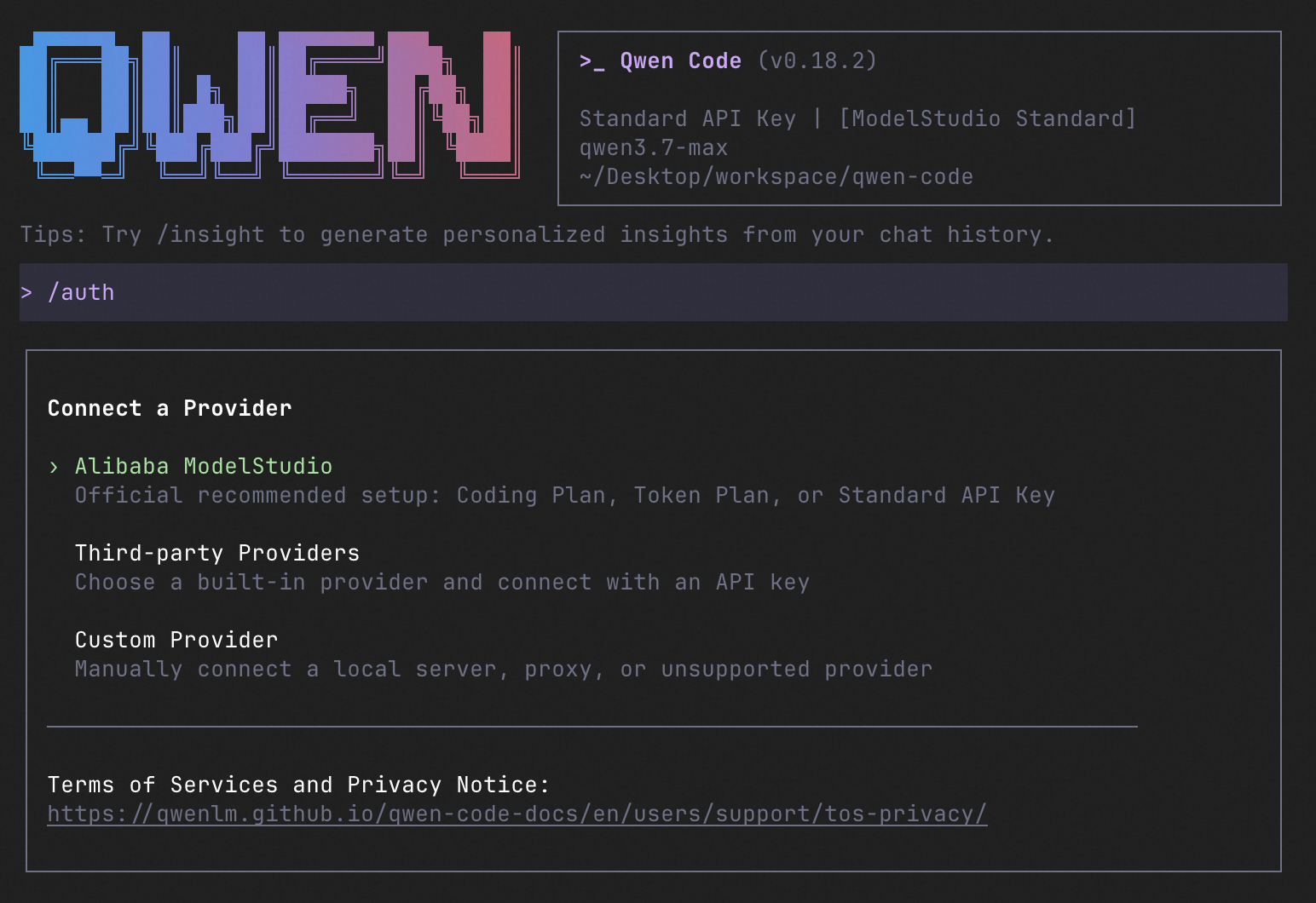
qwen          # Launch interactive terminal UI
# Inside the session:
/auth         # Configure your provider and API key
See the Authentication Guide and Settings Reference for detailed setup.
How to Use Qwen Code
| Mode | Command | Use Case |
|---|---|---|
| Interactive | qwen |
Terminal UI with rich rendering, @file references, slash commands |
| Headless | qwen -p "..." |
Scripts, CI/CD, batch processing — no UI |
| IDE | — | VS Code, Zed, JetBrains |
| Desktop | — | Qwen Code Desktop — GUI for macOS, Windows, Linux |
| Daemon | qwen serve |
Shared agent session over HTTP+SSE (ACP). Multiple clients, one agent. (experimental) Docs |
| SDK | — | TypeScript, Python, Java |
| IM Bot | qwen channel |
Connect to Telegram, DingTalk, WeChat, or Feishu |
SDK example (Python)
import asyncio

from qwen_code_sdk import is_sdk_result_message, query


async def main() -> None:
    result = query(
        "Summarize the repository layout.",
        {
            "cwd": "/path/to/project",
            "path_to_qwen_executable": "qwen",
        },
    )

    async for message in result:
        if is_sdk_result_message(message):
            print(message["result"])


asyncio.run(main())
Capabilities
If you know Claude Code, you already know Qwen Code — and then some. We've put significant effort into bringing Qwen Code to feature parity with Claude Code, improving both breadth and reliability across the board.
| Feature | Qwen Code | Claude Code |
|---|---|---|
| SubAgents, Agent Teams, Dynamic Workflows | ✓ | ✓ |
| Auto-Memory, Auto-Skills, Hooks | ✓ | ✓ |
| Built-in Skills (/review, /batch, /loop, /bugfix…) | ✓ | ✓ |
| MCP, Plan Mode, LSP Integration | ✓ | ✓ |
| Auto Mode, Sandbox, Git Worktrees | ✓ | ✓ |
| Computer Use (desktop automation) | ✓ | ✓ |
| IDE Plugins (VS Code / JetBrains / Zed) | ✓ | ✓ |
| SDK | ✓ | ✓ |
| Headless Mode, Session Management | ✓ | ✓ |
| Open-source — model and framework | ✓ | — |
| Multi-protocol (OpenAI / Anthropic / Gemini / Qwen + any provider) | ✓ | — |
| Agent Arena (multi-model head-to-head on same task) | ✓ | — |
Daemon Mode — qwen serve (multi-client shared agent) |
✓ | — |
| IM Channels (Telegram / DingTalk / WeChat / Feishu) | ✓ | — |
Ecosystem
-
Qwen Code Desktop — Official desktop app for macOS, Windows, and Linux
-
AionUi — A modern GUI for command-line AI tools including Qwen Code
-
Gemini CLI Desktop — A cross-platform desktop/web/mobile UI for Qwen Code
-
🦞 Qwen Code Claw — Let other agents (Claude, Codex, etc.) delegate coding tasks to Qwen Code via ACP. Paste this prompt into your agent:
Use Qwen Code as a coding agent. First, fetch and read this skill reference:
https://raw.githubusercontent.com/QwenLM/qwen-code/refs/heads/main/.qwen/skills/qwen-code-claw/SKILL.md
Then follow the instructions inside to install, authenticate, and use Qwen Code via acpx for all coding tasks.
Contributing
Contributions are welcome! See CONTRIBUTING.md for guidelines.
Acknowledgments
This project was originally based on Google Gemini CLI v0.8.2. We gratefully acknowledge the Gemini CLI team's excellent work. Starting from Qwen Code v0.1, we stopped syncing with upstream and began independent development as a multi-protocol, multi-platform agent framework with deep integrations for Qwen models and beyond.