 5631f4b112
* feat(serve): add required external tool guard

* fix(serve): keep guard constants off fast path closure

* test(serve): cover guard startup options

* refactor(acp-bridge): centralize external tool guard validation and ack value (#8125)

* fix(core): align MCP reconnect timeout test with safe replay policy (#8125)

The reconnect-on-timeout test still built its mock tools without server
trust or tool annotations, which the safe replay change now requires
before automatically replaying a connection-loss failure. Update the
fixtures the same way the surrounding reconnect tests were updated,
keeping the test's original assertion that a timeout on a known
disconnected server goes through the reconnect path. Mirrors the same
alignment already landed on main.

* fix(cli): alias externalToolGuard subpath for vitest source resolution (#8125)

This PR added `@qwen-code/acp-bridge/externalToolGuard` imports to cli
serve/acp modules but not the vitest source alias every other acp-bridge
subpath carries. Without it, any vitest run whose acp-bridge dist is
stale or absent fails to resolve the import and the five serve test
files die at transform time. Add the alias following the documented
convention in the config so tests read the live source.

* fix(serve): reject non-ASCII external tool guard bearer tokens

A token outside the ASCII range passed construction but made the
handshake throw ERR_INVALID_CHAR when interpolated into the
Authorization header, blocking qwen serve startup in required mode
with an unexplained error. Enforce printable ASCII (0x21-0x7E) at
validation time so the configuration fails fast with a clear message.

---------

Co-authored-by: 秦奇 <[email protected]>
Co-authored-by: qwen-code-dev-bot <[email protected]>
Co-authored-by: qwen-code-ci-bot <[email protected]>
Co-authored-by: qwen-code-dev-bot <[email protected]>
Co-authored-by: Qwen-Coder <[email protected]>
Co-authored-by: Shaojin Wen <[email protected]>


The open-source AI coding agent that lives in your terminal.
中文 | Deutsch | français | 日本語 | Русский | Português (Brasil)
Why Qwen Code?
- Agentic out of the box — Auto-Memory, Auto-Skills, SubAgents, Agent Teams, and MCP. Dynamic workflows, zero setup.
- Open-source, inside and out — The framework and the Qwen models are open-source. They evolve together. No vendor lock-in.
- Multi-protocol — Supports OpenAI, Anthropic, Gemini, and Qwen APIs. Any third-party provider or local model (Ollama / vLLM). Switch at runtime.
- Beyond the terminal — IDE plugins, Desktop app, daemon mode, SDKs, and IM bots (Telegram / DingTalk / WeChat / Feishu).
Tip
Qwen Code is actively iterating on itself — using its own agent and models to file issues, submit PRs, review code, and run tests. Powered by the community, driven by AI.
Installation
Linux / macOS:
curl -fsSL https://qwen-code-assets.oss-cn-hangzhou.aliyuncs.com/installation/install-qwen-standalone.sh | bash
Windows:
irm https://qwen-code-assets.oss-cn-hangzhou.aliyuncs.com/installation/install-qwen-standalone.ps1 | iex
Restart your terminal after installation to ensure environment variables take effect.
NPM / Homebrew
NPM (requires Node.js 22+):
npm install -g @qwen-code/qwen-code@latest
Homebrew (macOS / Linux):
brew install qwen-code
Quick Start
qwen          # Launch interactive terminal UI
# Inside the session:
/auth         # Configure your provider and API key
See the Authentication Guide and Settings Reference for detailed setup.
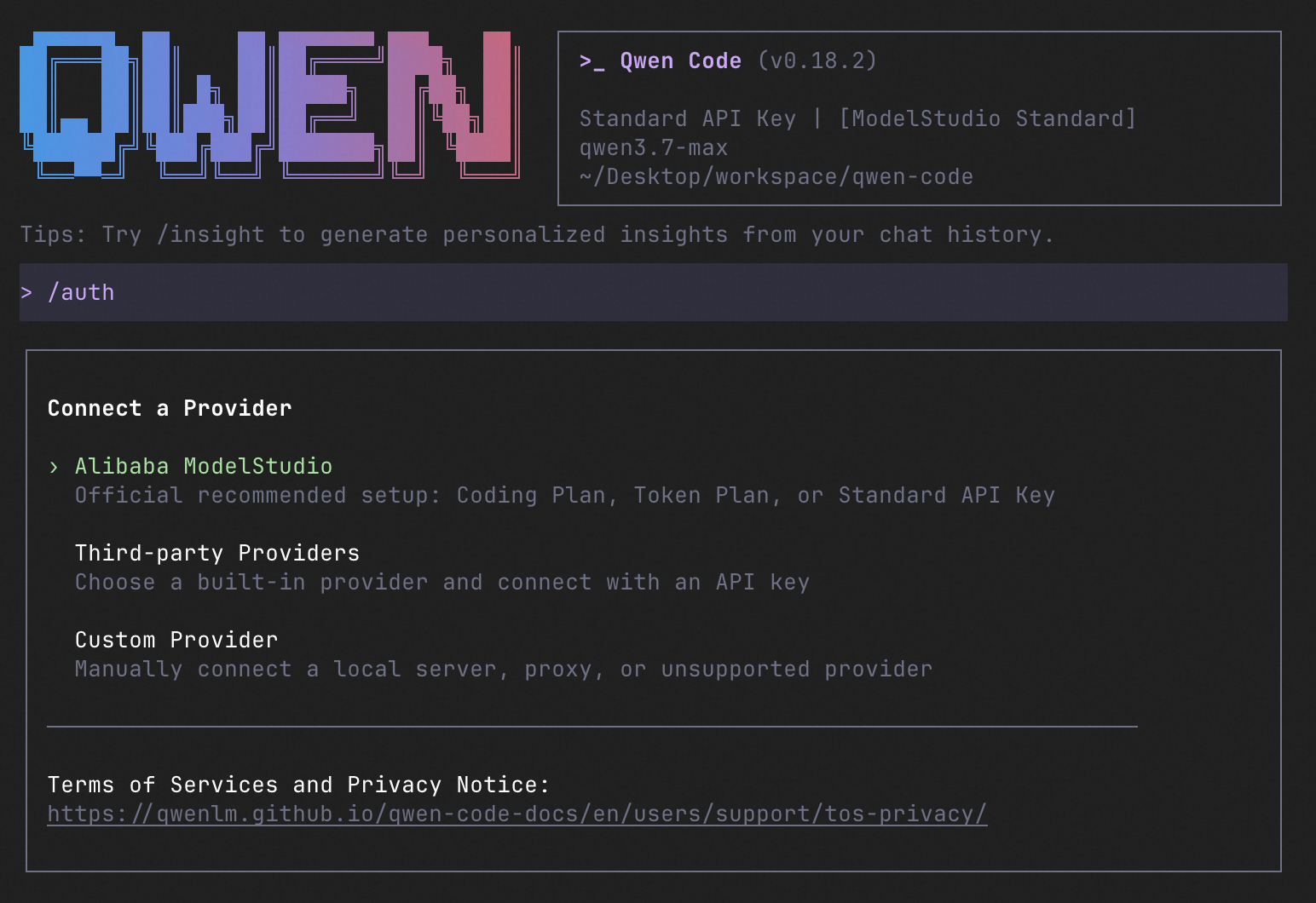
How to Use Qwen Code
| Mode | Command | Use Case |
|---|---|---|
| Interactive | qwen |
Terminal UI with rich rendering, @file references, slash commands |
| Headless | qwen -p "..." |
Scripts, CI/CD, batch processing — no UI |
| IDE | — | VS Code, Zed, JetBrains |
| Desktop | — | Qwen Code Desktop — GUI for macOS, Windows, Linux |
| Daemon | qwen serve |
Shared agent session over HTTP+SSE (ACP). Multiple clients, one agent. (experimental) Docs |
| SDK | — | TypeScript, Python, Java |
| IM Bot | qwen channel |
Connect to Telegram, DingTalk, WeChat, or Feishu |
SDK example (Python)
import asyncio

from qwen_code_sdk import is_sdk_result_message, query


async def main() -> None:
    result = query(
        "Summarize the repository layout.",
        {
            "cwd": "/path/to/project",
            "path_to_qwen_executable": "qwen",
        },
    )

    async for message in result:
        if is_sdk_result_message(message):
            print(message["result"])


asyncio.run(main())
Capabilities
If you know Claude Code, you already know Qwen Code — and then some. We've put significant effort into bringing Qwen Code to feature parity with Claude Code, improving both breadth and reliability across the board.
| Feature | Qwen Code | Claude Code |
|---|---|---|
| SubAgents, Agent Teams, Dynamic Workflows | ✓ | ✓ |
| Auto-Memory, Auto-Skills, Hooks | ✓ | ✓ |
| Built-in Skills (/review, /batch, /loop, /bugfix…) | ✓ | ✓ |
| MCP, Plan Mode, LSP Integration | ✓ | ✓ |
| Auto Mode, Sandbox, Git Worktrees | ✓ | ✓ |
| Computer Use (desktop automation) | ✓ | ✓ |
| IDE Plugins (VS Code / JetBrains / Zed) | ✓ | ✓ |
| SDK | ✓ | ✓ |
| Headless Mode, Session Management | ✓ | ✓ |
| Open-source — model and framework | ✓ | — |
| Multi-protocol (OpenAI / Anthropic / Gemini / Qwen + any provider) | ✓ | — |
| Agent Arena (multi-model head-to-head on same task) | ✓ | — |
Daemon Mode — qwen serve (multi-client shared agent) |
✓ | — |
| IM Channels (Telegram / DingTalk / WeChat / Feishu) | ✓ | — |
Ecosystem
-
Qwen Code Desktop — Official desktop app for macOS, Windows, and Linux
-
AionUi — A modern GUI for command-line AI tools including Qwen Code
-
Gemini CLI Desktop — A cross-platform desktop/web/mobile UI for Qwen Code
-
🦞 Qwen Code Claw — Let other agents (Claude, Codex, etc.) delegate coding tasks to Qwen Code via ACP. Paste this prompt into your agent:
Use Qwen Code as a coding agent. First, fetch and read this skill reference:
https://raw.githubusercontent.com/QwenLM/qwen-code/refs/heads/main/.qwen/skills/qwen-code-claw/SKILL.md
Then follow the instructions inside to install, authenticate, and use Qwen Code via acpx for all coding tasks.
Contributing
Contributions are welcome! See CONTRIBUTING.md for guidelines.
Acknowledgments
This project was originally based on Google Gemini CLI v0.8.2. We gratefully acknowledge the Gemini CLI team's excellent work. Starting from Qwen Code v0.1, we stopped syncing with upstream and began independent development as a multi-protocol, multi-platform agent framework with deep integrations for Qwen models and beyond.