 Shaojin Wen
66b5fe7f3c
* fix(managed-agent): tell a broker that cannot write apart from a wrong topic type

The startup send probe reported every failure as a topic-type
misconfiguration and named the mqadmin remedy. When a broker answered
but refused the write itself — a full disk, a stopped store, an HA
failover — an operator was told to reconfigure a topic that was already
correct, with the real cause buried at the bottom of the chain.

A type conflict arrives as a BadRequestException (40014/40020), while a
broker-side write refusal arrives as an InternalErrorException
(50000/50001/50002), so the exception type separates the two without
parsing messages. Only the second case changes: it now leads with the
broker's own inability to accept writes. Genuine misconfiguration keeps
today's fail-fast wording, and the capability probe is untouched.

Refs #15892

* fix(managed-agent): cover HA in the write-refusal hint and pin the exception mapping

Review found that both branch tests construct their own exceptions, so
neither pins the client's code-to-type mapping the branch selection
depends on — while the description claimed the contrast test did. Add a
contract test that drives the real StatusChecker over 40014/40020 versus
50000/50001/50002, so a client upgrade that remapped a type conflict onto
InternalErrorException fails at unit speed instead of only at the
real-broker gate. Asserting the wrong type for 40014 makes it fail, so
the guard is not vacuous.

Also widen the hint: InternalErrorException covers HA_NOT_AVAILABLE too,
where naming only disk space and message store was narrower than the
condition. It now names HA state as well.

Refs #15892

* fix(managed-agent): name the persistence-timeout family in the write-refusal arm

The arm caught only InternalErrorException, but the client reports a
master or slave store timing out on the probe write as
ProxyTimeoutException — a sibling under ClientException, not a subclass.
So the stopped-store cause the comment itself lists still told an
operator to run mqadmin updateTopic against a topic that was already
LITE, which is the misdiagnosis this branch exists to remove. Catch both
types; Java rejects parent/child alternatives in a multi-catch, so the
fact that it compiles is itself proof they are siblings.

UnsupportedException stays out deliberately: it collects REQUEST_TIMEOUT
alongside NOT_IMPLEMENTED and UNSUPPORTED, mixing the unreachable
question with the incapable-broker fail-fast, and a disk-space hint for
either would trade one misdiagnosis for another.

Also pin the whole operator hint, not just its first fragment. The
write-refusal test asserted only "disk space", so trimming "message
store and HA state" shipped green; both halves are now asserted, and the
mapping contract test covers all eight codes the split depends on.

Refs #15892

* fix(managed-agent): name the refusal families and stop overclaiming reachability

Two more gaps in the same enumeration, both found by review with mutation
witnesses.

Throttling, lite-topic quota and ACL refusals are five more siblings under
ClientException — TooManyRequests, LiteTopicQuotaExceeded,
LiteSubscriptionQuotaExceeded, Unauthorized, Forbidden — so a rate limit or
an exhausted quota still told an operator to run mqadmin updateTopic on a
topic that was already LITE. 42901 is the sharpest case: the probe's lite
topic exists, and an exhausted quota is not a missing one. They get their
own arm pointing at quota, flow control and ACL state, which is a different
thing to inspect than a disk or a store.

The write-failure message also claimed the broker "is reachable", which
50400 PROXY_TIMEOUT does not establish: the proxy produces it from
ACCESS_BROKER_TIMEOUT and RemotingTimeoutException, exactly when it got no
answer from the broker. That overclaim came in with the previous widening.
Drop it, name the proxy-to-broker path in the hint, and scope the comment
so it no longer says the broker answered.

UnsupportedException stays outside the arms deliberately, and the residual
limit of enumerating families is now stated in the description rather than
left implicit. The mapping contract test covers all thirteen codes.

Refs #15892


The open-source AI coding agent for your terminal, editor, desktop, browser, and chat.
中文 | Deutsch | français | 日本語 | Русский | Português (Brasil) | 한국어
Why Qwen Code?
- Agentic out of the box — Auto-Memory, Auto-Skills, SubAgents, Agent Teams, and MCP. Dynamic workflows, zero setup.
- Open-source, inside and out — The framework and the Qwen models are open-source. They evolve together. No vendor lock-in.
- Multi-protocol — Supports OpenAI, Anthropic, Gemini, and Qwen APIs. Any third-party provider or local model (Ollama / vLLM). Switch at runtime.
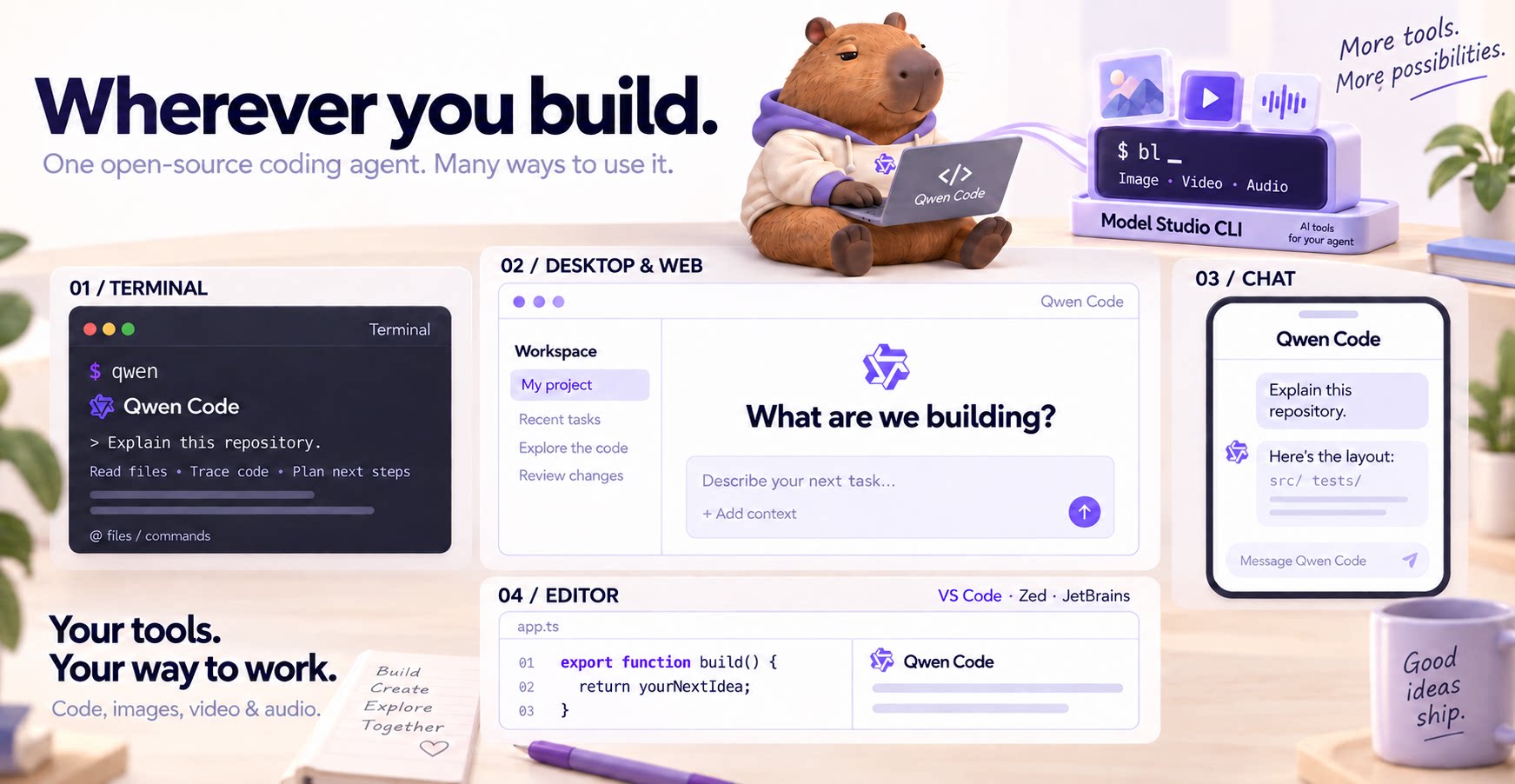
- Beyond the terminal — IDE plugins, Desktop app, Web UI, SDKs, and chat integrations (Telegram / DingTalk / WeChat / Feishu).
Tip
Qwen Code is actively iterating on itself — using its own agent and models to file issues, submit PRs, review code, and run tests. Powered by the community, driven by AI.
Installation
Linux / macOS:
curl -fsSL https://qwen-code-assets.oss-cn-hangzhou.aliyuncs.com/installation/install-qwen-standalone.sh | bash
Windows:
irm https://qwen-code-assets.oss-cn-hangzhou.aliyuncs.com/installation/install-qwen-standalone.ps1 | iex
Restart your terminal after installation to ensure environment variables take effect.
NPM / Homebrew
NPM (requires Node.js 22+):
npm install -g @qwen-code/qwen-code@latest
Homebrew (macOS / Linux):
brew install qwen-code
Quick Start
Open a terminal in your project and start Qwen Code:
cd /path/to/your-project
qwen
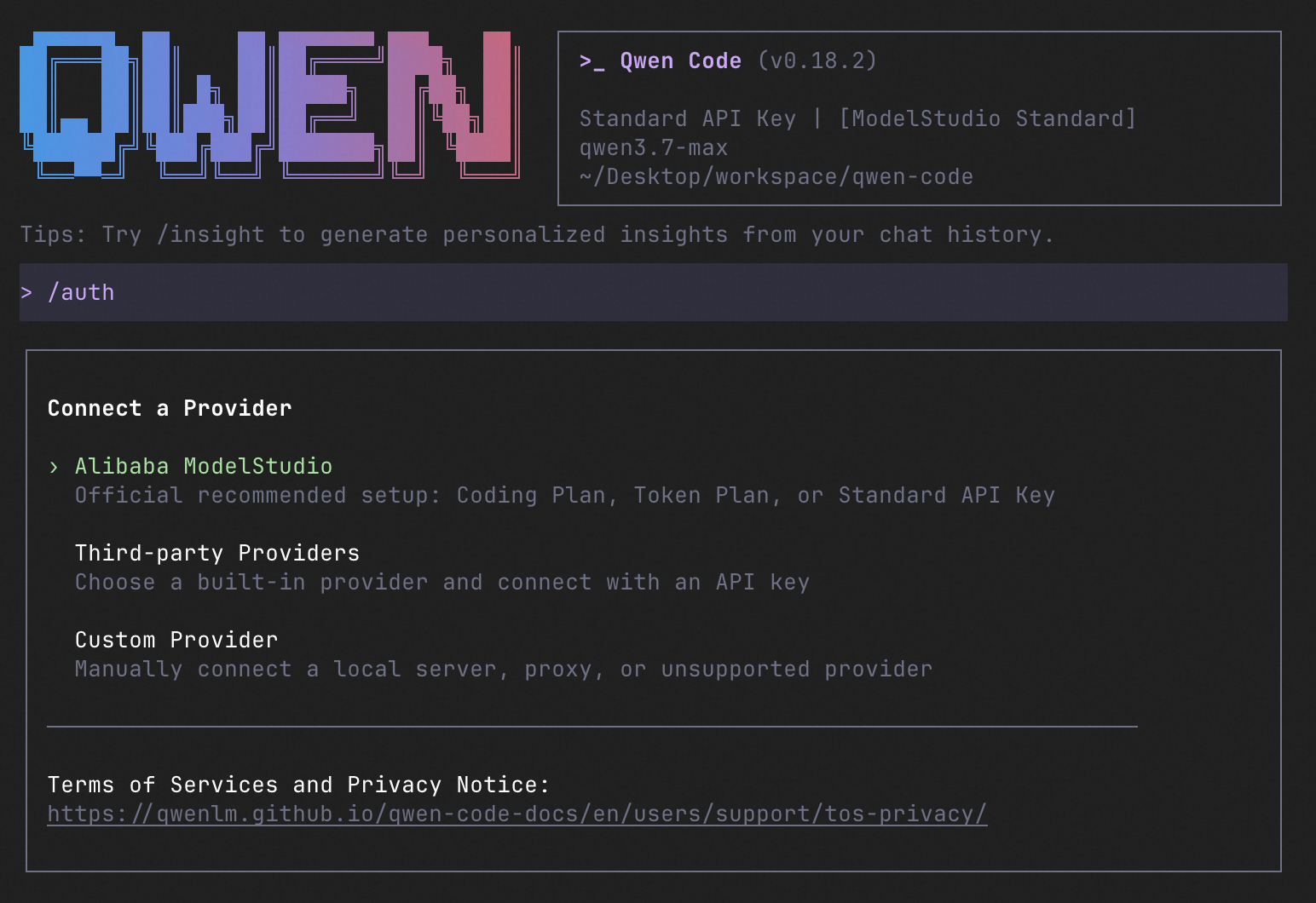
Inside the session, run /auth to configure your provider and API key. Then try:
Explain this repository and show me where to start.
See the Authentication Guide and Settings Reference for detailed setup.
See the terminal interface
How to Use Qwen Code
Choose the interface that fits your workflow:
| Interface | Get started |
|---|---|
| Terminal | Run qwen in your project — see Quick Start. |
| Desktop | Download Qwen Code Desktop for macOS, Windows, and Linux. |
| Web | Run qwen serve --open to open the Web UI in your browser. (experimental) |
| Editor | Set up VS Code, Zed, or JetBrains. |
| Chat | Connect Telegram, DingTalk, WeChat, or Feishu, then run qwen channel start. |
For automation and custom integrations:
- Headless — Run
qwen -p "..."in scripts, CI/CD, or batch jobs. - SDKs — Build with TypeScript, Python, or Java.
- Daemon — Run
qwen serveto connect clients over HTTP + SSE (ACP). (experimental) Daemon guide. - Computer Use — Set up native MCP tools or Node REPL + SDK in Qwen Code, Claude Code, or Codex.
SDK example (Python)
import asyncio

from qwen_code_sdk import is_sdk_result_message, query


async def main() -> None:
    result = query(
        "Summarize the repository layout.",
        {
            "cwd": "/path/to/project",
            "path_to_qwen_executable": "qwen",
        },
    )

    async for message in result:
        if is_sdk_result_message(message):
            print(message["result"])


asyncio.run(main())
Capabilities
If you know Claude Code, you already know Qwen Code — and then some. We've put significant effort into bringing Qwen Code to feature parity with Claude Code, improving both breadth and reliability across the board.
| Feature | Qwen Code | Claude Code |
|---|---|---|
| SubAgents, Agent Teams, Dynamic Workflows | ✓ | ✓ |
| Auto-Memory, Auto-Skills, Hooks | ✓ | ✓ |
| Built-in Skills (/review, /batch, /loop, /bugfix…) | ✓ | ✓ |
| MCP, Plan Mode, LSP Integration | ✓ | ✓ |
| Auto Mode, Sandbox, Git Worktrees | ✓ | ✓ |
| Computer Use (desktop automation) | ✓ | ✓ |
| IDE Plugins (VS Code / JetBrains / Zed) | ✓ | ✓ |
| SDK | ✓ | ✓ |
| Headless Mode, Session Management | ✓ | ✓ |
| Open-source — model and framework | ✓ | — |
| Multi-protocol (OpenAI / Anthropic / Gemini / Qwen + any provider) | ✓ | — |
| Agent Arena (multi-model head-to-head on same task) | ✓ | — |
Daemon Mode — qwen serve (multi-client shared agent) |
✓ | — |
| IM Channels (Telegram / DingTalk / WeChat / Feishu) | ✓ | — |
Qwen Code Evaluation
On SWE-bench Verified, seven Qwen Code versions scored 76.40%–77.80% on average using the same Qwen 3.7 Max model (500 tasks, three trials per version).

Full results and evaluation configuration →
Ecosystem
-
Qwen Code Desktop — Official desktop app for macOS, Windows, and Linux
-
AionUi — A modern GUI for command-line AI tools including Qwen Code
-
Gemini CLI Desktop — A cross-platform desktop/web/mobile UI for Qwen Code
-
qwen-audio-agent — Realtime full-duplex voice frontend for Qwen Code over ACP — talk hands-free with barge-in and a local wake word
-
🦞 Qwen Code Claw — Let other agents (Claude, Codex, etc.) delegate coding tasks to Qwen Code via ACP. Paste this prompt into your agent:
Use Qwen Code as a coding agent. First, fetch and read this skill reference:
https://raw.githubusercontent.com/QwenLM/qwen-code/refs/heads/main/.qwen/skills/qwen-code-claw/SKILL.md
Then follow the instructions inside to install, authenticate, and use Qwen Code via acpx for all coding tasks.
- Aliyun Model Studio CLI — Official CLI for Aliyun's AI platform (
bailian-cli). Extends Qwen Code with image/video generation, knowledge retrieval, app orchestration, and model deployment
Privacy
See the Terms of Service and Privacy Notice, including Chrome extension and Browser Use data handling.
Contributing
Contributions are welcome! See CONTRIBUTING.md for guidelines.
Acknowledgments
This project was originally based on Google Gemini CLI v0.8.2. We gratefully acknowledge the Gemini CLI team's excellent work. Starting from Qwen Code v0.1, we stopped syncing with upstream and began independent development as a multi-protocol, multi-platform agent framework with deep integrations for Qwen models and beyond.