 c4e8831dff
* feat(web-shell): add approval mode allowlist

* fix(web-shell): complete allowlist i18n and test mocks

* fix(web-shell): harden approval mode allowlist per review

- Restrict ui.allowedApprovalModes to operator scopes: a repository's
  workspace settings can no longer remove an operator's mode
  restriction, and workspace-scope writes are refused.
- Report when a valid-but-hidden mode is selected instead of a silent
  no-op, in both App and ChatPane, and pin the plan exemption.
- Close an open mode dropdown when the offered list becomes empty.
- Stabilize the host allowedApprovalModes array so inline literals do
  not churn the composer and customization memos.
- Share the cycle step as nextApprovalMode in planMode.ts so the App
  and ChatPane copies cannot drift.
- Complete DaemonSettingDescriptor fixtures with the required default
  field and scope the README live-refresh claim to host Prop changes.

* fix(web-shell): fail closed on approval-mode read errors and pin review follow-ups

* fix(web-shell): scope the approval-mode focus handoff and gate its settings read

Round-4 review follow-ups:

- The focus handoff matched the shared toolbar-popover attribute on the
  document-root active element, so it could steal focus from the model
  dropdown or another editor instance. It now fires only for this
  instance's own mode control, via a dedicated data-web-shell-mode-popover
  marker plus toolbar containment, and only once the control is gone.
- The trigger case never fired in a real browser because a focused button
  blurs to the body the moment it becomes disabled. Focus ownership is now
  recorded by the control's wrapper, so the handoff works after that loss
  without an ungated body check that would steal focus on mount.
- The handoff now also covers a narrowing list unmounting the focused row
  while the picker stays open, and its disabled-state fallback skips
  disabled targets, falling back to the enabled composer.
- The allowlist read is gated on the daemon advertising the
  workspace-qualified settings features, so an older daemon keeps the
  default list instead of failing closed for the whole session; a
  reconnect retries a failed read.
- The approval dialog re-anchors the highlight by row identity, so a
  same-length list swap cannot leave Enter committing a row the user
  never highlighted.
- The e2e stub answers the scoped and primary routes with different lists
  so applying the wrong workspace's read fails, and a new e2e empties the
  allowlist under an open picker to pin the browser-level handoff.
- The design record (both languages) now documents the capability gate
  and the fail-closed first-read outcome.

* fix(web-shell): repair approval-mode focus handoff and dialog highlight re-anchor (#14345)

Co-authored-by: Qwen-Coder <[email protected]>

---------

Co-authored-by: 钉萁 <[email protected]>
Co-authored-by: qwen-code-autofix <[email protected]>
Co-authored-by: qwen-code-dev-bot <[email protected]>
Co-authored-by: Qwen-Coder <[email protected]>


The open-source AI coding agent for your terminal, editor, desktop, browser, and chat.
中文 | Deutsch | français | 日本語 | Русский | Português (Brasil) | 한국어
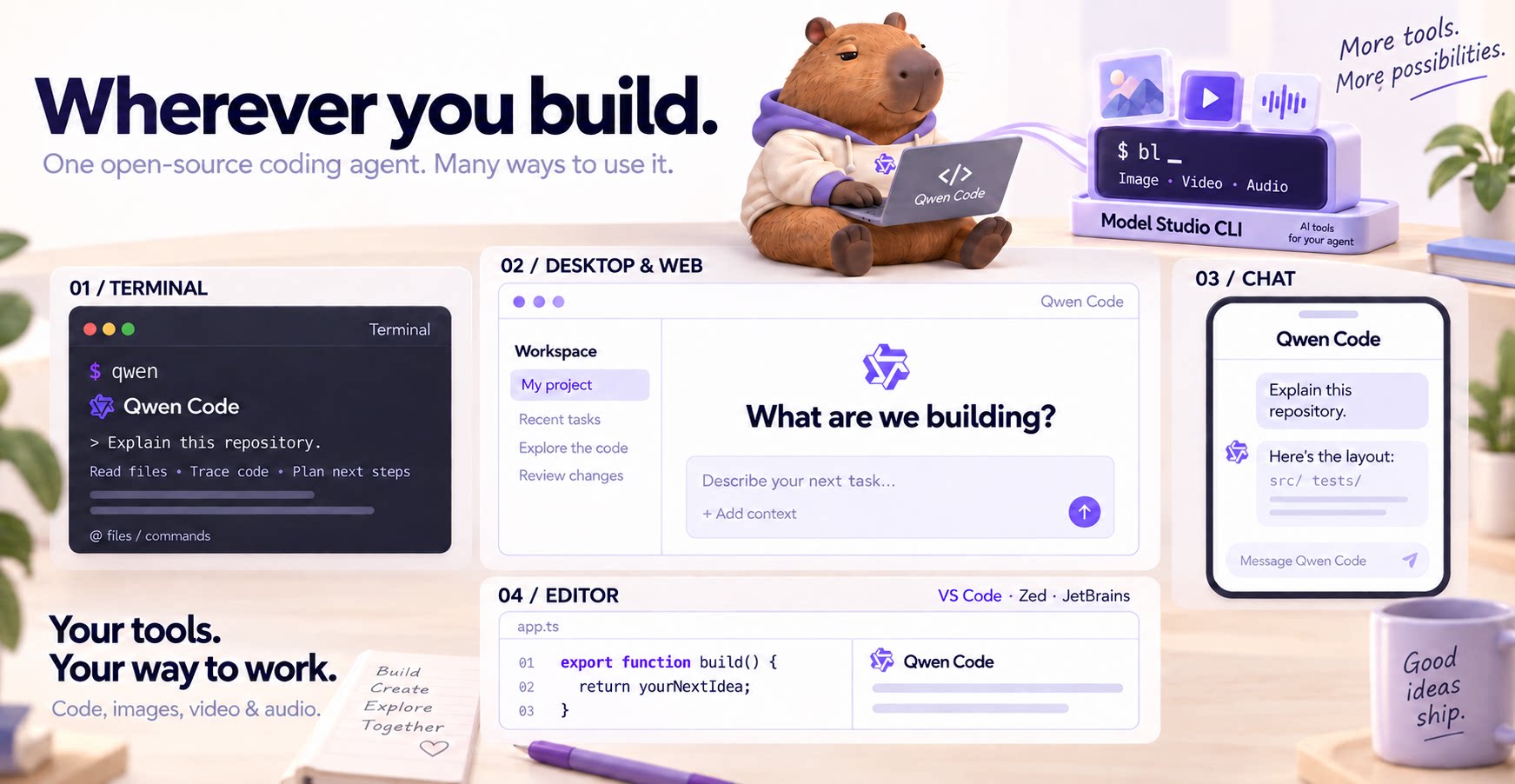
Why Qwen Code?
- Agentic out of the box — Auto-Memory, Auto-Skills, SubAgents, Agent Teams, and MCP. Dynamic workflows, zero setup.
- Open-source, inside and out — The framework and the Qwen models are open-source. They evolve together. No vendor lock-in.
- Multi-protocol — Supports OpenAI, Anthropic, Gemini, and Qwen APIs. Any third-party provider or local model (Ollama / vLLM). Switch at runtime.
- Beyond the terminal — IDE plugins, Desktop app, Web UI, SDKs, and chat integrations (Telegram / DingTalk / WeChat / Feishu).
Tip
Qwen Code is actively iterating on itself — using its own agent and models to file issues, submit PRs, review code, and run tests. Powered by the community, driven by AI.
Installation
Linux / macOS:
curl -fsSL https://qwen-code-assets.oss-cn-hangzhou.aliyuncs.com/installation/install-qwen-standalone.sh | bash
Windows:
irm https://qwen-code-assets.oss-cn-hangzhou.aliyuncs.com/installation/install-qwen-standalone.ps1 | iex
Restart your terminal after installation to ensure environment variables take effect.
NPM / Homebrew
NPM (requires Node.js 22+):
npm install -g @qwen-code/qwen-code@latest
Homebrew (macOS / Linux):
brew install qwen-code
Quick Start
Open a terminal in your project and start Qwen Code:
cd /path/to/your-project
qwen
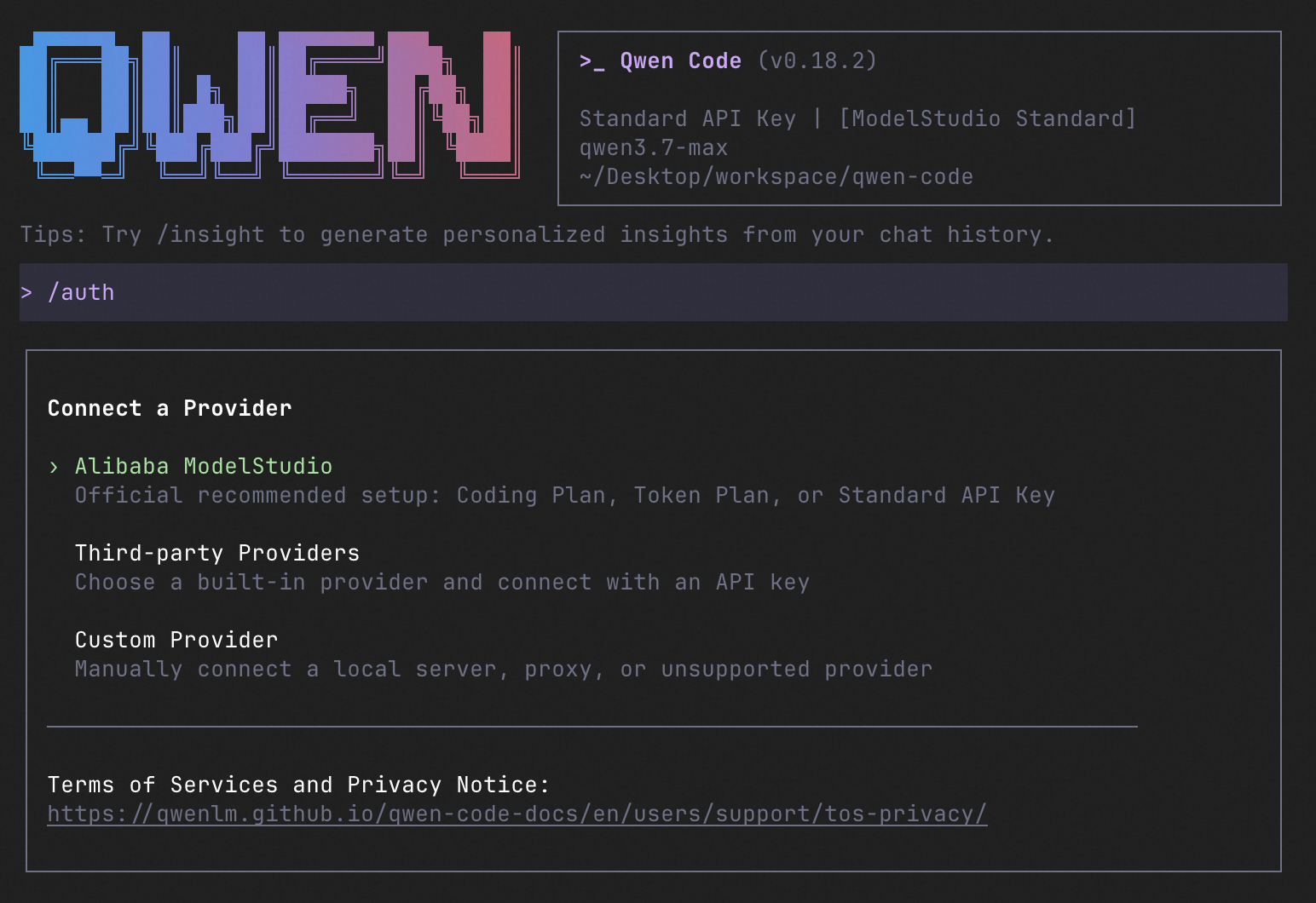
Inside the session, run /auth to configure your provider and API key. Then try:
Explain this repository and show me where to start.
See the Authentication Guide and Settings Reference for detailed setup.
See the terminal interface
How to Use Qwen Code
Choose the interface that fits your workflow:
| Interface | Get started |
|---|---|
| Terminal | Run qwen in your project — see Quick Start. |
| Desktop | Download Qwen Code Desktop for macOS, Windows, and Linux. |
| Web | Run qwen serve --open to open the Web UI in your browser. (experimental) |
| Editor | Set up VS Code, Zed, or JetBrains. |
| Chat | Connect Telegram, DingTalk, WeChat, or Feishu, then run qwen channel start. |
For automation and custom integrations:
- Headless — Run
qwen -p "..."in scripts, CI/CD, or batch jobs. - SDKs — Build with TypeScript, Python, or Java.
- Daemon — Run
qwen serveto connect clients over HTTP + SSE (ACP). (experimental) Daemon guide.
SDK example (Python)
import asyncio

from qwen_code_sdk import is_sdk_result_message, query


async def main() -> None:
    result = query(
        "Summarize the repository layout.",
        {
            "cwd": "/path/to/project",
            "path_to_qwen_executable": "qwen",
        },
    )

    async for message in result:
        if is_sdk_result_message(message):
            print(message["result"])


asyncio.run(main())
Capabilities
If you know Claude Code, you already know Qwen Code — and then some. We've put significant effort into bringing Qwen Code to feature parity with Claude Code, improving both breadth and reliability across the board.
| Feature | Qwen Code | Claude Code |
|---|---|---|
| SubAgents, Agent Teams, Dynamic Workflows | ✓ | ✓ |
| Auto-Memory, Auto-Skills, Hooks | ✓ | ✓ |
| Built-in Skills (/review, /batch, /loop, /bugfix…) | ✓ | ✓ |
| MCP, Plan Mode, LSP Integration | ✓ | ✓ |
| Auto Mode, Sandbox, Git Worktrees | ✓ | ✓ |
| Computer Use (desktop automation) | ✓ | ✓ |
| IDE Plugins (VS Code / JetBrains / Zed) | ✓ | ✓ |
| SDK | ✓ | ✓ |
| Headless Mode, Session Management | ✓ | ✓ |
| Open-source — model and framework | ✓ | — |
| Multi-protocol (OpenAI / Anthropic / Gemini / Qwen + any provider) | ✓ | — |
| Agent Arena (multi-model head-to-head on same task) | ✓ | — |
Daemon Mode — qwen serve (multi-client shared agent) |
✓ | — |
| IM Channels (Telegram / DingTalk / WeChat / Feishu) | ✓ | — |
Qwen Code Evaluation
On SWE-bench Verified, seven Qwen Code versions scored 76.40%–77.80% on average using the same Qwen 3.7 Max model (500 tasks, three trials per version).

Full results and evaluation configuration →
Ecosystem
-
Qwen Code Desktop — Official desktop app for macOS, Windows, and Linux
-
AionUi — A modern GUI for command-line AI tools including Qwen Code
-
Gemini CLI Desktop — A cross-platform desktop/web/mobile UI for Qwen Code
-
qwen-audio-agent — Realtime full-duplex voice frontend for Qwen Code over ACP — talk hands-free with barge-in and a local wake word
-
🦞 Qwen Code Claw — Let other agents (Claude, Codex, etc.) delegate coding tasks to Qwen Code via ACP. Paste this prompt into your agent:
Use Qwen Code as a coding agent. First, fetch and read this skill reference:
https://raw.githubusercontent.com/QwenLM/qwen-code/refs/heads/main/.qwen/skills/qwen-code-claw/SKILL.md
Then follow the instructions inside to install, authenticate, and use Qwen Code via acpx for all coding tasks.
- Aliyun Model Studio CLI — Official CLI for Aliyun's AI platform (
bailian-cli). Extends Qwen Code with image/video generation, knowledge retrieval, app orchestration, and model deployment
Privacy
See the Terms of Service and Privacy Notice, including Chrome extension and Browser Use data handling.
Contributing
Contributions are welcome! See CONTRIBUTING.md for guidelines.
Acknowledgments
This project was originally based on Google Gemini CLI v0.8.2. We gratefully acknowledge the Gemini CLI team's excellent work. Starting from Qwen Code v0.1, we stopped syncing with upstream and began independent development as a multi-protocol, multi-platform agent framework with deep integrations for Qwen models and beyond.