 f11bb31df2
* fix(cli): wrap thought viewer text to visual lines

The full-screen ThinkingViewer split `data.text` on '\n' and rendered each
logical line with `wrap="truncate-end"`. A thought is usually a single long
paragraph with no newlines, so it collapsed to one ellipsised row above an
empty box and `maxScroll` stayed 0 (could not scroll).

Pre-wrap the text to visual rows at the inner content width (border + paddingX
= 4 cols) before slicing, reusing the existing `wrapToVisualLines` helper (now
exported from ConversationMessages). Scrolling and rendering now operate on the
same rows the user sees.

Generated with AI

Co-authored-by: Qwen-Coder <[email protected]>

* fix(cli): collapse VP viewport to content and sink the composer

In terminal-buffer (VP) mode the conversation wasted vertical space:

- VirtualizedList pinned its root box to the full `containerHeight`, so short
  content left a tall blank gap and pushed the composer far down. Collapse the
  box to `min(containerHeight, totalHeight)` so it grows with its content like
  the legacy <Static> path; the scroll math still uses the full height, so
  overflow scrolling is unchanged.
- `availableTerminalHeight` subtracted `staticExtraHeight` +
  `MAIN_CONTENT_HEIGHT_RESERVATION`, the <Static> overflow-flicker guards. VP
  clips natively and does not need them, so they stranded ~5 blank rows below
  the composer (input never reached the bottom). Drop the reservation in VP;
  non-VP keeps it unchanged.

Generated with AI

Co-authored-by: Qwen-Coder <[email protected]>

* perf(cli): coalesce VP scroll events per frame

Terminal mouse reporting emits one event per row crossed, so a brisk wheel
spin or scrollbar drag fired a rapid burst, each applied synchronously with a
full Ink reflow + terminal flush — the source of the choppy scroll. Accumulate
wheel deltas / the latest drag row in refs and flush at most once per ~16ms
frame. A press still applies instantly; under NODE_ENV==='test' updates apply
synchronously so the existing timer-free tests keep passing.

Generated with AI

Co-authored-by: Qwen-Coder <[email protected]>

* fix(cli): cancel queued scroll on scrollbar press

A wheel burst schedules a 16ms coalescing flush. If the user clicked the
scrollbar within that window, the press applied its row immediately but the
still-armed timer then fired `scrollBy` with the leftover wheel delta, yanking
the view off the clicked row. Clear the pending wheel/drag intent and cancel
the timer when a scrollbar press takes over.

Generated with AI

Co-authored-by: Qwen-Coder <[email protected]>

* fix(cli): keep a small height slack in VP mode

Zeroing the VP layout reservation removed all slack, so when the composer grew
(multi-line input) the one-frame-late controlsHeight measurement briefly
oversized the list and overflowed the terminal — the exact jitter the layout
change aimed to remove. Drop only the Static-specific staticExtraHeight (3) and
keep MAIN_CONTENT_HEIGHT_RESERVATION (2) as a transient-measurement buffer; the
composer still sits far closer to the bottom than before (was ~5 stranded rows).

Generated with AI

Co-authored-by: Qwen-Coder <[email protected]>

* refactor(cli): move wrapToVisualLines to textUtils

It lived in the 1000-line ConversationMessages component and ThinkingViewer
imported it across components. Co-locate it with its sibling visual-wrapping
helper (sliceTextByVisualHeight) in utils/textUtils.ts and import from there.

Generated with AI

Co-authored-by: Qwen-Coder <[email protected]>

* refactor(cli): share frame-coalesced scroll hook and test it

Extract the per-frame scroll coalescing into useFrameCoalescedFlush and use it
from both ScrollableList and ThinkingViewer (whose wheel handler was still
un-batched, so a brisk spin in the expanded thought viewer stuttered).

Drop the NODE_ENV==='test' escape hatch that made the production timer path
unreachable in tests: the mouse-scroll tests now advance a real frame before
asserting, exercising the batching/accumulation/precedence logic. Adds a
regression test for a scrollbar press canceling a still-pending wheel flush.

Generated with AI

Co-authored-by: Qwen-Coder <[email protected]>

* fix(cli): match legacy bottom spacing in VP mode (no reservation)

The static/<Static> path reserves no blank rows under the composer — the
staticExtraHeight + MAIN_CONTENT_HEIGHT_RESERVATION budget only caps inline
streaming-message height, while the composer flows to the very bottom of the
terminal. Reserve nothing in VP so its composer reaches the bottom the same
way, instead of leaving a 2-row gap. The one-frame controlsHeight measurement
lag on composer growth mirrors legacy mode letting the terminal scroll.

Generated with AI

Co-authored-by: Qwen-Coder <[email protected]>

---------

Co-authored-by: 秦奇 <[email protected]>
Co-authored-by: Qwen-Coder <[email protected]>


The open-source AI coding agent that lives in your terminal.
中文 | Deutsch | français | 日本語 | Русский | Português (Brasil)
Why Qwen Code?
- Agentic out of the box — Auto-Memory, Auto-Skills, SubAgents, Agent Teams, and MCP. Dynamic workflows, zero setup.
- Open-source, inside and out — The framework and the Qwen models are open-source. They evolve together. No vendor lock-in.
- Multi-protocol — Supports OpenAI, Anthropic, Gemini, and Qwen APIs. Any third-party provider or local model (Ollama / vLLM). Switch at runtime.
- Beyond the terminal — IDE plugins, Desktop app, daemon mode, SDKs, and IM bots (Telegram / DingTalk / WeChat / Feishu).
Tip
Qwen Code is actively iterating on itself — using its own agent and models to file issues, submit PRs, review code, and run tests. Powered by the community, driven by AI.
Installation
Linux / macOS:
curl -fsSL https://qwen-code-assets.oss-cn-hangzhou.aliyuncs.com/installation/install-qwen-standalone.sh | bash
Windows:
irm https://qwen-code-assets.oss-cn-hangzhou.aliyuncs.com/installation/install-qwen-standalone.ps1 | iex
Restart your terminal after installation to ensure environment variables take effect.
NPM / Homebrew
NPM (requires Node.js 22+):
npm install -g @qwen-code/qwen-code@latest
Homebrew (macOS / Linux):
brew install qwen-code
Quick Start
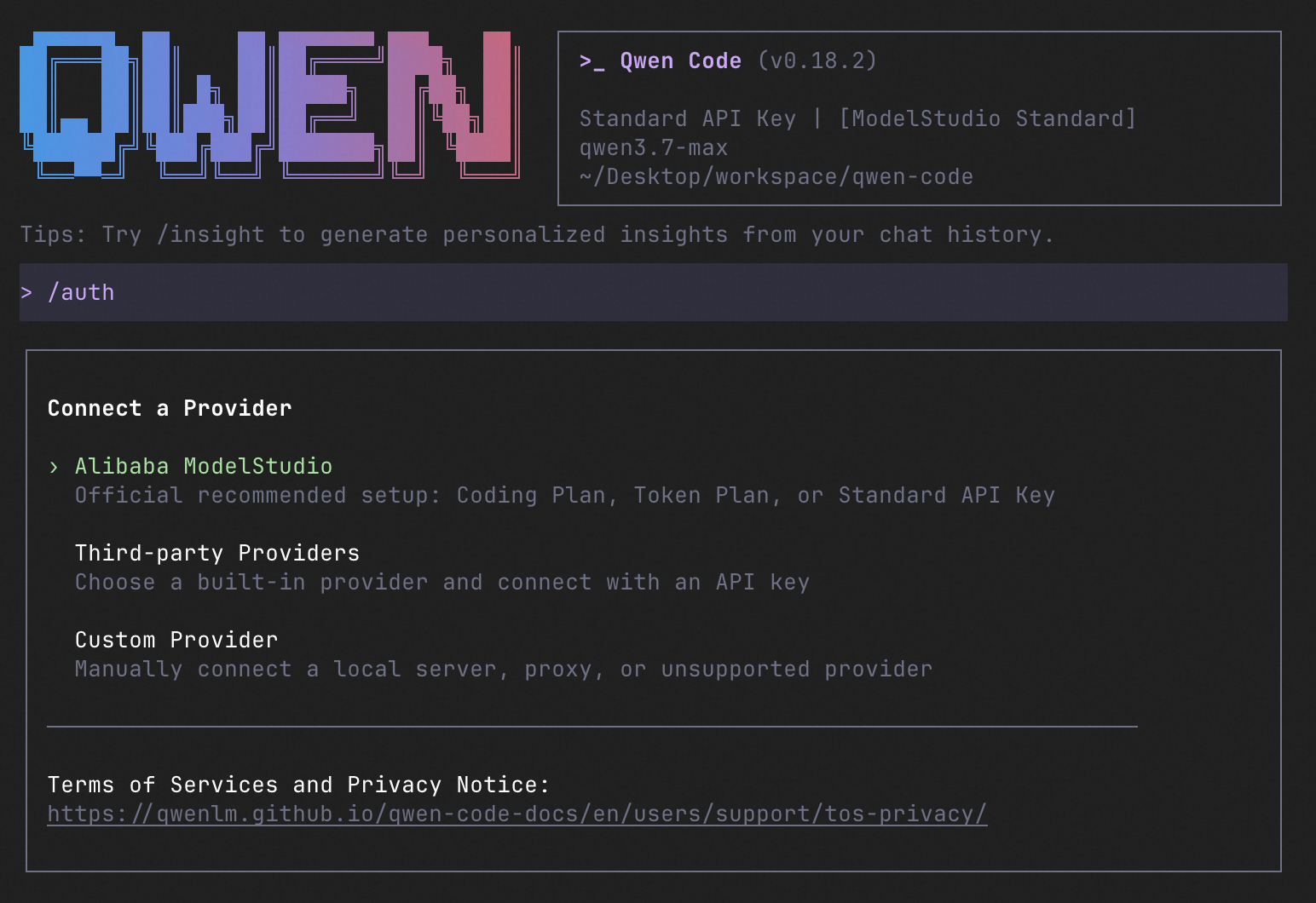
qwen          # Launch interactive terminal UI
# Inside the session:
/auth         # Configure your provider and API key
See the Authentication Guide and Settings Reference for detailed setup.
How to Use Qwen Code
| Mode | Command | Use Case |
|---|---|---|
| Interactive | qwen |
Terminal UI with rich rendering, @file references, slash commands |
| Headless | qwen -p "..." |
Scripts, CI/CD, batch processing — no UI |
| IDE | — | VS Code, Zed, JetBrains |
| Desktop | — | Qwen Code Desktop — GUI for macOS, Windows, Linux |
| Daemon | qwen serve |
Shared agent session over HTTP+SSE (ACP). Multiple clients, one agent. (experimental) Docs |
| SDK | — | TypeScript, Python, Java |
| IM Bot | qwen channel |
Connect to Telegram, DingTalk, WeChat, or Feishu |
SDK example (Python)
import asyncio

from qwen_code_sdk import is_sdk_result_message, query


async def main() -> None:
    result = query(
        "Summarize the repository layout.",
        {
            "cwd": "/path/to/project",
            "path_to_qwen_executable": "qwen",
        },
    )

    async for message in result:
        if is_sdk_result_message(message):
            print(message["result"])


asyncio.run(main())
Capabilities
If you know Claude Code, you already know Qwen Code — and then some. We've put significant effort into bringing Qwen Code to feature parity with Claude Code, improving both breadth and reliability across the board.
| Feature | Qwen Code | Claude Code |
|---|---|---|
| SubAgents, Agent Teams, Dynamic Workflows | ✓ | ✓ |
| Auto-Memory, Auto-Skills, Hooks | ✓ | ✓ |
| Built-in Skills (/review, /batch, /loop, /bugfix…) | ✓ | ✓ |
| MCP, Plan Mode, LSP Integration | ✓ | ✓ |
| Auto Mode, Sandbox, Git Worktrees | ✓ | ✓ |
| Computer Use (desktop automation) | ✓ | ✓ |
| IDE Plugins (VS Code / JetBrains / Zed) | ✓ | ✓ |
| SDK | ✓ | ✓ |
| Headless Mode, Session Management | ✓ | ✓ |
| Open-source — model and framework | ✓ | — |
| Multi-protocol (OpenAI / Anthropic / Gemini / Qwen + any provider) | ✓ | — |
| Agent Arena (multi-model head-to-head on same task) | ✓ | — |
Daemon Mode — qwen serve (multi-client shared agent) |
✓ | — |
| IM Channels (Telegram / DingTalk / WeChat / Feishu) | ✓ | — |
Ecosystem
-
Qwen Code Desktop — Official desktop app for macOS, Windows, and Linux
-
AionUi — A modern GUI for command-line AI tools including Qwen Code
-
Gemini CLI Desktop — A cross-platform desktop/web/mobile UI for Qwen Code
-
🦞 Qwen Code Claw — Let other agents (Claude, Codex, etc.) delegate coding tasks to Qwen Code via ACP. Paste this prompt into your agent:
Use Qwen Code as a coding agent. First, fetch and read this skill reference:
https://raw.githubusercontent.com/QwenLM/qwen-code/refs/heads/main/.qwen/skills/qwen-code-claw/SKILL.md
Then follow the instructions inside to install, authenticate, and use Qwen Code via acpx for all coding tasks.
Contributing
Contributions are welcome! See CONTRIBUTING.md for guidelines.
Acknowledgments
This project was originally based on Google Gemini CLI v0.8.2. We gratefully acknowledge the Gemini CLI team's excellent work. Starting from Qwen Code v0.1, we stopped syncing with upstream and began independent development as a multi-protocol, multi-platform agent framework with deep integrations for Qwen models and beyond.