 Shaojin Wen
f724e203ec
* fix(web-shell): bind config sync to the attachment, not the SSE stream

The session config-ordering domain was recreated when the event stream was
opened, which happens after the load effect awaits its metadata. Because the
attachment is deliberately published before that await so the transcript paints
one round-trip earlier, a first-prompt config write could still be in flight when
the recreation landed. Recreating the domain invalidated the write's ownership
token, so a value the daemon had already confirmed was silently discarded, and
the reconciliation gated on the same stale token was skipped with it. A reasoning
effort chosen before the first prompt was therefore lost for good, and the
composer kept advertising the pre-choice value.

Establish the domain once, when the session becomes the current attachment, and
let stream setup read it instead of recreating it. The window closes without
moving when the attachment is published, so first-prompt latency and the early
transcript paint are unchanged, and every staleness guard is left intact.

Split the live-daemon settings inclusion/exclusion coverage into one test per
scenario sharing a single daemon, so each scenario owns a full timeout budget
and a failure names the scenario rather than reporting a bare timeout inside a
twelve-navigation loop.

One existing test asserted the current mode was undefined after an approval-mode
write had been confirmed; that held only because the same recreation discarded
the confirmed value. Its mock now reports the confirmed mode on later reads and
the assertion requires that value to survive, which is strictly stronger.

Fixes #16065

* test(web-shell): make the config-sync regression test discriminating

Review follow-up. The reasoning regression test could not tell "the
confirmed write was applied" from "a later context read republished it":
its mock answered every read from the already-updated state, so disabling
the write's apply while keeping the reconciliation left it green. Hold
every post-write read on a deferred and assert the confirmed value while
that read is still pending, so only the apply can satisfy it.

Share the live-daemon settings fixture with the existing spawnDaemon
harness rather than an inline spawn, poll and kill sequence. Boot failures
now carry the daemon's stdout and stderr instead of a bare Playwright
timeout, and the helper clears its boot timer and listeners on settle.
The helper appends an initialize-timeout flag, so this is not a pure
refactor; cliBin stays explicit so TEST_CLI_PATH cannot redirect it.

Record why the bind-site domain reset cannot be pinned in isolation:
read-sequence monotonicity and the outgoing stream's own teardown already
invalidate anything captured before a re-attach.


The open-source AI coding agent for your terminal, editor, desktop, browser, and chat.
中文 | Deutsch | français | 日本語 | Русский | Português (Brasil) | 한국어
Why Qwen Code?
- Agentic out of the box — Auto-Memory, Auto-Skills, SubAgents, Agent Teams, and MCP. Dynamic workflows, zero setup.
- Open-source, inside and out — The framework and the Qwen models are open-source. They evolve together. No vendor lock-in.
- Multi-protocol — Supports OpenAI, Anthropic, Gemini, and Qwen APIs. Any third-party provider or local model (Ollama / vLLM). Switch at runtime.
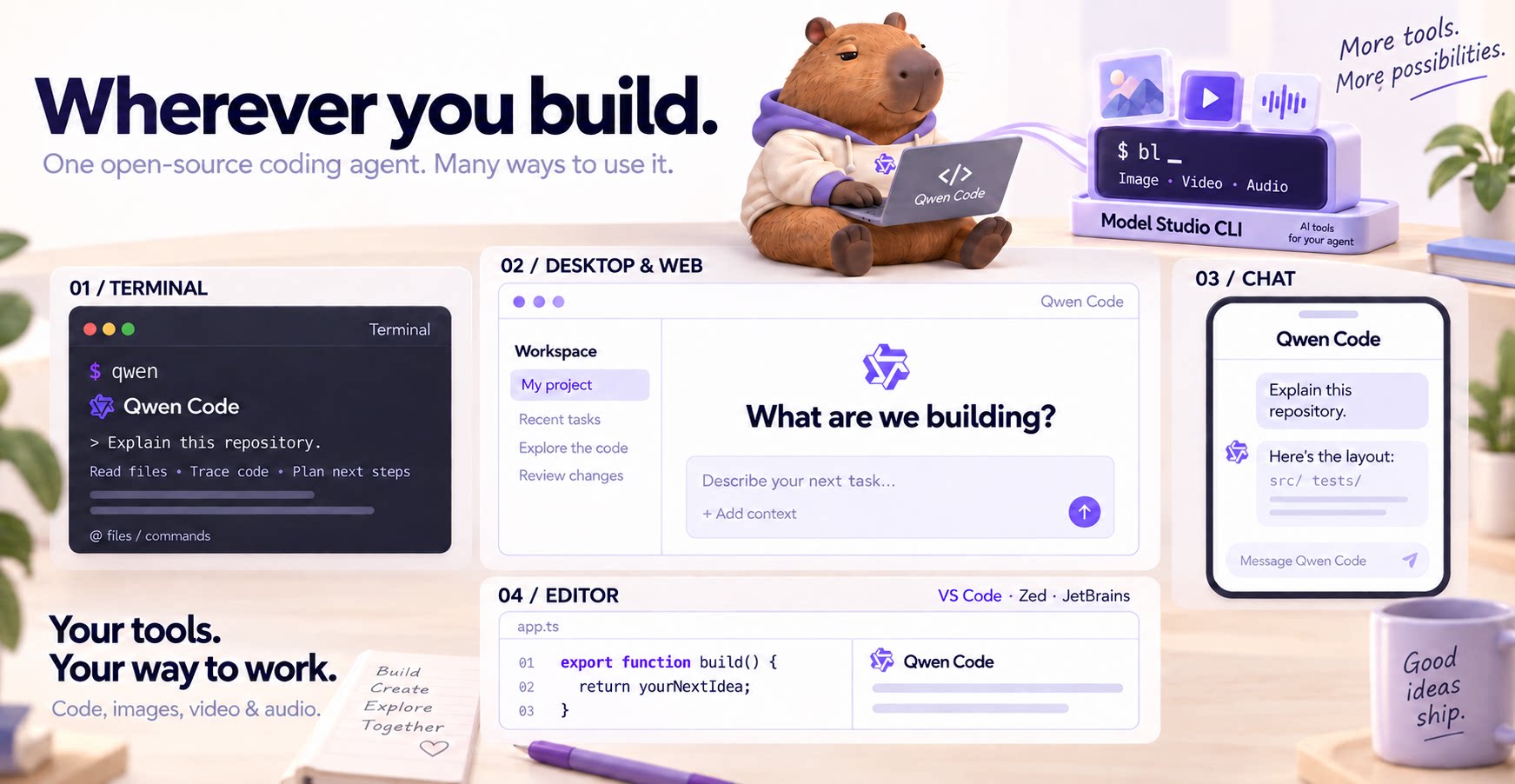
- Beyond the terminal — IDE plugins, Desktop app, Web UI, SDKs, and chat integrations (Telegram / DingTalk / WeChat / Feishu).
Tip
Qwen Code is actively iterating on itself — using its own agent and models to file issues, submit PRs, review code, and run tests. Powered by the community, driven by AI.
Installation
Linux / macOS:
curl -fsSL https://qwen-code-assets.oss-cn-hangzhou.aliyuncs.com/installation/install-qwen-standalone.sh | bash
Windows:
irm https://qwen-code-assets.oss-cn-hangzhou.aliyuncs.com/installation/install-qwen-standalone.ps1 | iex
Restart your terminal after installation to ensure environment variables take effect.
NPM / Homebrew
NPM (requires Node.js 22+):
npm install -g @qwen-code/qwen-code@latest
Homebrew (macOS / Linux):
brew install qwen-code
Quick Start
Open a terminal in your project and start Qwen Code:
cd /path/to/your-project
qwen
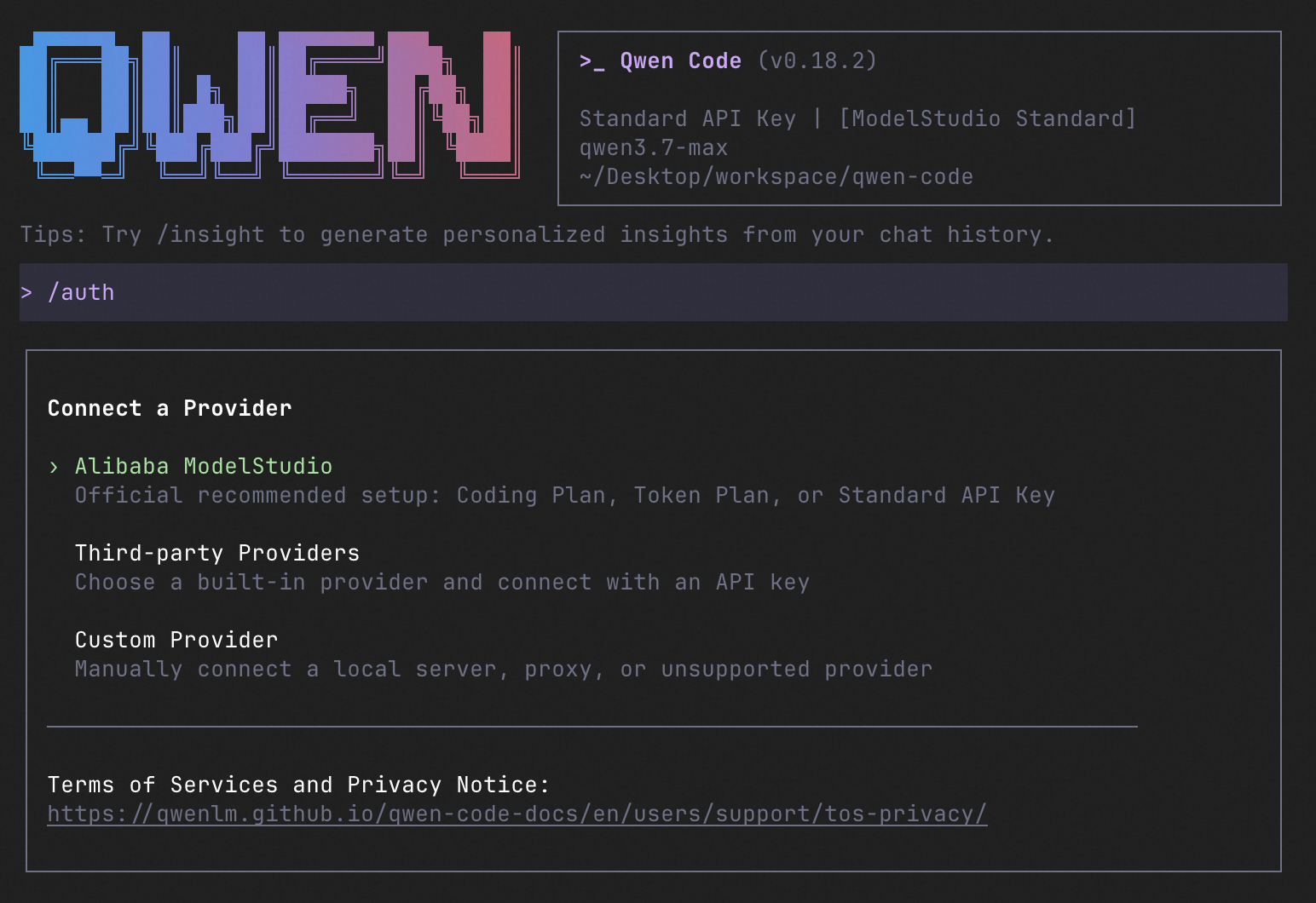
Inside the session, run /auth to configure your provider and API key. Then try:
Explain this repository and show me where to start.
See the Authentication Guide and Settings Reference for detailed setup.
See the terminal interface
How to Use Qwen Code
Choose the interface that fits your workflow:
| Interface | Get started |
|---|---|
| Terminal | Run qwen in your project — see Quick Start. |
| Desktop | Download Qwen Code Desktop for macOS, Windows, and Linux. |
| Web | Run qwen serve --open to open the Web UI in your browser. (experimental) |
| Editor | Set up VS Code, Zed, or JetBrains. |
| Chat | Connect Telegram, DingTalk, WeChat, or Feishu, then run qwen channel start. |
For automation and custom integrations:
- Headless — Run
qwen -p "..."in scripts, CI/CD, or batch jobs. - SDKs — Build with TypeScript, Python, or Java.
- Daemon — Run
qwen serveto connect clients over HTTP + SSE (ACP). (experimental) Daemon guide. - Computer Use — Set up native MCP tools or Node REPL + SDK in Qwen Code, Claude Code, or Codex.
SDK example (Python)
import asyncio

from qwen_code_sdk import is_sdk_result_message, query


async def main() -> None:
    result = query(
        "Summarize the repository layout.",
        {
            "cwd": "/path/to/project",
            "path_to_qwen_executable": "qwen",
        },
    )

    async for message in result:
        if is_sdk_result_message(message):
            print(message["result"])


asyncio.run(main())
Daemon Mode
Run Qwen Code as a long-lived service when you want browser, editor, SDK, and automation clients to share agent sessions without each starting a separate process. The daemon provides the built-in Web Shell and an HTTP + SSE API, supports multiple workspaces, and lets clients reconnect to active sessions.
Start it in the foreground and open the Web Shell:
qwen serve --open
The default address is http://127.0.0.1:4170. To run and manage it in the background instead:
qwen daemon start
qwen daemon status
qwen daemon logs -f
qwen daemon stop
By default, the daemon listens on loopback without bearer authentication; any local process that can reach it can use the full API, including code execution. On shared or untrusted hosts, set QWEN_SERVER_TOKEN and use --require-auth. See the Daemon guide for workspaces, authentication, remote access, and the API.
Capabilities
If you know Claude Code, you already know Qwen Code — and then some. We've put significant effort into bringing Qwen Code to feature parity with Claude Code, improving both breadth and reliability across the board.
| Feature | Qwen Code | Claude Code |
|---|---|---|
| SubAgents, Agent Teams, Dynamic Workflows | ✓ | ✓ |
| Auto-Memory, Auto-Skills, Hooks | ✓ | ✓ |
| Built-in Skills (/review, /batch, /loop, /bugfix…) | ✓ | ✓ |
| MCP, Plan Mode, LSP Integration | ✓ | ✓ |
| Auto Mode, Sandbox, Git Worktrees | ✓ | ✓ |
| Computer Use (desktop automation) | ✓ | ✓ |
| IDE Plugins (VS Code / JetBrains / Zed) | ✓ | ✓ |
| SDK | ✓ | ✓ |
| Headless Mode, Session Management | ✓ | ✓ |
| Open-source — model and framework | ✓ | — |
| Multi-protocol (OpenAI / Anthropic / Gemini / Qwen + any provider) | ✓ | — |
| Agent Arena (multi-model head-to-head on same task) | ✓ | — |
Daemon Mode — qwen serve (multi-client shared agent) |
✓ | — |
| IM Channels (Telegram / DingTalk / WeChat / Feishu) | ✓ | — |
Qwen Code Evaluation
On SWE-bench Verified, seven Qwen Code versions scored 76.40%–77.80% on average using the same Qwen 3.7 Max model (500 tasks, three trials per version).

Full results and evaluation configuration →
Ecosystem
-
Qwen Code Desktop — Official desktop app for macOS, Windows, and Linux
-
AionUi — A modern GUI for command-line AI tools including Qwen Code
-
Gemini CLI Desktop — A cross-platform desktop/web/mobile UI for Qwen Code
-
qwen-audio-agent — Realtime full-duplex voice frontend for Qwen Code over ACP — talk hands-free with barge-in and a local wake word
-
🦞 Qwen Code Claw — Let other agents (Claude, Codex, etc.) delegate coding tasks to Qwen Code via ACP. Paste this prompt into your agent:
Use Qwen Code as a coding agent. First, fetch and read this skill reference:
https://raw.githubusercontent.com/QwenLM/qwen-code/refs/heads/main/.qwen/skills/qwen-code-claw/SKILL.md
Then follow the instructions inside to install, authenticate, and use Qwen Code via acpx for all coding tasks.
- Aliyun Model Studio CLI — Official CLI for Aliyun's AI platform (
bailian-cli). Extends Qwen Code with image/video generation, knowledge retrieval, app orchestration, and model deployment
Privacy
See the Terms of Service and Privacy Notice, including Chrome extension and Browser Use data handling.
Contributing
Contributions are welcome! See CONTRIBUTING.md for guidelines.
Acknowledgments
This project was originally based on Google Gemini CLI v0.8.2. We gratefully acknowledge the Gemini CLI team's excellent work. Starting from Qwen Code v0.1, we stopped syncing with upstream and began independent development as a multi-protocol, multi-platform agent framework with deep integrations for Qwen models and beyond.