mirror of
https://github.com/langgenius/dify-docs-archived.git
synced 2026-08-25 11:40:00 -04:00
 AllenWriter
27 lines
1.0 KiB
Markdown
27 lines
1.0 KiB
Markdown
# Debug Plugin
|
|
|
|
Once plugin development is complete, the next step is to test whether the plugin runs correctly. Dify provides remote debugging method.
|
|
|
|
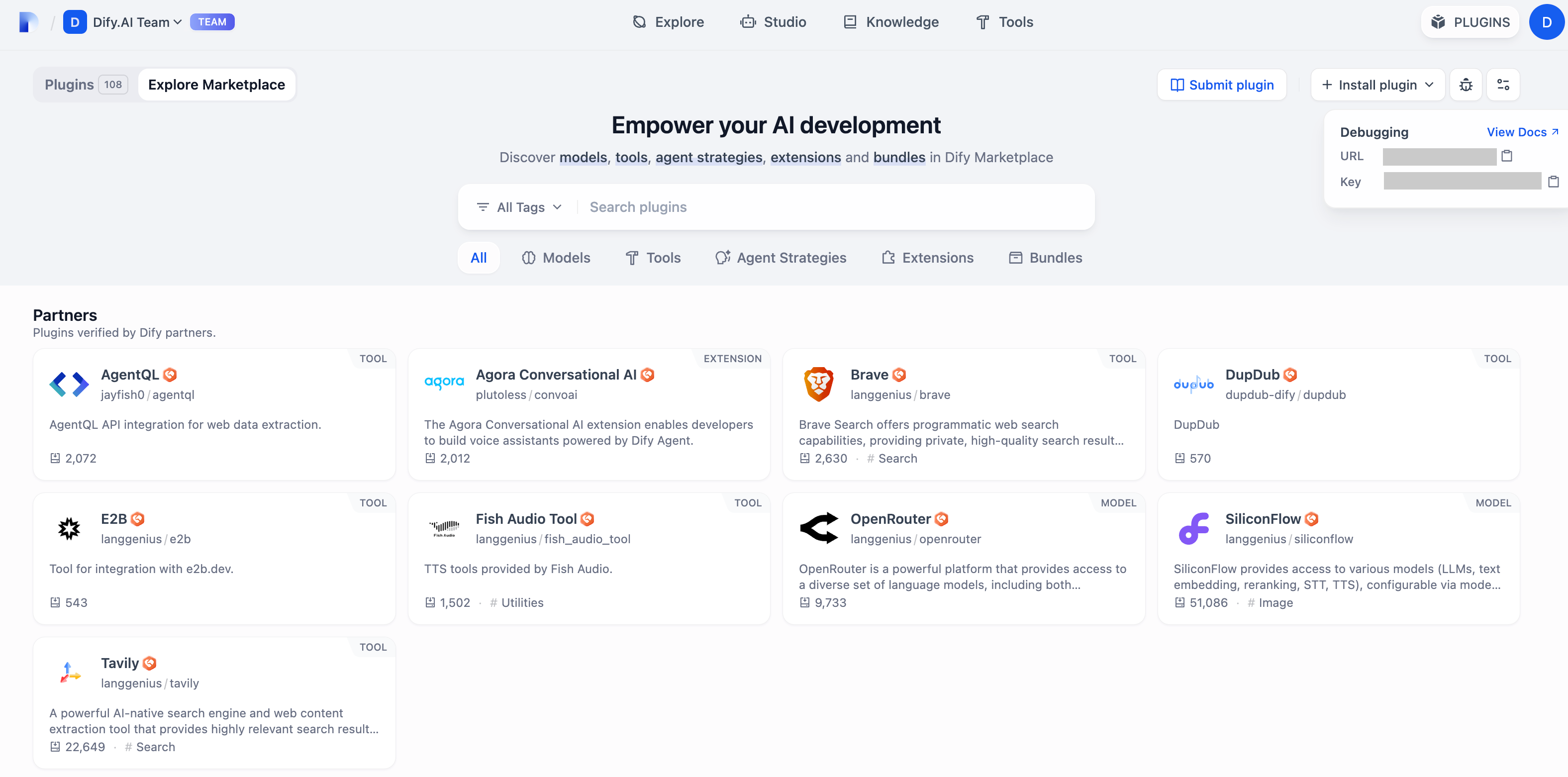
Go to ["Plugin"](https://cloud.dify.ai/plugins) page to get the debugging key and remote URL.
|
|
|
|
|
|
|
|
Go back to the plugin project, copy the `.env.example` file and rename it to `.env`. Fill it with the remote server address and debug key.
|
|
|
|
`.env` file
|
|
|
|
```bash
|
|
INSTALL_METHOD=remote
|
|
REMOTE_INSTALL_HOST=remote
|
|
REMOTE_INSTALL_PORT=5003
|
|
REMOTE_INSTALL_KEY=****-****-****-****-****
|
|
```
|
|
|
|
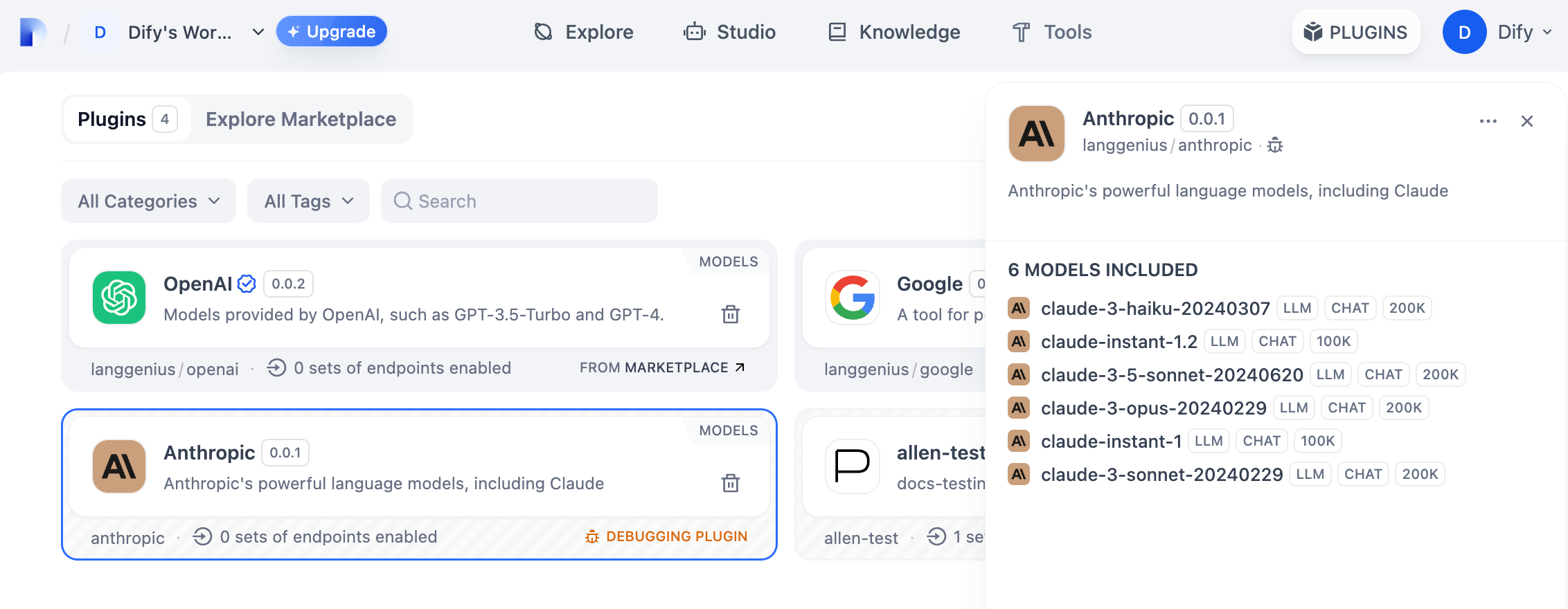
Run the `python -m main` command to start the plugin. You can see on the plugin page that the plugin has been installed into Workspace. Other team members can also access the plugin.
|
|
|
|
|
|
|
|
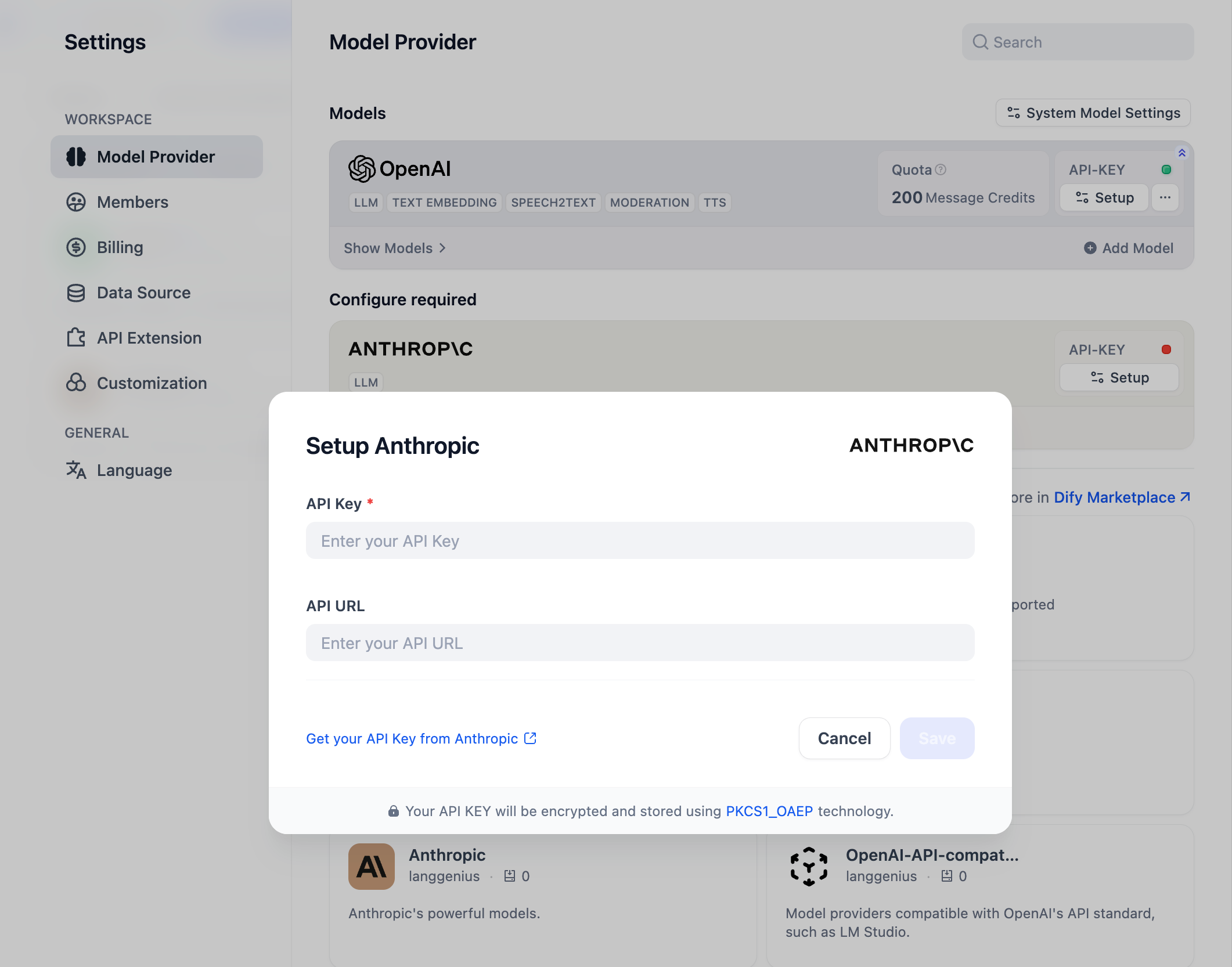
You can initialize this model provider by entering the API Key in **Settings → Model Provider**.
|
|
|
|
|