mirror of
https://github.com/langgenius/dify-docs.git
synced 2026-07-22 12:25:45 -04:00
 Alter-xyz
43 lines
1.7 KiB
Plaintext
43 lines
1.7 KiB
Plaintext
---
|
|
dimensions:
|
|
type:
|
|
primary: reference
|
|
detail: core
|
|
level: beginner
|
|
standard_title: Remote Debug a Plugin
|
|
language: zh
|
|
title: 插件调试
|
|
description: 本文档介绍了如何使用Dify的远程调试功能来测试插件。详细说明了获取调试信息、配置环境变量文件、启动插件远程调试以及验证插件安装状态的完整流程。通过这种方式,开发者可以在本地开发的同时在Dify环境中实时测试插件。
|
|
---
|
|
|
|
插件开发完成后,接下来需要测试插件是否可以正常运行。Dify 提供便捷的远程调试方式,帮助你快速在测试环境中验证插件功能。
|
|
|
|
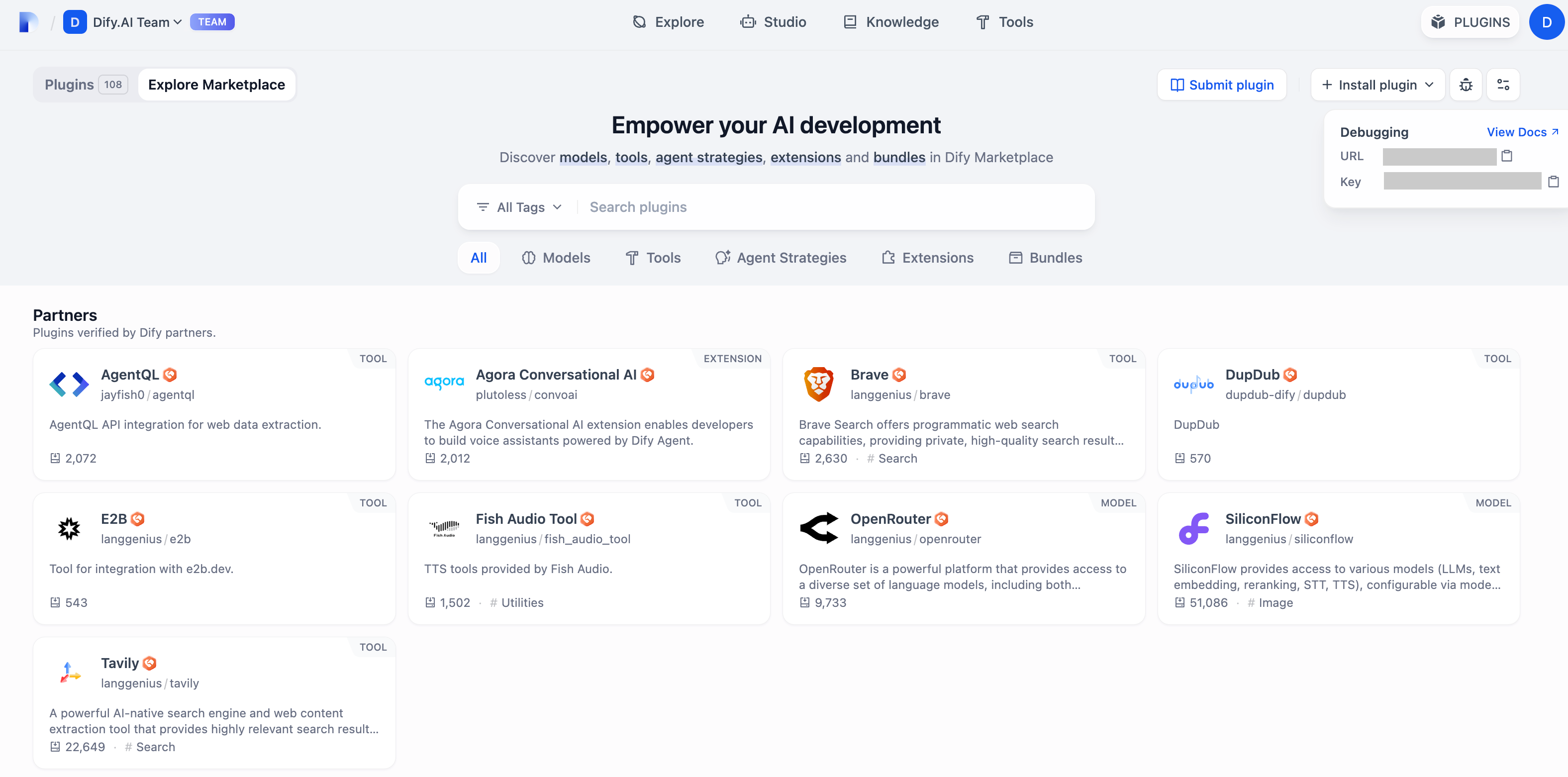
前往[“插件管理”](https://cloud.dify.ai/plugins)页获取远程服务器地址和调试 Key。
|
|
|
|
|
|
|
|
回到插件项目,拷贝 `.env.example` 文件并重命名为 `.env`,将获取的远程服务器地址和调试 Key 等信息填入其中。
|
|
|
|
`.env` 文件:
|
|
|
|
```bash
|
|
INSTALL_METHOD=remote
|
|
REMOTE_INSTALL_URL=debug.dify.ai:5003
|
|
REMOTE_INSTALL_KEY=********-****-****-****-************
|
|
```
|
|
|
|
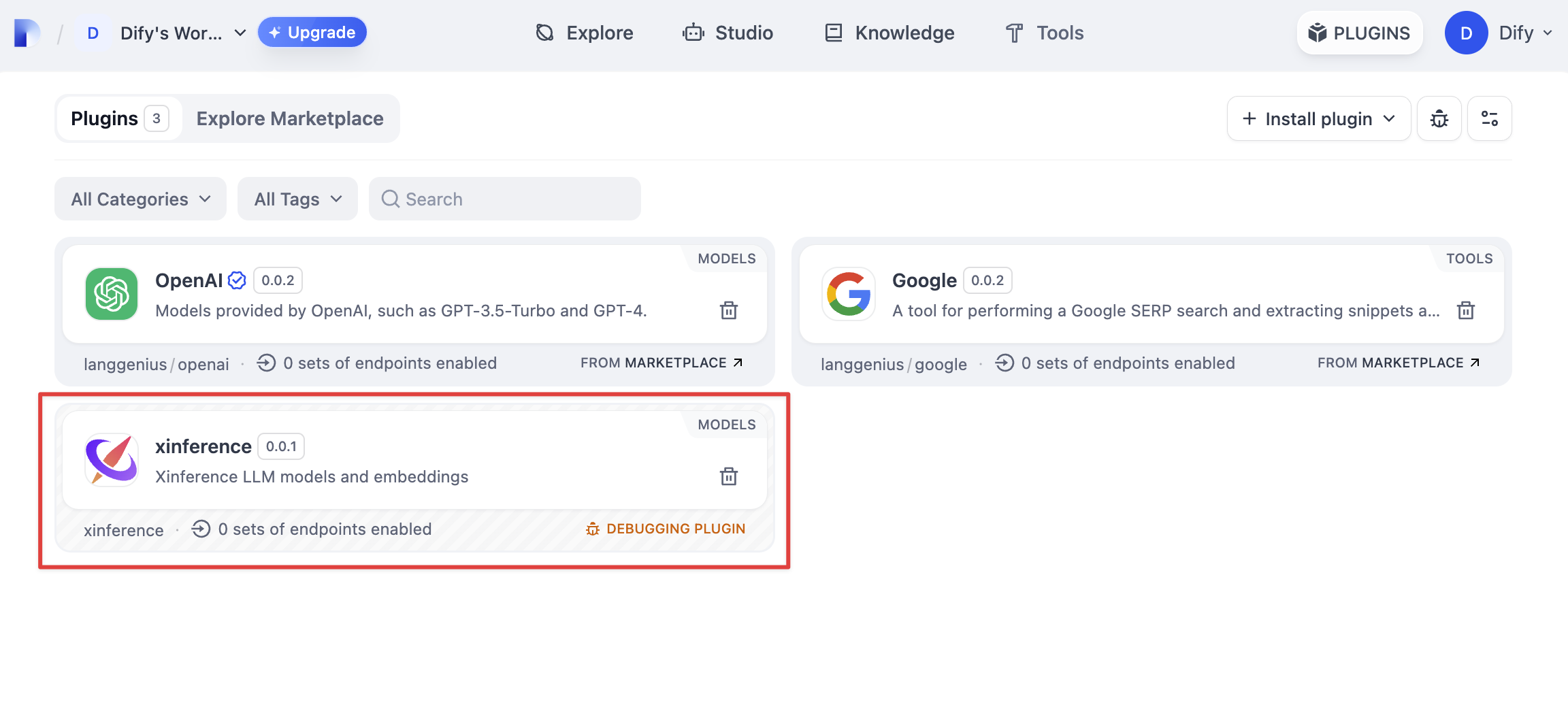
运行 `python -m main` 命令启动插件。在插件页即可看到该插件已被安装至 Workspace 内,团队中的其他成员也可以访问该插件。
|
|
|
|
|
|
|
|
{/*
|
|
Contributing Section
|
|
DO NOT edit this section!
|
|
It will be automatically generated by the script.
|
|
*/}
|
|
|
|
---
|
|
|
|
[编辑此页面](https://github.com/langgenius/dify-docs/edit/main/plugin-dev-zh/0411-remote-debug-a-plugin.mdx) | [提交问题](https://github.com/langgenius/dify-docs/issues/new?template=docs.yml)
|
|
|