 e9173cba16
* feat: PWA support for the web client

Adds Progressive Web App support so the Zellij web client can be
installed as a standalone app via Chromium/Firefox/Safari/iOS.

- New static asset `zellij-client/assets/manifest.webmanifest` with
  required W3C members (name, start_url, scope, display, icons). All
  path-bearing fields are relative to the manifest URL so a single
  static file works under any reverse-proxy base_url prefix without
  runtime templating.
- New icon set under `zellij-client/assets/`: icon.svg (vector),
  icon-192.png and icon-512.png (purpose "any"), and
  icon-maskable-512.png (purpose "maskable") rendered at 70% of
  canvas height on a #080317 backdrop so Android adaptive masks
  honour the W3C 80%-diameter safe zone.
- `scripts/render-pwa-icons.sh` pins the rendering toolchain
  (librsvg + ImageMagick) and the maskable safe-zone geometry so
  re-renders are reproducible.
- `.webmanifest` -> `application/manifest+json` mapping added to
  `get_mime_type` in `zellij-client/src/web_client/utils.rs`.
- `index.html` gains <link rel="manifest">, apple-touch-icon, and
  apple-mobile-web-app-* meta tags. Placed immediately after the
  existing favicon link and before any <script> tag so the manifest
  is in the browser's preload scanner early.
- 5 new tests cover Content-Type, required JSON members, the
  relative-URL contract, index.html references, icon reachability,
  and base_url invariance.

Closes #5094.

* update changelog with pull url

* feat(web): trim PWA icon set to PNGs only

Drops the duplicate `zellij-client/assets/icon.svg` (verbatim copy of
`assets/logo.svg`) and the maskable PNG variant from the manifest.
Net result is the minimal icon set most production PWAs ship:
icon-192.png and icon-512.png.

- `icon.svg` was redundant with the canonical `assets/logo.svg` at
  the repo root and offered no install-criterion benefit on top of
  the 192/512 PNGs.
- `icon-maskable-512.png` only benefits Android Chrome installs
  (desktop browsers and iOS ignore the maskable purpose). The
  Android win was small for the hexagonal Zellij glyph; a hand-tuned
  maskable can be added in a follow-up if Android installs need
  polish.

`scripts/render-pwa-icons.sh` now reads from `assets/logo.svg`
directly instead of the duplicate copy.

* feat(web): use existing assets/logo.png as the PWA icon

Removes the pre-rasterized 192/512 PNG variants and the render
script in favour of serving the canonical `assets/logo.png` via a
small dedicated handler. The repo's existing logo becomes the single
source of truth; the PWA picks up logo changes automatically with no
re-render step.

- `LOGO_PNG` static is loaded via `include_bytes!` from the repo
  root, mirroring how `WEB_CLIENT_PAGE` reaches `assets/index.html`.
- New `serve_logo_png` handler is registered at `/assets/logo.png`
  before the `get_static_asset` wildcard. axum's matchit router
  gives literal paths precedence, so the explicit route always wins.
- Manifest declares a single icon entry at the actual file dimensions
  (2269x2620). Browsers letterbox onto square launcher surfaces, the
  same way they do for the existing favicon.
- `apple-touch-icon` retargets to `assets/logo.png`.
- `test_pwa_icon_assets_reachable` collapses to a single case.
- `scripts/render-pwa-icons.sh` and the rendering toolchain
  (librsvg + ImageMagick) are no longer needed.

* feat(web): drop redundant apple-mobile-web-app meta tags

The three `apple-mobile-web-app-*` meta tags are backward-compat
scaffolding for iOS < 16.4:

- `apple-mobile-web-app-capable: yes` — iOS 16.4+ reads
  `display: standalone` from the manifest.
- `apple-mobile-web-app-title: Zellij` — iOS 16.4+ reads `short_name`
  from the manifest.
- `apple-mobile-web-app-status-bar-style: default` — explicitly sets
  iOS's default status-bar behaviour, i.e. a no-op.

iOS 16.4 shipped in March 2023; the cohort still on iOS 15 is
essentially devices stuck on the iPhone 6s / 7 / SE 1st gen line
(2015-16 hardware), which is not the zellij audience.

`<link rel="apple-touch-icon">` is kept because iOS still ignores
manifest `icons` entries and reads only that tag for the home-screen
icon on every iOS version.

* feat(web): restore square pre-rasterized PNG icon for installability

The earlier swap to serving `assets/logo.png` directly fails
Chromium's PWA installability gate: the logo is 2269x2620 (not
square), and Chromium specifically requires "an icon at least 144
pixels square" -- a non-square icon is rejected even though the
declared `sizes` covers the dimension threshold. DevTools'
Application -> Manifest panel was misleading: it parsed and
displayed the icon, but installability is a separate stricter check.

This walks the swap back to a single committed 192x192 square PNG
(`icon-192.png`) rendered from `assets/logo.svg` with the logo
composited onto a transparent square canvas. The PNG is served by
the existing `get_static_asset` route via `include_dir!`. The
`LOGO_PNG` static, `serve_logo_png` handler, and dedicated
`/assets/logo.png` route are dropped.

apple-touch-icon retargets to icon-192.png (closer to iOS's
preferred 180px home-screen size).

Net effect on the diff: ~13KB committed PNG + a single icon entry
in the manifest, in exchange for actually meeting the
installability criterion.

* style: rustfmt

---------

Co-authored-by: Robert Jin <[email protected]>
Co-authored-by: Aram Drevekenin <[email protected]>

Zellij
[Installation] [Screencasts & Tutorials] [Configuration] [Layouts] [FAQ]



What is this?
Zellij is a workspace aimed at developers, ops-oriented people and anyone who loves the terminal. Similar programs are sometimes called "Terminal Multiplexers".
Zellij is designed around the philosophy that one must not sacrifice simplicity for power, taking pride in its great experience out of the box as well as the advanced features it places at its users' fingertips.
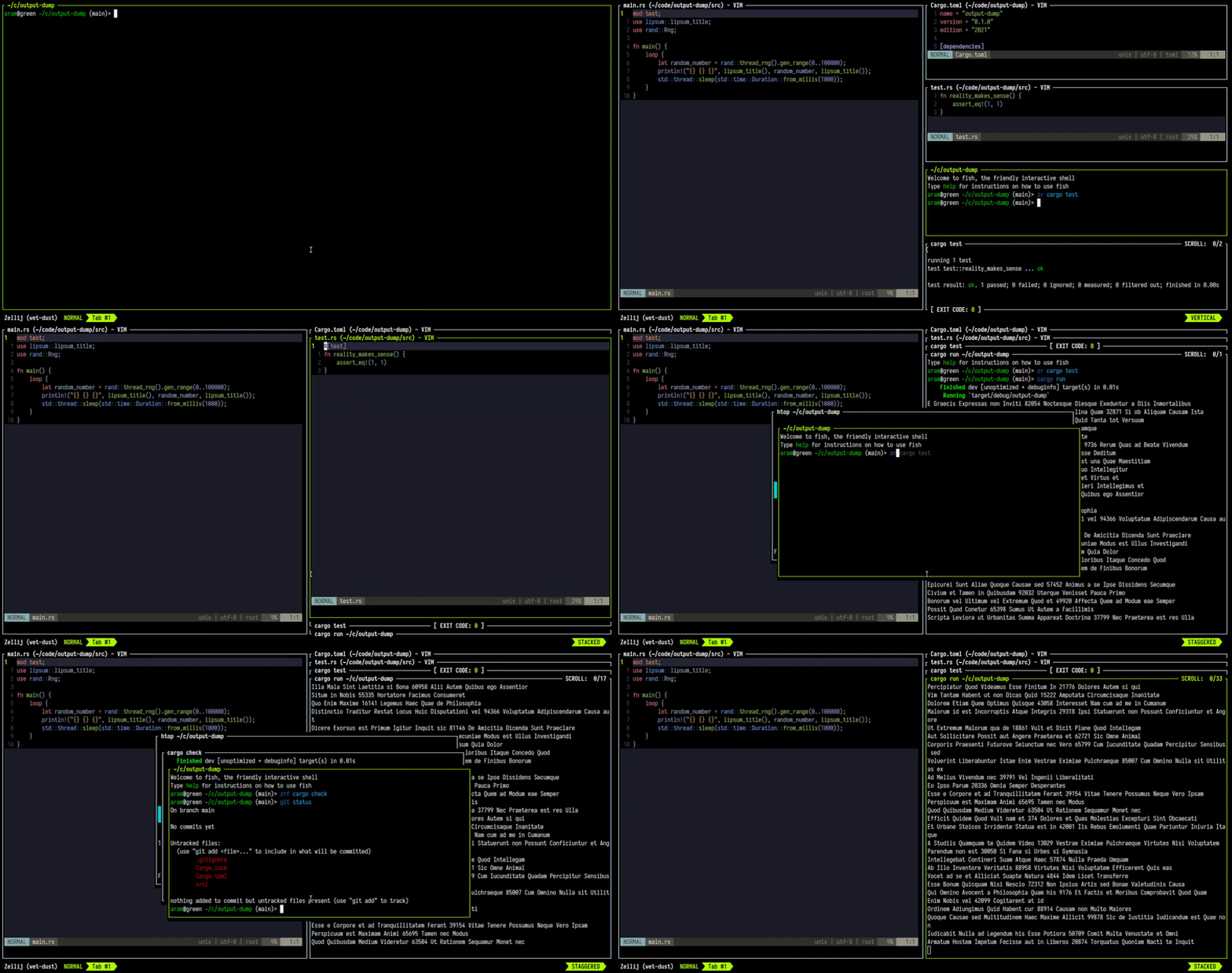
Zellij is geared toward beginner and power users alike - allowing deep customizability, personal automation through layouts, true multiplayer collaboration, unique UX features such as floating and stacked panes, and a plugin system allowing one to create plugins in any language that compiles to WebAssembly.
Zellij includes a built-in web-client, making a terminal optional.
You can get started by installing Zellij and checking out the Screencasts & Tutorials.
For more details about our future plans, read about upcoming features in our roadmap.
How do I install it?
The easiest way to install Zellij is through a package for your OS.
If one is not available for your OS, you could download a prebuilt binary from the latest release and place it in your $PATH. If you'd like, we could automatically choose one for you.
You can also install (compile) with cargo:
cargo install --locked zellij
Try Zellij without installing
bash/zsh:
bash <(curl -L https://zellij.dev/launch)
fish/xonsh:
bash -c 'bash <(curl -L https://zellij.dev/launch)'
Installing from main
Installing Zellij from the main branch is not recommended. This branch represents pre-release code, is constantly being worked on and may contain broken or unusable features. In addition, using it may corrupt the cache for future versions, forcing users to clear it before they can use the officially released version.
That being said - no-one will stop you from using it (and bug reports involving new features are greatly appreciated), but please consider using the latest release instead as detailed at the top of this section.
How do I start a development environment?
- Clone the project
- In the project folder, for debug builds run:
cargo xtask run - To run all tests:
cargo xtask test
For more build commands, see CONTRIBUTING.md.
Configuration
For configuring Zellij, please see the Configuration Documentation.
About issues in this repository
Issues in this repository, whether open or closed, do not necessarily indicate a problem or a bug in the software. They only indicate that the reporter wanted to communicate their experiences or thoughts to the maintainers. The Zellij maintainers do their best to go over and reply to all issue reports, but unfortunately cannot promise these will always be dealt with or even read. Your understanding is appreciated.
Roadmap
Presented here is the project roadmap, divided into three main sections.
These are issues that are either being actively worked on or are planned for the near future.
If you'll click on the image, you'll be led to an SVG version of it on the website where you can directly click on every issue
Origin of the Name
From Wikipedia, the free encyclopedia
Zellij (Arabic: الزليج, romanized: zillīj; also spelled zillij or zellige) is a style of mosaic tilework made from individually hand-chiseled tile pieces. The pieces were typically of different colours and fitted together to form various patterns on the basis of tessellations, most notably elaborate Islamic geometric motifs such as radiating star patterns composed of various polygons. This form of Islamic art is one of the main characteristics of architecture in the western Islamic world. It is found in the architecture of Morocco, the architecture of Algeria, early Islamic sites in Tunisia, and in the historic monuments of al-Andalus (in the Iberian Peninsula).
License
MIT
