 eda1c1d8b6
* feat(web-shell): present structured shell execution results

* fix(shell): preserve cleanup notices and clarify result fallbacks

* fix(test): sync shell result source mappings

* fix(web-shell): address shell command card review findings (#12311)

- Documents: stop duplicating the command above the fallback text and
  label an empty legacy result as 'No output' (maintainer N1/N2)
- Escape control and bidi characters at every shell-card render site
  while keeping clipboard copies byte-exact
- Render a string rawOutput display instead of model-facing content so
  background-promotion and refusal messages stay visible
- Show a finished command's elapsed time from startTime/endTime
- Suppress the Command section when the legacy envelope already leads
  with the same command, keeping it once per expanded card
- Pin the wasCancelled status, the background timeout gates, the
  synthetic exit-zero headline and the status icons; freeze the
  running-elapsed fixture's clock
- Tag the card smoke test and wait for the SSE connection before
  driving live frames
- Drop the dead .expandedBash selector and align both design docs with
  the undisclosed live-frame transport for line/byte counts

Co-authored-by: Qwen-Coder <[email protected]>

* test(core): isolate gitPush tests from host git config (#12311)

The deterministic verification gate ran the core suite on a persistent
runner whose real ~/.gitconfig carries remote.pushDefault=gd, and the
three gitPush tests that resolve the push remote failed with
'fatal: gd does not appear to be a git repository'. gitEnv strips only
the GIT_CONFIG_* env overrides, so the code under test still honors the
host HOME config — the exact gap the file's hermeticEnv() helper
documents and every gitPull test already guards against.

Pass hermeticEnv() at all six gitPush call sites so host config can no
longer steer push resolution. Reproduced with a poisoned HOME
(remote.pushDefault=gd): the three gate failures appear on the pre-fix
tree and the file is 107/107 green after, in both clean and poisoned
environments.

Co-authored-by: Qwen-Coder <[email protected]>

Co-authored-by: Qwen-Coder <[email protected]>

* fix(core): stage browser-use runtime on demand in core prebuild (#12311)

The deterministic verification gate rebuilds core with a scoped
npm run build --workspace packages/core, but the review-address job
installs with QWEN_SKIP_PREPARE=1 and restores only the root and core
dist artifacts, so packages/browser-use/dist is absent and the core
build dies in copyBrowserUseAssets. The dependency on the built
browser-use runtime was only expressed through the root build's
ordering, leaving every scoped core build (the gate's, or a
developer's on a prepare-skipped install) broken.

Add a prebuild that stages the browser-use runtime only when its
dist/index.js sentinel is missing. The root build keeps building
browser-use first, so the prebuild is a no-op skip there and the
fallback fires exactly when the runtime is absent.

Probe matrix: scoped core build fails without the runtime pre-fix
(the gate rejection, reproduced locally), passes with the runtime
absent (fallback stages it), and passes unchanged with the runtime
present (skip path).

Co-authored-by: Qwen-Coder <[email protected]>

* fix(web-shell): treat empty string shell display as authoritative (#12311)

A persisted empty display string from a silent command is falsy, so the
card fell back to the model-facing envelope in content and the
legacyOutputRepeatsCommand guard then suppressed the Command panel,
rendering a bare envelope with no copy action. Gate the string branch on
the type alone so an empty string renders as empty output next to the
command.

* fix(core): preserve shell display and recording diagnostics

---------

Co-authored-by: 钉萁 <[email protected]>
Co-authored-by: qwen-code-dev-bot <[email protected]>
Co-authored-by: Qwen Autofix <[email protected]>
Co-authored-by: Qwen-Coder <[email protected]>


The open-source AI coding agent for your terminal, editor, desktop, browser, and chat.
中文 | Deutsch | français | 日本語 | Русский | Português (Brasil) | 한국어
Why Qwen Code?
- Agentic out of the box — Auto-Memory, Auto-Skills, SubAgents, Agent Teams, and MCP. Dynamic workflows, zero setup.
- Open-source, inside and out — The framework and the Qwen models are open-source. They evolve together. No vendor lock-in.
- Multi-protocol — Supports OpenAI, Anthropic, Gemini, and Qwen APIs. Any third-party provider or local model (Ollama / vLLM). Switch at runtime.
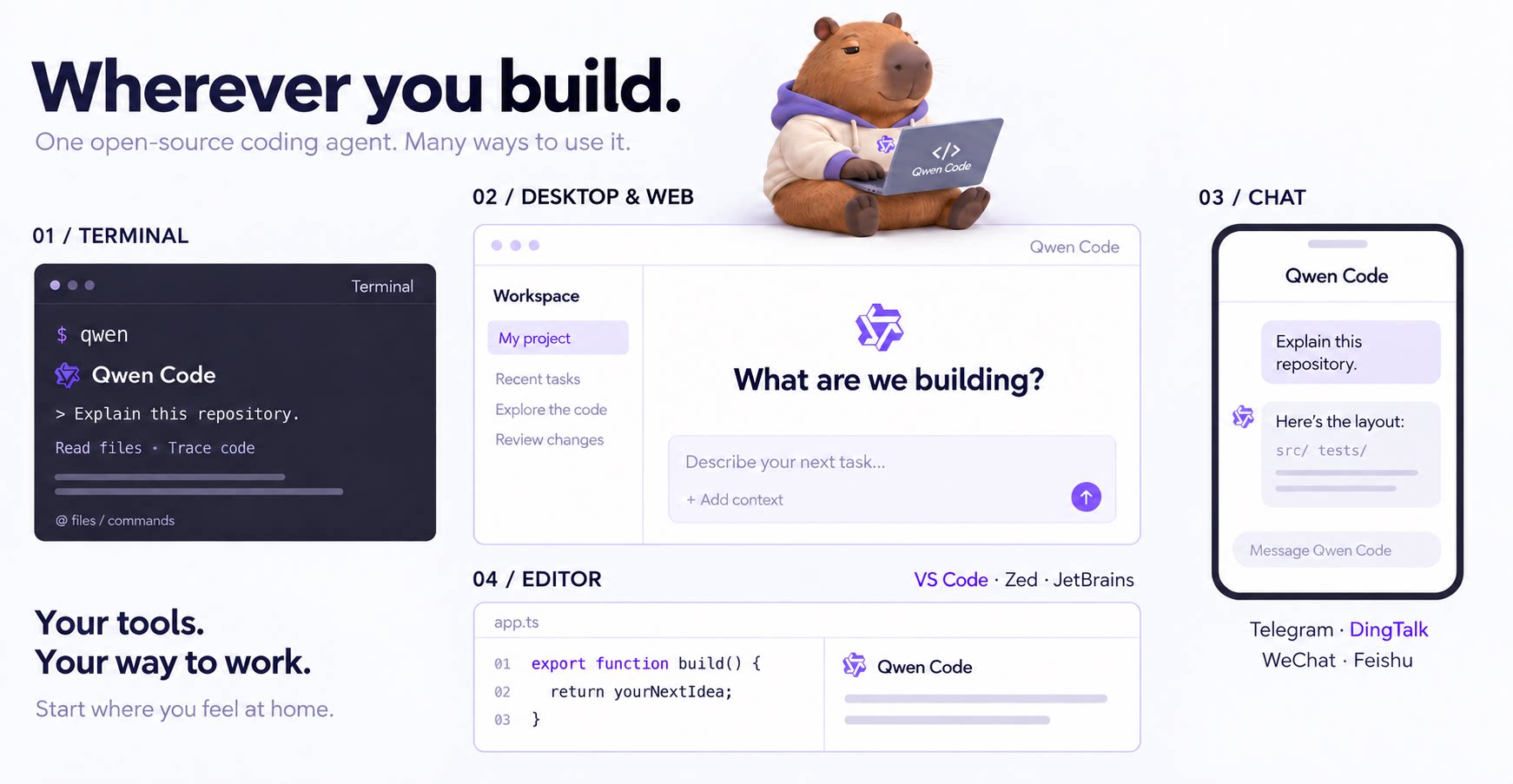
- Beyond the terminal — IDE plugins, Desktop app, Web UI, SDKs, and chat integrations (Telegram / DingTalk / WeChat / Feishu).
Tip
Qwen Code is actively iterating on itself — using its own agent and models to file issues, submit PRs, review code, and run tests. Powered by the community, driven by AI.
Installation
Linux / macOS:
curl -fsSL https://qwen-code-assets.oss-cn-hangzhou.aliyuncs.com/installation/install-qwen-standalone.sh | bash
Windows:
irm https://qwen-code-assets.oss-cn-hangzhou.aliyuncs.com/installation/install-qwen-standalone.ps1 | iex
Restart your terminal after installation to ensure environment variables take effect.
NPM / Homebrew
NPM (requires Node.js 22+):
npm install -g @qwen-code/qwen-code@latest
Homebrew (macOS / Linux):
brew install qwen-code
Quick Start
Open a terminal in your project and start Qwen Code:
cd /path/to/your-project
qwen
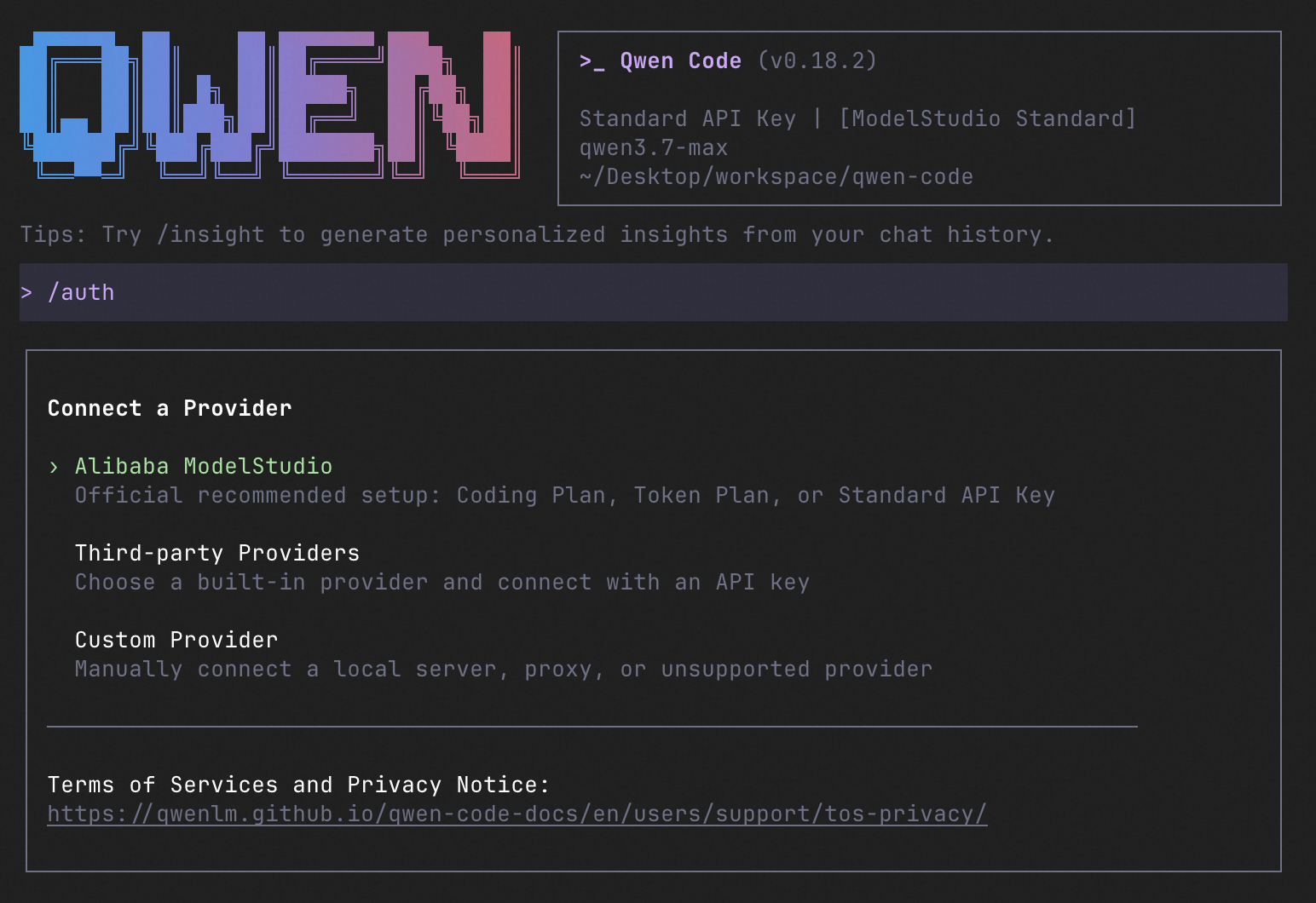
Inside the session, run /auth to configure your provider and API key. Then try:
Explain this repository and show me where to start.
See the Authentication Guide and Settings Reference for detailed setup.
See the terminal interface
How to Use Qwen Code
Choose the interface that fits your workflow:
| Interface | Get started |
|---|---|
| Terminal | Run qwen in your project — see Quick Start. |
| Desktop | Download Qwen Code Desktop for macOS, Windows, and Linux. |
| Web | Run qwen serve --open to open the Web UI in your browser. (experimental) |
| Editor | Set up VS Code, Zed, or JetBrains. |
| Chat | Connect Telegram, DingTalk, WeChat, or Feishu, then run qwen channel start. |
For automation and custom integrations:
- Headless — Run
qwen -p "..."in scripts, CI/CD, or batch jobs. - SDKs — Build with TypeScript, Python, or Java.
- Daemon — Run
qwen serveto connect clients over HTTP + SSE (ACP). (experimental) Daemon guide.
SDK example (Python)
import asyncio

from qwen_code_sdk import is_sdk_result_message, query


async def main() -> None:
    result = query(
        "Summarize the repository layout.",
        {
            "cwd": "/path/to/project",
            "path_to_qwen_executable": "qwen",
        },
    )

    async for message in result:
        if is_sdk_result_message(message):
            print(message["result"])


asyncio.run(main())
Capabilities
If you know Claude Code, you already know Qwen Code — and then some. We've put significant effort into bringing Qwen Code to feature parity with Claude Code, improving both breadth and reliability across the board.
| Feature | Qwen Code | Claude Code |
|---|---|---|
| SubAgents, Agent Teams, Dynamic Workflows | ✓ | ✓ |
| Auto-Memory, Auto-Skills, Hooks | ✓ | ✓ |
| Built-in Skills (/review, /batch, /loop, /bugfix…) | ✓ | ✓ |
| MCP, Plan Mode, LSP Integration | ✓ | ✓ |
| Auto Mode, Sandbox, Git Worktrees | ✓ | ✓ |
| Computer Use (desktop automation) | ✓ | ✓ |
| IDE Plugins (VS Code / JetBrains / Zed) | ✓ | ✓ |
| SDK | ✓ | ✓ |
| Headless Mode, Session Management | ✓ | ✓ |
| Open-source — model and framework | ✓ | — |
| Multi-protocol (OpenAI / Anthropic / Gemini / Qwen + any provider) | ✓ | — |
| Agent Arena (multi-model head-to-head on same task) | ✓ | — |
Daemon Mode — qwen serve (multi-client shared agent) |
✓ | — |
| IM Channels (Telegram / DingTalk / WeChat / Feishu) | ✓ | — |
Qwen Code Evaluation
Evaluation Configuration
| Configuration | Value |
|---|---|
| Dataset | princeton-nlp/SWE-bench_Verified, 500 cases |
| Runs | 3 trials per version, 1,500 jobs per version; 7 Qwen Code versions |
| Model | Qwen 3.7 Max |
| Sampling | temperature=1, top_p=0.95 |
| Thinking / Reasoning | interleaved_thinking=true, thinking_type=adaptive, reasoning_effort=high |
| Context / Output Limits | context_1m=true, model_context_length=1,000,000, max_tokens=64,000, model_max_tokens=65,535 |
| Harness Limits | max_iterations=500, runtime_timeout_sec=7,200, agent_timeout_multiplier=3.0 |
Scores by Qwen Code Version
| Version | Avg Score | Pass Rate | pass@3 | pass^3 |
|---|---|---|---|---|
| 0.0.14 | 77.80% | 84.6% | 84.6% | 69.2% |
| 0.1.0 | 76.73% | 84.6% | 84.6% | 68.0% |
| 0.5.0 | 76.60% | 83.0% | 83.0% | 68.4% |
| 0.10.0 | 76.47% | 84.4% | 84.4% | 67.4% |
| 0.15.0 | 77.67% | 84.6% | 84.6% | 68.6% |
| 0.19.0 | 76.40% | 85.0% | 85.0% | 65.8% |
| 0.22.0 | 77.33% | 84.4% | 84.4% | 68.0% |
Avg Score Trend

Ecosystem
-
Qwen Code Desktop — Official desktop app for macOS, Windows, and Linux
-
AionUi — A modern GUI for command-line AI tools including Qwen Code
-
Gemini CLI Desktop — A cross-platform desktop/web/mobile UI for Qwen Code
-
🦞 Qwen Code Claw — Let other agents (Claude, Codex, etc.) delegate coding tasks to Qwen Code via ACP. Paste this prompt into your agent:
Use Qwen Code as a coding agent. First, fetch and read this skill reference:
https://raw.githubusercontent.com/QwenLM/qwen-code/refs/heads/main/.qwen/skills/qwen-code-claw/SKILL.md
Then follow the instructions inside to install, authenticate, and use Qwen Code via acpx for all coding tasks.
- Aliyun Model Studio CLI — Official CLI for Aliyun's AI platform (
bailian-cli). Extends Qwen Code with image/video generation, knowledge retrieval, app orchestration, and model deployment
Privacy
See the Terms of Service and Privacy Notice, including Chrome extension and Browser Use data handling.
Contributing
Contributions are welcome! See CONTRIBUTING.md for guidelines.
Acknowledgments
This project was originally based on Google Gemini CLI v0.8.2. We gratefully acknowledge the Gemini CLI team's excellent work. Starting from Qwen Code v0.1, we stopped syncing with upstream and began independent development as a multi-protocol, multi-platform agent framework with deep integrations for Qwen models and beyond.