 qqqys
f2f10e7b39
* feat(settings): turn cross-session messaging on by default

The switch has been opt-in since the feature landed, which was the right
posture while the pieces that make a reachable session safe were still
arriving one pull request at a time: authenticated inboxes, receipts and
held-message expiry, review-class parity with tighten-only repository
settings, trusted controller tokens, admission control, the registry
contract, daemon-managed sessions and the SDK peer endpoint. With all of
that in place, off by default no longer protects anything. It only means
a voice front-end joining through the SDK cannot see a session whose
user never found the setting, and two sessions in one repository cannot
tell each other a build finished.

Flip the schema default to true. Merged settings carry only what some
scope actually wrote, so the schema default never reached the readers of
this key: every one of them saw `undefined` and compared it to `true`.
The four readers now ask one helper, which answers on for `true` and for
an unset key, and off for `false` and for anything it does not recognize
— a value the reader cannot interpret must not open a socket. The
workspace tighten-only ranking follows: unset now ranks with `true`, so a
repository's `false` is a tightening and is kept, and a workspace `true`
repeats the default and is dropped without a warning.

The words change with the default. `/peers` on a session with no inbox
distinguishes "turned off in settings" from "the inbox could not start"
instead of telling the user to enable a setting that is already on. On a
platform without an inbox transport, the startup failure line is shown
only to a user who turned the switch on by hand; a bind that failed where
it should have worked is still reported to everyone, because that session
is unreachable and this line is the only place its user learns it. The
controller-token hint, the send_message error, the settings reference, the
SDK guides and the messaging section of the commands page now say what
turning the feature off looks like.

Suites that stage a session through partial mocks turn the switch off in
their settings, or complete the config mock where registration now runs;
the daemon-session and interactive-startup suites are where unset-means-on
is exercised.

Part of #10925

* test(cli): turn messaging off in suites that stage startup or ACP sessions through partial mocks

Two suites the default flip reaches that the first commit missed. The
entry-point startup test counts exit-cleanup registrations, and with
messaging on the inbox arms a third. The ACP worktree-restore suite loads
sessions through an exhaustive core mock, and with messaging on each
loaded session registers itself through calls that mock does not stage.

Neither suite is about messaging, so both say off in their settings; the
on-by-default path is exercised in startInteractiveUI.test and the
daemon-session suite of acpAgent.test.

* refactor(cli): name the opted-in-by-hand check next to the enabled helper

The startup failure notice asks two questions three lines apart: whether
messaging is on, which the shared helper answers and an unset key answers
yes, and whether the user wrote `true` themselves, which decides whether
an unsupported platform is worth mentioning. The second read the raw
setting inline, next to a helper documented as the one place the first
question is answered, and looked like a missed migration. Bind it to a
name so the two questions read as two.

* fix(cli): address review on the default-on switch: scope-aware notices, no futile rebinds, honest docs

Review round one on the default flip. Thirteen suggestions, all taken.

Two readers now ask a question merged settings cannot answer, so both
move next to `isCrossSessionMessagingEnabled` in peerMessaging/enabled.ts:

- Whether a person opted in. The startup notice for a platform with no
  inbox transport is said only to someone who wrote `true`; it read the
  merged value, which also carries an operator's system-defaults file, so
  a fleet default counted as a hand opt-in. It now reads the user scope,
  and the workspace scope when it is trusted and active.
- Which scope turned messaging off. `/peers` told everyone their settings
  said `false` and to set it to true. Anything but `true` or unset reads
  as off, so it no longer states the value, and it names the scope with a
  remedy that works there: a workspace `false` outranks a user `true` (a
  workspace may only tighten), System overrides everything, and a user
  `true` does override system defaults.

`/peers` on a platform with no inbox transport now says so as
information. It was error-styled and repeated the failure's advice to
disable a setting most of those users never enabled.

An ACP process no longer retries the bind for every hosted session after
`unsupported_platform`. That refusal holds for every candidate path, so
the settled null is kept; every other cause still retries.

The design doc, in both languages, names the two senders delivered
without review that the default now reaches: a process the session
starts, which inherits the child token, and a same-user process that
claims the receiving session's review class, which nothing
authenticates. It records why they are documented rather than gated.
The setting's description, the settings reference and the VS Code schema
carry the same clause, and the Windows paragraph says what changes there.
`commands.md` no longer promises a warning for a workspace `true` that
merely repeats the default.

Tests pin what was unpinned: a daemon-hosted session with the key unset
registers; one bind attempt under `unsupported_platform` and a retry
under any other cause; the warning when a workspace `true` would reopen a
switch the user turned off; the operator-default startup case; the scoped
off messages. Negative assertions that stopped being able to fail are
repointed, and stale "off by default" test names and comments are gone.


The open-source AI coding agent for your terminal, editor, desktop, browser, and chat.
中文 | Deutsch | français | 日本語 | Русский | Português (Brasil) | 한국어
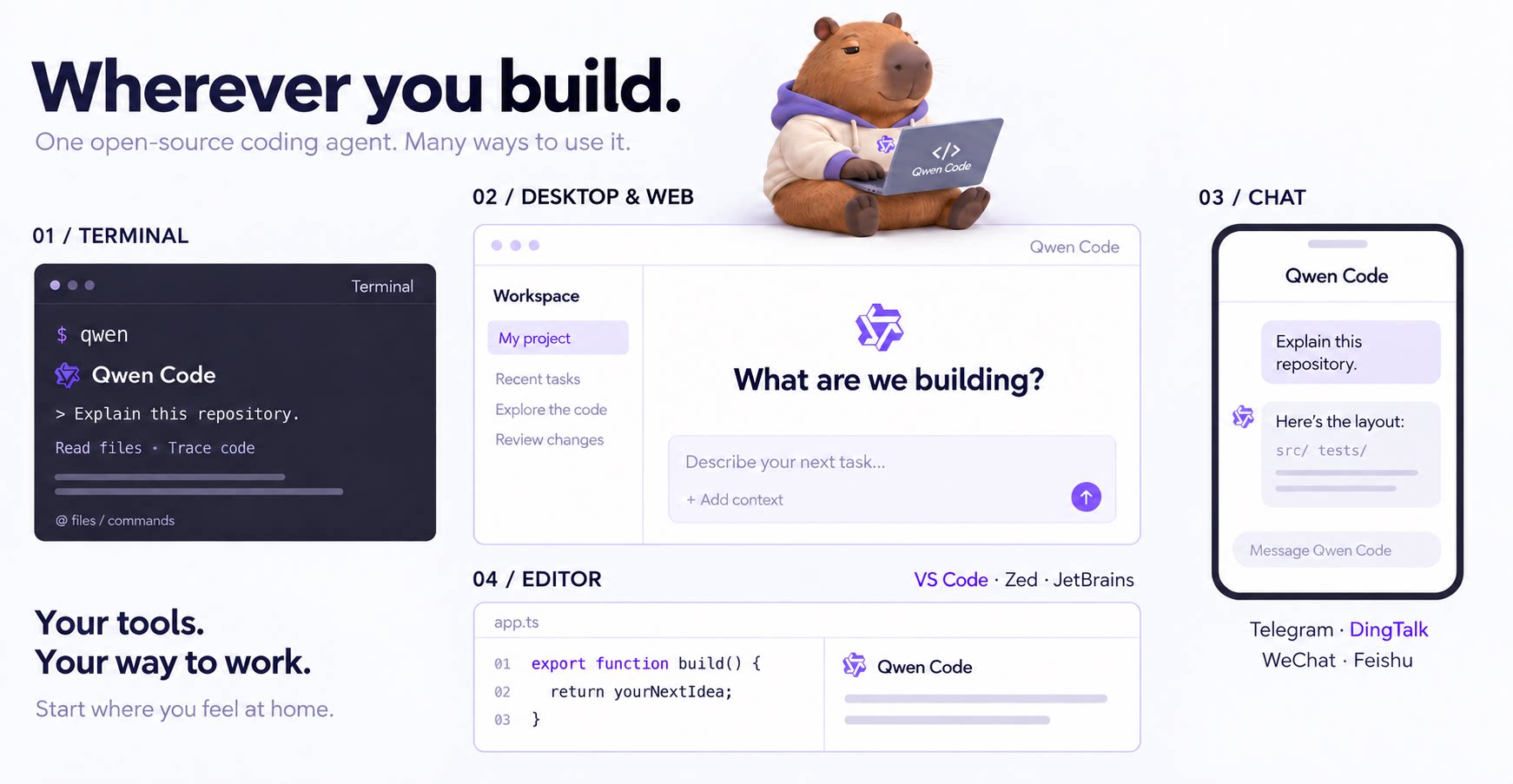
Why Qwen Code?
- Agentic out of the box — Auto-Memory, Auto-Skills, SubAgents, Agent Teams, and MCP. Dynamic workflows, zero setup.
- Open-source, inside and out — The framework and the Qwen models are open-source. They evolve together. No vendor lock-in.
- Multi-protocol — Supports OpenAI, Anthropic, Gemini, and Qwen APIs. Any third-party provider or local model (Ollama / vLLM). Switch at runtime.
- Beyond the terminal — IDE plugins, Desktop app, Web UI, SDKs, and chat integrations (Telegram / DingTalk / WeChat / Feishu).
Tip
Qwen Code is actively iterating on itself — using its own agent and models to file issues, submit PRs, review code, and run tests. Powered by the community, driven by AI.
Installation
Linux / macOS:
curl -fsSL https://qwen-code-assets.oss-cn-hangzhou.aliyuncs.com/installation/install-qwen-standalone.sh | bash
Windows:
irm https://qwen-code-assets.oss-cn-hangzhou.aliyuncs.com/installation/install-qwen-standalone.ps1 | iex
Restart your terminal after installation to ensure environment variables take effect.
NPM / Homebrew
NPM (requires Node.js 22+):
npm install -g @qwen-code/qwen-code@latest
Homebrew (macOS / Linux):
brew install qwen-code
Quick Start
Open a terminal in your project and start Qwen Code:
cd /path/to/your-project
qwen
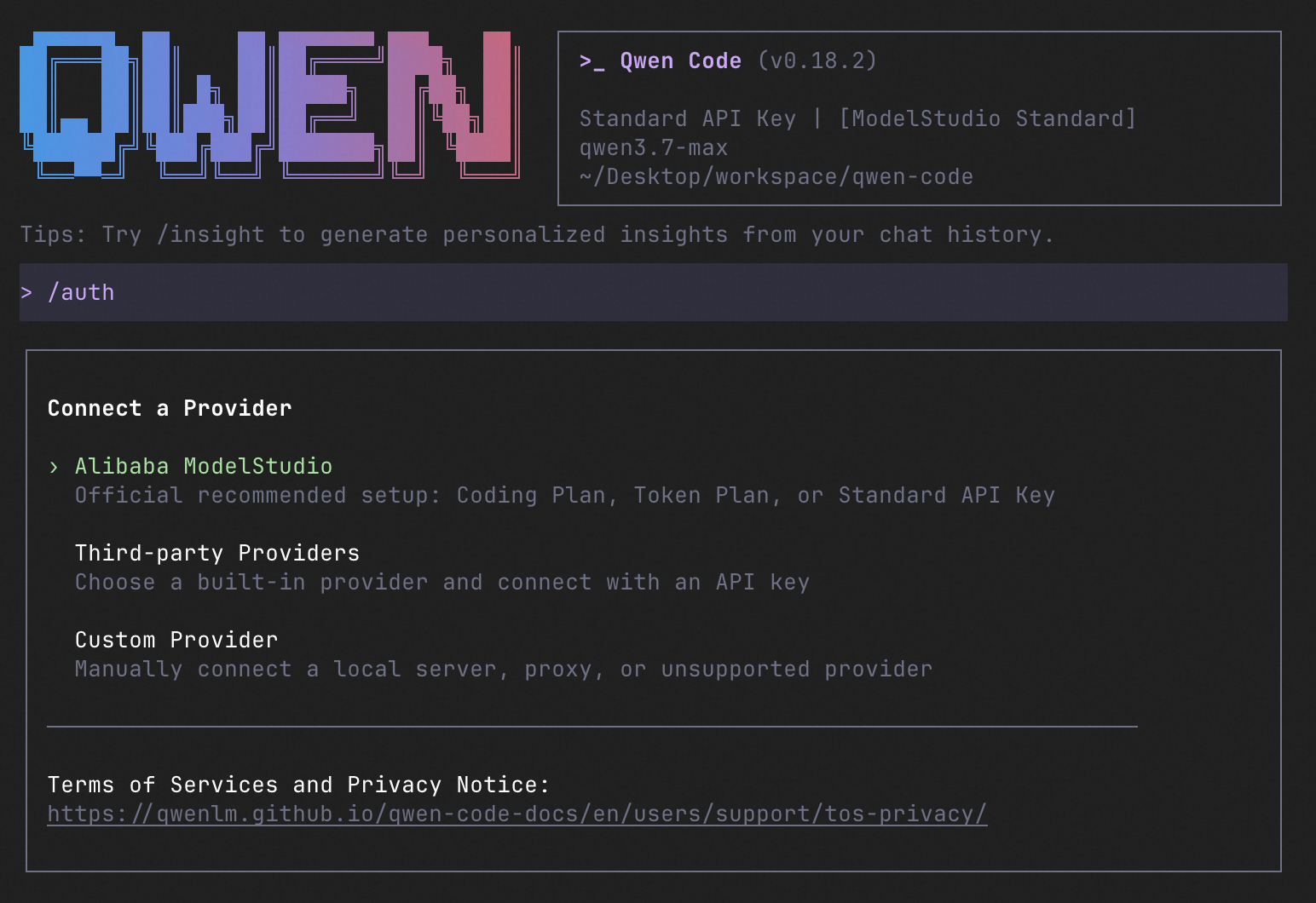
Inside the session, run /auth to configure your provider and API key. Then try:
Explain this repository and show me where to start.
See the Authentication Guide and Settings Reference for detailed setup.
See the terminal interface
How to Use Qwen Code
Choose the interface that fits your workflow:
| Interface | Get started |
|---|---|
| Terminal | Run qwen in your project — see Quick Start. |
| Desktop | Download Qwen Code Desktop for macOS, Windows, and Linux. |
| Web | Run qwen serve --open to open the Web UI in your browser. (experimental) |
| Editor | Set up VS Code, Zed, or JetBrains. |
| Chat | Connect Telegram, DingTalk, WeChat, or Feishu, then run qwen channel start. |
For automation and custom integrations:
- Headless — Run
qwen -p "..."in scripts, CI/CD, or batch jobs. - SDKs — Build with TypeScript, Python, or Java.
- Daemon — Run
qwen serveto connect clients over HTTP + SSE (ACP). (experimental) Daemon guide.
SDK example (Python)
import asyncio

from qwen_code_sdk import is_sdk_result_message, query


async def main() -> None:
    result = query(
        "Summarize the repository layout.",
        {
            "cwd": "/path/to/project",
            "path_to_qwen_executable": "qwen",
        },
    )

    async for message in result:
        if is_sdk_result_message(message):
            print(message["result"])


asyncio.run(main())
Capabilities
If you know Claude Code, you already know Qwen Code — and then some. We've put significant effort into bringing Qwen Code to feature parity with Claude Code, improving both breadth and reliability across the board.
| Feature | Qwen Code | Claude Code |
|---|---|---|
| SubAgents, Agent Teams, Dynamic Workflows | ✓ | ✓ |
| Auto-Memory, Auto-Skills, Hooks | ✓ | ✓ |
| Built-in Skills (/review, /batch, /loop, /bugfix…) | ✓ | ✓ |
| MCP, Plan Mode, LSP Integration | ✓ | ✓ |
| Auto Mode, Sandbox, Git Worktrees | ✓ | ✓ |
| Computer Use (desktop automation) | ✓ | ✓ |
| IDE Plugins (VS Code / JetBrains / Zed) | ✓ | ✓ |
| SDK | ✓ | ✓ |
| Headless Mode, Session Management | ✓ | ✓ |
| Open-source — model and framework | ✓ | — |
| Multi-protocol (OpenAI / Anthropic / Gemini / Qwen + any provider) | ✓ | — |
| Agent Arena (multi-model head-to-head on same task) | ✓ | — |
Daemon Mode — qwen serve (multi-client shared agent) |
✓ | — |
| IM Channels (Telegram / DingTalk / WeChat / Feishu) | ✓ | — |
Qwen Code Evaluation
Evaluation Configuration
| Configuration | Value |
|---|---|
| Dataset | princeton-nlp/SWE-bench_Verified, 500 cases |
| Runs | 3 trials per version, 1,500 jobs per version; 7 Qwen Code versions |
| Model | Qwen 3.7 Max |
| Sampling | temperature=1, top_p=0.95 |
| Thinking / Reasoning | interleaved_thinking=true, thinking_type=adaptive, reasoning_effort=high |
| Context / Output Limits | context_1m=true, model_context_length=1,000,000, max_tokens=64,000, model_max_tokens=65,535 |
| Harness Limits | max_iterations=500, runtime_timeout_sec=7,200, agent_timeout_multiplier=3.0 |
Scores by Qwen Code Version
| Version | Avg Score | Pass Rate | pass@3 | pass^3 |
|---|---|---|---|---|
| 0.0.14 | 77.80% | 84.6% | 84.6% | 69.2% |
| 0.1.0 | 76.73% | 84.6% | 84.6% | 68.0% |
| 0.5.0 | 76.60% | 83.0% | 83.0% | 68.4% |
| 0.10.0 | 76.47% | 84.4% | 84.4% | 67.4% |
| 0.15.0 | 77.67% | 84.6% | 84.6% | 68.6% |
| 0.19.0 | 76.40% | 85.0% | 85.0% | 65.8% |
| 0.22.0 | 77.33% | 84.4% | 84.4% | 68.0% |
Avg Score Trend

Ecosystem
-
Qwen Code Desktop — Official desktop app for macOS, Windows, and Linux
-
AionUi — A modern GUI for command-line AI tools including Qwen Code
-
Gemini CLI Desktop — A cross-platform desktop/web/mobile UI for Qwen Code
-
🦞 Qwen Code Claw — Let other agents (Claude, Codex, etc.) delegate coding tasks to Qwen Code via ACP. Paste this prompt into your agent:
Use Qwen Code as a coding agent. First, fetch and read this skill reference:
https://raw.githubusercontent.com/QwenLM/qwen-code/refs/heads/main/.qwen/skills/qwen-code-claw/SKILL.md
Then follow the instructions inside to install, authenticate, and use Qwen Code via acpx for all coding tasks.
- Aliyun Model Studio CLI — Official CLI for Aliyun's AI platform (
bailian-cli). Extends Qwen Code with image/video generation, knowledge retrieval, app orchestration, and model deployment
Contributing
Contributions are welcome! See CONTRIBUTING.md for guidelines.
Acknowledgments
This project was originally based on Google Gemini CLI v0.8.2. We gratefully acknowledge the Gemini CLI team's excellent work. Starting from Qwen Code v0.1, we stopped syncing with upstream and began independent development as a multi-protocol, multi-platform agent framework with deep integrations for Qwen models and beyond.