Compare commits
| Author | SHA1 | Date | |
|---|---|---|---|
 Hua.T Hua.T
|
e981d2d8fc | ||
|
PerryLink
|
55fadb4c56 | ||
|
Rızgar Ozan
|
fe5be99bfa | ||
|
David Mezzetti
|
243aaa191d | ||
|
leeshengis
|
93a767f004 | ||
|
davidmezzetti
|
62099b9a34 | ||
|
David Mezzetti
|
c786f1b5ec | ||
|
amengnew
|
738df97d5f | ||
|
Raphael Malikian
|
4605ee001f | ||
|
Rızgar Ozan
|
46516fa4e6 | ||
|
kartsan03
|
fe1fbbc933 | ||
|
Hua.T
|
084a1eca4d | ||
|
Muneeb Ullah
|
ba9d52310a | ||
|
Jasper
|
ca9563daac | ||
|
D41910
|
0e7202caee | ||
|
David Mezzetti
|
c1f1686889 | ||
|
kartsan03
|
04f5bf1998 | ||
|
Gaurav Chintakunta
|
c8e7d813af | ||
|
Yuilona
|
edf61d1d4a | ||
|
Raphael Malikian
|
7e92f5a7d7 | ||
|
Raashish Aggarwal
|
b2ff9bd85c | ||
|
Raashish Aggarwal
|
9c718f7876 | ||
|
Moinuddin Shaik
|
c486f4706e | ||
|
Lukas
|
341184ba46 | ||
|
Lukas
|
647d80f95e | ||
|
Yash Raj Pandey
|
408c25d201 | ||
|
davidmezzetti
|
b0f29a11d1 | ||
|
davidmezzetti
|
49a64943b8 | ||
|
David Mezzetti
|
af33f2e024 | ||
|
davidmezzetti
|
f908b5d88d | ||
|
David Mezzetti
|
2e8493dfca | ||
|
shabeeth2
|
d7e3e29ac3 | ||
|
Mohammad Hijjawi
|
4e2efa2cbc | ||
|
Gaurav Chintakunta
|
ffcbc0b815 | ||
|
tuanzirwar
|
f14c26c4c7 | ||
|
serhiizghama
|
346bb9d282 | ||
|
serhiizghama
|
e3e0413747 | ||
|
David Mezzetti
|
32655393e0 | ||
|
davidmezzetti
|
9118875980 | ||
|
Manobhi Sriram
|
d9b4476187 | ||
|
Grapette.L
|
ff5aec468a | ||
|
davidmezzetti
|
3446a4ef13 | ||
|
HuaTNA
|
84aa1c81c7 | ||
|
Lesereingrape
|
6bc76132d0 | ||
|
Morgan Carr
|
893d0424be | ||
|
Edson
|
98c965cc3b | ||
|
Yash Raj Pandey
|
00622f2cf1 | ||
|
Yash Raj Pandey
|
55d52fda92 | ||
|
Ni0ri
|
20c9b8e0be | ||
|
Mohammad Hijjawi
|
3f33fb2918 | ||
|
davidmezzetti
|
3c7a548923 | ||
|
Pablo Miguel Argudo
|
c78fbd976c | ||
|
David Mezzetti
|
2d535ff215 | ||
|
kartsan03
|
6765330f4a | ||
|
davidmezzetti
|
1d5041b6e7 | ||
|
davidmezzetti
|
d467878064 | ||
|
davidmezzetti
|
3bc07b3f09 | ||
|
Hua.T
|
8ef454d0bf | ||
|
Jin
|
47d3e65756 | ||
|
LimbC-C
|
81f908874b | ||
|
David Mezzetti
|
bed91a0b9f | ||
|
David Mezzetti
|
7df50abb61 | ||
|
David Mezzetti
|
80b8ceff4a | ||
|
David Mezzetti
|
de9e09e9ae | ||
|
Morgan Carr
|
69ede9ec3e | ||
|
Pablo Miguel Argudo
|
f8689ed903 | ||
|
bob
|
0abf3763b4 | ||
|
LimbC-C
|
11b2cfe298 | ||
|
LimbC-C
|
d0cc2bed9c | ||
|
LimbC-C
|
a5ea35d7a7 | ||
|
Yash Raj Pandey
|
6a15ed8490 | ||
|
David Mezzetti
|
76147369fb | ||
|
bob
|
2e89af0845 | ||
|
davidmezzetti
|
d9d6a1cbb1 | ||
|
davidmezzetti
|
f87574de4c | ||
|
Mohammad Hijjawi
|
e313248ff2 | ||
|
davidmezzetti
|
5cba72c88a | ||
|
davidmezzetti
|
45d334f4ce | ||
|
Jin
|
95d4c1c881 | ||
|
LimbC-C
|
ef28da8735 | ||
|
LimbC-C
|
f1304d8403 | ||
|
davidmezzetti
|
97ee7e073a | ||
|
LimbC-C
|
1d3f8e9ebf | ||
|
davidmezzetti
|
f3ceece76a | ||
|
Pablo Miguel Argudo
|
6737ee4e01 | ||
|
davidmezzetti
|
e30e8edbcc | ||
|
davidmezzetti
|
483dbd3b3b | ||
|
davidmezzetti
|
c09a6f24f1 | ||
|
davidmezzetti
|
6e7f0d260e | ||
|
davidmezzetti
|
793ecc8dc2 | ||
|
David Mezzetti
|
37500887ae | ||
|
David Mezzetti
|
4e2eb242b6 | ||
|
Jin
|
83c75ea28a | ||
|
LimbC-C
|
f47d389735 | ||
|
HuaTNA
|
4bb2141954 | ||
|
David Mezzetti
|
5d8c999ae0 | ||
|
HuaTNA
|
48a34e21c3 | ||
|
davidmezzetti
|
262b03027e | ||
|
刘冠杰
|
36c375b86e | ||
|
David Mezzetti
|
b715812e68 | ||
|
hylin
|
dcdded892d | ||
|
LimbC-C
|
e7894cdb00 | ||
|
LimbC-C
|
9f9b32e070 | ||
|
David Mezzetti
|
00167b9f08 | ||
|
dingpuyu
|
3c07766199 | ||
|
Amir Fathi
|
7cb6bd09db | ||
|
Caner Olcay
|
4b7d70e9e8 | ||
|
David Mezzetti
|
2ed4e46ebf | ||
|
LimbC-C
|
47d5f56768 | ||
|
serhiizghama
|
d5db643540 | ||
|
serhiizghama
|
9f7b4ddd42 | ||
|
Morgan Carr
|
19ff237c37 | ||
|
Morgan Carr
|
ad77514b32 | ||
|
davidmezzetti
|
144a957d42 | ||
|
Serhii Zghama
|
2e8a3d7892 | ||
|
Amir Fathi
|
72f9ca7605 | ||
|
Amir Fathi
|
ebe13ae304 | ||
|
Serhii Zghama
|
5d0e995f7f | ||
|
davidmezzetti
|
7965a7f42e | ||
|
Amir Fathi
|
2bae6e4d43 | ||
|
Morgan Carr
|
767272f2d5 | ||
|
Morgan Carr
|
21460347dd | ||
|
Morgan Carr
|
f3945f9120 | ||
|
Paco Cartones
|
3a7b597d78 | ||
|
Morgan Carr
|
20e2dc41e1 | ||
|
Morgan Carr
|
eafe574d92 | ||
|
Morgan Carr
|
7e98746d78 | ||
|
Morgan Carr
|
6ebfbbb716 | ||
|
David Mezzetti
|
8fef6ac454 | ||
|
davidmezzetti
|
0eafc0580f | ||
|
serhiizghama
|
5ade7881c8 | ||
|
serhiizghama
|
948dc42d19 | ||
|
David Mezzetti
|
2e8af221f4 | ||
|
Morgan Carr
|
396b3b8065 | ||
|
Morgan Carr
|
80420ee10a | ||
|
David Mezzetti
|
1d45e88569 | ||
|
Joe Bergin
|
007d61077a | ||
|
David Mezzetti
|
84fcd81039 | ||
|
morgan-coded
|
cfe2227f30 | ||
|
morgan-coded
|
82b5320da3 | ||
|
serhiizghama
|
18b93be702 | ||
|
serhiizghama
|
027c07deb9 | ||
|
Paco Cartones
|
876cd07cf7 | ||
|
davidmezzetti
|
546e7777f1 | ||
|
Yash Raj Pandey
|
27542ca64b | ||
|
David Mezzetti
|
f0ee7d2b2d | ||
|
morgan-coded
|
bba7fd589e | ||
|
David Mezzetti
|
6349ca2eac | ||
|
Evhye38496
|
ba1693480e | ||
|
Sainikhil Juluri
|
e90c67ef06 | ||
|
Amir Fathi
|
57991cb164 | ||
|
David Mezzetti
|
c2b264d297 | ||
|
serhiizghama
|
406e417be0 | ||
|
serhiizghama
|
954b17af4d | ||
|
davidmezzetti
|
2a139449dc | ||
|
davidmezzetti
|
a10667a1c2 | ||
|
davidmezzetti
|
34e6efcdd6 | ||
|
David Mezzetti
|
9b7a96b4d1 | ||
|
morgan-coded
|
b94f770301 | ||
|
Arnaud Thery
|
adbcccda46 | ||
|
David Mezzetti
|
20f818f72c | ||
|
morgan-coded
|
ee0416e87b | ||
|
morgan-coded
|
00ec81a10e | ||
|
davidmezzetti
|
059ecec2ee | ||
|
davidmezzetti
|
21c2c38b98 | ||
|
davidmezzetti
|
47c05994bf | ||
|
Kole Harvey
|
8f3735101b | ||
|
Aryan Pardeshi
|
438ade31b6 | ||
|
davidmezzetti
|
3ea197468d | ||
|
LHMQ878
|
99ebbdfea2 | ||
|
David Mezzetti
|
5570dbc7b6 | ||
|
FU-max-boop
|
01b456900a | ||
|
davidmezzetti
|
a0857e980a | ||
|
davidmezzetti
|
84be3476d8 | ||
|
davidmezzetti
|
f35d932979 | ||
|
Tai An
|
a1c9b94d00 | ||
|
Aryan Pardeshi
|
11ebacdb23 | ||
|
davidmezzetti
|
5986fa6082 | ||
|
davidmezzetti
|
893a333887 | ||
|
David Mezzetti
|
e54255f4e4 | ||
|
latent-9
|
f89835bc77 | ||
|
davidmezzetti
|
ea531b3420 | ||
|
davidmezzetti
|
756917f14b | ||
|
davidmezzetti
|
b1f4845284 | ||
|
David Mezzetti
|
d2b1d3634f | ||
|
morgan-coded
|
193facd144 | ||
|
morgan-coded
|
436662e32b | ||
|
morgan-coded
|
54644a0526 | ||
|
morgan-coded
|
817a2b142a | ||
|
morgan-coded
|
987cff001f | ||
|
David Mezzetti
|
8383e6ce8d | ||
|
morgan-coded
|
0be1231d8d | ||
|
David Mezzetti
|
79e277fb7d | ||
|
morgan-coded
|
f4472312ba | ||
|
morgan-coded
|
90f7cc2078 | ||
|
morgan-coded
|
ce11b08ab1 | ||
|
morgan-coded
|
75b4ce5c7f | ||
|
David Mezzetti
|
2ef401bb78 | ||
|
davidmezzetti
|
8c43c70687 | ||
|
David Mezzetti
|
48e22b593c | ||
|
davidmezzetti
|
3beea7f4bf | ||
|
morgan-coded
|
626cc8fbe0 | ||
|
davidmezzetti
|
21b9049c86 | ||
|
davidmezzetti
|
abf504f70e | ||
|
davidmezzetti
|
d9e9a9e684 | ||
|
Amir Fathi
|
bd199158b6 | ||
|
morgan-coded
|
390cc08b11 | ||
|
morgan-coded
|
feac4c8306 | ||
|
morgan-coded
|
d7f974b3d7 | ||
|
morgan-coded
|
d8fa848f73 | ||
|
morgan-coded
|
bbd23bb12c | ||
|
David Mezzetti
|
8362110c64 | ||
|
morgan-coded
|
83e1835b6d | ||
|
davidmezzetti
|
cf2368269f | ||
|
davidmezzetti
|
a910ddbbea | ||
|
davidmezzetti
|
7b49504dca | ||
|
davidmezzetti
|
86af7ec344 | ||
|
Amir Fathi
|
50ca7b2fde | ||
|
David Mezzetti
|
7c8d001492 | ||
|
weihong.xu
|
dea0a65fd1 | ||
|
davidmezzetti
|
a1224c06f1 | ||
|
davidmezzetti
|
162b65d3d9 | ||
|
davidmezzetti
|
363f8ca7cf | ||
|
davidmezzetti
|
1d084941f4 | ||
|
Andrew Chen
|
597ba8133d | ||
|
Andrew Chen
|
6bbb25872a | ||
|
davidmezzetti
|
f22bf5bbb5 | ||
|
davidmezzetti
|
83871c6fe3 | ||
|
davidmezzetti
|
2c6ec162d0 | ||
|
davidmezzetti
|
d59c88424d | ||
|
David Mezzetti
|
95c7b8df1e | ||
|
Loi Nguyen
|
2389b5946c | ||
|
Andrew Chen
|
b246b642c7 | ||
|
Andrew Chen
|
46467a3453 | ||
|
davidmezzetti
|
fcfd340ff1 | ||
|
Andrew Chen
|
77965f44dd | ||
|
Andrew Chen
|
7435297bac | ||
|
Andrew Chen
|
3bb34eae2e | ||
|
Andrew Chen
|
79a28641b2 | ||
|
Andrew Chen
|
7c77c134e2 | ||
|
Andrew Chen
|
d6f696d795 | ||
|
davidmezzetti
|
d8ae6776f8 | ||
|
davidmezzetti
|
e18e3d1245 | ||
|
Andrew Chen
|
ee0d1a0214 | ||
|
davidmezzetti
|
5ddedf07cd | ||
|
David Mezzetti
|
590c71f593 | ||
|
winklemad
|
c33188a0f8 | ||
|
davidmezzetti
|
638a2e12b1 | ||
|
morgan-coded
|
03da5c96fb | ||
|
morgan-coded
|
99086302ce | ||
|
davidmezzetti
|
2f11f93743 | ||
|
davidmezzetti
|
783d9cf680 | ||
|
David Mezzetti
|
281babeff7 | ||
|
David Mezzetti
|
a71732198a | ||
|
Morgan Carr
|
14cbe51e04 | ||
|
davidmezzetti
|
5d15f7fa66 | ||
|
davidmezzetti
|
ac2dc6a30b | ||
|
chuenchen309andClaude Opus 4.8
|
7791174c1b | ||
|
David Mezzetti
|
b21ba7065e | ||
|
chuenchen309andClaude Opus 4.8
|
10a6b23304 | ||
|
David Mezzetti
|
576f0ddcd7 | ||
|
chuenchen309andClaude Opus 4.8
|
9b8a606a16 | ||
|
davidmezzetti
|
01344b021c | ||
|
davidmezzetti
|
dd00608b9a | ||
|
davidmezzetti
|
702e0b880f | ||
|
davidmezzetti
|
14ac0e4cc5 | ||
|
davidmezzetti
|
1f28e5401d | ||
|
davidmezzetti
|
a84f0a388c | ||
|
davidmezzetti
|
510f9c18ed | ||
|
davidmezzetti
|
ae67f63359 | ||
|
davidmezzetti
|
0e16a22051 | ||
|
davidmezzetti
|
bfd0aa7ff4 | ||
|
davidmezzetti
|
ba2ea2db4e | ||
|
davidmezzetti
|
1daac761aa | ||
|
davidmezzetti
|
e9e65393a0 | ||
|
davidmezzetti
|
24ca4e36ca | ||
|
davidmezzetti
|
8208780b6a | ||
|
davidmezzetti
|
c3735dd5d4 | ||
|
davidmezzetti
|
6544d123f6 | ||
|
davidmezzetti
|
aa0a8cfc32 | ||
|
David Mezzetti
|
fc6f93828b | ||
|
Sanjay Santhanam
|
796c5bb0a8 | ||
|
davidmezzetti
|
7613acd6e5 | ||
|
davidmezzetti
|
9db11953c5 | ||
|
davidmezzetti
|
2ecf4412fc | ||
|
davidmezzetti
|
13b1a0f986 | ||
|
davidmezzetti
|
89d5207b6e | ||
|
davidmezzetti
|
21e6ab8e6a | ||
|
davidmezzetti
|
ae898e6905 | ||
|
davidmezzetti
|
7aee5f91af | ||
|
davidmezzetti
|
7844e2c597 | ||
|
davidmezzetti
|
f9bfc2cb0d | ||
|
David Mezzetti
|
535edaf3ad | ||
|
JSap0914
|
f507c442fd | ||
|
davidmezzetti
|
73e2f6ee51 | ||
|
davidmezzetti
|
bc8847edb0 | ||
|
davidmezzetti
|
d69b72492d | ||
|
davidmezzetti
|
e0ae1450b4 | ||
|
davidmezzetti
|
24c20cc0ff | ||
|
davidmezzetti
|
5f233d4a74 | ||
|
davidmezzetti
|
11b32da720 | ||
|
davidmezzetti
|
039568541b | ||
|
davidmezzetti
|
df53803cf7 | ||
|
davidmezzetti
|
3c4d32f8f7 | ||
|
davidmezzetti
|
68e1c5719e | ||
|
davidmezzetti
|
c3211fbce9 | ||
|
davidmezzetti
|
099b89114e | ||
|
davidmezzetti
|
0428a71243 | ||
|
davidmezzetti
|
4ce690d225 | ||
|
davidmezzetti
|
9bb4917c0e | ||
|
davidmezzetti
|
a3f95a6a26 | ||
|
davidmezzetti
|
e8000315c0 | ||
|
davidmezzetti
|
f9ddb23c10 | ||
|
davidmezzetti
|
1d058cf487 | ||
|
davidmezzetti
|
a5d097197e | ||
|
davidmezzetti
|
32e098af84 | ||
|
davidmezzetti
|
8844ec96b4 | ||
|
davidmezzetti
|
3e8e495bd2 | ||
|
davidmezzetti
|
9d5f82e824 | ||
|
davidmezzetti
|
57de5b3a94 | ||
|
davidmezzetti
|
e240d0bb02 | ||
|
davidmezzetti
|
08e3568d78 | ||
|
davidmezzetti
|
7ff55f32f7 | ||
|
davidmezzetti
|
0ca702cea2 | ||
|
davidmezzetti
|
bb8e9f8a03 | ||
|
davidmezzetti
|
f2ab0087d5 | ||
|
davidmezzetti
|
47620b194a | ||
|
davidmezzetti
|
798ff2e0ed | ||
|
davidmezzetti
|
345aea0544 | ||
|
davidmezzetti
|
65b72bfdfa | ||
|
davidmezzetti
|
b14229c1da | ||
|
davidmezzetti
|
a0e2c9e4ab | ||
|
davidmezzetti
|
d0ddedc048 | ||
|
davidmezzetti
|
6d15bd404a | ||
|
davidmezzetti
|
20fff84a7e | ||
|
davidmezzetti
|
8643baec3e | ||
|
davidmezzetti
|
40c92c15d6 | ||
|
davidmezzetti
|
8745aca849 | ||
|
davidmezzetti
|
109a4d3c66 | ||
|
davidmezzetti
|
676b997f57 | ||
|
davidmezzetti
|
2f8860afde | ||
|
davidmezzetti
|
688734136c | ||
|
davidmezzetti
|
1109094c78 | ||
|
davidmezzetti
|
cfbf235f54 | ||
|
davidmezzetti
|
c10a042cc3 | ||
|
davidmezzetti
|
f0715869a4 | ||
|
davidmezzetti
|
fbce87b9ee | ||
|
davidmezzetti
|
0c6cb615d2 | ||
|
davidmezzetti
|
8e569462f2 | ||
|
davidmezzetti
|
12c8b52b5e | ||
|
davidmezzetti
|
a67870aefd | ||
|
davidmezzetti
|
40da21b2c3 | ||
|
davidmezzetti
|
7b055c5b26 | ||
|
davidmezzetti
|
6971dc422b | ||
|
davidmezzetti
|
511f479251 | ||
|
davidmezzetti
|
c2e2f5d86e | ||
|
davidmezzetti
|
efb0006793 | ||
|
davidmezzetti
|
04153bd737 | ||
|
davidmezzetti
|
f2e02dff4a | ||
|
davidmezzetti
|
b0b181d7e8 | ||
|
davidmezzetti
|
fe916d0049 | ||
|
davidmezzetti
|
a44dbd1809 | ||
|
davidmezzetti
|
ba6d67498b | ||
|
davidmezzetti
|
1e731c3eb7 | ||
|
davidmezzetti
|
354b881318 | ||
|
davidmezzetti
|
8fcfa6363a | ||
|
davidmezzetti
|
d582bf335b | ||
|
davidmezzetti
|
7e3c0e16a4 | ||
|
davidmezzetti
|
d12a6681ea | ||
|
davidmezzetti
|
80b90cdbd6 | ||
|
davidmezzetti
|
6343779678 | ||
|
davidmezzetti
|
2d50a4c202 | ||
|
davidmezzetti
|
d2b3758005 | ||
|
davidmezzetti
|
4c03a8106f | ||
|
davidmezzetti
|
8f583b2446 | ||
|
davidmezzetti
|
e9c34adde3 | ||
|
davidmezzetti
|
6ee6656d40 | ||
|
davidmezzetti
|
f388ecb4a1 | ||
|
davidmezzetti
|
1a0b11654b | ||
|
JiangNan
|
79908eee5a | ||
|
davidmezzetti
|
69cc7538ac | ||
|
davidmezzetti
|
0e3b7ff959 | ||
|
davidmezzetti
|
cd116aaa57 | ||
|
davidmezzetti
|
d1aa381e0e | ||
|
davidmezzetti
|
96234c5754 | ||
|
davidmezzetti
|
312f1653e7 | ||
|
davidmezzetti
|
5cd7d7e407 | ||
|
davidmezzetti
|
1a64d33823 | ||
|
davidmezzetti
|
3073589ad6 | ||
|
davidmezzetti
|
2f2bd50027 | ||
|
davidmezzetti
|
f7380f64da | ||
|
davidmezzetti
|
a53b431492 | ||
|
davidmezzetti
|
2c937db56b | ||
|
Jaepil Jeong
|
ba0d1eaead | ||
|
davidmezzetti
|
89299926bd | ||
|
davidmezzetti
|
00acd243b0 | ||
|
Jaepil Jeong
|
48f0962a44 | ||
|
davidmezzetti
|
1c181e4070 | ||
|
davidmezzetti
|
371d5d8a19 | ||
|
davidmezzetti
|
834e4eb60d | ||
|
davidmezzetti
|
fc579d77aa | ||
|
Sigrid Jin (ง'̀-'́)ง oO
|
90e66075f6 | ||
|
davidmezzetti
|
99339570cb | ||
|
davidmezzetti
|
38170a4ab1 | ||
|
Rin
|
5a66065b34 | ||
|
davidmezzetti
|
090937a396 | ||
|
davidmezzetti
|
d6bd6fc4c6 | ||
|
davidmezzetti
|
90bee00f1d | ||
|
davidmezzetti
|
f013ca7d1d | ||
|
davidmezzetti
|
bfd1f13f2b | ||
|
davidmezzetti
|
f682fd949a | ||
|
davidmezzetti
|
4758907f3b | ||
|
davidmezzetti
|
b9cec19941 | ||
|
davidmezzetti
|
b7c9b156f6 | ||
|
davidmezzetti
|
361b6fe2a5 | ||
|
davidmezzetti
|
45e6080999 | ||
|
davidmezzetti
|
92461fe651 | ||
|
davidmezzetti
|
3a46f51f25 | ||
|
davidmezzetti
|
67543ab31c | ||
|
davidmezzetti
|
14c440ac45 | ||
|
davidmezzetti
|
7672f42743 | ||
|
davidmezzetti
|
f360c2d98e | ||
|
davidmezzetti
|
b4c80cf2e8 | ||
|
davidmezzetti
|
831c3fd7d2 | ||
|
davidmezzetti
|
d3c498f316 | ||
|
davidmezzetti
|
001b97b0bf | ||
|
davidmezzetti
|
c48ecb3062 | ||
|
davidmezzetti
|
f7d5790d07 | ||
|
davidmezzetti
|
5e3492799b | ||
|
davidmezzetti
|
2c3a21490a | ||
|
davidmezzetti
|
846cf2ddc7 | ||
|
davidmezzetti
|
ceb7a4a8f8 | ||
|
davidmezzetti
|
79e2f9bdef | ||
|
davidmezzetti
|
8d8b29e41c | ||
|
davidmezzetti
|
bd2a516eb4 | ||
|
davidmezzetti
|
d4e8ee41f4 | ||
|
davidmezzetti
|
cdf9a40c8e | ||
|
davidmezzetti
|
a6c64a6944 | ||
|
davidmezzetti
|
7132f63c46 | ||
|
davidmezzetti
|
1ff636de4a | ||
|
davidmezzetti
|
2a63caf83e | ||
|
davidmezzetti
|
86e768bccb | ||
|
davidmezzetti
|
995428d96c | ||
|
davidmezzetti
|
7b97ddf9d8 | ||
|
davidmezzetti
|
172f804c1b | ||
|
davidmezzetti
|
17b4660abe | ||
|
davidmezzetti
|
8c22567d10 | ||
|
davidmezzetti
|
1d7b6a98c9 | ||
|
davidmezzetti
|
1545901d27 | ||
|
davidmezzetti
|
c4b2bc4251 | ||
|
davidmezzetti
|
6021194ac9 | ||
|
davidmezzetti
|
9d4772bb65 | ||
|
davidmezzetti
|
a8507d024d | ||
|
davidmezzetti
|
0c2eab7098 | ||
|
davidmezzetti
|
4aa9db69fc | ||
|
davidmezzetti
|
aca56cfe53 | ||
|
davidmezzetti
|
203855a9d7 | ||
|
davidmezzetti
|
861545a1ed | ||
|
davidmezzetti
|
92d02d748d | ||
|
davidmezzetti
|
75c4f54f63 | ||
|
davidmezzetti
|
5d6d3f7a6b | ||
|
davidmezzetti
|
48584abdb4 | ||
|
davidmezzetti
|
1c4f041b91 | ||
|
davidmezzetti
|
4ba611760d | ||
|
davidmezzetti
|
c61e18a216 | ||
|
davidmezzetti
|
fb257a2e5e | ||
|
davidmezzetti
|
c26a61dcb6 | ||
|
davidmezzetti
|
b5b3922464 | ||
|
davidmezzetti
|
441d0eabd7 | ||
|
davidmezzetti
|
4d6c0ecc47 | ||
|
davidmezzetti
|
dd83a40197 | ||
|
davidmezzetti
|
58664444a1 | ||
|
davidmezzetti
|
0a401cb9a2 | ||
|
davidmezzetti
|
d3d26a5ebd | ||
|
davidmezzetti
|
d75be702dd | ||
|
davidmezzetti
|
60755501f5 | ||
|
davidmezzetti
|
e0f8a9404f | ||
|
davidmezzetti
|
26ac43df1c | ||
|
davidmezzetti
|
b8da57eb88 | ||
|
davidmezzetti
|
d3a5217153 | ||
|
davidmezzetti
|
99e3457b1f | ||
|
davidmezzetti
|
b870a3265a | ||
|
davidmezzetti
|
81c152c5ee | ||
|
davidmezzetti
|
90efb5c349 | ||
|
davidmezzetti
|
351702249b | ||
|
davidmezzetti
|
bb37634f8c | ||
|
davidmezzetti
|
594145840f | ||
|
davidmezzetti
|
4447053dd4 | ||
|
davidmezzetti
|
8794d714cc | ||
|
davidmezzetti
|
62a7ade776 | ||
|
davidmezzetti
|
8a01cd2c06 | ||
|
davidmezzetti
|
02bae7ddf1 | ||
|
davidmezzetti
|
1f8e9c5ddb | ||
|
davidmezzetti
|
d64c8d8f27 | ||
|
davidmezzetti
|
fc69c82b94 | ||
|
davidmezzetti
|
75f68c375d | ||
|
davidmezzetti
|
e715b3b4f6 | ||
|
davidmezzetti
|
ce3bdfaee6 | ||
|
davidmezzetti
|
6fa604213b | ||
|
davidmezzetti
|
536a724764 | ||
|
davidmezzetti
|
de3fee46e6 | ||
|
davidmezzetti
|
0a074ae559 | ||
|
davidmezzetti
|
f4f267d449 | ||
|
davidmezzetti
|
cf45a400ce | ||
|
davidmezzetti
|
a07b88f003 | ||
|
davidmezzetti
|
3bc7890360 | ||
|
davidmezzetti
|
e5519d25c3 | ||
|
davidmezzetti
|
e662a631e2 | ||
|
davidmezzetti
|
fb5c3cc468 | ||
|
davidmezzetti
|
1d8c941d1b | ||
|
davidmezzetti
|
13715059dc | ||
|
davidmezzetti
|
e6e1d57ac4 | ||
|
davidmezzetti
|
2c45420a70 | ||
|
davidmezzetti
|
8dcab1addc | ||
|
davidmezzetti
|
7c96fd93d9 | ||
|
davidmezzetti
|
31b6b767fd | ||
|
davidmezzetti
|
612d1ad2f8 | ||
|
davidmezzetti
|
f4d00c75a5 | ||
|
davidmezzetti
|
0d96790a64 | ||
|
davidmezzetti
|
9a1a1e400c | ||
|
davidmezzetti
|
a543b028ef | ||
|
davidmezzetti
|
8ae88a6405 | ||
|
davidmezzetti
|
97e4bdb2b4 | ||
|
davidmezzetti
|
741f39495e | ||
|
davidmezzetti
|
646af6ba87 | ||
|
davidmezzetti
|
fc15901cee | ||
|
davidmezzetti
|
97f3175ddf | ||
|
davidmezzetti
|
3a4457f563 | ||
|
davidmezzetti
|
d523a860fa | ||
|
davidmezzetti
|
e7e44c00e6 | ||
|
davidmezzetti
|
a5eca34c98 | ||
|
davidmezzetti
|
e09c205d70 | ||
|
davidmezzetti
|
6bef6869f5 | ||
|
davidmezzetti
|
a5306ae5d7 | ||
|
davidmezzetti
|
303a257615 | ||
|
davidmezzetti
|
f082bf2a27 | ||
|
davidmezzetti
|
4c698b3638 | ||
|
davidmezzetti
|
4e33678099 | ||
|
davidmezzetti
|
3734404449 | ||
|
davidmezzetti
|
ffa4543b2f | ||
|
davidmezzetti
|
5174079c93 | ||
|
davidmezzetti
|
9ef94c8c79 | ||
|
davidmezzetti
|
ba15148b83 | ||
|
davidmezzetti
|
1f5a352261 | ||
|
davidmezzetti
|
1f5f9cd406 | ||
|
davidmezzetti
|
549632b461 | ||
|
davidmezzetti
|
c4152ff4e1 | ||
|
davidmezzetti
|
b8980bc5be | ||
|
davidmezzetti
|
0e54ad3c3f | ||
|
davidmezzetti
|
34e468e475 | ||
|
davidmezzetti
|
28273d0369 | ||
|
davidmezzetti
|
c68c136b2d | ||
|
davidmezzetti
|
6fcdcb1e38 | ||
|
davidmezzetti
|
2866dd962e | ||
|
davidmezzetti
|
1b1ab4c9ea | ||
|
davidmezzetti
|
ad55344f26 | ||
|
davidmezzetti
|
2956bd8789 | ||
|
davidmezzetti
|
b53c966fa7 | ||
|
davidmezzetti
|
cd784436ef | ||
|
davidmezzetti
|
5cf22c648d | ||
|
davidmezzetti
|
f04a43578b | ||
|
davidmezzetti
|
944ef19276 | ||
|
davidmezzetti
|
da5baa2479 | ||
|
davidmezzetti
|
9b935a24d1 | ||
|
davidmezzetti
|
6cf12b97a0 | ||
|
davidmezzetti
|
1edf3ecc4c | ||
|
davidmezzetti
|
399f584d44 | ||
|
davidmezzetti
|
dc57d6bf0d | ||
|
davidmezzetti
|
e765be3f6c | ||
|
davidmezzetti
|
af264bd0bb | ||
|
davidmezzetti
|
db60bd76e6 | ||
|
davidmezzetti
|
69145bf98e | ||
|
davidmezzetti
|
9c3bf13d39 | ||
|
davidmezzetti
|
a1df111bb8 | ||
|
davidmezzetti
|
e9fa455206 | ||
|
davidmezzetti
|
23e37b4b51 | ||
|
davidmezzetti
|
2549c6598d | ||
|
davidmezzetti
|
5f774b5fd9 | ||
|
davidmezzetti
|
2d0ae9c749 | ||
|
davidmezzetti
|
fdd37c9afa | ||
|
davidmezzetti
|
6ca8a61856 | ||
|
davidmezzetti
|
d9c50c84b7 | ||
|
davidmezzetti
|
397ed4d321 | ||
|
davidmezzetti
|
0aa285848d | ||
|
davidmezzetti
|
10c524c56b | ||
|
davidmezzetti
|
dd8ff3078a | ||
|
davidmezzetti
|
d25209fd89 | ||
|
davidmezzetti
|
255164992a | ||
|
davidmezzetti
|
7fb9c9fd29 | ||
|
davidmezzetti
|
fa924845e8 | ||
|
davidmezzetti
|
fa6a0fdd3c | ||
|
davidmezzetti
|
01b667ad7e | ||
|
davidmezzetti
|
34ba105110 | ||
|
davidmezzetti
|
77eb913d12 | ||
|
davidmezzetti
|
7fffd5e435 | ||
|
davidmezzetti
|
24b0b7ceca | ||
|
davidmezzetti
|
61fa8a3f99 | ||
|
davidmezzetti
|
a55460a9cb | ||
|
davidmezzetti
|
71cf97d104 | ||
|
davidmezzetti
|
484b366608 | ||
|
davidmezzetti
|
1777f6aca7 | ||
|
davidmezzetti
|
203cbecc60 | ||
|
davidmezzetti
|
d34fb4b2e2 | ||
|
davidmezzetti
|
c080f1d4b0 | ||
|
davidmezzetti
|
6ae346e736 | ||
|
davidmezzetti
|
f71fa1fd5e | ||
|
davidmezzetti
|
6d0891b4fa | ||
|
davidmezzetti
|
80a8076c2b | ||
|
davidmezzetti
|
a5468af853 | ||
|
davidmezzetti
|
529dc446f9 | ||
|
davidmezzetti
|
8917c0dab0 | ||
|
davidmezzetti
|
80811ef9f3 | ||
|
davidmezzetti
|
97a5192cdf | ||
|
davidmezzetti
|
9647c7e918 | ||
|
davidmezzetti
|
19a4b7571f | ||
|
davidmezzetti
|
1d1fc36163 | ||
|
davidmezzetti
|
b18854f788 | ||
|
davidmezzetti
|
408a053001 | ||
|
davidmezzetti
|
a6d6231d74 | ||
|
davidmezzetti
|
a3f0896961 | ||
|
davidmezzetti
|
642ef2307a | ||
|
davidmezzetti
|
6368af1591 | ||
|
davidmezzetti
|
6a10aa88d0 | ||
|
davidmezzetti
|
1f65a64dc3 | ||
|
davidmezzetti
|
c50d8fd96d | ||
|
davidmezzetti
|
04795b614b | ||
|
davidmezzetti
|
a78b3b298f | ||
|
davidmezzetti
|
20ac850ec9 | ||
|
davidmezzetti
|
15ee408db8 | ||
|
davidmezzetti
|
e97237ab29 | ||
|
davidmezzetti
|
15bb6346cf | ||
|
davidmezzetti
|
a211f0e1ca | ||
|
davidmezzetti
|
76d39bfe10 | ||
|
davidmezzetti
|
675eea9b92 | ||
|
davidmezzetti
|
1bc1c59786 | ||
|
davidmezzetti
|
d902ee996b | ||
|
davidmezzetti
|
3517704d1a | ||
|
davidmezzetti
|
3ddb3e12ba | ||
|
davidmezzetti
|
fa2f114dee | ||
|
davidmezzetti
|
4a1aa4d0f6 | ||
|
davidmezzetti
|
e7cafe3fd7 | ||
|
davidmezzetti
|
bbf474314b | ||
|
davidmezzetti
|
13ab0c3b9e | ||
|
davidmezzetti
|
186e58a114 | ||
|
davidmezzetti
|
34fa089e68 | ||
|
davidmezzetti
|
679e0cef89 | ||
|
davidmezzetti
|
6301617cd8 | ||
|
davidmezzetti
|
1524b74a6b | ||
|
davidmezzetti
|
437ee1c15b | ||
|
davidmezzetti
|
13ec1e10fa | ||
|
davidmezzetti
|
a9833d0d67 | ||
|
davidmezzetti
|
04d4bc43aa | ||
|
davidmezzetti
|
f880793ae3 | ||
|
davidmezzetti
|
ba552d5a3f | ||
|
davidmezzetti
|
1a9f5eaded | ||
|
davidmezzetti
|
a1a7d34cd8 | ||
|
davidmezzetti
|
8a3ed27bbb | ||
|
davidmezzetti
|
a92bb73c9c | ||
|
davidmezzetti
|
4d92dfc965 | ||
|
davidmezzetti
|
1d077898ca | ||
|
davidmezzetti
|
53f5af52ad | ||
|
davidmezzetti
|
64c1a5c5c7 | ||
|
davidmezzetti
|
b72b04a972 | ||
|
davidmezzetti
|
a68a1338eb | ||
|
davidmezzetti
|
cc5d16df88 | ||
|
davidmezzetti
|
870c7007f6 | ||
|
davidmezzetti
|
7dc1e4bb5f | ||
|
davidmezzetti
|
53fa7ad872 | ||
|
davidmezzetti
|
d7f8210d16 | ||
|
davidmezzetti
|
bd16c6e25c | ||
|
davidmezzetti
|
f52ce51413 | ||
|
davidmezzetti
|
2cd8989183 | ||
|
davidmezzetti
|
61ca27a128 | ||
|
davidmezzetti
|
5049f0447a | ||
|
davidmezzetti
|
ce36fef822 | ||
|
davidmezzetti
|
bf32498a79 | ||
|
davidmezzetti
|
6e55f7a862 | ||
|
davidmezzetti
|
44fb2f9d9f | ||
|
davidmezzetti
|
2b6aa5f363 | ||
|
davidmezzetti
|
13bafb01c6 | ||
|
davidmezzetti
|
ac4c0583e8 | ||
|
davidmezzetti
|
e2e81cd2e3 | ||
|
davidmezzetti
|
fb56af8973 | ||
|
davidmezzetti
|
8fb3aba425 | ||
|
davidmezzetti
|
986da4700a | ||
|
davidmezzetti
|
5887f5f247 | ||
|
davidmezzetti
|
f79d8062ae | ||
|
davidmezzetti
|
12aa955b77 | ||
|
davidmezzetti
|
99df8c0901 | ||
|
davidmezzetti
|
dca693828b | ||
|
davidmezzetti
|
77649d5f30 | ||
|
davidmezzetti
|
8fc52f23ba | ||
|
davidmezzetti
|
39609f3ef9 | ||
|
davidmezzetti
|
ece8e6f8f2 | ||
|
davidmezzetti
|
ac5d04f86b | ||
|
davidmezzetti
|
91cee347f5 | ||
|
davidmezzetti
|
f9b9efa5f6 | ||
|
davidmezzetti
|
d5069b9c39 | ||
|
davidmezzetti
|
351d6f8a80 | ||
|
davidmezzetti
|
0c8a2627ff | ||
|
davidmezzetti
|
532a87049b | ||
|
davidmezzetti
|
6a1664db67 | ||
|
davidmezzetti
|
5178f92767 | ||
|
davidmezzetti
|
05da209b78 | ||
|
davidmezzetti
|
4e5331e641 | ||
|
davidmezzetti
|
80db3a9a85 | ||
|
davidmezzetti
|
c7e0fe3f99 | ||
|
davidmezzetti
|
1352040add | ||
|
davidmezzetti
|
2d8cf5d80d | ||
|
davidmezzetti
|
38520439b9 | ||
|
davidmezzetti
|
dd92c18663 | ||
|
Igor Ribeiro Lima
|
991ea6ac11 | ||
|
davidmezzetti
|
2e0dfb36d9 | ||
|
davidmezzetti
|
fc611ed228 | ||
|
davidmezzetti
|
65a8316de5 | ||
|
davidmezzetti
|
34ffc9723d | ||
|
davidmezzetti
|
522760447d | ||
|
davidmezzetti
|
952a7575b7 | ||
|
davidmezzetti
|
9bd2da7213 | ||
|
davidmezzetti
|
ec5f33b1ea | ||
|
davidmezzetti
|
5d7292048b | ||
|
davidmezzetti
|
bb851a1dc0 | ||
|
davidmezzetti
|
5e56dade9c | ||
|
davidmezzetti
|
d39b85e04b | ||
|
davidmezzetti
|
6cc886aaad | ||
|
davidmezzetti
|
0354e2bef3 | ||
|
davidmezzetti
|
cab131e92a | ||
|
davidmezzetti
|
69aa23c462 | ||
|
davidmezzetti
|
e215ea13bb | ||
|
davidmezzetti
|
e7aa46a1f0 | ||
|
davidmezzetti
|
89410d3661 | ||
|
davidmezzetti
|
26bd35dc02 | ||
|
davidmezzetti
|
3f7bb71a3e | ||
|
davidmezzetti
|
92489ac89a | ||
|
davidmezzetti
|
b05abd20f3 | ||
|
davidmezzetti
|
c6cd565518 | ||
|
davidmezzetti
|
05ae9ebcb2 | ||
|
davidmezzetti
|
4fe7877dd9 | ||
|
davidmezzetti
|
1aa6c506ca | ||
|
davidmezzetti
|
9efc9ba070 | ||
|
davidmezzetti
|
5fdbc90d24 | ||
|
davidmezzetti
|
4b5164beca | ||
|
davidmezzetti
|
cb22635bff | ||
|
davidmezzetti
|
7edc7aa184 | ||
|
davidmezzetti
|
350087ee1d | ||
|
davidmezzetti
|
2e8450d816 | ||
|
davidmezzetti
|
384201d4c8 | ||
|
davidmezzetti
|
51aab3eb26 | ||
|
davidmezzetti
|
0f916d30e2 | ||
|
davidmezzetti
|
ff4d4dac14 | ||
|
David Mezzetti
|
f840ed7625 | ||
|
Ikko Eltociear Ashimine
|
0b584a02c3 | ||
|
davidmezzetti
|
e16d42382b | ||
|
Jeff
|
dceb40c774 | ||
|
davidmezzetti
|
4f370801e8 | ||
|
davidmezzetti
|
29f680fe89 | ||
|
davidmezzetti
|
f0c6c3e0c4 | ||
|
davidmezzetti
|
cdc6eeea6f | ||
|
davidmezzetti
|
94c05fb231 | ||
|
davidmezzetti
|
846fbaf377 | ||
|
davidmezzetti
|
cf340e66c3 | ||
|
davidmezzetti
|
b239c7c131 | ||
|
davidmezzetti
|
9444fcc720 | ||
|
davidmezzetti
|
439b9d7f0c | ||
|
davidmezzetti
|
087de0c2e7 | ||
|
davidmezzetti
|
5f933e5abd | ||
|
davidmezzetti
|
eb573e0366 | ||
|
davidmezzetti
|
f582bdf427 | ||
|
davidmezzetti
|
731ecd2348 | ||
|
davidmezzetti
|
11bf39ece4 | ||
|
davidmezzetti
|
523df52351 | ||
|
davidmezzetti
|
fbd38ef833 | ||
|
davidmezzetti
|
058ca9bae4 | ||
|
davidmezzetti
|
9ddfc41306 | ||
|
davidmezzetti
|
6a71db5f49 | ||
|
davidmezzetti
|
9739126a99 | ||
|
davidmezzetti
|
077ea4182e | ||
|
davidmezzetti
|
73ae8c3428 | ||
|
davidmezzetti
|
285769c971 | ||
|
davidmezzetti
|
1d5323516e | ||
|
davidmezzetti
|
ad3e9be663 | ||
|
davidmezzetti
|
6b926ccfb1 | ||
|
davidmezzetti
|
fef13233cf | ||
|
davidmezzetti
|
3c15037386 | ||
|
davidmezzetti
|
aa531e0bff | ||
|
davidmezzetti
|
a246052f4a | ||
|
davidmezzetti
|
4a268041b7 | ||
|
davidmezzetti
|
7289f2f25b | ||
|
davidmezzetti
|
79675f5228 | ||
|
davidmezzetti
|
1ca51e523c | ||
|
davidmezzetti
|
2635ac587c | ||
|
davidmezzetti
|
6f57fb9a1d | ||
|
davidmezzetti
|
93f707187c | ||
|
davidmezzetti
|
72c68c9a62 | ||
|
davidmezzetti
|
f0a3935ec0 | ||
|
davidmezzetti
|
1624c5bcb5 | ||
|
davidmezzetti
|
ea4c48b94f | ||
|
davidmezzetti
|
c3b3fc9915 | ||
|
davidmezzetti
|
bbddcd2a4f | ||
|
davidmezzetti
|
07fa511211 | ||
|
davidmezzetti
|
1cdc426dce | ||
|
davidmezzetti
|
8ffaccfe7a | ||
|
davidmezzetti
|
ad2d288d66 | ||
|
davidmezzetti
|
67321b0b44 | ||
|
davidmezzetti
|
f3138c2710 | ||
|
davidmezzetti
|
d9c732dbb6 | ||
|
davidmezzetti
|
cf102730f9 | ||
|
davidmezzetti
|
ea730ff5ec | ||
|
davidmezzetti
|
05fe040e68 | ||
|
davidmezzetti
|
c5eed15fe2 | ||
|
davidmezzetti
|
4f55ffbc11 | ||
|
davidmezzetti
|
748998d21d | ||
|
davidmezzetti
|
374197b453 | ||
|
davidmezzetti
|
fffcdadf51 | ||
|
davidmezzetti
|
65b73eb5e6 | ||
|
davidmezzetti
|
cec5d4f753 | ||
|
davidmezzetti
|
7cfe2e7bb4 | ||
|
davidmezzetti
|
b0fdceab9c | ||
|
davidmezzetti
|
05e8fa973d | ||
|
davidmezzetti
|
27ed2ce6f7 | ||
|
davidmezzetti
|
dfa2bdce1c | ||
|
davidmezzetti
|
d4030edf58 | ||
|
davidmezzetti
|
07aa23820b | ||
|
davidmezzetti
|
ece3b7852f | ||
|
davidmezzetti
|
ddb6c3ed22 | ||
|
davidmezzetti
|
d535fc5101 | ||
|
davidmezzetti
|
9c493d4c10 | ||
|
davidmezzetti
|
65c92f15d2 | ||
|
davidmezzetti
|
0d32ebda6a | ||
|
davidmezzetti
|
88dc320a43 | ||
|
davidmezzetti
|
b66c283256 | ||
|
davidmezzetti
|
e3a2768e3f | ||
|
davidmezzetti
|
61bf4879d5 | ||
|
davidmezzetti
|
f21bb78e1c | ||
|
davidmezzetti
|
0a82ea31cd | ||
|
davidmezzetti
|
ad96d3f44e | ||
|
davidmezzetti
|
9478beaebc | ||
|
davidmezzetti
|
502db2907e | ||
|
davidmezzetti
|
10b17141a9 | ||
|
davidmezzetti
|
5cad89271a | ||
|
davidmezzetti
|
d30d2982a3 | ||
|
davidmezzetti
|
e473379ae7 | ||
|
davidmezzetti
|
06e72232f4 | ||
|
davidmezzetti
|
bb2c701012 | ||
|
davidmezzetti
|
5f297abe27 | ||
|
davidmezzetti
|
a014c3bcda | ||
|
davidmezzetti
|
6eb5ceb792 | ||
|
davidmezzetti
|
6e7ddcfc03 | ||
|
davidmezzetti
|
2a064ca2db | ||
|
davidmezzetti
|
34cefe97ee | ||
|
davidmezzetti
|
c1e3e617b2 | ||
|
davidmezzetti
|
52746c8dbd | ||
|
a0346f102085fe9f
|
600cb26665 | ||
|
davidmezzetti
|
f5644e85cc | ||
|
davidmezzetti
|
220437c2dd | ||
|
davidmezzetti
|
e12624e765 | ||
|
davidmezzetti
|
f57e2903ec | ||
|
davidmezzetti
|
923b12d449 | ||
|
davidmezzetti
|
b2369759f2 | ||
|
davidmezzetti
|
e32f61f8b9 | ||
|
davidmezzetti
|
84407ccddf | ||
|
davidmezzetti
|
045601e73b | ||
|
davidmezzetti
|
bd94ebab75 | ||
|
davidmezzetti
|
4e0fb1e157 | ||
|
davidmezzetti
|
4d903f553e | ||
|
davidmezzetti
|
3e978981d9 | ||
|
davidmezzetti
|
6190f725e7 | ||
|
davidmezzetti
|
299bb428ac | ||
|
davidmezzetti
|
0eee20aa6c | ||
|
davidmezzetti
|
8efdb21ab0 | ||
|
davidmezzetti
|
ab8ada9bf6 | ||
|
davidmezzetti
|
76852202ce | ||
|
davidmezzetti
|
3d4f97a035 | ||
|
davidmezzetti
|
3a25c7cfca | ||
|
davidmezzetti
|
dd1067c877 | ||
|
davidmezzetti
|
49295b9211 | ||
|
davidmezzetti
|
f32218854c | ||
|
davidmezzetti
|
754726ddb0 | ||
|
davidmezzetti
|
98e5b75b03 | ||
|
davidmezzetti
|
ef61741fcc | ||
|
David Mezzetti
|
be7e001785 | ||
|
Ikko Eltociear Ashimine
|
0b668d319e | ||
|
davidmezzetti
|
6bc66c6468 | ||
|
davidmezzetti
|
4ac65d9a61 | ||
|
davidmezzetti
|
099314adf4 | ||
|
davidmezzetti
|
9d71aba655 | ||
|
davidmezzetti
|
c803ebffd6 | ||
|
davidmezzetti
|
f3766eb808 | ||
|
davidmezzetti
|
3fd9e8a69d | ||
|
davidmezzetti
|
03bd817aed | ||
|
davidmezzetti
|
f9293386bb | ||
|
davidmezzetti
|
be28c76b7b | ||
|
davidmezzetti
|
ca7672c70e | ||
|
davidmezzetti
|
cd1e44be37 | ||
|
davidmezzetti
|
c7200fe030 | ||
|
davidmezzetti
|
7073084c58 | ||
|
davidmezzetti
|
42583f0bdf | ||
|
davidmezzetti
|
19961f06b9 | ||
|
davidmezzetti
|
4c2d80158c | ||
|
davidmezzetti
|
d9ccbf766f | ||
|
davidmezzetti
|
ba822aef3d | ||
|
davidmezzetti
|
bb0886c0a8 | ||
|
davidmezzetti
|
8a8a723e2b | ||
|
davidmezzetti
|
f28225b091 | ||
|
davidmezzetti
|
68fdc9c783 | ||
|
davidmezzetti
|
56a6300553 | ||
|
davidmezzetti
|
5221f73227 | ||
|
davidmezzetti
|
12fa4f94c0 | ||
|
davidmezzetti
|
66b212b1de | ||
|
davidmezzetti
|
792f9dbeaf | ||
|
davidmezzetti
|
7f241b0f04 | ||
|
davidmezzetti
|
88adf4d69d | ||
|
davidmezzetti
|
3422e0fbb1 | ||
|
davidmezzetti
|
b3a99f0197 | ||
|
davidmezzetti
|
468ed7ab1f | ||
|
davidmezzetti
|
3204e4a0d6 | ||
|
davidmezzetti
|
b2d864d74a | ||
|
davidmezzetti
|
f3b7cb9569 | ||
|
David Mezzetti
|
e1ee9d8d6d | ||
|
davidmezzetti
|
c4080a348a | ||
|
davidmezzetti
|
03057f2040 | ||
|
davidmezzetti
|
8bd4d78cf9 | ||
|
davidmezzetti
|
498eb7c977 | ||
|
davidmezzetti
|
a7e023d7fc | ||
|
davidmezzetti
|
600152ca70 | ||
|
davidmezzetti
|
7b1b297390 | ||
|
davidmezzetti
|
9ba3009da0 | ||
|
Ian Wilson
|
303cc11116 | ||
|
davidmezzetti
|
e2af6cec40 | ||
|
davidmezzetti
|
9aa2edd4fb | ||
|
davidmezzetti
|
e24f4bc21d | ||
|
davidmezzetti
|
dfc545503c | ||
|
davidmezzetti
|
b2e7b935da | ||
|
davidmezzetti
|
f2a211bf2c | ||
|
davidmezzetti
|
d99d02a221 | ||
|
davidmezzetti
|
76fe52c6a2 | ||
|
davidmezzetti
|
0c828b8e20 | ||
|
davidmezzetti
|
69b4a9e86b | ||
|
davidmezzetti
|
bc889bd2a1 | ||
|
davidmezzetti
|
8277ce9e1b | ||
|
davidmezzetti
|
9f9ed6d928 | ||
|
davidmezzetti
|
634dcfc075 | ||
|
davidmezzetti
|
7fad6dc971 | ||
|
davidmezzetti
|
3f319eb0f7 | ||
|
davidmezzetti
|
ecb4110a16 | ||
|
davidmezzetti
|
0676b2eb4e | ||
|
davidmezzetti
|
b9bdb1cfd1 | ||
|
davidmezzetti
|
d41486423b | ||
|
davidmezzetti
|
9b9a7736af | ||
|
Grant Sherrick
|
0cd2ec984d | ||
|
davidmezzetti
|
ab163cefe4 | ||
|
davidmezzetti
|
9a670cd5ec | ||
|
davidmezzetti
|
88430d7824 | ||
|
davidmezzetti
|
968609b5a7 | ||
|
davidmezzetti
|
01fb0e6bee | ||
|
davidmezzetti
|
17ed78280e | ||
|
davidmezzetti
|
286916ec2e | ||
|
davidmezzetti
|
dd987ea9dd | ||
|
davidmezzetti
|
191bee0cee | ||
|
davidmezzetti
|
a250fd7d08 | ||
|
davidmezzetti
|
ad3cf71441 | ||
|
davidmezzetti
|
3537a1c590 | ||
|
davidmezzetti
|
b6ed805319 | ||
|
davidmezzetti
|
dc5d913ac6 | ||
|
davidmezzetti
|
9aa1f7b453 | ||
|
davidmezzetti
|
45aa002af7 | ||
|
davidmezzetti
|
433a6d3f46 | ||
|
davidmezzetti
|
379ce4845d | ||
|
David Mezzetti
|
6f17f29525 | ||
|
Jerome
|
f1dd332ce7 | ||
|
davidmezzetti
|
e0f35d4859 | ||
|
davidmezzetti
|
c09907f5fa | ||
|
davidmezzetti
|
b9375c8afe | ||
|
davidmezzetti
|
fb3440a141 | ||
|
davidmezzetti
|
fd6bf1263d | ||
|
davidmezzetti
|
6d7f7e6f2d | ||
|
davidmezzetti
|
11035b70cf | ||
|
davidmezzetti
|
29f49be53e | ||
|
davidmezzetti
|
f2adc383eb | ||
|
davidmezzetti
|
168f7e4efd | ||
|
davidmezzetti
|
3861b818ae | ||
|
davidmezzetti
|
12acc87e37 | ||
|
davidmezzetti
|
b4991cb696 | ||
|
davidmezzetti
|
3ff15c66f5 | ||
|
davidmezzetti
|
55b10d8529 | ||
|
davidmezzetti
|
925a3b457b | ||
|
davidmezzetti
|
0547f23b7b | ||
|
davidmezzetti
|
b35290ddab | ||
|
davidmezzetti
|
ea64551f34 | ||
|
davidmezzetti
|
0b7aa775cf | ||
|
davidmezzetti
|
f1b9235887 | ||
|
davidmezzetti
|
190817fddb | ||
|
davidmezzetti
|
d1d869e0a7 | ||
|
davidmezzetti
|
25fc8ad39c | ||
|
davidmezzetti
|
3bc64fe752 | ||
|
davidmezzetti
|
f541272a26 |
@@ -10,59 +10,67 @@ jobs:
|
||||
matrix:
|
||||
os: [ubuntu-latest, macos-latest, windows-latest]
|
||||
|
||||
timeout-minutes: 60
|
||||
timeout-minutes: 75
|
||||
steps:
|
||||
- name: Checkout code
|
||||
uses: actions/checkout@v3
|
||||
uses: actions/checkout@v6
|
||||
|
||||
- name: Install Python - Linux
|
||||
uses: actions/setup-python@v4
|
||||
- name: Install Python
|
||||
uses: actions/setup-python@v6
|
||||
with:
|
||||
python-version: 3.8
|
||||
if: matrix.os == 'ubuntu-latest'
|
||||
|
||||
- name: Install Python - macOS/Windows
|
||||
uses: actions/setup-python@v4
|
||||
with:
|
||||
python-version: 3.9
|
||||
if: matrix.os != 'ubuntu-latest'
|
||||
python-version: "3.11"
|
||||
|
||||
- name: Install Java
|
||||
uses: actions/setup-java@v3
|
||||
uses: actions/setup-java@v5
|
||||
with:
|
||||
distribution: "zulu"
|
||||
java-version: "8"
|
||||
java-version: 21
|
||||
|
||||
- name: Install dependencies - Linux
|
||||
run: sudo apt-get update && sudo apt-get install libsndfile1
|
||||
run: |
|
||||
sudo apt-get update
|
||||
sudo apt-get install libportaudio2 libsndfile1 libegl1 libgles2
|
||||
sudo rm -rf /usr/share/dotnet /usr/local/lib/android /opt/ghc
|
||||
if: matrix.os == 'ubuntu-latest'
|
||||
|
||||
- name: Install dependencies - macOS
|
||||
run: |
|
||||
echo "OMP_NUM_THREADS=1" >> $GITHUB_ENV
|
||||
echo "PYTORCH_MPS_DISABLE=1" >> $GITHUB_ENV
|
||||
echo "ACCELERATE_USE_CPU=1" >> $GITHUB_ENV
|
||||
echo "LLAMA_NO_METAL=1" >> $GITHUB_ENV
|
||||
echo "TIKA_STARTUP_SLEEP=30" >> $GITHUB_ENV
|
||||
echo "TIKA_STARTUP_MAX_RETRY=10" >> $GITHUB_ENV
|
||||
brew install portaudio
|
||||
pip install torch==2.12.1 torchvision==0.27.1
|
||||
if: matrix.os == 'macos-latest'
|
||||
|
||||
- name: Install dependencies - Windows
|
||||
run: choco install wget
|
||||
run: |
|
||||
"PYTHONIOENCODING=utf-8" >> $env:GITHUB_ENV
|
||||
choco install wget
|
||||
if: matrix.os == 'windows-latest'
|
||||
|
||||
- name: Build
|
||||
run: |
|
||||
pip install -U wheel
|
||||
pip install .[all,dev]
|
||||
python -c "import nltk; nltk.download('punkt')"
|
||||
pip cache purge
|
||||
python -c "import nltk; nltk.download(['punkt', 'punkt_tab', 'averaged_perceptron_tagger_eng'])"
|
||||
python --version
|
||||
make data coverage
|
||||
env:
|
||||
HF_HUB_ETAG_TIMEOUT: 100
|
||||
HF_HUB_DOWNLOAD_TIMEOUT: 100
|
||||
HF_XET_CHUNK_CACHE_SIZE_BYTES: 0
|
||||
DOCLING_DEVICE: "cpu"
|
||||
DOCLING_INFERENCE_COMPILE_TORCH_MODELS: false
|
||||
|
||||
- uses: pre-commit/[email protected].0
|
||||
- uses: pre-commit/[email protected].1
|
||||
if: matrix.os == 'ubuntu-latest'
|
||||
|
||||
- name: Test Coverage
|
||||
run: coveralls --service=github
|
||||
run: |
|
||||
coverage report --fail-under=100
|
||||
coveralls --service=github
|
||||
if: matrix.os == 'ubuntu-latest'
|
||||
env:
|
||||
GITHUB_TOKEN: ${{ secrets.GITHUB_TOKEN }}
|
||||
|
||||
@@ -7,12 +7,19 @@ jobs:
|
||||
deploy:
|
||||
runs-on: ubuntu-latest
|
||||
steps:
|
||||
- uses: actions/checkout@v3
|
||||
- uses: actions/setup-python@v4
|
||||
- name: Checkout code
|
||||
uses: actions/checkout@v6
|
||||
|
||||
- name: Install Python
|
||||
uses: actions/setup-python@v6
|
||||
with:
|
||||
python-version: 3.8
|
||||
- run: |
|
||||
python-version: "3.11"
|
||||
|
||||
- name: Install txtai
|
||||
run: |
|
||||
pip install -U pip wheel
|
||||
pip install .[all,dev]
|
||||
- run: mkdocs gh-deploy --force
|
||||
|
||||
- name: Deploy documentation
|
||||
run: mkdocs gh-deploy --force
|
||||
|
||||
@@ -0,0 +1,22 @@
|
||||
# GitHub Actions minimal build
|
||||
name: minimal
|
||||
|
||||
on: ["push", "pull_request"]
|
||||
|
||||
jobs:
|
||||
deploy:
|
||||
runs-on: ubuntu-latest
|
||||
steps:
|
||||
- name: Checkout code
|
||||
uses: actions/checkout@v6
|
||||
|
||||
- name: Install Python
|
||||
uses: actions/setup-python@v6
|
||||
with:
|
||||
python-version: "3.11"
|
||||
|
||||
- name: Minimal install
|
||||
run: |
|
||||
pip install -U pip wheel
|
||||
MINIMAL=1 pip install .
|
||||
python -c "import txtai"
|
||||
@@ -1,13 +1,14 @@
|
||||
repos:
|
||||
- repo: https://github.com/pycqa/pylint
|
||||
rev: v2.16.2
|
||||
rev: v3.3.1
|
||||
hooks:
|
||||
- id: pylint
|
||||
args:
|
||||
- -d import-error
|
||||
- -d duplicate-code
|
||||
- -d too-many-positional-arguments
|
||||
- repo: https://github.com/ambv/black
|
||||
rev: 23.1.0
|
||||
rev: 24.10.0
|
||||
hooks:
|
||||
- id: black
|
||||
language_version: python3
|
||||
|
||||
@@ -12,6 +12,8 @@ max-locals=40
|
||||
max-returns=10
|
||||
max-attributes=20
|
||||
min-public-methods=0
|
||||
max-public-methods=80
|
||||
|
||||
[FORMAT]
|
||||
max-line-length=150
|
||||
max-module-lines=1500
|
||||
|
||||
@@ -1,8 +1,8 @@
|
||||
cff-version: 1.2.0
|
||||
date-released: 2020-08-11
|
||||
message: "If you use this software, please cite it as below."
|
||||
title: "txtai: the all-in-one embeddings database"
|
||||
abstract: "txtai is an all-in-one open-source embeddings database for semantic search, LLM orchestration and language model workflows"
|
||||
title: "txtai: the all-in-one AI framework"
|
||||
abstract: "txtai is an all-in-one open-source AI framework for semantic search, LLM orchestration and language model workflows"
|
||||
url: "https://github.com/neuml/txtai"
|
||||
authors:
|
||||
- family-names: "Mezzetti"
|
||||
|
||||
@@ -32,8 +32,9 @@ test:
|
||||
|
||||
# Run tests while calculating code coverage
|
||||
coverage:
|
||||
coverage run -m unittest discover -v -k testagent -s ${TEST_DIR}
|
||||
coverage run -m unittest discover -v -k testann -s ${TEST_DIR}
|
||||
coverage run -m unittest discover -v -k testapi.testauthorization -k testapi.testcluster -k testapi.testextension -s ${TEST_DIR}
|
||||
coverage run -m unittest discover -v -k testapi -s ${TEST_DIR}
|
||||
coverage run -m unittest discover -v -k testapp -s ${TEST_DIR}
|
||||
coverage run -m unittest discover -v -k testarchive -s ${TEST_DIR}
|
||||
coverage run -m unittest discover -v -k testcloud -s ${TEST_DIR}
|
||||
@@ -41,10 +42,17 @@ coverage:
|
||||
coverage run -m unittest discover -v -k testdatabase -s ${TEST_DIR}
|
||||
coverage run -m unittest discover -v -k testembeddings -s ${TEST_DIR}
|
||||
coverage run -m unittest discover -v -k testgraph -s ${TEST_DIR}
|
||||
coverage run -m unittest discover -v -k testlibrary -s ${TEST_DIR}
|
||||
coverage run -m unittest discover -v -k testmodels -s ${TEST_DIR}
|
||||
coverage run -m unittest discover -v -k testoptional -s ${TEST_DIR}
|
||||
coverage run -m unittest discover -v -k testpipeline -s ${TEST_DIR}
|
||||
coverage run -m unittest discover -v -k testpipeline.testaudio -s ${TEST_DIR}
|
||||
coverage run -m unittest discover -v -k testpipeline.testdata -s ${TEST_DIR}
|
||||
coverage run -m unittest discover -v -k testpipeline.testimage -s ${TEST_DIR}
|
||||
coverage run -m unittest discover -v -k testpipeline.testllm -s ${TEST_DIR}
|
||||
coverage run -m unittest discover -v -k testpipeline.testtext -s ${TEST_DIR}
|
||||
coverage run -m unittest discover -v -k testpipeline.testtrain -s ${TEST_DIR}
|
||||
coverage run -m unittest discover -v -k testscoring -s ${TEST_DIR}
|
||||
coverage run -m unittest discover -v -k testserialize -s ${TEST_DIR}
|
||||
coverage run -m unittest discover -v -k testvectors -s ${TEST_DIR}
|
||||
coverage run -m unittest discover -v -k testworkflow -s ${TEST_DIR}
|
||||
coverage combine
|
||||
|
||||
@@ -3,7 +3,7 @@
|
||||
</p>
|
||||
|
||||
<p align="center">
|
||||
<b>All-in-one embeddings database</b>
|
||||
<b>All-in-one AI framework</b>
|
||||
</p>
|
||||
|
||||
<p align="center">
|
||||
@@ -16,7 +16,7 @@
|
||||
<a href="https://github.com/neuml/txtai/issues">
|
||||
<img src="https://img.shields.io/github/issues/neuml/txtai.svg?style=flat&color=success" alt="GitHub issues"/>
|
||||
</a>
|
||||
<a href="https://join.slack.com/t/txtai/shared_invite/zt-1cagya4yf-DQeuZbd~aMwH5pckBU4vPg">
|
||||
<a href="https://join.slack.com/t/txtai/shared_invite/zt-37c1zfijp-Y57wMty6YOx_hyIHEQvQJA">
|
||||
<img src="https://img.shields.io/badge/slack-join-blue?style=flat&logo=slack&logocolor=white" alt="Join Slack"/>
|
||||
</a>
|
||||
<a href="https://github.com/neuml/txtai/actions?query=workflow%3Abuild">
|
||||
@@ -27,14 +27,16 @@
|
||||
</a>
|
||||
</p>
|
||||
|
||||
txtai is an all-in-one embeddings database for semantic search, LLM orchestration and language model workflows.
|
||||
txtai is an all-in-one AI framework for semantic search, LLM orchestration and language model workflows.
|
||||
|
||||
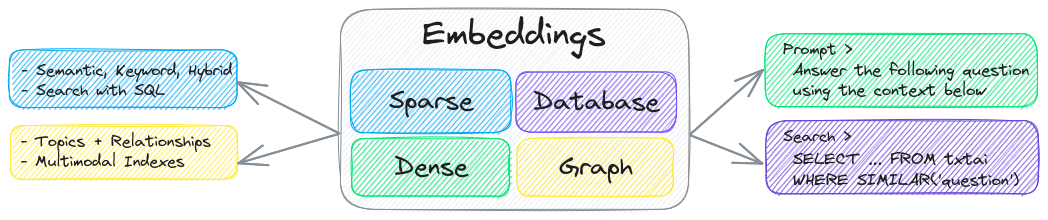
|
||||
|
||||
|
||||
Embeddings databases are a union of vector indexes (sparse and dense), graph networks and relational databases. This enables vector search with SQL, topic modeling, retrieval augmented generation and more.
|
||||
The key component of txtai is an embeddings database, which is a union of vector indexes (sparse and dense), graph networks and relational databases.
|
||||
|
||||
Embeddings databases can stand on their own and/or serve as a powerful knowledge source for large language model (LLM) prompts.
|
||||
This foundation enables vector search and/or serves as a powerful knowledge source for large language model (LLM) applications.
|
||||
|
||||
Build autonomous agents, retrieval augmented generation (RAG) processes, multi-model workflows and more.
|
||||
|
||||
Summary of txtai features:
|
||||
|
||||
@@ -42,12 +44,18 @@ Summary of txtai features:
|
||||
- 📄 Create embeddings for text, documents, audio, images and video
|
||||
- 💡 Pipelines powered by language models that run LLM prompts, question-answering, labeling, transcription, translation, summarization and more
|
||||
- ↪️️ Workflows to join pipelines together and aggregate business logic. txtai processes can be simple microservices or multi-model workflows.
|
||||
- ⚙️ Build with Python or YAML. API bindings available for [JavaScript](https://github.com/neuml/txtai.js), [Java](https://github.com/neuml/txtai.java), [Rust](https://github.com/neuml/txtai.rs) and [Go](https://github.com/neuml/txtai.go).
|
||||
- 🤖 Agents that intelligently connect embeddings, pipelines, workflows and other agents together to autonomously solve complex problems
|
||||
- ⚙️ Web and Model Context Protocol (MCP) APIs. Bindings available for [JavaScript](https://github.com/neuml/txtai.js), [Java](https://github.com/neuml/txtai.java), [Rust](https://github.com/neuml/txtai.rs) and [Go](https://github.com/neuml/txtai.go).
|
||||
- 🔋 Batteries included with defaults to get up and running fast
|
||||
- ☁️ Run local or scale out with container orchestration
|
||||
|
||||
txtai is built with Python 3.8+, [Hugging Face Transformers](https://github.com/huggingface/transformers), [Sentence Transformers](https://github.com/UKPLab/sentence-transformers) and [FastAPI](https://github.com/tiangolo/fastapi). txtai is open-source under an Apache 2.0 license.
|
||||
txtai is built with Python 3.11+, [Hugging Face Transformers](https://github.com/huggingface/transformers), [Sentence Transformers](https://github.com/UKPLab/sentence-transformers) and [FastAPI](https://github.com/tiangolo/fastapi). txtai is open-source under an Apache 2.0 license.
|
||||
|
||||
*Interested in an easy and secure way to run hosted txtai applications? Then join the [txtai.cloud](https://txtai.cloud) preview to learn more.*
|
||||
> [!NOTE]
|
||||
>
|
||||
> [NeuML](https://neuml.com) is the company behind txtai and we provide AI consulting services around our stack. [Schedule a meeting](https://cal.com/neuml/intro) or [send a message](mailto:[email protected]) to learn more.
|
||||
>
|
||||
> We're also building an easy and secure way to run hosted txtai applications with [txtai.cloud](https://txtai.cloud).
|
||||
|
||||
## Why txtai?
|
||||
|
||||
@@ -83,7 +91,7 @@ curl -X GET "http://localhost:8000/search?query=positive"
|
||||
|
||||
## Use Cases
|
||||
|
||||
The following sections introduce common txtai use cases. A comprehensive set of over 50 [example notebooks and applications](https://neuml.github.io/txtai/examples) are also available.
|
||||
The following sections introduce common txtai use cases. A comprehensive set of over 70 [example notebooks and applications](https://neuml.github.io/txtai/examples) are also available.
|
||||
|
||||
### Semantic Search
|
||||
|
||||
@@ -107,11 +115,7 @@ Get started with the following examples.
|
||||
|
||||
### LLM Orchestration
|
||||
|
||||
LLM chains, retrieval augmented generation (RAG), chat with your data, pipelines and workflows that interface with large language models (LLMs).
|
||||
|
||||
#### Chains
|
||||
|
||||
Integrate LLM chains (known as workflows in txtai), multiple LLM agents and self-critique.
|
||||
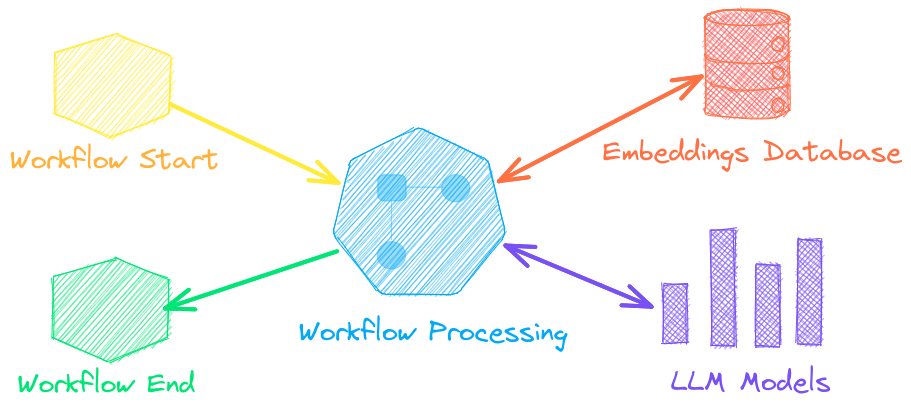
Autonomous agents, retrieval augmented generation (RAG), chat with your data, pipelines and workflows that interface with large language models (LLMs).
|
||||
|
||||
|
||||
|
||||
@@ -121,6 +125,25 @@ See below to learn more.
|
||||
|:----------|:-------------|------:|
|
||||
| [Prompt templates and task chains](https://github.com/neuml/txtai/blob/master/examples/44_Prompt_templates_and_task_chains.ipynb) | Build model prompts and connect tasks together with workflows | [](https://colab.research.google.com/github/neuml/txtai/blob/master/examples/44_Prompt_templates_and_task_chains.ipynb) |
|
||||
| [Integrate LLM frameworks](https://github.com/neuml/txtai/blob/master/examples/53_Integrate_LLM_Frameworks.ipynb) | Integrate llama.cpp, LiteLLM and custom generation frameworks | [](https://colab.research.google.com/github/neuml/txtai/blob/master/examples/53_Integrate_LLM_Frameworks.ipynb) |
|
||||
| [Build knowledge graphs with LLMs](https://github.com/neuml/txtai/blob/master/examples/57_Build_knowledge_graphs_with_LLM_driven_entity_extraction.ipynb) | Build knowledge graphs with LLM-driven entity extraction | [](https://colab.research.google.com/github/neuml/txtai/blob/master/examples/57_Build_knowledge_graphs_with_LLM_driven_entity_extraction.ipynb) |
|
||||
| [Parsing the stars with txtai](https://github.com/neuml/txtai/blob/master/examples/72_Parsing_the_stars_with_txtai.ipynb) | Explore an astronomical knowledge graph of known stars, planets, galaxies | [](https://colab.research.google.com/github/neuml/txtai/blob/master/examples/72_Parsing_the_stars_with_txtai.ipynb) |
|
||||
|
||||
#### Agents
|
||||
|
||||
Agents connect embeddings, pipelines, workflows and other agents together to autonomously solve complex problems.
|
||||
|
||||
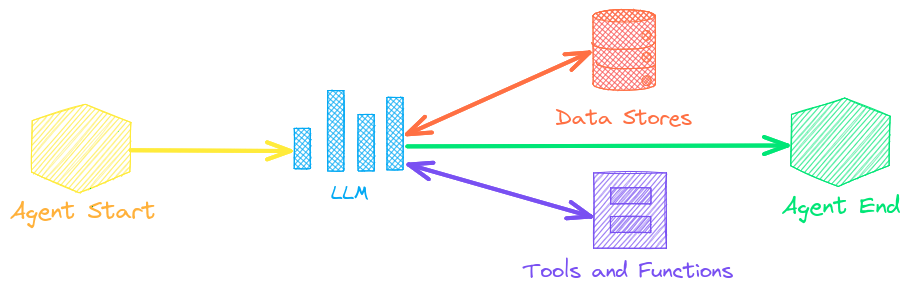
|
||||
|
||||
txtai agents are built on top of the [smolagents](https://github.com/huggingface/smolagents) framework. This supports all LLMs txtai supports (Hugging Face, llama.cpp, OpenAI / Claude / AWS Bedrock via LiteLLM). Agent prompting with [`agents.md`](https://github.com/agentsmd/agents.md) and [`skill.md`](https://agentskills.io/specification) are also supported.
|
||||
|
||||
Check out this [Agent Quickstart Example](https://github.com/neuml/txtai/blob/master/examples/agent_quickstart.py). Additional examples are listed below.
|
||||
|
||||
| Notebook | Description | |
|
||||
|:----------|:-------------|------:|
|
||||
| [Granting autonomy to agents](https://github.com/neuml/txtai/blob/master/examples/69_Granting_autonomy_to_agents.ipynb) | Agents that iteratively solve problems as they see fit | [](https://colab.research.google.com/github/neuml/txtai/blob/master/examples/69_Granting_autonomy_to_agents.ipynb) |
|
||||
| [TxtAI got skills](https://github.com/neuml/txtai/blob/master/examples/83_TxtAI_got_skills.ipynb) | Integrate skill.md files with your agent | [](https://colab.research.google.com/github/neuml/txtai/blob/master/examples/83_TxtAI_got_skills.ipynb) |
|
||||
| [Agent Tools](https://github.com/neuml/txtai/blob/master/examples/84_Agent_Tools.ipynb) [▶️](https://www.youtube.com/watch?v=RDNaFXQy3GQ) | Learn about the txtai agent toolkit | [](https://colab.research.google.com/github/neuml/txtai/blob/master/examples/84_Agent_Tools.ipynb) |
|
||||
| [Analyzing LinkedIn Company Posts with Graphs and Agents](https://github.com/neuml/txtai/blob/master/examples/71_Analyzing_LinkedIn_Company_Posts_with_Graphs_and_Agents.ipynb) | Exploring how to improve social media engagement with AI | [](https://colab.research.google.com/github/neuml/txtai/blob/master/examples/71_Analyzing_LinkedIn_Company_Posts_with_Graphs_and_Agents.ipynb) |
|
||||
|
||||
#### Retrieval augmented generation
|
||||
|
||||
@@ -129,12 +152,14 @@ Retrieval augmented generation (RAG) reduces the risk of LLM hallucinations by c
|
||||

|
||||

|
||||
|
||||
A novel feature of txtai is that it can provide both an answer and source citation.
|
||||
Check out this [RAG Quickstart Example](https://github.com/neuml/txtai/blob/master/examples/rag_quickstart.py). Additional examples are listed below.
|
||||
|
||||
| Notebook | Description | |
|
||||
|:----------|:-------------|------:|
|
||||
| [Prompt-driven search with LLMs](https://github.com/neuml/txtai/blob/master/examples/42_Prompt_driven_search_with_LLMs.ipynb) | Embeddings-guided and Prompt-driven search with Large Language Models (LLMs) | [](https://colab.research.google.com/github/neuml/txtai/blob/master/examples/42_Prompt_driven_search_with_LLMs.ipynb) |
|
||||
| [Build RAG pipelines with txtai](https://github.com/neuml/txtai/blob/master/examples/52_Build_RAG_pipelines_with_txtai.ipynb) | Guide on retrieval augmented generation including how to create citations | [](https://colab.research.google.com/github/neuml/txtai/blob/master/examples/52_Build_RAG_pipelines_with_txtai.ipynb) |
|
||||
| [Build RAG pipelines with txtai](https://github.com/neuml/txtai/blob/master/examples/52_Build_RAG_pipelines_with_txtai.ipynb) [▶️](https://www.youtube.com/watch?v=t_OeAc8NVfQ) | Guide on retrieval augmented generation including how to create citations | [](https://colab.research.google.com/github/neuml/txtai/blob/master/examples/52_Build_RAG_pipelines_with_txtai.ipynb) |
|
||||
| [RAG is more than Vector Search](https://github.com/neuml/txtai/blob/master/examples/79_RAG_is_more_than_Vector_Search.ipynb) | Context retrieval via Web, SQL and other sources | [](https://colab.research.google.com/github/neuml/txtai/blob/master/examples/79_RAG_is_more_than_Vector_Search.ipynb) |
|
||||
| [GraphRAG with Wikipedia and GPT OSS](https://github.com/neuml/txtai/blob/master/examples/77_GraphRAG_with_Wikipedia_and_GPT_OSS.ipynb) | Deep graph search powered RAG | [](https://colab.research.google.com/github/neuml/txtai/blob/master/examples/77_GraphRAG_with_Wikipedia_and_GPT_OSS.ipynb) |
|
||||
| [Speech to Speech RAG](https://github.com/neuml/txtai/blob/master/examples/65_Speech_to_Speech_RAG.ipynb) [▶️](https://www.youtube.com/watch?v=tH8QWwkVMKA) | Full cycle speech to speech workflow with RAG | [](https://colab.research.google.com/github/neuml/txtai/blob/master/examples/65_Speech_to_Speech_RAG.ipynb) |
|
||||
|
||||
### Language Model Workflows
|
||||
|
||||
@@ -145,6 +170,8 @@ Language model workflows, also known as semantic workflows, connect language mod
|
||||
|
||||
While LLMs are powerful, there are plenty of smaller, more specialized models that work better and faster for specific tasks. This includes models for extractive question-answering, automatic summarization, text-to-speech, transcription and translation.
|
||||
|
||||
Check out this [Workflow Quickstart Example](https://github.com/neuml/txtai/blob/master/examples/workflow_quickstart.py). Additional examples are listed below.
|
||||
|
||||
| Notebook | Description | |
|
||||
|:----------|:-------------|------:|
|
||||
| [Run pipeline workflows](https://github.com/neuml/txtai/blob/master/examples/14_Run_pipeline_workflows.ipynb) [▶️](https://www.youtube.com/watch?v=UBMPDCn1gEU) | Simple yet powerful constructs to efficiently process data | [](https://colab.research.google.com/github/neuml/txtai/blob/master/examples/14_Run_pipeline_workflows.ipynb) |
|
||||
@@ -163,9 +190,9 @@ The easiest way to install is via pip and PyPI
|
||||
pip install txtai
|
||||
```
|
||||
|
||||
Python 3.8+ is supported. Using a Python [virtual environment](https://docs.python.org/3/library/venv.html) is recommended.
|
||||
Python 3.11+ is supported. Using a Python [virtual environment](https://docs.python.org/3/library/venv.html) is recommended.
|
||||
|
||||
See the detailed [install instructions](https://neuml.github.io/txtai/install) for more information covering [optional dependencies](https://neuml.github.io/txtai/install/#optional-dependencies), [environment specific prerequisites](https://neuml.github.io/txtai/install/#environment-specific-prerequisites), [installing from source](https://neuml.github.io/txtai/install/#install-from-source), [conda support](https://neuml.github.io/txtai/install/#conda) and how to [run with containers](https://neuml.github.io/txtai/cloud).
|
||||
See the detailed [install instructions](https://neuml.github.io/txtai/install) for more information covering [optional dependencies](https://neuml.github.io/txtai/install/#optional-dependencies), [environment specific prerequisites](https://neuml.github.io/txtai/install/#environment-specific-prerequisites), [installing from source](https://neuml.github.io/txtai/install/#install-from-source), [conda support](https://neuml.github.io/txtai/install/#conda), [lightweight minimal installation](https://neuml.github.io/txtai/install/#minimal-install) and how to [run with containers](https://neuml.github.io/txtai/cloud).
|
||||
|
||||
## Model guide
|
||||
|
||||
@@ -177,9 +204,9 @@ See the table below for the current recommended models. These models all allow c
|
||||
| ----------------------------------------------------------------------------- | ------------------------------------------------------------------------ |
|
||||
| [Embeddings](https://neuml.github.io/txtai/embeddings) | [all-MiniLM-L6-v2](https://hf.co/sentence-transformers/all-MiniLM-L6-v2) |
|
||||
| [Image Captions](https://neuml.github.io/txtai/pipeline/image/caption) | [BLIP](https://hf.co/Salesforce/blip-image-captioning-base) |
|
||||
| [Labels - Zero Shot](https://neuml.github.io/txtai/pipeline/text/labels) | [BART-Large-MNLI](https://hf.co/facebook/bart-large) |
|
||||
| [Labels - Zero Shot](https://neuml.github.io/txtai/pipeline/text/labels) | [DeBERTa v3 Zeroshot](https://hf.co/MoritzLaurer/deberta-v3-base-zeroshot-v2.0-c) |
|
||||
| [Labels - Fixed](https://neuml.github.io/txtai/pipeline/text/labels) | Fine-tune with [training pipeline](https://neuml.github.io/txtai/pipeline/train/trainer) |
|
||||
| [Large Language Model (LLM)](https://neuml.github.io/txtai/pipeline/text/llm) | [Mistral 7B OpenOrca](https://hf.co/Open-Orca/Mistral-7B-OpenOrca) |
|
||||
| [Large Language Model (LLM)](https://neuml.github.io/txtai/pipeline/text/llm) | [Gemma 4 31B](https://hf.co/google/gemma-4-31B) |
|
||||
| [Summarization](https://neuml.github.io/txtai/pipeline/text/summary) | [DistilBART](https://hf.co/sshleifer/distilbart-cnn-12-6) |
|
||||
| [Text-to-Speech](https://neuml.github.io/txtai/pipeline/audio/texttospeech) | [ESPnet JETS](https://hf.co/NeuML/ljspeech-jets-onnx) |
|
||||
| [Transcription](https://neuml.github.io/txtai/pipeline/audio/transcription) | [Whisper](https://hf.co/openai/whisper-base) |
|
||||
@@ -191,8 +218,8 @@ See the following links to learn more.
|
||||
|
||||
- [Hugging Face Tasks](https://hf.co/tasks)
|
||||
- [Hugging Face Model Hub](https://hf.co/models)
|
||||
- [MTEB Leaderboard](https://hf.co/spaces/mteb/leaderboard)
|
||||
- [Open LLM Leaderboard](https://hf.co/spaces/HuggingFaceH4/open_llm_leaderboard)
|
||||
- [Embeddings Leaderboard](https://hf.co/spaces/mteb/leaderboard)
|
||||
- [LLM Leaderboard](https://hf.co/spaces/lmarena-ai/arena-leaderboard)
|
||||
|
||||
## Powered by txtai
|
||||
|
||||
@@ -201,11 +228,11 @@ The following applications are powered by txtai.
|
||||
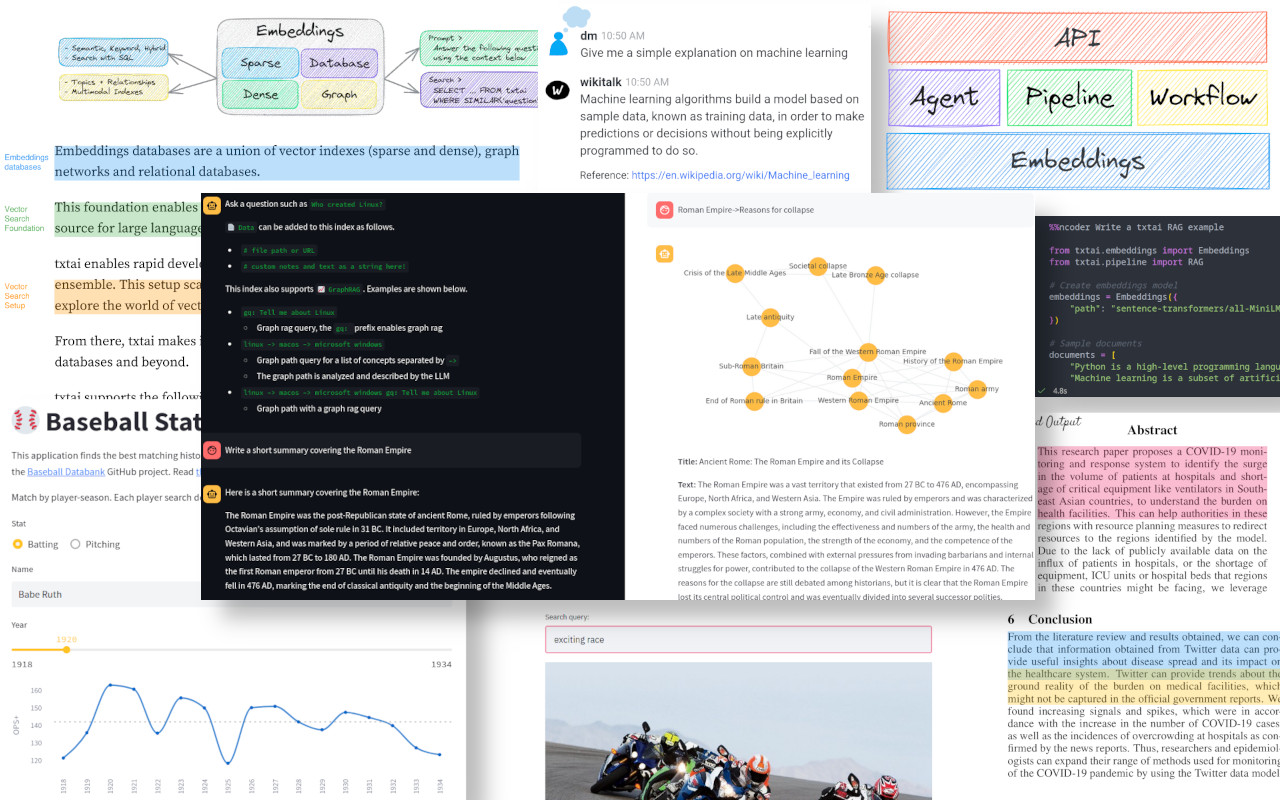
|
||||
|
||||
| Application | Description |
|
||||
|:----------|:-------------|
|
||||
| [txtchat](https://github.com/neuml/txtchat) | Conversational search and workflows for all |
|
||||
| [paperai](https://github.com/neuml/paperai) | Semantic search and workflows for medical/scientific papers |
|
||||
| [codequestion](https://github.com/neuml/codequestion) | Semantic search for developers |
|
||||
| [tldrstory](https://github.com/neuml/tldrstory) | Semantic search for headlines and story text |
|
||||
|:------------ |:-------------|
|
||||
| [rag](https://github.com/neuml/rag) | Retrieval Augmented Generation (RAG) application |
|
||||
| [ncoder](https://github.com/neuml/ncoder) | Open-Source AI coding agent |
|
||||
| [paperai](https://github.com/neuml/paperai) | AI for medical and scientific papers |
|
||||
| [annotateai](https://github.com/neuml/annotateai) | Automatically annotate papers with LLMs |
|
||||
|
||||
In addition to this list, there are also many other [open-source projects](https://github.com/neuml/txtai/network/dependents), [published research](https://scholar.google.com/scholar?q=txtai&hl=en&as_ylo=2022) and closed proprietary/commercial projects that have built on txtai in production.
|
||||
|
||||
@@ -214,11 +241,13 @@ In addition to this list, there are also many other [open-source projects](https
|
||||

|
||||

|
||||
|
||||
- [Introducing txtai, the all-in-one embeddings database](https://medium.com/neuml/introducing-txtai-the-all-in-one-embeddings-database-c721f4ff91ad)
|
||||
- [Introducing txtai, the all-in-one AI framework](https://medium.com/neuml/introducing-txtai-the-all-in-one-ai-framework-0660ecfc39d7)
|
||||
- [txtai: An All-in-One AI Framework for Semantic Search and LLM Workflows](https://github.com/neuml/papers/blob/master/txtai/txtai.pdf)
|
||||
- [Tutorial series on Hashnode](https://neuml.hashnode.dev/series/txtai-tutorial) | [dev.to](https://dev.to/neuml/tutorial-series-on-txtai-ibg)
|
||||
- [What's new in txtai 6.0](https://medium.com/neuml/whats-new-in-txtai-6-0-7d93eeedf804) | [5.0](https://medium.com/neuml/whats-new-in-txtai-5-0-e5c75a13b101) | [4.0](https://medium.com/neuml/whats-new-in-txtai-4-0-bbc3a65c3d1c)
|
||||
- [Getting started with semantic search](https://medium.com/neuml/getting-started-with-semantic-search-a9fd9d8a48cf) | [workflows](https://medium.com/neuml/getting-started-with-semantic-workflows-2fefda6165d9)
|
||||
- [What's new in txtai 9.0](https://medium.com/neuml/whats-new-in-txtai-9-0-d522bb150afa) | [8.0](https://medium.com/neuml/whats-new-in-txtai-8-0-2d7d0ab4506b) | [7.0](https://medium.com/neuml/whats-new-in-txtai-7-0-855ad6a55440) | [6.0](https://medium.com/neuml/whats-new-in-txtai-6-0-7d93eeedf804) | [5.0](https://medium.com/neuml/whats-new-in-txtai-5-0-e5c75a13b101) | [4.0](https://medium.com/neuml/whats-new-in-txtai-4-0-bbc3a65c3d1c)
|
||||
- [Getting started with semantic search](https://medium.com/neuml/getting-started-with-semantic-search-a9fd9d8a48cf) | [workflows](https://medium.com/neuml/getting-started-with-semantic-workflows-2fefda6165d9) | [rag](https://medium.com/neuml/getting-started-with-rag-9a0cca75f748)
|
||||
- [Running txtai at scale](https://medium.com/neuml/running-at-scale-with-txtai-71196cdd99f9)
|
||||
- [Vector search & RAG Landscape: A review with txtai](https://medium.com/neuml/vector-search-rag-landscape-a-review-with-txtai-a7f37ad0e187)
|
||||
|
||||
## Documentation
|
||||
|
||||
|
||||

|
Before Width: | Height: | Size: 208 KiB After Width: | Height: | Size: 295 KiB |
@@ -1,5 +1,5 @@
|
||||
# Set base image
|
||||
ARG BASE_IMAGE=ubuntu:20.04
|
||||
ARG BASE_IMAGE=python:3.11-slim
|
||||
FROM $BASE_IMAGE
|
||||
|
||||
# Install GPU-enabled version of PyTorch if set
|
||||
@@ -8,7 +8,7 @@ ARG GPU
|
||||
# Target CPU architecture
|
||||
ARG TARGETARCH
|
||||
|
||||
# Set Python version (i.e. 3, 3.8)
|
||||
# Set Python version (i.e. 3, 3.11)
|
||||
ARG PYTHON_VERSION=3
|
||||
|
||||
# List of txtai components to install
|
||||
@@ -21,18 +21,18 @@ ENV LANG=C.UTF-8
|
||||
RUN \
|
||||
# Install required packages
|
||||
apt-get update && \
|
||||
apt-get -y --no-install-recommends install libgomp1 libsndfile1 gcc g++ python${PYTHON_VERSION} python${PYTHON_VERSION}-dev python3-pip && \
|
||||
apt-get -y --no-install-recommends install libgomp1 libportaudio2 libsndfile1 libegl1 libgles2 libvulkan1 git gcc g++ python${PYTHON_VERSION} python${PYTHON_VERSION}-dev python3-pip && \
|
||||
rm -rf /var/lib/apt/lists && \
|
||||
\
|
||||
# Install txtai project and dependencies
|
||||
ln -s /usr/bin/python${PYTHON_VERSION} /usr/bin/python && \
|
||||
python -m pip install --no-cache-dir -U pip wheel setuptools && \
|
||||
if [ -z ${GPU} ] && { [ -z ${TARGETARCH} ] || [ ${TARGETARCH} = "amd64" ] ;}; then pip install --no-cache-dir torch==2.1.0+cpu torchvision==0.16.0+cpu -f https://download.pytorch.org/whl/torch_stable.html; fi && \
|
||||
if [ -z ${GPU} ]; then pip install --no-cache-dir torch==2.14.1+cpu torchvision==0.29.1+cpu -f https://download.pytorch.org/whl/torch -f https://download.pytorch.org/whl/torchvision; fi && \
|
||||
python -m pip install --no-cache-dir txtai${COMPONENTS} && \
|
||||
python -c "import sys, importlib.util as util; 1 if util.find_spec('nltk') else sys.exit(); import nltk; nltk.download('punkt')" && \
|
||||
python -c "import sys, importlib.util as util; 1 if util.find_spec('nltk') else sys.exit(); import nltk; nltk.download(['punkt', 'punkt_tab', 'averaged_perceptron_tagger_eng'])" && \
|
||||
\
|
||||
# Cleanup build packages
|
||||
apt-get -y purge gcc g++ python${PYTHON_VERSION}-dev && apt-get -y autoremove
|
||||
apt-get -y purge git gcc g++ python${PYTHON_VERSION}-dev && apt-get -y autoremove
|
||||
|
||||
# Set default working directory
|
||||
WORKDIR /app
|
||||
|
||||
@@ -0,0 +1,20 @@
|
||||
# Set base image
|
||||
ARG BASE_IMAGE=python:3.11-slim
|
||||
FROM $BASE_IMAGE
|
||||
|
||||
# Target CPU architecture
|
||||
ARG TARGETARCH
|
||||
|
||||
# Set Python version (i.e. 3, 3.11)
|
||||
ARG PYTHON_VERSION=3
|
||||
|
||||
# Locale environment variables
|
||||
ENV LC_ALL=C.UTF-8
|
||||
ENV LANG=C.UTF-8
|
||||
|
||||
RUN \
|
||||
# Install minimal txtai project and dependencies
|
||||
MINIMAL=1 python -m pip install --no-cache-dir txtai_minimal
|
||||
|
||||
# Set default working directory
|
||||
WORKDIR /app
|
||||
@@ -0,0 +1,141 @@
|
||||
# Configuration
|
||||
|
||||
An agent takes two main arguments, an LLM and a list of tools.
|
||||
|
||||
The txtai agent framework is built with [smolagents](https://github.com/huggingface/smolagents). Additional options can be passed in the `Agent` constructor.
|
||||
|
||||
```python
|
||||
from datetime import datetime
|
||||
|
||||
from txtai import Agent
|
||||
|
||||
wikipedia = {
|
||||
"name": "wikipedia",
|
||||
"description": "Searches a Wikipedia database",
|
||||
"provider": "huggingface-hub",
|
||||
"container": "neuml/txtai-wikipedia"
|
||||
}
|
||||
|
||||
arxiv = {
|
||||
"name": "arxiv",
|
||||
"description": "Searches a database of scientific papers",
|
||||
"provider": "huggingface-hub",
|
||||
"container": "neuml/txtai-arxiv"
|
||||
}
|
||||
|
||||
def today() -> str:
|
||||
"""
|
||||
Gets the current date and time
|
||||
|
||||
Returns:
|
||||
current date and time
|
||||
"""
|
||||
|
||||
return datetime.today().isoformat()
|
||||
|
||||
agent = Agent(
|
||||
model="Qwen/Qwen3-4B-Instruct-2507",
|
||||
tools=[today, wikipedia, arxiv, "websearch"],
|
||||
)
|
||||
```
|
||||
|
||||
## model
|
||||
|
||||
```yaml
|
||||
model: string|llm instance
|
||||
```
|
||||
|
||||
LLM model path or LLM pipeline instance. The `llm` parameter is also supported for backwards compatibility.
|
||||
|
||||
See the [LLM pipeline](../../pipeline/text/llm) for more information.
|
||||
|
||||
## tools
|
||||
|
||||
```yaml
|
||||
tools: list
|
||||
```
|
||||
|
||||
List of tools to supply to the agent. Supports the following configurations.
|
||||
|
||||
### function
|
||||
|
||||
A function tool takes the following dictionary fields.
|
||||
|
||||
| Field | Description |
|
||||
|:------------|:-------------------------|
|
||||
| name | name of the tool |
|
||||
| description | tool description |
|
||||
| target | target method / callable |
|
||||
|
||||
A function or callable method can also be directly supplied in the `tools` list. In this case, the fields are inferred from the method documentation.
|
||||
|
||||
### embeddings
|
||||
|
||||
Embeddings indexes have built-in support. Provide the following dictionary configuration to add an embeddings index as a tool.
|
||||
|
||||
| Field | Description |
|
||||
|:------------|:-------------------------------------------|
|
||||
| name | embeddings index name |
|
||||
| description | embeddings index description |
|
||||
| **kwargs | Parameters to pass to [embeddings.load](../../embeddings/methods/#txtai.embeddings.Embeddings.load) |
|
||||
|
||||
### tool
|
||||
|
||||
The following shortcut strings load tools directly. Passing a Tool instance is also supported.
|
||||
|
||||
| Tool | Description |
|
||||
|:------------|:----------------------------------------------------------|
|
||||
| bash | Runs a shell command through subprocess |
|
||||
| defaults | Loads all of these tools as the default toolkit |
|
||||
| edit | Edits a file in place and returns a diff |
|
||||
| glob | Finds matching file patterns in a directory |
|
||||
| grep | Finds matching file content in a directory |
|
||||
| http.* | HTTP Path to a [Model Context Protocol (MCP)](https://modelcontextprotocol.io/docs/getting-started/intro) server |
|
||||
| python | Runs a Python action |
|
||||
| read | Reads file or url content, supports text extraction |
|
||||
| todowrite | Generates a task list to organize complex tasks |
|
||||
| websearch | Runs a websearch using the built-in websearch tool |
|
||||
| webview | Extracts content from a web page. Alias for `read` tool |
|
||||
| write | Writes content to file |
|
||||
| *.md | Loads a [`skill.md`](https://agentskills.io/specification) file |
|
||||
|
||||
## instructions
|
||||
|
||||
```yaml
|
||||
instructions: string|path
|
||||
```
|
||||
|
||||
Supports loading an `agents.md` file. Can be provided directly as a string or as a path to a file.
|
||||
|
||||
[Read more about agents.md here](https://github.com/agentsmd/agents.md)
|
||||
|
||||
## template
|
||||
|
||||
```yaml
|
||||
template: string
|
||||
```
|
||||
|
||||
Customize the prompt template used by this agent. Supports Jinja templates. Uses a default template when this parameter is not provided.
|
||||
Must include `{{ text }}` and `{{ memory }}` placeholders.
|
||||
|
||||
## memory
|
||||
|
||||
```yaml
|
||||
memory: int
|
||||
```
|
||||
|
||||
Keeps a rolling window of `memory` inputs and outputs. These are added to future prompts and serve as "agent memory".
|
||||
|
||||
Supports storing memory by `session` to enable multiple conversation threads. Defaults to shared memory when not set. See the [method documentation](../methods#txtai.agent.base.Agent.__call__) for more information.
|
||||
|
||||
## method
|
||||
|
||||
```yaml
|
||||
method: code|tool
|
||||
```
|
||||
|
||||
Sets the agent method. Supports either a `code` or `tool` (default) calling agent. A code agent generates Python code and executes that. A tool calling agent generates JSON blocks and calls the agents within those blocks.
|
||||
|
||||
Additional options can be directly passed. See [CodeAgent](https://huggingface.co/docs/smolagents/main/en/reference/agents#smolagents.CodeAgent) or [ToolCallingAgent](https://huggingface.co/docs/smolagents/main/en/reference/agents#smolagents.ToolCallingAgent) for a list of parameters.
|
||||
|
||||
[Read more here](https://huggingface.co/docs/smolagents/main/en/guided_tour).
|
||||
@@ -0,0 +1,156 @@
|
||||
# Agent
|
||||
|
||||

|
||||
|
||||
An agent automatically creates workflows to answer multi-faceted user requests. Agents iteratively prompt and/or interface with tools to
|
||||
step through a process and ultimately come to an answer for a request.
|
||||
|
||||
Agent prompting with [`agents.md`](https://github.com/agentsmd/agents.md) and [`skill.md`](https://agentskills.io/specification) are also supported. [Read the configuration](./configuration/#tool) for more on how to setup those up.
|
||||
|
||||
Agents excel at complex tasks where multiple tools and/or methods are required. They incorporate a level of randomness similar to different
|
||||
people working on the same task. When the request is simple and/or there is a rule-based process, other methods such as RAG and Workflows
|
||||
should be explored.
|
||||
|
||||
The following code snippet defines a basic agent.
|
||||
|
||||
```python
|
||||
from datetime import datetime
|
||||
|
||||
from txtai import Agent
|
||||
|
||||
wikipedia = {
|
||||
"name": "wikipedia",
|
||||
"description": "Searches a Wikipedia database",
|
||||
"provider": "huggingface-hub",
|
||||
"container": "neuml/txtai-wikipedia"
|
||||
}
|
||||
|
||||
arxiv = {
|
||||
"name": "arxiv",
|
||||
"description": "Searches a database of scientific papers",
|
||||
"provider": "huggingface-hub",
|
||||
"container": "neuml/txtai-arxiv"
|
||||
}
|
||||
|
||||
def today() -> str:
|
||||
"""
|
||||
Gets the current date and time
|
||||
|
||||
Returns:
|
||||
current date and time
|
||||
"""
|
||||
|
||||
return datetime.today().isoformat()
|
||||
|
||||
agent = Agent(
|
||||
model="Qwen/Qwen3-4B-Instruct-2507",
|
||||
tools=[today, wikipedia, arxiv, "websearch"],
|
||||
max_steps=10,
|
||||
)
|
||||
```
|
||||
|
||||
The agent above has access to two embeddings databases (Wikipedia and ArXiv) and the web. Given the user's input request, the agent decides the best tool to solve the task.
|
||||
|
||||
## Example
|
||||
|
||||
The first example will solve a problem with multiple data points. See below.
|
||||
|
||||
```python
|
||||
agent("Which city has the highest population, Boston or New York?")
|
||||
```
|
||||
|
||||
This requires looking up the population of each city before knowing how to answer the question. Multiple search requests are run to generate a final answer.
|
||||
|
||||
## Agentic RAG
|
||||
|
||||
Standard retrieval augmented generation (RAG) runs a single vector search to obtain a context and builds a prompt with the context + input question. Agentic RAG is a more complex process that goes through multiple iterations. It can also utilize multiple databases to come to a final conclusion.
|
||||
|
||||
The example below aggregates information from multiple sources and builds a report on a topic.
|
||||
|
||||
```python
|
||||
researcher = """
|
||||
You're an expert researcher looking to write a paper on {topic}.
|
||||
Search for websites, scientific papers and Wikipedia related to the topic.
|
||||
Write a report with summaries and references (with hyperlinks).
|
||||
Write the text as Markdown.
|
||||
"""
|
||||
|
||||
agent(researcher.format(topic="alien life"))
|
||||
```
|
||||
|
||||
## Agent Teams
|
||||
|
||||
Agents can also be tools. This enables the concept of building "Agent Teams" to solve problems. The previous example can be rewritten as a list of agents.
|
||||
|
||||
```python
|
||||
from txtai import Agent, LLM
|
||||
|
||||
llm = LLM("Qwen/Qwen3-4B-Instruct-2507")
|
||||
|
||||
websearcher = Agent(
|
||||
model=llm,
|
||||
tools=["websearch"],
|
||||
)
|
||||
|
||||
wikiman = Agent(
|
||||
model=llm,
|
||||
tools=[{
|
||||
"name": "wikipedia",
|
||||
"description": "Searches a Wikipedia database",
|
||||
"provider": "huggingface-hub",
|
||||
"container": "neuml/txtai-wikipedia"
|
||||
}],
|
||||
)
|
||||
|
||||
researcher = Agent(
|
||||
model=llm,
|
||||
tools=[{
|
||||
"name": "arxiv",
|
||||
"description": "Searches a database of scientific papers",
|
||||
"provider": "huggingface-hub",
|
||||
"container": "neuml/txtai-arxiv"
|
||||
}],
|
||||
)
|
||||
|
||||
agent = Agent(
|
||||
model=llm,
|
||||
tools=[{
|
||||
"name": "websearcher",
|
||||
"description": "I run web searches, there is no answer a web search can't solve!",
|
||||
"target": websearcher
|
||||
}, {
|
||||
"name": "wikiman",
|
||||
"description": "Wikipedia has all the answers, I search Wikipedia and answer questions",
|
||||
"target": wikiman
|
||||
}, {
|
||||
"name": "researcher",
|
||||
"description": "I'm a science guy. I search arXiv to get all my answers.",
|
||||
"target": researcher
|
||||
}],
|
||||
max_steps=10
|
||||
)
|
||||
```
|
||||
|
||||
This provides another level of intelligence to the process. Instead of just a single tool execution, each agent-tool combination has it's own reasoning engine.
|
||||
|
||||
```python
|
||||
agent("""
|
||||
Research fundamental concepts about Signal Processing and build a comprehensive report.
|
||||
Write the output in Markdown.
|
||||
""")
|
||||
```
|
||||
|
||||
# More examples
|
||||
|
||||
Check out this [Agent Quickstart Example](https://github.com/neuml/txtai/blob/master/examples/agent_quickstart.py). Additional examples are listed below.
|
||||
|
||||
| Notebook | Description | |
|
||||
|:----------|:-------------|------:|
|
||||
| [What's new in txtai 8.0](https://github.com/neuml/txtai/blob/master/examples/67_Whats_new_in_txtai_8_0.ipynb) | Agents with txtai | [](https://colab.research.google.com/github/neuml/txtai/blob/master/examples/67_Whats_new_in_txtai_8_0.ipynb) |
|
||||
| [Analyzing Hugging Face Posts with Graphs and Agents](https://github.com/neuml/txtai/blob/master/examples/68_Analyzing_Hugging_Face_Posts_with_Graphs_and_Agents.ipynb) | Explore a rich dataset with Graph Analysis and Agents | [](https://colab.research.google.com/github/neuml/txtai/blob/master/examples/68_Analyzing_Hugging_Face_Posts_with_Graphs_and_Agents.ipynb) |
|
||||
| [Granting autonomy to agents](https://github.com/neuml/txtai/blob/master/examples/69_Granting_autonomy_to_agents.ipynb) | Agents that iteratively solve problems as they see fit | [](https://colab.research.google.com/github/neuml/txtai/blob/master/examples/69_Granting_autonomy_to_agents.ipynb) |
|
||||
| [Analyzing LinkedIn Company Posts with Graphs and Agents](https://github.com/neuml/txtai/blob/master/examples/71_Analyzing_LinkedIn_Company_Posts_with_Graphs_and_Agents.ipynb) | Exploring how to improve social media engagement with AI | [](https://colab.research.google.com/github/neuml/txtai/blob/master/examples/71_Analyzing_LinkedIn_Company_Posts_with_Graphs_and_Agents.ipynb) |
|
||||
| [Parsing the stars with txtai](https://github.com/neuml/txtai/blob/master/examples/72_Parsing_the_stars_with_txtai.ipynb) | Explore an astronomical knowledge graph of known stars, planets, galaxies | [](https://colab.research.google.com/github/neuml/txtai/blob/master/examples/72_Parsing_the_stars_with_txtai.ipynb) |
|
||||
| [Agentic College Search](https://github.com/neuml/txtai/blob/master/examples/82_Agentic_College_Search.ipynb) | Identify list of strong engineering colleges | [](https://colab.research.google.com/github/neuml/txtai/blob/master/examples/82_Agentic_College_Search.ipynb) |
|
||||
| [TxtAI got skills](https://github.com/neuml/txtai/blob/master/examples/83_TxtAI_got_skills.ipynb) | Integrate skill.md files with your agent | [](https://colab.research.google.com/github/neuml/txtai/blob/master/examples/83_TxtAI_got_skills.ipynb) |
|
||||
| [Agent Tools](https://github.com/neuml/txtai/blob/master/examples/84_Agent_Tools.ipynb) [▶️](https://www.youtube.com/watch?v=RDNaFXQy3GQ) | Learn about the txtai agent toolkit | [](https://colab.research.google.com/github/neuml/txtai/blob/master/examples/84_Agent_Tools.ipynb) |
|
||||
@@ -0,0 +1,4 @@
|
||||
# Methods
|
||||
|
||||
## ::: txtai.agent.base.Agent.__init__
|
||||
## ::: txtai.agent.base.Agent.__call__
|
||||
@@ -33,11 +33,36 @@ Path to save and load the embeddings index. Each API instance can only access a
|
||||
writable: boolean
|
||||
```
|
||||
|
||||
Determines if the input embeddings index is writable (true) or read-only (false). This allows serving a read-only index.
|
||||
Sets this embeddings index as writable (true) or read-only (false). This allows serving a read-only index. Defaults to read-only.
|
||||
|
||||
### reindex
|
||||
```yaml
|
||||
reindex: boolean
|
||||
```
|
||||
|
||||
Enables re-indexing for this embeddings index (defaults to disabled).
|
||||
|
||||
Re-indexing accepts new configuration and should only be enabled when the configuration comes from trusted sources.
|
||||
|
||||
### cloud
|
||||
[Cloud storage settings](../../embeddings/configuration/cloud) can be set under a `cloud` top level configuration group.
|
||||
|
||||
## Agent
|
||||
|
||||
Agents are defined under a top level `agent` key. Each key under the `agent` key is the name of the agent. Constructor parameters can be passed under this key.
|
||||
|
||||
The following example defines an agent.
|
||||
|
||||
```yaml
|
||||
agent:
|
||||
researcher:
|
||||
tools:
|
||||
- websearch
|
||||
|
||||
llm:
|
||||
path: Qwen/Qwen3-4B-Instruct-2507
|
||||
```
|
||||
|
||||
## Pipeline
|
||||
|
||||
Pipelines are loaded as top level configuration parameters. Pipeline names are automatically detected in the YAML configuration and created upon startup. All [pipelines](../../pipeline) are supported.
|
||||
|
||||
@@ -0,0 +1,25 @@
|
||||
# Customization
|
||||
|
||||
The txtai API has a number of features out of the box that are designed to help get started quickly. API services can also be augmented with custom code and functionality. The two main ways to do this are with extensions and dependencies.
|
||||
|
||||
Extensions add a custom endpoint. Dependencies add middleware that executes with each request. See the sections below for more.
|
||||
|
||||
## Extensions
|
||||
|
||||
While the API is extremely flexible and complex logic can be executed through YAML-driven workflows, some may prefer to create an endpoint in Python. API extensions define custom Python endpoints that interact with txtai applications.
|
||||
|
||||
See the link below for a detailed example.
|
||||
|
||||
| Notebook | Description | |
|
||||
|:----------|:-------------|------:|
|
||||
| [Custom API Endpoints](https://github.com/neuml/txtai/blob/master/examples/51_Custom_API_Endpoints.ipynb) | Extend the API with custom endpoints | [](https://colab.research.google.com/github/neuml/txtai/blob/master/examples/51_Custom_API_Endpoints.ipynb) |
|
||||
|
||||
## Dependencies
|
||||
|
||||
txtai has a default API token authorization method that works well in many cases. Dependencies can also add custom logic with each request. This could be an additional authorization step and/or an authentication method.
|
||||
|
||||
See the link below for a detailed example.
|
||||
|
||||
| Notebook | Description | |
|
||||
|:----------|:-------------|------:|
|
||||
| [API Authorization and Authentication](https://github.com/neuml/txtai/blob/master/examples/54_API_Authorization_and_Authentication.ipynb) | Add authorization, authentication and middleware dependencies to the API | [](https://colab.research.google.com/github/neuml/txtai/blob/master/examples/54_API_Authorization_and_Authentication.ipynb) |
|
||||
@@ -1,9 +0,0 @@
|
||||
# Extensions
|
||||
|
||||
While the API is extremely flexible and complex logic can be executed through YAML-driven workflows, some may prefer to create an endpoint in Python. API extensions define custom Python endpoints that interact with txtai applications.
|
||||
|
||||
See the link below for a detailed example covering how to create an API extension.
|
||||
|
||||
| Notebook | Description | |
|
||||
|:----------|:-------------|------:|
|
||||
| [Custom API Endpoints](https://github.com/neuml/txtai/blob/master/examples/51_Custom_API_Endpoints.ipynb) | Extend the API with custom endpoints | [](https://colab.research.google.com/github/neuml/txtai/blob/master/examples/51_Custom_API_Endpoints.ipynb) |
|
||||
@@ -88,14 +88,6 @@ curl \
|
||||
-d '{"name":"sumfrench", "elements": ["https://github.com/neuml/txtai"]}'
|
||||
```
|
||||
|
||||
## HTTPS
|
||||
|
||||
The API service command specified earlier starts a Uvicorn server as a HTTP service on port 8000. To run a HTTPS service, consider the following options.
|
||||
|
||||
- [TLS Proxy Server](https://fastapi.tiangolo.com/deployment/https/). *Recommended choice*. With this configuration, the txtai API service runs as a HTTP service only accessible on the localhost/local network. The proxy server handles all encryption and redirects requests to local services. See this [example configuration](https://www.uvicorn.org/deployment/#running-behind-nginx) for more.
|
||||
|
||||
- [Uvicorn SSL Certificate](https://www.uvicorn.org/deployment/). Another option is setting the SSL certificate on the Uvicorn service. This works in simple situations but gets complex when hosting multiple txtai or other related services.
|
||||
|
||||
## Local instance
|
||||
|
||||
A local instance can be instantiated. In this case, a txtai application runs internally, without any network connections, providing the same consolidated functionality. This enables running txtai in Python with configuration.
|
||||
@@ -103,7 +95,7 @@ A local instance can be instantiated. In this case, a txtai application runs int
|
||||
The configuration above can be run in Python with:
|
||||
|
||||
```python
|
||||
from txtai.app import Application
|
||||
from txtai import Application
|
||||
|
||||
# Load and run workflow
|
||||
app = Application(config.yml)
|
||||
@@ -128,8 +120,15 @@ The following programming languages have bindings with the txtai API:
|
||||
- [Rust](https://github.com/neuml/txtai.rs)
|
||||
- [Go](https://github.com/neuml/txtai.go)
|
||||
|
||||
See the link below for a detailed example covering how to use the API.
|
||||
The API also supports hosting [OpenAI-compatible](./openai) and [Model Context Protocol (MCP)](./mcp) endpoints.
|
||||
|
||||
See the links below for detailed examples covering the API.
|
||||
|
||||
| Notebook | Description | |
|
||||
|:----------|:-------------|------:|
|
||||
| [API Gallery](https://github.com/neuml/txtai/blob/master/examples/08_API_Gallery.ipynb) | Using txtai in JavaScript, Java, Rust and Go | [](https://colab.research.google.com/github/neuml/txtai/blob/master/examples/08_API_Gallery.ipynb) |
|
||||
| [Distributed embeddings cluster](https://github.com/neuml/txtai/blob/master/examples/15_Distributed_embeddings_cluster.ipynb) | Distribute an embeddings index across multiple data nodes | [](https://colab.research.google.com/github/neuml/txtai/blob/master/examples/15_Distributed_embeddings_cluster.ipynb) |
|
||||
| [Embeddings in the Cloud](https://github.com/neuml/txtai/blob/master/examples/43_Embeddings_in_the_Cloud.ipynb) | Load and use an embeddings index from the Hugging Face Hub | [](https://colab.research.google.com/github/neuml/txtai/blob/master/examples/43_Embeddings_in_the_Cloud.ipynb) |
|
||||
| [Custom API Endpoints](https://github.com/neuml/txtai/blob/master/examples/51_Custom_API_Endpoints.ipynb) | Extend the API with custom endpoints | [](https://colab.research.google.com/github/neuml/txtai/blob/master/examples/51_Custom_API_Endpoints.ipynb) |
|
||||
| [API Authorization and Authentication](https://github.com/neuml/txtai/blob/master/examples/54_API_Authorization_and_Authentication.ipynb) | Add authorization, authentication and middleware dependencies to the API | [](https://colab.research.google.com/github/neuml/txtai/blob/master/examples/54_API_Authorization_and_Authentication.ipynb) |
|
||||
| [OpenAI Compatible API](https://github.com/neuml/txtai/blob/master/examples/74_OpenAI_Compatible_API.ipynb) | Connect to txtai with a standard OpenAI client library | [](https://colab.research.google.com/github/neuml/txtai/blob/master/examples/74_OpenAI_Compatible_API.ipynb) |
|
||||
|
||||
@@ -0,0 +1,34 @@
|
||||
# Model Context Protocol
|
||||
|
||||
The [Model Context Protocol (MCP)](https://modelcontextprotocol.io/introduction) is an open standard that enables developers to build secure, two-way connections between their data sources and AI-powered tools.
|
||||
|
||||
The API can be configured to handle MCP requests. All enabled endpoints set in the API configuration are automatically added as MCP tools.
|
||||
|
||||
```yaml
|
||||
mcp: boolean|dict
|
||||
```
|
||||
|
||||
When `mcp` is a boolean, default arguments are used. When `mcp` is a dictionary it supports the following options.
|
||||
|
||||
```yaml
|
||||
mcp:
|
||||
clientargs: http client options (dict)
|
||||
mcpargs: FastApiMCP options (dict)
|
||||
```
|
||||
|
||||
See the following links for details on the options.
|
||||
|
||||
- [HTTP Client Arguments](https://www.python-httpx.org/api/#asyncclient)
|
||||
- [FastApiMCP Arguments](https://github.com/tadata-org/fastapi_mcp/blob/main/fastapi_mcp/server.py#L22)
|
||||
|
||||
Once this configuration option is added, a new route is added to the application `/mcp`.
|
||||
|
||||
The [Model Context Protocol Inspector tool](https://www.npmjs.com/package/@modelcontextprotocol/inspector) is a quick way to explore how the MCP tools are exported through this interface.
|
||||
|
||||
Run the following and go to the local URL specified.
|
||||
|
||||
```
|
||||
npx @modelcontextprotocol/inspector node build/index.js
|
||||
```
|
||||
|
||||
Enter `http://localhost:8000/mcp` to see the full list of tools available.
|
||||
@@ -1,13 +1,15 @@
|
||||
# Methods
|
||||
|
||||
::: txtai.api.API
|
||||
selection:
|
||||
options:
|
||||
inherited_members: true
|
||||
filters:
|
||||
- "!__del__"
|
||||
- "!flows"
|
||||
- "!function"
|
||||
- "!indexes"
|
||||
- "!limit"
|
||||
- "!pipes"
|
||||
- "!read"
|
||||
- "!resolve"
|
||||
- "!weights"
|
||||
|
||||
@@ -0,0 +1,13 @@
|
||||
# OpenAI-compatible API
|
||||
|
||||
The API can be configured to serve an OpenAI-compatible API as shown below.
|
||||
|
||||
```yaml
|
||||
openai: True
|
||||
```
|
||||
|
||||
See the link below for a detailed example.
|
||||
|
||||
| Notebook | Description | |
|
||||
|:----------|:-------------|------:|
|
||||
| [OpenAI Compatible API](https://github.com/neuml/txtai/blob/master/examples/74_OpenAI_Compatible_API.ipynb) | Connect to txtai with a standard OpenAI client library | [](https://colab.research.google.com/github/neuml/txtai/blob/master/examples/74_OpenAI_Compatible_API.ipynb) |
|
||||
@@ -0,0 +1,74 @@
|
||||
# Security
|
||||
|
||||
The default implementation of an API service runs via HTTP and is fully open. If the service is being run as a prototype on an internal network, that may be fine. In most scenarios, the connection should at least be encrypted. Authorization is another built-in feature that requires a valid API token with each request. See below for more.
|
||||
|
||||
## HTTPS
|
||||
|
||||
The default API service command starts a Uvicorn server as a HTTP service on port 8000. To run a HTTPS service, consider the following options.
|
||||
|
||||
- [TLS Proxy Server](https://fastapi.tiangolo.com/deployment/https/). *Recommended choice*. With this configuration, the txtai API service runs as a HTTP service only accessible on the localhost/local network. The proxy server handles all encryption and redirects requests to local services. See this [example configuration](https://www.uvicorn.dev/deployment/#running-behind-nginx) for more.
|
||||
|
||||
- [Uvicorn SSL Certificate](https://www.uvicorn.dev/deployment/). Another option is setting the SSL certificate on the Uvicorn service. This works in simple situations but gets complex when hosting multiple txtai or other related services.
|
||||
|
||||
## Authorization
|
||||
|
||||
Authorization requires a valid API token with each API request. This token is sent as a HTTP `Authorization` header.
|
||||
|
||||
*Server*
|
||||
```bash
|
||||
CONFIG=config.yml TOKEN=<sha256 encoded token> uvicorn "txtai.api:app"
|
||||
```
|
||||
|
||||
*Client*
|
||||
```bash
|
||||
curl \
|
||||
-X POST "http://localhost:8000/workflow" \
|
||||
-H "Content-Type: application/json" \
|
||||
-H "Authorization: Bearer <token>" \
|
||||
-d '{"name":"sumfrench", "elements": ["https://github.com/neuml/txtai"]}'
|
||||
```
|
||||
|
||||
It's important to note that HTTPS **must** be enabled using one of the methods mentioned above. Otherwise, tokens will be exchanged as clear text.
|
||||
|
||||
Authentication and Authorization can be fully customized. See the [dependencies](../customization#dependencies) section for more.
|
||||
|
||||
## Safe Open
|
||||
|
||||
Many components in txtai work with local files and have no restrictions on what files and urls can be accessed. The [textractor pipeline](../../pipeline/data/textractor) and [retrieve](../../workflow/task/retrieve) tasks both have a built-in option called `safeopen` which is enabled by default when running the API and applications. It enforces the following rules:
|
||||
|
||||
- Local files must be in the safeopen directory (defaults to temp dir)
|
||||
- URLs must be public URLs (also has checks for redirects and DNS rebind attempts)
|
||||
|
||||
The following workflow only allows accessing files stored in a specific directory along with public urls.
|
||||
|
||||
```yaml
|
||||
workflow:
|
||||
textract:
|
||||
tasks:
|
||||
- action: textractor
|
||||
```
|
||||
|
||||
A number of of pipelines support reading local files. For these it's recommended to wrap those pipelines as workflows with a `retrieve` task. Note that pipelines can be created in-line and don't need to be exposed via the API.
|
||||
|
||||
```yaml
|
||||
workflow:
|
||||
caption:
|
||||
tasks:
|
||||
- task: retrieve
|
||||
action: caption
|
||||
```
|
||||
|
||||
Additionally, internal pipelines can be created but not exposed via the API.
|
||||
|
||||
```yaml
|
||||
routes:
|
||||
caption: False
|
||||
|
||||
caption:
|
||||
|
||||
workflow:
|
||||
caption:
|
||||
tasks:
|
||||
- task: retrieve
|
||||
action: caption
|
||||
```
|
||||
@@ -8,9 +8,9 @@ Scalable cloud-native applications can be built with txtai. The following cloud
|
||||
- Container Orchestration Systems (i.e. Kubernetes)
|
||||
- Docker Engine
|
||||
- Serverless Compute
|
||||
- txtai.cloud (coming in 2024)
|
||||
- txtai.cloud (planned for future)
|
||||
|
||||
Images for txtai are available on Docker Hub for [CPU](https://hub.docker.com/r/neuml/txtai-cpu) and [GPU](https://hub.docker.com/r/neuml/txtai-gpu) installs. The CPU install is recommended when GPUs aren't available given the image is half the size.
|
||||
Images for txtai are available on Docker Hub for [CPU](https://hub.docker.com/r/neuml/txtai-cpu) and [GPU](https://hub.docker.com/r/neuml/txtai-gpu) installs. The CPU install is recommended when GPUs aren't available given the image is significantly smaller.
|
||||
|
||||
The base txtai images have no models installed and models will be downloaded each time the container starts. Caching the models is recommended as that will significantly reduce container start times. This can be done a couple different ways.
|
||||
|
||||
@@ -30,8 +30,8 @@ Examples build commands below.
|
||||
# Get Dockerfile
|
||||
wget https://raw.githubusercontent.com/neuml/txtai/master/docker/base/Dockerfile
|
||||
|
||||
# Build Ubuntu 20.04 image running Python 3.8
|
||||
docker build -t txtai --build-arg BASE_IMAGE=ubuntu:20.04 --build-arg PYTHON_VERSION=3.8 .
|
||||
# Build Ubuntu 22.04 image running Python 3.11
|
||||
docker build -t txtai --build-arg BASE_IMAGE=ubuntu:22.04 --build-arg PYTHON_VERSION=3.11 .
|
||||
|
||||
# Build image with GPU support
|
||||
docker build -t txtai --build-arg GPU=1 .
|
||||
|
||||
@@ -1,17 +1,15 @@
|
||||
# ANN
|
||||
|
||||
The following covers the available vector index configuration options.
|
||||
Approximate Nearest Neighbor (ANN) index configuration for storing vector embeddings.
|
||||
|
||||
## backend
|
||||
```yaml
|
||||
backend: faiss|hnsw|annoy|numpy|torch|custom
|
||||
backend: faiss|hnsw|annoy|ggml|milvus|numpy|rabitq|torch|turbovec|zvec|pgvector|sqlite|custom
|
||||
```
|
||||
|
||||
Approximate Nearest Neighbor (ANN) index backend for storing generated sentence embeddings. `Defaults to faiss`. Additional backends require the
|
||||
[similarity](../../../install/#similarity) extras package to be installed. Add custom backends via setting this parameter to the fully resolvable
|
||||
class string.
|
||||
Sets the ANN backend. Defaults to `faiss`. Additional backends are available via the [ann](../../../install/#ann) extras package. Set custom backends via setting this parameter to the fully resolvable class string.
|
||||
|
||||
Backend-specific settings are set with a corresponding configuration object having the same name as the backend (i.e. annoy, faiss, or hnsw). None of these are required and are set to defaults if omitted.
|
||||
Backend-specific settings are set with a corresponding configuration object having the same name as the backend (i.e. annoy, faiss, or hnsw). These are optional and set to defaults if omitted.
|
||||
|
||||
### faiss
|
||||
```yaml
|
||||
@@ -23,7 +21,7 @@ faiss:
|
||||
nprobe: search probe setting (int) - defaults to x/16 (as defined above)
|
||||
for larger indexes
|
||||
nflip: same as nprobe - only used with binary hash indexes
|
||||
quantize: store vectors with x-bit precision vs 32-bit (bool|int)
|
||||
quantize: store vectors with x-bit precision vs 32-bit (boolean|int)
|
||||
true sets 8-bit precision, false disables, int sets specified
|
||||
precision
|
||||
mmap: load as on-disk index (boolean) - trade query response time for a
|
||||
@@ -42,6 +40,8 @@ See the following Faiss documentation links for more information.
|
||||
- [Binary Indexes](https://github.com/facebookresearch/faiss/wiki/Binary-indexes)
|
||||
- [Search Tuning](https://github.com/facebookresearch/faiss/wiki/Faster-search)
|
||||
|
||||
Note: For macOS users, an existing bug in an upstream package restricts the number of processing threads to 1. This limitation is managed internally to prevent system crashes.
|
||||
|
||||
### hnsw
|
||||
```yaml
|
||||
hnsw:
|
||||
@@ -61,3 +61,115 @@ annoy:
|
||||
```
|
||||
|
||||
See [Annoy documentation](https://github.com/spotify/annoy#full-python-api) for more information on these parameters. Note that annoy indexes can not be modified after creation, upserts/deletes and other modifications are not supported.
|
||||
|
||||
### ggml
|
||||
```yaml
|
||||
ggml:
|
||||
gpu: enable GPU - defaults to True
|
||||
quantize: sets the tensor quantization - defaults to F32
|
||||
querysize: query buffer size - defaults to 64
|
||||
```
|
||||
|
||||
The [GGML](https://github.com/ggml-org/ggml) backend is a k-nearest neighbors backend. It stores tensors using GGML and [GGUF](https://huggingface.co/docs/hub/en/gguf). It supports GPU-enabled operations and supports quantization. GGML is the framework used by [llama.cpp](https://github.com/ggml-org/llama.cpp).
|
||||
|
||||
[See this](https://github.com/ggml-org/ggml/blob/master/include/ggml.h#L379) for a list of quantization types.
|
||||
|
||||
### milvus
|
||||
|
||||
```yaml
|
||||
milvus:
|
||||
m: number of HNSW links per element (int) - defaults to 50
|
||||
```
|
||||
|
||||
### numpy
|
||||
|
||||
```yaml
|
||||
numpy:
|
||||
safetensors: stores vectors using the safetensors format
|
||||
defaults to NumPy array storage
|
||||
```
|
||||
|
||||
The NumPy backend is a k-nearest neighbors backend. It's designed for simplicity and works well with smaller datasets that fit into memory.
|
||||
|
||||
### rabitq
|
||||
|
||||
```yaml
|
||||
rabitq:
|
||||
mode: index mode (ivf or hnsw) - defaults to "ivf"
|
||||
nbits: number of quantization bits per dimension (int) - defaults to 1,
|
||||
supports 1 to 9 in both modes, ivf mode also supports 32 which
|
||||
keeps raw vectors for reranking
|
||||
clusters: number of IVF clusters (int) - defaults to
|
||||
max(1, min(round(4 * sqrt(embeddings count)), embeddings count))
|
||||
nprobe: search probe setting for ivf mode (int) - defaults to
|
||||
max(1, round(num_clusters/16))
|
||||
m: M param for hnsw mode (int) - defaults to 16
|
||||
efconstruction: ef_construction param for hnsw mode (int) - defaults to 200
|
||||
efsearch: ef search param for hnsw mode (int) - defaults to None and not set
|
||||
randomseed: random-seed param for hnsw mode (int) - defaults to 100
|
||||
```
|
||||
|
||||
The [rabitq](https://github.com/VectorDB-NTU/RaBitQ-Library) backend is a quantized index powered by the [RaBitQ algorithm](https://doi.org/10.1145/3725413). It supports ivf and hnsw search modes. Vectors are stored with 1-bit quantization by default. More bits increase accuracy at the cost of memory. The index is stored as a single file and no vectors are kept outside of it. With nbits set to 32, the vectors are stored in the index for reranking. The ivf mode supports upserts and deletes. Deleted rows keep their storage. Rows added after the first index are assigned to the clusters trained when the index was built, so recall can drop if the new data differs from the original data. Rebuild the index to train new clusters. Note that hnsw indexes can not be modified after creation, upserts/deletes and other modifications are not supported.
|
||||
|
||||
### torch
|
||||
|
||||
```yaml
|
||||
torch:
|
||||
safetensors: stores vectors using the safetensors format - defaults
|
||||
to NumPy array storage if quantization is disabled
|
||||
quantize:
|
||||
type: quantization type (fp4, nf4, int8)
|
||||
blocksize: quantization block size parameter
|
||||
```
|
||||
|
||||
The Torch backend is a k-nearest neighbors backend like NumPy. It supports GPU-enabled operations. It also has support for quantization which enables fitting larger arrays into GPU memory.
|
||||
|
||||
When quantization is enabled, vectors are _always_ stored in safetensors. _Note that macOS support for quantization is limited._
|
||||
|
||||
### turbovec
|
||||
|
||||
```yaml
|
||||
turbovec:
|
||||
bitwidth: number of bits to store each vector dimension as. Supports 2, 3 or 4.
|
||||
```
|
||||
|
||||
The [turbovec](https://github.com/RyanCodrai/turbovec) backend is a k-nearest neighbors backend powered by the [TurboQuant algorithm](https://arxiv.org/abs/2504.19874).
|
||||
|
||||
### zvec
|
||||
|
||||
```yaml
|
||||
zvec:
|
||||
efconstruction: ef_construction param for HnswIndexParam (int) - defaults to 200
|
||||
m: number of HNSW links per element (int) - defaults to 50
|
||||
efsearch: ef search param for HnswQueryParam (int) - defaults to 300
|
||||
```
|
||||
|
||||
The [zvec](https://github.com/alibaba/zvec) backend is an embedded, path-based vector index.
|
||||
|
||||
### pgvector
|
||||
```yaml
|
||||
pgvector:
|
||||
url: database url connection string, alternatively can be set via
|
||||
ANN_URL environment variable
|
||||
schema: database schema to store vectors - defaults to being
|
||||
determined by the database
|
||||
table: database table to store vectors - defaults to `vectors`
|
||||
precision: vector float precision (half or full) - defaults to `full`
|
||||
efconstruction: ef_construction param (int) - defaults to 200
|
||||
m: M param for init_index (int) - defaults to 16
|
||||
```
|
||||
|
||||
The pgvector backend stores embeddings in a Postgres database. See the [pgvector documentation](https://github.com/pgvector/pgvector-python?tab=readme-ov-file#sqlalchemy) for more information on these parameters. See the [SQLAlchemy](https://docs.sqlalchemy.org/en/20/core/engines.html#database-urls) documentation for more information on how to construct url connection strings.
|
||||
|
||||
### sqlite
|
||||
```yaml
|
||||
sqlite:
|
||||
quantize: store vectors with x-bit precision vs 32-bit (boolean|int)
|
||||
true sets 8-bit precision, false disables, int sets specified
|
||||
precision
|
||||
table: database table to store vectors - defaults to `vectors`
|
||||
```
|
||||
|
||||
The SQLite backend stores embeddings in a SQLite database using [sqlite-vec](https://github.com/asg017/sqlite-vec). This backend supports 1-bit and 8-bit quantization at the storage level.
|
||||
|
||||
See [this note](https://alexgarcia.xyz/sqlite-vec/python.html#macos-blocks-sqlite-extensions-by-default) on how to run this ANN on MacOS.
|
||||
|
||||
@@ -11,7 +11,7 @@ provider: string
|
||||
|
||||
Cloud provider. Can be one of the following:
|
||||
|
||||
- Cloud object storage. Set to one of these [providers](https://libcloud.readthedocs.io/en/stable/storage/supported_providers.html).
|
||||
- Cloud object storage. Set to one of these [providers](https://libcloud.readthedocs.io/en/stable/storage/supported_providers.html). Use the text shown in the `Provider Constant` column as lower case.
|
||||
|
||||
- Hugging Face Hub. Set to `huggingface-hub`.
|
||||
|
||||
@@ -22,25 +22,39 @@ Cloud provider. Can be one of the following:
|
||||
container: string
|
||||
```
|
||||
|
||||
Container/bucket/directory/repository name.
|
||||
Container/bucket/directory/repository name. Embeddings will be stored in the container with the filename specified by the `path` configuration.
|
||||
|
||||
## Cloud object storage configuration
|
||||
|
||||
In addition to the above common configuration, the cloud object storage provider has the following additional configuration parameters.
|
||||
In addition to the above common configuration, the cloud object storage provider has the following additional configuration parameters. Note that some cloud providers do not need any of these parameters and can use implicit authentication with service accounts.
|
||||
|
||||
See the [libcloud documentation](https://libcloud.readthedocs.io/en/stable/apidocs/libcloud.common.html#module-libcloud.common.base) for more information on these parameters.
|
||||
|
||||
### key
|
||||
```yaml
|
||||
key: string
|
||||
```
|
||||
|
||||
Provider-specific access key. Can also be set via ACCESS_KEY environment variable. Ensure the configuration file is secured if added to the file.
|
||||
Provider-specific access key. Can also be set via `ACCESS_KEY` environment variable. Ensure the configuration file is secured if added to the file. When using implicit authentication, set this to a value such as 'using-implicit-auth'.
|
||||
|
||||
### secret
|
||||
```yaml
|
||||
secret: string
|
||||
```
|
||||
|
||||
Provider-specific access secret. Can also be set via ACCESS_SECRET environment variable. Ensure the configuration file is secured if added to the file.
|
||||
Provider-specific access secret. Can also be set via `ACCESS_SECRET` environment variable. Ensure the configuration file is secured if added to the file. When using implicit authentication, this option is not required.
|
||||
|
||||
### prefix
|
||||
```yaml
|
||||
prefix: string
|
||||
```
|
||||
|
||||
Optional object prefix. Object storage doesn't have the concept of a directory but a prefix is similar. For example, a prefix could be `base/dir`. This helps with organizing data in an object storage bucket.
|
||||
|
||||
More can be found at the following links.
|
||||
|
||||
- [Organizing objects using prefixes](https://docs.aws.amazon.com/AmazonS3/latest/userguide/using-prefixes.html)
|
||||
- [libcloud container method documentation](https://libcloud.readthedocs.io/en/stable/storage/api.html#libcloud.storage.base.StorageDriver.iterate_container_objects)
|
||||
|
||||
### host
|
||||
```yaml
|
||||
|
||||
@@ -1,19 +1,27 @@
|
||||
# Database
|
||||
|
||||
The following covers available content storage configuration options.
|
||||
Databases store metadata, text and binary content.
|
||||
|
||||
## content
|
||||
```yaml
|
||||
content: boolean|sqlite|duckdb|client|url|custom
|
||||
```
|
||||
|
||||
Enables content storage. When true, the default storage engine, `sqlite` will be used to save metadata alongside embeddings vectors.
|
||||
Enables content storage. When true, the default storage engine, `sqlite` will be used to save metadata.
|
||||
|
||||
Client-server connections are supported with either `client` or a full connection URL. When set to `client`, the CLIENT_URL environment variable must be set to the full connection URL. See the [SQLAlchemy](https://docs.sqlalchemy.org/en/20/core/engines.html#database-urls) documentation for more information on how to construct connection strings for client-server databases.
|
||||
|
||||
Add custom storage engines via setting this parameter to the fully resolvable class string.
|
||||
|
||||
Content storage specific settings are set with a corresponding configuration object having the same name as the content storage engine (i.e. duckdb or sqlite). None of these are required and are set to defaults if omitted.
|
||||
Content storage specific settings are set with a corresponding configuration object having the same name as the content storage engine (i.e. duckdb or sqlite). These are optional and set to defaults if omitted.
|
||||
|
||||
### client
|
||||
```yaml
|
||||
schema: default database schema for the session - defaults to being
|
||||
determined by the database
|
||||
```
|
||||
|
||||
Additional settings for client-server databases. Also supported when the `content=url`.
|
||||
|
||||
### sqlite
|
||||
```yaml
|
||||
@@ -22,12 +30,14 @@ sqlite:
|
||||
defaults to false
|
||||
```
|
||||
|
||||
Additional settings for SQLite.
|
||||
|
||||
## objects
|
||||
```yaml
|
||||
objects: boolean|image|pickle
|
||||
```
|
||||
|
||||
Enables object storage. Supports storing binary content alongside embeddings vectors and metadata. Requires content storage to also be enabled.
|
||||
Enables object storage. Supports storing binary content. Requires content storage to also be enabled.
|
||||
|
||||
Object encoding options are:
|
||||
|
||||
@@ -40,14 +50,27 @@ Object encoding options are:
|
||||
functions: list
|
||||
```
|
||||
|
||||
List of functions with user-defined SQL functions, only used when [content](#content) is enabled. Each list element must be one of the following:
|
||||
List of functions with user-defined SQL functions. Each list element must be one of the following:
|
||||
|
||||
- function
|
||||
- callable object
|
||||
- dict with fields for name, argcount and function
|
||||
- dict with fields for name, argcount, function and deterministic
|
||||
|
||||
[An example can be found here](../../query#custom-sql-functions).
|
||||
|
||||
## expressions
|
||||
```yaml
|
||||
expressions: list
|
||||
```
|
||||
|
||||
List of expression shortcuts. Each list element must be a dict with the following fields.
|
||||
|
||||
- `name`: name of the expression
|
||||
- `expression`: SQL expression, defaults to `name` when empty
|
||||
- `index`: if this expression should have a database index, defaults to False when not provided
|
||||
|
||||
The expression can be a json data column, sql function or anything that can be run as a SQL snippet.
|
||||
|
||||
## query
|
||||
```yaml
|
||||
query:
|
||||
|
||||
@@ -1,14 +1,36 @@
|
||||
# General
|
||||
|
||||
General configuration options that don't fit elsewhere.
|
||||
General configuration options.
|
||||
|
||||
## keyword
|
||||
```yaml
|
||||
keyword: boolean
|
||||
keyword: boolean|string
|
||||
```
|
||||
|
||||
Enables sparse keyword indexing for this embeddings.
|
||||
|
||||
When set to a boolean, this parameter creates a BM25 index for full text search. When set to a string, it expects a [keyword method](../scoring#method).
|
||||
|
||||
It also implicitly disables the [defaults](#defaults) setting for vector search.
|
||||
|
||||
## sparse
|
||||
```yaml
|
||||
sparse: boolean|path
|
||||
```
|
||||
|
||||
Enables sparse vector indexing for this embeddings.
|
||||
|
||||
When set to `True`, this parameter creates a sparse vector index using the [default sparse index model](https://huggingface.co/prithivida/Splade_PP_en_v2). When set to a string, it expects a local or Hugging Face model path.
|
||||
|
||||
It also implicitly disables the [defaults](#defaults) setting for vector search.
|
||||
|
||||
## dense
|
||||
```yaml
|
||||
dense: boolean|string
|
||||
```
|
||||
|
||||
Alias for the [vector model path](../vectors/#path). When set to `True`, the [default transformers vector model](https://huggingface.co/sentence-transformers/all-MiniLM-L6-v2) is used.
|
||||
|
||||
## hybrid
|
||||
```yaml
|
||||
hybrid: boolean
|
||||
@@ -16,6 +38,15 @@ hybrid: boolean
|
||||
|
||||
Enables hybrid (sparse + dense) indexing for this embeddings.
|
||||
|
||||
When enabled, this parameter creates a BM25 index for full text search. It has no effect on the [defaults](#defaults) or [path](../vectors/#path) settings.
|
||||
|
||||
## defaults
|
||||
```yaml
|
||||
defaults: boolean
|
||||
```
|
||||
|
||||
Uses default vector model path when enabled (default setting is True) and `path` is not provided. See [this link](../) for an example.
|
||||
|
||||
## indexes
|
||||
```yaml
|
||||
indexes: dict
|
||||
@@ -35,13 +66,18 @@ Sets the auto id generation method. When this is not set, an autogenerated numer
|
||||
columns:
|
||||
text: name of the text column
|
||||
object: name of the object column
|
||||
store: limit json data fields to this list of columns
|
||||
```
|
||||
|
||||
Sets the `text` and `object` column names. Defaults to `text` and `object` if not provided.
|
||||
|
||||
`store` sets a list of columns to store in the JSON data field. When this isn't provided, all columns are stored (default). When `store` is set to `None`, no JSON columns are stored. This is useful is a field is only needed at indexing time but not search time.
|
||||
|
||||
## format
|
||||
```yaml
|
||||
format: pickle|json
|
||||
format: json|pickle
|
||||
```
|
||||
|
||||
Sets the configuration storage format. Defaults to `pickle`.
|
||||
Sets the configuration storage format. Defaults to `json`.
|
||||
|
||||
Note that `pickle` configuration is deprecated and will raise an error with the default settings. Its only kept for reading legacy indexes and requires setting the `ALLOW_PICKLE` environment variable. Only enable for local and/or trusted sources.
|
||||
|
||||
@@ -1,29 +1,59 @@
|
||||
# Graph
|
||||
|
||||
The following covers available graph configuration options.
|
||||
Enable graph storage via the `graph` parameter. This component requires the [graph](../../../install/#graph) extras package.
|
||||
|
||||
## graph
|
||||
When enabled, a graph network is built using the embeddings index. Graph nodes are synced with each embeddings index operation (index/upsert/delete). Graph edges are created using the embeddings index upon completion of each index/upsert/delete embeddings index call.
|
||||
|
||||
## backend
|
||||
```yaml
|
||||
graph:
|
||||
backend: graph network backend (string), defaults to "networkx"
|
||||
batchsize: batch query size, used to query embeddings index (int)
|
||||
defaults to 256
|
||||
limit: maximum number of results to return per embeddings query (int)
|
||||
defaults to 15
|
||||
minscore: minimum score required to consider embeddings query matches (float)
|
||||
defaults to 0.1
|
||||
approximate: when true, queries only run for nodes without edges (boolean)
|
||||
defaults to true
|
||||
topics: see below
|
||||
backend: networkx|rdbms|custom
|
||||
```
|
||||
|
||||
Enables graph storage. When set, a graph network is built using the embeddings index. Graph nodes are synced with each embeddings index operation (index/upsert/delete). Graph edges are created using the embeddings index upon completion of each index/upsert/delete embeddings index call.
|
||||
Sets the graph backend. Defaults to `networkx`.
|
||||
|
||||
Add custom graph storage engines via setting the `graph.backend` parameter to the fully resolvable class string.
|
||||
Add custom graph storage engines via setting this parameter to the fully resolvable class string.
|
||||
|
||||
Defaults are tuned so that in most cases these values don't need to be changed.
|
||||
The `rdbms` backend has the following additional settings.
|
||||
|
||||
### topics
|
||||
### rdbms
|
||||
```yaml
|
||||
url: database url connection string, alternatively can be set via the
|
||||
GRAPH_URL environment variable
|
||||
schema: database schema to store graph - defaults to being
|
||||
determined by the database
|
||||
nodes: table to store node data, defaults to `nodes`
|
||||
edges: table to store edge data, defaults to `edges`
|
||||
```
|
||||
|
||||
## batchsize
|
||||
```yaml
|
||||
batchsize: int
|
||||
```
|
||||
|
||||
Batch query size, used to query embeddings index - defaults to 256.
|
||||
|
||||
## limit
|
||||
```yaml
|
||||
limit: int
|
||||
```
|
||||
|
||||
Maximum number of results to return per embeddings query - defaults to 15.
|
||||
|
||||
## minscore
|
||||
```yaml
|
||||
minscore: float
|
||||
```
|
||||
|
||||
Minimum score required to consider embeddings query matches - defaults to 0.1.
|
||||
|
||||
## approximate
|
||||
```yaml
|
||||
approximate: boolean
|
||||
```
|
||||
|
||||
When true, queries only run for nodes without edges - defaults to true.
|
||||
|
||||
## topics
|
||||
```yaml
|
||||
topics:
|
||||
algorithm: community detection algorithm (string), options are
|
||||
@@ -40,3 +70,11 @@ topics:
|
||||
```
|
||||
|
||||
Enables topic modeling. Defaults are tuned so that in most cases these values don't need to be changed (except for categories). These parameters are available for advanced use cases where one wants full control over the community detection process.
|
||||
|
||||
## copyattributes
|
||||
```yaml
|
||||
copyattributes: boolean|list
|
||||
```
|
||||
|
||||
Copy these attributes from input dictionaries in the `insert` method. If this is set to `True`, all attributes are copied. Otherwise, only the
|
||||
attributes specified in this list are copied to the graph as attributes.
|
||||
|
||||
@@ -5,7 +5,7 @@ The following describes available embeddings configuration. These parameters are
|
||||
Configuration is designed to be optional and set only when needed. Out of the box, sensible defaults are picked to get up and running fast. For example:
|
||||
|
||||
```python
|
||||
from txtai.embeddings import Embeddings
|
||||
from txtai import Embeddings
|
||||
|
||||
embeddings = Embeddings()
|
||||
```
|
||||
@@ -13,7 +13,7 @@ embeddings = Embeddings()
|
||||
Creates a new embeddings instance, using [all-MiniLM-L6-v2](https://hf.co/sentence-transformers/all-MiniLM-L6-v2) as the vector model, [Faiss](https://faiss.ai/) as the ANN index backend and content disabled.
|
||||
|
||||
```python
|
||||
from txtai.embeddings import Embeddings
|
||||
from txtai import Embeddings
|
||||
|
||||
embeddings = Embeddings(content=True)
|
||||
```
|
||||
|
||||
@@ -1,30 +1,128 @@
|
||||
# Scoring
|
||||
|
||||
An embeddings instance can optionally have an associated scoring instance. This scoring instance can serve two purposes, depending on the settings.
|
||||
Enable scoring support via the `scoring` parameter.
|
||||
|
||||
This scoring instance can serve two purposes, depending on the settings.
|
||||
|
||||
One use case is building sparse/keyword indexes. This occurs when the `terms` parameter is set to `True`.
|
||||
|
||||
The other use case is with word vector term weighting. This feature has been available since the initial version but isn't quite as common anymore.
|
||||
|
||||
The following covers the available options
|
||||
The following covers the available options.
|
||||
|
||||
## method
|
||||
```yaml
|
||||
method: bm25|tfidf|sif|custom
|
||||
method: bm25|tfidf|sif|pgtext|sparse|custom
|
||||
```
|
||||
|
||||
Sets the scoring method. Add custom scoring via setting this parameter to the fully resolvable class string.
|
||||
|
||||
### pgtext
|
||||
```yaml
|
||||
schema: database schema to store keyword index - defaults to being
|
||||
determined by the database
|
||||
```
|
||||
|
||||
Additional settings for Postgres full-text keyword indexes.
|
||||
|
||||
### sparse
|
||||
```yaml
|
||||
path: sparse vector model path
|
||||
vectormethod: vector embeddings method
|
||||
vectornormalize: enable vector embeddings normalization (boolean)
|
||||
gpu: boolean|int|string|device
|
||||
normalize: enable score normalization (boolean|float|string|dict)
|
||||
batch: Sets the transform batch size
|
||||
encodebatch: Sets the encode batch size
|
||||
vectors: additional model init args
|
||||
encodeargs: additional encode() args
|
||||
backend: ivfsparse|pgsparse|zvecsparse
|
||||
```
|
||||
|
||||
Sparse vector scoring options. The sparse scoring instance combines a sparse vector model with a sparse approximate nearest neighbor index (ANN). This method supports both vector normalization and score normalization.
|
||||
|
||||
Vector normalization normalizes all vectors to have a magnitude of 1. By extension, all generated scores will be 0 to 1.
|
||||
|
||||
Score normalization scales the output between 0 and 1. This setting supports:
|
||||
|
||||
- `True` for default scale normalization
|
||||
- `float` normalize using this as the scale factor
|
||||
- `"bayes"` for Bayesian normalization using dynamic candidate score statistics
|
||||
- `{method: "bayes", alpha: 1.0, beta: null}` for Bayesian normalization with optional custom parameters
|
||||
|
||||
#### ivfsparse
|
||||
```yaml
|
||||
ivfsparse:
|
||||
sample: percent of data to use for model training (0.0 - 1.0)
|
||||
nfeatures: top n features to use for model training, defaults to all features (int)
|
||||
nlist: desired number of clusters (int)
|
||||
nprobe: search probe setting (int)
|
||||
minpoints: minimum number of points for a cluster (int)
|
||||
```
|
||||
|
||||
Inverted file (IVF) index with flat vector file storage and sparse array support.
|
||||
|
||||
#### pgsparse
|
||||
|
||||
Sparse ANN backed by Postgres. Supports same options as the [pgvector](../ann/#pgvector) ANN.
|
||||
|
||||
#### zvecsparse
|
||||
```yaml
|
||||
zvecsparse:
|
||||
efconstruction: ef_construction param for HnswIndexParam (int) - defaults to 200
|
||||
m: number of HNSW links per element (int) - defaults to 50
|
||||
efsearch: ef search param for HnswQueryParam (int) - defaults to 300
|
||||
```
|
||||
|
||||
Sparse ANN backed by [zvec](https://github.com/alibaba/zvec). Stores sparse vectors in an embedded, path-based vector index. Requires the [ann](../../../install/#ann) extras package.
|
||||
|
||||
## terms
|
||||
```yaml
|
||||
terms: boolean
|
||||
terms: boolean|dict
|
||||
```
|
||||
|
||||
Enables term frequency sparse arrays for a scoring instance. This is the backend for sparse keyword indexes.
|
||||
|
||||
Supports a `dict` with the parameters `cachelimit` and `cutoff`.
|
||||
|
||||
`cachelimit` is the maximum amount of resident memory in bytes to use during indexing before flushing to disk. This parameter is an `int`.
|
||||
|
||||
`cutoff` is used during search to determine what constitutes a common term. This parameter is a `float`, i.e. 0.1 for a cutoff of 10%.
|
||||
|
||||
When `terms` is set to `True`, default parameters are used for the `cachelimit` and `cutoff`. Normally, these defaults are sufficient.
|
||||
|
||||
### Wildcard queries
|
||||
|
||||
Keyword queries containing `*` expand matching terms using SQL `LIKE`. Within these
|
||||
expressions, `%` matches any sequence and `_` matches one character. To match a literal
|
||||
percent sign, underscore or backslash, use `\%`, `\_` or `\\`, respectively.
|
||||
For example, `report\_*` matches `report_2026`, while `report_*` also matches `reportX2026`.
|
||||
Use a tokenizer that preserves these characters, such as `tokenizer: {whitespace: true}`,
|
||||
or pass pre-tokenized query terms. Queries without `*` retain exact-term matching.
|
||||
|
||||
## normalize
|
||||
```yaml
|
||||
normalize: boolean
|
||||
normalize: boolean|str|dict
|
||||
```
|
||||
|
||||
Enables normalized scoring (ranging from 0 to 1). When enabled, statistics from the index will be used to calculate normalized scores.
|
||||
Enables normalized scoring (ranging from 0 to 1). This setting supports:
|
||||
|
||||
- `True` for standard score normalization
|
||||
- `"bayes"` | `"bb25"` for Bayesian normalization using dynamic candidate score statistics
|
||||
- `{method: "bayes", alpha: 1.0, beta: null}` for Bayesian normalization with optional custom parameters
|
||||
|
||||
When standard normalization is enabled, statistics from the index are used to calculate normalized scores.
|
||||
When Bayesian/BB25 normalization is enabled, it uses positive-score candidates, dynamic `beta=median(scores)`, adaptive
|
||||
`alpha_eff=alpha/std(scores)` and a sigmoid transform (likelihood-only variant with flat prior) to map scores to `[0, 1]`.
|
||||
|
||||
Bayesian normalization references:
|
||||
|
||||
- [https://github.com/instructkr/bb25](https://github.com/instructkr/bb25)
|
||||
- [https://github.com/cognica-io/bayesian-bm25](https://github.com/cognica-io/bayesian-bm25)
|
||||
|
||||
## tokenizer
|
||||
```yaml
|
||||
tokenizer: dict
|
||||
```
|
||||
|
||||
Set tokenization rules. Passes these arguments to the underlying [Tokenization pipeline](../../../pipeline/data/tokenizer#txtai.pipeline.Tokenizer.__init__).
|
||||
|
||||
@@ -12,58 +12,74 @@ Sets the path for a vectors model. When using a transformers/sentence-transforme
|
||||
|
||||
## method
|
||||
```yaml
|
||||
method: transformers|sentence-transformers|words|external
|
||||
method: transformers|sentence-transformers|llama.cpp|litellm|model2vec|external|
|
||||
words
|
||||
```
|
||||
|
||||
Sentence embeddings method to use. If the method is not provided, it is inferred using the `path`.
|
||||
Embeddings method to use. If the method is not provided, it is inferred using the `path`.
|
||||
|
||||
`sentence-transformers` and `words` require the [similarity](../../../install/#similarity) extras package to be installed.
|
||||
`sentence-transformers`, `llama.cpp`, `litellm`, `model2vec` and `words` require the [vectors](../../../install/#vectors) extras package to be installed.
|
||||
|
||||
### transformers
|
||||
|
||||
Builds sentence embeddings using a transformers model. While this can be any transformers model, it works best with
|
||||
[models trained](https://huggingface.co/models?pipeline_tag=sentence-similarity) to build sentence embeddings.
|
||||
Builds embeddings using a transformers model. While this can be any transformers model, it works best with
|
||||
[models trained](https://huggingface.co/models?pipeline_tag=sentence-similarity) to build embeddings.
|
||||
|
||||
`mean`, `cls`, `last`, `late` and `max` pooling are supported and automatically inferred from the model. The pooling method can be overwritten by changing the method from `transformers` to `meanpooling`, `clspooling`, `lastpooling`, `latepooling` or `maxpooling` respectively.
|
||||
|
||||
Setting `maxlength` to `True` enables truncating inputs to the `max_seq_length`. Setting `maxlength` to an integer will truncate inputs to that value. When omitted (default), the `maxlength` will be set to either the model or tokenizer maxlength.
|
||||
|
||||
Supports loading ONNX models directly. [See this section for more](../../../examples/#model-training).
|
||||
|
||||
### sentence-transformers
|
||||
|
||||
Same as transformers but loads models with the [sentence-transformers](https://github.com/UKPLab/sentence-transformers) library.
|
||||
|
||||
### llama.cpp
|
||||
|
||||
Builds embeddings using a [llama.cpp](https://github.com/abetlen/llama-cpp-python) model. Supports both local and remote GGUF paths on the HF Hub.
|
||||
|
||||
### litellm
|
||||
|
||||
Builds embeddings using a LiteLLM model. See the [LiteLLM documentation](https://litellm.vercel.app/docs/providers) for the options available with LiteLLM models.
|
||||
|
||||
### model2vec
|
||||
|
||||
Builds embeddings using a [Model2Vec](https://github.com/MinishLab/model2vec) model. Model2Vec is a knowledge-distilled version of a transformers model with static vectors.
|
||||
|
||||
### words
|
||||
|
||||
Builds sentence embeddings using a word embeddings model. Transformers models are the preferred vector backend in most cases. Word embeddings models may be deprecated in the future.
|
||||
|
||||
#### storevectors
|
||||
```yaml
|
||||
storevectors: boolean
|
||||
```
|
||||
|
||||
Enables copying of a vectors model set in path into the embeddings models output directory on save. This option enables a fully encapsulated index with no external file dependencies.
|
||||
Builds embeddings using a word embeddings model and static vectors. While Transformers models are preferred in most cases, this method can be useful for low resource and historical languages where there isn't much linguistic data available.
|
||||
|
||||
#### pca
|
||||
```yaml
|
||||
pca: int
|
||||
```
|
||||
|
||||
Removes _n_ principal components from generated sentence embeddings. When enabled, a TruncatedSVD model is built to help with dimensionality reduction. After pooling of vectors creates a single sentence embedding, this method is applied.
|
||||
Removes _n_ principal components from generated embeddings. When enabled, a TruncatedSVD model is built to help with dimensionality reduction. After pooling of vectors creates a single embedding, this method is applied.
|
||||
|
||||
### external
|
||||
|
||||
Sentence embeddings are loaded via an external model or API. Requires setting the [transform](#transform) parameter to a function that translates data into vectors.
|
||||
Embeddings are created via an external model or API. Requires setting the [transform](#transform) parameter to a function that translates data into embeddings.
|
||||
|
||||
#### transform
|
||||
```yaml
|
||||
transform: function
|
||||
```
|
||||
|
||||
When method is `external`, this function transforms input content into embeddings. The input to this function is a list of data. This method must return either a numpy array or list of numpy arrays.
|
||||
When method is `external`, this function transforms input content into embeddings. The input to this function is a list of data. This method must return either a numpy array, list of numpy arrays or list of float arrays.
|
||||
|
||||
#### gpu
|
||||
Note that this method is deprecated and will raise an error with the default settings. Adding a custom `Vectors` implementation is a cleaner approach. The `ALLOW_RESOLVE_TRANSFORM` environment variable must be set to enable. Only enable for trusted and/or reviewed code.
|
||||
|
||||
## gpu
|
||||
```yaml
|
||||
gpu: boolean|int|string|device
|
||||
```
|
||||
|
||||
Set the target device. Supports true/false, device id, device string and torch device instance. This is automatically derived if omitted.
|
||||
|
||||
The `sentence-transformers` method supports encoding with multiple GPUs. This can be enabled by setting the gpu parameter to `all`.
|
||||
|
||||
## batch
|
||||
```yaml
|
||||
batch: int
|
||||
@@ -78,15 +94,23 @@ encodebatch: int
|
||||
|
||||
Sets the encode batch size. This parameter controls the underlying vector model batch size. This often corresponds to a GPU batch size, which controls GPU memory usage.
|
||||
|
||||
## quantize
|
||||
## dimensionality
|
||||
```yaml
|
||||
quantize: int|bool
|
||||
dimensionality: int
|
||||
```
|
||||
|
||||
Enables scalar quantization at the specified precision. Supports 1-bit through 8-bit quantization. Scalar quantization transforms continuous floating point values
|
||||
to discrete unsigned integers. Quantized data storage is only supported by the `faiss`, `numpy` and `torch` ANN backends.
|
||||
Enables truncation of vectors to this dimensionality. This is only useful for models trained to store more important information in earlier dimensions such as [Matryoshka Representation Learning (MRL)](https://huggingface.co/blog/matryoshka).
|
||||
|
||||
This parameter supports booleans for backwards compatability. When set to true/false, this flag sets [faiss.quantize](../ann/#faiss).
|
||||
## quantize
|
||||
```yaml
|
||||
quantize: int|boolean
|
||||
```
|
||||
|
||||
Enables scalar vector quantization at the specified precision. Supports 1-bit through 8-bit quantization. Scalar quantization transforms continuous floating point values to discrete unsigned integers. The `faiss`, `pgvector`, `numpy` and `torch` ANN backends support storing these vectors.
|
||||
|
||||
This parameter supports booleans for backwards compatibility. When set to true/false, this flag sets [faiss.quantize](../ann/#faiss).
|
||||
|
||||
In addition to vector-level quantization, some ANN backends have the ability to quantize vectors at the storage layer. See the [ANN](../ann) configuration options for more.
|
||||
|
||||
## instructions
|
||||
```yaml
|
||||
@@ -97,7 +121,7 @@ instructions:
|
||||
|
||||
Instruction-based models use prefixes to modify how embeddings are computed. This is especially useful with asymmetric search, which is when the query and indexed data are of vastly different lengths. In other words, short queries with long documents.
|
||||
|
||||
[E5-base](https://huggingface.co/intfloat/e5-base) is an example of a model that accepts instructions. It takes `query: ` and `passage: ` prefixes and uses those to generate embeddings that work well for asymmetric search.
|
||||
`txtai` automatically loads prompts stored in `config_sentence_transformers.json` except if this parameter is set. For some older models such as [E5-base](https://huggingface.co/intfloat/e5-base), instructions still need to be provided via this parameter.
|
||||
|
||||
## models
|
||||
```yaml
|
||||
@@ -112,3 +136,65 @@ tokenize: boolean
|
||||
```
|
||||
|
||||
Enables string tokenization (defaults to false). This method applies tokenization rules that only work with English language text. It's not recommended for use with recent vector models.
|
||||
|
||||
## vectors
|
||||
```yaml
|
||||
vectors: dict
|
||||
```
|
||||
|
||||
Passes these additional parameters to the underlying vector model.
|
||||
|
||||
### center
|
||||
```yaml
|
||||
center: boolean | dict
|
||||
```
|
||||
|
||||
Centers normalized late-interaction token vectors and normalizes them again before MUVERA or LEMUR encoding. Centering is applied to
|
||||
both query and document vectors. `true` uses batch scope and `false` disables centering. An explicit setting always takes precedence.
|
||||
When omitted, a LEMUR artifact with a stored collection mean uses collection scope. Other LEMUR artifacts and late-interaction models
|
||||
default to batch scope only when they load more than one `torch.nn.Linear` layer; models with zero or one loaded linear layer keep their
|
||||
previous output.
|
||||
|
||||
Dictionary configuration supports the following scopes:
|
||||
|
||||
```yaml
|
||||
center:
|
||||
scope: document | batch | collection
|
||||
```
|
||||
|
||||
`document` subtracts the mean of each document or query independently. `batch` subtracts the mean of all real token rows in the current
|
||||
model batch. Explicit `collection` scope requires a caller-provided, one-dimensional mean vector through either `mean` (an array-like
|
||||
value) or `path` (a safetensors file containing a `center.mean` tensor), but not both. LEMUR artifacts can provide this mean
|
||||
automatically. Zero-padding rows are never centered and remain zero.
|
||||
|
||||
### muvera
|
||||
```yaml
|
||||
muvera:
|
||||
repetitions: defaults 20
|
||||
hashes: defaults to 5
|
||||
projection: defaults 16
|
||||
```
|
||||
|
||||
Settings to control the size of MUVERA fixed dimensional outputs. Default is 20 * 2^5 * 16 = 10,240 dimensions.
|
||||
Set `muvera` to `false` to disable it or `true` to use the default settings. `false` only makes sense when the multi-vector output
|
||||
is consumed directly, for example through `PoolingFactory`. Embeddings vectors require `muvera` or `lemur`.
|
||||
|
||||
### lemur
|
||||
```yaml
|
||||
lemur:
|
||||
path: local artifact directory or Hugging Face Hub path
|
||||
```
|
||||
|
||||
Loads a trained [LEMUR](../../../pipeline/train/lemur) fixed dimensional encoder. LEMUR artifacts are corpus-specific and must be
|
||||
created with `LemurTrainer` before configuring an embeddings index. A bare string is treated as the artifact path. Query vectors are
|
||||
summed learned features and document vectors are ordinary least squares weights over the artifact's stored token sample. Each artifact
|
||||
contains `config.json` and `model.safetensors`; newly trained artifacts also store the collection token mean as `lemur.center`. Loading that mean automatically
|
||||
selects collection centering unless `center` is explicitly configured. Artifacts without `lemur.center` retain the previous default.
|
||||
The Safetensors file contains inference state only. See the trainer page for score filtering and Faiss exact/IVF search behavior.
|
||||
|
||||
### trust_remote_code
|
||||
```yaml
|
||||
trust_remote_code: boolean
|
||||
```
|
||||
|
||||
Parameter for trusting the code from Hugging Face models with custom implementations.
|
||||
|
||||
@@ -0,0 +1,59 @@
|
||||
# Index format
|
||||
|
||||

|
||||

|
||||
|
||||
This section documents the txtai index format. Each component is designed to ensure open access to the underlying data in a programmatic and platform independent way
|
||||
|
||||
If an underlying library has an index format, that is used. Otherwise, txtai persists content with [MessagePack](https://msgpack.org/index.html) serialization.
|
||||
|
||||
To learn more about how these components work together, read the [Index Guide](../indexing) and [Query Guide](../query).
|
||||
|
||||
## ANN
|
||||
|
||||
Approximate Nearest Neighbor (ANN) index configuration for storing vector embeddings.
|
||||
|
||||
| Component | Storage Format |
|
||||
| ------------------------------------------------------------- | ---------------------------------------------------------------------------- |
|
||||
| [Faiss](https://github.com/facebookresearch/faiss) | Local file format provided by library |
|
||||
| [Hnswlib](https://github.com/nmslib/hnswlib) | Local file format provided by library |
|
||||
| [Annoy](https://github.com/spotify/annoy) | Local file format provided by library |
|
||||
| [NumPy](https://github.com/numpy/numpy) | Local NumPy array files via np.save / np.load |
|
||||
| [Postgres via pgvector](https://github.com/pgvector/pgvector) | Vector tables in a Postgres database |
|
||||
|
||||
## Core
|
||||
|
||||
Core embeddings index files.
|
||||
|
||||
| Component | Storage Format |
|
||||
| ------------------------------------------------------------- | ---------------------------------------------------------------------------- |
|
||||
| [Configuration](https://www.json.org/) | Embeddings index configuration stored as JSON |
|
||||
| [Index Ids](https://msgpack.org/index.html) | Embeddings index ids serialized with MessagePack. Only enabled when when content storage (database) is disabled. |
|
||||
|
||||
## Database
|
||||
|
||||
Databases store metadata, text and binary content.
|
||||
|
||||
| Component | Storage Format |
|
||||
| ------------------------------------------------------------- | ---------------------------------------------------------------------------- |
|
||||
| [SQLite](https://www.sqlite.org/) | Local database files with SQLite |
|
||||
| [DuckDB](https://github.com/duckdb/duckdb) | Local database files with DuckDB |
|
||||
| [Postgres](https://www.postgresql.org/) | Postgres relational database via [SQLAlchemy](https://github.com/sqlalchemy/sqlalchemy). Supports additional databases via this library. |
|
||||
|
||||
## Graph
|
||||
|
||||
Graph nodes and edges for an embeddings index
|
||||
|
||||
| Component | Storage Format |
|
||||
| ------------------------------------------------------------- | ----------------------------------------------------------------------------- |
|
||||
| [NetworkX](https://github.com/networkx/networkx) | Nodes and edges exported to local file serialized with MessagePack |
|
||||
| [Postgres](https://github.com/aplbrain/grand) | Nodes and edges stored in a Postgres database. Supports additional databases. |
|
||||
|
||||
## Scoring
|
||||
|
||||
Sparse/keyword indexing
|
||||
|
||||
| Component | Storage Format |
|
||||
| ------------------------------------------------------------- | ----------------------------------------------------------------------------- |
|
||||
| [Local index](https://www.sqlite.org/) | Metadata serialized with MessagePack. Terms stored in SQLite. |
|
||||
| [Postgres](https://www.postgresql.org/docs/current/textsearch.html) | Text indexed with Postgres Full Text Search (FTS) |
|
||||
@@ -8,7 +8,7 @@ Embeddings databases are the engine that delivers semantic search. Data is trans
|
||||
The following code snippet shows how to build and search an embeddings index.
|
||||
|
||||
```python
|
||||
from txtai.embeddings import Embeddings
|
||||
from txtai import Embeddings
|
||||
|
||||
# Create embeddings model, backed by sentence-transformers & transformers
|
||||
embeddings = Embeddings(path="sentence-transformers/nli-mpnet-base-v2")
|
||||
@@ -100,6 +100,23 @@ The search method takes two parameters, the query and query limit. The results f
|
||||
|
||||
Both natural language and SQL queries are supported. More information can be found in the [query guide](query).
|
||||
|
||||
## Resource management
|
||||
|
||||
Embeddings databases are context managers. The following blocks automatically [close](methods/#txtai.embeddings.base.Embeddings.close) and free resources upon completion.
|
||||
|
||||
```python
|
||||
# Create a new Embeddings database, index data and save
|
||||
with Embeddings() as embeddings:
|
||||
embeddings.index(rows)
|
||||
embeddings.save(path)
|
||||
|
||||
# Search a saved Embeddings database
|
||||
with Embeddings().load(path) as embeddings:
|
||||
embeddings.search(query)
|
||||
```
|
||||
|
||||
While calling `close` isn't always necessary (resources will be garbage collected), it's best to free shared resources like database connections as soon as they aren't needed.
|
||||
|
||||
## More examples
|
||||
|
||||
See [this link](../examples/#semantic-search) for a full list of embeddings examples.
|
||||
@@ -23,6 +23,8 @@ As mentioned above, computed vectors are stored in an ANN. There are various ind
|
||||
|
||||
Embeddings indexes can optionally [store content](../configuration/database#content). When this is enabled, the input content is saved in a database alongside the computed vectors. This enables filtering on additional fields and content retrieval.
|
||||
|
||||
The columns used for text, object and JSON data storage are set via [column configuration](../configuration/general#columns).
|
||||
|
||||
## Index vs Upsert
|
||||
|
||||
Data is loaded into an index with either an [index](../methods#txtai.embeddings.base.Embeddings.index) or [upsert](../methods#txtai.embeddings.base.Embeddings.upsert) call.
|
||||
@@ -80,9 +82,19 @@ embeddings.reindex(path="sentence-transformers/all-MiniLM-L6-v2", backend="hnsw"
|
||||
|
||||
## Graph
|
||||
|
||||
Dimensionality reduction with UMAP combined with HDBSCAN is a popular topic modeling method found in a number of libraries. txtai takes a different approach with a semantic graph.
|
||||
Enabling a [graph network](../configuration/graph) adds a semantic graph at index time as data is being vectorized. Vector embeddings are used to automatically create relationships in the graph. Relationships can also be manually specified at index time.
|
||||
|
||||
Enabling a [graph network](../configuration/graph) adds a semantic graph at index time as data is being vectorized. Vector embeddings are used to create relationships in the graph. Finally, community detection algorithms build topic clusters. Semantic graphs can also be used to analyze data connectivity.
|
||||
```python
|
||||
# Manual relationships by id
|
||||
embeddings.index([{"id": "0", "text": "...", "relationships": ["2"]}])
|
||||
|
||||
# Manual relationships with additional edge attributes
|
||||
embeddings.index(["id": "0", "text": "...", "relationships": [
|
||||
{"id": "2", "type": "MEMBER_OF"}
|
||||
]])
|
||||
```
|
||||
|
||||
Additionally, graphs can be used for topic modeling. Dimensionality reduction with UMAP combined with HDBSCAN is a popular topic modeling method found in a number of libraries. txtai takes a different approach using community detection algorithms to build topic clusters.
|
||||
|
||||
This approach has the advantage of only having to vectorize data once. It also has the advantage of better topic precision given there isn't a dimensionality reduction operation (UMAP). Semantic graph examples are shown below.
|
||||
|
||||
@@ -98,17 +110,11 @@ Show the most central nodes in the index.
|
||||
embeddings.graph.centrality()
|
||||
```
|
||||
|
||||
Show how node 1 and node 2 are connected in the graph.
|
||||
|
||||
```python
|
||||
embeddings.graph.showpath(id1, id2)
|
||||
```
|
||||
|
||||
Graphs are persisted alongside an embeddings index. Each save and load will also save and load the graph.
|
||||
|
||||
## Sparse vectors
|
||||
|
||||
Scoring instances can create a standalone [keyword](../configuration/general#keyword) or sparse index (BM25, TF-IDF). This enables [hybrid](../configuration/general/#hybrid) search when there is an available dense vector index.
|
||||
Scoring instances can create a standalone [sparse keyword indexes](../configuration/general#keyword) (BM25, TF-IDF) and [sparse vector indexes](../configuration/general#sparse) (SPLADE). This enables [hybrid](../configuration/general/#hybrid) search when there is an available dense vector index.
|
||||
|
||||
The terms `sparse vector index`, `keyword index`, `terms index` and `scoring index` are used interchangeably throughout txtai's documentation.
|
||||
|
||||
|
||||
@@ -1,13 +1,14 @@
|
||||
# Methods
|
||||
|
||||
::: txtai.embeddings.Embeddings
|
||||
selection:
|
||||
options:
|
||||
filters:
|
||||
- "!columns"
|
||||
- "!createann"
|
||||
- "!createcloud"
|
||||
- "!createdatabase"
|
||||
- "!creategraph"
|
||||
- "!createids"
|
||||
- "!createindexes"
|
||||
- "!createscoring"
|
||||
- "!checkarchive"
|
||||
@@ -15,7 +16,5 @@
|
||||
- "!defaultallowed"
|
||||
- "!defaults"
|
||||
- "!initindex"
|
||||
- "!loadconfig"
|
||||
- "!loadquery"
|
||||
- "!loadvectors"
|
||||
- "!saveconfig"
|
||||
|
||||
@@ -54,6 +54,8 @@ The number of candidates should be larger than the desired number of results whe
|
||||
- For a single query filter clause, the default is the query limit
|
||||
- With multiple filtering clauses, the default is 10x the query limit
|
||||
|
||||
When a query orders results by score, its `offset` adds to the query limit.
|
||||
|
||||
The index name is only applicable when [subindexes](../configuration/general/#indexes) are enabled. This specifies the index to use for the query.
|
||||
|
||||
Weights sets the hybrid score weights when an index has both a sparse and dense index.
|
||||
@@ -103,7 +105,7 @@ query = "SELECT id, text, score FROM txtai WHERE similar(:x)"
|
||||
results = embeddings.search(query, parameters={"x": "feel good story"})
|
||||
|
||||
# Query with a bind parameter for column filter
|
||||
query = "select text, flag, actiondate from txtai where flag = :x"
|
||||
query = "SELECT text, flag, actiondate FROM txtai WHERE flag = :x"
|
||||
results = embeddings.search(query, parameters={"x": 1})
|
||||
```
|
||||
|
||||
@@ -132,15 +134,18 @@ embeddings = Embeddings(content=True, objects=True)
|
||||
request = open("demo.gif", "rb")
|
||||
|
||||
# Insert record
|
||||
embeddings.index([("txtai", {"text": "txtai executes machine-learning workflows.",
|
||||
"object": request.read()})])
|
||||
embeddings.index([(
|
||||
"txtai",
|
||||
{"text": "txtai executes machine-learning workflows.",
|
||||
"object": request.read()}
|
||||
)])
|
||||
|
||||
# Query txtai and get associated object
|
||||
query = "select object from txtai where similar('machine learning') limit 1"
|
||||
query = "SELECT object FROM txtai WHERE similar('machine learning') LIMIT 1"
|
||||
result = embeddings.search(query)[0]["object"]
|
||||
|
||||
# Query binary content with a bind parameter
|
||||
query = "select object from txtai where similar(:x) limit 1"
|
||||
query = "SELECT object FROM txtai WHERE similar(:x) LIMIT 1"
|
||||
results = embeddings.search(query, parameters={"x": request.read()})
|
||||
```
|
||||
|
||||
@@ -159,16 +164,36 @@ embeddings = Embeddings(path="sentence-transformers/nli-mpnet-base-v2",
|
||||
|
||||
# Run a search using a custom SQL function
|
||||
embeddings.search("""
|
||||
select
|
||||
SELECT
|
||||
text,
|
||||
translation(text, 'de', null) 'text (DE)',
|
||||
translation(text, 'es', null) 'text (ES)',
|
||||
translation(text, 'fr', null) 'text (FR)'
|
||||
from txtai where similar('feel good story')
|
||||
limit 1
|
||||
FROM txtai WHERE similar('feel good story')
|
||||
LIMIT 1
|
||||
""")
|
||||
```
|
||||
|
||||
## Expressions
|
||||
|
||||
Expression shortcuts expand into more complex SQL snippets. This is useful for making SQL queries more concise. Indexing is also available on expressions as a performance improvement.
|
||||
|
||||
The following example indexes a json extraction field (`filepath`) and the length of each field.
|
||||
|
||||
```python
|
||||
# Create embeddings index
|
||||
embeddings = Embeddings(
|
||||
path="sentence-transformers/nli-mpnet-base-v2",
|
||||
content=True,
|
||||
expressions=[
|
||||
{"name": "filepath", "index": True},
|
||||
{"name": "textlength", "expression": "length(text)", "index": True}
|
||||
]
|
||||
)
|
||||
|
||||
embeddings.search("SELECT textlength, filepath FROM txtai LIMIT 1")
|
||||
```
|
||||
|
||||
## Query translation
|
||||
|
||||
Natural language queries with filters can be converted to txtai-compatible SQL statements with query translation. For example:
|
||||
@@ -192,7 +217,35 @@ When an embeddings database has both a sparse and dense index, both indexes will
|
||||
|
||||
```python
|
||||
embeddings.search("query", weights=0.5)
|
||||
embeddings.search("select id, text, score from txtai where similar('query', 0.5)")
|
||||
embeddings.search(
|
||||
"SELECT id, text, score FROM txtai WHERE similar('query', 0.5)"
|
||||
)
|
||||
```
|
||||
|
||||
## Graph search
|
||||
|
||||
If an embeddings database has an associated graph network, graph searches can be run. The search syntax below uses [openCypher](https://github.com/opencypher/openCypher). Follow the preceding link to learn more about this syntax.
|
||||
|
||||
Additionally, standard embeddings searches can be returned as graphs.
|
||||
|
||||
```python
|
||||
# Find all paths between id: 0 and id: 5 between 1 and 3 hops away
|
||||
embeddings.search("""
|
||||
MATCH P=({id: 0})-[*1..3]->({id: 5})
|
||||
RETURN P
|
||||
""")
|
||||
|
||||
# Find related nodes for query matches
|
||||
embeddings.search("""
|
||||
MATCH P=(A)-[]->(B)
|
||||
WHERE SIMILAR(A, "query")
|
||||
RETURN B
|
||||
ORDER BY A.score DESC
|
||||
LIMIT 10
|
||||
""")
|
||||
|
||||
# Standard embeddings search as graph
|
||||
embeddings.search("query", graph=True)
|
||||
```
|
||||
|
||||
## Subindexes
|
||||
@@ -200,8 +253,29 @@ embeddings.search("select id, text, score from txtai where similar('query', 0.5)
|
||||
Subindexes can be queried as follows:
|
||||
|
||||
```python
|
||||
embeddings.search("query", index="subindex1")
|
||||
embeddings.search("select id, text, score from txtai where similar('query', 'subindex1')")
|
||||
# Build index with subindexes
|
||||
embeddings = Embeddings(
|
||||
content=True,
|
||||
defaults=False,
|
||||
indexes={
|
||||
"keyword": {
|
||||
"keyword": True
|
||||
},
|
||||
"dense":{
|
||||
"dense": True
|
||||
}
|
||||
}
|
||||
)
|
||||
embeddings.index(stream())
|
||||
|
||||
# Query with index parameter
|
||||
embeddings.search("query", index="keyword")
|
||||
|
||||
# Specify with SQL
|
||||
embeddings.search("""
|
||||
SELECT id, text, score FROM txtai
|
||||
WHERE similar('query', 'keyword')
|
||||
""")
|
||||
```
|
||||
|
||||
## Combined index architecture
|
||||
|
||||
@@ -25,14 +25,34 @@ Build semantic/similarity/vector/neural search applications.
|
||||
|
||||
## LLM
|
||||
|
||||
LLM chains, retrieval augmented generation (RAG), chat with your data, pipelines and workflows that interface with large language models (LLMs).
|
||||
Autonomous agents, retrieval augmented generation (RAG), chat with your data, pipelines and workflows that interface with large language models (LLMs).
|
||||
|
||||
| Notebook | Description | |
|
||||
|:----------|:-------------|------:|
|
||||
| [Prompt-driven search with LLMs](https://github.com/neuml/txtai/blob/master/examples/42_Prompt_driven_search_with_LLMs.ipynb) | Embeddings-guided and Prompt-driven search with Large Language Models (LLMs) | [](https://colab.research.google.com/github/neuml/txtai/blob/master/examples/42_Prompt_driven_search_with_LLMs.ipynb) |
|
||||
| [Prompt templates and task chains](https://github.com/neuml/txtai/blob/master/examples/44_Prompt_templates_and_task_chains.ipynb) | Build model prompts and connect tasks together with workflows | [](https://colab.research.google.com/github/neuml/txtai/blob/master/examples/44_Prompt_templates_and_task_chains.ipynb) |
|
||||
| [Build RAG pipelines with txtai](https://github.com/neuml/txtai/blob/master/examples/52_Build_RAG_pipelines_with_txtai.ipynb) | Guide on retrieval augmented generation including how to create citations | [](https://colab.research.google.com/github/neuml/txtai/blob/master/examples/52_Build_RAG_pipelines_with_txtai.ipynb) |
|
||||
| [Build RAG pipelines with txtai](https://github.com/neuml/txtai/blob/master/examples/52_Build_RAG_pipelines_with_txtai.ipynb) [▶️](https://www.youtube.com/watch?v=t_OeAc8NVfQ) | Guide on retrieval augmented generation including how to create citations | [](https://colab.research.google.com/github/neuml/txtai/blob/master/examples/52_Build_RAG_pipelines_with_txtai.ipynb) |
|
||||
| [Integrate LLM frameworks](https://github.com/neuml/txtai/blob/master/examples/53_Integrate_LLM_Frameworks.ipynb) | Integrate llama.cpp, LiteLLM and custom generation frameworks | [](https://colab.research.google.com/github/neuml/txtai/blob/master/examples/53_Integrate_LLM_Frameworks.ipynb) |
|
||||
| [Generate knowledge with Semantic Graphs and RAG](https://github.com/neuml/txtai/blob/master/examples/55_Generate_knowledge_with_Semantic_Graphs_and_RAG.ipynb) | Knowledge exploration and discovery with Semantic Graphs and RAG | [](https://colab.research.google.com/github/neuml/txtai/blob/master/examples/55_Generate_knowledge_with_Semantic_Graphs_and_RAG.ipynb) |
|
||||
| [Build knowledge graphs with LLMs](https://github.com/neuml/txtai/blob/master/examples/57_Build_knowledge_graphs_with_LLM_driven_entity_extraction.ipynb) | Build knowledge graphs with LLM-driven entity extraction | [](https://colab.research.google.com/github/neuml/txtai/blob/master/examples/57_Build_knowledge_graphs_with_LLM_driven_entity_extraction.ipynb) |
|
||||
| [Advanced RAG with graph path traversal](https://github.com/neuml/txtai/blob/master/examples/58_Advanced_RAG_with_graph_path_traversal.ipynb) | Graph path traversal to collect complex sets of data for advanced RAG | [](https://colab.research.google.com/github/neuml/txtai/blob/master/examples/58_Advanced_RAG_with_graph_path_traversal.ipynb) |
|
||||
| [Advanced RAG with guided generation](https://github.com/neuml/txtai/blob/master/examples/60_Advanced_RAG_with_guided_generation.ipynb) | Retrieval Augmented and Guided Generation | [](https://colab.research.google.com/github/neuml/txtai/blob/master/examples/60_Advanced_RAG_with_guided_generation.ipynb) |
|
||||
| [RAG with llama.cpp and external API services](https://github.com/neuml/txtai/blob/master/examples/62_RAG_with_llama_cpp_and_external_API_services.ipynb) | RAG with additional vector and LLM frameworks | [](https://colab.research.google.com/github/neuml/txtai/blob/master/examples/62_RAG_with_llama_cpp_and_external_API_services.ipynb) |
|
||||
| [How RAG with txtai works](https://github.com/neuml/txtai/blob/master/examples/63_How_RAG_with_txtai_works.ipynb) | Create RAG processes, API services and Docker instances | [](https://colab.research.google.com/github/neuml/txtai/blob/master/examples/63_How_RAG_with_txtai_works.ipynb) |
|
||||
| [Speech to Speech RAG](https://github.com/neuml/txtai/blob/master/examples/65_Speech_to_Speech_RAG.ipynb) [▶️](https://www.youtube.com/watch?v=tH8QWwkVMKA) | Full cycle speech to speech workflow with RAG | [](https://colab.research.google.com/github/neuml/txtai/blob/master/examples/65_Speech_to_Speech_RAG.ipynb) |
|
||||
| [Analyzing Hugging Face Posts with Graphs and Agents](https://github.com/neuml/txtai/blob/master/examples/68_Analyzing_Hugging_Face_Posts_with_Graphs_and_Agents.ipynb) | Explore a rich dataset with Graph Analysis and Agents | [](https://colab.research.google.com/github/neuml/txtai/blob/master/examples/68_Analyzing_Hugging_Face_Posts_with_Graphs_and_Agents.ipynb) |
|
||||
| [Granting autonomy to agents](https://github.com/neuml/txtai/blob/master/examples/69_Granting_autonomy_to_agents.ipynb) | Agents that iteratively solve problems as they see fit | [](https://colab.research.google.com/github/neuml/txtai/blob/master/examples/69_Granting_autonomy_to_agents.ipynb) |
|
||||
| [Getting started with LLM APIs](https://github.com/neuml/txtai/blob/master/examples/70_Getting_started_with_LLM_APIs.ipynb) | Generate embeddings and run LLMs with OpenAI, Claude, Gemini, Bedrock and more | [](https://colab.research.google.com/github/neuml/txtai/blob/master/examples/70_Getting_started_with_LLM_APIs.ipynb) |
|
||||
| [Analyzing LinkedIn Company Posts with Graphs and Agents](https://github.com/neuml/txtai/blob/master/examples/71_Analyzing_LinkedIn_Company_Posts_with_Graphs_and_Agents.ipynb) | Exploring how to improve social media engagement with AI | [](https://colab.research.google.com/github/neuml/txtai/blob/master/examples/71_Analyzing_LinkedIn_Company_Posts_with_Graphs_and_Agents.ipynb) |
|
||||
| [Parsing the stars with txtai](https://github.com/neuml/txtai/blob/master/examples/72_Parsing_the_stars_with_txtai.ipynb) | Explore an astronomical knowledge graph of known stars, planets, galaxies | [](https://colab.research.google.com/github/neuml/txtai/blob/master/examples/72_Parsing_the_stars_with_txtai.ipynb) |
|
||||
| [Chunking your data for RAG](https://github.com/neuml/txtai/blob/master/examples/73_Chunking_your_data_for_RAG.ipynb) | Extract, chunk and index content for effective retrieval | [](https://colab.research.google.com/github/neuml/txtai/blob/master/examples/73_Chunking_your_data_for_RAG.ipynb) |
|
||||
| [Medical RAG Research with txtai](https://github.com/neuml/txtai/blob/master/examples/75_Medical_RAG_Research_with_txtai.ipynb) | Analyze PubMed article metadata with RAG | [](https://colab.research.google.com/github/neuml/txtai/blob/master/examples/75_Medical_RAG_Research_with_txtai.ipynb) |
|
||||
| [GraphRAG with Wikipedia and GPT OSS](https://github.com/neuml/txtai/blob/master/examples/77_GraphRAG_with_Wikipedia_and_GPT_OSS.ipynb) | Deep graph search powered RAG | [](https://colab.research.google.com/github/neuml/txtai/blob/master/examples/77_GraphRAG_with_Wikipedia_and_GPT_OSS.ipynb) |
|
||||
| [RAG is more than Vector Search](https://github.com/neuml/txtai/blob/master/examples/79_RAG_is_more_than_Vector_Search.ipynb) | Context retrieval via Web, SQL and other sources | [](https://colab.research.google.com/github/neuml/txtai/blob/master/examples/79_RAG_is_more_than_Vector_Search.ipynb) |
|
||||
| [OpenCode as a txtai LLM](https://github.com/neuml/txtai/blob/master/examples/81_OpenCode_as_a_txtai_LLM.ipynb) | Integrate OpenCode with the txtai ecosystem | [](https://colab.research.google.com/github/neuml/txtai/blob/master/examples/81_OpenCode_as_a_txtai_LLM.ipynb) |
|
||||
| [Agentic College Search](https://github.com/neuml/txtai/blob/master/examples/82_Agentic_College_Search.ipynb) | Identify a list of strong engineering colleges | [](https://colab.research.google.com/github/neuml/txtai/blob/master/examples/82_Agentic_College_Search.ipynb) |
|
||||
| [TxtAI got skills](https://github.com/neuml/txtai/blob/master/examples/83_TxtAI_got_skills.ipynb) | Integrate skill.md files with your agent | [](https://colab.research.google.com/github/neuml/txtai/blob/master/examples/83_TxtAI_got_skills.ipynb) |
|
||||
| [Agent Tools](https://github.com/neuml/txtai/blob/master/examples/84_Agent_Tools.ipynb) [▶️](https://www.youtube.com/watch?v=RDNaFXQy3GQ) | Learn about the txtai agent toolkit | [](https://colab.research.google.com/github/neuml/txtai/blob/master/examples/84_Agent_Tools.ipynb) |
|
||||
|
||||
## Pipelines
|
||||
|
||||
@@ -66,10 +86,11 @@ Efficiently process data at scale.
|
||||
| [Push notifications with workflows](https://github.com/neuml/txtai/blob/master/examples/28_Push_notifications_with_workflows.ipynb) | Generate and push notifications with workflows | [](https://colab.research.google.com/github/neuml/txtai/blob/master/examples/28_Push_notifications_with_workflows.ipynb) |
|
||||
| [Pictures are a worth a thousand words](https://github.com/neuml/txtai/blob/master/examples/35_Pictures_are_worth_a_thousand_words.ipynb) | Generate webpage summary images with DALL-E mini | [](https://colab.research.google.com/github/neuml/txtai/blob/master/examples/35_Pictures_are_worth_a_thousand_words.ipynb) |
|
||||
| [Run txtai with native code](https://github.com/neuml/txtai/blob/master/examples/36_Run_txtai_in_native_code.ipynb) | Execute workflows in native code with the Python C API | [](https://colab.research.google.com/github/neuml/txtai/blob/master/examples/36_Run_txtai_in_native_code.ipynb) |
|
||||
| [Generative Audio](https://github.com/neuml/txtai/blob/master/examples/66_Generative_Audio.ipynb) | Storytelling with generative audio workflows | [](https://colab.research.google.com/github/neuml/txtai/blob/master/examples/66_Generative_Audio.ipynb) |
|
||||
|
||||
## Model Training
|
||||
|
||||
Train NLP models.
|
||||
Train, distill, fine-tune and export models.
|
||||
|
||||
| Notebook | Description | |
|
||||
|:----------|:-------------|------:|
|
||||
@@ -77,10 +98,12 @@ Train NLP models.
|
||||
| [Train without labels](https://github.com/neuml/txtai/blob/master/examples/17_Train_without_labels.ipynb) | Use zero-shot classifiers to train new models | [](https://colab.research.google.com/github/neuml/txtai/blob/master/examples/17_Train_without_labels.ipynb) |
|
||||
| [Train a QA model](https://github.com/neuml/txtai/blob/master/examples/19_Train_a_QA_model.ipynb) | Build and fine-tune question-answering models | [](https://colab.research.google.com/github/neuml/txtai/blob/master/examples/19_Train_a_QA_model.ipynb) |
|
||||
| [Train a language model from scratch](https://github.com/neuml/txtai/blob/master/examples/41_Train_a_language_model_from_scratch.ipynb) | Build new language models | [](https://colab.research.google.com/github/neuml/txtai/blob/master/examples/41_Train_a_language_model_from_scratch.ipynb) |
|
||||
| [Distilling Knowledge into Tiny LLMs](https://github.com/neuml/txtai/blob/master/examples/80_Distilling_Knowledge_into_Tiny_LLMs.ipynb) [▶️](https://www.youtube.com/watch?v=Ol560ktgkf0) | Finetune tiny LLMs to enable inference using less resources | [](https://colab.research.google.com/github/neuml/txtai/blob/master/examples/80_Distilling_Knowledge_into_Tiny_LLMs.ipynb) |
|
||||
| [Progressive Distillation](https://github.com/neuml/txtai/blob/master/examples/85_Progressive_Distillation.ipynb) | Incrementally compress knowledge from a series of teachers | [](https://colab.research.google.com/github/neuml/txtai/blob/master/examples/85_Progressive_Distillation.ipynb) |
|
||||
| [Export and run models with ONNX](https://github.com/neuml/txtai/blob/master/examples/18_Export_and_run_models_with_ONNX.ipynb) | Export models with ONNX, run natively in JavaScript, Java and Rust | [](https://colab.research.google.com/github/neuml/txtai/blob/master/examples/18_Export_and_run_models_with_ONNX.ipynb) |
|
||||
| [Export and run other machine learning models](https://github.com/neuml/txtai/blob/master/examples/21_Export_and_run_other_machine_learning_models.ipynb) | Export and run models from scikit-learn, PyTorch and more | [](https://colab.research.google.com/github/neuml/txtai/blob/master/examples/21_Export_and_run_other_machine_learning_models.ipynb) |
|
||||
|
||||
## Scale
|
||||
## API
|
||||
|
||||
Run distributed txtai, integrate with the API and cloud endpoints.
|
||||
|
||||
@@ -90,20 +113,26 @@ Run distributed txtai, integrate with the API and cloud endpoints.
|
||||
| [Distributed embeddings cluster](https://github.com/neuml/txtai/blob/master/examples/15_Distributed_embeddings_cluster.ipynb) | Distribute an embeddings index across multiple data nodes | [](https://colab.research.google.com/github/neuml/txtai/blob/master/examples/15_Distributed_embeddings_cluster.ipynb) |
|
||||
| [Embeddings in the Cloud](https://github.com/neuml/txtai/blob/master/examples/43_Embeddings_in_the_Cloud.ipynb) | Load and use an embeddings index from the Hugging Face Hub | [](https://colab.research.google.com/github/neuml/txtai/blob/master/examples/43_Embeddings_in_the_Cloud.ipynb) |
|
||||
| [Custom API Endpoints](https://github.com/neuml/txtai/blob/master/examples/51_Custom_API_Endpoints.ipynb) | Extend the API with custom endpoints | [](https://colab.research.google.com/github/neuml/txtai/blob/master/examples/51_Custom_API_Endpoints.ipynb) |
|
||||
| [API Authorization and Authentication](https://github.com/neuml/txtai/blob/master/examples/54_API_Authorization_and_Authentication.ipynb) | Add authorization, authentication and middleware dependencies to the API | [](https://colab.research.google.com/github/neuml/txtai/blob/master/examples/54_API_Authorization_and_Authentication.ipynb) |
|
||||
| [OpenAI Compatible API](https://github.com/neuml/txtai/blob/master/examples/74_OpenAI_Compatible_API.ipynb) | Connect to txtai with a standard OpenAI client library | [](https://colab.research.google.com/github/neuml/txtai/blob/master/examples/74_OpenAI_Compatible_API.ipynb) |
|
||||
|
||||
## Architecture
|
||||
|
||||
Deep dives into project architecture, data formats, benchmarks, and performance.
|
||||
Project architecture, data formats, external integrations, scale to production, benchmarks, and performance.
|
||||
|
||||
| Notebook | Description | |
|
||||
|:----------|:-------------|------:|
|
||||
| [Anatomy of a txtai index](https://github.com/neuml/txtai/blob/master/examples/29_Anatomy_of_a_txtai_index.ipynb) | Deep dive into the file formats behind a txtai embeddings index | [](https://colab.research.google.com/github/neuml/txtai/blob/master/examples/29_Anatomy_of_a_txtai_index.ipynb) |
|
||||
| [Embeddings components](https://github.com/neuml/txtai/blob/master/examples/37_Embeddings_index_components.ipynb) | Composable search with vector, SQL and scoring components | [](https://colab.research.google.com/github/neuml/txtai/blob/master/examples/37_Embeddings_index_components.ipynb) |
|
||||
| [Customize your own embeddings database](https://github.com/neuml/txtai/blob/master/examples/45_Customize_your_own_embeddings_database.ipynb) | Ways to combine vector indexes with relational databases | [](https://colab.research.google.com/github/neuml/txtai/blob/master/examples/45_Customize_your_own_embeddings_database.ipynb) |
|
||||
| [Building an efficient sparse keyword index in Python](https://github.com/neuml/txtai/blob/master/examples/47_Building_an_efficient_sparse_keyword_index_in_Python.ipynb) | Fast and accurate sparse keyword indexing | [](https://colab.research.google.com/github/neuml/txtai/blob/master/examples/48_Benefits_of_hybrid_search.ipynb) |
|
||||
| [Building an efficient sparse keyword index in Python](https://github.com/neuml/txtai/blob/master/examples/47_Building_an_efficient_sparse_keyword_index_in_Python.ipynb) | Fast and accurate sparse keyword indexing | [](https://colab.research.google.com/github/neuml/txtai/blob/master/examples/47_Building_an_efficient_sparse_keyword_index_in_Python.ipynb) |
|
||||
| [Benefits of hybrid search](https://github.com/neuml/txtai/blob/master/examples/48_Benefits_of_hybrid_search.ipynb) | Improve accuracy with a combination of semantic and keyword search | [](https://colab.research.google.com/github/neuml/txtai/blob/master/examples/48_Benefits_of_hybrid_search.ipynb) |
|
||||
| [External database integration](https://github.com/neuml/txtai/blob/master/examples/49_External_database_integration.ipynb) | Store metadata in PostgreSQL, MariaDB, MySQL and more | [](https://colab.research.google.com/github/neuml/txtai/blob/master/examples/49_External_database_integration.ipynb) |
|
||||
| [All about vector quantization](https://github.com/neuml/txtai/blob/master/examples/50_All_about_vector_quantization.ipynb) | Benchmarking scalar and product quantization methods | [](https://colab.research.google.com/github/neuml/txtai/blob/master/examples/50_All_about_vector_quantization.ipynb) |
|
||||
| [External vectorization](https://github.com/neuml/txtai/blob/master/examples/56_External_vectorization.ipynb) | Vectorization with precomputed embeddings datasets and APIs | [](https://colab.research.google.com/github/neuml/txtai/blob/master/examples/56_External_vectorization.ipynb) |
|
||||
| [Integrate txtai with Postgres](https://github.com/neuml/txtai/blob/master/examples/61_Integrate_txtai_with_Postgres.ipynb) | Persist content, vectors and graph data in Postgres | [](https://colab.research.google.com/github/neuml/txtai/blob/master/examples/61_Integrate_txtai_with_Postgres.ipynb) |
|
||||
| [Embeddings index format for open data access](https://github.com/neuml/txtai/blob/master/examples/64_Embeddings_index_format_for_open_data_access.ipynb) | Platform and programming language independent data storage with txtai | [](https://colab.research.google.com/github/neuml/txtai/blob/master/examples/64_Embeddings_index_format_for_open_data_access.ipynb) |
|
||||
| [Accessing Low Level Vector APIs](https://github.com/neuml/txtai/blob/master/examples/78_Accessing_Low_Level_Vector_APIs.ipynb) | Build a vector database using txtai's low-level APIs | [](https://colab.research.google.com/github/neuml/txtai/blob/master/examples/78_Accessing_Low_Level_Vector_APIs.ipynb) |
|
||||
|
||||
## Releases
|
||||
|
||||
@@ -113,6 +142,9 @@ New functionality added in major releases.
|
||||
|:----------|:-------------|------:|
|
||||
| [What's new in txtai 4.0](https://github.com/neuml/txtai/blob/master/examples/24_Whats_new_in_txtai_4_0.ipynb) | Content storage, SQL, object storage, reindex and compressed indexes | [](https://colab.research.google.com/github/neuml/txtai/blob/master/examples/24_Whats_new_in_txtai_4_0.ipynb) |
|
||||
| [What's new in txtai 6.0](https://github.com/neuml/txtai/blob/master/examples/46_Whats_new_in_txtai_6_0.ipynb) | Sparse, hybrid and subindexes for embeddings, LLM improvements | [](https://colab.research.google.com/github/neuml/txtai/blob/master/examples/46_Whats_new_in_txtai_6_0.ipynb) |
|
||||
| [What's new in txtai 7.0](https://github.com/neuml/txtai/blob/master/examples/59_Whats_new_in_txtai_7_0.ipynb) | Semantic graph 2.0, LoRA/QLoRA training and binary API support | [](https://colab.research.google.com/github/neuml/txtai/blob/master/examples/59_Whats_new_in_txtai_7_0.ipynb) |
|
||||
| [What's new in txtai 8.0](https://github.com/neuml/txtai/blob/master/examples/67_Whats_new_in_txtai_8_0.ipynb) | Agents with txtai | [](https://colab.research.google.com/github/neuml/txtai/blob/master/examples/67_Whats_new_in_txtai_8_0.ipynb) |
|
||||
| [What's new in txtai 9.0](https://github.com/neuml/txtai/blob/master/examples/76_Whats_new_in_txtai_9_0.ipynb) | Learned sparse vectors, late interaction models and rerankers | [](https://colab.research.google.com/github/neuml/txtai/blob/master/examples/76_Whats_new_in_txtai_9_0.ipynb) |
|
||||
|
||||
## Applications
|
||||
|
||||
@@ -125,6 +157,7 @@ Series of example applications with txtai. Links to hosted versions on [Hugging
|
||||
| [Benchmarks](https://github.com/neuml/txtai/blob/master/examples/benchmarks.py) | Calculate performance metrics for the BEIR datasets. |*Local run only*|
|
||||
| [Book search](https://github.com/neuml/txtai/blob/master/examples/books.py) | Book similarity search application. Index book descriptions and query using natural language statements. |*Local run only*|
|
||||
| [Image search](https://github.com/neuml/txtai/blob/master/examples/images.py) | Image similarity search application. Index a directory of images and run searches to identify images similar to the input query. |[🤗](https://hf.co/spaces/NeuML/imagesearch)|
|
||||
| [Retrieval Augmented Generation](https://github.com/neuml/rag/) | RAG with txtai embeddings databases. Ask questions and get answers from LLMs bound by a context. |*Local run only*|
|
||||
| [Summarize an article](https://github.com/neuml/txtai/blob/master/examples/article.py) | Summarize an article. Workflow that extracts text from a webpage and builds a summary. |[🤗](https://hf.co/spaces/NeuML/articlesummary)|
|
||||
| [Wiki search](https://github.com/neuml/txtai/blob/master/examples/wiki.py) | Wikipedia search application. Queries Wikipedia API and summarizes the top result. |[🤗](https://hf.co/spaces/NeuML/wikisummary)|
|
||||
| [Workflow builder](https://github.com/neuml/txtai/blob/master/examples/workflows.py) | Build and execute txtai workflows. Connect summarization, text extraction, transcription, translation and similarity search pipelines together to run unified workflows. |[🤗](https://hf.co/spaces/NeuML/txtai)|
|
||||
|
||||
@@ -30,11 +30,13 @@ Wrap the list or generator passed to the index call with tqdm. See [#478](https:
|
||||
|
||||
__Question__
|
||||
|
||||
What is the best way to analyze the content of a txtai index?
|
||||
What is the best way to analyze and debug a txtai process?
|
||||
|
||||
__Answer__
|
||||
|
||||
txtai has a console application that makes this easy. Read [this article](https://medium.com/neuml/insights-from-the-txtai-console-d307c28e149e) to learn more.
|
||||
See the [observability](../observability) section for more on how this can be enabled in txtai processes.
|
||||
|
||||
txtai also has a console application. [This article](https://medium.com/neuml/insights-from-the-txtai-console-d307c28e149e) has more details.
|
||||
|
||||
----------
|
||||
|
||||
@@ -48,7 +50,7 @@ Embeddings example.
|
||||
|
||||
```python
|
||||
from transformers import AutoModel, AutoTokenizer
|
||||
from txtai.embeddings import Embeddings
|
||||
from txtai import Embeddings
|
||||
|
||||
# Load model externally
|
||||
model = AutoModel.from_pretrained("sentence-transformers/all-MiniLM-L6-v2")
|
||||
@@ -64,13 +66,13 @@ LLM pipeline example.
|
||||
import torch
|
||||
|
||||
from transformers import AutoModelForCausalLM, AutoTokenizer
|
||||
from txtai.pipeline import LLM
|
||||
from txtai import LLM
|
||||
|
||||
# Load Mistral-7B-OpenOrca
|
||||
path = "Open-Orca/Mistral-7B-OpenOrca"
|
||||
# Load Qwen3 0.6B
|
||||
path = "Qwen/Qwen3-0.6B"
|
||||
model = AutoModelForCausalLM.from_pretrained(
|
||||
path,
|
||||
torch_dtype=torch.bfloat16,
|
||||
dtype=torch.bfloat16,
|
||||
)
|
||||
tokenizer = AutoTokenizer.from_pretrained(path)
|
||||
|
||||
@@ -91,7 +93,7 @@ SQLError: no such function: json_extract
|
||||
|
||||
__Solution__
|
||||
|
||||
Upgrade Python version as it doesn't have SQLite support for json_extract
|
||||
Upgrade Python version as it doesn't have SQLite support for `json_extract`
|
||||
|
||||
----------
|
||||
|
||||
@@ -101,7 +103,28 @@ Segmentation faults and similar errors on macOS
|
||||
|
||||
__Solution__
|
||||
|
||||
Disable OpenMP threading via the environment variable `export OMP_NUM_THREADS=1` or downgrade PyTorch to <= 1.12. See issue [#377](https://github.com/neuml/txtai/issues/377) for more.
|
||||
Set the following environment parameters.
|
||||
|
||||
- Disable OpenMP multithreading via `export OMP_NUM_THREADS=1`
|
||||
- Workaround `OMP: Error #15` errors via `export KMP_DUPLICATE_LIB_OK=TRUE`
|
||||
- Disable PyTorch MPS device via `export PYTORCH_MPS_DISABLE=1`
|
||||
- Disable llama.cpp metal via `export LLAMA_NO_METAL=1`
|
||||
|
||||
For more details, refer to [this issue on GitHub](https://github.com/kyamagu/faiss-wheels/issues/73).
|
||||
|
||||
----------
|
||||
|
||||
__Issue__
|
||||
|
||||
Error running SQLite ANN on macOS
|
||||
|
||||
```
|
||||
AttributeError: 'sqlite3.Connection' object has no attribute 'enable_load_extension'
|
||||
```
|
||||
|
||||
__Solution__
|
||||
|
||||
See [this note](https://alexgarcia.xyz/sqlite-vec/python.html#macos-blocks-sqlite-extensions-by-default) for options on how to fix this.
|
||||
|
||||
----------
|
||||
|
||||
@@ -112,3 +135,17 @@ __Issue__
|
||||
__Solution__
|
||||
|
||||
Restart the kernel. See issue [#409](https://github.com/neuml/txtai/issues/409) for more on this issue.
|
||||
|
||||
----------
|
||||
|
||||
__Issue__
|
||||
|
||||
Error installing optional/extra dependencies such as `pipeline`
|
||||
|
||||
__Solution__
|
||||
|
||||
The default MacOS shell (zsh) and Windows PowerShell require escaping square brackets
|
||||
|
||||
```
|
||||
pip install 'txtai[pipeline]'
|
||||
```
|
||||
|
||||
@@ -3,8 +3,10 @@
|
||||

|
||||

|
||||
|
||||
- [Introducing txtai, the all-in-one embeddings database](https://medium.com/neuml/introducing-txtai-the-all-in-one-embeddings-database-c721f4ff91ad)
|
||||
- [Introducing txtai, the all-in-one AI framework](https://medium.com/neuml/introducing-txtai-the-all-in-one-ai-framework-0660ecfc39d7)
|
||||
- [txtai: An All-in-One AI Framework for Semantic Search and LLM Workflows](https://github.com/neuml/papers/blob/master/txtai/txtai.pdf)
|
||||
- [Tutorial series on Hashnode](https://neuml.hashnode.dev/series/txtai-tutorial) | [dev.to](https://dev.to/neuml/tutorial-series-on-txtai-ibg)
|
||||
- [What's new in txtai 6.0](https://medium.com/neuml/whats-new-in-txtai-6-0-7d93eeedf804) | [5.0](https://medium.com/neuml/whats-new-in-txtai-5-0-e5c75a13b101) | [4.0](https://medium.com/neuml/whats-new-in-txtai-4-0-bbc3a65c3d1c)
|
||||
- [Getting started with semantic search](https://medium.com/neuml/getting-started-with-semantic-search-a9fd9d8a48cf) | [workflows](https://medium.com/neuml/getting-started-with-semantic-workflows-2fefda6165d9)
|
||||
- [What's new in txtai 9.0](https://medium.com/neuml/whats-new-in-txtai-9-0-d522bb150afa) | [8.0](https://medium.com/neuml/whats-new-in-txtai-8-0-2d7d0ab4506b) | [7.0](https://medium.com/neuml/whats-new-in-txtai-7-0-855ad6a55440) | [6.0](https://medium.com/neuml/whats-new-in-txtai-6-0-7d93eeedf804) | [5.0](https://medium.com/neuml/whats-new-in-txtai-5-0-e5c75a13b101) | [4.0](https://medium.com/neuml/whats-new-in-txtai-4-0-bbc3a65c3d1c)
|
||||
- [Getting started with semantic search](https://medium.com/neuml/getting-started-with-semantic-search-a9fd9d8a48cf) | [workflows](https://medium.com/neuml/getting-started-with-semantic-workflows-2fefda6165d9) | [rag](https://medium.com/neuml/getting-started-with-rag-9a0cca75f748)
|
||||
- [Running txtai at scale](https://medium.com/neuml/running-at-scale-with-txtai-71196cdd99f9)
|
||||
- [Vector search & RAG Landscape: A review with txtai](https://medium.com/neuml/vector-search-rag-landscape-a-review-with-txtai-a7f37ad0e187)
|
||||
|
||||

|
After Width: | Height: | Size: 121 KiB |

|
After Width: | Height: | Size: 526 KiB |
@@ -0,0 +1,446 @@
|
||||
{
|
||||
"type": "excalidraw",
|
||||
"version": 2,
|
||||
"source": "https://excalidraw.com",
|
||||
"elements": [
|
||||
{
|
||||
"type": "rectangle",
|
||||
"version": 564,
|
||||
"versionNonce": 555415043,
|
||||
"index": "aZV",
|
||||
"isDeleted": false,
|
||||
"id": "c8q6be5K81xmCJ-ukSRnZ",
|
||||
"fillStyle": "hachure",
|
||||
"strokeWidth": 1,
|
||||
"strokeStyle": "solid",
|
||||
"roughness": 1,
|
||||
"opacity": 100,
|
||||
"angle": 0,
|
||||
"x": 518,
|
||||
"y": -130.82625000000002,
|
||||
"strokeColor": "#03a9f4",
|
||||
"backgroundColor": "#03a9f4",
|
||||
"width": 261,
|
||||
"height": 183,
|
||||
"seed": 443859885,
|
||||
"groupIds": [
|
||||
"2ZFdM1ONmx5lh5aHlDXqH"
|
||||
],
|
||||
"frameId": null,
|
||||
"roundness": null,
|
||||
"boundElements": [],
|
||||
"updated": 1724584360105,
|
||||
"link": null,
|
||||
"locked": false
|
||||
},
|
||||
{
|
||||
"type": "text",
|
||||
"version": 518,
|
||||
"versionNonce": 1253679021,
|
||||
"index": "aa",
|
||||
"isDeleted": false,
|
||||
"id": "uKvu2zcnLI9S3D-aFErJQ",
|
||||
"fillStyle": "hachure",
|
||||
"strokeWidth": 2,
|
||||
"strokeStyle": "solid",
|
||||
"roughness": 1,
|
||||
"opacity": 100,
|
||||
"angle": 0,
|
||||
"x": 616.6083333333333,
|
||||
"y": -129.82625000000002,
|
||||
"strokeColor": "#1e1e1e",
|
||||
"backgroundColor": "#03a9f4",
|
||||
"width": 53.78333333333333,
|
||||
"height": 35,
|
||||
"seed": 848196621,
|
||||
"groupIds": [
|
||||
"2ZFdM1ONmx5lh5aHlDXqH"
|
||||
],
|
||||
"frameId": null,
|
||||
"roundness": null,
|
||||
"boundElements": [],
|
||||
"updated": 1724584360105,
|
||||
"link": null,
|
||||
"locked": false,
|
||||
"fontSize": 28,
|
||||
"fontFamily": 5,
|
||||
"text": "ANN",
|
||||
"textAlign": "left",
|
||||
"verticalAlign": "top",
|
||||
"containerId": null,
|
||||
"originalText": "ANN",
|
||||
"autoResize": true,
|
||||
"lineHeight": 1.25
|
||||
},
|
||||
{
|
||||
"type": "text",
|
||||
"version": 480,
|
||||
"versionNonce": 944506682,
|
||||
"index": "ab",
|
||||
"isDeleted": false,
|
||||
"id": "DCqImwTRCBh0nmPIv-3zR",
|
||||
"fillStyle": "hachure",
|
||||
"strokeWidth": 1,
|
||||
"strokeStyle": "solid",
|
||||
"roughness": 1,
|
||||
"opacity": 100,
|
||||
"angle": 0,
|
||||
"x": 536.8249969482422,
|
||||
"y": -85.17374999999998,
|
||||
"strokeColor": "#1e1e1e",
|
||||
"backgroundColor": "#03a9f4",
|
||||
"width": 213.35000610351562,
|
||||
"height": 125,
|
||||
"seed": 1618350307,
|
||||
"groupIds": [
|
||||
"2ZFdM1ONmx5lh5aHlDXqH"
|
||||
],
|
||||
"frameId": null,
|
||||
"roundness": null,
|
||||
"boundElements": [],
|
||||
"updated": 1724587151711,
|
||||
"link": null,
|
||||
"locked": false,
|
||||
"fontSize": 20,
|
||||
"fontFamily": 5,
|
||||
"text": "- Faiss\n- HNSWLib\n- Annoy\n- NumPy\n- Postgres (pgvector)",
|
||||
"textAlign": "left",
|
||||
"verticalAlign": "top",
|
||||
"containerId": null,
|
||||
"originalText": "- Faiss\n- HNSWLib\n- Annoy\n- NumPy\n- Postgres (pgvector)",
|
||||
"autoResize": true,
|
||||
"lineHeight": 1.25
|
||||
},
|
||||
{
|
||||
"type": "rectangle",
|
||||
"version": 780,
|
||||
"versionNonce": 1085123203,
|
||||
"index": "abV",
|
||||
"isDeleted": false,
|
||||
"id": "Jo5LO2bSebtz54pWb3XHT",
|
||||
"fillStyle": "hachure",
|
||||
"strokeWidth": 1,
|
||||
"strokeStyle": "solid",
|
||||
"roughness": 1,
|
||||
"opacity": 100,
|
||||
"angle": 0,
|
||||
"x": 810.5,
|
||||
"y": -131.82625000000002,
|
||||
"strokeColor": "#00e676",
|
||||
"backgroundColor": "#00e676",
|
||||
"width": 282.9999999999999,
|
||||
"height": 182,
|
||||
"seed": 848620899,
|
||||
"groupIds": [
|
||||
"hCyHVfABhzmE_8xEhUbGD"
|
||||
],
|
||||
"frameId": null,
|
||||
"roundness": null,
|
||||
"boundElements": [],
|
||||
"updated": 1724584372798,
|
||||
"link": null,
|
||||
"locked": false
|
||||
},
|
||||
{
|
||||
"type": "text",
|
||||
"version": 717,
|
||||
"versionNonce": 708473645,
|
||||
"index": "ac",
|
||||
"isDeleted": false,
|
||||
"id": "wX4udz8nceRrNC3uUDLYf",
|
||||
"fillStyle": "hachure",
|
||||
"strokeWidth": 2,
|
||||
"strokeStyle": "solid",
|
||||
"roughness": 1,
|
||||
"opacity": 100,
|
||||
"angle": 0,
|
||||
"x": 886.2583312988281,
|
||||
"y": -121.82625000000002,
|
||||
"strokeColor": "#1e1e1e",
|
||||
"backgroundColor": "#03a9f4",
|
||||
"width": 131.48333740234375,
|
||||
"height": 35,
|
||||
"seed": 16206083,
|
||||
"groupIds": [
|
||||
"hCyHVfABhzmE_8xEhUbGD"
|
||||
],
|
||||
"frameId": null,
|
||||
"roundness": null,
|
||||
"boundElements": [],
|
||||
"updated": 1724584372798,
|
||||
"link": null,
|
||||
"locked": false,
|
||||
"fontSize": 28,
|
||||
"fontFamily": 5,
|
||||
"text": "Database",
|
||||
"textAlign": "left",
|
||||
"verticalAlign": "top",
|
||||
"containerId": null,
|
||||
"originalText": "Database",
|
||||
"autoResize": true,
|
||||
"lineHeight": 1.25
|
||||
},
|
||||
{
|
||||
"type": "text",
|
||||
"version": 722,
|
||||
"versionNonce": 1181998310,
|
||||
"index": "ad",
|
||||
"isDeleted": false,
|
||||
"id": "-5HdWsMbtE_7EnREtXBfc",
|
||||
"fillStyle": "hachure",
|
||||
"strokeWidth": 1,
|
||||
"strokeStyle": "solid",
|
||||
"roughness": 1,
|
||||
"opacity": 100,
|
||||
"angle": 0,
|
||||
"x": 831.1999969482422,
|
||||
"y": -77.17374999999998,
|
||||
"strokeColor": "#1e1e1e",
|
||||
"backgroundColor": "#03a9f4",
|
||||
"width": 241.60000610351562,
|
||||
"height": 75,
|
||||
"seed": 1976381603,
|
||||
"groupIds": [
|
||||
"hCyHVfABhzmE_8xEhUbGD"
|
||||
],
|
||||
"frameId": null,
|
||||
"roundness": null,
|
||||
"boundElements": [],
|
||||
"updated": 1724587158353,
|
||||
"link": null,
|
||||
"locked": false,
|
||||
"fontSize": 20,
|
||||
"fontFamily": 5,
|
||||
"text": "- SQLite\n- DuckDB\n- Postgres (SQLAlchemy)",
|
||||
"textAlign": "left",
|
||||
"verticalAlign": "top",
|
||||
"containerId": null,
|
||||
"originalText": "- SQLite\n- DuckDB\n- Postgres (SQLAlchemy)",
|
||||
"autoResize": true,
|
||||
"lineHeight": 1.25
|
||||
},
|
||||
{
|
||||
"type": "rectangle",
|
||||
"version": 900,
|
||||
"versionNonce": 1747610221,
|
||||
"index": "adV",
|
||||
"isDeleted": false,
|
||||
"id": "AK1nt4FrnmjinS2uZVZ2g",
|
||||
"fillStyle": "hachure",
|
||||
"strokeWidth": 1,
|
||||
"strokeStyle": "solid",
|
||||
"roughness": 1,
|
||||
"opacity": 100,
|
||||
"angle": 0,
|
||||
"x": 1125,
|
||||
"y": -132.32625000000002,
|
||||
"strokeColor": "#ffeb3b",
|
||||
"backgroundColor": "#ffeb3b",
|
||||
"width": 266.9999999999999,
|
||||
"height": 180,
|
||||
"seed": 961514755,
|
||||
"groupIds": [
|
||||
"KOc5NUqUBL03A8qlCEUgw"
|
||||
],
|
||||
"frameId": null,
|
||||
"roundness": null,
|
||||
"boundElements": [],
|
||||
"updated": 1724584372798,
|
||||
"link": null,
|
||||
"locked": false
|
||||
},
|
||||
{
|
||||
"type": "text",
|
||||
"version": 828,
|
||||
"versionNonce": 1440317155,
|
||||
"index": "ae",
|
||||
"isDeleted": false,
|
||||
"id": "yeFldcgggtNS8S44yWdtq",
|
||||
"fillStyle": "hachure",
|
||||
"strokeWidth": 2,
|
||||
"strokeStyle": "solid",
|
||||
"roughness": 1,
|
||||
"opacity": 100,
|
||||
"angle": 0,
|
||||
"x": 1218.7916666666667,
|
||||
"y": -129.32625000000002,
|
||||
"strokeColor": "#1e1e1e",
|
||||
"backgroundColor": "#ffeb3b",
|
||||
"width": 79.41666666666667,
|
||||
"height": 35,
|
||||
"seed": 41743523,
|
||||
"groupIds": [
|
||||
"KOc5NUqUBL03A8qlCEUgw"
|
||||
],
|
||||
"frameId": null,
|
||||
"roundness": null,
|
||||
"boundElements": [],
|
||||
"updated": 1724584372798,
|
||||
"link": null,
|
||||
"locked": false,
|
||||
"fontSize": 28,
|
||||
"fontFamily": 5,
|
||||
"text": "Graph",
|
||||
"textAlign": "left",
|
||||
"verticalAlign": "top",
|
||||
"containerId": null,
|
||||
"originalText": "Graph",
|
||||
"autoResize": true,
|
||||
"lineHeight": 1.25
|
||||
},
|
||||
{
|
||||
"type": "text",
|
||||
"version": 937,
|
||||
"versionNonce": 766285005,
|
||||
"index": "af",
|
||||
"isDeleted": false,
|
||||
"id": "FSHrZ4DMc-ubEPZmgY7M3",
|
||||
"fillStyle": "hachure",
|
||||
"strokeWidth": 1,
|
||||
"strokeStyle": "solid",
|
||||
"roughness": 1,
|
||||
"opacity": 100,
|
||||
"angle": 0,
|
||||
"x": 1128.8999938964844,
|
||||
"y": -78.67374999999998,
|
||||
"strokeColor": "#1e1e1e",
|
||||
"backgroundColor": "#ffeb3b",
|
||||
"width": 259.20001220703125,
|
||||
"height": 75,
|
||||
"seed": 2094819395,
|
||||
"groupIds": [
|
||||
"KOc5NUqUBL03A8qlCEUgw"
|
||||
],
|
||||
"frameId": null,
|
||||
"roundness": null,
|
||||
"boundElements": [],
|
||||
"updated": 1724584372798,
|
||||
"link": null,
|
||||
"locked": false,
|
||||
"fontSize": 20,
|
||||
"fontFamily": 5,
|
||||
"text": "- NetworkX (MessagePack)\n- Postgres (grand-graph)\n",
|
||||
"textAlign": "left",
|
||||
"verticalAlign": "top",
|
||||
"containerId": null,
|
||||
"originalText": "- NetworkX (MessagePack)\n- Postgres (grand-graph)\n",
|
||||
"autoResize": true,
|
||||
"lineHeight": 1.25
|
||||
},
|
||||
{
|
||||
"type": "rectangle",
|
||||
"version": 784,
|
||||
"versionNonce": 868973283,
|
||||
"index": "afV",
|
||||
"isDeleted": false,
|
||||
"id": "C_7EOPOUjQk0kE44hF9WC",
|
||||
"fillStyle": "hachure",
|
||||
"strokeWidth": 1,
|
||||
"strokeStyle": "solid",
|
||||
"roughness": 1,
|
||||
"opacity": 100,
|
||||
"angle": 0,
|
||||
"x": 1423.5,
|
||||
"y": -130.82625000000002,
|
||||
"strokeColor": "#9775fa",
|
||||
"backgroundColor": "#9775fa",
|
||||
"width": 290.9999999999999,
|
||||
"height": 174,
|
||||
"seed": 606086243,
|
||||
"groupIds": [
|
||||
"-E2Q3MkgggNSCRYPrSvhr"
|
||||
],
|
||||
"frameId": null,
|
||||
"roundness": null,
|
||||
"boundElements": [],
|
||||
"updated": 1724584154381,
|
||||
"link": null,
|
||||
"locked": false
|
||||
},
|
||||
{
|
||||
"type": "text",
|
||||
"version": 712,
|
||||
"versionNonce": 1558730957,
|
||||
"index": "ag",
|
||||
"isDeleted": false,
|
||||
"id": "nbfo2fj-5l1xNK7r9SnT8",
|
||||
"fillStyle": "hachure",
|
||||
"strokeWidth": 2,
|
||||
"strokeStyle": "solid",
|
||||
"roughness": 1,
|
||||
"opacity": 100,
|
||||
"angle": 0,
|
||||
"x": 1520.2333335876465,
|
||||
"y": -127.82625000000002,
|
||||
"strokeColor": "#1e1e1e",
|
||||
"backgroundColor": "#ffeb3b",
|
||||
"width": 97.53333282470703,
|
||||
"height": 35,
|
||||
"seed": 704880643,
|
||||
"groupIds": [
|
||||
"-E2Q3MkgggNSCRYPrSvhr"
|
||||
],
|
||||
"frameId": null,
|
||||
"roundness": null,
|
||||
"boundElements": [],
|
||||
"updated": 1724584154381,
|
||||
"link": null,
|
||||
"locked": false,
|
||||
"fontSize": 28,
|
||||
"fontFamily": 5,
|
||||
"text": "Scoring",
|
||||
"textAlign": "left",
|
||||
"verticalAlign": "top",
|
||||
"containerId": null,
|
||||
"originalText": "Scoring",
|
||||
"autoResize": true,
|
||||
"lineHeight": 1.25
|
||||
},
|
||||
{
|
||||
"type": "text",
|
||||
"version": 832,
|
||||
"versionNonce": 2104267693,
|
||||
"index": "ah",
|
||||
"isDeleted": false,
|
||||
"id": "6a1UVKWBLqgnaAvPSuSfw",
|
||||
"fillStyle": "hachure",
|
||||
"strokeWidth": 1,
|
||||
"strokeStyle": "solid",
|
||||
"roughness": 1,
|
||||
"opacity": 100,
|
||||
"angle": 0,
|
||||
"x": 1431.6750030517578,
|
||||
"y": -76.17374999999998,
|
||||
"strokeColor": "#1e1e1e",
|
||||
"backgroundColor": "#ffeb3b",
|
||||
"width": 274.6499938964844,
|
||||
"height": 75,
|
||||
"seed": 154576803,
|
||||
"groupIds": [
|
||||
"-E2Q3MkgggNSCRYPrSvhr"
|
||||
],
|
||||
"frameId": null,
|
||||
"roundness": null,
|
||||
"boundElements": [],
|
||||
"updated": 1724584347937,
|
||||
"link": null,
|
||||
"locked": false,
|
||||
"fontSize": 20,
|
||||
"fontFamily": 5,
|
||||
"text": "- Local index (MessagePack)\n- Postgres\n",
|
||||
"textAlign": "left",
|
||||
"verticalAlign": "top",
|
||||
"containerId": null,
|
||||
"originalText": "- Local index (MessagePack)\n- Postgres\n",
|
||||
"autoResize": true,
|
||||
"lineHeight": 1.25
|
||||
}
|
||||
],
|
||||
"appState": {
|
||||
"gridSize": 20,
|
||||
"gridStep": 5,
|
||||
"gridModeEnabled": false,
|
||||
"viewBackgroundColor": "#ffffff"
|
||||
},
|
||||
"files": {}
|
||||
}
|
||||

|
After Width: | Height: | Size: 531 KiB |

|
Before Width: | Height: | Size: 237 KiB After Width: | Height: | Size: 434 KiB |
@@ -5,8 +5,8 @@
|
||||
"elements": [
|
||||
{
|
||||
"type": "rectangle",
|
||||
"version": 633,
|
||||
"versionNonce": 705603336,
|
||||
"version": 639,
|
||||
"versionNonce": 1876686474,
|
||||
"isDeleted": false,
|
||||
"id": "mG5J3YEl3JUm8tWD2gLax",
|
||||
"fillStyle": "hachure",
|
||||
@@ -15,22 +15,29 @@
|
||||
"roughness": 1,
|
||||
"opacity": 100,
|
||||
"angle": 0,
|
||||
"x": 840.1017043524607,
|
||||
"x": 840.0920889678455,
|
||||
"y": 323.8650942251963,
|
||||
"strokeColor": "#ff7043",
|
||||
"backgroundColor": "#ff7043",
|
||||
"width": 412.0000000000001,
|
||||
"height": 54.999999999999964,
|
||||
"seed": 322487816,
|
||||
"groupIds": [],
|
||||
"groupIds": [
|
||||
"VYua_NGvuS1eX_KPHCgOc"
|
||||
],
|
||||
"strokeSharpness": "sharp",
|
||||
"boundElements": [],
|
||||
"updated": 1641744014625
|
||||
"updated": 1731084295790,
|
||||
"index": "a4",
|
||||
"frameId": null,
|
||||
"roundness": null,
|
||||
"link": null,
|
||||
"locked": false
|
||||
},
|
||||
{
|
||||
"type": "text",
|
||||
"version": 202,
|
||||
"versionNonce": 1087974776,
|
||||
"version": 210,
|
||||
"versionNonce": 82579222,
|
||||
"isDeleted": false,
|
||||
"id": "N9ytCRthOA395FeHYtiWS",
|
||||
"fillStyle": "hachure",
|
||||
@@ -39,17 +46,19 @@
|
||||
"roughness": 1,
|
||||
"opacity": 100,
|
||||
"angle": 0,
|
||||
"x": 1010.3997812755383,
|
||||
"x": 1019.5920889678455,
|
||||
"y": 335.8362480713501,
|
||||
"strokeColor": "#343a40",
|
||||
"backgroundColor": "#03a9f4",
|
||||
"width": 53,
|
||||
"height": 36,
|
||||
"seed": 1396884744,
|
||||
"groupIds": [],
|
||||
"groupIds": [
|
||||
"VYua_NGvuS1eX_KPHCgOc"
|
||||
],
|
||||
"strokeSharpness": "sharp",
|
||||
"boundElements": [],
|
||||
"updated": 1641744014625,
|
||||
"updated": 1731084295790,
|
||||
"fontSize": 28,
|
||||
"fontFamily": 1,
|
||||
"text": "API",
|
||||
@@ -57,138 +66,19 @@
|
||||
"textAlign": "left",
|
||||
"verticalAlign": "top",
|
||||
"containerId": null,
|
||||
"originalText": "API"
|
||||
"originalText": "API",
|
||||
"index": "a5",
|
||||
"frameId": null,
|
||||
"roundness": null,
|
||||
"link": null,
|
||||
"locked": false,
|
||||
"autoResize": true,
|
||||
"lineHeight": 1.2857142857142858
|
||||
},
|
||||
{
|
||||
"type": "rectangle",
|
||||
"version": 741,
|
||||
"versionNonce": 917800456,
|
||||
"isDeleted": false,
|
||||
"id": "uFbzRXgEesWgll3llORrW",
|
||||
"fillStyle": "hachure",
|
||||
"strokeWidth": 1,
|
||||
"strokeStyle": "solid",
|
||||
"roughness": 1,
|
||||
"opacity": 100,
|
||||
"angle": 0,
|
||||
"x": 839.3613197370764,
|
||||
"y": 387.49009422519623,
|
||||
"strokeColor": "#00e676",
|
||||
"backgroundColor": "#00e676",
|
||||
"width": 184,
|
||||
"height": 60.846153846153825,
|
||||
"seed": 531948552,
|
||||
"groupIds": [],
|
||||
"strokeSharpness": "sharp",
|
||||
"boundElements": [
|
||||
{
|
||||
"type": "text",
|
||||
"id": "Ctud-Ap642NinH0-64fKT"
|
||||
}
|
||||
],
|
||||
"updated": 1641744014625
|
||||
},
|
||||
{
|
||||
"type": "text",
|
||||
"version": 509,
|
||||
"versionNonce": 171632136,
|
||||
"isDeleted": false,
|
||||
"id": "Ctud-Ap642NinH0-64fKT",
|
||||
"fillStyle": "cross-hatch",
|
||||
"strokeWidth": 1,
|
||||
"strokeStyle": "solid",
|
||||
"roughness": 1,
|
||||
"opacity": 100,
|
||||
"angle": 0,
|
||||
"x": 844.3613197370764,
|
||||
"y": 399.91317114827314,
|
||||
"strokeColor": "#000000",
|
||||
"backgroundColor": "#03a9f4",
|
||||
"width": 174,
|
||||
"height": 36,
|
||||
"seed": 720254072,
|
||||
"groupIds": [],
|
||||
"strokeSharpness": "sharp",
|
||||
"boundElements": [],
|
||||
"updated": 1641743551018,
|
||||
"fontSize": 28,
|
||||
"fontFamily": 1,
|
||||
"text": "Pipeline",
|
||||
"baseline": 25,
|
||||
"textAlign": "center",
|
||||
"verticalAlign": "middle",
|
||||
"containerId": "uFbzRXgEesWgll3llORrW",
|
||||
"originalText": "Pipeline"
|
||||
},
|
||||
{
|
||||
"type": "rectangle",
|
||||
"version": 726,
|
||||
"versionNonce": 558153336,
|
||||
"isDeleted": false,
|
||||
"id": "_zQO_kyS5Pvq1zDhEn9hv",
|
||||
"fillStyle": "hachure",
|
||||
"strokeWidth": 1,
|
||||
"strokeStyle": "solid",
|
||||
"roughness": 1,
|
||||
"opacity": 100,
|
||||
"angle": 0,
|
||||
"x": 1032.3805505063074,
|
||||
"y": 389.3362480713501,
|
||||
"strokeColor": "#ffeb3b",
|
||||
"backgroundColor": "#ffeb3b",
|
||||
"width": 219,
|
||||
"height": 56,
|
||||
"seed": 1988829960,
|
||||
"groupIds": [],
|
||||
"strokeSharpness": "sharp",
|
||||
"boundElements": [
|
||||
{
|
||||
"id": "tL_gw7MpliV1bDFJp8Cql",
|
||||
"type": "text"
|
||||
},
|
||||
{
|
||||
"type": "text",
|
||||
"id": "tL_gw7MpliV1bDFJp8Cql"
|
||||
}
|
||||
],
|
||||
"updated": 1641744014625
|
||||
},
|
||||
{
|
||||
"type": "text",
|
||||
"version": 514,
|
||||
"versionNonce": 1694557448,
|
||||
"isDeleted": false,
|
||||
"id": "tL_gw7MpliV1bDFJp8Cql",
|
||||
"fillStyle": "cross-hatch",
|
||||
"strokeWidth": 1,
|
||||
"strokeStyle": "solid",
|
||||
"roughness": 1,
|
||||
"opacity": 100,
|
||||
"angle": 0,
|
||||
"x": 1037.2555505063074,
|
||||
"y": 399.3362480713501,
|
||||
"strokeColor": "#000000",
|
||||
"backgroundColor": "#03a9f4",
|
||||
"width": 209,
|
||||
"height": 36,
|
||||
"seed": 274132856,
|
||||
"groupIds": [],
|
||||
"strokeSharpness": "sharp",
|
||||
"boundElements": [],
|
||||
"updated": 1641743551018,
|
||||
"fontSize": 28,
|
||||
"fontFamily": 1,
|
||||
"text": "Workflow",
|
||||
"baseline": 25,
|
||||
"textAlign": "center",
|
||||
"verticalAlign": "middle",
|
||||
"containerId": "_zQO_kyS5Pvq1zDhEn9hv",
|
||||
"originalText": "Workflow"
|
||||
},
|
||||
{
|
||||
"type": "rectangle",
|
||||
"version": 455,
|
||||
"versionNonce": 289834248,
|
||||
"version": 460,
|
||||
"versionNonce": 1551291798,
|
||||
"isDeleted": false,
|
||||
"id": "QKBksUpSSix31GSKFO1uV",
|
||||
"fillStyle": "hachure",
|
||||
@@ -197,8 +87,8 @@
|
||||
"roughness": 1,
|
||||
"opacity": 100,
|
||||
"angle": 0,
|
||||
"x": 838.5920889678456,
|
||||
"y": 456.87470960981165,
|
||||
"x": 837.5920889678456,
|
||||
"y": 456.8747096098117,
|
||||
"strokeColor": "#03a9f4",
|
||||
"backgroundColor": "#03a9f4",
|
||||
"width": 417,
|
||||
@@ -210,22 +100,19 @@
|
||||
{
|
||||
"id": "4o-d8ZzuqEpB7ROBAyReL",
|
||||
"type": "text"
|
||||
},
|
||||
{
|
||||
"id": "4o-d8ZzuqEpB7ROBAyReL",
|
||||
"type": "text"
|
||||
},
|
||||
{
|
||||
"type": "text",
|
||||
"id": "4o-d8ZzuqEpB7ROBAyReL"
|
||||
}
|
||||
],
|
||||
"updated": 1641744014625
|
||||
"updated": 1731084298697,
|
||||
"index": "a6",
|
||||
"frameId": null,
|
||||
"roundness": null,
|
||||
"link": null,
|
||||
"locked": false
|
||||
},
|
||||
{
|
||||
"type": "text",
|
||||
"version": 258,
|
||||
"versionNonce": 347014152,
|
||||
"version": 263,
|
||||
"versionNonce": 1011157002,
|
||||
"isDeleted": false,
|
||||
"id": "4o-d8ZzuqEpB7ROBAyReL",
|
||||
"fillStyle": "cross-hatch",
|
||||
@@ -234,8 +121,8 @@
|
||||
"roughness": 1,
|
||||
"opacity": 100,
|
||||
"angle": 0,
|
||||
"x": 843.4670889678456,
|
||||
"y": 469.29778653288855,
|
||||
"x": 842.4670889678456,
|
||||
"y": 469.2977865328886,
|
||||
"strokeColor": "#343a40",
|
||||
"backgroundColor": "#03a9f4",
|
||||
"width": 407,
|
||||
@@ -244,7 +131,7 @@
|
||||
"groupIds": [],
|
||||
"strokeSharpness": "sharp",
|
||||
"boundElements": [],
|
||||
"updated": 1641743551019,
|
||||
"updated": 1731084298697,
|
||||
"fontSize": 28,
|
||||
"fontFamily": 1,
|
||||
"text": "Embeddings",
|
||||
@@ -252,11 +139,251 @@
|
||||
"textAlign": "center",
|
||||
"verticalAlign": "middle",
|
||||
"containerId": "QKBksUpSSix31GSKFO1uV",
|
||||
"originalText": "Embeddings"
|
||||
"originalText": "Embeddings",
|
||||
"index": "a7",
|
||||
"frameId": null,
|
||||
"roundness": null,
|
||||
"link": null,
|
||||
"locked": false,
|
||||
"autoResize": true,
|
||||
"lineHeight": 1.2857142857142858
|
||||
},
|
||||
{
|
||||
"type": "rectangle",
|
||||
"version": 847,
|
||||
"versionNonce": 266827407,
|
||||
"isDeleted": false,
|
||||
"id": "uFbzRXgEesWgll3llORrW",
|
||||
"fillStyle": "hachure",
|
||||
"strokeWidth": 1,
|
||||
"strokeStyle": "solid",
|
||||
"roughness": 1,
|
||||
"opacity": 100,
|
||||
"angle": 0,
|
||||
"x": 969.4670889678455,
|
||||
"y": 387.5069211482732,
|
||||
"strokeColor": "#00e676",
|
||||
"backgroundColor": "#00e676",
|
||||
"width": 135,
|
||||
"height": 60.846153846153825,
|
||||
"seed": 531948552,
|
||||
"groupIds": [
|
||||
"DlS9eiqyrIHp45FmS35GN"
|
||||
],
|
||||
"strokeSharpness": "sharp",
|
||||
"boundElements": [
|
||||
{
|
||||
"type": "text",
|
||||
"id": "Ctud-Ap642NinH0-64fKT"
|
||||
}
|
||||
],
|
||||
"updated": 1731149308913,
|
||||
"index": "a8",
|
||||
"frameId": null,
|
||||
"roundness": null,
|
||||
"link": null,
|
||||
"locked": false
|
||||
},
|
||||
{
|
||||
"type": "text",
|
||||
"version": 617,
|
||||
"versionNonce": 1566326241,
|
||||
"isDeleted": false,
|
||||
"id": "Ctud-Ap642NinH0-64fKT",
|
||||
"fillStyle": "cross-hatch",
|
||||
"strokeWidth": 1,
|
||||
"strokeStyle": "solid",
|
||||
"roughness": 1,
|
||||
"opacity": 100,
|
||||
"angle": 0,
|
||||
"x": 988.8004223011789,
|
||||
"y": 399.9299980713501,
|
||||
"strokeColor": "#000000",
|
||||
"backgroundColor": "#03a9f4",
|
||||
"width": 96.33333333333333,
|
||||
"height": 36,
|
||||
"seed": 720254072,
|
||||
"groupIds": [
|
||||
"DlS9eiqyrIHp45FmS35GN"
|
||||
],
|
||||
"strokeSharpness": "sharp",
|
||||
"boundElements": [],
|
||||
"updated": 1731149308913,
|
||||
"fontSize": 28,
|
||||
"fontFamily": 1,
|
||||
"text": "Pipeline",
|
||||
"baseline": 25,
|
||||
"textAlign": "center",
|
||||
"verticalAlign": "middle",
|
||||
"containerId": "uFbzRXgEesWgll3llORrW",
|
||||
"originalText": "Pipeline",
|
||||
"index": "a9",
|
||||
"frameId": null,
|
||||
"roundness": null,
|
||||
"link": null,
|
||||
"locked": false,
|
||||
"autoResize": true,
|
||||
"lineHeight": 1.2857142857142858
|
||||
},
|
||||
{
|
||||
"type": "rectangle",
|
||||
"version": 827,
|
||||
"versionNonce": 1640467681,
|
||||
"isDeleted": false,
|
||||
"id": "_zQO_kyS5Pvq1zDhEn9hv",
|
||||
"fillStyle": "hachure",
|
||||
"strokeWidth": 1,
|
||||
"strokeStyle": "solid",
|
||||
"roughness": 1,
|
||||
"opacity": 100,
|
||||
"angle": 0,
|
||||
"x": 1111.4863197370764,
|
||||
"y": 388.1766044061918,
|
||||
"strokeColor": "#ffeb3b",
|
||||
"backgroundColor": "#ffeb3b",
|
||||
"width": 141,
|
||||
"height": 59.76470588235287,
|
||||
"seed": 1988829960,
|
||||
"groupIds": [
|
||||
"DlS9eiqyrIHp45FmS35GN"
|
||||
],
|
||||
"strokeSharpness": "sharp",
|
||||
"boundElements": [
|
||||
{
|
||||
"id": "tL_gw7MpliV1bDFJp8Cql",
|
||||
"type": "text"
|
||||
}
|
||||
],
|
||||
"updated": 1731149323000,
|
||||
"index": "aA",
|
||||
"frameId": null,
|
||||
"roundness": null,
|
||||
"link": null,
|
||||
"locked": false
|
||||
},
|
||||
{
|
||||
"type": "text",
|
||||
"version": 617,
|
||||
"versionNonce": 1776634049,
|
||||
"isDeleted": false,
|
||||
"id": "tL_gw7MpliV1bDFJp8Cql",
|
||||
"fillStyle": "cross-hatch",
|
||||
"strokeWidth": 1,
|
||||
"strokeStyle": "solid",
|
||||
"roughness": 1,
|
||||
"opacity": 100,
|
||||
"angle": 0,
|
||||
"x": 1122.7113197370763,
|
||||
"y": 400.0589573473683,
|
||||
"strokeColor": "#000000",
|
||||
"backgroundColor": "#03a9f4",
|
||||
"width": 118.55,
|
||||
"height": 36,
|
||||
"seed": 274132856,
|
||||
"groupIds": [
|
||||
"DlS9eiqyrIHp45FmS35GN"
|
||||
],
|
||||
"strokeSharpness": "sharp",
|
||||
"boundElements": [],
|
||||
"updated": 1731149323001,
|
||||
"fontSize": 28,
|
||||
"fontFamily": 1,
|
||||
"text": "Workflow",
|
||||
"baseline": 25,
|
||||
"textAlign": "center",
|
||||
"verticalAlign": "middle",
|
||||
"containerId": "_zQO_kyS5Pvq1zDhEn9hv",
|
||||
"originalText": "Workflow",
|
||||
"index": "aB",
|
||||
"frameId": null,
|
||||
"roundness": null,
|
||||
"link": null,
|
||||
"locked": false,
|
||||
"autoResize": true,
|
||||
"lineHeight": 1.2857142857142858
|
||||
},
|
||||
{
|
||||
"type": "rectangle",
|
||||
"version": 910,
|
||||
"versionNonce": 391148577,
|
||||
"isDeleted": false,
|
||||
"id": "STAkXjIBdAZgXMIKZfGnx",
|
||||
"fillStyle": "hachure",
|
||||
"strokeWidth": 1,
|
||||
"strokeStyle": "solid",
|
||||
"roughness": 1,
|
||||
"opacity": 100,
|
||||
"angle": 0,
|
||||
"x": 839.6978581986145,
|
||||
"y": 387.38672884058093,
|
||||
"strokeColor": "#9775fa",
|
||||
"backgroundColor": "#9775fa",
|
||||
"width": 121,
|
||||
"height": 60.846153846153825,
|
||||
"seed": 362222090,
|
||||
"groupIds": [
|
||||
"DlS9eiqyrIHp45FmS35GN"
|
||||
],
|
||||
"strokeSharpness": "sharp",
|
||||
"boundElements": [
|
||||
{
|
||||
"type": "text",
|
||||
"id": "1iyFs-1PG5afe6QKq1s34"
|
||||
}
|
||||
],
|
||||
"updated": 1731149289560,
|
||||
"index": "aC",
|
||||
"frameId": null,
|
||||
"roundness": null,
|
||||
"link": null,
|
||||
"locked": false
|
||||
},
|
||||
{
|
||||
"type": "text",
|
||||
"version": 690,
|
||||
"versionNonce": 456727151,
|
||||
"isDeleted": false,
|
||||
"id": "1iyFs-1PG5afe6QKq1s34",
|
||||
"fillStyle": "cross-hatch",
|
||||
"strokeWidth": 1,
|
||||
"strokeStyle": "solid",
|
||||
"roughness": 1,
|
||||
"opacity": 100,
|
||||
"angle": 0,
|
||||
"x": 861.8895238480286,
|
||||
"y": 399.80980576365783,
|
||||
"strokeColor": "#1e1e1e",
|
||||
"backgroundColor": "#03a9f4",
|
||||
"width": 76.61666870117188,
|
||||
"height": 36,
|
||||
"seed": 565985482,
|
||||
"groupIds": [
|
||||
"DlS9eiqyrIHp45FmS35GN"
|
||||
],
|
||||
"strokeSharpness": "sharp",
|
||||
"boundElements": [],
|
||||
"updated": 1731149289560,
|
||||
"fontSize": 28,
|
||||
"fontFamily": 1,
|
||||
"text": "Agent",
|
||||
"baseline": 25,
|
||||
"textAlign": "center",
|
||||
"verticalAlign": "middle",
|
||||
"containerId": "STAkXjIBdAZgXMIKZfGnx",
|
||||
"originalText": "Agent",
|
||||
"index": "aD",
|
||||
"frameId": null,
|
||||
"roundness": null,
|
||||
"link": null,
|
||||
"locked": false,
|
||||
"autoResize": true,
|
||||
"lineHeight": 1.2857142857142858
|
||||
}
|
||||
],
|
||||
"appState": {
|
||||
"gridSize": null,
|
||||
"gridSize": 20,
|
||||
"gridStep": 5,
|
||||
"gridModeEnabled": false,
|
||||
"viewBackgroundColor": "#ffffff"
|
||||
},
|
||||
"files": {}
|
||||
|
||||

|
Before Width: | Height: | Size: 237 KiB After Width: | Height: | Size: 437 KiB |
@@ -5,7 +5,7 @@
|
||||
</p>
|
||||
|
||||
<p align="center">
|
||||
<b>All-in-one embeddings database</b>
|
||||
<b>All-in-one AI framework</b>
|
||||
</p>
|
||||
|
||||
<p align="center">
|
||||
@@ -18,7 +18,7 @@
|
||||
<a href="https://github.com/neuml/txtai/issues">
|
||||
<img src="https://img.shields.io/github/issues/neuml/txtai.svg?style=flat&color=success" alt="GitHub issues"/>
|
||||
</a>
|
||||
<a href="https://join.slack.com/t/txtai/shared_invite/zt-1cagya4yf-DQeuZbd~aMwH5pckBU4vPg">
|
||||
<a href="https://join.slack.com/t/txtai/shared_invite/zt-37c1zfijp-Y57wMty6YOx_hyIHEQvQJA">
|
||||
<img src="https://img.shields.io/badge/slack-join-blue?style=flat&logo=slack&logocolor=white" alt="Join Slack"/>
|
||||
</a>
|
||||
<a href="https://github.com/neuml/txtai/actions?query=workflow%3Abuild">
|
||||
@@ -29,14 +29,16 @@
|
||||
</a>
|
||||
</p>
|
||||
|
||||
txtai is an all-in-one embeddings database for semantic search, LLM orchestration and language model workflows.
|
||||
txtai is an all-in-one AI framework for semantic search, LLM orchestration and language model workflows.
|
||||
|
||||

|
||||

|
||||
|
||||
Embeddings databases are a union of vector indexes (sparse and dense), graph networks and relational databases. This enables vector search with SQL, topic modeling, retrieval augmented generation and more.
|
||||
The key component of txtai is an embeddings database, which is a union of vector indexes (sparse and dense), graph networks and relational databases.
|
||||
|
||||
Embeddings databases can stand on their own and/or serve as a powerful knowledge source for large language model (LLM) prompts.
|
||||
This foundation enables vector search and/or serves as a powerful knowledge source for large language model (LLM) applications.
|
||||
|
||||
Build autonomous agents, retrieval augmented generation (RAG) processes, multi-model workflows and more.
|
||||
|
||||
Summary of txtai features:
|
||||
|
||||
@@ -44,9 +46,15 @@ Summary of txtai features:
|
||||
- 📄 Create embeddings for text, documents, audio, images and video
|
||||
- 💡 Pipelines powered by language models that run LLM prompts, question-answering, labeling, transcription, translation, summarization and more
|
||||
- ↪️️ Workflows to join pipelines together and aggregate business logic. txtai processes can be simple microservices or multi-model workflows.
|
||||
- ⚙️ Build with Python or YAML. API bindings available for [JavaScript](https://github.com/neuml/txtai.js), [Java](https://github.com/neuml/txtai.java), [Rust](https://github.com/neuml/txtai.rs) and [Go](https://github.com/neuml/txtai.go).
|
||||
- 🤖 Agents that intelligently connect embeddings, pipelines, workflows and other agents together to autonomously solve complex problems
|
||||
- ⚙️ Web and Model Context Protocol (MCP) APIs. Bindings available for [JavaScript](https://github.com/neuml/txtai.js), [Java](https://github.com/neuml/txtai.java), [Rust](https://github.com/neuml/txtai.rs) and [Go](https://github.com/neuml/txtai.go).
|
||||
- 🔋 Batteries included with defaults to get up and running fast
|
||||
- ☁️ Run local or scale out with container orchestration
|
||||
|
||||
txtai is built with Python 3.8+, [Hugging Face Transformers](https://github.com/huggingface/transformers), [Sentence Transformers](https://github.com/UKPLab/sentence-transformers) and [FastAPI](https://github.com/tiangolo/fastapi). txtai is open-source under an Apache 2.0 license.
|
||||
txtai is built with Python 3.11+, [Hugging Face Transformers](https://github.com/huggingface/transformers), [Sentence Transformers](https://github.com/UKPLab/sentence-transformers) and [FastAPI](https://github.com/tiangolo/fastapi). txtai is open-source under an Apache 2.0 license.
|
||||
|
||||
*Interested in an easy and secure way to run hosted txtai applications? Then join the [txtai.cloud](https://txtai.cloud) preview to learn more.*
|
||||
!!! note
|
||||
|
||||
[NeuML](https://neuml.com) is the company behind txtai and we provide AI consulting services around our stack. [Schedule a meeting](https://cal.com/neuml/intro) or [send a message](mailto:[email protected]) to learn more.
|
||||
|
||||
We're also building an easy and secure way to run hosted txtai applications with [txtai.cloud](https://txtai.cloud).
|
||||
|
||||
@@ -9,7 +9,7 @@ The easiest way to install is via pip and PyPI
|
||||
pip install txtai
|
||||
```
|
||||
|
||||
Python 3.8+ is supported. Using a Python [virtual environment](https://docs.python.org/3/library/venv.html) is recommended.
|
||||
Python 3.11+ is supported. Using a Python [virtual environment](https://docs.python.org/3/library/venv.html) is recommended.
|
||||
|
||||
## Optional dependencies
|
||||
|
||||
@@ -26,6 +26,14 @@ Install all dependencies.
|
||||
pip install txtai[all]
|
||||
```
|
||||
|
||||
### ANN
|
||||
|
||||
Additional ANN backends.
|
||||
|
||||
```
|
||||
pip install txtai[ann]
|
||||
```
|
||||
|
||||
### API
|
||||
|
||||
Serve txtai via a web API.
|
||||
@@ -82,14 +90,22 @@ All pipelines - default install comes with most common pipelines.
|
||||
pip install txtai[pipeline]
|
||||
```
|
||||
|
||||
More granular extras are available for pipeline categories: `pipeline-audio`, `pipeline-data`, `pipeline-image`, `pipeline-text`, and `pipeline-train`.
|
||||
More granular extras are available for pipeline categories: `pipeline-audio`, `pipeline-data`, `pipeline-image`, `pipeline-llm`, `pipeline-text`, and `pipeline-train`.
|
||||
|
||||
### Similarity
|
||||
### Scoring
|
||||
|
||||
Word vectors, support for sentence-transformers models not on the HF Hub and additional ANN libraries.
|
||||
Additional scoring methods.
|
||||
|
||||
```
|
||||
pip install txtai[similarity]
|
||||
pip install txtai[scoring]
|
||||
```
|
||||
|
||||
### Vectors
|
||||
|
||||
Additional vector methods.
|
||||
|
||||
```
|
||||
pip install txtai[vectors]
|
||||
```
|
||||
|
||||
### Workflow
|
||||
@@ -114,29 +130,68 @@ Additional environment specific prerequisites are below.
|
||||
|
||||
### Linux
|
||||
|
||||
Optional audio transcription requires a [system library to be installed](https://github.com/bastibe/python-soundfile#installation)
|
||||
The AudioStream and Microphone pipelines require the [PortAudio](https://python-sounddevice.readthedocs.io/en/0.5.0/installation.html) system library.
|
||||
|
||||
The Transcription pipeline requires the [SoundFile](https://github.com/bastibe/python-soundfile#installation) system library.
|
||||
|
||||
The LiteRT LLM pipeline requires libegl1, libgles2 and libvulkan1.
|
||||
|
||||
### macOS
|
||||
|
||||
Older versions of Faiss have a runtime dependency on `libomp` for macOS. Run `brew install libomp` in this case.
|
||||
|
||||
The AudioStream and Microphone pipelines require the [PortAudio](https://python-sounddevice.readthedocs.io/en/0.5.0/installation.html) system library. Run `brew install portaudio`.
|
||||
|
||||
### Windows
|
||||
|
||||
Optional dependencies require [C++ Build Tools](https://visualstudio.microsoft.com/visual-cpp-build-tools/)
|
||||
|
||||
The [txtai build workflow](https://github.com/neuml/txtai/blob/master/.github/workflows/build.yml) occasionally has work arounds for other known but temporary dependency issues. The [FAQ](../faq) also has a list of common problems, including common installation issues.
|
||||
|
||||
## CPU-only
|
||||
|
||||
The default install adds PyTorch with GPU support. There are a number of dependencies that come with that. When running in a CPU-only environment, the CPU-only PyTorch package can be installed with txtai as follows.
|
||||
|
||||
```
|
||||
pip install txtai torch==[version]+cpu \
|
||||
-f https://download.pytorch.org/whl/torch
|
||||
```
|
||||
|
||||
Where `[version]` is the version of PyTorch (such as 2.4.1). The [txtai-cpu](https://hub.docker.com/r/neuml/txtai-cpu) image on Docker Hub uses this method to reduce the image size.
|
||||
|
||||
## Install from source
|
||||
|
||||
txtai can also be installed directly from GitHub to access the latest, unreleased features.
|
||||
|
||||
pip install git+https://github.com/neuml/txtai
|
||||
```
|
||||
pip install git+https://github.com/neuml/txtai
|
||||
```
|
||||
|
||||
Extras can be installed from GitHub by adding `#egg=txtai[<name-of-extra>]` to the end of the above URL.
|
||||
|
||||
## Conda
|
||||
|
||||
A [community-supported txtai package](https://anaconda.org/conda-forge/txtai) is available via conda-forge.
|
||||
|
||||
conda install -c conda-forge txtai
|
||||
```
|
||||
conda install -c conda-forge txtai
|
||||
```
|
||||
|
||||
## Minimal install
|
||||
|
||||
A lightweight zero dependency minimal install package is available. This is helpful if the default libraries are too heavy or there are no plans to use them.
|
||||
|
||||
All the same extras mentioned above are available in this version of the package.
|
||||
|
||||
```
|
||||
# Lightweight minimal install
|
||||
pip install txtai_minimal
|
||||
|
||||
# Same as standard `txtai` install
|
||||
pip install txtai_minimal[default]
|
||||
```
|
||||
|
||||
Note that in order to use the `Embeddings` or `LLM` interface without `torch` requires either `llama.cpp`, `litellm` or `litert`.
|
||||
|
||||
## Run with containers
|
||||
|
||||
|
||||
@@ -8,9 +8,9 @@ See the table below for the current recommended models. These models all allow c
|
||||
| ---------------------------------------------------- | ------------------------------------------------------------------------ |
|
||||
| [Embeddings](../embeddings) | [all-MiniLM-L6-v2](https://hf.co/sentence-transformers/all-MiniLM-L6-v2) |
|
||||
| [Image Captions](./pipeline/image/caption.md) | [BLIP](https://hf.co/Salesforce/blip-image-captioning-base) |
|
||||
| [Labels - Zero Shot](./pipeline/text/labels.md) | [BART-Large-MNLI](https://hf.co/facebook/bart-large) |
|
||||
| [Labels - Zero Shot](./pipeline/text/labels.md) | [DeBERTa v3 Zeroshot](https://hf.co/MoritzLaurer/deberta-v3-base-zeroshot-v2.0-c) |
|
||||
| [Labels - Fixed](./pipeline/text/labels.md) | Fine-tune with [training pipeline](./pipeline/train/trainer.md) |
|
||||
| [Large Language Model (LLM)](./pipeline/text/llm.md) | [Mistral 7B OpenOrca](https://hf.co/Open-Orca/Mistral-7B-OpenOrca) |
|
||||
| [Large Language Model (LLM)](./pipeline/text/llm.md) | [Gemma 4 31B](https://hf.co/google/gemma-4-31B) |
|
||||
| [Summarization](./pipeline/text/summary.md) | [DistilBART](https://hf.co/sshleifer/distilbart-cnn-12-6) |
|
||||
| [Text-to-Speech](./pipeline/audio/texttospeech.md) | [ESPnet JETS](https://hf.co/NeuML/ljspeech-jets-onnx) |
|
||||
| [Transcription](./pipeline/audio/transcription.md) | [Whisper](https://hf.co/openai/whisper-base) |
|
||||
@@ -22,5 +22,5 @@ See the following links to learn more.
|
||||
|
||||
- [Hugging Face Tasks](https://hf.co/tasks)
|
||||
- [Hugging Face Model Hub](https://hf.co/models)
|
||||
- [MTEB Leaderboard](https://hf.co/spaces/mteb/leaderboard)
|
||||
- [Open LLM Leaderboard](https://hf.co/spaces/HuggingFaceH4/open_llm_leaderboard)
|
||||
- [Embeddings Leaderboard](https://hf.co/spaces/mteb/leaderboard)
|
||||
- [LLM Leaderboard](https://hf.co/spaces/lmarena-ai/arena-leaderboard)
|
||||
|
||||
@@ -0,0 +1,182 @@
|
||||
# Observability
|
||||
|
||||
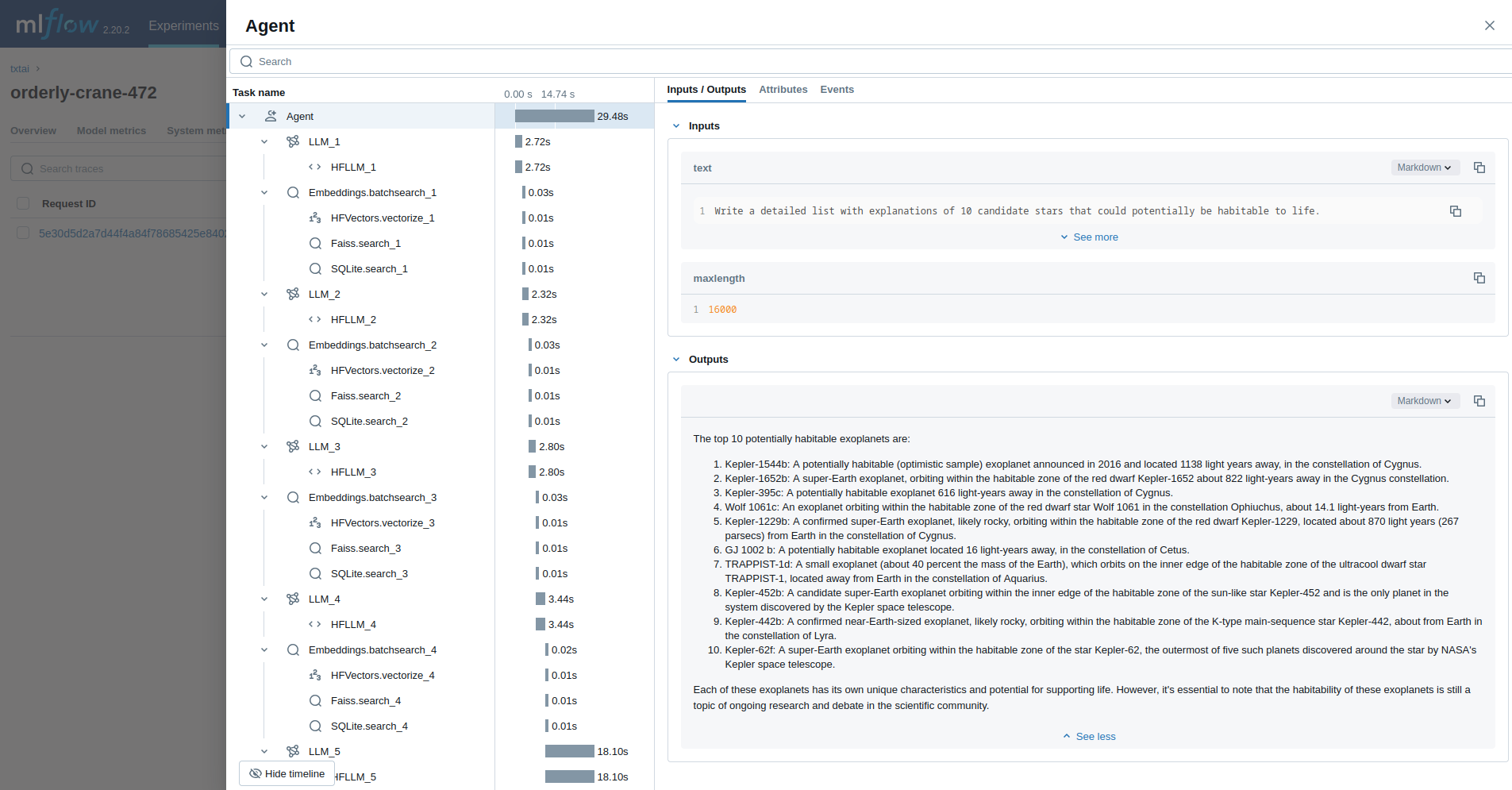
|
||||
|
||||
Observability enables tracking the inner workings of a system without having to change the system. This makes it much easier to debug and evaluate overall performance.
|
||||
|
||||
`txtai` has an integration with [MLflow](https://mlflow.org) and it's [tracing module](https://mlflow.org/docs/latest/llms/tracing/index.html) to provide insights into each of the components in `txtai`.
|
||||
|
||||
## Examples
|
||||
|
||||
The following shows a number of examples on how to introduce observability into a `txtai` process.
|
||||
|
||||
### Initialization
|
||||
|
||||
Run the following sections first to initialize tracing.
|
||||
|
||||
```
|
||||
# Install MLflow plugin for txtai
|
||||
pip install mlflow-txtai
|
||||
|
||||
# Start a local MLflow service
|
||||
mlflow server --host 127.0.0.1 --port 8000
|
||||
```
|
||||
|
||||
```python
|
||||
import mlflow
|
||||
|
||||
mlflow.set_tracking_uri(uri="http://localhost:8000")
|
||||
mlflow.set_experiment("txtai")
|
||||
|
||||
# Enable txtai automatic tracing
|
||||
mlflow.txtai.autolog()
|
||||
```
|
||||
|
||||
### Textractor
|
||||
|
||||
The first example traces a [Textractor pipeline](../pipeline/data/textractor).
|
||||
|
||||
```python
|
||||
from txtai.pipeline import Textractor
|
||||
|
||||
with mlflow.start_run():
|
||||
textractor = Textractor()
|
||||
textractor("https://github.com/neuml/txtai")
|
||||
```
|
||||
|
||||
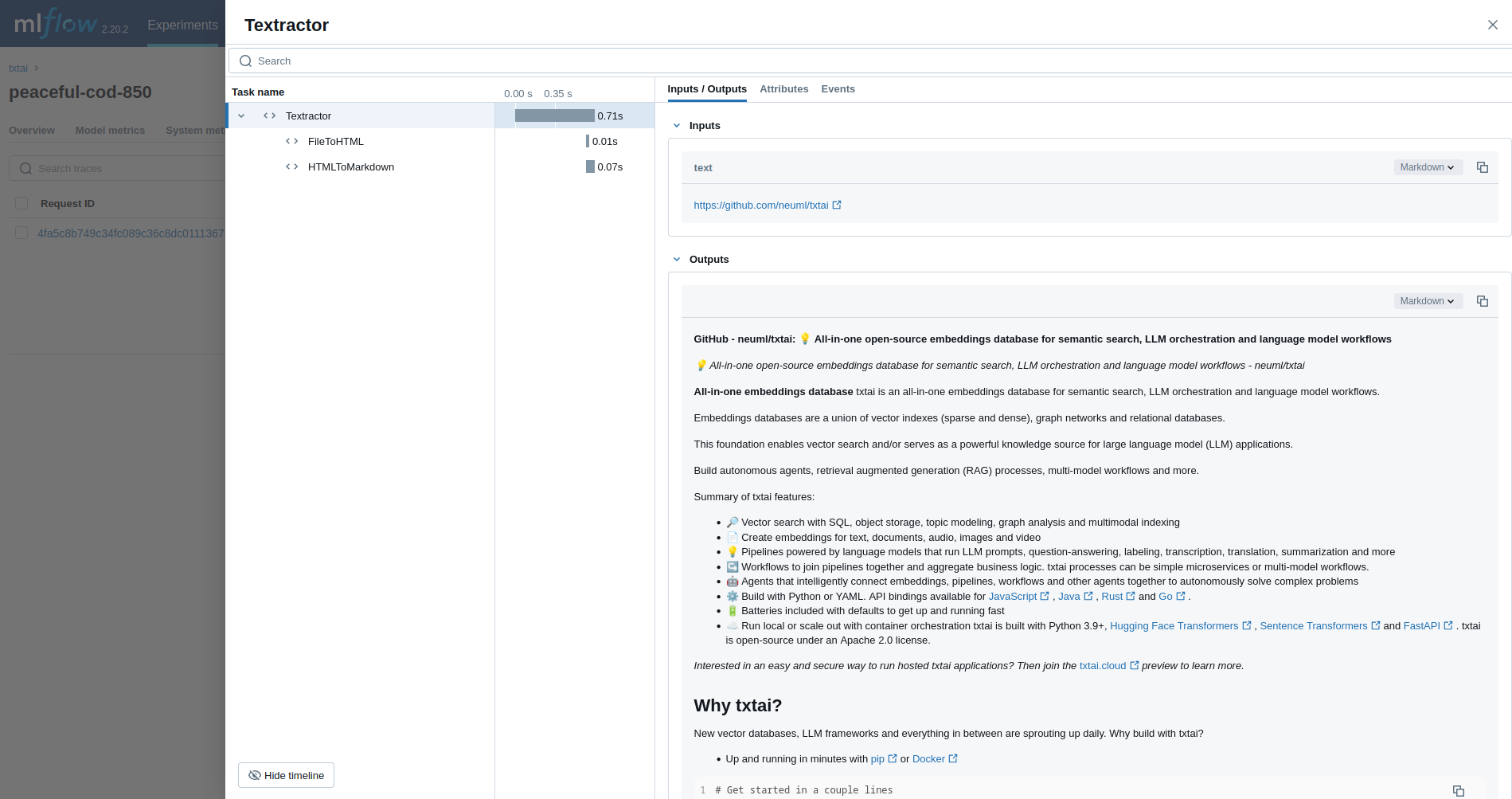
|
||||
|
||||
### Embeddings
|
||||
|
||||
Next, we'll trace an [Embeddings](../embeddings) query.
|
||||
|
||||
```python
|
||||
from txtai import Embeddings
|
||||
|
||||
with mlflow.start_run():
|
||||
wiki = Embeddings()
|
||||
wiki.load(provider="huggingface-hub", container="neuml/txtai-wikipedia-slim")
|
||||
|
||||
embeddings = Embeddings(content=True, graph=True)
|
||||
embeddings.index(wiki.search("SELECT id, text FROM txtai LIMIT 25"))
|
||||
|
||||
embeddings.search("MATCH (A)-[]->(B) RETURN A")
|
||||
```
|
||||
|
||||
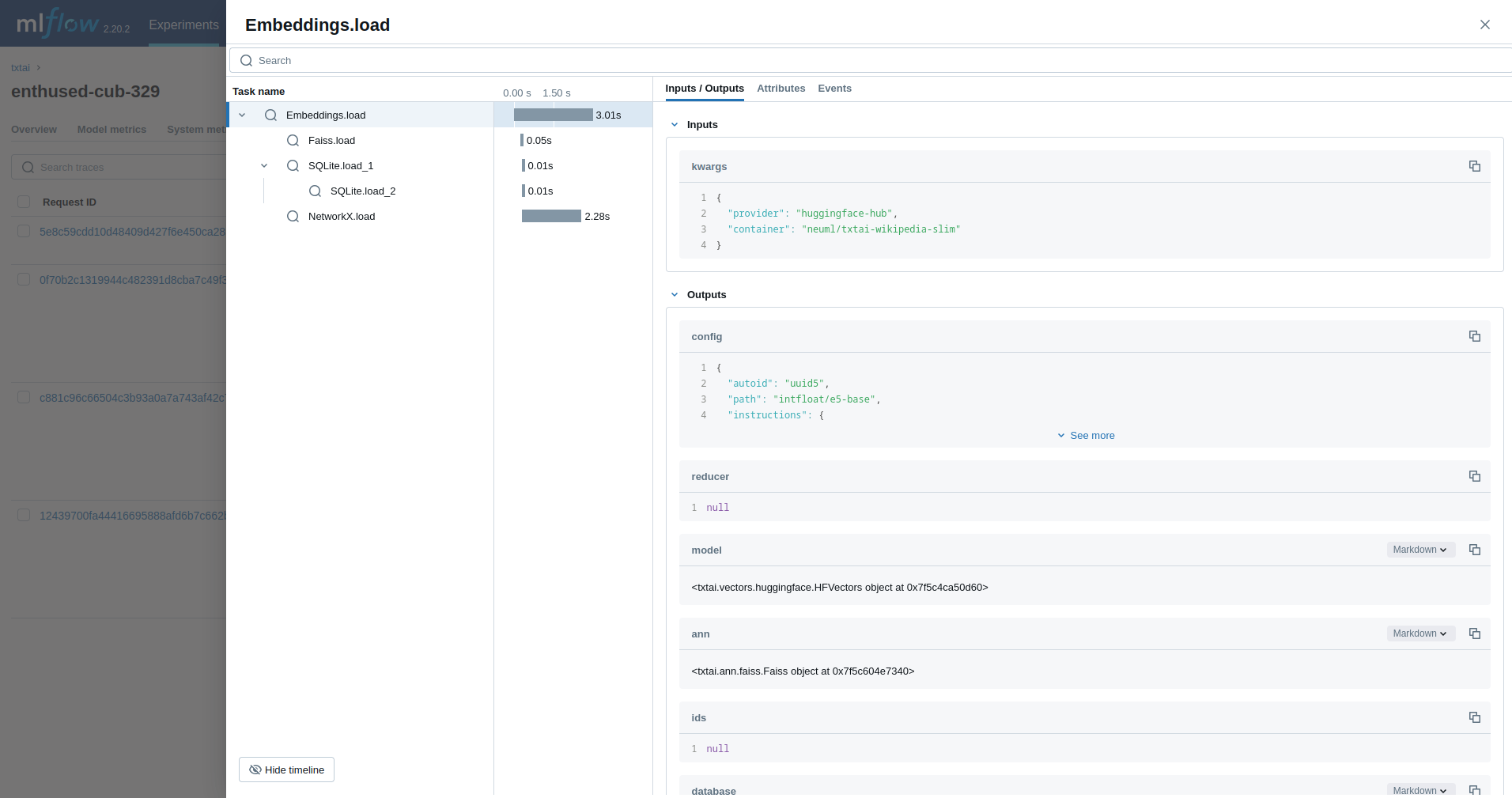
|
||||
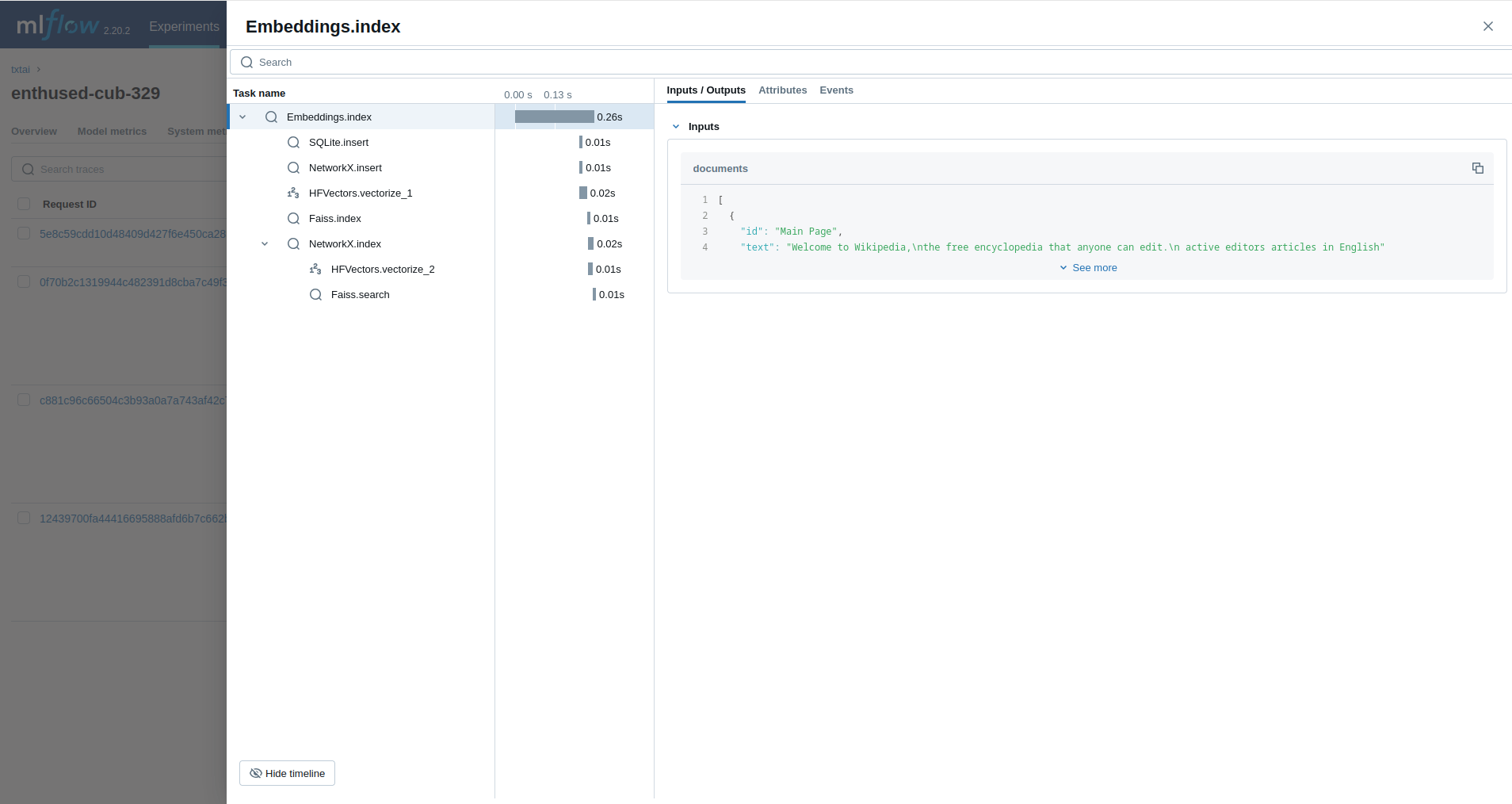
|
||||
|
||||
### Retrieval Augmented Generation (RAG)
|
||||
|
||||
The next example traces a [RAG pipeline](../pipeline/text/rag).
|
||||
|
||||
```python
|
||||
from txtai import Embeddings, RAG
|
||||
|
||||
with mlflow.start_run():
|
||||
wiki = Embeddings()
|
||||
wiki.load(provider="huggingface-hub", container="neuml/txtai-wikipedia-slim")
|
||||
|
||||
# Define prompt template
|
||||
template = """
|
||||
Answer the following question using only the context below. Only include information
|
||||
specifically discussed.
|
||||
|
||||
question: {question}
|
||||
context: {context} """
|
||||
|
||||
# Create RAG pipeline
|
||||
rag = RAG(
|
||||
wiki,
|
||||
"openai/gpt-oss-20b",
|
||||
system="You are a friendly assistant. You answer questions from users.",
|
||||
template=template,
|
||||
context=10
|
||||
)
|
||||
|
||||
rag("Tell me about the Roman Empire", maxlength=2048)
|
||||
```
|
||||
|
||||
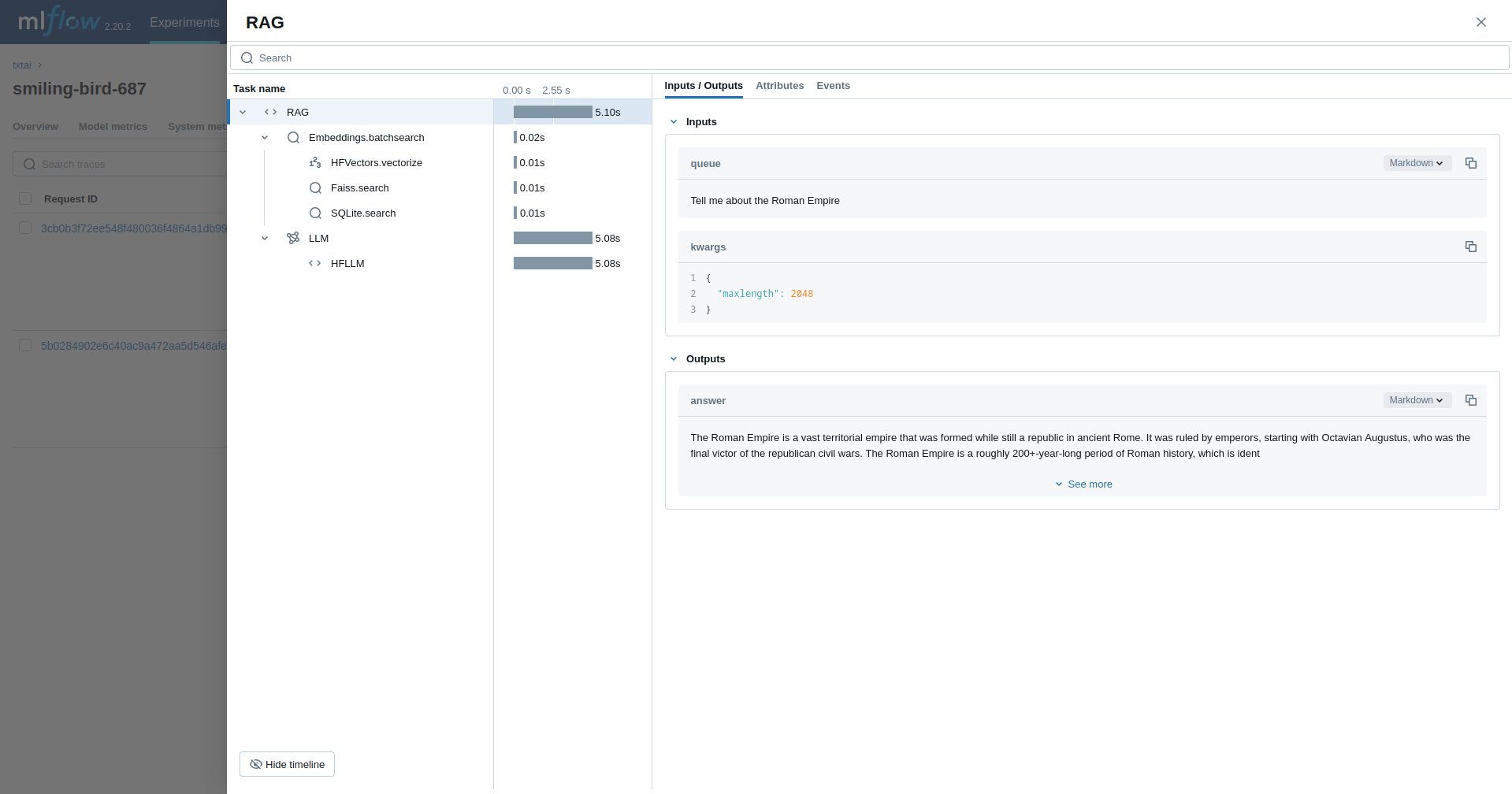
|
||||
|
||||
### Workflow
|
||||
|
||||
This example runs a [workflow](../workflow). This workflow runs an embeddings query and then translates each result to French.
|
||||
|
||||
```python
|
||||
from txtai import Embeddings, Workflow
|
||||
from txtai.pipeline import Translation
|
||||
from txtai.workflow import Task
|
||||
|
||||
with mlflow.start_run():
|
||||
wiki = Embeddings()
|
||||
wiki.load(provider="huggingface-hub", container="neuml/txtai-wikipedia-slim")
|
||||
|
||||
# Translation instance
|
||||
translate = Translation()
|
||||
|
||||
workflow = Workflow([
|
||||
Task(lambda x: [y[0]["text"] for y in wiki.batchsearch(x, 1)]),
|
||||
Task(lambda x: translate(x, "fr"))
|
||||
])
|
||||
|
||||
print(list(workflow(["Roman Empire", "Greek Empire", "Industrial Revolution"])))
|
||||
```
|
||||
|
||||
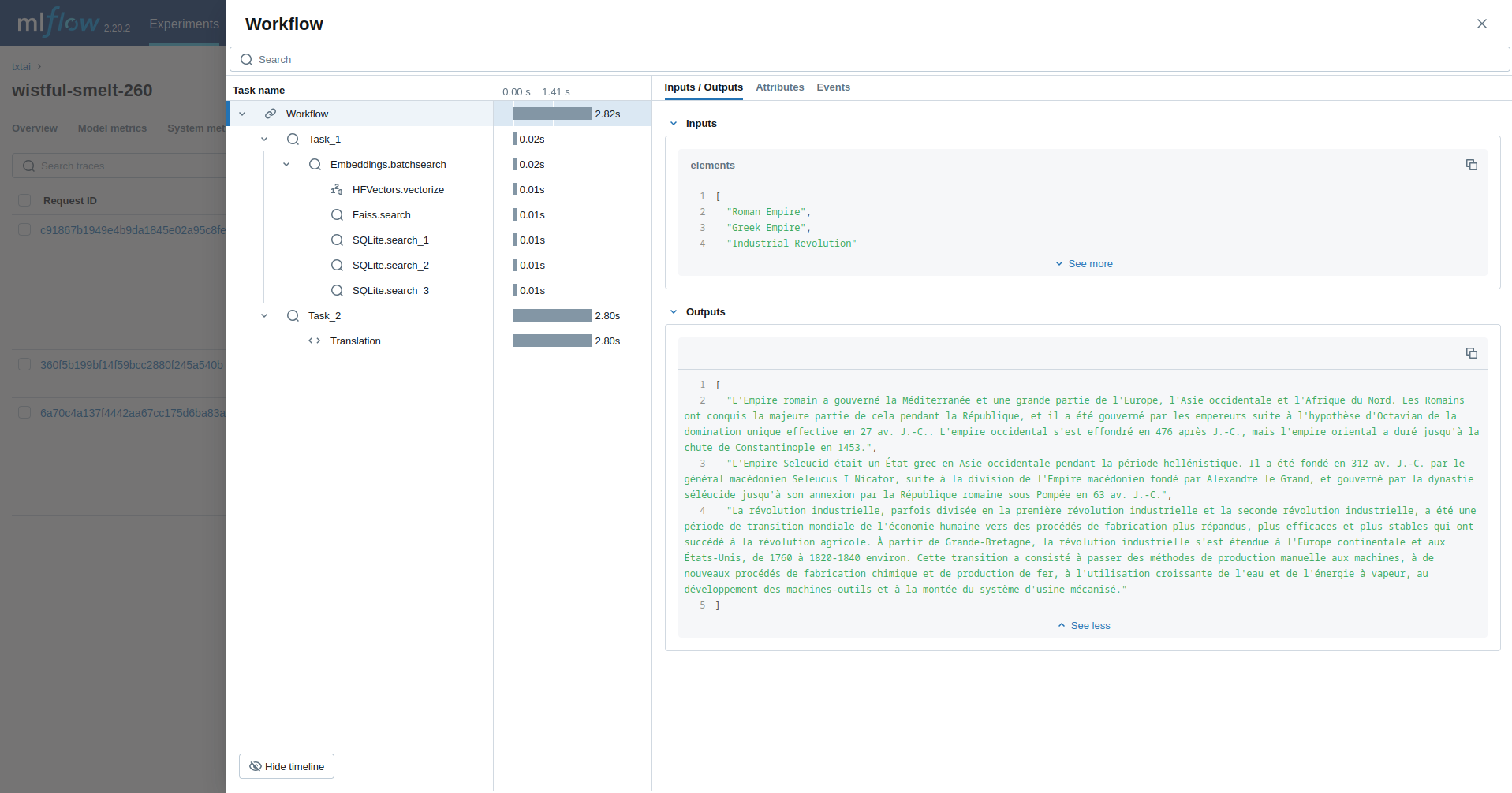
|
||||
|
||||
### Agent
|
||||
|
||||
The last example runs a [txtai agent](../agent) designed to research questions on astronomy.
|
||||
|
||||
```python
|
||||
from txtai import Agent, Embeddings
|
||||
|
||||
def search(query):
|
||||
"""
|
||||
Searches a database of astronomy data.
|
||||
|
||||
Make sure to call this tool only with a string input, never use JSON.
|
||||
|
||||
Args:
|
||||
query: concepts to search for using similarity search
|
||||
|
||||
Returns:
|
||||
list of search results with for each match
|
||||
"""
|
||||
|
||||
return embeddings.search(
|
||||
"SELECT id, text, distance FROM txtai WHERE similar(:query)",
|
||||
10, parameters={"query": query}
|
||||
)
|
||||
|
||||
embeddings = Embeddings()
|
||||
embeddings.load(provider="huggingface-hub", container="neuml/txtai-astronomy")
|
||||
|
||||
agent = Agent(
|
||||
tools=[search],
|
||||
llm="Qwen/Qwen3-4B-Instruct-2507",
|
||||
max_steps=10,
|
||||
)
|
||||
|
||||
researcher = """
|
||||
{command}
|
||||
|
||||
Do the following.
|
||||
- Search for results related to the topic.
|
||||
- Analyze the results
|
||||
- Continue querying until conclusive answers are found
|
||||
- Write a Markdown report
|
||||
"""
|
||||
|
||||
with mlflow.start_run():
|
||||
agent(researcher.format(command="""
|
||||
Write a detailed list with explanations of 10 candidate stars that could potentially be habitable to life.
|
||||
"""), maxlength=16000)
|
||||
```
|
||||
|
||||

|
||||
|
||||
## Read more
|
||||
|
||||
Check out the [mlflow-txtai](https://github.com/neuml/mlflow-txtai) project to see more examples.
|
||||
@@ -0,0 +1,68 @@
|
||||
# Audio Mixer
|
||||
|
||||

|
||||

|
||||
|
||||
The Audio Mixer pipeline mixes multiple audio streams into a single stream.
|
||||
|
||||
## Example
|
||||
|
||||
The following shows a simple example using this pipeline.
|
||||
|
||||
```python
|
||||
from txtai.pipeline import AudioMixer
|
||||
|
||||
# Create and run pipeline
|
||||
mixer = AudioMixer()
|
||||
mixer(((audio1, rate1), (audio2, rate2)))
|
||||
```
|
||||
|
||||
See the link below for a more detailed example.
|
||||
|
||||
| Notebook | Description | |
|
||||
|:----------|:-------------|------:|
|
||||
| [Generative Audio](https://github.com/neuml/txtai/blob/master/examples/66_Generative_Audio.ipynb) | Storytelling with generative audio workflows | [](https://colab.research.google.com/github/neuml/txtai/blob/master/examples/66_Generative_Audio.ipynb) |
|
||||
|
||||
## Configuration-driven example
|
||||
|
||||
Pipelines are run with Python or configuration. Pipelines can be instantiated in [configuration](../../../api/configuration/#pipeline) using the lower case name of the pipeline. Configuration-driven pipelines are run with [workflows](../../../workflow/#configuration-driven-example) or the [API](../../../api#local-instance).
|
||||
|
||||
### config.yml
|
||||
```yaml
|
||||
# Create pipeline using lower case class name
|
||||
audiomixer:
|
||||
|
||||
# Run pipeline with workflow
|
||||
workflow:
|
||||
audiomixer:
|
||||
tasks:
|
||||
- action: audiomixer
|
||||
```
|
||||
|
||||
### Run with Workflows
|
||||
|
||||
```python
|
||||
from txtai import Application
|
||||
|
||||
# Create and run pipeline with workflow
|
||||
app = Application("config.yml")
|
||||
list(app.workflow("audiomixer", [[[audio1, rate1], [audio2, rate2]]]))
|
||||
```
|
||||
|
||||
### Run with API
|
||||
|
||||
```bash
|
||||
CONFIG=config.yml uvicorn "txtai.api:app" &
|
||||
|
||||
curl \
|
||||
-X POST "http://localhost:8000/workflow" \
|
||||
-H "Content-Type: application/json" \
|
||||
-d '{"name":"audiomixer", "elements":[[[audio1, rate1], [audio2, rate2]]]}'
|
||||
```
|
||||
|
||||
## Methods
|
||||
|
||||
Python documentation for the pipeline.
|
||||
|
||||
### ::: txtai.pipeline.AudioMixer.__init__
|
||||
### ::: txtai.pipeline.AudioMixer.__call__
|
||||
@@ -0,0 +1,70 @@
|
||||
# Audio Stream
|
||||
|
||||

|
||||

|
||||
|
||||
The Audio Stream pipeline is a threaded pipeline that plays audio segments. This pipeline is designed to run on local machines given that it requires access to write to an output device.
|
||||
|
||||
## Example
|
||||
|
||||
The following shows a simple example using this pipeline.
|
||||
|
||||
```python
|
||||
from txtai.pipeline import AudioStream
|
||||
|
||||
# Create and run pipeline
|
||||
audio = AudioStream()
|
||||
audio(data)
|
||||
```
|
||||
|
||||
This pipeline may require additional system dependencies. See [this section](../../../install#environment-specific-prerequisites) for more.
|
||||
|
||||
See the link below for a more detailed example.
|
||||
|
||||
| Notebook | Description | |
|
||||
|:----------|:-------------|------:|
|
||||
| [Speech to Speech RAG](https://github.com/neuml/txtai/blob/master/examples/65_Speech_to_Speech_RAG.ipynb) [▶️](https://www.youtube.com/watch?v=tH8QWwkVMKA) | Full cycle speech to speech workflow with RAG | [](https://colab.research.google.com/github/neuml/txtai/blob/master/examples/65_Speech_to_Speech_RAG.ipynb) |
|
||||
|
||||
## Configuration-driven example
|
||||
|
||||
Pipelines are run with Python or configuration. Pipelines can be instantiated in [configuration](../../../api/configuration/#pipeline) using the lower case name of the pipeline. Configuration-driven pipelines are run with [workflows](../../../workflow/#configuration-driven-example) or the [API](../../../api#local-instance).
|
||||
|
||||
### config.yml
|
||||
```yaml
|
||||
# Create pipeline using lower case class name
|
||||
audiostream:
|
||||
|
||||
# Run pipeline with workflow
|
||||
workflow:
|
||||
audiostream:
|
||||
tasks:
|
||||
- action: audiostream
|
||||
```
|
||||
|
||||
### Run with Workflows
|
||||
|
||||
```python
|
||||
from txtai import Application
|
||||
|
||||
# Create and run pipeline with workflow
|
||||
app = Application("config.yml")
|
||||
list(app.workflow("audiostream", [["numpy data", "sample rate"]]))
|
||||
```
|
||||
|
||||
### Run with API
|
||||
|
||||
```bash
|
||||
CONFIG=config.yml uvicorn "txtai.api:app" &
|
||||
|
||||
curl \
|
||||
-X POST "http://localhost:8000/workflow" \
|
||||
-H "Content-Type: application/json" \
|
||||
-d '{"name":"audiostream", "elements":[["numpy data", "sample rate"]]}'
|
||||
```
|
||||
|
||||
## Methods
|
||||
|
||||
Python documentation for the pipeline.
|
||||
|
||||
### ::: txtai.pipeline.AudioStream.__init__
|
||||
### ::: txtai.pipeline.AudioStream.__call__
|
||||
@@ -0,0 +1,70 @@
|
||||
# Microphone
|
||||
|
||||

|
||||

|
||||
|
||||
The Microphone pipeline reads input speech from a microphone device. This pipeline is designed to run on local machines given that it requires access to read from an input device.
|
||||
|
||||
## Example
|
||||
|
||||
The following shows a simple example using this pipeline.
|
||||
|
||||
```python
|
||||
from txtai.pipeline import Microphone
|
||||
|
||||
# Create and run pipeline
|
||||
microphone = Microphone()
|
||||
microphone()
|
||||
```
|
||||
|
||||
This pipeline may require additional system dependencies. See [this section](../../../install#environment-specific-prerequisites) for more.
|
||||
|
||||
See the link below for a more detailed example.
|
||||
|
||||
| Notebook | Description | |
|
||||
|:----------|:-------------|------:|
|
||||
| [Speech to Speech RAG](https://github.com/neuml/txtai/blob/master/examples/65_Speech_to_Speech_RAG.ipynb) [▶️](https://www.youtube.com/watch?v=tH8QWwkVMKA) | Full cycle speech to speech workflow with RAG | [](https://colab.research.google.com/github/neuml/txtai/blob/master/examples/65_Speech_to_Speech_RAG.ipynb) |
|
||||
|
||||
## Configuration-driven example
|
||||
|
||||
Pipelines are run with Python or configuration. Pipelines can be instantiated in [configuration](../../../api/configuration/#pipeline) using the lower case name of the pipeline. Configuration-driven pipelines are run with [workflows](../../../workflow/#configuration-driven-example) or the [API](../../../api#local-instance).
|
||||
|
||||
### config.yml
|
||||
```yaml
|
||||
# Create pipeline using lower case class name
|
||||
microphone:
|
||||
|
||||
# Run pipeline with workflow
|
||||
workflow:
|
||||
microphone:
|
||||
tasks:
|
||||
- action: microphone
|
||||
```
|
||||
|
||||
### Run with Workflows
|
||||
|
||||
```python
|
||||
from txtai import Application
|
||||
|
||||
# Create and run pipeline with workflow
|
||||
app = Application("config.yml")
|
||||
list(app.workflow("microphone", ["1"]))
|
||||
```
|
||||
|
||||
### Run with API
|
||||
|
||||
```bash
|
||||
CONFIG=config.yml uvicorn "txtai.api:app" &
|
||||
|
||||
curl \
|
||||
-X POST "http://localhost:8000/workflow" \
|
||||
-H "Content-Type: application/json" \
|
||||
-d '{"name":"microphone", "elements":["1"]}'
|
||||
```
|
||||
|
||||
## Methods
|
||||
|
||||
Python documentation for the pipeline.
|
||||
|
||||
### ::: txtai.pipeline.Microphone.__init__
|
||||
### ::: txtai.pipeline.Microphone.__call__
|
||||
@@ -0,0 +1,68 @@
|
||||
# Text To Audio
|
||||
|
||||

|
||||

|
||||
|
||||
The Text To Audio pipeline generates audio from text.
|
||||
|
||||
## Example
|
||||
|
||||
The following shows a simple example using this pipeline.
|
||||
|
||||
```python
|
||||
from txtai.pipeline import TextToAudio
|
||||
|
||||
# Create and run pipeline
|
||||
tta = TextToAudio()
|
||||
tta("Describe the audio to generate here")
|
||||
```
|
||||
|
||||
See the link below for a more detailed example.
|
||||
|
||||
| Notebook | Description | |
|
||||
|:----------|:-------------|------:|
|
||||
| [Generative Audio](https://github.com/neuml/txtai/blob/master/examples/66_Generative_Audio.ipynb) | Storytelling with generative audio workflows | [](https://colab.research.google.com/github/neuml/txtai/blob/master/examples/66_Generative_Audio.ipynb) |
|
||||
|
||||
## Configuration-driven example
|
||||
|
||||
Pipelines are run with Python or configuration. Pipelines can be instantiated in [configuration](../../../api/configuration/#pipeline) using the lower case name of the pipeline. Configuration-driven pipelines are run with [workflows](../../../workflow/#configuration-driven-example) or the [API](../../../api#local-instance).
|
||||
|
||||
### config.yml
|
||||
```yaml
|
||||
# Create pipeline using lower case class name
|
||||
texttoaudio:
|
||||
|
||||
# Run pipeline with workflow
|
||||
workflow:
|
||||
tta:
|
||||
tasks:
|
||||
- action: texttoaudio
|
||||
```
|
||||
|
||||
### Run with Workflows
|
||||
|
||||
```python
|
||||
from txtai import Application
|
||||
|
||||
# Create and run pipeline with workflow
|
||||
app = Application("config.yml")
|
||||
list(app.workflow("tta", ["Describe the audio to generate here"]))
|
||||
```
|
||||
|
||||
### Run with API
|
||||
|
||||
```bash
|
||||
CONFIG=config.yml uvicorn "txtai.api:app" &
|
||||
|
||||
curl \
|
||||
-X POST "http://localhost:8000/workflow" \
|
||||
-H "Content-Type: application/json" \
|
||||
-d '{"name":"tta", "elements":["Describe the audio to generate here"]}'
|
||||
```
|
||||
|
||||
## Methods
|
||||
|
||||
Python documentation for the pipeline.
|
||||
|
||||
### ::: txtai.pipeline.TextToAudio.__init__
|
||||
### ::: txtai.pipeline.TextToAudio.__call__
|
||||
@@ -12,21 +12,40 @@ The following shows a simple example using this pipeline.
|
||||
```python
|
||||
from txtai.pipeline import TextToSpeech
|
||||
|
||||
# Create and run pipeline
|
||||
# Create and run pipeline with default model
|
||||
tts = TextToSpeech()
|
||||
tts("Say something here")
|
||||
|
||||
# Stream audio - incrementally generates snippets of audio
|
||||
yield from tts(
|
||||
"Say something here. And say something else.".split(),
|
||||
stream=True
|
||||
)
|
||||
|
||||
# Generate audio using a speaker id
|
||||
tts = TextToSpeech("neuml/vctk-vits-onnx")
|
||||
tts("Say something here", speaker=15)
|
||||
|
||||
# Generate audio using speaker embeddings
|
||||
tts = TextToSpeech("neuml/txtai-speecht5-onnx")
|
||||
tts("Say something here", speaker=np.array(...))
|
||||
```
|
||||
|
||||
See the link below for a more detailed example.
|
||||
See the links below for a more detailed example.
|
||||
|
||||
| Notebook | Description | |
|
||||
|:----------|:-------------|------:|
|
||||
| [Text to speech generation](https://github.com/neuml/txtai/blob/master/examples/40_Text_to_Speech_Generation.ipynb) | Generate speech from text | [](https://colab.research.google.com/github/neuml/txtai/blob/master/examples/40_Text_to_Speech_Generation.ipynb) |
|
||||
| [Speech to Speech RAG](https://github.com/neuml/txtai/blob/master/examples/65_Speech_to_Speech_RAG.ipynb) [▶️](https://www.youtube.com/watch?v=tH8QWwkVMKA) | Full cycle speech to speech workflow with RAG | [](https://colab.research.google.com/github/neuml/txtai/blob/master/examples/65_Speech_to_Speech_RAG.ipynb) |
|
||||
| [Generative Audio](https://github.com/neuml/txtai/blob/master/examples/66_Generative_Audio.ipynb) | Storytelling with generative audio workflows | [](https://colab.research.google.com/github/neuml/txtai/blob/master/examples/66_Generative_Audio.ipynb) |
|
||||
|
||||
This pipeline is backed by ONNX models from the Hugging Face Hub. The following models are currently available.
|
||||
|
||||
- [kokoro-base-onnx](https://huggingface.co/NeuML/kokoro-base-onnx) | [fp16](https://huggingface.co/NeuML/kokoro-fp16-onnx) | [int8](https://huggingface.co/NeuML/kokoro-int8-onnx)
|
||||
- [ljspeech-jets-onnx](https://huggingface.co/NeuML/ljspeech-jets-onnx)
|
||||
- [ljspeech-vits-onnx](https://huggingface.co/NeuML/ljspeech-vits-onnx)
|
||||
- [vctk-vits-onnx](https://huggingface.co/NeuML/vctk-vits-onnx)
|
||||
- [txtai-speecht5-onnx](https://huggingface.co/NeuML/txtai-speecht5-onnx)
|
||||
|
||||
## Configuration-driven example
|
||||
|
||||
@@ -47,7 +66,7 @@ workflow:
|
||||
### Run with Workflows
|
||||
|
||||
```python
|
||||
from txtai.app import Application
|
||||
from txtai import Application
|
||||
|
||||
# Create and run pipeline with workflow
|
||||
app = Application("config.yml")
|
||||
|
||||
@@ -17,11 +17,14 @@ transcribe = Transcription()
|
||||
transcribe("path to wav file")
|
||||
```
|
||||
|
||||
See the link below for a more detailed example.
|
||||
This pipeline may require additional system dependencies. See [this section](../../../install#environment-specific-prerequisites) for more.
|
||||
|
||||
See the links below for a more detailed example.
|
||||
|
||||
| Notebook | Description | |
|
||||
|:----------|:-------------|------:|
|
||||
| [Transcribe audio to text](https://github.com/neuml/txtai/blob/master/examples/11_Transcribe_audio_to_text.ipynb) | Convert audio files to text | [](https://colab.research.google.com/github/neuml/txtai/blob/master/examples/11_Transcribe_audio_to_text.ipynb) |
|
||||
| [Speech to Speech RAG](https://github.com/neuml/txtai/blob/master/examples/65_Speech_to_Speech_RAG.ipynb) [▶️](https://www.youtube.com/watch?v=tH8QWwkVMKA) | Full cycle speech to speech workflow with RAG | [](https://colab.research.google.com/github/neuml/txtai/blob/master/examples/65_Speech_to_Speech_RAG.ipynb) |
|
||||
|
||||
## Configuration-driven example
|
||||
|
||||
@@ -42,7 +45,7 @@ workflow:
|
||||
### Run with Workflows
|
||||
|
||||
```python
|
||||
from txtai.app import Application
|
||||
from txtai import Application
|
||||
|
||||
# Create and run pipeline with workflow
|
||||
app = Application("config.yml")
|
||||
|
||||
@@ -0,0 +1,80 @@
|
||||
# File To HTML
|
||||
|
||||

|
||||

|
||||
|
||||
The File To HTML pipeline transforms files to HTML. It supports the following text extraction backends.
|
||||
|
||||
## Apache Tika
|
||||
|
||||
[Apache Tika](https://tika.apache.org/) detects and extracts metadata and text from over a thousand different file types. See [this link](https://tika.apache.org/2.9.2/formats.html) for a list of supported document formats.
|
||||
|
||||
Apache Tika requires [Java](https://en.wikipedia.org/wiki/Java_(programming_language)) to be installed. An alternative to that is starting a separate Apache Tika service via [this Docker Image](https://hub.docker.com/r/apache/tika) and setting these [environment variables](https://github.com/chrismattmann/tika-python?tab=readme-ov-file#environment-variables).
|
||||
|
||||
## Docling
|
||||
|
||||
[Docling](https://github.com/DS4SD/docling) parses documents and exports them to the desired format with ease and speed. This is a library that has rapidly gained popularity starting in late 2024. Docling excels in parsing formatting elements from PDFs (tables, sections etc).
|
||||
|
||||
See [this link](https://github.com/DS4SD/docling?tab=readme-ov-file#features) for a list of supported document formats.
|
||||
|
||||
## LiteParse
|
||||
|
||||
[LiteParse](https://github.com/run-llama/liteparse) is a fast, helpful, and open-source document parser. It supports PDF out of the box with additional format support via third-party packages.
|
||||
|
||||
See [this link](https://github.com/run-llama/liteparse#multi-format-input-support) for more.
|
||||
|
||||
## Example
|
||||
|
||||
The following shows a simple example using this pipeline.
|
||||
|
||||
```python
|
||||
from txtai.pipeline import FileToHTML
|
||||
|
||||
# Create and run pipeline
|
||||
html = FileToHTML()
|
||||
html("/path/to/file")
|
||||
```
|
||||
|
||||
## Configuration-driven example
|
||||
|
||||
Pipelines are run with Python or configuration. Pipelines can be instantiated in [configuration](../../../api/configuration/#pipeline) using the lower case name of the pipeline. Configuration-driven pipelines are run with [workflows](../../../workflow/#configuration-driven-example) or the [API](../../../api#local-instance).
|
||||
|
||||
### config.yml
|
||||
```yaml
|
||||
# Create pipeline using lower case class name
|
||||
filetohtml:
|
||||
|
||||
# Run pipeline with workflow
|
||||
workflow:
|
||||
html:
|
||||
tasks:
|
||||
- action: filetohtml
|
||||
```
|
||||
|
||||
### Run with Workflows
|
||||
|
||||
```python
|
||||
from txtai import Application
|
||||
|
||||
# Create and run pipeline with workflow
|
||||
app = Application("config.yml")
|
||||
list(app.workflow("html", ["/path/to/file"]))
|
||||
```
|
||||
|
||||
### Run with API
|
||||
|
||||
```bash
|
||||
CONFIG=config.yml uvicorn "txtai.api:app" &
|
||||
|
||||
curl \
|
||||
-X POST "http://localhost:8000/workflow" \
|
||||
-H "Content-Type: application/json" \
|
||||
-d '{"name":"html", "elements":["/path/to/file"]}'
|
||||
```
|
||||
|
||||
## Methods
|
||||
|
||||
Python documentation for the pipeline.
|
||||
|
||||
### ::: txtai.pipeline.FileToHTML.__init__
|
||||
### ::: txtai.pipeline.FileToHTML.__call__
|
||||
@@ -0,0 +1,68 @@
|
||||
# HTML To Markdown
|
||||
|
||||

|
||||

|
||||
|
||||
The HTML To Markdown pipeline transforms HTML to Markdown.
|
||||
|
||||
Markdown formatting is applied for headings, blockquotes, lists, code, tables and text. Visual formatting is also included (bold, italic etc).
|
||||
|
||||
This pipeline searches for the best node that has relevant text, often found with an `article`, `main` or `body` tag.
|
||||
|
||||
The HTML to Markdown pipeline requires the [BeautifulSoup4](https://pypi.org/project/beautifulsoup4/) library to be installed.
|
||||
|
||||
## Example
|
||||
|
||||
The following shows a simple example using this pipeline.
|
||||
|
||||
```python
|
||||
from txtai.pipeline import HTMLToMarkdown
|
||||
|
||||
# Create and run pipeline
|
||||
md = HTMLToMarkdown()
|
||||
md("<html><body>This is a test</body></html>")
|
||||
```
|
||||
|
||||
## Configuration-driven example
|
||||
|
||||
Pipelines are run with Python or configuration. Pipelines can be instantiated in [configuration](../../../api/configuration/#pipeline) using the lower case name of the pipeline. Configuration-driven pipelines are run with [workflows](../../../workflow/#configuration-driven-example) or the [API](../../../api#local-instance).
|
||||
|
||||
### config.yml
|
||||
```yaml
|
||||
# Create pipeline using lower case class name
|
||||
htmltomarkdown:
|
||||
|
||||
# Run pipeline with workflow
|
||||
workflow:
|
||||
markdown:
|
||||
tasks:
|
||||
- action: htmltomarkdown
|
||||
```
|
||||
|
||||
### Run with Workflows
|
||||
|
||||
```python
|
||||
from txtai import Application
|
||||
|
||||
# Create and run pipeline with workflow
|
||||
app = Application("config.yml")
|
||||
list(app.workflow("markdown", ["<html><body>This is a test</body></html>"]))
|
||||
```
|
||||
|
||||
### Run with API
|
||||
|
||||
```bash
|
||||
CONFIG=config.yml uvicorn "txtai.api:app" &
|
||||
|
||||
curl \
|
||||
-X POST "http://localhost:8000/workflow" \
|
||||
-H "Content-Type: application/json" \
|
||||
-d '{"name":"markdown", "elements":["<html><body>This is a test</body></html>"]}'
|
||||
```
|
||||
|
||||
## Methods
|
||||
|
||||
Python documentation for the pipeline.
|
||||
|
||||
### ::: txtai.pipeline.HTMLToMarkdown.__init__
|
||||
### ::: txtai.pipeline.HTMLToMarkdown.__call__
|
||||
@@ -15,8 +15,14 @@ from txtai.pipeline import Segmentation
|
||||
# Create and run pipeline
|
||||
segment = Segmentation(sentences=True)
|
||||
segment("This is a test. And another test.")
|
||||
|
||||
# Load third-party chunkers
|
||||
segment = Segmentation(chunker="semantic")
|
||||
segment("This is a test. And another test.")
|
||||
```
|
||||
|
||||
The Segmentation pipeline supports segmenting `sentences`, `lines`, `paragraphs` and `sections` using a rules-based approach. Each of these modes can be set when creating the pipeline. Third-party chunkers are also supported via the `chunker` parameter.
|
||||
|
||||
## Configuration-driven example
|
||||
|
||||
Pipelines are run with Python or configuration. Pipelines can be instantiated in [configuration](../../../api/configuration/#pipeline) using the lower case name of the pipeline. Configuration-driven pipelines are run with [workflows](../../../workflow/#configuration-driven-example) or the [API](../../../api#local-instance).
|
||||
@@ -37,7 +43,7 @@ workflow:
|
||||
### Run with Workflows
|
||||
|
||||
```python
|
||||
from txtai.app import Application
|
||||
from txtai import Application
|
||||
|
||||
# Create and run pipeline with workflow
|
||||
app = Application("config.yml")
|
||||
|
||||
@@ -45,7 +45,7 @@ workflow:
|
||||
### Run with Workflows
|
||||
|
||||
```python
|
||||
from txtai.app import Application
|
||||
from txtai import Application
|
||||
|
||||
# Create and run pipeline with workflow
|
||||
app = Application("config.yml")
|
||||
|
||||
@@ -3,7 +3,20 @@
|
||||

|
||||

|
||||
|
||||
The Textractor pipeline extracts and splits text from documents. This pipeline uses either an [Apache Tika](https://github.com/chrismattmann/tika-python) backend (if Java is available) or [BeautifulSoup4](https://pypi.org/project/beautifulsoup4/).
|
||||
The Textractor pipeline extracts and splits text from documents. This pipeline extends the [Segmentation](../segmentation) pipeline.
|
||||
|
||||
Each document goes through the following process.
|
||||
|
||||
- Content is retrieved if it's not local
|
||||
- If the document `mime-type` isn't plain text or HTML, it's converted to HTML via the [FiletoHTML](../filetohtml) pipeline
|
||||
- HTML is converted to Markdown via the [HTMLToMarkdown](../htmltomd) pipeline
|
||||
- Content is split/chunked based on the [segmentation parameters](../segmentation/#txtai.pipeline.Segmentation.__init__) and returned
|
||||
|
||||
The [backend](../filetohtml/#txtai.pipeline.FileToHTML.__init__) parameter sets the FileToHTML pipeline backend. If a backend isn't available, this pipeline assumes input is HTML content and only converts it to Markdown.
|
||||
|
||||
See the [FiletoHTML](../filetohtml) and [HTMLToMarkdown](../htmltomd) pipelines to learn more on the dependencies necessary for each of those pipelines.
|
||||
|
||||
Note that the default parameters enable access to all local files and all URLs. The `safeopen` parameter limits this to only files in a specified directory (defaults to temp directory) and public URLs. When running the textractor pipeline through an Application or via the API, `safeopen` defaults to True. It can be disabled if desired via configuration.
|
||||
|
||||
## Example
|
||||
|
||||
@@ -22,6 +35,7 @@ See the link below for a more detailed example.
|
||||
| Notebook | Description | |
|
||||
|:----------|:-------------|------:|
|
||||
| [Extract text from documents](https://github.com/neuml/txtai/blob/master/examples/10_Extract_text_from_documents.ipynb) | Extract text from PDF, Office, HTML and more | [](https://colab.research.google.com/github/neuml/txtai/blob/master/examples/10_Extract_text_from_documents.ipynb) |
|
||||
| [Chunking your data for RAG](https://github.com/neuml/txtai/blob/master/examples/73_Chunking_your_data_for_RAG.ipynb) | Extract, chunk and index content for effective retrieval | [](https://colab.research.google.com/github/neuml/txtai/blob/master/examples/73_Chunking_your_data_for_RAG.ipynb) |
|
||||
|
||||
## Configuration-driven example
|
||||
|
||||
@@ -42,7 +56,7 @@ workflow:
|
||||
### Run with Workflows
|
||||
|
||||
```python
|
||||
from txtai.app import Application
|
||||
from txtai import Application
|
||||
|
||||
# Create and run pipeline with workflow
|
||||
app = Application("config.yml")
|
||||
|
||||
@@ -0,0 +1,82 @@
|
||||
# Tokenizer
|
||||
|
||||

|
||||

|
||||
|
||||
The Tokenizer pipeline splits text into tokens. This is primarily used for keyword / term indexing.
|
||||
|
||||
_Note: Transformers-based models have their own tokenizers and this pipeline isn't designed for working with Transformers models._
|
||||
|
||||
## Example
|
||||
|
||||
The following shows a simple example using this pipeline.
|
||||
|
||||
```python
|
||||
from txtai.pipeline import Tokenizer
|
||||
|
||||
# Create and run pipeline
|
||||
tokenizer = Tokenizer()
|
||||
tokenizer("text to tokenize")
|
||||
|
||||
# Whitespace tokenization
|
||||
tokenizer = Tokenizer(whitespace=True)
|
||||
tokenizer("text to tokenize")
|
||||
|
||||
# Tokenize using a regular expression
|
||||
tokenizer = Tokenizer(regexp=r"\w{5,}")
|
||||
tokenizer("text to tokenize")
|
||||
|
||||
# Tokenize into trigrams like pg_trgm
|
||||
tokenizer = Tokenizer(ngrams={
|
||||
"ngrams": 3, "lpad": " ", "rpad": " ", "unique": True
|
||||
})
|
||||
tokenize("text to tokenize")
|
||||
|
||||
# Tokenize into edge ngrams
|
||||
tokenizer = Tokenizer(ngrams={"nmin": 2, "nmax": 5, "edge": True})
|
||||
tokenizer("text to tokenize")
|
||||
```
|
||||
|
||||
## Configuration-driven example
|
||||
|
||||
Pipelines are run with Python or configuration. Pipelines can be instantiated in [configuration](../../../api/configuration/#pipeline) using the lower case name of the pipeline. Configuration-driven pipelines are run with [workflows](../../../workflow/#configuration-driven-example) or the [API](../../../api#local-instance).
|
||||
|
||||
### config.yml
|
||||
```yaml
|
||||
# Create pipeline using lower case class name
|
||||
tokenizer:
|
||||
|
||||
# Run pipeline with workflow
|
||||
workflow:
|
||||
tokenizer:
|
||||
tasks:
|
||||
- action: tokenizer
|
||||
```
|
||||
|
||||
### Run with Workflows
|
||||
|
||||
```python
|
||||
from txtai import Application
|
||||
|
||||
# Create and run pipeline with workflow
|
||||
app = Application("config.yml")
|
||||
list(app.workflow("tokenizer", ["text to tokenize"]))
|
||||
```
|
||||
|
||||
### Run with API
|
||||
|
||||
```bash
|
||||
CONFIG=config.yml uvicorn "txtai.api:app" &
|
||||
|
||||
curl \
|
||||
-X POST "http://localhost:8000/workflow" \
|
||||
-H "Content-Type: application/json" \
|
||||
-d '{"name":"tokenizer", "elements":["text"]}'
|
||||
```
|
||||
|
||||
## Methods
|
||||
|
||||
Python documentation for the pipeline.
|
||||
|
||||
### ::: txtai.pipeline.Tokenizer.__init__
|
||||
### ::: txtai.pipeline.Tokenizer.__call__
|
||||
@@ -0,0 +1,62 @@
|
||||
# URL Retrieve
|
||||
|
||||

|
||||

|
||||
|
||||
The URL Retrieve pipeline retrieves content from a HTTP(s) URL.
|
||||
|
||||
## Example
|
||||
|
||||
The following shows a simple example using this pipeline.
|
||||
|
||||
```python
|
||||
from txtai.pipeline import URLRetrieve
|
||||
|
||||
# Create and run pipeline
|
||||
urlretrieve = URLRetrieve()
|
||||
urlretrieve("https://github.com/neuml/txtai")
|
||||
```
|
||||
|
||||
## Configuration-driven example
|
||||
|
||||
Pipelines are run with Python or configuration. Pipelines can be instantiated in [configuration](../../../api/configuration/#pipeline) using the lower case name of the pipeline. Configuration-driven pipelines are run with [workflows](../../../workflow/#configuration-driven-example) or the [API](../../../api#local-instance).
|
||||
|
||||
### config.yml
|
||||
```yaml
|
||||
# Create pipeline using lower case class name
|
||||
urlretrieve:
|
||||
|
||||
# Run pipeline with workflow
|
||||
workflow:
|
||||
retrieve:
|
||||
tasks:
|
||||
- action: urlretrieve
|
||||
```
|
||||
|
||||
### Run with Workflows
|
||||
|
||||
```python
|
||||
from txtai import Application
|
||||
|
||||
# Create and run pipeline with workflow
|
||||
app = Application("config.yml")
|
||||
list(app.workflow("urlretrieve", ["https://github.com/neuml/txtai"]))
|
||||
```
|
||||
|
||||
### Run with API
|
||||
|
||||
```bash
|
||||
CONFIG=config.yml uvicorn "txtai.api:app" &
|
||||
|
||||
curl \
|
||||
-X POST "http://localhost:8000/workflow" \
|
||||
-H "Content-Type: application/json" \
|
||||
-d '{"name":"retrieve", "elements":["http://github.com/neuml/txtai"]}'
|
||||
```
|
||||
|
||||
## Methods
|
||||
|
||||
Python documentation for the pipeline.
|
||||
|
||||
### ::: txtai.pipeline.URLRetrieve.__init__
|
||||
### ::: txtai.pipeline.URLRetrieve.__call__
|
||||
@@ -42,7 +42,7 @@ workflow:
|
||||
### Run with Workflows
|
||||
|
||||
```python
|
||||
from txtai.app import Application
|
||||
from txtai import Application
|
||||
|
||||
# Create and run pipeline with workflow
|
||||
app = Application("config.yml")
|
||||
|
||||
@@ -42,7 +42,7 @@ workflow:
|
||||
### Run with Workflows
|
||||
|
||||
```python
|
||||
from txtai.app import Application
|
||||
from txtai import Application
|
||||
|
||||
# Create and run pipeline with workflow
|
||||
app = Application("config.yml")
|
||||
|
||||
@@ -42,7 +42,7 @@ workflow:
|
||||
### Run with Workflows
|
||||
|
||||
```python
|
||||
from txtai.app import Application
|
||||
from txtai import Application
|
||||
|
||||
# Create and run pipeline with workflow
|
||||
app = Application("config.yml")
|
||||
|
||||
@@ -9,24 +9,35 @@ Pipelines are run with Python or configuration. Pipelines can be instantiated in
|
||||
|
||||
## List of pipelines
|
||||
|
||||
The following is a list of the default pipelines available in txtai. All pipelines use default models when otherwise not specified. See the [model guide](../models) for the current model recommentations.
|
||||
The following is a list of the current pipelines available in txtai. All pipelines use default models when otherwise not specified. See the [model guide](../models) for the current model recommendations. All pipelines are designed to work with local models via the [Transformers library](https://github.com/huggingface/transformers).
|
||||
|
||||
The `LLM` and `RAG` pipelines also have integrations for [llama.cpp](https://github.com/abetlen/llama-cpp-python) and [hosted API models via LiteLLM](https://github.com/BerriAI/litellm). The `LLM` pipeline can be prompted to accomplish many of the same tasks (i.e. summarization, translation, classification).
|
||||
|
||||
- Audio
|
||||
- [AudioMixer](audio/audiomixer)
|
||||
- [AudioStream](audio/audiostream)
|
||||
- [Microphone](audio/microphone)
|
||||
- [TextToAudio](audio/texttoaudio)
|
||||
- [TextToSpeech](audio/texttospeech)
|
||||
- [Transcription](audio/transcription)
|
||||
- Data Processing
|
||||
- [FileToHTML](data/filetohtml)
|
||||
- [HTMLToMarkdown](data/htmltomd)
|
||||
- [Segmentation](data/segmentation)
|
||||
- [Tabular](data/tabular)
|
||||
- [Text extraction](data/textractor)
|
||||
- [Tokenizer](data/tokenizer)
|
||||
- [URLRetrieve](data/urlretrieve)
|
||||
- Image
|
||||
- [Caption](image/caption)
|
||||
- [Image Hash](image/imagehash)
|
||||
- [Objects](image/objects)
|
||||
- Text
|
||||
- [Entity](text/entity)
|
||||
- [Extractor](text/extractor)
|
||||
- [Labeling](text/labels)
|
||||
- [LLM](text/llm)
|
||||
- [RAG](text/rag)
|
||||
- [Reranker](text/reranker)
|
||||
- [Similarity](text/similarity)
|
||||
- [Summary](text/summary)
|
||||
- [Translation](text/translation)
|
||||
|
||||
@@ -0,0 +1,225 @@
|
||||
# LLM
|
||||
|
||||

|
||||

|
||||
|
||||
The LLM pipeline runs prompts through a large language model (LLM). This pipeline autodetects the LLM framework based on the model path.
|
||||
|
||||
## Example
|
||||
|
||||
The following shows a simple example using this pipeline.
|
||||
|
||||
```python
|
||||
from txtai import LLM
|
||||
|
||||
# Create LLM pipeline
|
||||
llm = LLM()
|
||||
|
||||
# Run prompt
|
||||
llm(
|
||||
"""
|
||||
Answer the following question using the provided context.
|
||||
|
||||
Question:
|
||||
What are the applications of txtai?
|
||||
|
||||
Context:
|
||||
txtai is an open-source platform for semantic search and
|
||||
workflows powered by language models.
|
||||
"""
|
||||
)
|
||||
|
||||
# Prompts with chat templating can be directly passed
|
||||
# The template format varies by model
|
||||
llm(
|
||||
"""
|
||||
<|im_start|>system
|
||||
You are a friendly assistant.<|im_end|>
|
||||
<|im_start|>user
|
||||
Answer the following question...<|im_end|>
|
||||
<|im_start|>assistant
|
||||
"""
|
||||
)
|
||||
|
||||
# Chat messages automatically handle templating
|
||||
llm([
|
||||
{"role": "system", "content": "You are a friendly assistant."},
|
||||
{"role": "user", "content": "Answer the following question..."}
|
||||
])
|
||||
|
||||
# When there is no system prompt passed to instruction tuned models
|
||||
# the default role is inferred `defaultrole="auto"`
|
||||
llm("Answer the following question...")
|
||||
|
||||
# To always generate chat messages for string inputs
|
||||
llm("Answer the following question...", defaultrole="user")
|
||||
|
||||
# To never generate chat messages for string inputs
|
||||
llm("Answer the following question...", defaultrole="prompt")
|
||||
```
|
||||
|
||||
The LLM pipeline automatically detects the underlying LLM framework. This can also be manually set. The following methods are supported.
|
||||
|
||||
- [Hugging Face Transformers](https://github.com/huggingface/transformers)
|
||||
- [llama.cpp](https://github.com/abetlen/llama-cpp-python)
|
||||
- [LLM APIs via LiteLLM](https://github.com/BerriAI/litellm)
|
||||
- [LiteRT-LM](https://ai.google.dev/edge/litert-lm)
|
||||
- [OpenCode server](https://github.com/anomalyco/opencode)
|
||||
|
||||
`llama.cpp` and `LiteRT-LM` support both local and remote file paths on the HF Hub.
|
||||
|
||||
See the [LiteLLM documentation](https://litellm.vercel.app/docs/providers) for the options available with LiteLLM models.
|
||||
|
||||
See the [OpenCode documentation](https://opencode.ai/docs/server/) for more on how to integrate the LLM pipeline with a running OpenCode instance.
|
||||
|
||||
```python
|
||||
from txtai import LLM
|
||||
|
||||
# Transformers
|
||||
llm = LLM("openai/gpt-oss-20b")
|
||||
llm = LLM("openai/gpt-oss-20b", method="transformers")
|
||||
|
||||
# llama.cpp
|
||||
llm = LLM("unsloth/gpt-oss-20b-GGUF/gpt-oss-20b-Q4_K_M.gguf")
|
||||
llm = LLM("unsloth/gpt-oss-20b-GGUF/gpt-oss-20b-Q4_K_M.gguf",
|
||||
method="llama.cpp")
|
||||
|
||||
# LiteLLM
|
||||
llm = LLM("ollama/gpt-oss")
|
||||
llm = LLM("ollama/gpt-oss", method="litellm")
|
||||
|
||||
# LiteRT-LM
|
||||
llm = LLM(
|
||||
"litert-community/gemma-4-E2B-it-litert-lm/gemma-4-E2B-it.litertlm"
|
||||
)
|
||||
llm = LLM(
|
||||
"litert-community/gemma-4-E2B-it-litert-lm/gemma-4-E2B-it.litertlm",
|
||||
method="litert"
|
||||
)
|
||||
|
||||
# Custom Ollama endpoint
|
||||
llm = LLM("ollama/gpt-oss", api_base="http://localhost:11434")
|
||||
|
||||
# Custom OpenAI-compatible endpoint
|
||||
llm = LLM("openai/gpt-oss", api_base="http://localhost:4000")
|
||||
|
||||
# LLM APIs - must also set API key via environment variable
|
||||
llm = LLM("gpt-5.2")
|
||||
llm = LLM("claude-opus-4-5-20251101")
|
||||
llm = LLM("gemini/gemini-3-pro-preview")
|
||||
|
||||
# Local OpenCode server started via `opencode serve`
|
||||
llm = LLM("opencode")
|
||||
llm = LLM("opencode/big-pickle", url="http://localhost:4000")
|
||||
```
|
||||
|
||||
Models can be externally loaded and passed to pipelines. This is useful for models that are not yet supported by Transformers and/or need special initialization.
|
||||
|
||||
```python
|
||||
import torch
|
||||
|
||||
from transformers import AutoModelForCausalLM, AutoTokenizer
|
||||
from txtai import LLM
|
||||
|
||||
# Load Qwen3 0.6B
|
||||
path = "Qwen/Qwen3-0.6B"
|
||||
model = AutoModelForCausalLM.from_pretrained(
|
||||
path,
|
||||
dtype=torch.bfloat16,
|
||||
)
|
||||
tokenizer = AutoTokenizer.from_pretrained(path)
|
||||
|
||||
llm = LLM((model, tokenizer))
|
||||
```
|
||||
|
||||
See the links below for more detailed examples.
|
||||
|
||||
| Notebook | Description | |
|
||||
|:----------|:-------------|------:|
|
||||
| [Prompt-driven search with LLMs](https://github.com/neuml/txtai/blob/master/examples/42_Prompt_driven_search_with_LLMs.ipynb) | Embeddings-guided and Prompt-driven search with Large Language Models (LLMs) | [](https://colab.research.google.com/github/neuml/txtai/blob/master/examples/42_Prompt_driven_search_with_LLMs.ipynb) |
|
||||
| [Prompt templates and task chains](https://github.com/neuml/txtai/blob/master/examples/44_Prompt_templates_and_task_chains.ipynb) | Build model prompts and connect tasks together with workflows | [](https://colab.research.google.com/github/neuml/txtai/blob/master/examples/44_Prompt_templates_and_task_chains.ipynb) |
|
||||
| [Build RAG pipelines with txtai](https://github.com/neuml/txtai/blob/master/examples/52_Build_RAG_pipelines_with_txtai.ipynb) [▶️](https://www.youtube.com/watch?v=t_OeAc8NVfQ) | Guide on retrieval augmented generation including how to create citations | [](https://colab.research.google.com/github/neuml/txtai/blob/master/examples/52_Build_RAG_pipelines_with_txtai.ipynb) |
|
||||
| [Integrate LLM frameworks](https://github.com/neuml/txtai/blob/master/examples/53_Integrate_LLM_Frameworks.ipynb) | Integrate llama.cpp, LiteLLM and custom generation frameworks | [](https://colab.research.google.com/github/neuml/txtai/blob/master/examples/53_Integrate_LLM_Frameworks.ipynb) |
|
||||
| [Generate knowledge with Semantic Graphs and RAG](https://github.com/neuml/txtai/blob/master/examples/55_Generate_knowledge_with_Semantic_Graphs_and_RAG.ipynb) | Knowledge exploration and discovery with Semantic Graphs and RAG | [](https://colab.research.google.com/github/neuml/txtai/blob/master/examples/55_Generate_knowledge_with_Semantic_Graphs_and_RAG.ipynb) |
|
||||
| [Build knowledge graphs with LLMs](https://github.com/neuml/txtai/blob/master/examples/57_Build_knowledge_graphs_with_LLM_driven_entity_extraction.ipynb) | Build knowledge graphs with LLM-driven entity extraction | [](https://colab.research.google.com/github/neuml/txtai/blob/master/examples/57_Build_knowledge_graphs_with_LLM_driven_entity_extraction.ipynb) |
|
||||
| [Advanced RAG with graph path traversal](https://github.com/neuml/txtai/blob/master/examples/58_Advanced_RAG_with_graph_path_traversal.ipynb) | Graph path traversal to collect complex sets of data for advanced RAG | [](https://colab.research.google.com/github/neuml/txtai/blob/master/examples/58_Advanced_RAG_with_graph_path_traversal.ipynb) |
|
||||
| [Advanced RAG with guided generation](https://github.com/neuml/txtai/blob/master/examples/60_Advanced_RAG_with_guided_generation.ipynb) | Retrieval Augmented and Guided Generation | [](https://colab.research.google.com/github/neuml/txtai/blob/master/examples/60_Advanced_RAG_with_guided_generation.ipynb) |
|
||||
| [RAG with llama.cpp and external API services](https://github.com/neuml/txtai/blob/master/examples/62_RAG_with_llama_cpp_and_external_API_services.ipynb) | RAG with additional vector and LLM frameworks | [](https://colab.research.google.com/github/neuml/txtai/blob/master/examples/62_RAG_with_llama_cpp_and_external_API_services.ipynb) |
|
||||
| [How RAG with txtai works](https://github.com/neuml/txtai/blob/master/examples/63_How_RAG_with_txtai_works.ipynb) | Create RAG processes, API services and Docker instances | [](https://colab.research.google.com/github/neuml/txtai/blob/master/examples/63_How_RAG_with_txtai_works.ipynb) |
|
||||
| [Speech to Speech RAG](https://github.com/neuml/txtai/blob/master/examples/65_Speech_to_Speech_RAG.ipynb) [▶️](https://www.youtube.com/watch?v=tH8QWwkVMKA) | Full cycle speech to speech workflow with RAG | [](https://colab.research.google.com/github/neuml/txtai/blob/master/examples/65_Speech_to_Speech_RAG.ipynb) |
|
||||
| [Analyzing Hugging Face Posts with Graphs and Agents](https://github.com/neuml/txtai/blob/master/examples/68_Analyzing_Hugging_Face_Posts_with_Graphs_and_Agents.ipynb) | Explore a rich dataset with Graph Analysis and Agents | [](https://colab.research.google.com/github/neuml/txtai/blob/master/examples/68_Analyzing_Hugging_Face_Posts_with_Graphs_and_Agents.ipynb) |
|
||||
| [Granting autonomy to agents](https://github.com/neuml/txtai/blob/master/examples/69_Granting_autonomy_to_agents.ipynb) | Agents that iteratively solve problems as they see fit | [](https://colab.research.google.com/github/neuml/txtai/blob/master/examples/69_Granting_autonomy_to_agents.ipynb) |
|
||||
| [Getting started with LLM APIs](https://github.com/neuml/txtai/blob/master/examples/70_Getting_started_with_LLM_APIs.ipynb) | Generate embeddings and run LLMs with OpenAI, Claude, Gemini, Bedrock and more | [](https://colab.research.google.com/github/neuml/txtai/blob/master/examples/70_Getting_started_with_LLM_APIs.ipynb) |
|
||||
| [Analyzing LinkedIn Company Posts with Graphs and Agents](https://github.com/neuml/txtai/blob/master/examples/71_Analyzing_LinkedIn_Company_Posts_with_Graphs_and_Agents.ipynb) | Exploring how to improve social media engagement with AI | [](https://colab.research.google.com/github/neuml/txtai/blob/master/examples/71_Analyzing_LinkedIn_Company_Posts_with_Graphs_and_Agents.ipynb) |
|
||||
| [Parsing the stars with txtai](https://github.com/neuml/txtai/blob/master/examples/72_Parsing_the_stars_with_txtai.ipynb) | Explore an astronomical knowledge graph of known stars, planets, galaxies | [](https://colab.research.google.com/github/neuml/txtai/blob/master/examples/72_Parsing_the_stars_with_txtai.ipynb) |
|
||||
| [Chunking your data for RAG](https://github.com/neuml/txtai/blob/master/examples/73_Chunking_your_data_for_RAG.ipynb) | Extract, chunk and index content for effective retrieval | [](https://colab.research.google.com/github/neuml/txtai/blob/master/examples/73_Chunking_your_data_for_RAG.ipynb) |
|
||||
| [Medical RAG Research with txtai](https://github.com/neuml/txtai/blob/master/examples/75_Medical_RAG_Research_with_txtai.ipynb) | Analyze PubMed article metadata with RAG | [](https://colab.research.google.com/github/neuml/txtai/blob/master/examples/75_Medical_RAG_Research_with_txtai.ipynb) |
|
||||
| [GraphRAG with Wikipedia and GPT OSS](https://github.com/neuml/txtai/blob/master/examples/77_GraphRAG_with_Wikipedia_and_GPT_OSS.ipynb) | Deep graph search powered RAG | [](https://colab.research.google.com/github/neuml/txtai/blob/master/examples/77_GraphRAG_with_Wikipedia_and_GPT_OSS.ipynb) |
|
||||
| [RAG is more than Vector Search](https://github.com/neuml/txtai/blob/master/examples/79_RAG_is_more_than_Vector_Search.ipynb) | Context retrieval via Web, SQL and other sources | [](https://colab.research.google.com/github/neuml/txtai/blob/master/examples/79_RAG_is_more_than_Vector_Search.ipynb) |
|
||||
| [OpenCode as a txtai LLM](https://github.com/neuml/txtai/blob/master/examples/81_OpenCode_as_a_txtai_LLM.ipynb) | Integrate OpenCode with the txtai ecosystem | [](https://colab.research.google.com/github/neuml/txtai/blob/master/examples/81_OpenCode_as_a_txtai_LLM.ipynb) |
|
||||
| [Agentic College Search](https://github.com/neuml/txtai/blob/master/examples/82_Agentic_College_Search.ipynb) | Identify a list of strong engineering colleges | [](https://colab.research.google.com/github/neuml/txtai/blob/master/examples/82_Agentic_College_Search.ipynb) |
|
||||
| [TxtAI got skills](https://github.com/neuml/txtai/blob/master/examples/83_TxtAI_got_skills.ipynb) | Integrate skill.md files with your agent | [](https://colab.research.google.com/github/neuml/txtai/blob/master/examples/83_TxtAI_got_skills.ipynb) |
|
||||
| [Agent Tools](https://github.com/neuml/txtai/blob/master/examples/84_Agent_Tools.ipynb) [▶️](https://www.youtube.com/watch?v=RDNaFXQy3GQ) | Learn about the txtai agent toolkit | [](https://colab.research.google.com/github/neuml/txtai/blob/master/examples/84_Agent_Tools.ipynb) |
|
||||
|
||||
## Configuration-driven example
|
||||
|
||||
Pipelines are run with Python or configuration. Pipelines can be instantiated in [configuration](../../../api/configuration/#pipeline) using the lower case name of the pipeline. Configuration-driven pipelines are run with [workflows](../../../workflow/#configuration-driven-example) or the [API](../../../api#local-instance).
|
||||
|
||||
### config.yml
|
||||
```yaml
|
||||
# Create pipeline using lower case class name
|
||||
llm:
|
||||
|
||||
# Run pipeline with workflow
|
||||
workflow:
|
||||
llm:
|
||||
tasks:
|
||||
- action: llm
|
||||
```
|
||||
|
||||
Similar to the Python example above, the underlying [Hugging Face pipeline parameters](https://huggingface.co/docs/transformers/main/main_classes/pipelines#transformers.pipeline.model) and [model parameters](https://huggingface.co/docs/transformers/model_doc/auto#transformers.AutoModel.from_pretrained) can be set in pipeline configuration.
|
||||
|
||||
```yaml
|
||||
llm:
|
||||
path: Qwen/Qwen3-0.6B
|
||||
dtype: torch.bfloat16
|
||||
```
|
||||
|
||||
### Run with Workflows
|
||||
|
||||
```python
|
||||
from txtai import Application
|
||||
|
||||
# Create and run pipeline with workflow
|
||||
app = Application("config.yml")
|
||||
list(app.workflow("llm", [
|
||||
"""
|
||||
Answer the following question using the provided context.
|
||||
|
||||
Question:
|
||||
What are the applications of txtai?
|
||||
|
||||
Context:
|
||||
txtai is an open-source platform for semantic search and
|
||||
workflows powered by language models.
|
||||
"""
|
||||
]))
|
||||
```
|
||||
|
||||
### Run with API
|
||||
|
||||
```bash
|
||||
CONFIG=config.yml uvicorn "txtai.api:app" &
|
||||
|
||||
curl \
|
||||
-X POST "http://localhost:8000/workflow" \
|
||||
-H "Content-Type: application/json" \
|
||||
-d '{"name":"llm", "elements": ["Answer the following question..."]}'
|
||||
```
|
||||
|
||||
## Methods
|
||||
|
||||
Python documentation for the pipeline.
|
||||
|
||||
### ::: txtai.pipeline.LLM.__init__
|
||||
### ::: txtai.pipeline.LLM.__call__
|
||||
@@ -0,0 +1,180 @@
|
||||
# RAG
|
||||
|
||||

|
||||

|
||||
|
||||
The Retrieval Augmented Generation (RAG) pipeline joins a prompt, context data store and generative model together to extract knowledge.
|
||||
|
||||
The data store can be an embeddings database or a similarity instance with associated input text. The generative model can be a prompt-driven large language model (LLM), an extractive question-answering model or a custom pipeline.
|
||||
|
||||
## Example
|
||||
|
||||
The following shows a simple example using this pipeline.
|
||||
|
||||
```python
|
||||
from txtai import Embeddings, RAG
|
||||
|
||||
# Input data
|
||||
data = [
|
||||
"US tops 5 million confirmed virus cases",
|
||||
"Canada's last fully intact ice shelf has suddenly collapsed, " +
|
||||
"forming a Manhattan-sized iceberg",
|
||||
"Beijing mobilises invasion craft along coast as Taiwan tensions escalate",
|
||||
"The National Park Service warns against sacrificing slower friends " +
|
||||
"in a bear attack",
|
||||
"Maine man wins $1M from $25 lottery ticket",
|
||||
"Make huge profits without work, earn up to $100,000 a day"
|
||||
]
|
||||
|
||||
# Build embeddings index
|
||||
embeddings = Embeddings(content=True)
|
||||
embeddings.index(data)
|
||||
|
||||
# Create the RAG pipeline
|
||||
rag = RAG(embeddings, "Qwen/Qwen3-0.6B", template="""
|
||||
Answer the following question using the provided context.
|
||||
|
||||
Question:
|
||||
{question}
|
||||
|
||||
Context:
|
||||
{context}
|
||||
""")
|
||||
|
||||
# Run RAG pipeline
|
||||
rag("What was won?")
|
||||
|
||||
# Prompts with chat templating can be directly passed
|
||||
# The template format varies by model
|
||||
rag = RAG(embeddings, "Qwen/Qwen3-0.6B", template="""
|
||||
<|im_start|>system
|
||||
You are a friendly assistant.<|im_end|>
|
||||
<|im_start|>user
|
||||
Answer the following question using the provided context.
|
||||
|
||||
Question:
|
||||
{question}
|
||||
|
||||
Context:
|
||||
{context}
|
||||
<|im_start|>assistant
|
||||
"""
|
||||
)
|
||||
rag("What was won?")
|
||||
|
||||
# Inputs are automatically converted to chat messages when a
|
||||
# system prompt is provided
|
||||
rag = RAG(
|
||||
embeddings,
|
||||
"openai/gpt-oss-20b",
|
||||
system="You are a friendly assistant",
|
||||
template="""
|
||||
Answer the following question using the provided context.
|
||||
|
||||
Question:
|
||||
{question}
|
||||
|
||||
Context:
|
||||
{context}
|
||||
""")
|
||||
rag("What was won?")
|
||||
|
||||
# LLM options can be passed as additional arguments
|
||||
# - Streaming RAG response with `stream=True`
|
||||
# - String inputs are always converted to user messages with `defaultrole="user"`
|
||||
# - Thinking text is removed with `stripthink=True`
|
||||
rag("What was won?", stream=True, defaultrole="user", stripThink=True)
|
||||
```
|
||||
|
||||
See the [Embeddings](../../../embeddings) and [LLM](../llm) pages for additional configuration options.
|
||||
|
||||
Check out this [RAG Quickstart Example](https://github.com/neuml/txtai/blob/master/examples/rag_quickstart.py). Additional examples are listed below.
|
||||
|
||||
| Notebook | Description | |
|
||||
|:----------|:-------------|------:|
|
||||
| [Prompt-driven search with LLMs](https://github.com/neuml/txtai/blob/master/examples/42_Prompt_driven_search_with_LLMs.ipynb) | Embeddings-guided and Prompt-driven search with Large Language Models (LLMs) | [](https://colab.research.google.com/github/neuml/txtai/blob/master/examples/42_Prompt_driven_search_with_LLMs.ipynb) |
|
||||
| [Build RAG pipelines with txtai](https://github.com/neuml/txtai/blob/master/examples/52_Build_RAG_pipelines_with_txtai.ipynb) [▶️](https://www.youtube.com/watch?v=t_OeAc8NVfQ) | Guide on retrieval augmented generation including how to create citations | [](https://colab.research.google.com/github/neuml/txtai/blob/master/examples/52_Build_RAG_pipelines_with_txtai.ipynb) |
|
||||
| [Integrate LLM frameworks](https://github.com/neuml/txtai/blob/master/examples/53_Integrate_LLM_Frameworks.ipynb) | Integrate llama.cpp, LiteLLM and custom generation frameworks | [](https://colab.research.google.com/github/neuml/txtai/blob/master/examples/53_Integrate_LLM_Frameworks.ipynb) |
|
||||
| [Generate knowledge with Semantic Graphs and RAG](https://github.com/neuml/txtai/blob/master/examples/55_Generate_knowledge_with_Semantic_Graphs_and_RAG.ipynb) | Knowledge exploration and discovery with Semantic Graphs and RAG | [](https://colab.research.google.com/github/neuml/txtai/blob/master/examples/55_Generate_knowledge_with_Semantic_Graphs_and_RAG.ipynb) |
|
||||
| [Advanced RAG with graph path traversal](https://github.com/neuml/txtai/blob/master/examples/58_Advanced_RAG_with_graph_path_traversal.ipynb) | Graph path traversal to collect complex sets of data for advanced RAG | [](https://colab.research.google.com/github/neuml/txtai/blob/master/examples/58_Advanced_RAG_with_graph_path_traversal.ipynb) |
|
||||
| [Advanced RAG with guided generation](https://github.com/neuml/txtai/blob/master/examples/60_Advanced_RAG_with_guided_generation.ipynb) | Retrieval Augmented and Guided Generation | [](https://colab.research.google.com/github/neuml/txtai/blob/master/examples/60_Advanced_RAG_with_guided_generation.ipynb) |
|
||||
| [RAG with llama.cpp and external API services](https://github.com/neuml/txtai/blob/master/examples/62_RAG_with_llama_cpp_and_external_API_services.ipynb) | RAG with additional vector and LLM frameworks | [](https://colab.research.google.com/github/neuml/txtai/blob/master/examples/62_RAG_with_llama_cpp_and_external_API_services.ipynb) |
|
||||
| [How RAG with txtai works](https://github.com/neuml/txtai/blob/master/examples/63_How_RAG_with_txtai_works.ipynb) | Create RAG processes, API services and Docker instances | [](https://colab.research.google.com/github/neuml/txtai/blob/master/examples/63_How_RAG_with_txtai_works.ipynb) |
|
||||
| [Speech to Speech RAG](https://github.com/neuml/txtai/blob/master/examples/65_Speech_to_Speech_RAG.ipynb) [▶️](https://www.youtube.com/watch?v=tH8QWwkVMKA) | Full cycle speech to speech workflow with RAG | [](https://colab.research.google.com/github/neuml/txtai/blob/master/examples/65_Speech_to_Speech_RAG.ipynb) |
|
||||
| [Parsing the stars with txtai](https://github.com/neuml/txtai/blob/master/examples/72_Parsing_the_stars_with_txtai.ipynb) | Explore an astronomical knowledge graph of known stars, planets, galaxies | [](https://colab.research.google.com/github/neuml/txtai/blob/master/examples/72_Parsing_the_stars_with_txtai.ipynb) |
|
||||
| [Chunking your data for RAG](https://github.com/neuml/txtai/blob/master/examples/73_Chunking_your_data_for_RAG.ipynb) | Extract, chunk and index content for effective retrieval | [](https://colab.research.google.com/github/neuml/txtai/blob/master/examples/73_Chunking_your_data_for_RAG.ipynb) |
|
||||
| [Medical RAG Research with txtai](https://github.com/neuml/txtai/blob/master/examples/75_Medical_RAG_Research_with_txtai.ipynb) | Analyze PubMed article metadata with RAG | [](https://colab.research.google.com/github/neuml/txtai/blob/master/examples/75_Medical_RAG_Research_with_txtai.ipynb) |
|
||||
| [GraphRAG with Wikipedia and GPT OSS](https://github.com/neuml/txtai/blob/master/examples/77_GraphRAG_with_Wikipedia_and_GPT_OSS.ipynb) | Deep graph search powered RAG | [](https://colab.research.google.com/github/neuml/txtai/blob/master/examples/77_GraphRAG_with_Wikipedia_and_GPT_OSS.ipynb) |
|
||||
| [RAG is more than Vector Search](https://github.com/neuml/txtai/blob/master/examples/79_RAG_is_more_than_Vector_Search.ipynb) | Context retrieval via Web, SQL and other sources | [](https://colab.research.google.com/github/neuml/txtai/blob/master/examples/79_RAG_is_more_than_Vector_Search.ipynb) |
|
||||
|
||||
## Configuration-driven example
|
||||
|
||||
Pipelines are run with Python or configuration. Pipelines can be instantiated in [configuration](../../../api/configuration/#pipeline) using the lower case name of the pipeline. Configuration-driven pipelines are run with [workflows](../../../workflow/#configuration-driven-example) or the [API](../../../api#local-instance).
|
||||
|
||||
### config.yml
|
||||
```yaml
|
||||
# Allow documents to be indexed
|
||||
writable: True
|
||||
|
||||
# Content is required for extractor pipeline
|
||||
embeddings:
|
||||
content: True
|
||||
|
||||
rag:
|
||||
path: Qwen/Qwen3-0.6B
|
||||
template: |
|
||||
Answer the following question using the provided context.
|
||||
|
||||
Question:
|
||||
{question}
|
||||
|
||||
Context:
|
||||
{context}
|
||||
|
||||
workflow:
|
||||
search:
|
||||
tasks:
|
||||
- action: rag
|
||||
```
|
||||
|
||||
### Run with Workflows
|
||||
|
||||
Built in tasks make using the extractor pipeline easier.
|
||||
|
||||
```python
|
||||
from txtai import Application
|
||||
|
||||
# Create and run pipeline with workflow
|
||||
app = Application("config.yml")
|
||||
app.add([
|
||||
"US tops 5 million confirmed virus cases",
|
||||
"Canada's last fully intact ice shelf has suddenly collapsed, " +
|
||||
"forming a Manhattan-sized iceberg",
|
||||
"Beijing mobilises invasion craft along coast as Taiwan tensions escalate",
|
||||
"The National Park Service warns against sacrificing slower friends " +
|
||||
"in a bear attack",
|
||||
"Maine man wins $1M from $25 lottery ticket",
|
||||
"Make huge profits without work, earn up to $100,000 a day"
|
||||
])
|
||||
app.index()
|
||||
|
||||
list(app.workflow("search", ["What was won?"]))
|
||||
```
|
||||
|
||||
### Run with API
|
||||
|
||||
```bash
|
||||
CONFIG=config.yml uvicorn "txtai.api:app" &
|
||||
|
||||
curl \
|
||||
-X POST "http://localhost:8000/workflow" \
|
||||
-H "Content-Type: application/json" \
|
||||
-d '{"name": "search", "elements": ["What was won"]}'
|
||||
```
|
||||
|
||||
## Methods
|
||||
|
||||
Python documentation for the pipeline.
|
||||
|
||||
### ::: txtai.pipeline.RAG.__init__
|
||||
### ::: txtai.pipeline.RAG.__call__
|
||||
@@ -16,6 +16,11 @@ from txtai.pipeline import Entity
|
||||
entity = Entity()
|
||||
entity("Canada's last fully intact ice shelf has suddenly collapsed, " \
|
||||
"forming a Manhattan-sized iceberg")
|
||||
|
||||
# Extract entities using a GLiNER model which supports dynamic labels
|
||||
entity = Entity("gliner-community/gliner_medium-v2.5")
|
||||
entity("Canada's last fully intact ice shelf has suddenly collapsed, " \
|
||||
"forming a Manhattan-sized iceberg", labels=["country", "city"])
|
||||
```
|
||||
|
||||
See the link below for a more detailed example.
|
||||
@@ -23,6 +28,7 @@ See the link below for a more detailed example.
|
||||
| Notebook | Description | |
|
||||
|:----------|:-------------|------:|
|
||||
| [Entity extraction workflows](https://github.com/neuml/txtai/blob/master/examples/26_Entity_extraction_workflows.ipynb) | Identify entity/label combinations | [](https://colab.research.google.com/github/neuml/txtai/blob/master/examples/26_Entity_extraction_workflows.ipynb) |
|
||||
| [Parsing the stars with txtai](https://github.com/neuml/txtai/blob/master/examples/72_Parsing_the_stars_with_txtai.ipynb) | Explore an astronomical knowledge graph of known stars, planets, galaxies | [](https://colab.research.google.com/github/neuml/txtai/blob/master/examples/72_Parsing_the_stars_with_txtai.ipynb) |
|
||||
|
||||
## Configuration-driven example
|
||||
|
||||
@@ -43,7 +49,7 @@ workflow:
|
||||
### Run with Workflows
|
||||
|
||||
```python
|
||||
from txtai.app import Application
|
||||
from txtai import Application
|
||||
|
||||
# Create and run pipeline with workflow
|
||||
app = Application("config.yml")
|
||||
|
||||
@@ -1,132 +0,0 @@
|
||||
# Extractor
|
||||
|
||||

|
||||

|
||||
|
||||
The Extractor pipeline joins a prompt, context data store and generative model together to extract knowledge.
|
||||
|
||||
The data store can be an embeddings database or a similarity instance with associated input text. The generative model can be a prompt-driven large language model (LLM), an extractive question-answering model or a custom pipeline. This is known as prompt-driven search or retrieval augmented generation (RAG).
|
||||
|
||||
## Example
|
||||
|
||||
The following shows a simple example using this pipeline.
|
||||
|
||||
```python
|
||||
from txtai.embeddings import Embeddings
|
||||
from txtai.pipeline import Extractor
|
||||
|
||||
# LLM prompt
|
||||
def prompt(question):
|
||||
return f"""
|
||||
Answer the following question using the provided context.
|
||||
|
||||
Question:
|
||||
{question}
|
||||
|
||||
Context:
|
||||
"""
|
||||
|
||||
# Input data
|
||||
data = [
|
||||
"US tops 5 million confirmed virus cases",
|
||||
"Canada's last fully intact ice shelf has suddenly collapsed, " +
|
||||
"forming a Manhattan-sized iceberg",
|
||||
"Beijing mobilises invasion craft along coast as Taiwan tensions escalate",
|
||||
"The National Park Service warns against sacrificing slower friends " +
|
||||
"in a bear attack",
|
||||
"Maine man wins $1M from $25 lottery ticket",
|
||||
"Make huge profits without work, earn up to $100,000 a day"
|
||||
]
|
||||
|
||||
# Build embeddings index
|
||||
embeddings = Embeddings({"content": True})
|
||||
embeddings.index([(uid, text, None) for uid, text in enumerate(data)])
|
||||
|
||||
# Create and run pipeline
|
||||
extractor = Extractor(embeddings, "google/flan-t5-base")
|
||||
extractor([{"query": "What was won?", "question": prompt("What was won?")}])
|
||||
```
|
||||
|
||||
See the links below for more detailed examples.
|
||||
|
||||
| Notebook | Description | |
|
||||
|:----------|:-------------|------:|
|
||||
| [Prompt-driven search with LLMs](https://github.com/neuml/txtai/blob/master/examples/42_Prompt_driven_search_with_LLMs.ipynb) | Embeddings-guided and Prompt-driven search with Large Language Models (LLMs) | [](https://colab.research.google.com/github/neuml/txtai/blob/master/examples/42_Prompt_driven_search_with_LLMs.ipynb) |
|
||||
| [Prompt templates and task chains](https://github.com/neuml/txtai/blob/master/examples/44_Prompt_templates_and_task_chains.ipynb) | Build model prompts and connect tasks together with workflows | [](https://colab.research.google.com/github/neuml/txtai/blob/master/examples/44_Prompt_templates_and_task_chains.ipynb) |
|
||||
| [Build RAG pipelines with txtai](https://github.com/neuml/txtai/blob/master/examples/52_Build_RAG_pipelines_with_txtai.ipynb) | Guide on retrieval augmented generation including how to create citations | [](https://colab.research.google.com/github/neuml/txtai/blob/master/examples/52_Build_RAG_pipelines_with_txtai.ipynb) |
|
||||
| [Integrate LLM frameworks](https://github.com/neuml/txtai/blob/master/examples/53_Integrate_LLM_Frameworks.ipynb) | Integrate llama.cpp, LiteLLM and custom generation frameworks | [](https://colab.research.google.com/github/neuml/txtai/blob/master/examples/53_Integrate_LLM_Frameworks.ipynb) |
|
||||
| [Extractive QA with txtai](https://github.com/neuml/txtai/blob/master/examples/05_Extractive_QA_with_txtai.ipynb) | Introduction to extractive question-answering with txtai | [](https://colab.research.google.com/github/neuml/txtai/blob/master/examples/05_Extractive_QA_with_txtai.ipynb) |
|
||||
| [Extractive QA with Elasticsearch](https://github.com/neuml/txtai/blob/master/examples/06_Extractive_QA_with_Elasticsearch.ipynb) | Run extractive question-answering queries with Elasticsearch | [](https://colab.research.google.com/github/neuml/txtai/blob/master/examples/06_Extractive_QA_with_Elasticsearch.ipynb) |
|
||||
| [Extractive QA to build structured data](https://github.com/neuml/txtai/blob/master/examples/20_Extractive_QA_to_build_structured_data.ipynb) | Build structured datasets using extractive question-answering | [](https://colab.research.google.com/github/neuml/txtai/blob/master/examples/20_Extractive_QA_to_build_structured_data.ipynb) |
|
||||
|
||||
## Configuration-driven example
|
||||
|
||||
Pipelines are run with Python or configuration. Pipelines can be instantiated in [configuration](../../../api/configuration/#pipeline) using the lower case name of the pipeline. Configuration-driven pipelines are run with [workflows](../../../workflow/#configuration-driven-example) or the [API](../../../api#local-instance).
|
||||
|
||||
### config.yml
|
||||
```yaml
|
||||
# Allow documents to be indexed
|
||||
writable: True
|
||||
|
||||
# Content is required for extractor pipeline
|
||||
embeddings:
|
||||
content: True
|
||||
|
||||
extractor:
|
||||
path: google/flan-t5-base
|
||||
|
||||
workflow:
|
||||
search:
|
||||
tasks:
|
||||
- task: extractor
|
||||
template: |
|
||||
Answer the following question using the provided context.
|
||||
|
||||
Question:
|
||||
{text}
|
||||
|
||||
Context:
|
||||
action: extractor
|
||||
```
|
||||
|
||||
### Run with Workflows
|
||||
|
||||
Built in tasks make using the extractor pipeline easier.
|
||||
|
||||
```python
|
||||
from txtai.app import Application
|
||||
|
||||
# Create and run pipeline with workflow
|
||||
app = Application("config.yml")
|
||||
app.add([
|
||||
"US tops 5 million confirmed virus cases",
|
||||
"Canada's last fully intact ice shelf has suddenly collapsed, " +
|
||||
"forming a Manhattan-sized iceberg",
|
||||
"Beijing mobilises invasion craft along coast as Taiwan tensions escalate",
|
||||
"The National Park Service warns against sacrificing slower friends " +
|
||||
"in a bear attack",
|
||||
"Maine man wins $1M from $25 lottery ticket",
|
||||
"Make huge profits without work, earn up to $100,000 a day"
|
||||
])
|
||||
app.index()
|
||||
|
||||
list(app.workflow("search", ["What was won?"]))
|
||||
```
|
||||
|
||||
### Run with API
|
||||
|
||||
```bash
|
||||
CONFIG=config.yml uvicorn "txtai.api:app" &
|
||||
|
||||
curl \
|
||||
-X POST "http://localhost:8000/workflow" \
|
||||
-H "Content-Type: application/json" \
|
||||
-d '{"name": "search", "elements": ["What was won"]}'
|
||||
```
|
||||
|
||||
## Methods
|
||||
|
||||
Python documentation for the pipeline.
|
||||
|
||||
### ::: txtai.pipeline.Extractor.__init__
|
||||
### ::: txtai.pipeline.Extractor.__call__
|
||||
@@ -46,7 +46,7 @@ workflow:
|
||||
### Run with Workflows
|
||||
|
||||
```python
|
||||
from txtai.app import Application
|
||||
from txtai import Application
|
||||
|
||||
# Create and run pipeline with workflow
|
||||
app = Application("config.yml")
|
||||
|
||||
@@ -1,134 +0,0 @@
|
||||
# LLM
|
||||
|
||||

|
||||

|
||||
|
||||
The LLM pipeline runs prompts through a large language model (LLM). This pipeline autodetects the LLM framework based on the model path.
|
||||
|
||||
## Example
|
||||
|
||||
The following shows a simple example using this pipeline.
|
||||
|
||||
```python
|
||||
from txtai.pipeline import LLM
|
||||
|
||||
# Create and run LLM pipeline
|
||||
llm = LLM()
|
||||
llm(
|
||||
"""
|
||||
Answer the following question using the provided context.
|
||||
|
||||
Question:
|
||||
What are the applications of txtai?
|
||||
|
||||
Context:
|
||||
txtai is an open-source platform for semantic search and
|
||||
workflows powered by language models.
|
||||
"""
|
||||
)
|
||||
```
|
||||
|
||||
The LLM pipeline automatically detects the underlying LLM framework. This can also be manually set.
|
||||
|
||||
```python
|
||||
from txtai.pipeline import LLM
|
||||
|
||||
# Set method as litellm
|
||||
llm = LLM("vllm/Open-Orca/Mistral-7B-OpenOrca", method="litellm")
|
||||
|
||||
# Set method as llama.cpp
|
||||
llm = LLM("TheBloke/Mistral-7B-OpenOrca-GGUF/mistral-7b-openorca.Q4_K_M.gguf",
|
||||
method="llama.cpp")
|
||||
```
|
||||
|
||||
Models can be externally loaded and passed to pipelines. This is useful for models that are not yet supported by Transformers and/or need special initialization.
|
||||
|
||||
```python
|
||||
import torch
|
||||
|
||||
from transformers import AutoModelForCausalLM, AutoTokenizer
|
||||
from txtai.pipeline import LLM
|
||||
|
||||
# Load Mistral-7B-OpenOrca
|
||||
path = "Open-Orca/Mistral-7B-OpenOrca"
|
||||
model = AutoModelForCausalLM.from_pretrained(
|
||||
path,
|
||||
torch_dtype=torch.bfloat16,
|
||||
)
|
||||
tokenizer = AutoTokenizer.from_pretrained(path)
|
||||
|
||||
llm = LLM((model, tokenizer))
|
||||
```
|
||||
|
||||
See the links below for more detailed examples.
|
||||
|
||||
| Notebook | Description | |
|
||||
|:----------|:-------------|------:|
|
||||
| [Prompt-driven search with LLMs](https://github.com/neuml/txtai/blob/master/examples/42_Prompt_driven_search_with_LLMs.ipynb) | Embeddings-guided and Prompt-driven search with Large Language Models (LLMs) | [](https://colab.research.google.com/github/neuml/txtai/blob/master/examples/42_Prompt_driven_search_with_LLMs.ipynb) |
|
||||
| [Prompt templates and task chains](https://github.com/neuml/txtai/blob/master/examples/44_Prompt_templates_and_task_chains.ipynb) | Build model prompts and connect tasks together with workflows | [](https://colab.research.google.com/github/neuml/txtai/blob/master/examples/44_Prompt_templates_and_task_chains.ipynb) |
|
||||
| [Build RAG pipelines with txtai](https://github.com/neuml/txtai/blob/master/examples/52_Build_RAG_pipelines_with_txtai.ipynb) | Guide on retrieval augmented generation including how to create citations | [](https://colab.research.google.com/github/neuml/txtai/blob/master/examples/52_Build_RAG_pipelines_with_txtai.ipynb) |
|
||||
| [Integrate LLM frameworks](https://github.com/neuml/txtai/blob/master/examples/53_Integrate_LLM_Frameworks.ipynb) | Integrate llama.cpp, LiteLLM and custom generation frameworks | [](https://colab.research.google.com/github/neuml/txtai/blob/master/examples/53_Integrate_LLM_Frameworks.ipynb) |
|
||||
|
||||
## Configuration-driven example
|
||||
|
||||
Pipelines are run with Python or configuration. Pipelines can be instantiated in [configuration](../../../api/configuration/#pipeline) using the lower case name of the pipeline. Configuration-driven pipelines are run with [workflows](../../../workflow/#configuration-driven-example) or the [API](../../../api#local-instance).
|
||||
|
||||
### config.yml
|
||||
```yaml
|
||||
# Create pipeline using lower case class name
|
||||
# Use `generator` or `sequences` to force model type
|
||||
llm:
|
||||
|
||||
# Run pipeline with workflow
|
||||
workflow:
|
||||
llm:
|
||||
tasks:
|
||||
- action: llm
|
||||
```
|
||||
|
||||
Similar to the Python example above, the underlying [Hugging Face pipeline parameters](https://huggingface.co/docs/transformers/main/main_classes/pipelines#transformers.pipeline.model) and [model parameters](https://huggingface.co/docs/transformers/model_doc/auto#transformers.AutoModel.from_pretrained) can be set in pipeline configuration.
|
||||
|
||||
```yaml
|
||||
llm:
|
||||
path: Open-Orca/Mistral-7B-OpenOrca
|
||||
torch_dtype: torch.bfloat16
|
||||
```
|
||||
|
||||
### Run with Workflows
|
||||
|
||||
```python
|
||||
from txtai.app import Application
|
||||
|
||||
# Create and run pipeline with workflow
|
||||
app = Application("config.yml")
|
||||
list(app.workflow("llm", [
|
||||
"""
|
||||
Answer the following question using the provided context.
|
||||
|
||||
Question:
|
||||
What are the applications of txtai?
|
||||
|
||||
Context:
|
||||
txtai is an open-source platform for semantic search and
|
||||
workflows powered by language models.
|
||||
"""
|
||||
]))
|
||||
```
|
||||
|
||||
### Run with API
|
||||
|
||||
```bash
|
||||
CONFIG=config.yml uvicorn "txtai.api:app" &
|
||||
|
||||
curl \
|
||||
-X POST "http://localhost:8000/workflow" \
|
||||
-H "Content-Type: application/json" \
|
||||
-d '{"name":"sequences", "elements": ["Answer the following question..."]}'
|
||||
```
|
||||
|
||||
## Methods
|
||||
|
||||
Python documentation for the pipeline.
|
||||
|
||||
### ::: txtai.pipeline.LLM.__init__
|
||||
### ::: txtai.pipeline.LLM.__call__
|
||||
@@ -0,0 +1,82 @@
|
||||
# Reranker
|
||||
|
||||

|
||||

|
||||
|
||||
The Reranker pipeline runs embeddings queries and re-ranks them using a similarity pipeline.
|
||||
|
||||
## Example
|
||||
|
||||
The following shows a simple example using this pipeline.
|
||||
|
||||
```python
|
||||
from txtai import Embeddings
|
||||
from txtai.pipeline import Reranker, Similarity
|
||||
|
||||
# Embeddings instance
|
||||
embeddings = Embeddings()
|
||||
embeddings.load(provider="huggingface-hub", container="neuml/txtai-wikipedia")
|
||||
|
||||
# Similarity instance
|
||||
similarity = Similarity(path="colbert-ir/colbertv2.0", lateencode=True)
|
||||
|
||||
# Reranking pipeline
|
||||
reranker = Reranker(embeddings, similarity)
|
||||
reranker("Tell me about AI")
|
||||
```
|
||||
|
||||
_Note: Content must be enabled with the embeddings instance for this to work properly._
|
||||
|
||||
See the link below for a more detailed example.
|
||||
|
||||
| Notebook | Description | |
|
||||
|:----------|:-------------|------:|
|
||||
| [What's new in txtai 9.0](https://github.com/neuml/txtai/blob/master/examples/76_Whats_new_in_txtai_9_0.ipynb) | Learned sparse vectors, late interaction models and rerankers | [](https://colab.research.google.com/github/neuml/txtai/blob/master/examples/76_Whats_new_in_txtai_9_0.ipynb) |
|
||||
|
||||
## Configuration-driven example
|
||||
|
||||
Pipelines are run with Python or configuration. Pipelines can be instantiated in [configuration](../../../api/configuration/#pipeline) using the lower case name of the pipeline. Configuration-driven pipelines are run with [workflows](../../../workflow/#configuration-driven-example) or the [API](../../../api#local-instance).
|
||||
|
||||
### config.yml
|
||||
```yaml
|
||||
embeddings:
|
||||
|
||||
similarity:
|
||||
|
||||
# Create pipeline using lower case class name
|
||||
reranker:
|
||||
|
||||
# Run pipeline with workflow
|
||||
workflow:
|
||||
translate:
|
||||
tasks:
|
||||
- reranker
|
||||
```
|
||||
|
||||
### Run with Workflows
|
||||
|
||||
```python
|
||||
from txtai import Application
|
||||
|
||||
# Create and run pipeline with workflow
|
||||
app = Application("config.yml")
|
||||
list(app.workflow("reranker", ["Tell me about AI"]))
|
||||
```
|
||||
|
||||
### Run with API
|
||||
|
||||
```bash
|
||||
CONFIG=config.yml uvicorn "txtai.api:app" &
|
||||
|
||||
curl \
|
||||
-X POST "http://localhost:8000/workflow" \
|
||||
-H "Content-Type: application/json" \
|
||||
-d '{"name":"rerank", "elements":["Tell me about AI"]}'
|
||||
```
|
||||
|
||||
## Methods
|
||||
|
||||
Python documentation for the pipeline.
|
||||
|
||||
### ::: txtai.pipeline.Reranker.__init__
|
||||
### ::: txtai.pipeline.Reranker.__call__
|
||||
@@ -7,7 +7,7 @@ The Similarity pipeline computes similarity between queries and list of text usi
|
||||
|
||||
This pipeline supports both standard text classification models and zero-shot classification models. The pipeline uses the queries as labels for the input text. The results are transposed to get scores per query/label vs scores per input text.
|
||||
|
||||
Cross-encoder models are supported via the `crossencode=True` constructor parameter. These models are loaded with a CrossEncoder pipeline that can also be instantiated directly. The CrossEncoder pipeline has the same methods and functionality as described below.
|
||||
Cross-encoder models are supported via the `crossencode=True` constructor parameter. Late interaction (i.e. ColBERT) models are also supported via the `lateencode=True` constructor parameter. CrossEncoder and LateEncoder pipelines back each of these models and can be instantiated directly as well.
|
||||
|
||||
## Example
|
||||
|
||||
@@ -43,7 +43,7 @@ similarity:
|
||||
### Run with Workflows
|
||||
|
||||
```python
|
||||
from txtai.app import Application
|
||||
from txtai import Application
|
||||
|
||||
# Create and run pipeline with workflow
|
||||
app = Application("config.yml")
|
||||
|
||||
@@ -42,7 +42,7 @@ workflow:
|
||||
### Run with Workflows
|
||||
|
||||
```python
|
||||
from txtai.app import Application
|
||||
from txtai import Application
|
||||
|
||||
# Create and run pipeline with workflow
|
||||
app = Application("config.yml")
|
||||
|
||||
@@ -43,7 +43,7 @@ workflow:
|
||||
### Run with Workflows
|
||||
|
||||
```python
|
||||
from txtai.app import Application
|
||||
from txtai import Application
|
||||
|
||||
# Create and run pipeline with workflow
|
||||
app = Application("config.yml")
|
||||
|
||||
@@ -0,0 +1,98 @@
|
||||
# LemurTrainer
|
||||
|
||||

|
||||

|
||||
|
||||
Trains a LEMUR fixed dimensional encoder for a late interaction model and corpus. Training is a separate pipeline step; the saved
|
||||
artifact is then loaded through the embeddings `vectors.lemur` configuration.
|
||||
|
||||
`LemurTrainer` owns training-data construction, feature-model setup, epoch training and validation-based selection. The loaded LEMUR
|
||||
pooler remains responsible for query-feature and document-weight encoding.
|
||||
|
||||
## Example
|
||||
|
||||
```python
|
||||
from txtai.pipeline import LemurTrainer
|
||||
|
||||
corpus = [
|
||||
"First document",
|
||||
"Second document",
|
||||
"Third document",
|
||||
]
|
||||
|
||||
trainer = LemurTrainer()
|
||||
trainer(
|
||||
"colbert-ir/colbertv2.0",
|
||||
corpus,
|
||||
"lemur-model",
|
||||
epochs=100,
|
||||
validationsplit=0.1,
|
||||
)
|
||||
```
|
||||
|
||||
`epochs` is required so the training mode is explicit. Use `epochs=100` for the quality-oriented MLP setting. This can take hours on
|
||||
a CPU. Use `epochs=0` to select deterministic random ELM features as a lower-cost fallback.
|
||||
|
||||
The learn distribution defaults to `learncategory="query"`. Target documents are always encoded with the data encoder, so the
|
||||
default encodes selected corpus texts once as data and once as queries. Set `learncategory="data"` to reuse the data encodings, or
|
||||
pass a separate iterable of texts with `learn`.
|
||||
|
||||
When `vectors.center` is omitted, the trainer encodes the corpus without centering, computes one mean over all corpus token rows and
|
||||
uses that mean to center both data and learn vectors before fitting. The collection mean is stored in the LEMUR artifact. An explicit
|
||||
`vectors.center` setting keeps its configured behavior and does not store an automatic collection mean.
|
||||
|
||||
Set `corpussubsetsize` to a positive integer to sample that many raw corpus texts under `seed` before either encoding pass. The
|
||||
default is `None`, which uses every corpus text. `trainsubsetsize` and `learnsubsetsize` apply later, after token vectors have already
|
||||
been created. `corpussubsetsize` applies to `data`; a separate `learn` iterable remains caller-sized.
|
||||
|
||||
For trained MLP features, set `validationsplit` to a fraction greater than zero and less than one to retain the epoch with the lowest
|
||||
held-out loss. The default is `0.0`, which preserves training-loss selection. The selected one-based epoch, loss and metric are
|
||||
available as `selectedepoch`, `selectedloss` and `selectionmetric` on the fitted or reloaded encoder.
|
||||
|
||||
MLP training displays a `tqdm` progress bar on an interactive terminal, including percent complete and the current validation loss
|
||||
when `validationsplit` is enabled (or training loss otherwise). Progress output is disabled for non-interactive runs.
|
||||
|
||||
The artifact contains `config.json` and `model.safetensors`. It stores the inference feature model, output-normalization statistics,
|
||||
token sample needed to encode documents added after training and, by default, the collection token mean. The training-only output
|
||||
readout is not saved.
|
||||
|
||||
Load the artifact in an embeddings configuration.
|
||||
|
||||
```yaml
|
||||
embeddings:
|
||||
path: colbert-ir/colbertv2.0
|
||||
vectors:
|
||||
lemur:
|
||||
path: lemur-model
|
||||
```
|
||||
|
||||
## Search behavior
|
||||
|
||||
Loading a LEMUR artifact with a stored collection mean automatically centers both query and document token vectors with that mean.
|
||||
This keeps training and search on the same representation and makes fixed vectors independent of indexing or query batch size. An
|
||||
explicit `vectors.center` setting takes precedence. Older artifacts without a stored mean use the standard late-pooling fallback:
|
||||
batch centering for models with multiple linear layers and no centering for models with zero or one linear layer.
|
||||
|
||||
LEMUR approximates standardized MaxSim targets, so useful ranking scores can be negative. txtai's dense vector path L2-normalizes the
|
||||
fixed vectors and removes results with scores less than or equal to zero. This can change ordering and return fewer than the requested
|
||||
number of candidates compared with raw maximum inner-product search.
|
||||
|
||||
The Faiss backend uses exact `IDMap,Flat` search through 5,000 rows and switches to an IVF index above that threshold. In the measured
|
||||
scifact run, default IVF reduced LEMUR NDCG@10 by 43% relative to exact search, compared with 25% for MUVERA. For LEMUR corpora above
|
||||
5,000 rows, either pin `faiss.components` to an exact index or tune the IVF settings for the corpus. The exact configuration is:
|
||||
|
||||
```yaml
|
||||
embeddings:
|
||||
path: colbert-ir/colbertv2.0
|
||||
vectors:
|
||||
lemur:
|
||||
path: lemur-model
|
||||
faiss:
|
||||
components: IDMap,Flat
|
||||
```
|
||||
|
||||
## Methods
|
||||
|
||||
Python documentation for the pipeline.
|
||||
|
||||
### ::: txtai.pipeline.LemurTrainer.__call__
|
||||
@@ -59,6 +59,59 @@ The HFTrainer pipeline builds and/or fine-tunes models for following training ta
|
||||
| text-classification | Classify text with a set of labels |
|
||||
| token-detection | ELECTRA-style pre-training with replaced token detection |
|
||||
|
||||
## PEFT
|
||||
|
||||
Parameter-Efficient Fine-Tuning (PEFT) is supported through [Hugging Face's PEFT library](https://github.com/huggingface/peft). Quantization is provided through [bitsandbytes](https://github.com/TimDettmers/bitsandbytes). See the examples below.
|
||||
|
||||
```python
|
||||
from txtai.pipeline import HFTrainer
|
||||
|
||||
trainer = HFTrainer()
|
||||
trainer(..., quantize=True, lora=True)
|
||||
```
|
||||
|
||||
When these parameters are set to True, they use default configuration. This can also be customized.
|
||||
|
||||
```python
|
||||
quantize = {
|
||||
"load_in_4bit": True,
|
||||
"bnb_4bit_use_double_quant": True,
|
||||
"bnb_4bit_quant_type": "nf4",
|
||||
"bnb_4bit_compute_dtype": "bfloat16"
|
||||
}
|
||||
|
||||
lora = {
|
||||
"r": 16,
|
||||
"lora_alpha": 8,
|
||||
"target_modules": "all-linear",
|
||||
"lora_dropout": 0.05,
|
||||
"bias": "none"
|
||||
}
|
||||
|
||||
trainer(..., quantize=quantize, lora=lora)
|
||||
```
|
||||
|
||||
The parameters also accept `transformers.BitsAndBytesConfig` and `peft.LoraConfig` instances.
|
||||
|
||||
See the following PEFT documentation links for more information.
|
||||
|
||||
- [Quantization](https://huggingface.co/docs/peft/developer_guides/quantization)
|
||||
- [LoRA](https://huggingface.co/docs/peft/developer_guides/lora)
|
||||
|
||||
## Merge
|
||||
|
||||
An important parameter for `language-generation` and `language-modeling` tasks is `merge` or the packing of data into chunks.
|
||||
|
||||
It supports the following options.
|
||||
|
||||
- `concat` (default) - text is split into chunks up to maxlength, data can be split across multiple chunks
|
||||
- `pack` - text is split into chunks up to maxlength, data guaranteed to be in same chunk, chunks can be smaller than maxlength
|
||||
- `None` - disables merging
|
||||
|
||||
Merging helps reduce training time as data can be processed efficiently without padding. `concat` maximizes this as it guarantees each chunk will be up to maxlength size. `pack` is a middle ground where data is combined but records are preserved.
|
||||
|
||||
For general language modeling tasks like masked language modeling, `concat` is the best choice. For instruction/prompt fine-tuning, `pack` or None are the better choices as it guarantees complex logic is not split across chunks.
|
||||
|
||||
## Methods
|
||||
|
||||
Python documentation for the pipeline.
|
||||
|
||||
@@ -5,10 +5,10 @@ The following applications are powered by txtai.
|
||||

|
||||
|
||||
| Application | Description |
|
||||
|:----------|:-------------|
|
||||
| [txtchat](https://github.com/neuml/txtchat) | Conversational search and workflows for all |
|
||||
| [paperai](https://github.com/neuml/paperai) | Semantic search and workflows for medical/scientific papers |
|
||||
| [codequestion](https://github.com/neuml/codequestion) | Semantic search for developers |
|
||||
| [tldrstory](https://github.com/neuml/tldrstory) | Semantic search for headlines and story text |
|
||||
|:------------ |:-------------|
|
||||
| [rag](https://github.com/neuml/rag) | Retrieval Augmented Generation (RAG) application |
|
||||
| [ncoder](https://github.com/neuml/ncoder) | Open-Source AI coding agent |
|
||||
| [paperai](https://github.com/neuml/paperai) | AI for medical and scientific papers |
|
||||
| [annotateai](https://github.com/neuml/annotateai) | Automatically annotate papers with LLMs |
|
||||
|
||||
In addition to this list, there are also many other [open-source projects](https://github.com/neuml/txtai/network/dependents), [published research](https://scholar.google.com/scholar?q=txtai&hl=en&as_ylo=2022) and closed proprietary/commercial projects that have built on txtai in production.
|
||||
|
||||
@@ -1,6 +1,6 @@
|
||||
# Use Cases
|
||||
|
||||
The following sections introduce common txtai use cases. A comprehensive set of over 50 [example notebooks and applications](../examples) are also available.
|
||||
The following sections introduce common txtai use cases. A comprehensive set of over 70 [example notebooks and applications](../examples) are also available.
|
||||
|
||||
## Semantic Search
|
||||
|
||||
@@ -24,11 +24,7 @@ Get started with the following examples.
|
||||
|
||||
## LLM Orchestration
|
||||
|
||||
LLM chains, retrieval augmented generation (RAG), chat with your data, pipelines and workflows that interface with large language models (LLMs).
|
||||
|
||||
### Chains
|
||||
|
||||
Integrate LLM chains (known as workflows in txtai), multiple LLM agents and self-critique.
|
||||
Autonomous agents, retrieval augmented generation (RAG), chat with your data, pipelines and workflows that interface with large language models (LLMs).
|
||||
|
||||

|
||||
|
||||
@@ -38,6 +34,24 @@ See below to learn more.
|
||||
|:----------|:-------------|------:|
|
||||
| [Prompt templates and task chains](https://github.com/neuml/txtai/blob/master/examples/44_Prompt_templates_and_task_chains.ipynb) | Build model prompts and connect tasks together with workflows | [](https://colab.research.google.com/github/neuml/txtai/blob/master/examples/44_Prompt_templates_and_task_chains.ipynb) |
|
||||
| [Integrate LLM frameworks](https://github.com/neuml/txtai/blob/master/examples/53_Integrate_LLM_Frameworks.ipynb) | Integrate llama.cpp, LiteLLM and custom generation frameworks | [](https://colab.research.google.com/github/neuml/txtai/blob/master/examples/53_Integrate_LLM_Frameworks.ipynb) |
|
||||
| [Build knowledge graphs with LLMs](https://github.com/neuml/txtai/blob/master/examples/57_Build_knowledge_graphs_with_LLM_driven_entity_extraction.ipynb) | Build knowledge graphs with LLM-driven entity extraction | [](https://colab.research.google.com/github/neuml/txtai/blob/master/examples/57_Build_knowledge_graphs_with_LLM_driven_entity_extraction.ipynb) |
|
||||
|
||||
### Agents
|
||||
|
||||
Agents connect embeddings, pipelines, workflows and other agents together to autonomously solve complex problems.
|
||||
|
||||

|
||||
|
||||
txtai agents are built on top of the [smolagents](https://github.com/huggingface/smolagents) framework. This supports all LLMs txtai supports (Hugging Face, llama.cpp, OpenAI / Claude / AWS Bedrock via LiteLLM). Agent prompting with [`agents.md`](https://github.com/agentsmd/agents.md) and [`skill.md`](https://agentskills.io/specification) are also supported.
|
||||
|
||||
Check out this [Agent Quickstart Example](https://github.com/neuml/txtai/blob/master/examples/agent_quickstart.py). Additional examples are listed below.
|
||||
|
||||
| Notebook | Description | |
|
||||
|:----------|:-------------|------:|
|
||||
| [Granting autonomy to agents](https://github.com/neuml/txtai/blob/master/examples/69_Granting_autonomy_to_agents.ipynb) | Agents that iteratively solve problems as they see fit | [](https://colab.research.google.com/github/neuml/txtai/blob/master/examples/69_Granting_autonomy_to_agents.ipynb) |
|
||||
| [TxtAI got skills](https://github.com/neuml/txtai/blob/master/examples/83_TxtAI_got_skills.ipynb) | Integrate skill.md files with your agent | [](https://colab.research.google.com/github/neuml/txtai/blob/master/examples/83_TxtAI_got_skills.ipynb) |
|
||||
| [Agent Tools](https://github.com/neuml/txtai/blob/master/examples/84_Agent_Tools.ipynb) [▶️](https://www.youtube.com/watch?v=RDNaFXQy3GQ) | Learn about the txtai agent toolkit | [](https://colab.research.google.com/github/neuml/txtai/blob/master/examples/84_Agent_Tools.ipynb) |
|
||||
| [Analyzing LinkedIn Company Posts with Graphs and Agents](https://github.com/neuml/txtai/blob/master/examples/71_Analyzing_LinkedIn_Company_Posts_with_Graphs_and_Agents.ipynb) | Exploring how to improve social media engagement with AI | [](https://colab.research.google.com/github/neuml/txtai/blob/master/examples/71_Analyzing_LinkedIn_Company_Posts_with_Graphs_and_Agents.ipynb) |
|
||||
|
||||
### Retrieval augmented generation
|
||||
|
||||
@@ -46,12 +60,14 @@ Retrieval augmented generation (RAG) reduces the risk of LLM hallucinations by c
|
||||

|
||||

|
||||
|
||||
A novel feature of txtai is that it can provide both an answer and source citation.
|
||||
Check out this [RAG Quickstart Example](https://github.com/neuml/txtai/blob/master/examples/rag_quickstart.py). Additional examples are listed below.
|
||||
|
||||
| Notebook | Description | |
|
||||
|:----------|:-------------|------:|
|
||||
| [Prompt-driven search with LLMs](https://github.com/neuml/txtai/blob/master/examples/42_Prompt_driven_search_with_LLMs.ipynb) | Embeddings-guided and Prompt-driven search with Large Language Models (LLMs) | [](https://colab.research.google.com/github/neuml/txtai/blob/master/examples/42_Prompt_driven_search_with_LLMs.ipynb) |
|
||||
| [Build RAG pipelines with txtai](https://github.com/neuml/txtai/blob/master/examples/52_Build_RAG_pipelines_with_txtai.ipynb) | Guide on retrieval augmented generation including how to create citations | [](https://colab.research.google.com/github/neuml/txtai/blob/master/examples/52_Build_RAG_pipelines_with_txtai.ipynb) |
|
||||
| [Build RAG pipelines with txtai](https://github.com/neuml/txtai/blob/master/examples/52_Build_RAG_pipelines_with_txtai.ipynb) [▶️](https://www.youtube.com/watch?v=t_OeAc8NVfQ) | Guide on retrieval augmented generation including how to create citations | [](https://colab.research.google.com/github/neuml/txtai/blob/master/examples/52_Build_RAG_pipelines_with_txtai.ipynb) |
|
||||
| [RAG is more than Vector Search](https://github.com/neuml/txtai/blob/master/examples/79_RAG_is_more_than_Vector_Search.ipynb) | Context retrieval via Web, SQL and other sources | [](https://colab.research.google.com/github/neuml/txtai/blob/master/examples/79_RAG_is_more_than_Vector_Search.ipynb) |
|
||||
| [GraphRAG with Wikipedia and GPT OSS](https://github.com/neuml/txtai/blob/master/examples/77_GraphRAG_with_Wikipedia_and_GPT_OSS.ipynb) | Deep graph search powered RAG | [](https://colab.research.google.com/github/neuml/txtai/blob/master/examples/77_GraphRAG_with_Wikipedia_and_GPT_OSS.ipynb) |
|
||||
| [Speech to Speech RAG](https://github.com/neuml/txtai/blob/master/examples/65_Speech_to_Speech_RAG.ipynb) [▶️](https://www.youtube.com/watch?v=tH8QWwkVMKA) | Full cycle speech to speech workflow with RAG | [](https://colab.research.google.com/github/neuml/txtai/blob/master/examples/65_Speech_to_Speech_RAG.ipynb) |
|
||||
|
||||
## Language Model Workflows
|
||||
|
||||
@@ -62,6 +78,8 @@ Language model workflows, also known as semantic workflows, connect language mod
|
||||
|
||||
While LLMs are powerful, there are plenty of smaller, more specialized models that work better and faster for specific tasks. This includes models for extractive question-answering, automatic summarization, text-to-speech, transcription and translation.
|
||||
|
||||
Check out this [Workflow Quickstart Example](https://github.com/neuml/txtai/blob/master/examples/workflow_quickstart.py). Additional examples are listed below.
|
||||
|
||||
| Notebook | Description | |
|
||||
|:----------|:-------------|------:|
|
||||
| [Run pipeline workflows](https://github.com/neuml/txtai/blob/master/examples/14_Run_pipeline_workflows.ipynb) [▶️](https://www.youtube.com/watch?v=UBMPDCn1gEU) | Simple yet powerful constructs to efficiently process data | [](https://colab.research.google.com/github/neuml/txtai/blob/master/examples/14_Run_pipeline_workflows.ipynb) |
|
||||
|
||||
@@ -38,7 +38,7 @@ Workflows are run with Python or configuration. Examples of both methods are sho
|
||||
A full-featured example is shown below in Python. This workflow transcribes a set of audio files, translates the text into French and indexes the data.
|
||||
|
||||
```python
|
||||
from txtai.embeddings import Embeddings
|
||||
from txtai import Embeddings
|
||||
from txtai.pipeline import Transcription, Translation
|
||||
from txtai.workflow import FileTask, Task, Workflow
|
||||
|
||||
@@ -108,7 +108,7 @@ workflow:
|
||||
|
||||
```python
|
||||
# Create and run the workflow
|
||||
from txtai.app import Application
|
||||
from txtai import Application
|
||||
|
||||
# Create and run the workflow
|
||||
app = Application("workflow.yml")
|
||||
@@ -133,7 +133,7 @@ Workflows can connect multiple LLM prompting tasks together.
|
||||
|
||||
```yaml
|
||||
llm:
|
||||
path: google/flan-t5-xl
|
||||
path: openai/gpt-oss-20b
|
||||
|
||||
workflow:
|
||||
llm:
|
||||
@@ -153,7 +153,7 @@ workflow:
|
||||
```
|
||||
|
||||
```python
|
||||
from txtai.app import Application
|
||||
from txtai import Application
|
||||
|
||||
app = Application("workflow.yml")
|
||||
list(app.workflow("llm", [
|
||||
@@ -168,7 +168,7 @@ Any txtai pipeline/workflow task can be connected in workflows with LLMs.
|
||||
|
||||
```yaml
|
||||
llm:
|
||||
path: google/flan-t5-xl
|
||||
path: openai/gpt-oss-20b
|
||||
|
||||
translation:
|
||||
|
||||
@@ -202,4 +202,4 @@ Workflows are callable objects. Workflows take an input of iterable data element
|
||||
|
||||
## More examples
|
||||
|
||||
See [this link](../examples/#workflows) for a full list of workflow examples.
|
||||
Check out this [Workflow Quickstart Example](https://github.com/neuml/txtai/blob/master/examples/workflow_quickstart.py). See [this link](../examples/#workflows) for a full list of workflow examples.
|
||||
|
||||
@@ -52,7 +52,7 @@ workflow:
|
||||
|
||||
```python
|
||||
# Create and run the workflow
|
||||
from txtai.app import Application
|
||||
from txtai import Application
|
||||
|
||||
# Create and run the workflow
|
||||
app = Application("workflow.yml")
|
||||
|
||||
@@ -22,8 +22,9 @@ This task can also be created with workflow configuration.
|
||||
|
||||
```yaml
|
||||
workflow:
|
||||
tasks:
|
||||
- task: console
|
||||
name:
|
||||
tasks:
|
||||
- task: console
|
||||
```
|
||||
|
||||
## Methods
|
||||
|
||||
@@ -22,8 +22,9 @@ This task can also be created with workflow configuration.
|
||||
|
||||
```yaml
|
||||
workflow:
|
||||
tasks:
|
||||
- task: export
|
||||
name:
|
||||
tasks:
|
||||
- task: export
|
||||
```
|
||||
|
||||
## Methods
|
||||
|
||||
@@ -22,8 +22,9 @@ This task can also be created with workflow configuration.
|
||||
|
||||
```yaml
|
||||
workflow:
|
||||
tasks:
|
||||
- task: file
|
||||
name:
|
||||
tasks:
|
||||
- task: file
|
||||
```
|
||||
|
||||
## Methods
|
||||
|
||||
@@ -22,8 +22,9 @@ This task can also be created with workflow configuration.
|
||||
|
||||
```yaml
|
||||
workflow:
|
||||
tasks:
|
||||
- task: image
|
||||
name:
|
||||
tasks:
|
||||
- task: image
|
||||
```
|
||||
|
||||
## Methods
|
||||
|
||||
@@ -35,12 +35,26 @@ Tasks can also be created with configuration as part of a workflow.
|
||||
|
||||
```yaml
|
||||
workflow:
|
||||
tasks:
|
||||
- action: summary
|
||||
name:
|
||||
tasks:
|
||||
- action: summary
|
||||
```
|
||||
|
||||
::: txtai.workflow.Task.__init__
|
||||
|
||||
## Multi-action task inputs
|
||||
|
||||
A multi-action `Task` requires reusable inputs. Passing a single-pass iterator, such as a generator or the output of a `StreamTask`, raises a `ValueError` before consuming inputs or running any actions. Automatically buffering an iterator could exhaust memory, so tasks do not convert these inputs to a list.
|
||||
|
||||
Iterators passed to a `Workflow` remain supported: the workflow collects bounded batches before passing them to its tasks. For example:
|
||||
|
||||
```python
|
||||
workflow = Workflow([Task([list, list])], batch=2)
|
||||
list(workflow(iter([1, 2, 3]))) # [(1, 1), (2, 2), (3, 3)]
|
||||
```
|
||||
|
||||
This batching occurs at the workflow input; it does not batch iterator outputs produced by tasks inside that workflow. Single-action tasks continue to accept iterator inputs.
|
||||
|
||||
## Multi-action task concurrency
|
||||
|
||||
The default processing mode is to run actions sequentially. Multiprocessing support is already built in at a number of levels. Any of the GPU models will maximize GPU utilization for example and even in CPU mode, concurrency is utilized. But there are still use cases for task action concurrency. For example, if the system has multiple GPUs, the task runs external sequential code, or the task has a large number of I/O tasks.
|
||||
@@ -72,7 +86,7 @@ workflow = Workflow([Task(lambda x: [y * 3 for y in x], unpack=False, column=0)]
|
||||
list(workflow([(2, 8)]))
|
||||
```
|
||||
|
||||
For the example input tuple of (2, 2), the workflow will only select the first element (2) and run the task against that element.
|
||||
For the example input tuple of (2, 8), the workflow will only select the first element (2) and run the task against that element.
|
||||
|
||||
```python
|
||||
workflow = Workflow([Task([lambda x: [y * 3 for y in x],
|
||||
|
||||
@@ -22,9 +22,10 @@ This task can also be created with workflow configuration.
|
||||
|
||||
```yaml
|
||||
workflow:
|
||||
tasks:
|
||||
- task: retrieve
|
||||
directory: /tmp
|
||||
name:
|
||||
tasks:
|
||||
- task: retrieve
|
||||
directory: /tmp
|
||||
```
|
||||
|
||||
## Methods
|
||||
|
||||
@@ -22,9 +22,10 @@ This task can also be created with workflow configuration.
|
||||
|
||||
```yaml
|
||||
workflow:
|
||||
tasks:
|
||||
- task: service
|
||||
url: https://service.url/action
|
||||
name:
|
||||
tasks:
|
||||
- task: service
|
||||
url: https://service.url/action
|
||||
```
|
||||
|
||||
## Methods
|
||||
|
||||
@@ -22,8 +22,9 @@ This task can also be created with workflow configuration.
|
||||
|
||||
```yaml
|
||||
workflow:
|
||||
tasks:
|
||||
- task: storage
|
||||
name:
|
||||
tasks:
|
||||
- task: storage
|
||||
```
|
||||
|
||||
## Methods
|
||||
|
||||
@@ -23,9 +23,10 @@ This task can also be created with workflow configuration.
|
||||
|
||||
```yaml
|
||||
workflow:
|
||||
tasks:
|
||||
- task: template
|
||||
template: This is a {text} task
|
||||
name:
|
||||
tasks:
|
||||
- task: template
|
||||
template: This is a {text} task
|
||||
```
|
||||
|
||||
## Methods
|
||||
|
||||
@@ -22,8 +22,9 @@ This task can also be created with workflow configuration.
|
||||
|
||||
```yaml
|
||||
workflow:
|
||||
tasks:
|
||||
- task: url
|
||||
name:
|
||||
tasks:
|
||||
- task: url
|
||||
```
|
||||
|
||||
## Methods
|
||||
|
||||
@@ -1,15 +1,4 @@
|
||||
{
|
||||
"nbformat": 4,
|
||||
"nbformat_minor": 0,
|
||||
"metadata": {
|
||||
"colab": {
|
||||
"provenance": []
|
||||
},
|
||||
"kernelspec": {
|
||||
"name": "python3",
|
||||
"display_name": "Python 3"
|
||||
}
|
||||
},
|
||||
"cells": [
|
||||
{
|
||||
"cell_type": "markdown",
|
||||
@@ -21,7 +10,7 @@
|
||||
"\n",
|
||||
"In Part 1, we gave a general overview of txtai, the backing technology and examples of how to use it for similarity searches. Part 2 covered an embedding index with a larger dataset.\n",
|
||||
"\n",
|
||||
"For real world large-scale use cases, data is often stored in a database (Elasticsearch, SQL, MongoDB, files, etc). Here we'll show how to read from SQLite, build a Embedding index backed by word embeddings and run queries against the generated Embeddings index.\n",
|
||||
"For real world large-scale use cases, data is often stored in a database (Elasticsearch, SQL, MongoDB, files, etc). Here we'll show how to read from SQLite, build an Embedding index and run queries against the generated Embeddings index.\n",
|
||||
"\n",
|
||||
"This example covers functionality found in the [paperai](https://github.com/neuml/paperai) library. See that library for a full solution that can be used with the dataset discussed below."
|
||||
]
|
||||
@@ -34,20 +23,20 @@
|
||||
"source": [
|
||||
"# Install dependencies\n",
|
||||
"\n",
|
||||
"Install `txtai` and all dependencies. Since this notebook is building word vectors, we need to install the similarity extras package."
|
||||
"Install `txtai` and all dependencies."
|
||||
]
|
||||
},
|
||||
{
|
||||
"cell_type": "code",
|
||||
"execution_count": null,
|
||||
"metadata": {
|
||||
"id": "czPYSA2Q9ZHO"
|
||||
},
|
||||
"outputs": [],
|
||||
"source": [
|
||||
"%%capture\n",
|
||||
"!pip install git+https://github.com/neuml/txtai#egg=txtai[similarity]"
|
||||
],
|
||||
"execution_count": null,
|
||||
"outputs": []
|
||||
"!pip install git+https://github.com/neuml/txtai"
|
||||
]
|
||||
},
|
||||
{
|
||||
"cell_type": "markdown",
|
||||
@@ -64,93 +53,16 @@
|
||||
},
|
||||
{
|
||||
"cell_type": "code",
|
||||
"execution_count": null,
|
||||
"metadata": {
|
||||
"id": "TONQ4_Kv9dtd"
|
||||
},
|
||||
"outputs": [],
|
||||
"source": [
|
||||
"%%capture\n",
|
||||
"!wget https://github.com/neuml/txtai/releases/download/v1.1.0/tests.gz\n",
|
||||
"!gunzip tests.gz\n",
|
||||
"!mv tests articles.sqlite"
|
||||
],
|
||||
"execution_count": null,
|
||||
"outputs": []
|
||||
},
|
||||
{
|
||||
"cell_type": "markdown",
|
||||
"metadata": {
|
||||
"id": "bzdaJiZYBIHE"
|
||||
},
|
||||
"source": [
|
||||
"# Build Word Vectors\n",
|
||||
"\n",
|
||||
"This example will build a search system backed by word embeddings. Word embeddings provide a good tradeoff of performance to functionality for a similarity search system. With that being said, transformer models are making great progress in scaling performance down to smaller models and are the preferred vector backend for txtai in most cases.\n",
|
||||
"\n",
|
||||
"For this notebook, we'll build our own custom embeddings for demo purposes. A number of pre-trained word embedding models are available:\n",
|
||||
"\n",
|
||||
" - [General language models from pymagnitude](https://github.com/plasticityai/magnitude)\n",
|
||||
" - [CORD-19 fastText](https://www.kaggle.com/davidmezzetti/cord19-fasttext-vectors)"
|
||||
]
|
||||
},
|
||||
{
|
||||
"cell_type": "code",
|
||||
"metadata": {
|
||||
"id": "fJcn-CAH-u3K",
|
||||
"colab": {
|
||||
"base_uri": "https://localhost:8080/"
|
||||
},
|
||||
"outputId": "ab5a4340-13fc-4b47-b881-9388e2534ece"
|
||||
},
|
||||
"source": [
|
||||
"import os\n",
|
||||
"import sqlite3\n",
|
||||
"import tempfile\n",
|
||||
"\n",
|
||||
"from txtai.pipeline import Tokenizer\n",
|
||||
"from txtai.vectors import WordVectors\n",
|
||||
"\n",
|
||||
"print(\"Streaming tokens to temporary file\")\n",
|
||||
"\n",
|
||||
"# Stream tokens to temp working file\n",
|
||||
"with tempfile.NamedTemporaryFile(mode=\"w\", suffix=\".txt\", delete=False) as output:\n",
|
||||
" # Save file path\n",
|
||||
" tokens = output.name\n",
|
||||
"\n",
|
||||
" db = sqlite3.connect(\"articles.sqlite\")\n",
|
||||
" cur = db.cursor()\n",
|
||||
" cur.execute(\"SELECT Text from sections\")\n",
|
||||
"\n",
|
||||
" for row in cur:\n",
|
||||
" output.write(\" \".join(Tokenizer.tokenize(row[0])) + \"\\n\")\n",
|
||||
"\n",
|
||||
" # Free database resources\n",
|
||||
" db.close()\n",
|
||||
"\n",
|
||||
"# Build word vectors model - 300 dimensions, 3 min occurrences\n",
|
||||
"WordVectors.build(tokens, 300, 3, \"cord19-300d\")\n",
|
||||
"\n",
|
||||
"# Remove temporary tokens file\n",
|
||||
"os.remove(tokens)\n",
|
||||
"\n",
|
||||
"# Show files\n",
|
||||
"!ls -l"
|
||||
],
|
||||
"execution_count": null,
|
||||
"outputs": [
|
||||
{
|
||||
"output_type": "stream",
|
||||
"name": "stdout",
|
||||
"text": [
|
||||
"Streaming tokens to temporary file\n",
|
||||
"Building 300 dimension model\n",
|
||||
"Converting vectors to magnitude format\n",
|
||||
"total 78948\n",
|
||||
"-rw-r--r-- 1 root root 8065024 Dec 7 15:48 articles.sqlite\n",
|
||||
"-rw-r--r-- 1 root root 24145920 Dec 27 17:42 cord19-300d.magnitude\n",
|
||||
"-rw-r--r-- 1 root root 48625387 Dec 27 17:41 cord19-300d.txt\n",
|
||||
"drwxr-xr-x 1 root root 4096 Dec 3 14:33 sample_data\n"
|
||||
]
|
||||
}
|
||||
]
|
||||
},
|
||||
{
|
||||
@@ -161,25 +73,34 @@
|
||||
"source": [
|
||||
"# Build an embeddings index\n",
|
||||
"\n",
|
||||
"The following steps build an embeddings index using the word vector model just created. This model builds a BM25 + fastText index. BM25 is used to build a weighted average of the word embeddings for a section. More information on this method can be found in this [Medium article](https://towardsdatascience.com/building-a-sentence-embedding-index-with-fasttext-and-bm25-f07e7148d240?gi=79da927aa10)."
|
||||
"The following steps build an embeddings index using a vector model designed for medical papers, [PubMedBERT Embeddings](https://huggingface.co/NeuML/pubmedbert-base-embeddings)."
|
||||
]
|
||||
},
|
||||
{
|
||||
"cell_type": "code",
|
||||
"execution_count": 2,
|
||||
"metadata": {
|
||||
"id": "5PrrxGRPGHqX",
|
||||
"colab": {
|
||||
"base_uri": "https://localhost:8080/"
|
||||
},
|
||||
"id": "5PrrxGRPGHqX",
|
||||
"outputId": "61bf7211-6757-4147-8f2f-e4d1ebe58e11"
|
||||
},
|
||||
"outputs": [
|
||||
{
|
||||
"name": "stdout",
|
||||
"output_type": "stream",
|
||||
"text": [
|
||||
"Iterated over 21499 total rows\n"
|
||||
]
|
||||
}
|
||||
],
|
||||
"source": [
|
||||
"import sqlite3\n",
|
||||
"\n",
|
||||
"import regex as re\n",
|
||||
"\n",
|
||||
"from txtai.embeddings import Embeddings\n",
|
||||
"from txtai.pipeline import Tokenizer\n",
|
||||
"from txtai import Embeddings\n",
|
||||
"\n",
|
||||
"def stream():\n",
|
||||
" # Connection to database file\n",
|
||||
@@ -196,46 +117,24 @@
|
||||
"\n",
|
||||
" # Only process certain document sections\n",
|
||||
" if not name or not re.search(r\"background|(?<!.*?results.*?)discussion|introduction|reference\", name.lower()):\n",
|
||||
" # Tokenize text\n",
|
||||
" tokens = Tokenizer.tokenize(text)\n",
|
||||
"\n",
|
||||
" document = (uid, tokens, None)\n",
|
||||
" document = (uid, text, None)\n",
|
||||
"\n",
|
||||
" count += 1\n",
|
||||
" if count % 1000 == 0:\n",
|
||||
" print(\"Streamed %d documents\" % (count), end=\"\\r\")\n",
|
||||
"\n",
|
||||
" # Skip documents with no tokens parsed\n",
|
||||
" if tokens:\n",
|
||||
" yield document\n",
|
||||
" yield document\n",
|
||||
"\n",
|
||||
" print(\"Iterated over %d total rows\" % (count))\n",
|
||||
"\n",
|
||||
" # Free database resources\n",
|
||||
" db.close()\n",
|
||||
"\n",
|
||||
"# BM25 + fastText vectors\n",
|
||||
"embeddings = Embeddings({\"path\": \"cord19-300d.magnitude\",\n",
|
||||
" \"scoring\": \"bm25\",\n",
|
||||
" \"pca\": 3})\n",
|
||||
"\n",
|
||||
"# Build scoring index if scoring method provided\n",
|
||||
"if embeddings.config.get(\"scoring\"):\n",
|
||||
" embeddings.score(stream())\n",
|
||||
"# Create embeddings index \n",
|
||||
"embeddings = Embeddings(path=\"neuml/pubmedbert-base-embeddings\")\n",
|
||||
"\n",
|
||||
"# Build embeddings index\n",
|
||||
"embeddings.index(stream())\n"
|
||||
],
|
||||
"execution_count": null,
|
||||
"outputs": [
|
||||
{
|
||||
"output_type": "stream",
|
||||
"name": "stdout",
|
||||
"text": [
|
||||
"Iterated over 21499 total rows\n",
|
||||
"Iterated over 21499 total rows\n"
|
||||
]
|
||||
}
|
||||
]
|
||||
},
|
||||
{
|
||||
@@ -251,14 +150,70 @@
|
||||
},
|
||||
{
|
||||
"cell_type": "code",
|
||||
"execution_count": 7,
|
||||
"metadata": {
|
||||
"id": "CRbDhvvDKEl-",
|
||||
"colab": {
|
||||
"base_uri": "https://localhost:8080/",
|
||||
"height": 293
|
||||
},
|
||||
"id": "CRbDhvvDKEl-",
|
||||
"outputId": "774f8085-01db-49e2-f025-4fe68afca594"
|
||||
},
|
||||
"outputs": [
|
||||
{
|
||||
"data": {
|
||||
"text/html": [
|
||||
"<table border=\"1\" class=\"dataframe\">\n",
|
||||
" <thead>\n",
|
||||
" <tr style=\"text-align: right;\">\n",
|
||||
" <th>Title</th>\n",
|
||||
" <th>Published</th>\n",
|
||||
" <th>Reference</th>\n",
|
||||
" <th>Match</th>\n",
|
||||
" </tr>\n",
|
||||
" </thead>\n",
|
||||
" <tbody>\n",
|
||||
" <tr>\n",
|
||||
" <td>Management of osteoarthritis during COVID‐19 pandemic</td>\n",
|
||||
" <td>2020-05-21 00:00:00</td>\n",
|
||||
" <td>https://doi.org/10.1002/cpt.1910</td>\n",
|
||||
" <td>Indeed, risk factors are sex, obesity, genetic factors and mechanical factors (3) .</td>\n",
|
||||
" </tr>\n",
|
||||
" <tr>\n",
|
||||
" <td>Does apolipoprotein E genotype predict COVID-19 severity?</td>\n",
|
||||
" <td>2020-04-27 00:00:00</td>\n",
|
||||
" <td>https://doi.org/10.1093/qjmed/hcaa142</td>\n",
|
||||
" <td>Risk factors associated with subsequent death include older age, hypertension, diabetes, ischemic heart disease, obesity and chronic lung disease; however, sometimes there are no obvious risk factors .</td>\n",
|
||||
" </tr>\n",
|
||||
" <tr>\n",
|
||||
" <td>Prevalence and Impact of Myocardial Injury in Patients Hospitalized with COVID-19 Infection</td>\n",
|
||||
" <td>2020-04-24 00:00:00</td>\n",
|
||||
" <td>http://medrxiv.org/cgi/content/short/2020.04.20.20072702v1?rss=1</td>\n",
|
||||
" <td>This risk was consistent across patients stratified by history of CVD, risk factors but no CVD, and neither CVD nor risk factors.</td>\n",
|
||||
" </tr>\n",
|
||||
" <tr>\n",
|
||||
" <td>COVID-19 and associations with frailty and multimorbidity: a prospective analysis of UK Biobank participants</td>\n",
|
||||
" <td>2020-07-23 00:00:00</td>\n",
|
||||
" <td>https://www.ncbi.nlm.nih.gov/pubmed/32705587/</td>\n",
|
||||
" <td>BACKGROUND: Frailty and multimorbidity have been suggested as risk factors for severe COVID-19 disease.</td>\n",
|
||||
" </tr>\n",
|
||||
" <tr>\n",
|
||||
" <td>Risk Stratification for Healthcare workers during the CoViD-19 Pandemic; using demographics, co-morbid disease and clinical domain in order to assign clinical duties</td>\n",
|
||||
" <td>2020-05-09 00:00:00</td>\n",
|
||||
" <td>http://medrxiv.org/cgi/content/short/2020.05.05.20091967v1?rss=1</td>\n",
|
||||
" <td>Vascular disease, diabetes and chronic pulmonary disease further increased risk.</td>\n",
|
||||
" </tr>\n",
|
||||
" </tbody>\n",
|
||||
"</table>"
|
||||
],
|
||||
"text/plain": [
|
||||
"<IPython.core.display.HTML object>"
|
||||
]
|
||||
},
|
||||
"metadata": {},
|
||||
"output_type": "display_data"
|
||||
}
|
||||
],
|
||||
"source": [
|
||||
"import pandas as pd\n",
|
||||
"\n",
|
||||
@@ -291,62 +246,6 @@
|
||||
"# file.write(htmlData)\n",
|
||||
"\n",
|
||||
"display(HTML(df.to_html(index=False)))"
|
||||
],
|
||||
"execution_count": null,
|
||||
"outputs": [
|
||||
{
|
||||
"output_type": "display_data",
|
||||
"data": {
|
||||
"text/html": [
|
||||
"<table border=\"1\" class=\"dataframe\">\n",
|
||||
" <thead>\n",
|
||||
" <tr style=\"text-align: right;\">\n",
|
||||
" <th>Title</th>\n",
|
||||
" <th>Published</th>\n",
|
||||
" <th>Reference</th>\n",
|
||||
" <th>Match</th>\n",
|
||||
" </tr>\n",
|
||||
" </thead>\n",
|
||||
" <tbody>\n",
|
||||
" <tr>\n",
|
||||
" <td>Management of osteoarthritis during COVID‐19 pandemic</td>\n",
|
||||
" <td>2020-05-21 00:00:00</td>\n",
|
||||
" <td>https://doi.org/10.1002/cpt.1910</td>\n",
|
||||
" <td>Indeed, risk factors are sex, obesity, genetic factors and mechanical factors (3) .</td>\n",
|
||||
" </tr>\n",
|
||||
" <tr>\n",
|
||||
" <td>Work-related and Personal Factors Associated with Mental Well-being during COVID-19 Response: A Survey of Health Care and Other Workers</td>\n",
|
||||
" <td>2020-06-11 00:00:00</td>\n",
|
||||
" <td>http://medrxiv.org/cgi/content/short/2020.06.09.20126722v1?rss=1</td>\n",
|
||||
" <td>Poor family supportive behaviors by supervisors were also associated with these outcomes [1.40 (1.21 - 1.62), 1.69 (1.48 - 1.92), 1.54 (1.44 - 1.64)].</td>\n",
|
||||
" </tr>\n",
|
||||
" <tr>\n",
|
||||
" <td>No evidence that androgen regulation of pulmonary TMPRSS2 explains sex-discordant COVID-19 outcomes</td>\n",
|
||||
" <td>2020-04-21 00:00:00</td>\n",
|
||||
" <td>https://doi.org/10.1101/2020.04.21.051201</td>\n",
|
||||
" <td>In addition to male sex, smoking is a risk factor for COVID-19 susceptibility and poor clinical outcomes .</td>\n",
|
||||
" </tr>\n",
|
||||
" <tr>\n",
|
||||
" <td>Current status of potential therapeutic candidates for the COVID-19 crisis</td>\n",
|
||||
" <td>2020-04-22 00:00:00</td>\n",
|
||||
" <td>https://doi.org/10.1016/j.bbi.2020.04.046</td>\n",
|
||||
" <td>There was no difference on 28-day mortality between heparin users and nonusers.</td>\n",
|
||||
" </tr>\n",
|
||||
" <tr>\n",
|
||||
" <td>COVID-19: what has been learned and to be learned about the novel coronavirus disease</td>\n",
|
||||
" <td>2020-03-15 00:00:00</td>\n",
|
||||
" <td>https://doi.org/10.7150/ijbs.45134</td>\n",
|
||||
" <td>• Three major risk factors for COVID-19 were sex (male), age (≥60), and severe pneumonia.</td>\n",
|
||||
" </tr>\n",
|
||||
" </tbody>\n",
|
||||
"</table>"
|
||||
],
|
||||
"text/plain": [
|
||||
"<IPython.core.display.HTML object>"
|
||||
]
|
||||
},
|
||||
"metadata": {}
|
||||
}
|
||||
]
|
||||
},
|
||||
{
|
||||
@@ -362,29 +261,98 @@
|
||||
},
|
||||
{
|
||||
"cell_type": "code",
|
||||
"execution_count": null,
|
||||
"metadata": {
|
||||
"id": "TLVOTQJchvTi"
|
||||
},
|
||||
"outputs": [],
|
||||
"source": [
|
||||
"%%capture\n",
|
||||
"from txtai.pipeline import Extractor\n",
|
||||
"\n",
|
||||
"# Create extractor instance using qa model designed for the CORD-19 dataset\n",
|
||||
"# Note: That extractive QA was a predecessor to Large Language Models (LLMs). LLMs likely will get better results.\n",
|
||||
"extractor = Extractor(embeddings, \"NeuML/bert-small-cord19qa\")"
|
||||
],
|
||||
"execution_count": null,
|
||||
"outputs": []
|
||||
]
|
||||
},
|
||||
{
|
||||
"cell_type": "code",
|
||||
"execution_count": 9,
|
||||
"metadata": {
|
||||
"id": "19fmKawThs6d",
|
||||
"colab": {
|
||||
"base_uri": "https://localhost:8080/",
|
||||
"height": 293
|
||||
},
|
||||
"id": "19fmKawThs6d",
|
||||
"outputId": "b7cd40e3-a87c-419d-f520-b7795607cebc"
|
||||
},
|
||||
"outputs": [
|
||||
{
|
||||
"data": {
|
||||
"text/html": [
|
||||
"<table border=\"1\" class=\"dataframe\">\n",
|
||||
" <thead>\n",
|
||||
" <tr style=\"text-align: right;\">\n",
|
||||
" <th>Title</th>\n",
|
||||
" <th>Published</th>\n",
|
||||
" <th>Reference</th>\n",
|
||||
" <th>Match</th>\n",
|
||||
" <th>Risk Factors</th>\n",
|
||||
" <th>Locations</th>\n",
|
||||
" </tr>\n",
|
||||
" </thead>\n",
|
||||
" <tbody>\n",
|
||||
" <tr>\n",
|
||||
" <td>Management of osteoarthritis during COVID‐19 pandemic</td>\n",
|
||||
" <td>2020-05-21 00:00:00</td>\n",
|
||||
" <td>https://doi.org/10.1002/cpt.1910</td>\n",
|
||||
" <td>Indeed, risk factors are sex, obesity, genetic factors and mechanical factors (3) .</td>\n",
|
||||
" <td>sex, obesity, genetic factors and mechanical factors</td>\n",
|
||||
" <td>hospitals and clinics</td>\n",
|
||||
" </tr>\n",
|
||||
" <tr>\n",
|
||||
" <td>Does apolipoprotein E genotype predict COVID-19 severity?</td>\n",
|
||||
" <td>2020-04-27 00:00:00</td>\n",
|
||||
" <td>https://doi.org/10.1093/qjmed/hcaa142</td>\n",
|
||||
" <td>Risk factors associated with subsequent death include older age, hypertension, diabetes, ischemic heart disease, obesity and chronic lung disease; however, sometimes there are no obvious risk factors .</td>\n",
|
||||
" <td>None</td>\n",
|
||||
" <td>None</td>\n",
|
||||
" </tr>\n",
|
||||
" <tr>\n",
|
||||
" <td>Prevalence and Impact of Myocardial Injury in Patients Hospitalized with COVID-19 Infection</td>\n",
|
||||
" <td>2020-04-24 00:00:00</td>\n",
|
||||
" <td>http://medrxiv.org/cgi/content/short/2020.04.20.20072702v1?rss=1</td>\n",
|
||||
" <td>This risk was consistent across patients stratified by history of CVD, risk factors but no CVD, and neither CVD nor risk factors.</td>\n",
|
||||
" <td>neither CVD nor risk factors</td>\n",
|
||||
" <td>Mount Sinai Health System</td>\n",
|
||||
" </tr>\n",
|
||||
" <tr>\n",
|
||||
" <td>COVID-19 and associations with frailty and multimorbidity: a prospective analysis of UK Biobank participants</td>\n",
|
||||
" <td>2020-07-23 00:00:00</td>\n",
|
||||
" <td>https://www.ncbi.nlm.nih.gov/pubmed/32705587/</td>\n",
|
||||
" <td>BACKGROUND: Frailty and multimorbidity have been suggested as risk factors for severe COVID-19 disease.</td>\n",
|
||||
" <td>Frailty and multimorbidity</td>\n",
|
||||
" <td>213 countries and territories</td>\n",
|
||||
" </tr>\n",
|
||||
" <tr>\n",
|
||||
" <td>Risk Stratification for Healthcare workers during the CoViD-19 Pandemic; using demographics, co-morbid disease and clinical domain in order to assign clinical duties</td>\n",
|
||||
" <td>2020-05-09 00:00:00</td>\n",
|
||||
" <td>http://medrxiv.org/cgi/content/short/2020.05.05.20091967v1?rss=1</td>\n",
|
||||
" <td>Vascular disease, diabetes and chronic pulmonary disease further increased risk.</td>\n",
|
||||
" <td>Vascular disease, diabetes and chronic pulmonary disease</td>\n",
|
||||
" <td>None</td>\n",
|
||||
" </tr>\n",
|
||||
" </tbody>\n",
|
||||
"</table>"
|
||||
],
|
||||
"text/plain": [
|
||||
"<IPython.core.display.HTML object>"
|
||||
]
|
||||
},
|
||||
"metadata": {},
|
||||
"output_type": "display_data"
|
||||
}
|
||||
],
|
||||
"source": [
|
||||
"db = sqlite3.connect(\"articles.sqlite\")\n",
|
||||
"cur = db.cursor()\n",
|
||||
@@ -415,74 +383,6 @@
|
||||
"\n",
|
||||
"df = pd.DataFrame(results, columns=[\"Title\", \"Published\", \"Reference\", \"Match\", \"Risk Factors\", \"Locations\"])\n",
|
||||
"display(HTML(df.to_html(index=False)))"
|
||||
],
|
||||
"execution_count": null,
|
||||
"outputs": [
|
||||
{
|
||||
"output_type": "display_data",
|
||||
"data": {
|
||||
"text/html": [
|
||||
"<table border=\"1\" class=\"dataframe\">\n",
|
||||
" <thead>\n",
|
||||
" <tr style=\"text-align: right;\">\n",
|
||||
" <th>Title</th>\n",
|
||||
" <th>Published</th>\n",
|
||||
" <th>Reference</th>\n",
|
||||
" <th>Match</th>\n",
|
||||
" <th>Risk Factors</th>\n",
|
||||
" <th>Locations</th>\n",
|
||||
" </tr>\n",
|
||||
" </thead>\n",
|
||||
" <tbody>\n",
|
||||
" <tr>\n",
|
||||
" <td>Management of osteoarthritis during COVID‐19 pandemic</td>\n",
|
||||
" <td>2020-05-21 00:00:00</td>\n",
|
||||
" <td>https://doi.org/10.1002/cpt.1910</td>\n",
|
||||
" <td>Indeed, risk factors are sex, obesity, genetic factors and mechanical factors (3) .</td>\n",
|
||||
" <td>sex, obesity, genetic factors and mechanical factors</td>\n",
|
||||
" <td>None</td>\n",
|
||||
" </tr>\n",
|
||||
" <tr>\n",
|
||||
" <td>Work-related and Personal Factors Associated with Mental Well-being during COVID-19 Response: A Survey of Health Care and Other Workers</td>\n",
|
||||
" <td>2020-06-11 00:00:00</td>\n",
|
||||
" <td>http://medrxiv.org/cgi/content/short/2020.06.09.20126722v1?rss=1</td>\n",
|
||||
" <td>Poor family supportive behaviors by supervisors were also associated with these outcomes [1.40 (1.21 - 1.62), 1.69 (1.48 - 1.92), 1.54 (1.44 - 1.64)].</td>\n",
|
||||
" <td>Poor family supportive behaviors</td>\n",
|
||||
" <td>None</td>\n",
|
||||
" </tr>\n",
|
||||
" <tr>\n",
|
||||
" <td>No evidence that androgen regulation of pulmonary TMPRSS2 explains sex-discordant COVID-19 outcomes</td>\n",
|
||||
" <td>2020-04-21 00:00:00</td>\n",
|
||||
" <td>https://doi.org/10.1101/2020.04.21.051201</td>\n",
|
||||
" <td>In addition to male sex, smoking is a risk factor for COVID-19 susceptibility and poor clinical outcomes .</td>\n",
|
||||
" <td>Higher morbidity and mortality</td>\n",
|
||||
" <td>None</td>\n",
|
||||
" </tr>\n",
|
||||
" <tr>\n",
|
||||
" <td>Current status of potential therapeutic candidates for the COVID-19 crisis</td>\n",
|
||||
" <td>2020-04-22 00:00:00</td>\n",
|
||||
" <td>https://doi.org/10.1016/j.bbi.2020.04.046</td>\n",
|
||||
" <td>There was no difference on 28-day mortality between heparin users and nonusers.</td>\n",
|
||||
" <td>elicited strong inflammatory responses are favorable or detrimental</td>\n",
|
||||
" <td>None</td>\n",
|
||||
" </tr>\n",
|
||||
" <tr>\n",
|
||||
" <td>COVID-19: what has been learned and to be learned about the novel coronavirus disease</td>\n",
|
||||
" <td>2020-03-15 00:00:00</td>\n",
|
||||
" <td>https://doi.org/10.7150/ijbs.45134</td>\n",
|
||||
" <td>• Three major risk factors for COVID-19 were sex (male), age (≥60), and severe pneumonia.</td>\n",
|
||||
" <td>sex (male), age (≥60), and severe pneumonia</td>\n",
|
||||
" <td>None</td>\n",
|
||||
" </tr>\n",
|
||||
" </tbody>\n",
|
||||
"</table>"
|
||||
],
|
||||
"text/plain": [
|
||||
"<IPython.core.display.HTML object>"
|
||||
]
|
||||
},
|
||||
"metadata": {}
|
||||
}
|
||||
]
|
||||
},
|
||||
{
|
||||
@@ -494,5 +394,29 @@
|
||||
"In the example above, the Embeddings index is used to find the top N results for a given query. On top of that, a question-answer extractor is used to derive additional columns based on a list of questions. In this case, the \"Risk Factors\" and \"Location\" columns were pulled from the document text."
|
||||
]
|
||||
}
|
||||
]
|
||||
}
|
||||
],
|
||||
"metadata": {
|
||||
"colab": {
|
||||
"provenance": []
|
||||
},
|
||||
"kernelspec": {
|
||||
"display_name": "local",
|
||||
"language": "python",
|
||||
"name": "python3"
|
||||
},
|
||||
"language_info": {
|
||||
"codemirror_mode": {
|
||||
"name": "ipython",
|
||||
"version": 3
|
||||
},
|
||||
"file_extension": ".py",
|
||||
"mimetype": "text/x-python",
|
||||
"name": "python",
|
||||
"nbconvert_exporter": "python",
|
||||
"pygments_lexer": "ipython3",
|
||||
"version": "3.9.21"
|
||||
}
|
||||
},
|
||||
"nbformat": 4,
|
||||
"nbformat_minor": 0
|
||||
}
|
||||
|
||||
@@ -50,7 +50,7 @@
|
||||
"\n",
|
||||
"# Install NLTK\n",
|
||||
"import nltk\n",
|
||||
"nltk.download('punkt')"
|
||||
"nltk.download(['punkt', 'punkt_tab'])"
|
||||
],
|
||||
"execution_count": 19,
|
||||
"outputs": []
|
||||
|
||||
@@ -52,7 +52,7 @@
|
||||
},
|
||||
"source": [
|
||||
"%%capture\n",
|
||||
"!pip install git+https://github.com/neuml/txtai datasets pandas"
|
||||
"!pip install git+https://github.com/neuml/txtai#egg=txtai[pipeline-train] datasets pandas"
|
||||
],
|
||||
"execution_count": null,
|
||||
"outputs": []
|
||||
|
||||
@@ -45,7 +45,7 @@
|
||||
},
|
||||
"source": [
|
||||
"%%capture\n",
|
||||
"!pip install git+https://github.com/neuml/txtai datasets pandas"
|
||||
"!pip install git+https://github.com/neuml/txtai#egg=txtai[pipeline-train] datasets pandas"
|
||||
],
|
||||
"execution_count": null,
|
||||
"outputs": []
|
||||
|
||||
@@ -47,7 +47,7 @@
|
||||
},
|
||||
"source": [
|
||||
"%%capture\n",
|
||||
"!pip install git+https://github.com/neuml/txtai datasets pandas"
|
||||
"!pip install git+https://github.com/neuml/txtai#egg=txtai[pipeline-train] datasets pandas"
|
||||
],
|
||||
"execution_count": null,
|
||||
"outputs": []
|
||||
@@ -292,4 +292,4 @@
|
||||
]
|
||||
}
|
||||
]
|
||||
}
|
||||
}
|
||||
|
||||